Why It Matters
Text-heavy articles can overwhelm users and lead to abandoned self-service attempts, which ultimately creates more routine tickets. Adding screenshots, diagrams, and videos makes your knowledge base significantly easier to follow, drastically improving self-service success rates and preventing lost IT time.
How to Do It
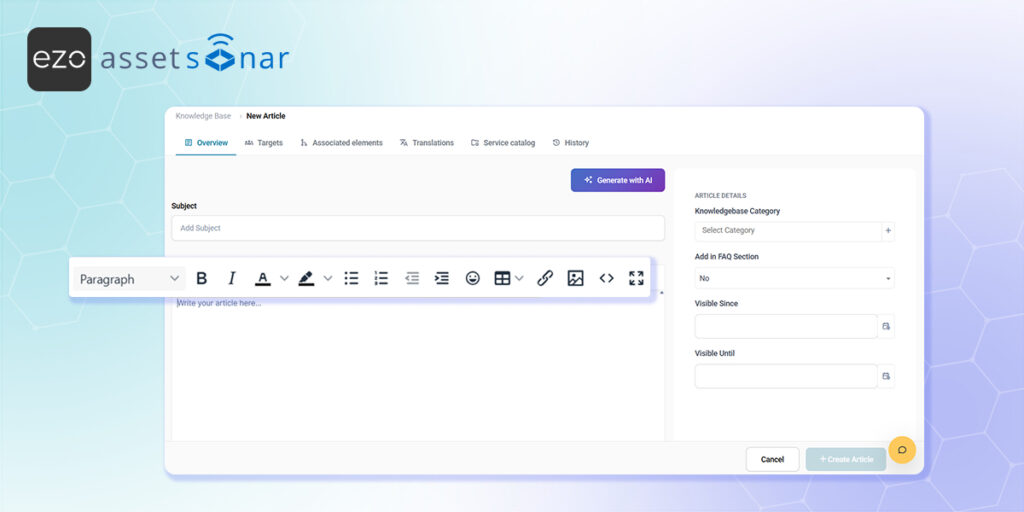
- Access the Editor: Navigate to Tools → Knowledge Base and open a new or existing article. Place your cursor exactly where you want the visual aid to appear within the rich text editor on the Overview tab.
- Insert Images: Use the insert image icon in the toolbar to upload a screenshot directly from your computer, or simply paste a copied image straight into the text field.
- Embed Videos and Links: If you have a video tutorial or an external diagram, use the insert media or hyperlink options in the toolbar to embed the content cleanly into the flow of your instructions.
Next Steps
Publish a test article containing both a screenshot and an embedded link, then view it from the end-user self-service portal to verify that the formatting holds up and the media loads correctly for your employees.
Was this helpful?
Thanks for your feedback!





