Introduction
Every IT leader or procurement head in a mid-market organization knows that efficient procurement workflows are essential to IT Asset Management (ITAM) software.
With a robust procurement process in place, you can ensure new hardware and software purchases are tracked from the moment of deployment request. This prevents delays and costly oversights.
Mid-market CIOs need an ITAM solution that helps them streamline software purchase approvals, track vendors and contracts, and integrate procurement data into the IT asset lifecycle.
In this blog, we will compare the procurement workflow capabilities of the top three ITAM solutions, i.e., EZO AssetSonar, SolarWinds Service Desk, and Atlassian Jira Service Management, to find out which one offers the best procurement workflow features for mid-market companies. At the same time, we will also discuss real-world user insights to understand how these solutions handle procurement and highlight their strengths and weaknesses.
This way, mid-market IT decision-makers can choose the right ITAM tool by evaluating which solution delivers the most efficient and comprehensive procurement workflows for their needs. Let’s dive into mid-market ITAM procurement workflows of different tools.
Why procurement workflows matter in ITAM
Ever wondered what efficient procurement workflows actually do to help mid-market companies? They make sure that every IT asset purchase is authorized correctly, documented, and accounted for in the asset inventory.
For mid-market companies, this is quite important. With limited IT resources and budget, you can’t afford delays or duplicate purchases with inflated costs. Below, you can find some key reasons why procurement workflows are critical in an ITAM solution:
1. Accountability and approvals
Multi-level approval workflows prevent unauthorized spending and catch errors before orders are placed. For example, an IT coordinator requests 5 new monitors. The request goes to their manager and finance team for approval before anything is purchased. This level of control is often needed as companies scale up.
2. Integration with asset lifecycle
An ITAM that integrates procurement means that as soon as something is purchased, it appears in your asset registry. For example, as soon as a purchase order (PO) for 30 laptops is approved, 30 asset records are pre-created in the ITAM system with vendor and warranty details, ready for tagging upon arrival. This real-time linkage from order to deployment gives IT teams complete visibility and readiness for employee onboarding when assets arrive.
3. Reducing errors and delays
Without a good workflow, purchase data often lives in silos (between Finance, Procurement, and IT). Missing information or manual updates can slow down deployments and even lead to lost assets. Mid-market companies without procurement-ITAM integration can lose hundreds of hours annually due to miscommunication and inefficiencies. For example, a purchase request with missing vendor details can get flagged before submission, preventing a shipment delay that could’ve stalled onboarding of 10 new hires. A unified workflow can prevent these delays.
4. Vendor and contract tracking
Mid-market IT teams often juggle multiple vendors and contracts. A procurement-enabled ITAM can help track supplier information, tie purchases to contracts, and flag renewal dates, avoiding surprise renewals or compliance issues. For example, your ITAM system reminds you that your antivirus license will expire next week, so you can renew it before it stops working. This is crucial for staying on budget and being audit-ready with a strong cybersecurity posture. It all ties in!
5. Mid-market agility
Unlike large enterprises, mid-sized firms need solutions that deliver procurement controls without massive overhead. The ideal ITAM procurement workflow is typically automated and easy to use so that small IT teams can manage approvals and POs efficiently without extensive customization or admin effort. For example, if a 3-person IT team uses a built-in approval process that doesn’t need coding, they can stay on top of purchases without extra admin overhead.
A strong procurement workflow in your ITAM solution helps mid-market teams purchase IT assets faster with fewer mistakes and complete visibility, so they can optimize IT spending and asset utilization.
EZO AssetSonar
Procurement workflow features
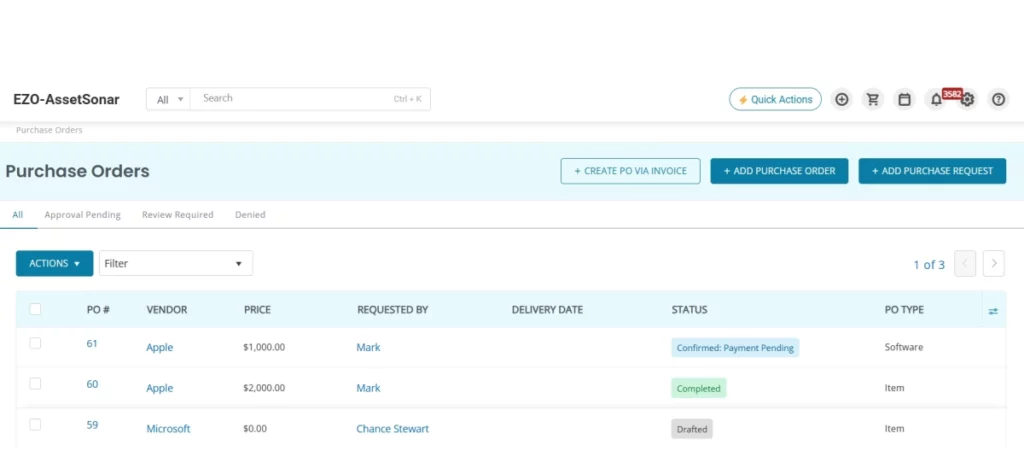
EZO AssetSonar offers a robust, built-in procurement module designed specifically for mid-market IT teams that need complete control over purchasing without the overhead of complex ERP systems. Its procurement workflows are embedded directly into the IT asset lifecycle, offering:
Multi-tier approval workflows
You can define sequential approval chains involving managers, IT admins, and finance stakeholders. Approvals can be set based on specific conditions such as purchase value, department, vendor, or asset type. The system also supports backup approvers to avoid workflow bottlenecks, ensuring all purchases are reviewed and compliant.
Purchase order management
The centralized Purchase Order (PO) module allows teams to create, edit, and track all PO details (item specifications, costs, vendor data, etc.) from request to delivery. It ensures every item ordered is automatically logged into the system, with full traceability and documentation.
Vendor and contract tracking
EZO AssetSonar links procurement with vendor and contract management. You can link contracts (warranty or license agreements) to purchase orders and respective vendors. This keeps all your procurement information in one place, and you don’t have to scramble through disparate systems or piles of folders during audit or renewal seasons.
Automation and integration
EZO AssetSonar automates key steps. Once a request is approved, the system creates pending asset records tied to the PO. It integrates seamlessly with other tools via REST-based APIs to pull in purchase data and ensure synchronized updates across IT and finance.
User-friendly workflow configuration
Setup doesn’t require technical know-how. Using out-of-the-box templates and a clean UI, admins can configure approval rules (e.g., auto-approve under $500, escalate over $10,000) with ease. Real-time alerts keep all users informed of PO status, reducing miscommunication.
Procurement-driven lifecycle management
Procurement in EZO AssetSonar marks the start of the asset lifecycle. It supports forecasting asset needs, tracks approvals and purchases, and continues tracking through deployment, usage, and retirement. This ensures complete lifecycle visibility and no asset goes undocumented.
Advantages
Streamlined collaboration
EZO AssetSonar eliminates the back-and-forth between IT, procurement, and finance by centralizing approvals, documentation, and tracking.
Faster, error-free onboarding
This ITAM tool automates the creation of asset entries and links them to POs, vendors, and locations, reducing onboarding time and human errors.
Unified platform
IT teams can find procurement and asset data in one place using EZO AssetSonar, getting a single source of truth for audits, cost analysis, and renewals.
Configurable without complexity
Tailored for mid-market teams, AssetSonar enables powerful workflows without the need for scripting, coding, or external consultants.
Seamless integrations
Open API support and native CDW integration mean your purchase data syncs directly into EZO AssetSonar, eliminating the need for spreadsheets or manual uploads.
Disadvantages
Admin dependency for staff participation
Staff users can’t create or manage POs in EZO AssetSonar independently unless they are granted specific permissions by Admins.
Not a finance system replacement
While EZO AssetSonar is a great ITAM tool for IT-led procurement, it doesn’t replace full-fledged finance or ERP systems used by accounting departments for broader vendor payments.
User insights
IT managers on forums say EZO AssetSonar’s procurement module is easy to use and saves a lot of time by automating tasks that were manual before.
Many users also praise its affordable pricing and strong automation. In fact, some even say it scales better than tools like Snipe-IT.
Overall, EZO AssetSonar stands out with a comprehensive workflow built into ITAM. It offers multi-tier approvals, centralized PO and vendor tracking, and automation that bridges the gap between finance and IT. For mid-market companies, this means faster purchasing, fewer lost assets or surprise costs, and a single source of truth for both assets and their purchase history.
SolarWinds Service Desk
Procurement workflow features
Integrated procurement objects
SolarWinds lets teams manage vendors, contracts, and purchase orders within the same system they use for tickets and assets. POs can be created directly from hardware/software requests and linked to incidents or changes, offering clear traceability from request to purchase.
Vendor and contract management
Vendor lists, contract terms, warranties, and renewals live in one place. Linking POs to both vendors and contracts helps avoid renewal lapses and gives IT/finance quick visibility into annual spend.
Purchase order workflow & approvals
SolarWinds includes basic approval routing and email-based approvals (approve/reject without logging into the platform). Workflows are functional but lack AssetSonar’s richer multi-tier, conditional logic.
Ease of use for procurement tasks
The interface keeps procurement simple with clean sections for vendors, contracts, and purchases. It avoids ERP-style complexity, making it approachable for IT teams with limited admin resources.
Asset lifecycle integration
Ordered items can be converted into managed assets immediately after receipt. Teams can then track warranties, maintenance, and depreciation—enabling request → purchase → asset lifecycle continuity.
Reporting and forecasting
SolarWinds offers straightforward reports for spend tracking, pending approvals, and renewals. Useful but not as customizable as dedicated procurement solutions.
Advantages
Unified ITSM + procurement
Teams get incident management, asset tracking, purchasing, and contracts all in one system—ideal for organizations that prefer a centralized IT hub.
Easy PO approvals
Email-based approvals streamline the process and help managers respond quickly without logging into the platform.
Strong lifecycle connection
Procurement ties directly into asset creation and management, eliminating data gaps between purchasing and inventory.
Suitable for smaller and mid-sized teams
The system avoids ERP-level complexity and keeps procurement workflows manageable.
Disadvantages
Not as specialized as dedicated ITAM procurement tools
SolarWinds covers procurement basics but doesn’t offer the deep, configurable workflows that dedicated platforms like AssetSonar do.
Learning curve
Some users say the interface can feel complex at first due to the number of modules and menus.
Limited multi-tier approval logic
While approvals are supported, SolarWinds lacks advanced conditional or sequential approval chains.
Not a finance-system replacement
Similar to EZO AssetSonar, SolarWinds cannot replace complete ERP or accounting systems.
User insights
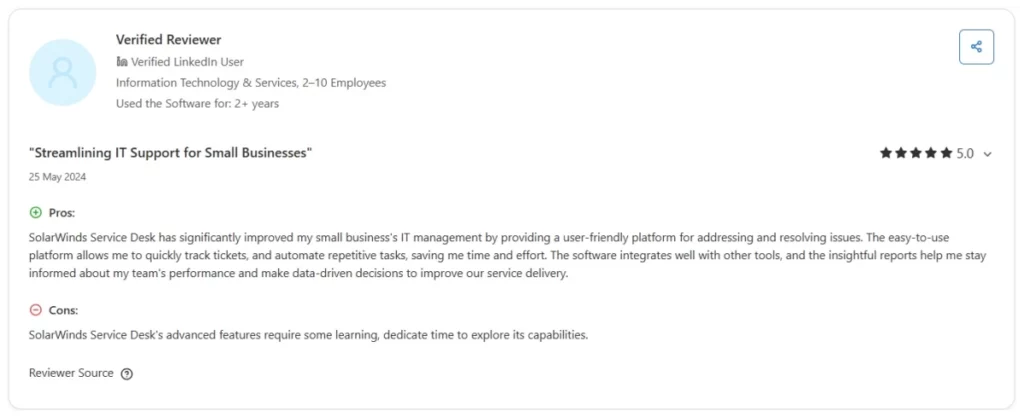
Users appreciate SolarWinds for giving IT a straightforward way to manage inventory and purchases together. Mid-market teams value the visibility it brings, though some users note the PO module “works fine but can feel convoluted” early on. Overall, it’s functional and convenient for IT-driven procurement, just not as flexible as dedicated ITAM-first platforms.
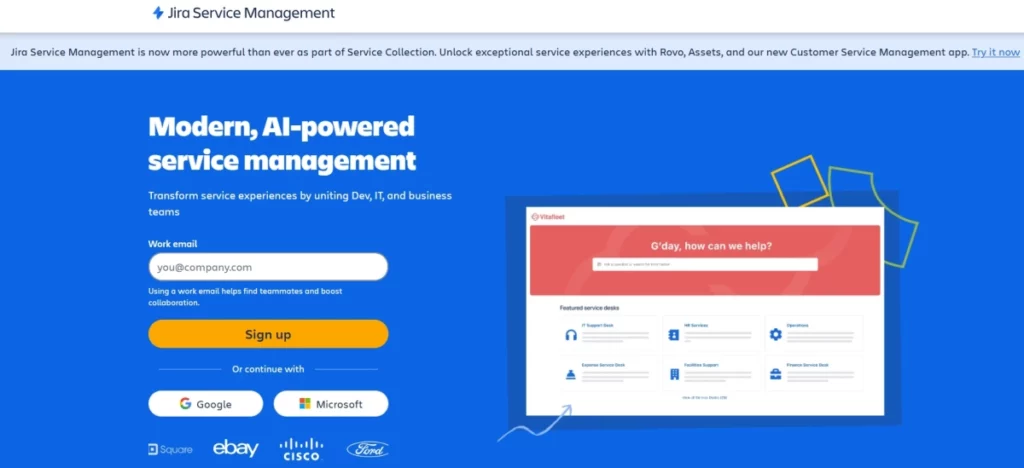
Atlassian Jira Service Management
Procurement workflow features
Custom workflows and approvals
Jira Service Management (JSM) does not include native procurement, but teams can design custom purchase workflows using issue types and approval steps (e.g., Manager → Finance → IT). Multi-tier approvals are possible but require manual configuration.
Asset & vendor tracking using Insight (Premium)
JSM Premium’s Insight module can store vendor, product, and budget data, allowing Jira to operate as a lightweight procurement database. This is powerful but requires schema design and admin effort.
Procurement via Marketplace apps
Most organizations extend Jira using Marketplace apps for PO creation, vendor catalogs, budgeting, or advanced approvals. These apps fill Jira’s native gaps but add cost and setup time.
Service portal for purchase requests
The JSM portal allows teams to submit structured purchase requests with dynamic forms. IT and finance can manage approvals through familiar Jira queues, though non-technical staff may need onboarding.
No native procurement or PO management
Jira lacks out-of-the-box features such as PO records, vendor tables, contract tracking, or automatic asset creation. These must be built or added via apps.
Automation and integrations
Jira Automation can route approvals, enforce policies, notify finance, or push approved requests to external systems like ERPs. Flexibility is high, but workflows must be built manually.
Advantages
Highly customizable
JSM allows companies to model their exact procurement processes without being restricted by vendor-defined workflows.
Unifies service desk and procurement
Teams already using Jira can consolidate approvals, requests, onboarding, and procurement into a single system.
Strong automation
Jira’s automation engine can enforce rules, trigger approvals, and integrate with other systems, reducing manual work.
Insight adds procurement structure
With Insight (Premium), Jira can store vendors, products, budgets, and assets, filling gaps that procurement processes need.
Large marketplace ecosystem
If Jira cannot do something natively, an app almost always exists to solve the problem.
Disadvantages
No native procurement features
Unlike AssetSonar or SolarWinds, Jira does not include purchase orders, vendor management, contracts, or multi-line items out-of-the-box.
Setup requires admin expertise
Building workflows, request forms, Insight schemas, or automation requires a knowledgeable Jira admin. Without one, setup can be time-consuming.
Add-ons may be necessary
To match dedicated procurement tools, most organizations end up adding Marketplace apps, adding costs and extra configuration.
Can be complex for finance teams
Non-technical users may find Jira’s interface busy or confusing until they get familiar with it.
No automatic asset creation
Unless an app or integration is used, assets must be manually added after purchase.
User insights
Community discussions indicate that Jira can support procurement, but only with careful planning and configuration. Many teams eventually rely on Marketplace apps or external procurement systems for POs and asset creation, using Jira mainly for approvals. Users appreciate its flexibility but acknowledge that it introduces overhead compared to purpose-built ITAM procurement platforms.
Procurement Workflow Comparison Table
| Feature / Criteria | EZO AssetSonar | SolarWinds | Jira Service Management |
| Procurement Module (Native) | ✔️ Yes — fully built-in | ✔️ Yes — built-in with PO & vendor tracking | ❌ No — must be custom-built or added via Marketplace apps |
| Purchase Orders | ✔️ Native PO creation & tracking | ✔️ Native POs with financial fields | ❌ Requires customization or add-on (e.g., Raley Procurement) |
| Vendor Management | ✔️ Built-in vendor database | ✔️ Built-in vendor details | ❌ Must be created using Insight or apps |
| Approval Workflows | ✔️ Multi-tier approvals out-of-the-box | ✔️ Standard approval workflows | ✔️ Fully customizable approvals, but requires setup |
| Custom Workflow Flexibility | Moderate (structured but customizable) | Moderate | ⭐ Very high (can model any process) |
| Asset Linking to POs | ✔️ Automatic asset creation linked to PO | ✔️ Supported | ❌ Not native — requires Insight or integrations |
| Automation | ✔️ Strong automation for procurement + asset creation | ✔️ Good automation | ✔️ Powerful automation, but must be configured |
| Integration With ITAM | ✔️ Deep native integration (ITAM + procurement in one) | ✔️ Good | ❌ Requires Insight Premium or an external ITAM tool |
| Request Portal | ✔️ User-friendly asset request forms | ✔️ Service portal | ✔️ Excellent JSM portal with dynamic forms |
| Ease of Setup | ⭐ Easy — works out-of-the-box | Easy/Moderate | ❗ Difficult without Jira admin expertise |
| Scalability | ✔️ Highly scalable for mid-market | ✔️ Scales well | ✔️ Scales well, especially with apps |
| Ideal For | Mid-market teams wanting a complete procurement + ITAM system | IT teams needing simple, no-frills procurement | Companies already using Jira and needing high customization |
| Limitations | Less flexible than Jira for highly unique processes | Less automation depth than AssetSonar | No native procurement — requires add-ons or custom setup |
Comparison of Procurement Workflow Capabilities: AssetSonar vs. SolarWinds vs. Jira
Now that we’ve studied each solution individually, let’s compare how EZO AssetSonar, SolarWinds Service Desk, and Jira Service Management stack up in key areas of procurement workflows. This “mid-market decision matrix” will highlight differences in features, ease of use, and suitability for medium-sized organizations.
1. Purchase Order Management
AssetSonar
- Has a dedicated PO module built directly into ITAM.
- Tracks every purchase from request → approval → order → delivery, providing full transparency.
- Automatically creates pending asset records for each PO, so IT teams never miss adding items to inventory.
- Centralizes vendor information, line items, costs, and asset links in one place, ensuring IT can monitor orders efficiently.
- Best for teams needing an end-to-end procurement process tightly integrated with ITAM.
SolarWinds
- Provides built-in PO creation and tracking as part of its service desk module.
- Allows POs to be linked to incidents, service requests, or asset records, helping track why purchases were made.
- Supports basic filtering and status tracking (Pending, Received, Approved) but lacks the depth of a specialized ITAM tool.
- Ideal for teams already using SolarWinds as an ITSM platform who want procurement included without a separate tool.
Jira
- No native purchase order entity exists.
- POs must be created as custom issue types (e.g., “Purchase Request”) or via marketplace apps.
- Tracking relies on issue statuses and custom fields, which can work but may be less intuitive for finance or procurement teams.
- Requires setup and governance to ensure naming conventions, approvals, and reporting are consistent.
Bottom line: AssetSonar and SolarWinds are ready to use out-of-the-box, while Jira requires configuration or a third-party app to manage POs effectively.
| Capability | AssetSonar | SolarWinds | Jira |
| Dedicated PO module | ✔️ | ➖ (within ITSM) | ⚠️ (custom setup) |
| End-to-end PO tracking | ✔️ | ✔️ | ➖ |
| Auto-create pending assets | ✔️ | ➖ | ⚠️ (requires automation) |
2. Approval Workflow Complexity and Flexibility
AssetSonar
- Offers multi-tier approvals built-in.
- Approval rules can be based on purchase value, department, location, or asset type.
- Includes backup approvers to prevent delays when someone is out of the office.
- Generates audit logs for compliance tracking.
- Perfect for mid-market companies with structured hierarchical approvals, e.g., IT Manager → Director → CIO.
SolarWinds
- Supports single or multiple approvers, but workflows are simpler.
- Email-based approvals allow approvers to approve without logging in, speeding up the process.
- Conditional routing is limited; complex scenarios require creative use of service catalog items or automation rules.
- Well-suited for organizations needing one or two levels of approval, such as manager + director.
Jira
- Maximum flexibility in designing workflows.
- Can accommodate any number of sequential or parallel approvals.
- Automation allows rules like: “If purchase > $5,000, require Finance approval in addition to default approvers.”
- Requires configuration effort or marketplace add-ons.
- Ideal for companies with complex or unique approval processes, but may be overkill for standard workflows.
Bottom line: AssetSonar offers the simplest out-of-the-box approval flows; Jira is the most flexible but requires setup; SolarWinds fits straightforward approval needs well.
| Capability | AssetSonar | SolarWinds | Jira |
| Multi-tier approvals | ✔️ (built-in) | ➖ (basic) | ✔️ (highly flexible) |
| Conditional routing | ✔️ | ⚠️ | ✔️ |
3. Vendor & Contract Management
AssetSonar
- Maintains vendor details and contracts within the system.
- Links contracts (e.g., warranties, software licenses) to assets and POs, providing a unified view.
- Helps mid-market companies without separate procurement software manage vendor relationships efficiently.
SolarWinds
- Offers dedicated vendor and contract tracking, including alerts for contract renewals.
- Each purchase can be tied to a vendor, making it easy to see spending trends and prepare budgets.
- Strong for teams that want built-in procurement and vendor oversight without external tools.
Jira
- Does not include native vendor or contract management.
- Requires Insight objects or custom issue types to represent vendors or contracts.
- No automatic reminders for contract renewals unless configured.
- Many organizations choose to keep vendor information in external systems while using Jira for approvals only.
Bottom line: AssetSonar and SolarWinds provide built-in vendor/contract management; Jira requires customization or add-ons.
| Capability | AssetSonar | SolarWinds | Jira |
| Vendor database | ✔️ | ✔️ | ⚠️ (create via Insight) |
| Contract tracking | ✔️ | ✔️ | ⚠️ (manual) |
| Renewal reminders | ✔️ | ✔️ | ⚠️ (custom automation) |
4. Automation & Integrations
AssetSonar
- Automatically creates asset records when POs are approved.
- Can link financial data, update stock levels, and trigger notifications.
- Offers APIs to integrate with ERP or procurement systems, minimizing manual work.
- Designed for seamless IT-procurement automation.
SolarWinds
- Provides automation mainly within its ecosystem (e.g., marking PO as received → auto-create asset).
- API integration is available, but it is less flexible than Jira.
- Suitable for mid-market teams using SolarWinds modules consistently.
Jira
- Extremely powerful via Automation for Jira.
- Can integrate with external asset management, ERP, or procurement systems.
- Automation rules must be manually defined; nothing happens automatically out-of-the-box.
- Best for companies with in-house Jira expertise or custom needs, as setup effort is higher.
Bottom line: AssetSonar automates procurement with minimal setup; Jira offers unlimited integration flexibility; SolarWinds provides moderate automation within its platform.
| Capability | AssetSonar | SolarWinds | Jira |
| Procurement automation | ✔️ | ➖ | ✔️ (rule-based) |
| Integration flexibility | ➖ | ➖ | ✔️ |
5. Ease of Deployment and Use
AssetSonar
- Purpose-built for ITAM + procurement.
- Easy to deploy and train teams, with a moderate learning curve.
- Focused interface ensures users only see relevant workflows, reducing confusion.
SolarWinds
- Broad ITSM platform; easy for core features, but may feel convoluted for new users in certain admin areas.
- Well-suited if you want ITSM + asset + procurement in one system, even if there’s a slight learning curve.
Jira
- Familiar interface if your team already uses Jira.
- It can appear complex for non-technical users due to dashboards, filters, and issue types.
- Initial deployment requires configuration of projects, workflows, and automation.
Bottom line: AssetSonar is simplest for procurement-specific tasks, SolarWinds balances breadth with usability, and Jira is flexible but requires setup effort.
| Capability | AssetSonar | SolarWinds | Jira |
| Out-of-box usability | ✔️ | ➖ | ⚠️ |
| Training required | Low | Medium | High |
| Admin complexity | Low | Medium | High |
6. Mid-Market Fit & Cost
AssetSonar
- Built for mid-market IT teams that need strong ITAM and procurement controls.
- Subscription pricing is usually lower than complete ITSM suites.
- ROI comes from time savings, fewer asset losses, and better license management.
SolarWinds
- Affordable mid-market ITSM with broader functionality.
- Best if your organization wants ticketing, CMDB, and procurement in one system.
- May include features your team doesn’t need, but adds value if leveraged fully.
Jira
- Low entry cost; Premium tier (Insight asset management) adds functionality and cost.
- Marketplace apps may be needed for advanced procurement features.
- Cost-effective for organizations already using Atlassian tools, but the implementation effort is higher.
- The hidden cost is setup time or external support for workflow configuration.
Bottom line: AssetSonar is best for organizations seeking ready-to-use ITAM + procurement, SolarWinds is ideal for all-in-one ITSM, and Jira works well for companies with in-house Jira expertise and complex, unique workflows.
| Capability | AssetSonar | SolarWinds | Jira |
| Best for ITAM + procurement | ✔️ | ➖ | ➖ |
| Best for all-in-one ITSM | ➖ | ✔️ | ➖ |
| Best for custom workflows | ➖ | ➖ | ✔️ |
| Cost efficiency | ✔️ | ✔️ | ➖ (depending on apps/tier) |
Why EZO AssetSonar is the top choice in mid-market procurement workflows
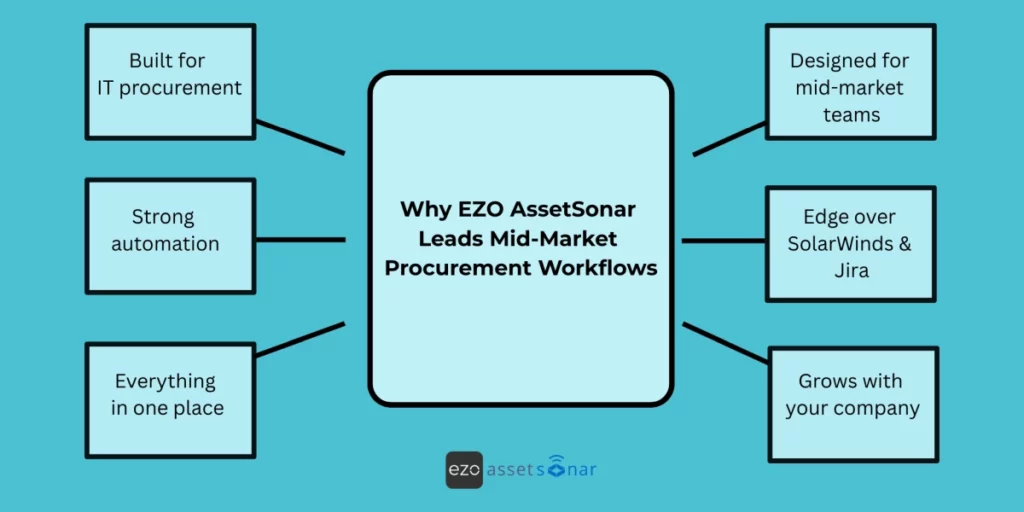
All three solutions, EZO AssetSonar, SolarWinds, and Jira (JSM), can enable procurement workflows in an IT asset management context. However, EZO AssetSonar emerges as the best fit for mid-market organizations that are looking for a powerful yet easy-to-implement solution.
Here’s a recap of why EZO AssetSonar stands out:
Built for IT procurement
EZO AssetSonar is designed with procurement as a core part of IT asset management, not an extra module. This means IT leaders get precisely what they need from day one. From PO approvals to vendor records to budgeting and purchase history, all are aligned with IT workflows. Because everything is tailored to IT assets, teams spend less time configuring and more time using it effectively.
Strong automation
The system automates the entire procurement process. When a request is approved, AssetSonar can automatically create the purchase order, log the upcoming asset, and update all related records. This removes repetitive work and ensures nothing is missed—no forgotten tags, no outdated spreadsheets. It’s especially valuable for mid-size teams that need efficiency without extra staff.
Everything in one place
Procurement and asset data live together in a single dashboard. IT heads can instantly see what’s been requested, what’s approved, what’s on order, and what’s deployed—alongside vendor performance and spending trends. Because procurement is tied directly to asset usage and lifecycle data, decision-making becomes faster and more accurate.
Designed for mid-market teams
Mid-market companies consistently highlight AssetSonar’s ease of use. It’s quick to set up, easy to train teams on, and starts showing value almost immediately. EZO’s support team is closely involved during onboarding, helping organizations build workflows that fit their structure. Even without a dedicated ITAM expert, teams can get up and running smoothly.
An edge over SolarWinds & Jira
SolarWinds offers a broad ITSM suite, but its procurement capabilities are less specialized. Jira (JSM) can handle procurement only after significant customization, automation setup, and plugin management. AssetSonar, in contrast, is ready out-of-the-box and includes deeper ITAM features like depreciation, license tracking, maintenance, and audits—making procurement more connected and reliable.
Grows with your company
As your organization scales, AssetSonar scales with you. Whether you onboard hundreds of devices, add more approvers, or integrate with HR, finance, or MDM tools, the platform can adapt. It’s built for mid-market today but capable of supporting enterprise needs tomorrow—reducing the risk of switching systems later.
Conclusion
For mid-market companies, choosing the right ITAM tool for procurement is crucial. SolarWinds offers procurement within a large ITSM suite, and Jira provides flexibility but requires heavy setup. EZO AssetSonar stands out because it delivers ready-made procurement workflows; multi-tier approvals, PO tracking, vendor management, and automatic asset onboarding, all built directly into a unified ITAM platform.
It gives IT and procurement teams strong control, clear visibility, and faster decision-making without added complexity. For lean mid-market teams, this means less manual work, fewer asset gaps, and more accurate IT spending.
Final takeaway: If you want a powerful yet easy procurement workflow tightly integrated with IT asset management, AssetSonar is the most practical and efficient choice for mid-sized organizations.





