Why It Matters
Automated responses reassure users that their email or portal submission didn’t disappear into a black hole, providing immediate confirmation and an official ticket number for tracking.
How to Set It Up
You can build highly customized auto-responders using the visual Workflow Automation Engine located on the ITAM side of your account:
- Access the Engine: In AssetSonar ITAM, navigate to Automations → Workflows & Automations and create a new workflow.
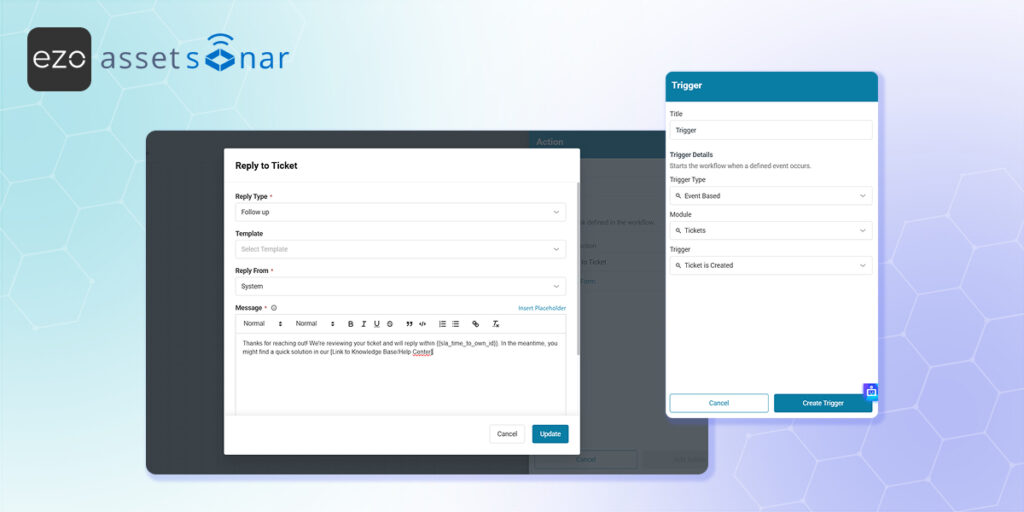
- Set the Trigger: Choose the “Ticket is Created” event trigger to start the flow.
- Configure the Email Action: Drag an Action node onto the canvas, connect it directly to your trigger, and select the action to send an email.
- Customize with Placeholders: Set the recipient to the Requester and draft your message. Use the system’s Automation Placeholders (e.g.,
{{ticket.id}}) to dynamically insert the new ticket number and provide a direct link back to the portal so they can check their status. - Activate: Toggle the workflow status switch to Active so the engine immediately begins dispatching your custom acknowledgment for every new request.
(Note: To learn more about utilizing dynamic placeholders and building multi-step messaging sequences, read our full guide to the Workflow Automation Engine.)
Next Steps
Submit a test request from an external email address and verify that the automation triggers promptly, delivering the correct ticket ID and formatting straight to your inbox.
Was this helpful?
Thanks for your feedback!





