Why It Matters
Building custom reports lets you track the exact metrics your IT leadership cares about—like average resolution time per team or ticket volume by category—instead of relying on generic out-of-the-box data. This prevents misaligned priorities and proves your department’s efficiency.
How to Set It Up
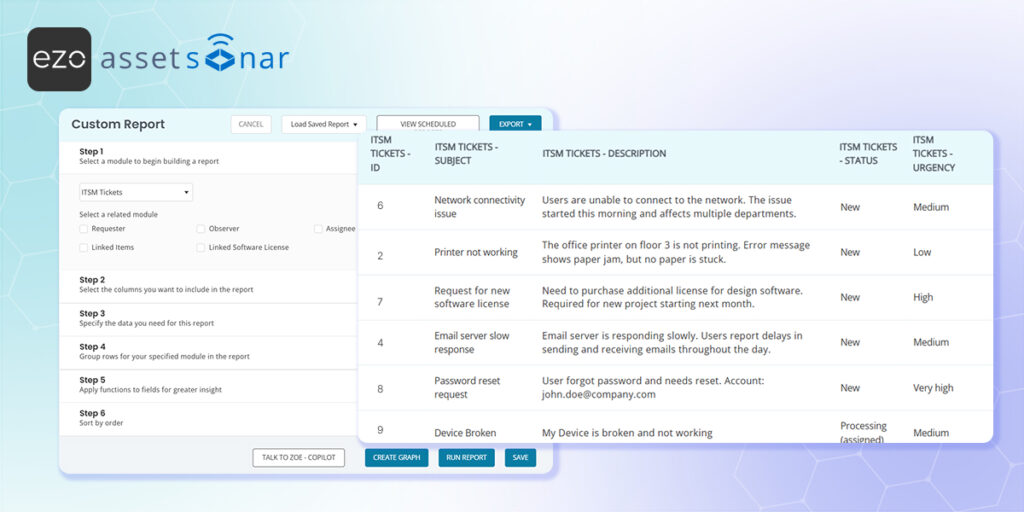
You can build highly specific helpdesk reports using the centralized Custom Reports engine located on the ITAM side of your account:
- Access Custom Reports: In AssetSonar ITAM, navigate to Reports → Custom Reports and click the button to create a new report.
- Select the Module: Choose ITSM Tickets from the primary module list to ensure the reporting engine pulls your helpdesk data.
- Define Your Metrics: Select the specific columns you want to see (such as Ticket ID, Status, or Assigned Agent) and apply your desired filters (like filtering for tickets closed in the last 30 days).
- Run and Save: Generate the report to view your data, and save the query so you can instantly pull this exact layout in the future without rebuilding it from scratch.
(Note: For a complete step-by-step walkthrough on configuring columns, applying advanced filters, and exporting your data, read our full guide on Custom Reports.)
Next Steps
Run a quick custom report on tickets closed in the last 30 days by your primary support group to verify the data displays exactly as expected.
Was this helpful?
Thanks for your feedback!





