EZRentOut Whats New
What’s New with EZRentOut
Here’s the latest on what we’ve been up to!
Product Updates - 2026
Delete QuickBooks Online Invoices with Orders
Deleting an order that is synced with QuickBooks Online now deletes its corresponding QBO invoice at the same time, so your books do not fall out of step with your rentals.
Print Credit Memos with Custom Templates
Credit memos now use the same custom print templates as your other documents. Build a template with your logo and layout, set it as the default, and print or email credit memos to customers directly from the credit memo page.
Save Cards for Future Payments
Customers can now securely save their card details when making a payment through a Public Payment Link. Saved cards can be used for future payments, including automated charges for Recurring Orders.
John Deere Telematics Updates
Pull more machine data directly into the platform. EZRentOut now supports Machine Hours, Fuel Level, DEF Level, Stop Codes, and Service/Info Codes from John Deere.
Product Updates - 2025
Complete control, using Stripe’s secure connection
Take charge with Stripe’s trusted OAuth connection, allowing you to easily authorize, review, and revoke access anytime from your dashboard, backed by Stripe’s PCI protection.
Missed rental revenue is now calculated for every entry
All new Missed Rentals entries, regardless of where they are logged from, now automatically include a rental revenue amount. This keeps your revenue tracking consistent and your missed demand reporting more reliable.
Map invoice line items to specific QuickBooks Online accounts
You can now map individual invoice line items to specific QuickBooks Online accounts for more detailed financial reporting. The existing option to map all invoice line items to a single QBO account is still available.
Shareable payment links, no login required
Customers can now pay directly using a secure link shared via email or messaging apps like SMS and WhatsApp, without needing to log in. A new banner on the payment popup highlights this option for faster collections.
Product Updates - 2024
Webstore Design Themes
Introducing pre-built webstore themes! Choose from industry-specific designs to enhance your online branding.
Order Conversion Cohort Analysis
Now you can track monthly order conversion rates with the “Order Conversion Cohort Analysis” feature, viewing data in percentages or counts to gain valuable insights to improve order fulfilment process.
Recommended Items: AI-Powered Upselling
Now, receive AI-powered add-on suggestions when creating an order. This feature works both in-app and on the webstore, reducing manual effort and improving order completeness.
Introducing Offline Mode on Mobile App
Access work orders, log tasks, and sync updates seamlessly—even without an internet connection.
Product Updates - 2023
Website Page Builder
Showcase the top rental items in your catalog using page builder for customers to easily find what they are looking for.
Sage Integration
Seamless accounting integration for Invoice management, payment tracking, and contact synchronization.
Product Updates - 2022
Service Workshop
A complete solution for listing & selling maintenance services for your rental assets and other customer equipment, including e-commerce and in-depth reporting.
Product Updates - 2021
Documents on Cart Checkouts
EZRentOut introduces Upload documents on Cart Checkouts while renting out an Order on Webstore. Specify the type, size and number of documents to upload and enable settings to verify or reject those documents.
Tax Groups
Easily apply multiple taxes to a line-item or Order total with Tax Groups and seamlessly sync taxes with accounting integrations.
Graphs in Custom Reports
EZRentOut introduces Graphs in Custom Reports to take the power of data a step further. Select a format, plot selected data from a report and get instant graphical representation of it.
Integration with Stripe POS Terminal
The EZRentOut team is excited to announce the launch of a new feature to help you manage your credit card payments at your POS through Stripe Terminal.
Product Updates - 2020
Plug’n Pay Integration
You can now integrate a Plug’n Pay account with your EZRentOut account to quickly process online payments via credit card. To enable the integration, go to Add Ons → Enable Payments through Credit Card → Use Plug’n Pay.
Track Order Delivery Status
Seamlessly track the delivery status of orders with EZRentOut’s new feature. Schedule a delivery, mark it as delivered, and even get a confirmation from the customer.
Custom Report for customer level pricing
With our latest enhancement in the custom reports, you can now run a custom report for customer level pricing of your customers.
Functions in Custom Reports
You can now apply functions such as Sum, Average and more to columns in Custom Report for greater insights
Product Updates - 2019
Improvements to Custom Reports
Use Custom Reports more effectively with new filters for custom attributes. Moreover, you can apply multiple filters to each attribute. The reports have also undergone performance enhancements.
Order Expenses
This feature allows users to list all the expenses incurred in preparing and dispatching the order, i.e. getting it to completion. To enable this feature, go to: Settings > Add ons > Order Expenses.
Trackunit Integration
Make use of GPS tracking capability to track device movements across locations with the help of Trackunit.
Disable Payment Section on Order Return form
Allow customers to return Orders without making a payment. Hide the payment section from the Order Return form by going to Settings → Company Settings → Pricing and Payments in Orders → Charge payment while returning order.
Product Updates - 2018
Grace period for Webstore orders
Give your team time to prepare or ship an order. Set a grace period on the webstore so customers can only book a new order a set number of days after the last one, with an optional post-return grace period as well.
Placeholders for Order Identification Number
Companies have sequence numbers that include customer identifiers and sometimes specific text strings. This feature will allow them to be able to set placeholders for OINs such as Customer#, Order# etc.
Ability to change date format
Non-US companies often use dd/mm/yyyy as the date format. They can now set this up for their account.
Payment Range on Webstore
Set a payment range on your Webstore, forcing customers to pay a fixed portion of the rental online. This can help reduce lost business.
Product Updates - 2017
Advanced Dashboard View
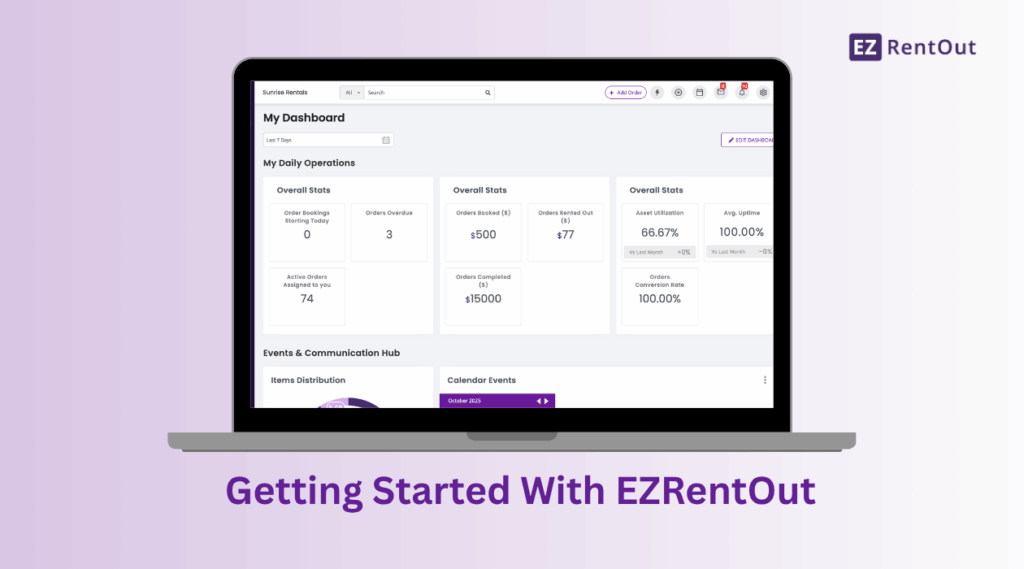
Stay ahead of all the events and happenings in your company. We’ve added an advanced layout to the dashboard where you can view all your KPIs and performance metrics.
Set alerts for staff users
Account owners and admins are now able to set up default alerts for staff users. Explore more from More > Alerts > Staff Alerts tab.
Display Pick up locations on the Webstore
Let your customers choose the nearest pickup location when placing an order on the Webstore – may it be your warehouse, retail store or a franchise in another region. Enable this setting from Store Settings > Pick Up Location.
Charges for Webstore Booking
Specify a percentage or gross amount payable for booking orders through the Webstore. Go to Settings → Store Settings → Order Settings → Enable Payments Through Webstore – Charge.
Product Updates - 2016
Direct Payment on Webstore
Payment is now a lot more convenient for your customers. They can pay directly through the webstore, without having to access a customer portal.
E-commerce Tracking
Use JavaScript for e-commerce tracking. Configure a script after cart confirmation to track web order sales on Google Analytics.
Recurring Services
In addition to Service Triage, our Advanced Services and Maintenance module now includes Recurring Services. Use this to repeat service cycles at regular intervals.
Supercharged Rental Rules and Coupons
Use coupons to offer discounted rental prices to customers. This can be done manually or through online referrals. You can also add validity periods and set coupon usage per customer.