

Keeping track of moving assets can get messy, especially when field teams, distributed job sites, and mobile equipment are involved. Missing or outdated location data can lead to confusion, delayed operations, and unnecessary downtime.
To help you stay on top of asset movement, EZRentOut integrates with Samsara, allowing you to automatically sync and track GPS location data for your assets directly within EZRentOut.
This guide walks you through enabling the Samsara integration, linking Samsara devices to your assets, and viewing synced GPS location data directly in EZRentOut.
1. Enable Samsara Integration
To get started with the Samsara integration, you can enable it from within EZRentOut:
- Navigate to Settings → Integrations → Samsara Integration.
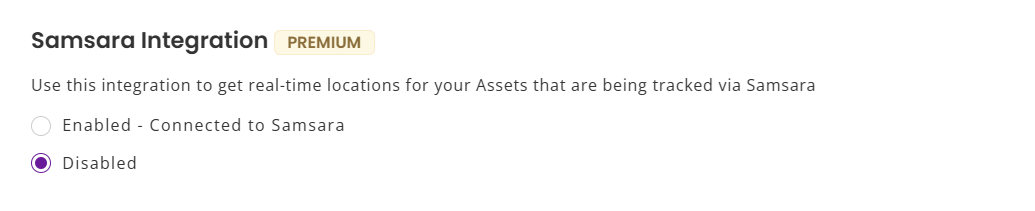
- Click Enabled and you will see the option to Connect to Samsara. Click this option and grant EZRentOut permission to access your Samsara data by clicking Allow.

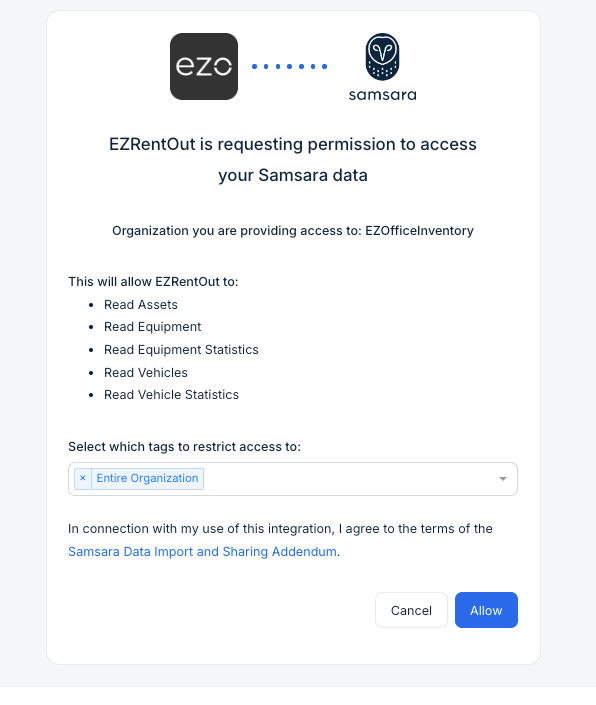
You will be redirected to EZRentOut and Samsara is successfully connected with EZRentOut.
2. Add GPS IDs to Your EZRentOut Assets
After integrating Samsara with EZRentOut, you can begin tracking the location of your assets.
To link an EZRentOut asset with its corresponding Samsara device:
- Open the asset and click Edit.
- Locate the GPS ID field and enter the GPS ID associated with the asset.
- Select Samsara as the GPS Sync Source.
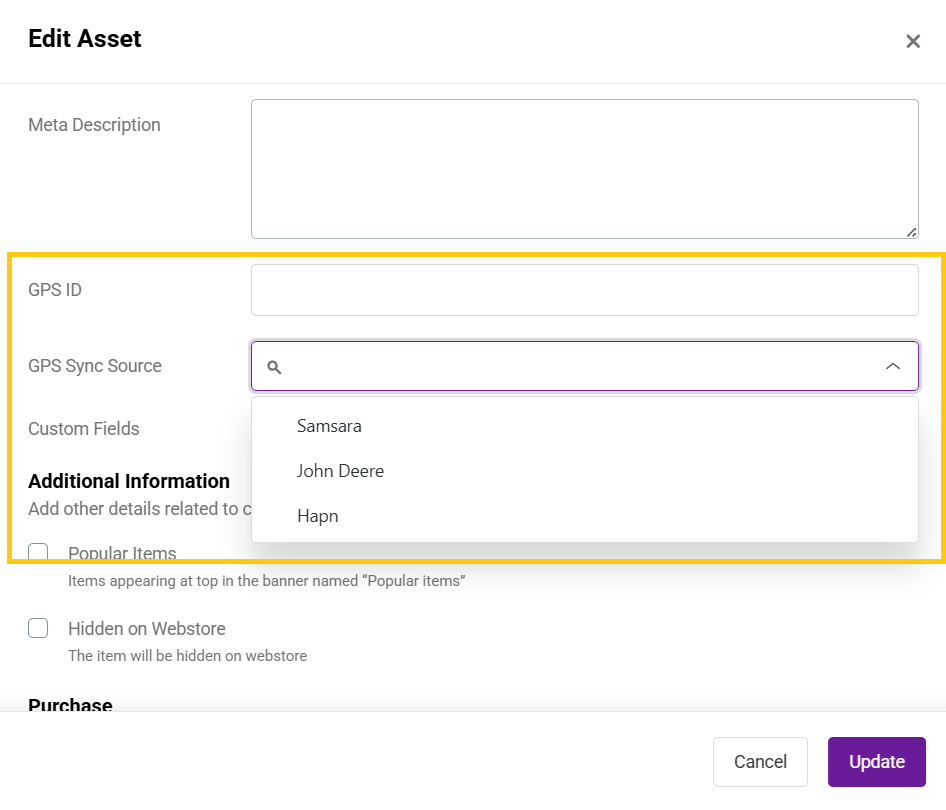
- Click Update to save your changes.
You can also add these fields while creating a new asset to enable GPS tracking from the start.
Note: GPS IDs can also be added or updated in bulk using Excel Import.
3. View GPS Location Coordinates
Once connected, EZRentOut automatically fetches GPS location coordinates from Samsara and updates them for each linked asset.
The latest coordinates appear directly on the asset’s detail page, allowing you to quickly verify where an asset was last reported.
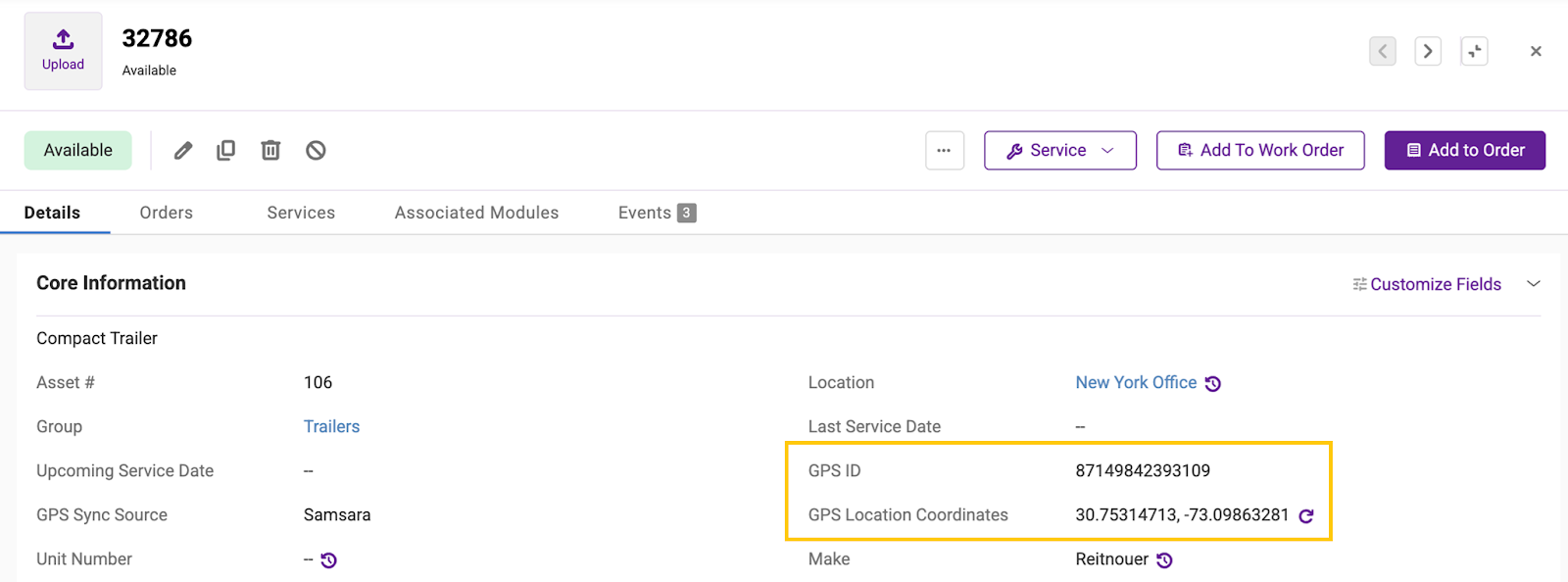
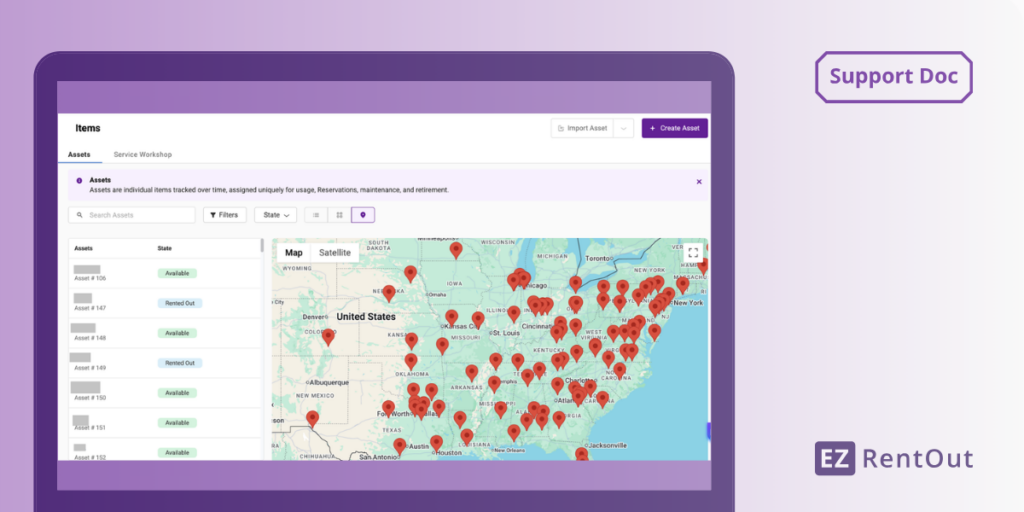
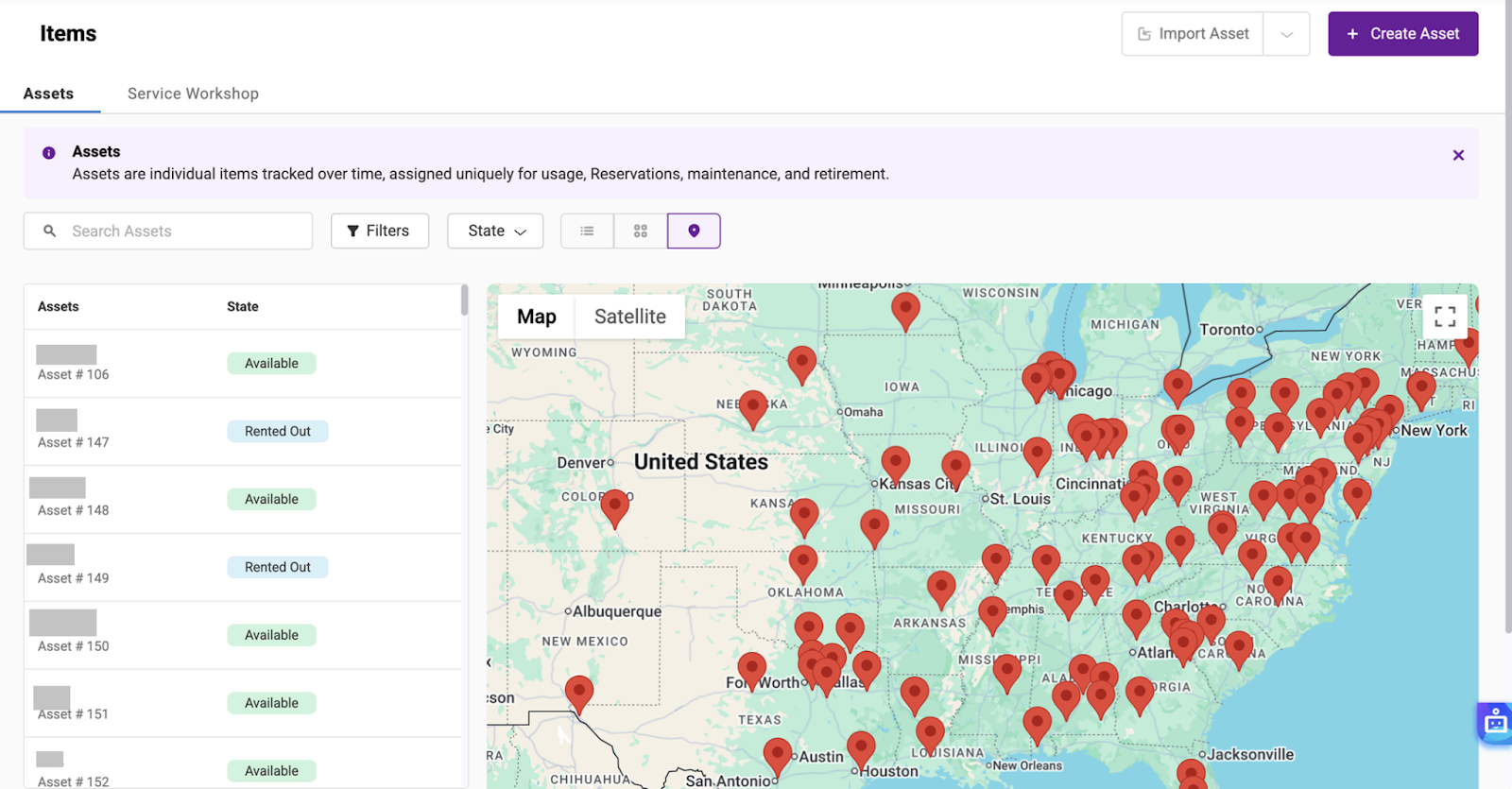
Additionally, once you enable Samsara, you will be able to view the exact location of each linked asset via the map view on Assets page (shown below):
Ready to Automate Asset Location Tracking with Samsara?
With EZRentOut’s Samsara integration, your team can automatically sync asset GPS coordinates, eliminate manual location checks, and gain better visibility across moving equipment.
If you need help getting started, email us at support@ezo.io — we’re happy to assist.






