Why is choosing a hardware asset management (HAM) tool harder than it looks?
Let’s discuss a real scenario here.
You’re the IT manager of a mid-market organization, and you’ve been asked a simple question: “How many laptops do we currently have, who is using them, and which ones are due for replacement?”
Though the question sounds quite straightforward, here’s what usually happens:
- One spreadsheet shows 1,200 devices
- Your MDM tool shows 1,350
- Procurement records show 1,100
- And your service desk tickets reference devices that don’t appear anywhere
Now multiply this confusion across offboarding employees, audit requests, lost or unreturned hardware, and budget planning. All of a sudden, “asset management” isn’t just about tracking devices anymore. It becomes three different jobs, including:
- Discovering what exists (visibility)
- Managing service interactions (tickets, incidents)
- Controlling lifecycle and ownership (procurement → assignment → recovery)
This is exactly why choosing a Hardware Asset Management (HAM) solution is deceptively hard.
In this guide, we compare three widely used tools:
- AssetSonar
- Freshservice (by Freshworks)
- Lansweeper
We’ll break them down based on what they actually do well and, more importantly, where each one fits operationally.
What to look for in a modern HAM solution
Before comparing tools, it’s important to define what “good” looks like in 2026. A modern Hardware Asset Management (HAM) solution isn’t just about tracking devices; it’s about maintaining control, accuracy, and accountability across a constantly changing IT environment.
1. Maintain accurate asset visibility
A modern HAM solution should give you continuously updated, reliable visibility across cloud saas environments, remote endpoints, SaaS tools, and hybrid infrastructure. This isn’t about maintaining a static inventory; it’s about ensuring your system reflects reality at all times.
In practice, this becomes critical when assets are deployed outside traditional IT workflows. For example, an employee in another country might receive a laptop shipped directly from a vendor. The device is enrolled in an MDM system, but no one manually adds it to your asset register. As a result, the device doesn’t appear in your inventory, isn’t assigned to a user, and won’t be accounted for during audits.
A strong HAM solution eliminates this gap by automatically syncing data from integrated systems, ensuring that every asset is captured without manual intervention. The outcome isn’t just visibility; it’s trusted visibility, where your records accurately reflect what actually exists in your environment.
2. Track ownership and custody
You should always be able to answer three basic questions instantly:
Who has this asset?
Where is it located?
What condition is it in?
Without this clarity, even simple operational tasks become time-consuming and error-prone.
This becomes especially visible during offboarding. Imagine a senior employee leaves the company, and HR marks them as inactive. IT is then asked to recover their equipment, but there’s no clear record of what was assigned. The team has to search through tickets, spreadsheets, and past communications to piece together the information. By the time they figure it out, the device may already be lost or unrecoverable.
A mature HAM system maintains a real-time record of asset ownership, location, and status. In this scenario, IT can immediately see all assets assigned to the user, where they were last recorded, and their condition. What used to be a reactive scramble becomes a controlled and repeatable recovery process, significantly reducing asset loss.
3. Manage lifecycle workflows
Effective asset management doesn’t start at discovery; it starts at procurement and continues through assignment, maintenance, and eventual disposal. A modern HAM solution should support this entire lifecycle in a structured way.
Without lifecycle management, organizations often fall into inefficient patterns. For instance, teams may continue ordering new laptops every quarter without checking whether existing devices can be reused or repaired. Over time, unused devices accumulate, repairable assets are replaced unnecessarily, and procurement costs steadily increase.
A lifecycle-driven HAM solution introduces control into this process. Purchase requests can be routed through approval workflows, existing inventory can be checked before placing new orders, maintenance history can be tracked, and assets nearing end-of-life can be flagged in advance. This shifts IT from reactive purchasing to intentional asset utilization, where every decision is informed and cost-conscious.
4. Support audits and compliance
Audit readiness is one of the clearest indicators of how well your asset management system is functioning. A modern HAM solution should maintain clear, structured records of asset history, ownership changes, and financial details.
Consider a common audit request: “Show the full history of this device: who used it, when it was assigned, and where it is now.” In many organizations, answering this requires pulling data from multiple systems, resolving inconsistencies, and manually reconstructing timelines. This is time-consuming and often unreliable.
With a centralized HAM solution, this information is readily available. Every ownership change, status update, and financial record is logged in one place, creating a complete audit trail. Instead of preparing for audits reactively, teams can operate in a state of continuous audit readiness, generating accurate reports in minutes rather than weeks.
5. Enable reporting and decision-making
Beyond tracking assets, a modern HAM solution should help IT teams make better decisions by providing actionable insights rather than just surface-level dashboards.
This becomes critical when IT is asked to justify spending. For example, your finance team might question why hardware costs increased by 25% over the past year. Without proper reporting, IT may struggle to explain whether this was driven by company growth, replacement cycles, lost assets, or inefficient procurement practices.
A strong HAM platform provides the data needed to answer these questions with confidence. It can show how many assets are underutilized, where replacements are actually necessary, and which departments are driving the most costs. This allows IT to move beyond reactive explanations and become a data-backed decision partner, contributing to both operational efficiency and financial planning.
The bigger takeaway
Most HAM tools promise “visibility.” But modern IT teams don’t struggle to see data; they struggle to trust it and act on it.
The real benchmark in 2026 is this: Can your system help you act on asset data, not just store it?
That’s the difference between a tool that simply tracks assets and a system that enables asset operations at scale.
Tool #1: AssetSonar
What AssetSonar is designed for
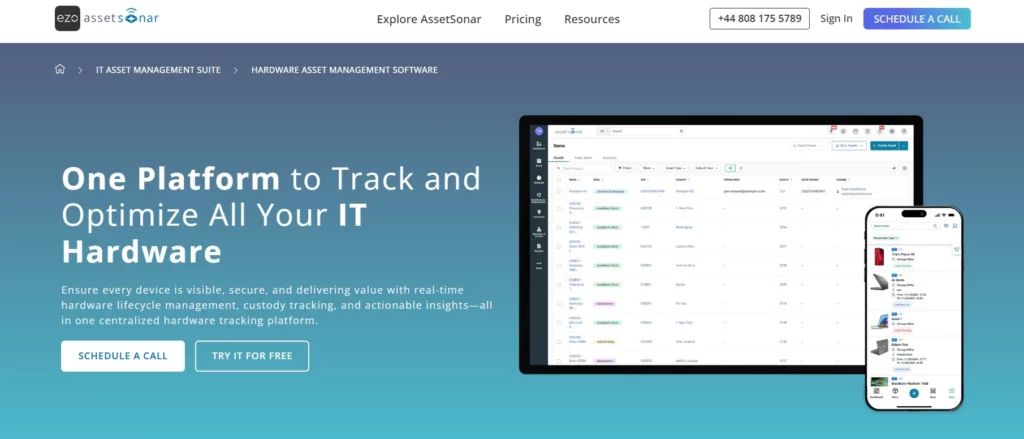
AssetSonar is built specifically for end-to-end Hardware Asset Management (HAM). Unlike tools that focus only on discovery or service workflows, AssetSonar is a HAM tool that is designed to manage the entire lifecycle of an asset, from procurement to disposal.
Its focus is not just on visibility, but on control and accountability across asset operations.
Key capabilities
1. End-to-end asset lifecycle management
AssetSonar is designed to manage assets from procurement through disposal. It supports purchase requests with approval workflows, tracks assignment to users, logs maintenance activities, and manages end-of-life processes.
In practice, this means IT teams can control the entire asset lifecycle rather than managing each stage separately. It reduces unnecessary purchases and ensures assets are used efficiently before being replaced.
2. Ownership and custody tracking
AssetSonar maintains a clear record of who has each asset, where it is located, and what condition it is in. It also keeps a complete history of ownership changes over time.
This is particularly valuable during offboarding. Instead of searching through multiple systems, IT can instantly see all assets assigned to a user and recover them efficiently, reducing loss and improving accountability.
3. Automated data sync through integrations
AssetSonar integrates with tools like MDM systems and cloud directories to keep asset data updated automatically. This reduces reliance on manual updates and improves accuracy.
For example, when a new device is deployed and enrolled in an MDM, it can automatically appear in AssetSonar, ensuring your asset records stay aligned with your actual environment.
4. Financial and cost tracking
AssetSonar includes financial tracking features such as depreciation, cost allocation, and budget tracking. This allows IT teams to understand not just what assets they have, but what those assets cost over time.
This is especially useful for working with finance teams, as it provides clear visibility into asset-related spending and helps justify procurement decisions.
5. Reporting and analytics
AssetSonar offers customizable reporting and audit-ready logs, enabling teams to analyze both operational and financial data.
For example, IT leaders can quickly identify underutilized assets, track maintenance costs, or prepare audit reports, turning asset data into actionable insights rather than just static records.
Where AssetSonar fits best
AssetSonar is best suited for organizations that need full control over asset operations, not just visibility.
For example, if your organization struggles with:
- Employees not returning hardware
- Buying new assets while old ones sit unused
- Lack of clarity around asset ownership
- Difficulty preparing for audits
AssetSonar helps bring structure and accountability to these processes.
It’s especially valuable for organizations with distributed teams, high asset volumes, or complex workflows, where manual tracking quickly breaks down.
What this means in practice
Instead of just knowing what assets exist, your team can:
- Track exactly who has each device
- Recover assets efficiently during offboarding
- Reduce unnecessary purchases by reusing inventory
- Explain and justify IT spending with real data
In short, AssetSonar is built for organizations that want to move from visibility to operational control and cost optimization in asset management.
Tool #2: Freshservice (Freshworks)
What Freshservice is designed for
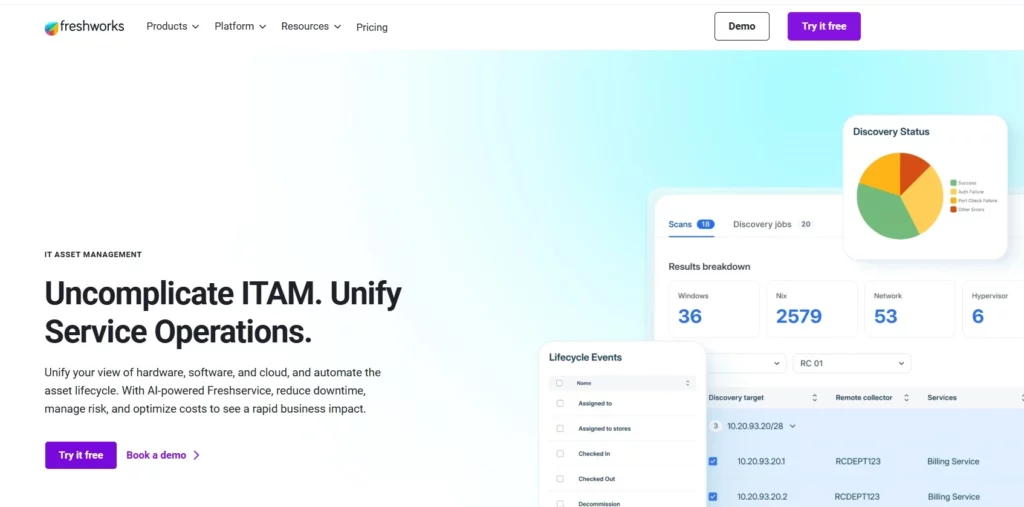
Freshservice is primarily an IT Service Management (ITSM) platform. That means its main job is to help IT teams manage tickets, incidents, and service requests. Asset management is built into the platform, but it exists mainly to support those service workflows.
In simple terms, Freshservice connects two things:
- The work IT teams do (tickets, incidents, changes)
- The assets involved in that work (devices, software, users)
So instead of managing assets as a standalone system, Freshservice uses them as context inside service operations.
Key capabilities
1. Built-in asset discovery
Freshservice allows IT teams to discover assets using both agent-based and agentless methods. This means it can scan your network and automatically detect devices without requiring manual entry. The discovered assets are then organized in a CMDB, providing a structured view of your IT environment.
In practice, this helps teams quickly build an inventory of devices, especially when setting up the system or onboarding new locations. However, discovery is primarily tied to supporting service workflows rather than managing the full lifecycle of those assets.
2. Strong service management workflows
Freshservice is built around IT service management, so it offers robust features for handling incidents, problems, and changes. Teams can automate workflows, standardize request handling, and provide users with a service catalog.
For example, when employees request new hardware or report issues, those requests can follow predefined workflows with approvals and SLAs. This makes IT operations more structured and efficient, especially in organizations that follow ITIL practices.
3. Asset-to-ticket linking
One of Freshservice’s most practical features is the ability to link assets directly to tickets. When a user raises an issue, IT can attach the relevant device and instantly view its history, configuration, and past incidents.
This reduces troubleshooting time because technicians don’t have to switch between systems to find context. Everything they need to resolve the issue is available within the ticket.
4. Integrations with cloud and SaaS tools
Freshservice integrates with a wide range of cloud platforms and SaaS applications. This helps bring asset and user data into a centralized system, improving visibility across your environment.
For example, integrating with cloud directories or device management tools ensures that asset information stays up to date, especially in modern, distributed IT setups.
Where Freshservice fits best
Freshservice works best in organizations where the service desk is the center of IT operations. If your team spends most of its time managing tickets and resolving incidents, Freshservice helps bring structure and efficiency to that process.
For example, when a user reports a laptop issue, the support agent can immediately see the device details, warranty status, and past incidents, all within the same ticket. This reduces back-and-forth and speeds up resolution.
It’s also a strong fit for teams that prioritize ITIL-aligned workflows and want a single platform for managing service delivery.
Where it can fall short for HAM
The limitation comes when you move beyond service workflows into asset operations.
Freshservice includes asset management features, but lifecycle workflows, such as procurement approvals, asset recovery during offboarding, or end-of-life planning, are not highly specialized. Financial tracking, such as depreciation or cost allocation, is also not a core focus.
In practice, this means assets can become secondary to tickets. You can see and use asset data within service workflows, but managing the full lifecycle and financial side of assets often requires additional processes or tools.
In short, Freshservice is strongest when assets support service management, not when asset operations are the primary focus.
Tool #3: Lansweeper
What Lansweeper is designed for
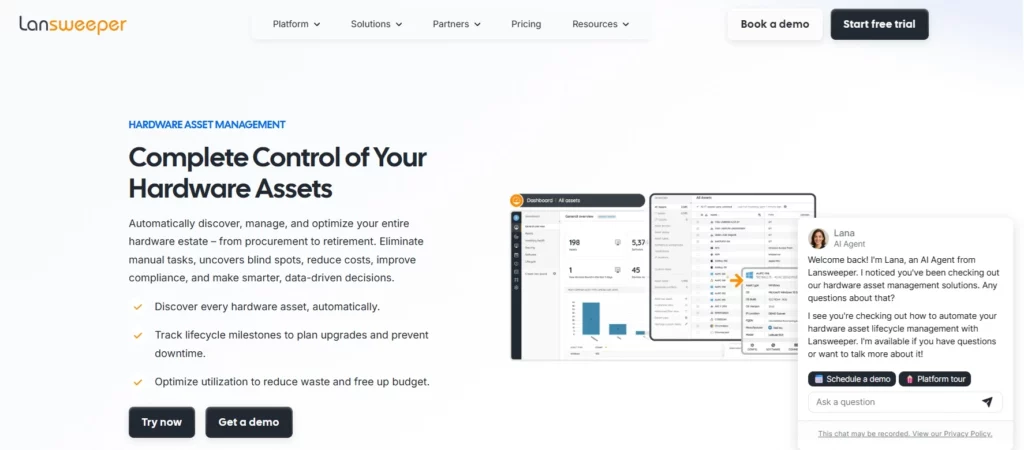
Lansweeper is fundamentally an IT asset discovery and inventory platform. Its core strength is helping organizations answer one critical question:
“What do we actually have in our environment?”
It focuses on building a complete, accurate inventory of all devices, especially in large or complex environments where visibility is a challenge.
Key capabilities
1. Deep asset discovery
Lansweeper is known for its powerful agentless discovery capabilities. It scans networks to detect a wide range of devices, including IT, OT, and IoT assets.
This is especially useful in large or complex environments where not all devices are centrally managed. Lansweeper helps uncover assets that might otherwise remain invisible, such as unmanaged endpoints or legacy systems.
2. Hardware and software inventory
Once devices are discovered, Lansweeper builds a detailed inventory that includes hardware specifications, installed software, and usage data.
This gives IT teams a clear understanding of what exists in their environment and how it’s being used. For example, you can identify outdated systems, track software installations, or monitor license usage across the organization.
3. Network visibility and relationships
Lansweeper goes beyond listing devices by showing how they are connected within your network. It can map relationships between assets and highlight dependencies.
This is valuable for identifying risks, such as unknown devices connected to your network or systems that may affect one another during outages or changes.
4. Reporting and insights
Lansweeper provides both pre-built and customizable reports that help teams analyze their asset data. These reports can be used for audits, security assessments, or operational planning.
For example, teams can generate reports on outdated software, missing patches, or devices that haven’t been seen on the network recently.
Where Lansweeper fits best
Lansweeper is ideal for organizations where the biggest problem is a lack of visibility.
For example, many IT teams don’t fully know:
- How many devices are on their network
- Which ones are unmanaged
- What software is installed across the organization
Lansweeper helps solve this by building a reliable, continuously updated inventory. It’s especially valuable in large or decentralized environments where assets are difficult to track manually.
Where it can fall short for HAM
While Lansweeper is excellent at discovery and inventory, it does not go deep into operational asset management.
It doesn’t natively handle lifecycle workflows like procurement approvals, assignment tracking, or disposal processes. It also doesn’t include a built-in service desk, so teams need to integrate it with other service management tools.
Ownership and custody tracking, knowing exactly who has what and managing that over time, are also not its primary focus.
In short, Lansweeper is very strong at helping you see everything, but it doesn’t fully help you manage what happens next.
Side-by-side comparison
| Capability | Freshservice | Lansweeper | AssetSonar |
| Core focus | ITSM + assets | Discovery & inventory | Full HAM lifecycle |
| Asset discovery | Strong | Very strong | Strong (via integrations and natively) |
| Service management | Excellent | Limited | Integrations (e.g., Jira) |
| Lifecycle management | Moderate | Limited | Strong |
| Ownership tracking | Moderate | Limited | Strong |
| Financial tracking | Limited | Limited | Strong |
| Reporting | Good | Strong | Strong (custom + operational) |
| Best for | ITSM-led teams | Visibility-focused teams | Asset operations-focused teams |
How to choose the right HAM solution
Choosing the right HAM solution isn’t about picking the “best” tool overall; it’s about understanding what problem you’re trying to solve today and how your operations are structured. Each of these tools is strong in a different area, so the right choice depends on where your biggest gaps are.
Choose Freshservice if your priority is service management
Freshservice is the right choice if your IT operations are centered around the service desk, and your main goal is to improve how tickets, incidents, and requests are handled. In this setup, assets are important, but mostly as context to help resolve issues faster.
For example, if your team handles a high volume of support tickets every day, Freshservice helps by linking assets directly to those tickets. When a user reports a problem, the technician can instantly see which device is involved, its history, and any past issues. This reduces back-and-forth and speeds up resolution times.
It’s also a strong fit if your organization follows ITIL processes and wants structured workflows for incident, problem, and change management. However, it’s important to recognize that asset management here is built to support service delivery, not to manage the full lifecycle of assets in depth.
Choose Freshservice when your main goal is to run a more efficient service desk with asset context built in.
Choose Lansweeper if your biggest gap is visibility
Lansweeper is the right choice if your organization is struggling with a fundamental question:
“What do we actually have in our environment?”
Many IT teams don’t have a reliable inventory of their assets, especially in large, distributed, or rapidly growing environments. Devices may exist on the network that no one is tracking, software usage may be unclear, and shadow IT may go unnoticed.
Lansweeper solves this by providing deep discovery and inventory capabilities. It scans your network to identify devices, builds a detailed inventory, and helps you uncover unknown or unmanaged assets.
For example, if you’re preparing for a security audit or trying to clean up your environment, Lansweeper can quickly show you:
- Devices that haven’t been patched
- Systems that haven’t been seen recently
- Unknown endpoints connected to your network
This makes it a strong foundation for visibility and audit readiness. However, once you know what you have, Lansweeper doesn’t go as far in helping you manage what happens next, such as ownership tracking, lifecycle workflows, or cost control.
Choose Lansweeper when your priority is to build a complete and accurate inventory of your environment.
Choose AssetSonar if you need end-to-end asset control
AssetSonar is the right choice if your challenge is not just visibility, but control over asset operations.
This typically shows up in organizations where:
- Assets are frequently lost or not returned
- Procurement decisions are not well tracked
- Devices are underutilized or replaced too early
- IT struggles to explain or justify hardware spending
AssetSonar is built to manage the entire lifecycle of an asset, including procurement, assignment, maintenance, recovery, and disposal.
For example, consider a common scenario: your company continues buying new laptops every quarter, but no one checks whether existing devices can be reused. At the same time, offboarding employees don’t always return their equipment, and there’s no clear ownership record.
With AssetSonar, you can:
- Route purchase requests through approval workflows
- Check available inventory before buying new assets
- Track exactly who each asset is assigned to
- Recover assets efficiently during offboarding
- Monitor costs, depreciation, and budget impact
This brings structure and accountability to asset management, helping IT move from reactive tracking to proactive operational control.
It’s especially valuable for organizations with distributed teams, high asset volumes, or multiple departments, where manual tracking quickly breaks down.
Choose AssetSonar when you need to manage assets as an operational system, not just track or discover them.
Final takeaway: Visibility vs Operations
Most organizations don’t start with a sophisticated asset strategy. They start with confusion.
At the beginning, the problem is basic:
“We don’t know what we have.”
Devices are scattered across locations, spreadsheets don’t match reality, and there’s no reliable inventory. This is where tools like Lansweeper deliver immediate value. They help you discover and map your environment, giving you a baseline understanding of what exists.
But once that visibility is in place, a new problem quickly emerges:
“We know what we have, but we can’t control it.”
At this stage, IT teams can see their assets, but they struggle to manage them. Devices are assigned without clear ownership, offboarding processes are inconsistent, and procurement decisions are disconnected from actual inventory. Assets are visible, but not governed. This is where lifecycle management starts to matter, because visibility alone doesn’t prevent loss, duplication, or inefficiency.
As organizations grow, the problem becomes even more business-critical:
“We need to reduce costs, improve accountability, and pass audits.”
Now the focus shifts from IT convenience to operational and financial impact. Leadership wants answers:
- Why are we buying more hardware every quarter?
- Where are assets being underutilized?
- Can we prove ownership and history during an audit?
At this stage, simply knowing what you have isn’t enough. You need structured workflows, clear ownership, financial tracking, and audit-ready records. This is where a dedicated HAM platform like AssetSonar becomes essential, because it helps you manage assets as an operational system, not just a dataset.
Closing thought
Choosing the right tool ultimately depends on where your organization is in this journey.
If your biggest challenge is discovering assets and building a reliable inventory, a tool like Lansweeper is the right starting point. If your focus is improving service delivery and connecting assets to tickets, Freshservice fits naturally into that workflow.
But if your goal is to move beyond visibility and actually control how assets are purchased, assigned, tracked, and recovered, then you need a system designed for asset operations.
Because at scale, asset management isn’t just about having data.
It’s about having control, context, and accountability across the entire lifecycle.





