Managing company hardware becomes difficult when device data is split across spreadsheets, mobile device management (MDM) platforms, service desks, purchase records, and employee directories. IT teams may know a laptop exists without knowing who has it, whether its warranty is active, or when it should be refreshed and recovered.
The best hardware asset management tools combine a reliable device record with workflows for custody, service, refresh, recovery, and retirement. This guide compares 15 tools across discovery, lifecycle control, integrations, pricing, review signals, and deployment.
Best hardware asset management tools at a glance
| Tool | Best for | Product model | G2 rating | Pricing model |
| AssetSonar | Connected hardware lifecycle and custody | Dedicated ITAM with ITSM | 4.5/5 | Per asset; 100-asset minimum |
| ServiceNow HAM | Large enterprises on the Now Platform | Enterprise HAM | 4.3/5 | Custom enterprise quote |
| Oomnitza | Cross-system reconciliation and governance | Enterprise ITAM | 4.6/5 | Custom enterprise quote |
| Ivanti Neurons for ITAM | Ivanti-centered service and endpoint operations | Enterprise ITAM | 4.3/5 | Custom quote |
| InvGate Asset Management | Flexible ITAM across IP and non-IP assets | Dedicated ITAM | 4.7/5 | IP-device subscription with non-IP allowances |
| Freshservice | ITSM-first hardware management | ITSM-led ITAM | 4.6/5 | Weighted Asset Unit packs plus an ITSM plan |
| Lansweeper | Discovery-led technology visibility | Discovery-led ITAM | 4.4/5 | Asset-count subscription |
| ManageEngine AssetExplorer | Cloud or on-premises ITAM | Dedicated ITAM | 4.2/5 | Asset-based cloud or on-premises licensing |
| Device42 | Hybrid infrastructure and dependency context | Discovery, CMDB, and ITAM | 4.7/5 | Annual device-based subscription |
| Flexera One ITAM | Complex global technology estates | Enterprise ITAM | 4.3/5 | Custom enterprise quote |
| SolarWinds Service Desk | Asset context inside service operations | ITSM-led ITAM | 4.3/5 | Per technician plus separate asset pricing |
| Asset Panda | Mobile and barcode-based physical tracking | General asset management | 4.2/5 | Custom asset-based quote |
| Snipe-IT | Open-source hardware accountability | Open-source ITAM | 4.6/5 | Free self-hosted or paid hosted plans |
| GLPI | Open-source ITAM and ITSM | Open-source ITAM and ITSM | 4.5/5 | Free self-hosted or per-agent cloud plans |
| SysAid IT Asset Management | ITAM connected with help desk workflows | ITSM-led ITAM | 4.5/5 | Per agent; varies by package and managed assets |
What is hardware asset management?
Hardware asset management tracks physical IT assets from procurement through receipt, deployment, maintenance, reassignment, recovery, and disposal. Assets can include laptops, desktops, servers, phones, network equipment, monitors, peripherals, and equipment in storage or transit.
HAM is broader than hardware inventory. Inventory records what exists and may capture technical specifications. HAM adds assigned user, custodian, location, cost, warranty, service history, lifecycle status, and disposal evidence. Incomplete records can contribute to duplicate purchases, delayed offboarding, missed warranty claims, lost equipment, and slower audits.
HAM is also an important part of IT asset management, which includes software, SaaS, cloud resources, contracts, and license obligations. It complements several related systems:
- A mobile device management or unified endpoint management configures and secures supported endpoints.
- A remote monitoring and management platform monitors and maintains devices.
- A configuration management database models configuration items and service relationships.
- A service desk manages incidents, requests, problems, and changes.
- A HAM platform maintains the business, custody, and lifecycle record for physical assets.
These categories overlap, but buyers still need to define which platform owns each field and workflow.
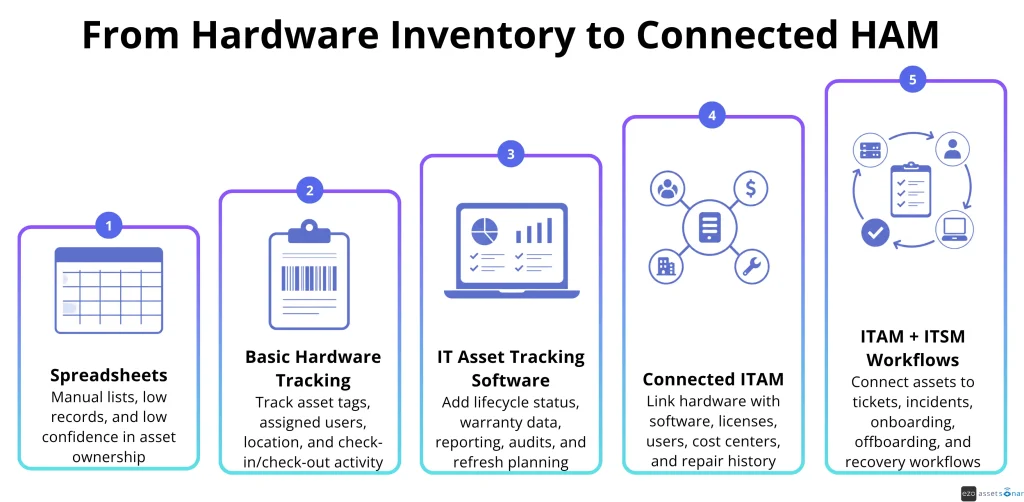
Hardware asset management capabilities vary considerably. Some organizations need a structured replacement for spreadsheets, while others require discovery, custody, lifecycle, and connected service workflows.
The following progression shows how hardware management can develop as operational requirements become more complex.
How we evaluated the tools
We applied the same operational and commercial criteria to every product, including practical limitations for each option. The goal is to provide a consistent comparison across all tools.
Category eligibility
We included dedicated HAM software and ITAM software alongside discovery-led platforms that document hardware lifecycle, warranty, contract, or dependency context beyond basic inventory. Relevant capabilities included procurement, assignment, custody, stock, maintenance, warranty management, refresh planning, relationship mapping, recovery, and retirement.
We excluded software focused mainly on vulnerability scanning, patching, endpoint administration, security posture, or generic configuration data.
Evaluation criteria
We assessed discovery workflows, custody, lifecycle depth, financial records, CMDB context, integrations, reporting, hardware governance, deployment, public pricing, evaluation access, onboarding and offboarding, and support. Research used vendor product pages, documentation, pricing pages, customer evidence, and public review platforms.
Reviews were analyzed to surface recurring user experience patterns across implementation, usability, support quality, and day-to-day operational fit. These insights helped inform our understanding of how each tool performs in real-world IT environments.
The order reflects practical fit for IT managers, not a universal numerical score. A discovery-led platform may suit an infrastructure team even if it offers less custody depth. An open-source tool may suit an IT team that is willing to take on more administrative responsibility.
What to look for in hardware asset management software
Hardware asset management software should be evaluated against the specific control gaps in your current hardware processes. Focus on whether the platform can reduce manual reconciliation and preserve reliable records as assets move through the organization. It should also support the workflows your IT teams actually need.
Discovery coverage and record accuracy
Map the sources that already contain reliable data, including endpoint agents, network scans, MDM, identity, cloud, procurement, and manual registers. The HAM tool should ingest the sources you need and reconcile duplicate or conflicting records. Discovery can identify a connected device without proving its owner, physical location, or custody.
Ownership, custody, and lifecycle workflows
The record should show who holds an item, where it is, and what happened before. Test assignment, checkout, acceptance, transfer, return, reservations, stock, maintenance, redeployment, and disposal. For remote operations, include equipment that is offline, in transit, or unable to run an agent. Verify that offboarding identifies and recovers everything assigned to a departing employee.
Financial, warranty, and service context
Strong HAM software connects devices with purchase costs, vendors, purchase orders, warranties, leases, depreciation, maintenance, and refresh plans. Ask whether end-of-life and end-of-support data is entered manually, imported from manufacturers, supplied by a catalog, or restricted to another module.
Integrations and automation
Common requirements include Microsoft Intune, Jamf, endpoint security, procurement, enterprise resource planning, ITSM, and warranty providers. Verify the synchronized fields, direction, update frequency, conflict rules, and error handling for each critical connection. Confirm whether an integration can trigger actions or only import data.
CMDB and relationship context
A hardware record becomes more useful when IT can see its user, software, location, service history, contract, and dependencies. Determine whether the product builds these relationships from connected data or requires manual modeling. If it includes a CMDB, test how records are populated, reconciled, governed, and used in workflows.
Governance, implementation, and total cost
Evaluate features like audit trails, role-based access, single sign-on, exports, APIs, encryption, independent assurance, data residency, backups, and incident response. HAM records can support compliance workflows, but software alone does not make an organization compliant.
Calculate total cost across subscription units, implementation, migration, connectors, modules, support, hosting, training, and administration. Open-source software removes a license fee, not the cost of operating the system.
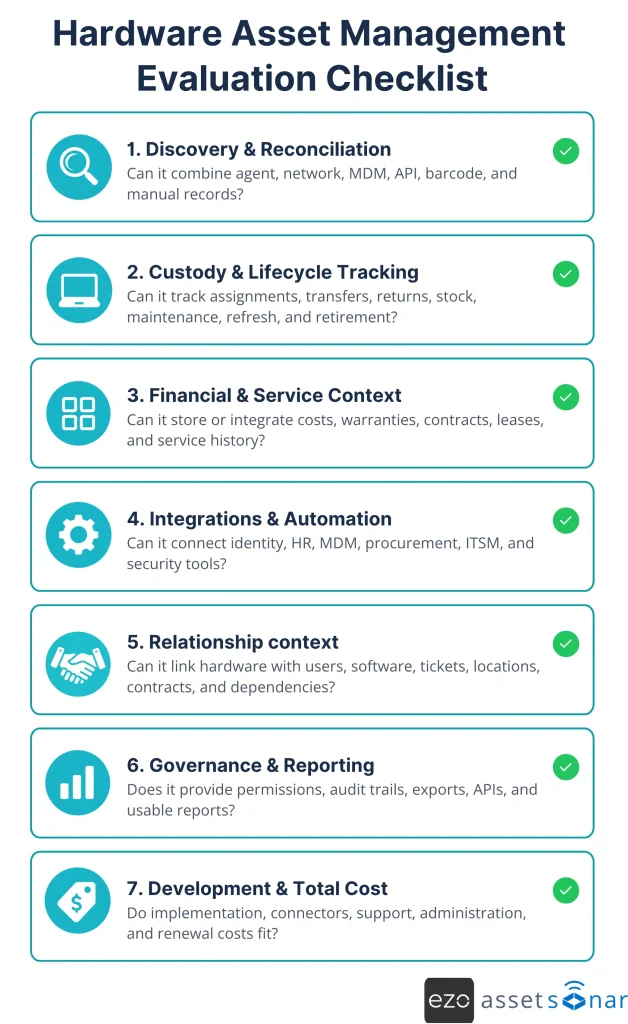
These requirements should be tested together rather than treated as isolated features. Use the following checklist to compare each product consistently across discovery, custody, lifecycle management, integrations, governance, implementation, and total cost.
Detailed breakdown of best hardware asset management software
The following comparison examines how each platform approaches hardware asset management in practice. Each tool is assessed based on its best-fit use case, core strengths, trade-offs, pricing, and evaluation options.
1. AssetSonar
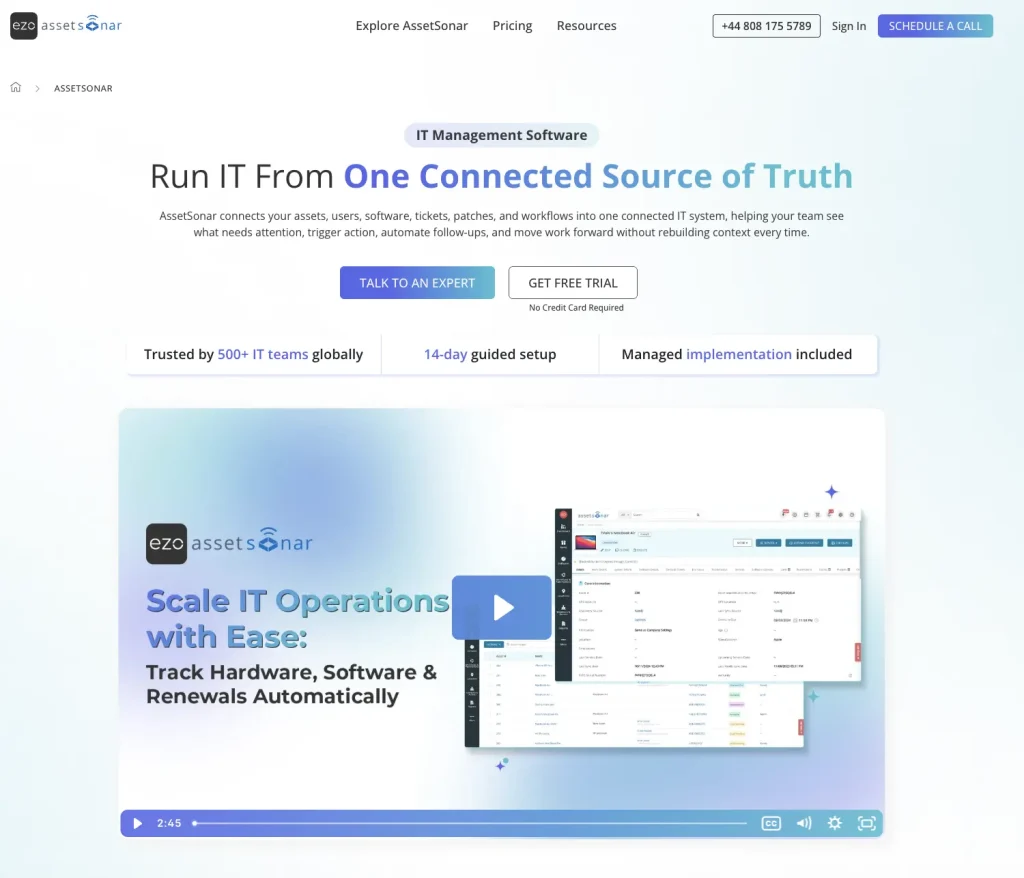
Best for: IT managers who need accurate discovery, custody, lifecycle management, and optional ITSM.
AssetSonar discovers hardware through the ITAM Agent, agentless network scans, and MDM integrations such as Intune, Jamf Pro, and Kandji. It reconciles overlapping Agent, MDM, and network data into one device record. Records refresh on demand or on schedules as frequent as hourly.
IT teams track each device by assigned user, location, warranty, custody, and lifecycle stage. Check-in/check-out and barcode, QR code, or RFID scanning record physical handoffs, while identity sync keeps member data up to date. The IT Graph links hardware with users, software, contracts, locations, and history. The ITSM plan adds tickets and CMDB relationships. Offboarding workflows can surface assigned assets, software licenses, access tasks, and recovery work.
In an AssetSonar case study, Specialty Building Products reported centralizing 8,300 assets, reducing offboarding time by 75%, and avoiding about $5,000 in monthly hardware costs. Results reflect that customer’s environment.
Key strengths:
- Discover hardware: Use the ITAM Agent, agentless network scans, and MDM integrations to identify devices across office, remote, and hybrid environments.
- Reconcile records: Combine data from multiple discovery sources into one device record to reduce duplicates and preserve accurate asset details.
- Track custody: Record device assignments, locations, transfers, reservations, and check-in/check-out activity.
- Manage lifecycles: Track warranties, maintenance, depreciation, refresh cycles, retirement, and disposal.
- Verify inventory: Conduct custody audits and location audits across distributed hardware inventories.
- Connect service context: Link assets, users, software, and lifecycle records with related service tickets through optional ITSM.
- Support financial planning: Connect assets with purchase details, costs, vendors, contracts, and service histories.
- Improve offboarding: Surface assigned equipment for recovery, reassignment, or retirement upon an employee’s departure.
Tradeoffs:
- Does not replace MDM or UEM platforms
- Service desk may require the ITSM plan, adding to cost per seat
Pricing and evaluation: ITAM pricing starts at $0.75 per asset per month when billed annually, with a 100-asset minimum. A seven-day trial is available.
2. ServiceNow Hardware Asset Management
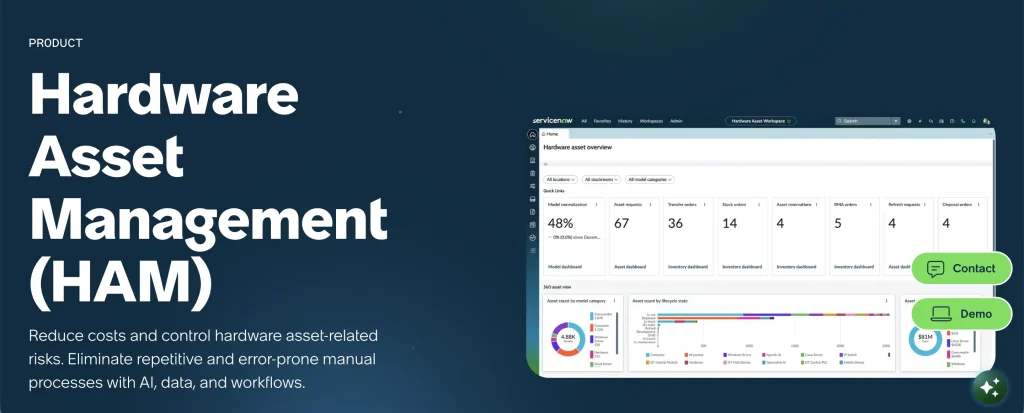
Best for: Large organizations that already use the Now Platform and need hardware controls within enterprise workflows.
ServiceNow Hardware Asset Management uses the platform CMDB as its source of asset context. It covers procurement, receiving, stockrooms, deployment, transfers, repairs, audits, refresh, and retirement. Hardware model normalization helps standardize manufacturer and product data.
Asset records can be linked to requests, incidents, procurement activities, and operational workflows. This makes ServiceNow suitable for organizations that already manage service and configuration processes on the platform. Its breadth also supports formal approvals and governance across large hardware estates.
Key strengths:
- Normalize hardware data: Standardize model, manufacturer, and product information to improve reporting and reduce duplicate records.
- Track ownership and custody: Connect devices with assigned users, departments, locations, and lifecycle statuses.
- Automate workflows: Connect hardware records with approvals, requests, incidents, changes, procurement, and other Now Platform workflows.
- Plan refreshes: Use lifecycle, warranty, and asset condition data to identify devices approaching replacement or retirement.
Tradeoffs:
- Requires platform expertise and careful configuration.
- Implementation services and connectors can increase cost.
- Some workflows require additional platform components.
Pricing and evaluation: ServiceNow provides custom HAM pricing and guided demonstrations. It does not offer a self-service HAM trial.
3. Oomnitza
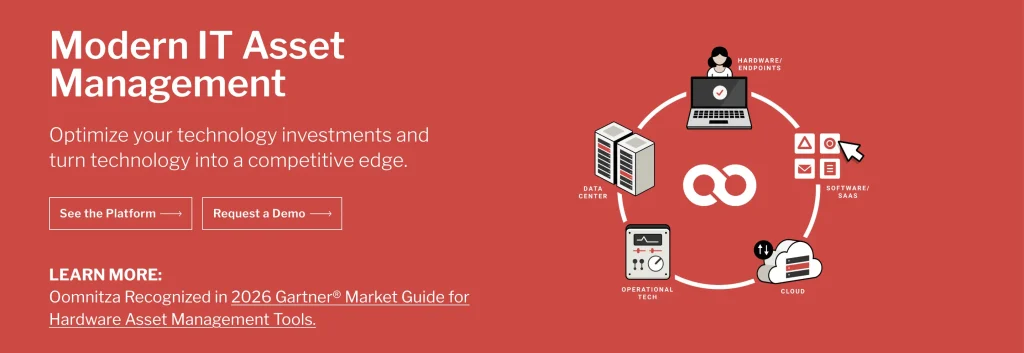
Best for: Enterprises that need to reconcile hardware information across many existing systems.
Oomnitza collects hardware data from endpoint, security, HR, identity, procurement, finance, and ITSM platforms. It reconciles that information into governed asset records. This integration-led approach reduces reliance on separate spreadsheets and manual updates.
IT teams can build workflows for onboarding, assignment, refresh, recovery, audits, and retirement. These workflows can update data and coordinate actions across connected systems. Oomnitza is useful when no single existing platform contains the complete hardware record.
Key strengths:
- Discover and reconcile hardware: Consolidate device data from endpoint, network, security, and management systems into consistent hardware records.
- Track asset context: Connect hardware with assigned users, departments, locations, ownership details, and lifecycle statuses.
- Manage hardware lifecycles: Coordinate procurement, deployment, transfers, maintenance, recovery, and retirement across connected systems.
- Automate asset workflows: Trigger approvals, assignments, notifications, record updates, and audit trails without extensive coding.
Tradeoffs:
- Accuracy depends on connected source data.
- Implementation requires a carefully designed data model.
- Relies on connected source systems rather than endpoint scans.
Pricing and evaluation: Oomnitza does not publish standard pricing. Buyers can request a product tour and a sales-led demo.
4. Ivanti Neurons for ITAM
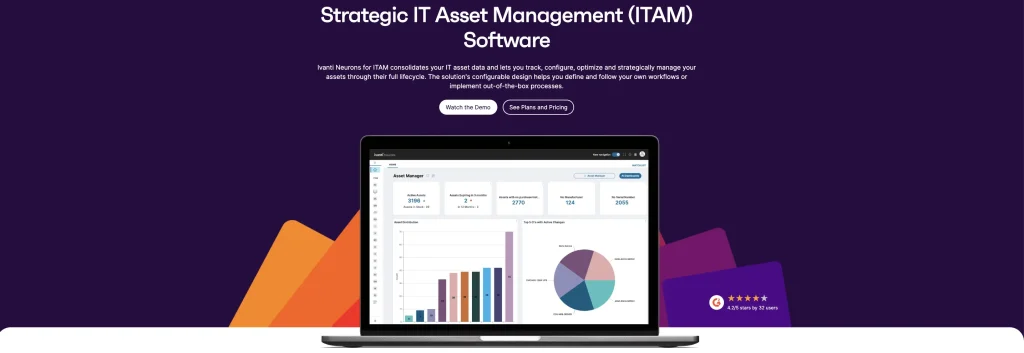
Best for: Organizations that want asset lifecycle records connected with Ivanti service, discovery, or endpoint products.
Ivanti Neurons for ITAM maintains hardware and software records beyond technical inventory. It can store purchase orders, invoices, receipt details, deployment status, stock, locations, warranties, ownership, and disposal records. Configurable processes help IT teams adapt lifecycle stages to internal requirements.
The product is well-suited to organizations that already use other Ivanti tools. Asset data can support related service management and endpoint workflows. Buyers can also configure forms, states, and actions to align with their existing governance model.
Key strengths:
- Track lifecycle and financial data: Maintain hardware records covering acquisition, assignment, location, costs, warranties, contracts, depreciation, and retirement.
- Configure asset processes: Adapt hardware workflows, fields, statuses, and approvals to organizational requirements.
- Connect service context: Link hardware records with incidents, requests, changes, users, and related service management activity.
- Integrate endpoint data: Connect with Ivanti endpoint products to update device inventory, configuration, and status information.
Tradeoffs:
- ITAM, discovery, UEM, and ITSM are separate products.
- Required modules vary by workflow.
- Multi-product deployments can increase complexity.
Pricing and evaluation: Ivanti does not publish standard ITAM pricing. Buyers can request a guided demonstration and a custom quote.
5. InvGate Asset Management
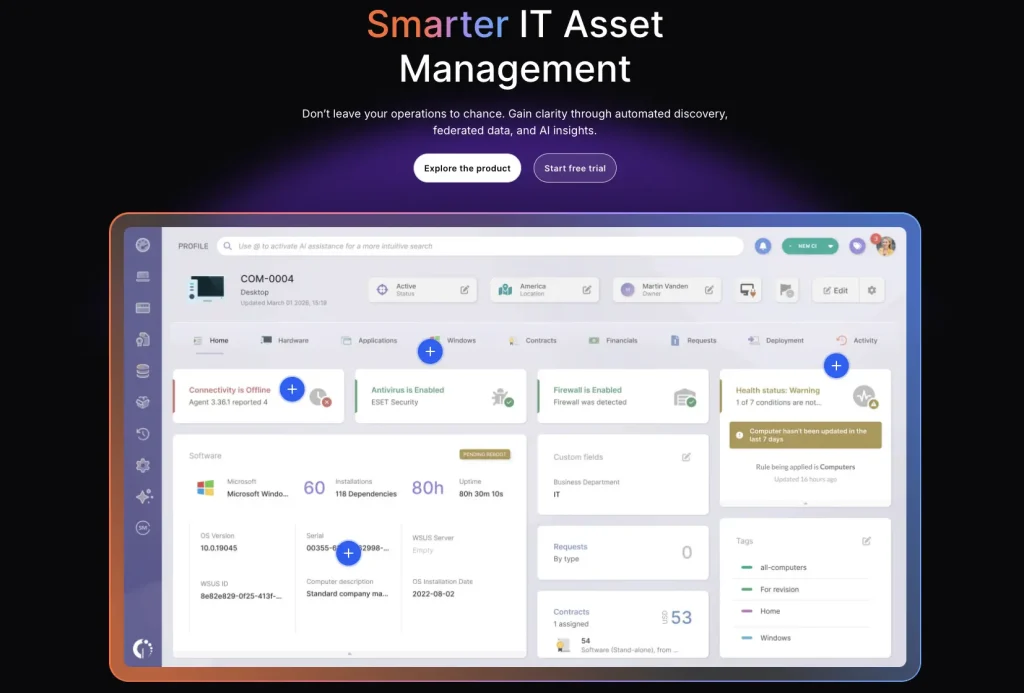
Best for: Organizations that need technical discovery and lifecycle records for connected and non-connected equipment.
InvGate Asset Management tracks IP and non-IP assets. Its endpoint agent gathers data from Windows, macOS, and Linux devices. A proxy supports agentless collection from network infrastructure. Integrations can extend inventory across cloud, virtualization, identity, endpoint, and service platforms.
The product also manages contracts, licenses, costs, lifecycle information, health rules, and CMDB relationships. Analytics and automation help IT teams monitor record quality and act on asset changes. InvGate Service Management can be added when native ITSM is required.
Key strengths:
- Discover hardware assets: Identify connected and non-connected devices using discovery tools, integrations, imports, and manually maintained records.
- Unify asset records: Combine lifecycle, financial, ownership, inventory, and CMDB data to create a more complete view of each asset.
- Manage hardware lifecycles: Track assets from acquisition and assignment through maintenance, transfers, recovery, and retirement.
- Monitor asset health: Use analytics, dashboards, and configurable health rules to identify incomplete records, lifecycle risks, and assets requiring attention.
Tradeoffs:
- Service Management is a separate product.
- Each IP-device license includes two non-IP assets; higher-volume requirements affect the plan.
- On-premises deployment is available with the Enterprise plan.
Pricing and evaluation: InvGate Asset Management starts at $1,499 per year for 500 IP devices. A 30-day trial is available without a credit card.
6. Freshservice Hardware Asset Management
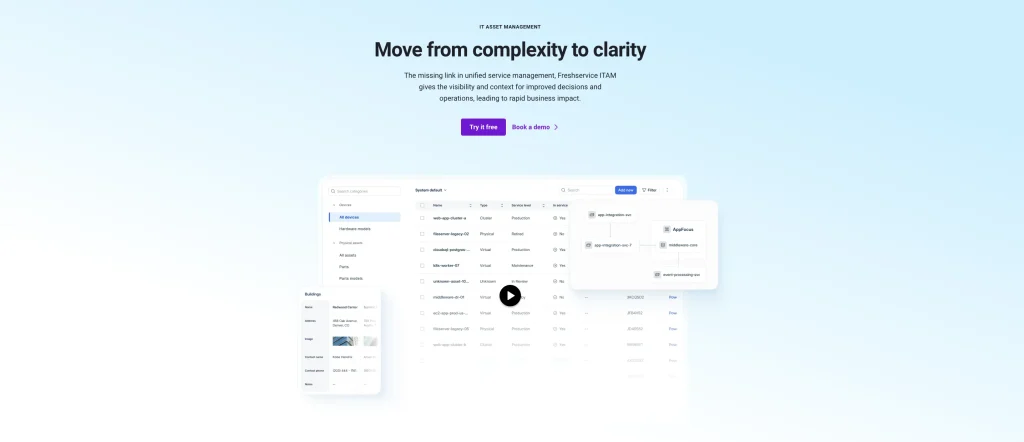
Best for: IT teams that want hardware records closely connected with incidents, requests, changes, and service operations.
Freshservice combines ITSM with asset discovery and CMDB records. Its hardware capabilities cover lifecycle status, warranties, procurement, contracts, and dependency context. Discovery can collect information across on-premises, cloud, and hybrid environments.
Service agents can view relevant asset data while working on tickets. This connects device history with incidents, requests, and changes. The product is a practical fit when the service desk remains the main workspace for daily IT operations.
Key strengths:
- Connect service workflows: Link hardware records with incidents, requests, changes, users, and other service management activity.
- Discover hybrid assets: Identify devices across on-premises, cloud, office, and remote environments using agents, probes, and integrations.
- Manage hardware lifecycles: Track assets from procurement and assignment through maintenance, transfers, recovery, and retirement.
- Centralize asset context: Maintain warranty, contract, ownership, location, financial, and CMDB details in connected records.
Tradeoffs:
- ITAM uses weighted Asset Units.
- A qualifying Freshservice plan is required.
- Total cost depends on the asset mix.
Pricing and evaluation: ITAM starts at $125 per month per 500 Asset Units and requires a qualifying Freshservice plan. A 14-day trial is available.
7. Lansweeper
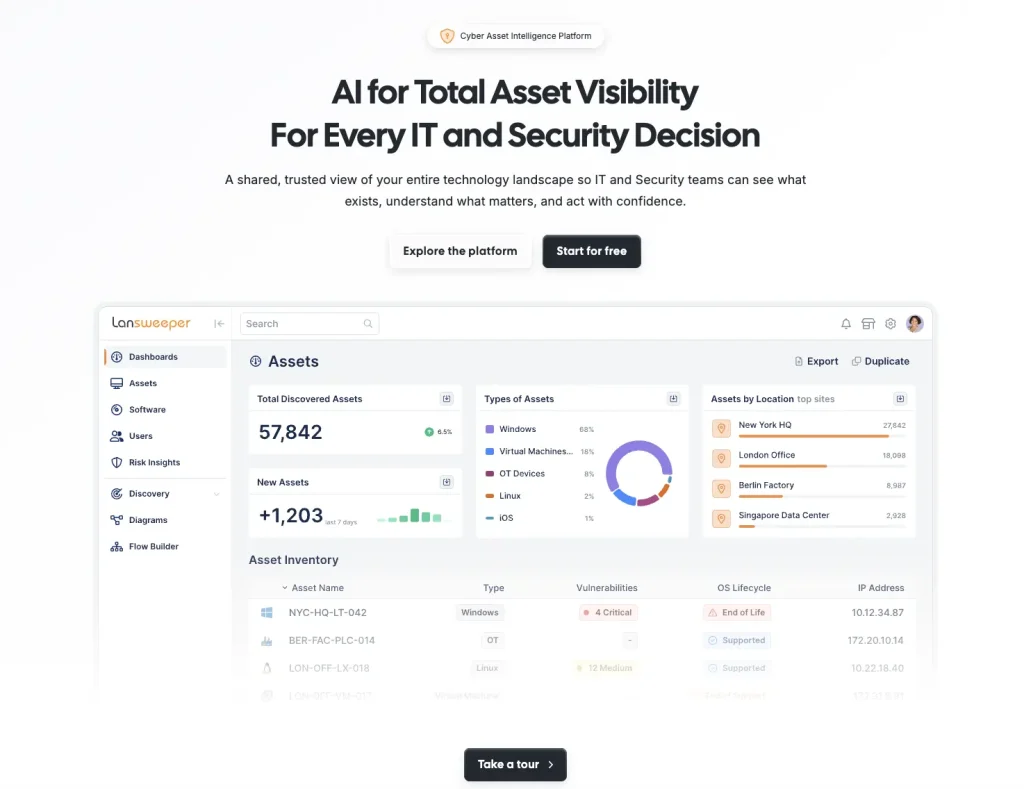
Best for: Organizations that need broad discovery across distributed IT, operational technology, and cloud environments.
Lansweeper uses agentless scanning, lightweight agents, and integrations to identify hardware. It collects detailed information about device models, operating systems, components, users, and network activity. IT teams can use this data to find unmanaged technology and monitor inventory changes.
The platform also provides hardware and warranty context for lifecycle decisions. Dashboards and reports help IT teams review asset coverage and data quality. It fits organizations that need to establish technical visibility before improving wider HAM processes.
Key strengths:
- Discover hardware broadly: Identify devices across on-premises, cloud, and remote environments using agentless scanning, agents, and integrations.
- Collect technical details: Capture hardware specifications, operating systems, network information, installed software, users, and configuration data.
- Identify unmanaged devices: Detect unknown or previously untracked assets connected across the technology environment.
- Monitor inventory changes: Track updates to device configurations, software installations, users, and other asset information over time.
Tradeoffs:
- Discovery remains the primary strength.
- Custody and stockroom workflows require testing.
- HR-triggered recovery may need another system.
Pricing and evaluation: Paid plans begin at €219/month for 2,000 assets. A 14-day trial and a free 100-asset option are available.
8. ManageEngine AssetExplorer
Best for: IT teams that want dedicated ITAM with cloud and on-premises deployment choices.
ManageEngine AssetExplorer combines discovery with hardware inventory and lifecycle administration. It can manage purchasing, contracts, costs, licenses, and CMDB records. Its lifecycle builder helps IT teams define asset states and the actions that follow each change.
Barcode and QR support extend tracking beyond networked equipment. IT teams can also manage loans, stock, and scheduled audits. These capabilities suit hardware estates that include devices, peripherals, spares, and other physical equipment.
Key strengths:
- Manage asset lifecycles: Connect purchasing, receiving, assignment, maintenance, transfers, and retirement in structured workflows.
- Track physical inventory: Use barcodes, ownership records, locations, and scheduled audits to verify hardware assets.
- Choose deployment options: Deploy AssetExplorer in the cloud or on premises based on infrastructure and control requirements.
Tradeoffs:
- Features differ between deployment editions.
- Cloud and on-premises licenses use different models.
- Administration needs vary by edition.
Pricing and evaluation: Cloud pricing starts at $115 per month for 250 IT assets. A 30-day trial is available.
9. Device42
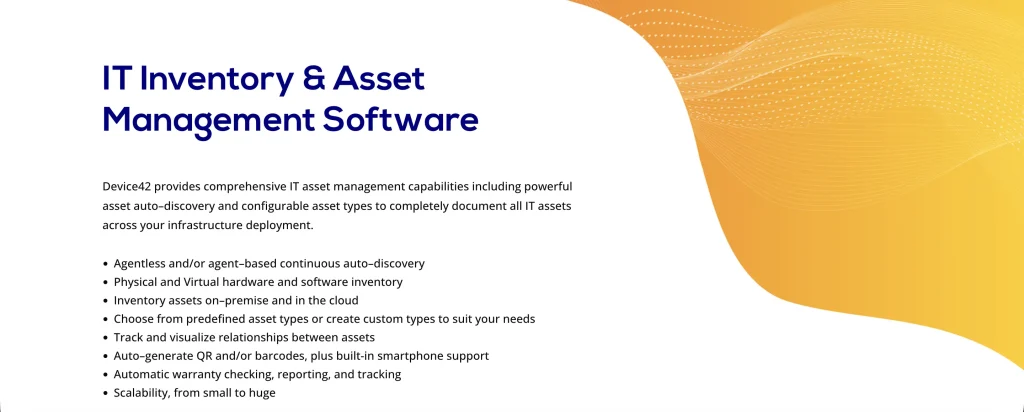
Best for: Infrastructure teams that need discovery and dependency context across data centers, cloud, and hybrid environments.
Device42 uses agentless discovery and optional remote collectors. It identifies physical, virtual, and cloud infrastructure. Asset records can include rack positions, IP addresses, application dependencies, warranties, contracts, and configuration details.
The product documents lifecycle coverage from purchase through decommissioning. Its relationship maps help IT teams understand how hardware supports applications and services. This context is useful when IT teams need to assess change risk or plan infrastructure work.
Key strengths:
- Discover infrastructure: Identify physical, virtual, cloud, network, and data center assets through agentless discovery and integrations.
- Map dependencies: Connect hardware and infrastructure components with applications, services, users, and upstream or downstream dependencies.
- Centralize asset context: Maintain lifecycle status, ownership, location, warranty, contract, and configuration details.
- Support operational planning: Use dependency and infrastructure data to guide migrations, capacity planning, audits, and lifecycle decisions.
Tradeoffs:
- The product is infrastructure-focused.
- Employee custody workflows require testing.
- Stockroom and HR-driven returns may need support.
Pricing and evaluation: Pricing uses an annual subscription plan by device count. The 14-day evaluation supports up to 100 devices.
10. Flexera One IT Asset Management
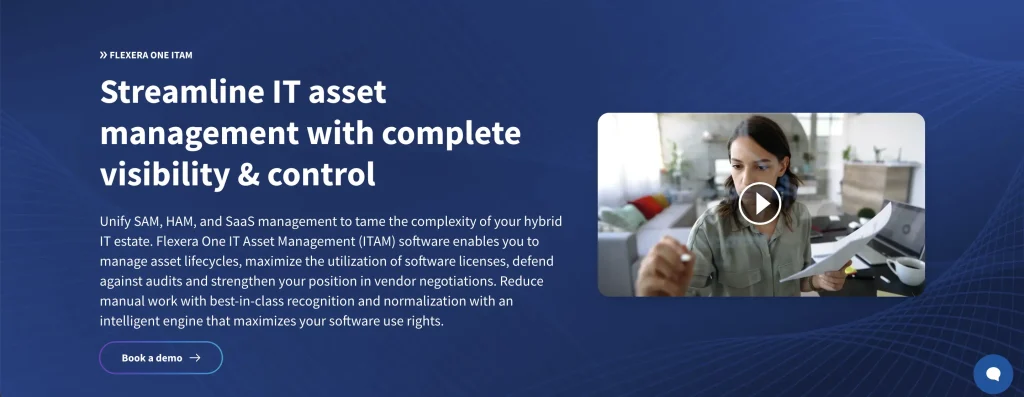
Best for: Large organizations that need hardware lifecycle governance alongside mature software asset management.
Flexera One ITAM connects hardware records across business units. It can manage procurement, inventory, barcode data, vendors, costs, and disposal information. Its hardware capabilities cover the lifecycle from request through retirement.
The platform also provides end-of-life and end-of-support intelligence. IT teams can use this information to plan refresh activity and reduce operational risk. This supports refresh budgeting across business units. Hardware retirement can also be connected to software reclamation.
Key strengths:
- Manage hardware lifecycles: Track assets from request and acquisition through deployment, maintenance, reassignment, and retirement.
- Monitor lifecycle risk: Use end-of-life and end-of-support intelligence to identify aging hardware and plan timely replacements.
- Connect financial context: Maintain ownership, cost, contract, warranty, and lifecycle information for hardware assets.
- Coordinate retirement: Link hardware retirement with software license recovery and reclamation to reduce unnecessary spend.
Tradeoffs:
- Designed for enterprise-level organizations only.
- Implementation and administration can be complex.
- Its scope may exceed basic custody needs.
Pricing and evaluation: Pricing is available by custom quote. Flexera offers sales-led demonstrations rather than a public self-service trial.
11. SolarWinds Service Desk
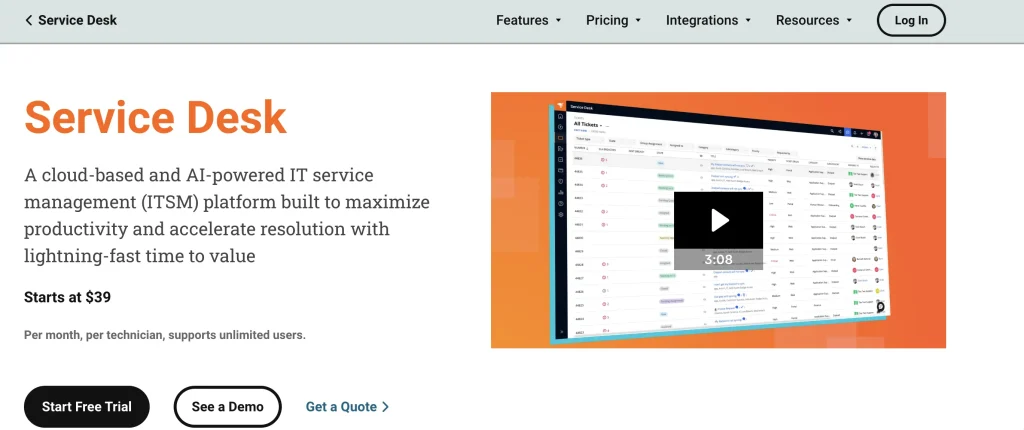
Best for: IT teams that want discovery and hardware context inside a cloud service desk.
SolarWinds Service Desk uses agents and scanners to collect asset data. Hardware records can include purchase orders, warranties, barcodes, QR codes, and configuration item relationships. IT teams can use those records alongside service desk activity.
Technicians can view device history while working on incidents and requests. This reduces the need to search a separate inventory before responding. Network discovery, contract management, license compliance, and advanced automation are available on higher plans.
Key strengths:
- Connect service workflows: Link hardware records with incidents, service requests, users, and related support activity.
- Discover hardware assets: Identify devices and collect inventory data through discovery agents, network scanners, and integrations.
- Manage asset lifecycles: Track hardware from purchasing and receiving through assignment, maintenance, transfers, and retirement.
- Centralize asset context: Maintain ownership, location, purchase, warranty, vendor, contract, and CMDB information.
Tradeoffs:
- The product is ITSM-led.
- Advanced custody and stockroom workflows need testing.
- Asset pricing is separate from technician pricing.
Pricing and evaluation: Plans start at $39 per technician per month. Asset pricing is separate. A 30-day trial is available.
12. Asset Panda
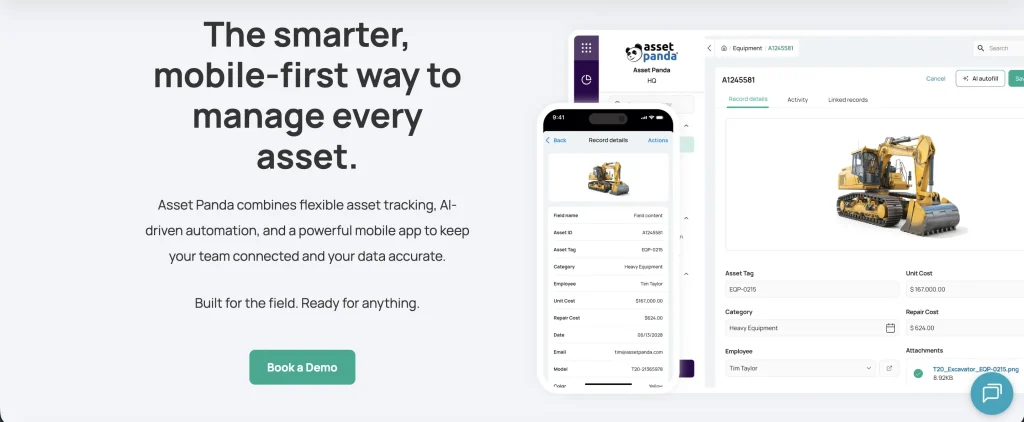
Best for: Operations teams that need mobile, barcode, and QR workflows for different types of physical equipment.
Asset Panda supports check-in, checkout, assignments, audits, inspections, and maintenance. IT teams can create custom fields and workflows for their internal processes. Web and mobile applications let users update records away from a desk.
The platform can manage laptops and peripherals alongside facilities, healthcare, education, or operational equipment. This broad physical focus suits organizations that need a single configurable register across several departments. It also supports offline mobile work for field-based activities.
Key strengths:
- Scan assets on mobile: Use barcode and QR code workflows to identify hardware, update records, and complete asset actions in the field.
- Configure asset records: Adapt fields, categories, statuses, and workflows to different hardware types and operational requirements.
- Conduct inspections: Create inspection checklists, capture condition details, and document maintenance or compliance findings.
- Track assets across departments: Monitor assignments, locations, custody changes, and equipment history across teams and sites.
Tradeoffs:
- It is not a discovery-led ITAM platform.
- Network inventory may require another source.
- Software discovery and CMDB depth are limited.
Pricing and evaluation: Pricing uses a custom asset-based quote. A fully featured seven-day trial is available.
13. Snipe-IT

Best for: Technical teams that want an open-source register for assignments, accessories, consumables, and licenses.
Snipe-IT supports hardware check-in and checkout, user assignments, asset labels, QR codes, and barcodes. It also tracks accessories, consumables, components, and software licenses. It records asset status, history, and expected check-in dates. Reports and a REST API support administration and custom integrations.
Its self-hosted capability gives IT teams control over the application and its data. Vendor-hosted plans are available for organizations that do not want to manage the infrastructure. Both options support unlimited users and assets.
Key strengths:
- Track custody and assignments: Record who holds each asset, where it is located, and its check-in/check-out history.
- Label and scan hardware: Use asset labels, barcodes, and QR codes to identify equipment and update records.
- Connect other systems: Use the REST API to exchange asset, user, location, and assignment data with external tools.
- Scale access and hosting: Support unlimited users with self-hosted and vendor-hosted deployment options.
Tradeoffs:
- Lacks broad native network discovery.
- Automation can require API work.
- Self-hosting transfers security and maintenance responsibilities.
Pricing and evaluation: The self-hosted edition is free. Hosted Basic costs $39.99 monthly or $399.99 annually.
14. GLPI
Best for: Organizations that want open-source inventory, lifecycle management, help desk, and configuration records.
GLPI manages computers, network equipment, contracts, licenses, financial information, and lifecycle states. Its help desk connects asset records with incidents and requests. The GLPI Inventory agent and plugin ecosystem can extend discovery and other workflows.
Organizations can self-host the platform or use a managed cloud edition. This flexibility suits technical teams that want control over hosting and customization. The platform can also support service management processes beyond hardware tracking.
Key strengths:
- Combine ITAM and ITSM: Connect hardware inventory with incidents, requests, users, and other service management activity.
- Track asset records: Maintain lifecycle, ownership, location, financial, warranty, contract, and service information.
- Extend discovery: Collect inventory data and expand functionality through agents, integrations, and plugins.
Tradeoffs:
- Requires planning for plugins and upgrades.
- Self-hosting adds security and support work.
- Cloud and self-hosted responsibilities differ.
Pricing and evaluation: Self-hosted GLPI is free. Public Cloud starts at €19 per IT agent monthly and offers a 45-day trial.
15. SysAid IT Asset Management
Best for: IT teams that want hardware inventory and lifecycle records connected with help desk processes.
SysAid tracks hardware, software, ownership, costs, and history from procurement through retirement. Network discovery and barcode options help IT teams create records for connected and physical equipment. Asset information can also support CMDB and remote management processes.
The platform connects asset records with incidents, requests, and other ITSM workflows. Technicians can review relevant hardware information during service activities. This suits organizations that want ITAM within their primary help desk platform.
Key strengths:
- Manage asset lifecycles: Track hardware from procurement and assignment through maintenance, transfers, and retirement.
- Connect ITSM workflows: Link hardware records with users, incidents, requests, and related service activity.
- Discover and verify assets: Use network discovery and barcode tracking to maintain accurate hardware inventory records.
Tradeoffs:
- Feature availability varies by plan.
- Discovery and remote management scope needs confirmation.
- Asset limits can affect cost.
Pricing and evaluation: SysAid pricing starts from $89/agent/month and can be tailored based on the package, users, and managed assets. A free trial is available without a credit card.
Which hardware asset management tool fits your organization?
Start with the operating model, not the longest feature list:
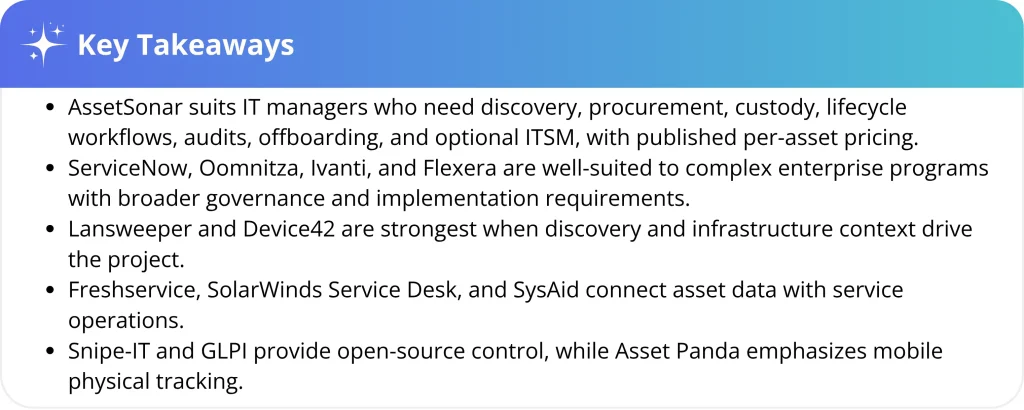
- Connected HAM and service workflows: Consider AssetSonar when IT managers need discovery, custody, lifecycle, procurement, audits, offboarding, and optional ITSM with published per-asset pricing.
- Large enterprise platform programs: ServiceNow, Oomnitza, Ivanti, and Flexera align with complex governance, integration, and implementation requirements.
- Discovery and infrastructure visibility: Lansweeper and Device42 deserve consideration when the immediate problem is finding technology and understanding infrastructure context.
- ITSM-first operations: Freshservice, SolarWinds Service Desk, and SysAid place asset information inside service workflows.
- Dedicated ITAM with deployment choice: InvGate and ManageEngine AssetExplorer offer broad asset management without beginning from a larger enterprise platform.
- Mobile physical tracking: Asset Panda suits IT teams that prioritize barcode, QR, inspection, and field workflows over native technical discovery.
- Open-source control: Snipe-IT and GLPI fit IT teams that can manage hosting, security, upgrades, integrations, and administration.
Shortlist three tools and give each vendor the same data sources, integrations, lifecycle events, reports, constraints, and growth assumptions. Request demonstrations using representative data. Compare implementation, modules, connectors, support, migration, hosting, and administration alongside the subscription.
How to implement hardware asset management software
A successful hardware asset management rollout starts with clean data, clearly defined lifecycle rules, and ownership of each process. Implementation should also account for integrations, reporting needs, recovery workflows, and testing before wider deployment.
1. Establish what you own and where the data comes from
Collect procurement, MDM, network, directory, service desk, and spreadsheet records. Decide which source controls each field. Use labels or mobile audits where technical discovery cannot identify equipment.
2. Define lifecycle stages and custody rules
Define statuses from procurement through receipt, assignment, service, return, redeployment, and disposal. Decide who can approve transfers, accept custody, change locations, and close records.
3. Connect employee changes with hardware recovery
Connect identity or service workflows so employee changes do not depend on email. Exit workflows should identify assigned devices, create recovery tasks, track returns, and reclaim applicable licenses.
4. Choose measures before configuring reports
Set baselines for inventory accuracy, overdue returns, audit hours, offboarding time, avoided purchases, and administrative effort. Track the same indicators before and after implementation.
5. Run a two-to-four-week pilot
Use an imperfect sample containing endpoints, peripherals, stock, duplicates, remote hardware, and one device that cannot run an agent. During the pilot:
- Connect two real data sources and measure duplicate or unmatched records.
- Assign, transfer, return, service, and retire representative equipment.
- Complete an onboarding or offboarding flow across IT and another team.
- Locate offline hardware, in storage, assigned remotely, or in transit.
- After onboarding, independently produce custody, warranty, refresh, and audit reports.
- Test role permissions, exports, APIs, and one business-critical integration.
- Record setup time, manual corrections, and continuing administrative effort.
- Obtain a complete quote covering modules, allowances, connectors, support, and renewal terms.
Common mistakes when comparing HAM software
- Treating discovery as the entire lifecycle. A scanner may find a laptop without documenting acceptance, transfer, return, repair, or disposal.
- Counting only connected endpoints. Monitors, accessories, stock, and equipment in transit may require labels, mobile scans, or manual workflows.
- Comparing prices with different units. Per-asset, per-device, per-agent, weighted-unit, subscription-unit, and custom models produce different totals.
- Assuming open source has no operating cost. Hosting, security, backups, upgrades, integrations, and specialist time still belong in the business case.
- Ignoring data ownership. Define which platform controls identity, custody, location, cost, lifecycle status, and configuration before connecting systems.
- Testing clean demo data. Duplicate serial numbers, naming conflicts, incomplete fields, and stale records reveal how much reconciliation work the platform creates.
- Skipping the return process. Offboarding is where weak ownership data becomes a financial and security problem. Test notification, collection, inspection, reassignment, and escalation workflows.
Which hardware asset management tool is best for your team?
No single tool is best for every environment. Shortlist products by operating model, then validate discovery, custody, integrations, return workflows, administration, and total cost with your own data.
AssetSonar is a strong option for IT managers who need connected discovery, custody, lifecycle, offboarding, and service context. In one customer example, CommentSold reported a 90% improvement in asset data accuracy and more than a 20% reduction in ticket resolution time after integrating AssetSonar with Zendesk.
Results vary by environment, so compare finalists through a pilot using your data, integrations, and return processes.