








AssetSonar Features Endpoint Management
Endpoint Management
Control Every Endpoint From the Asset Record
Proven Impact Across IT Teams
4x
Lower Device Loss
60%
Reduction in IT Audit Time
1-Hour
Agent Sync
Everything You Need to Track and Control Endpoints
Act on Endpoints From One Record
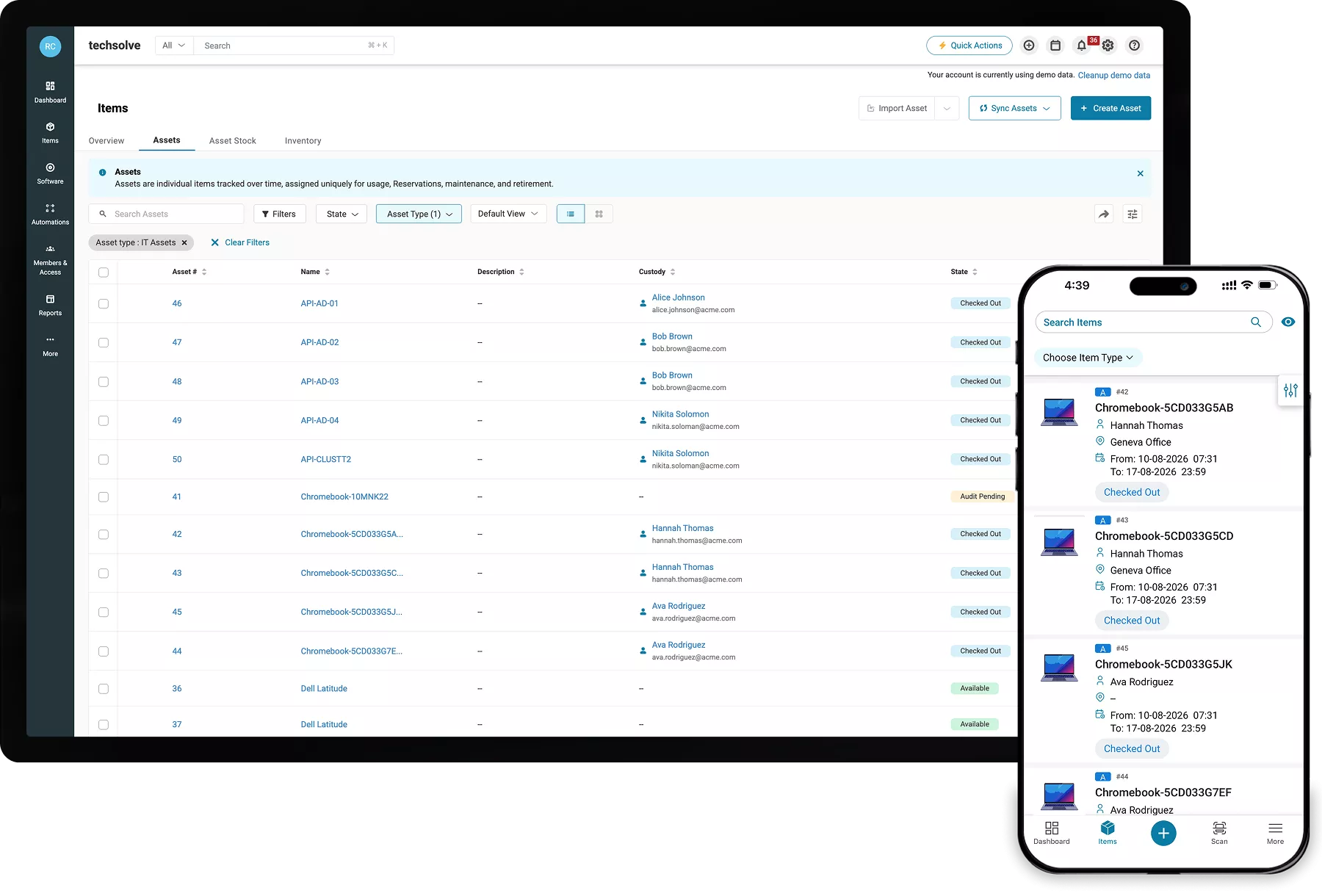
Verify the right endpoint before taking action using owner, custody, software, patch state, discovery source, and last sync data on one reconciled asset record.
Lock or Retire a Missing Device
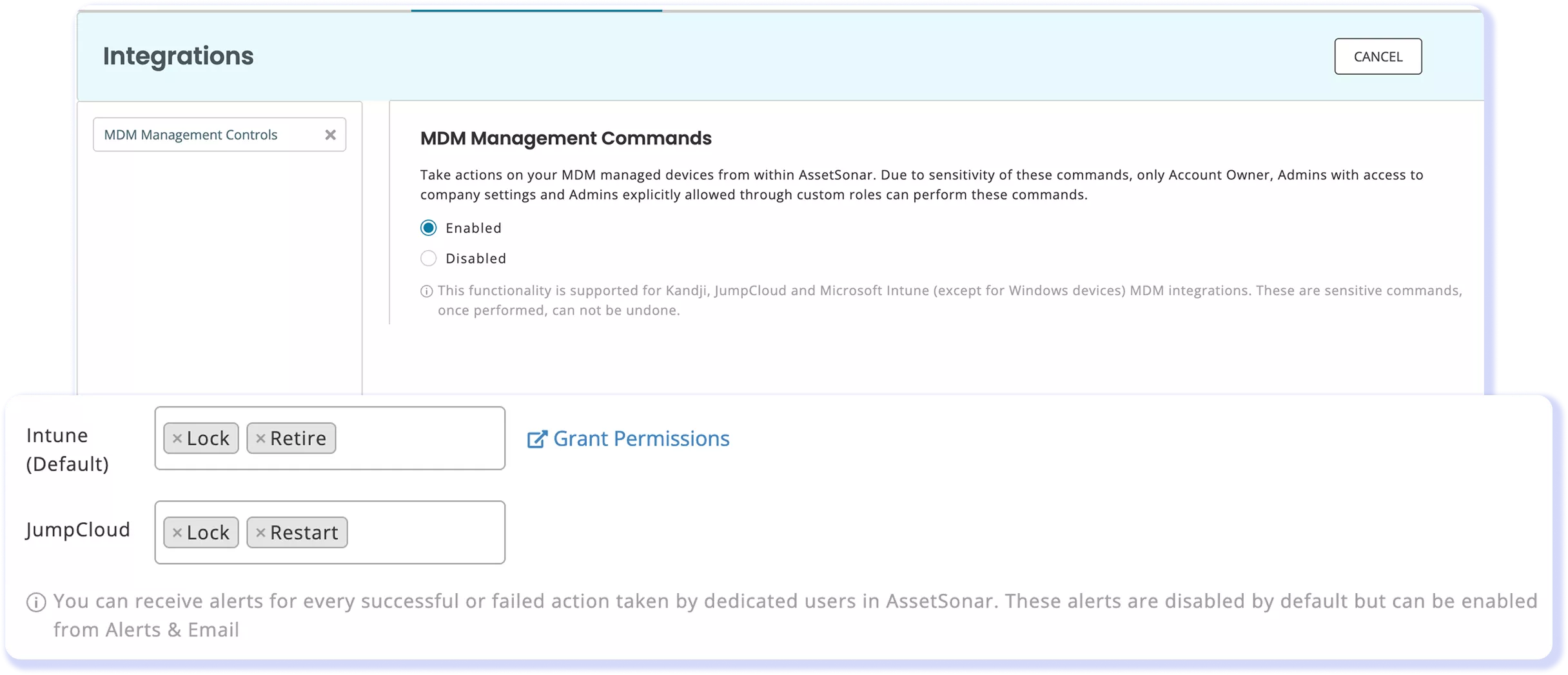
Lock devices through Microsoft Intune or Kandji, or retire Intune-managed devices, with every command alerted and logged to provide a clear audit trail for IT teams.
Deploy and Schedule Your Patches
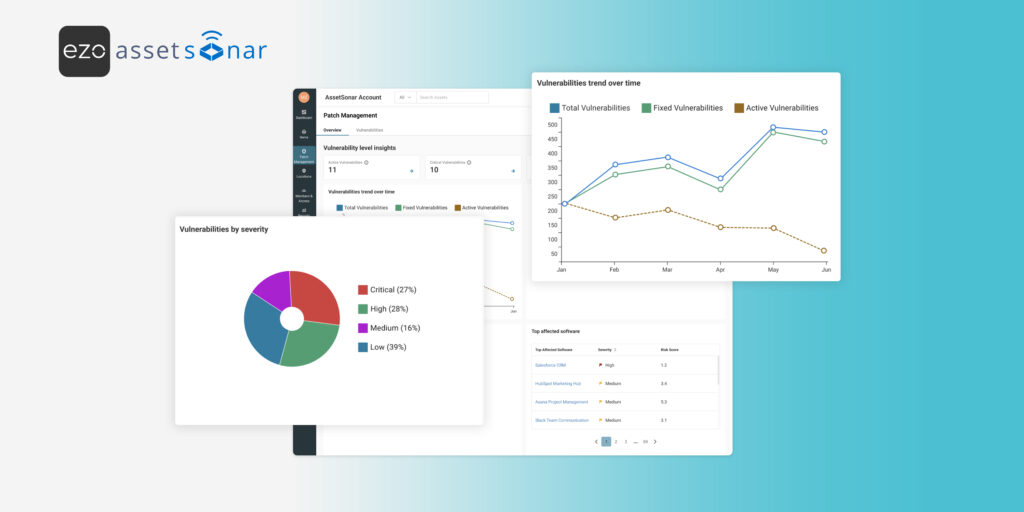
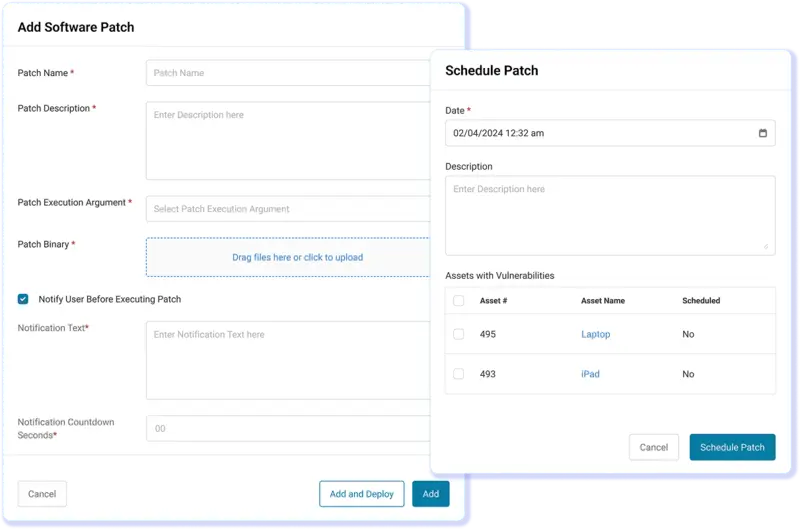
Map CVE and NIST intel to affected endpoints, then deploy patches immediately or schedule them for a selected date and time across Windows, macOS, and Linux.
Uninstall Unauthorized Software
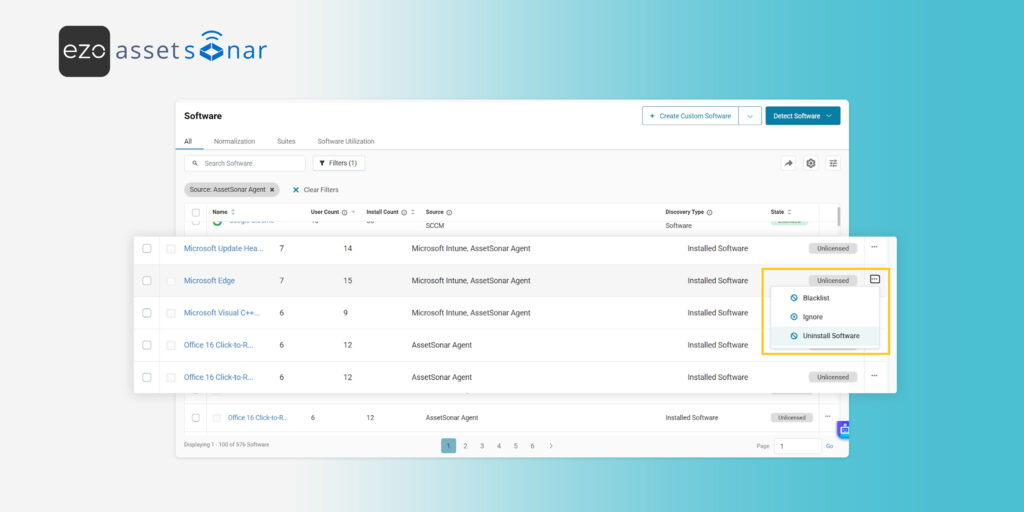
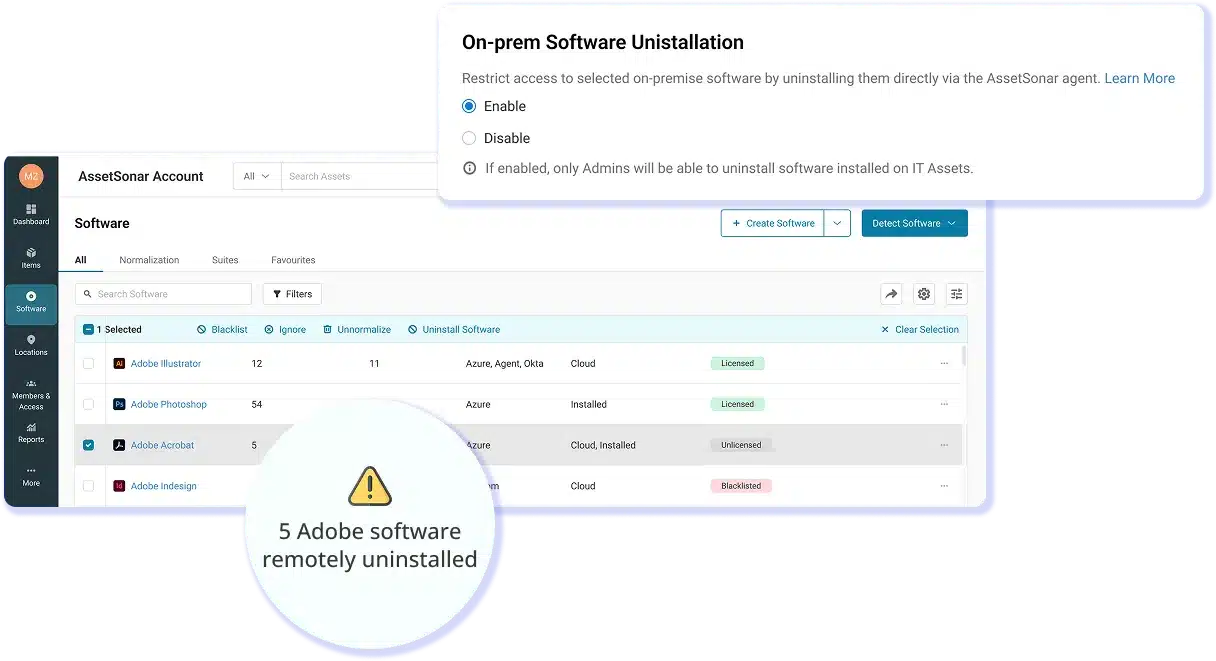
Uninstall unapproved on-premises applications remotely from Windows and macOS endpoints running the ITAM Agent, and prevent their reinstallation.
Move Custody Without Paperwork
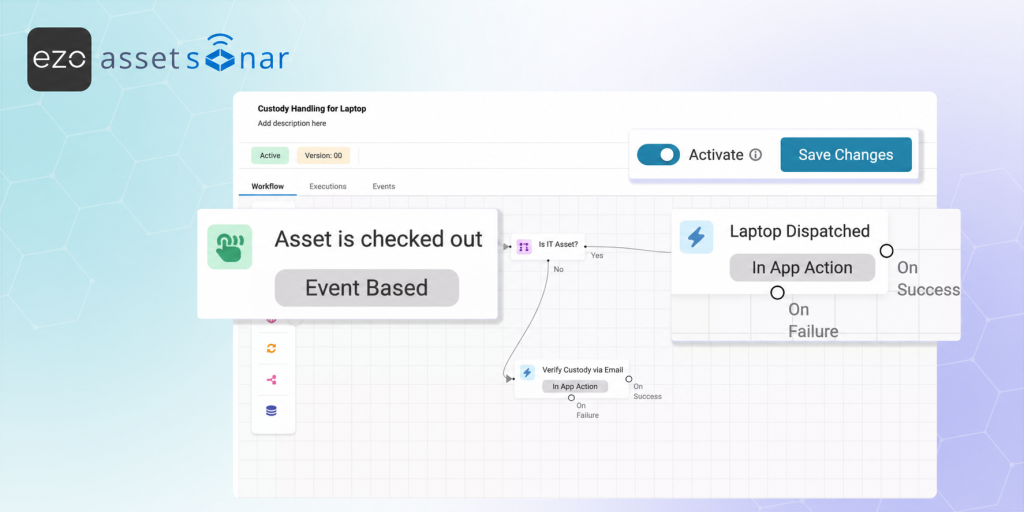
Check in and check out devices, use Auto Checkouts and Auto Transfer Custody as people change roles, and reserve equipment to keep records accurate as endpoints move.
Retire Endpoints With Evidence
Retire devices by age or condition, or after MDM deletion, add a Retirement Reason, and reactivate recovered hardware as Available without losing end-of-life evidence.
Trusted by High-Performing IT Teams


See AssetSonar Manage Every Endpoint
Manage Endpoint Actions Across the Lifecycle
One Endpoint Record
Device Commands
Patch Deployment
Software Removal
Custody Actions
Retirement
One Endpoint Record
Build an Accurate Record For Every Action
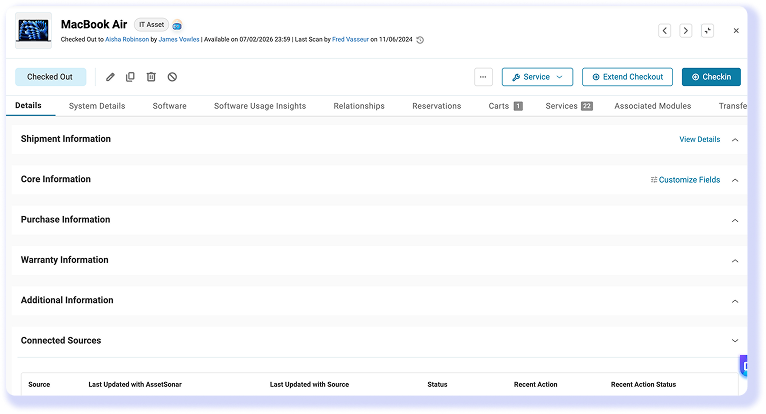
Endpoint control starts with an accurate record. The ITAM Agent runs on Windows, macOS, and Linux and reports model, OS, serial number, software, and missing patches. Discovery and MDM integrations bring data from other tools into AssetSonar. It reconciles sources into a single entry per device, with the discovery source and last sync date, so actions use the current data.
Device Commands
Lock or Retire a Device From the Record
When a laptop goes missing, IT teams can respond in AssetSonar. Send a lock command through Microsoft Intune or Kandji to display a contact number and message and return the unlock PIN. Through Intune, the “Retire” action removes company data, managed apps, settings, and profiles from a device while preserving personal data. Command alerts and history provide audit evidence.
Patch Deployment
Deploy and Schedule Patches to Endpoints
Vulnerability data is only useful if you can act on it. AssetSonar maps CVE and NIST NVD data to discovered software, showing which endpoints are affected, and then lets you deploy a patch now or schedule it for a specific time frame. Scheduled patches run silently, and a dashboard tracks patch compliance across Windows, macOS, and Linux.
Software Removal
Uninstall Unapproved Software Remotely
Unauthorized software is an endpoint problem you can close directly. AssetSonar remotely uninstalls on-prem apps from Windows and macOS endpoints running the ITAM Agent. Choose one or many devices, and the uninstall runs at the next agent check-in. Apply it to future detections and ensure that the application stays restricted on each endpoint until an admin allows it.
Custody Actions
Keep Custody Current as Endpoints Move
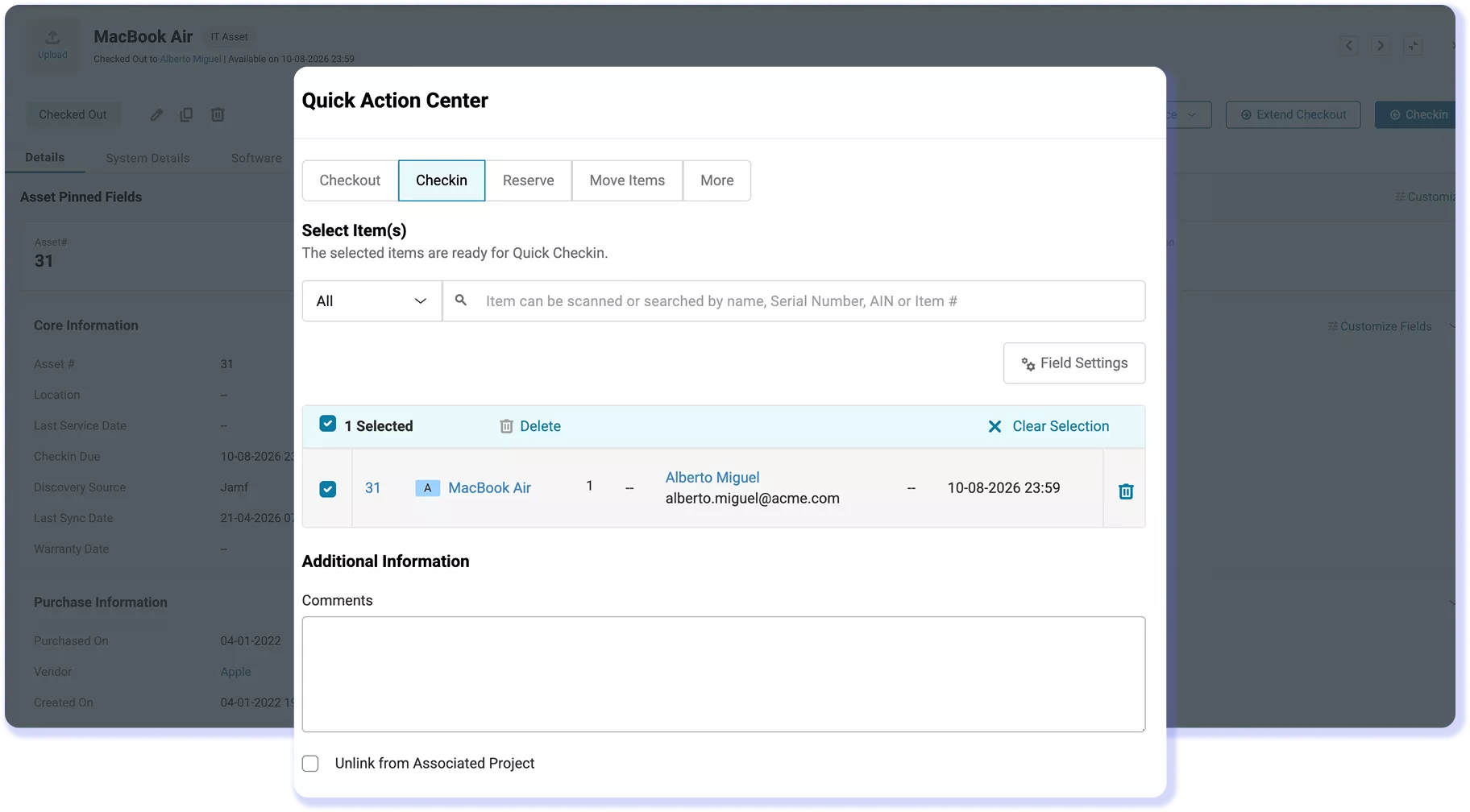
Endpoints move between people and locations. AssetSonar uses Checkin/Checkouts, Auto Checkouts, Auto Transfer Custody, Reservations, and the Availability Calendar to keep assignments accurate as people join, move, and leave. Each assignment and transfer is logged, giving IT teams a clear history of endpoint custody and movement.
Retirement
Retire Endpoints and Keep the Evidence
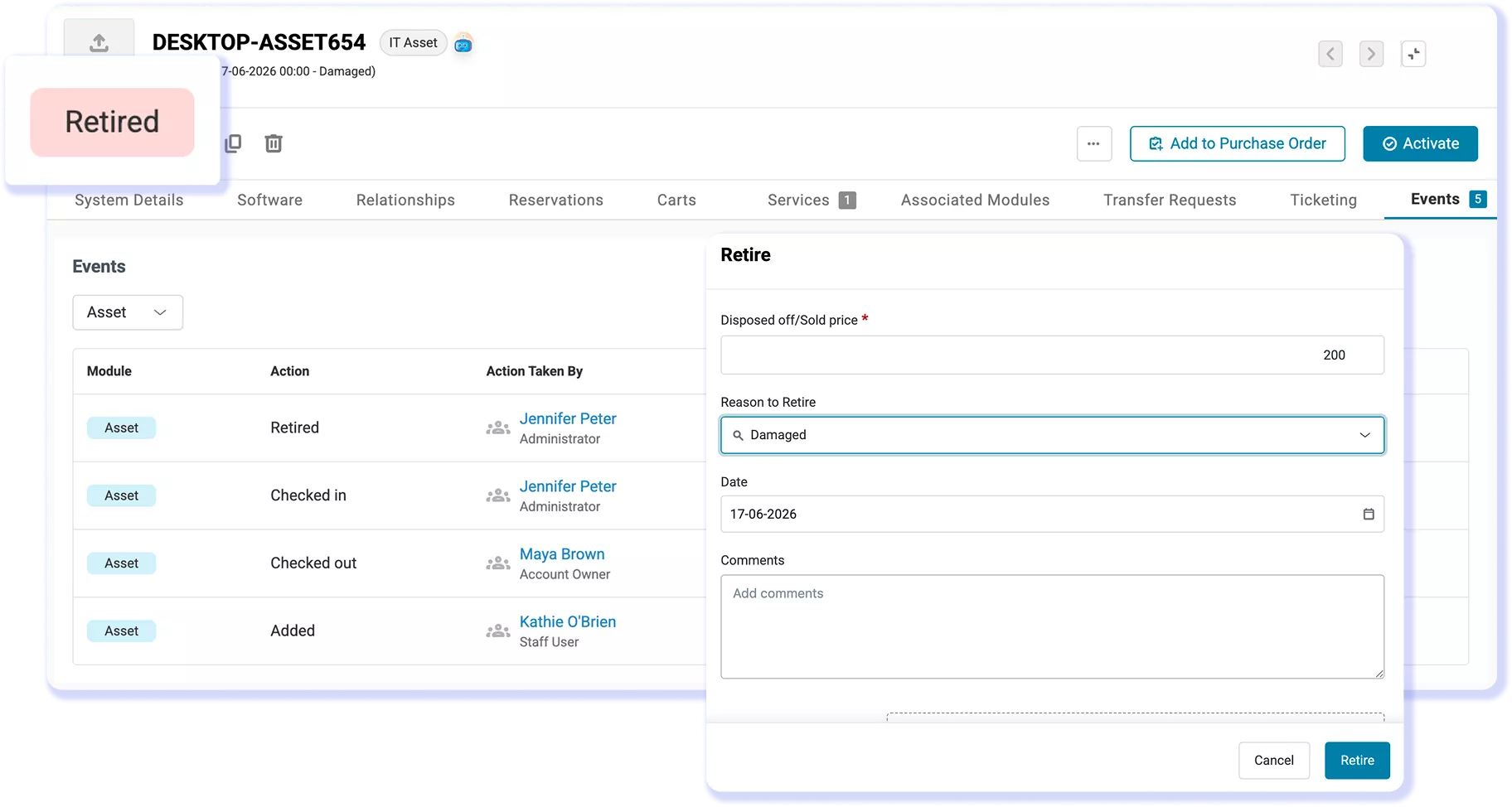
AssetSonar retires devices individually or in bulk, by age or condition, and records a configurable Retirement Reason. Workflow automations or deletions from a connected MDM can automatically retire devices. Recovered hardware can be reactivated as Available, while decommissioning notes and wipe confirmations stay attached as clear end-of-life evidence.
Customer Testimonials
Move From Endpoint Visibility to Action
Explore More Endpoint Management Resources
Frequently Asked Questions
Endpoint management encompasses the capabilities and workflows for understanding, maintaining, and acting on devices throughout their lifecycle. AssetSonar focuses on the asset layer, connecting endpoint records with ownership, custody, software, patch state, and lifecycle history so IT teams can take supported actions with the right device context.
AssetSonar complements mobile device management (MDM) and unified endpoint management (UEM) platforms by adding the asset context behind each device. MDM and UEM data can feed the reconciled endpoint record, while AssetSonar brings device details, assignments, software inventory, patch status, service records, and lifecycle activity into one view. IT teams can then use supported device commands with that context.
Endpoint management focuses on the operational state and actions around a device. IT asset management tracks the record behind it, including ownership, custody, software, contracts, and lifecycle history. AssetSonar connects these areas by linking supported endpoint actions to reconciled asset context, giving IT teams both operational and lifecycle visibility.
AssetSonar’s ITAM Agent collects endpoint data from Windows, macOS, and Linux devices. Patch deployment and scheduling work across all three operating systems, while remote software removal is supported on Windows and macOS endpoints running the ITAM Agent. Device-command support depends on the connected MDM, giving IT teams cross-platform coverage with action-specific scope.
AssetSonar automates endpoint-related work across patching, custody, software control, and retirement. IT teams can schedule patch rollouts, use Auto Checkouts and Auto Transfer Custody, apply software restrictions to future detections, and trigger retirement through workflow automation or connected MDM deletion. This reduces repetitive administration while keeping endpoint records aligned with change.
AssetSonar can import devices registered in Windows Autopilot or synced from Apple Business Manager into Intune before enrollment is complete. Autopilot-only and Apple ADE devices remain visible before they come online, and the record updates automatically once enrollment finishes. This gives IT teams earlier endpoint visibility into purchased devices before they are fully enrolled.
AssetSonar uses role-based permissions to control who can view and manage endpoint information. Device commands also require authorized access, while command history, custody records, and retirement evidence remain available for review. This helps IT teams limit sensitive actions and keep endpoint activity traceable while maintaining an auditable record of changes. See EZO’s security resources for organization-level controls and certifications.