








Meet the help desk that knows your IT from day one.

AssetSonar Features Software Normalization Feature

Software Normalization

Normalize Software Data For Accurate Licensing

Discover software across your IT environment. Automatically normalize inconsistent application names, versions, and publishers against the AssetSonar software catalog. Keep license counts accurate, simplify audits, and create cleaner reports.
Best Meets Requirements
AssetTracking HighPerformer Enterprise HighPerformer
best support-2026
Momentum-Leader.

No Credit Card Required

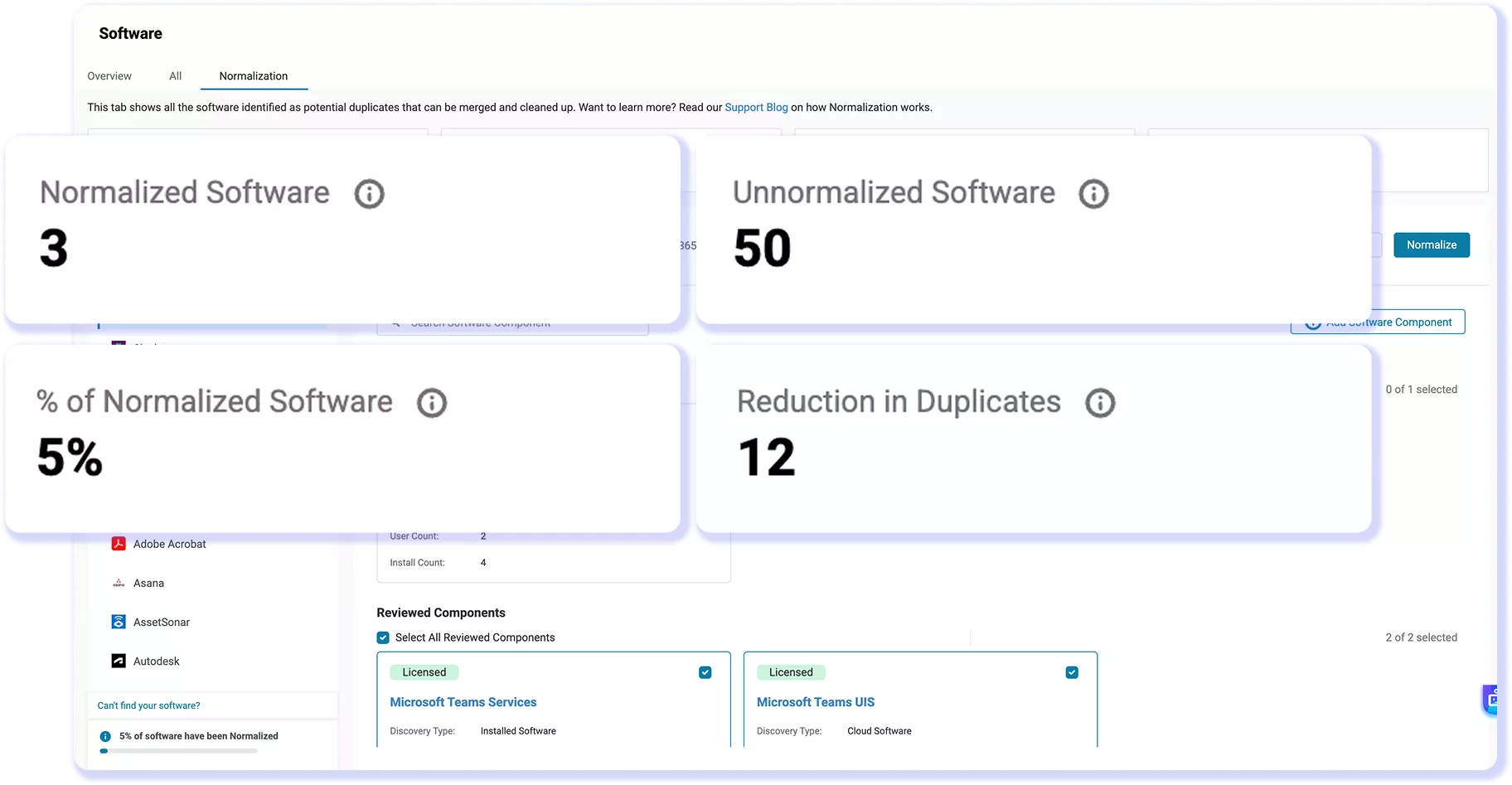
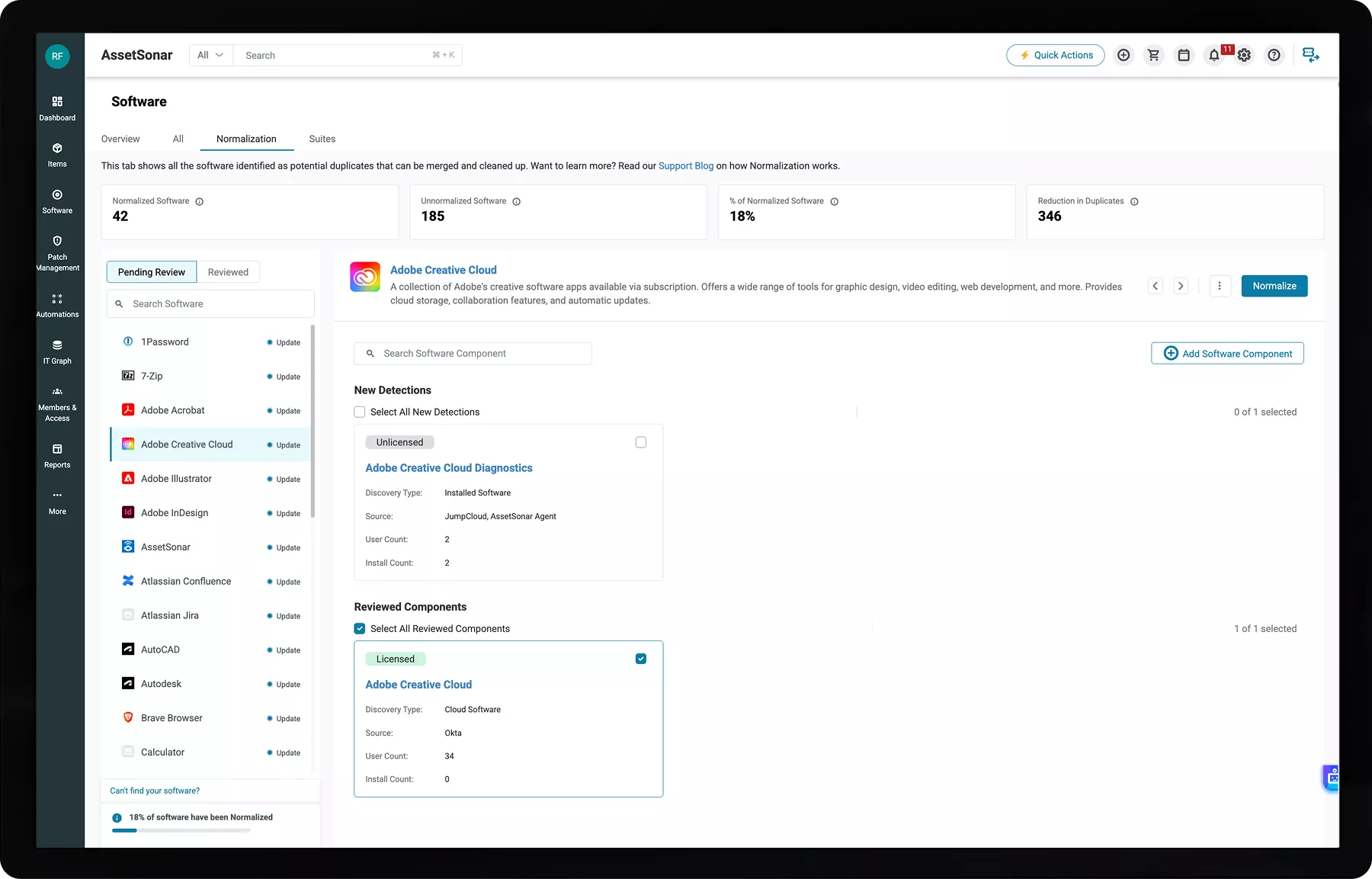
AssetSonar software normalization view with reviewed records and catalog progress KPIs.

Proven Impact Across IT Teams

90%

Asset Data Accuracy

95%

Automated Software Discovery

30%

SaaS Savings From Consolidation

Unified Catalog For Software Visibility and Control

Reconcile Data for Reliable Records

AssetSonar groups related software under one title while retaining component details, giving IT teams reliable data for license reconciliation. Create consistent software records.

Prepare Consistent Audit Evidence

AssetSonar standardizes installed-software titles before teams compare them with entitlements, helping them prepare clearer evidence for internal and vendor audits.

Build Reports From Reviewed Titles

AssetSonar maps related software detections to standardized catalog titles, helping IT teams create cleaner, more accurate inventory, usage, and license reports.

Expose Shadow IT and Duplicates

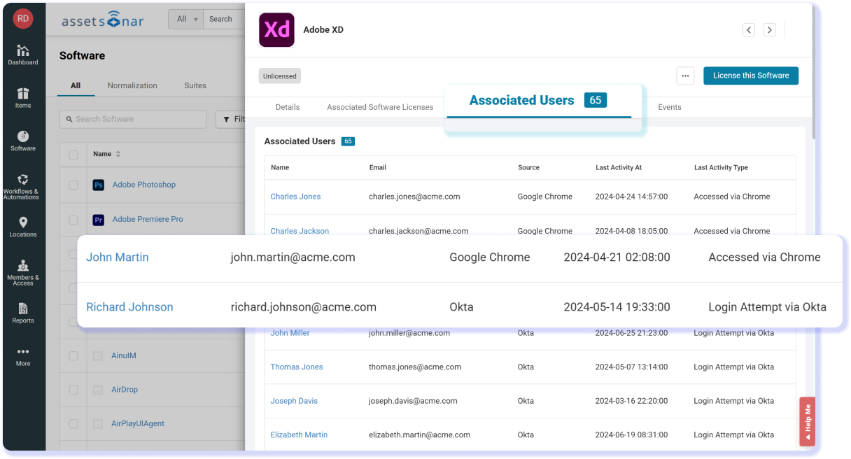
Consolidated and normalized software records help uncover shadow IT, duplicate tools, redundant subscriptions, and hidden installs, reducing cost and risk.

Use Consistent Catalog Metadata

AssetSonar adds standardized publisher, product, and version details to merged software titles, creating cleaner records than raw discovery data.

Connect Software to Real IT Context

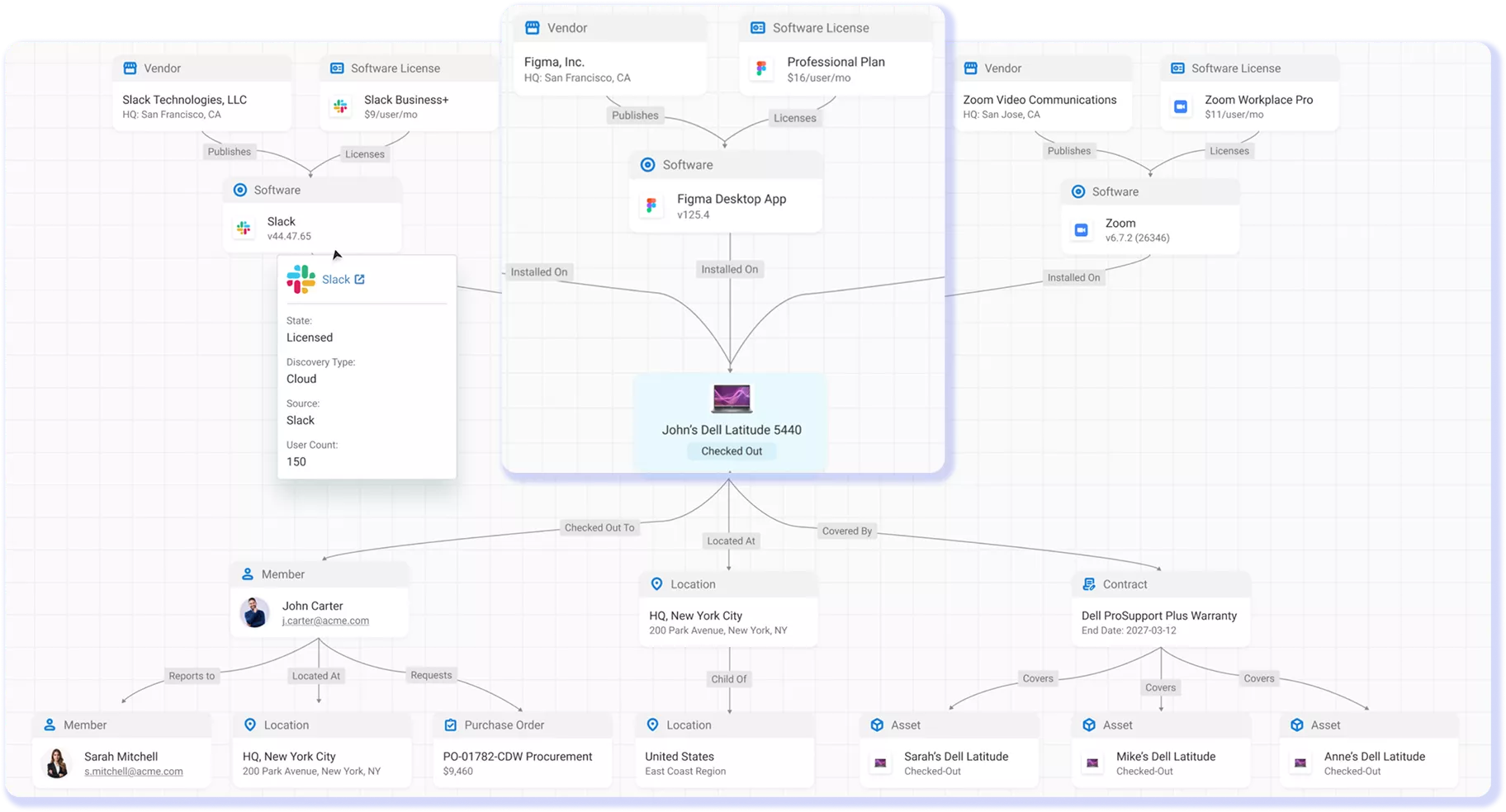
AssetSonar normalizes software within your ITAM and updates the same connected IT Graph without requiring a separate data platform to buy or maintain.

Trusted by High-Performing IT Teams

Consolidate Software Records With Normalization

Built-In Workflows For a Standardized Software Catalog

Customer Testimonials

Prepare for Audits With Normalized Software Data

Explore More Software Normalization Resources

Frequently Asked Questions

Software discovery identifies applications and components across supported sources. Software normalization is the next step: AssetSonar compares related detections with its built-in catalog and recommends a catalog title. An authorized reviewer confirms which components belong together before AssetSonar creates the normalized title.

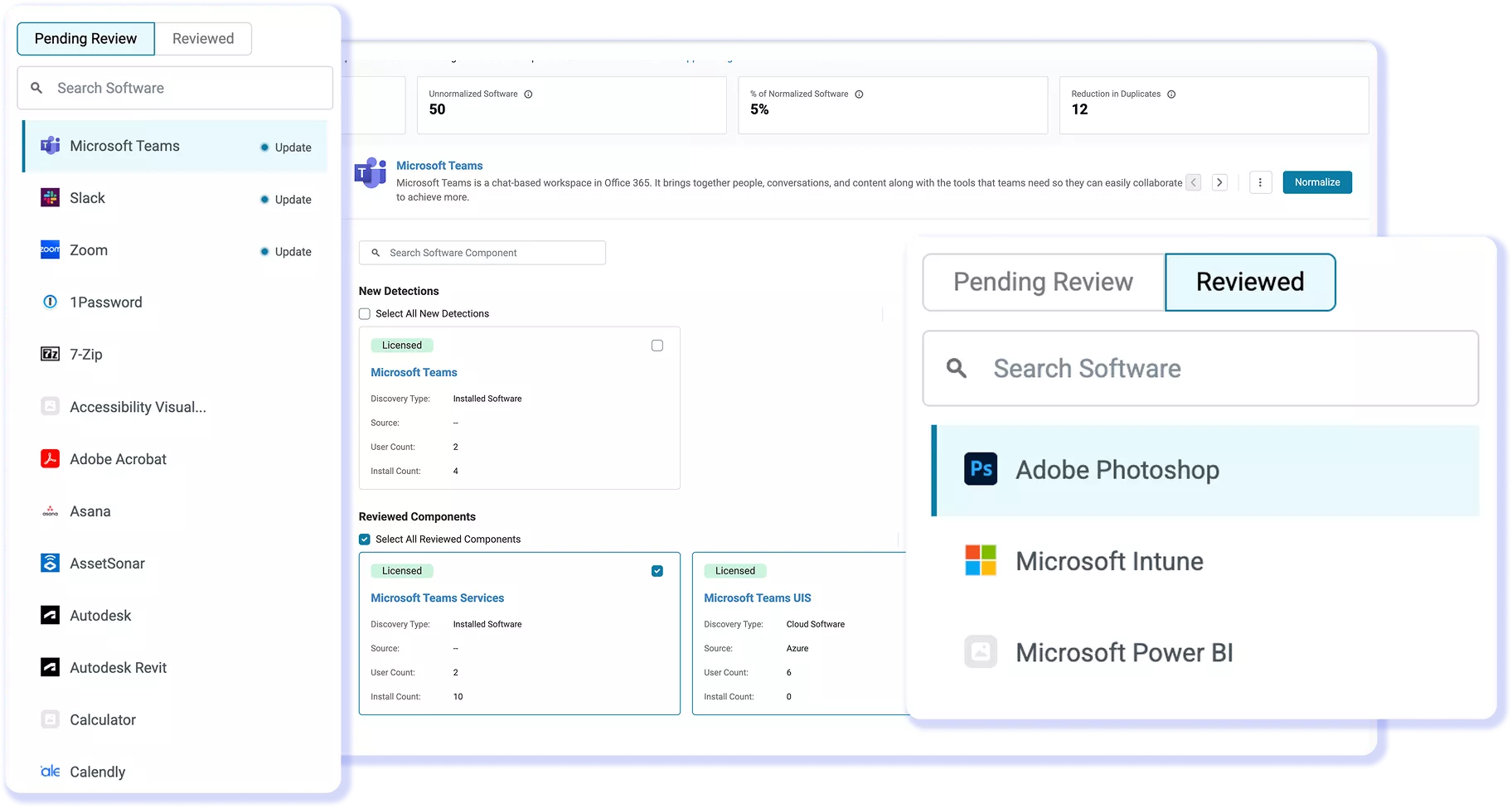
AssetSonar automatically recommends potential catalog matches, but reviewers control the final grouping. In Pending Review, an authorized user inspects the proposed title and related components, chooses the components that belong together, and selects Normalize. Confirmed titles then move to Reviewed.
AssetSonar can recommend related detections from supported cloud, on-premises, and custom software records. Product, publisher, version, or edition details may differ, but those differences alone do not prove that the records are duplicates. Components should be grouped only when the catalog match and reviewer confirmation support the same title.

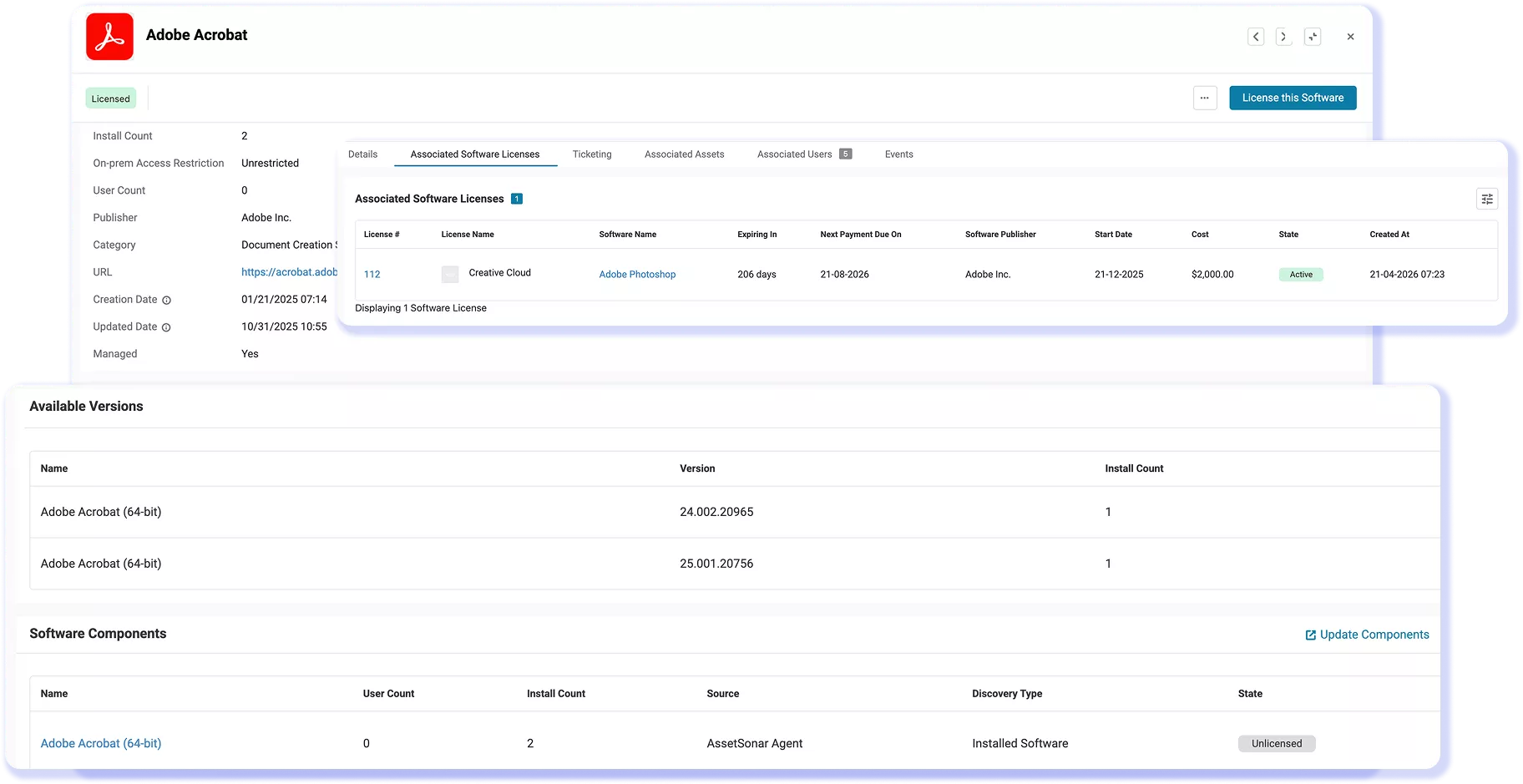
The related components remain available under the normalized title rather than being deleted. Reviewers can inspect the grouped records, use Update Components when new related detections appear, and add a custom component when needed. This preserves source detail while giving IT teams one reviewed catalog title. Normalized titles also appear in the managed software view by default, helping teams focus their software views and reports.

No. A software component can map to one normalized title at a time. This prevents the same software from being counted in more than one reviewed group. If the original mapping is no longer appropriate, an authorized reviewer should follow the unnormalization workflow before assigning the component elsewhere.

Normalization and licensing are separate steps. First, a reviewer confirms the component mapping and creates the normalized title. From that title’s details, an authorized user can select “License This Software” and associate the appropriate license within AssetSonar’s software license management workflow. Adding a license does not create the normalized state; the confirmed mapping does.

Yes, subject to the title’s current license associations. The normalized title must first be unlicensed. If an affected component is associated with another license, that association must also be removed before unnormalizing. After the action is completed, the components return to individual records for review or remapping.
IT teams can use “Update Components” to add new related detections to an existing normalized title. AssetSonar also provides a one-time alert for newly found components and a recurring reminder for entries awaiting normalization review. Both alerts are optional and off by default; eligible users can enable them and set the reminder interval.

Software normalization is enabled by default in AssetSonar and can begin after teams complete their initial software discovery setup. Review effort depends on inventory size, source-data quality, proposed mappings, reviewer availability, and governance rules. IT teams can phase the rollout by starting with high-volume publishers or high-impact catalog groups.

Build a Standardized Software Foundation

Create software groupings, keep component details intact, and use normalized titles for license reconciliation, audit preparation, and reporting.