








Meet the help desk that knows your IT from day one.

CMDB Software

A CMDB That Already Knows Your IT Infrastructure

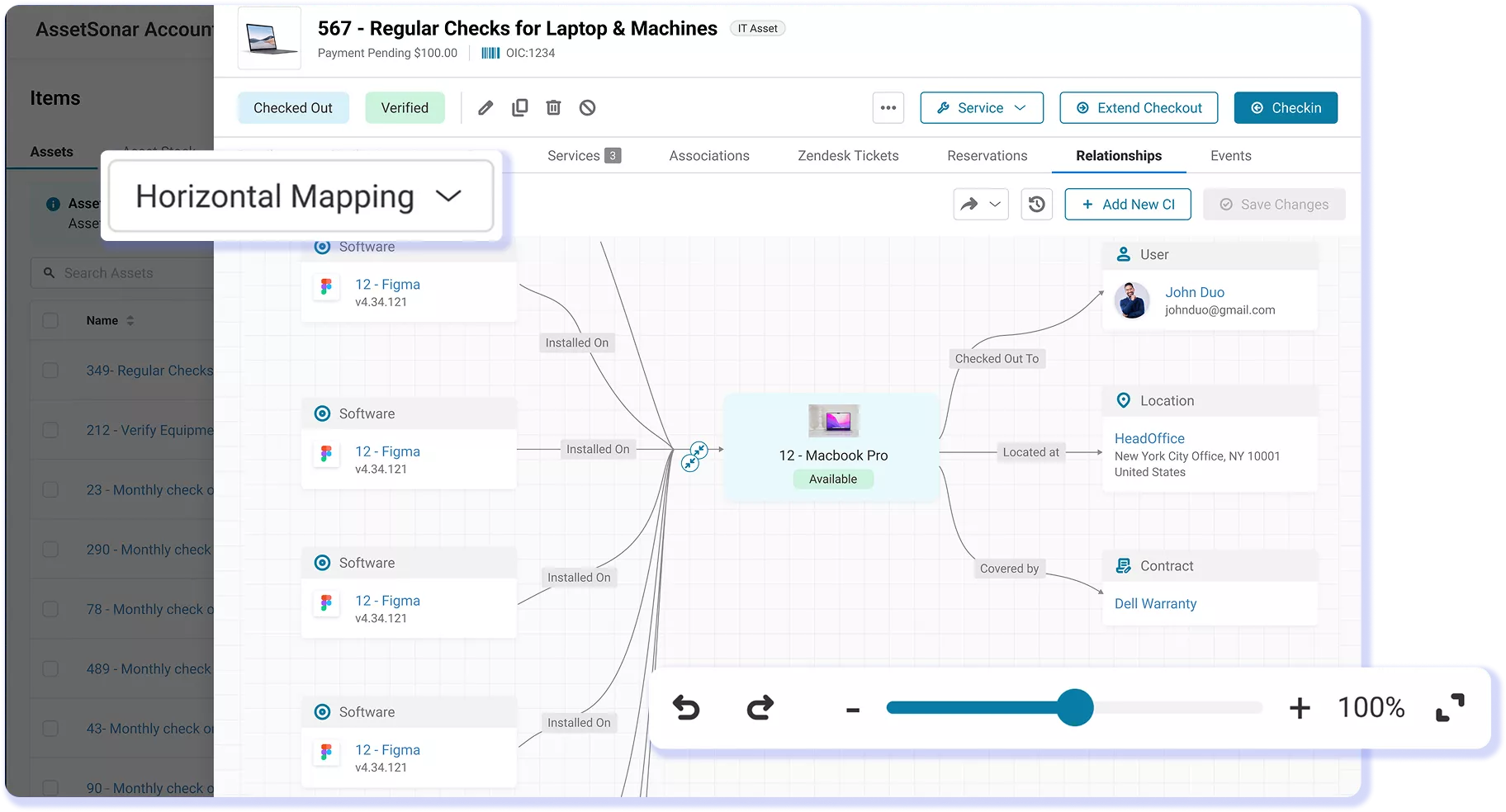
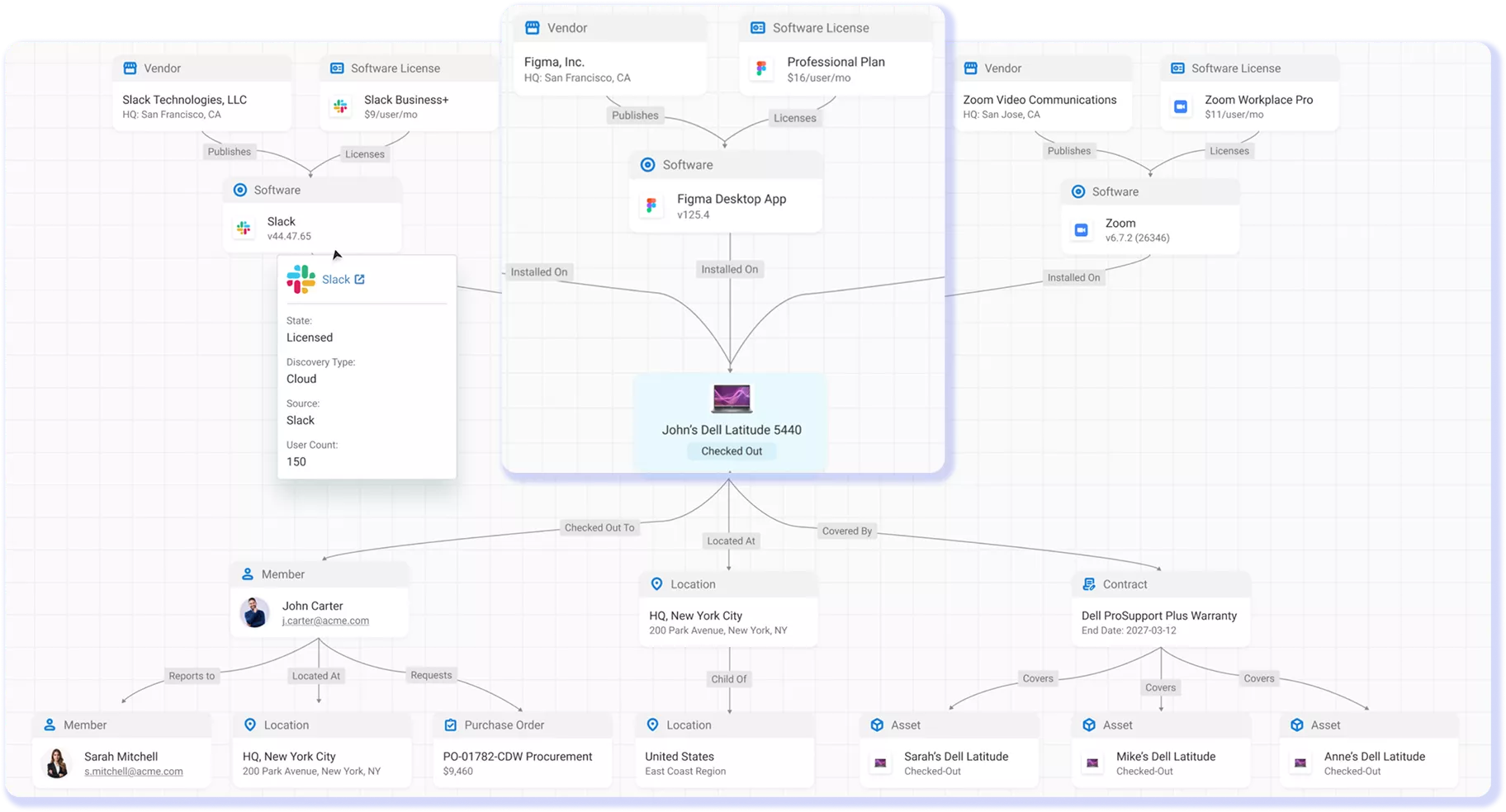
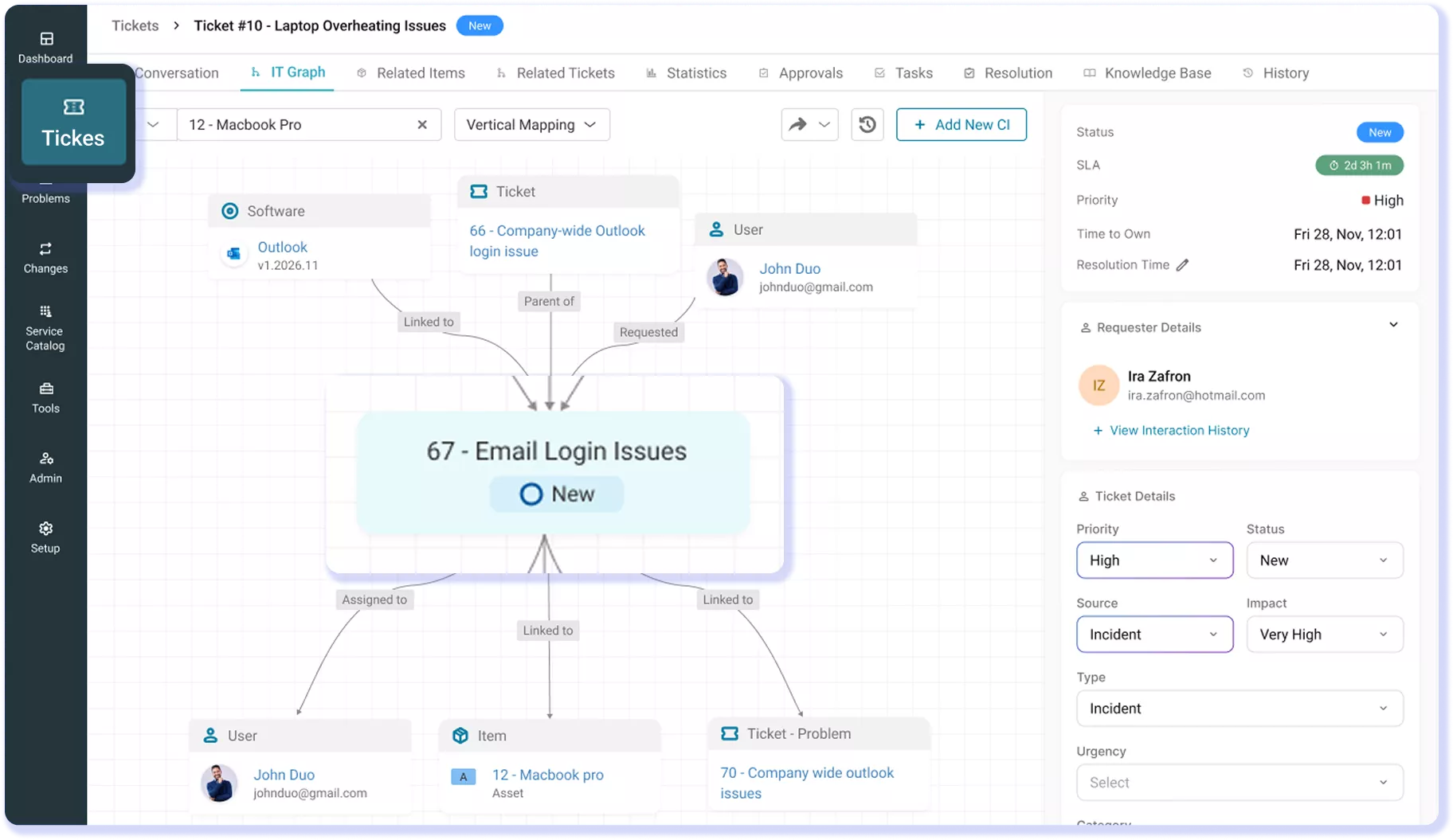
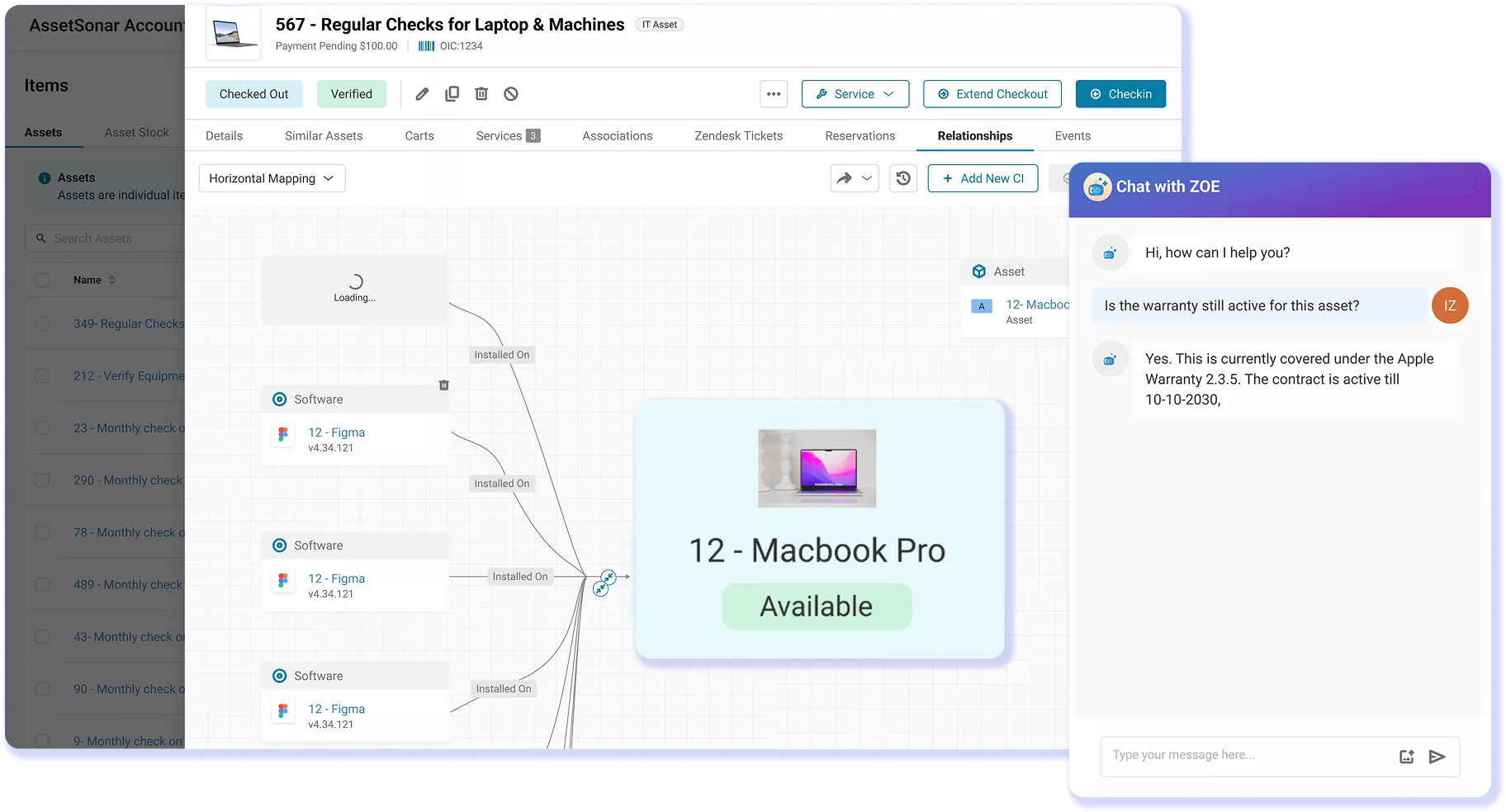
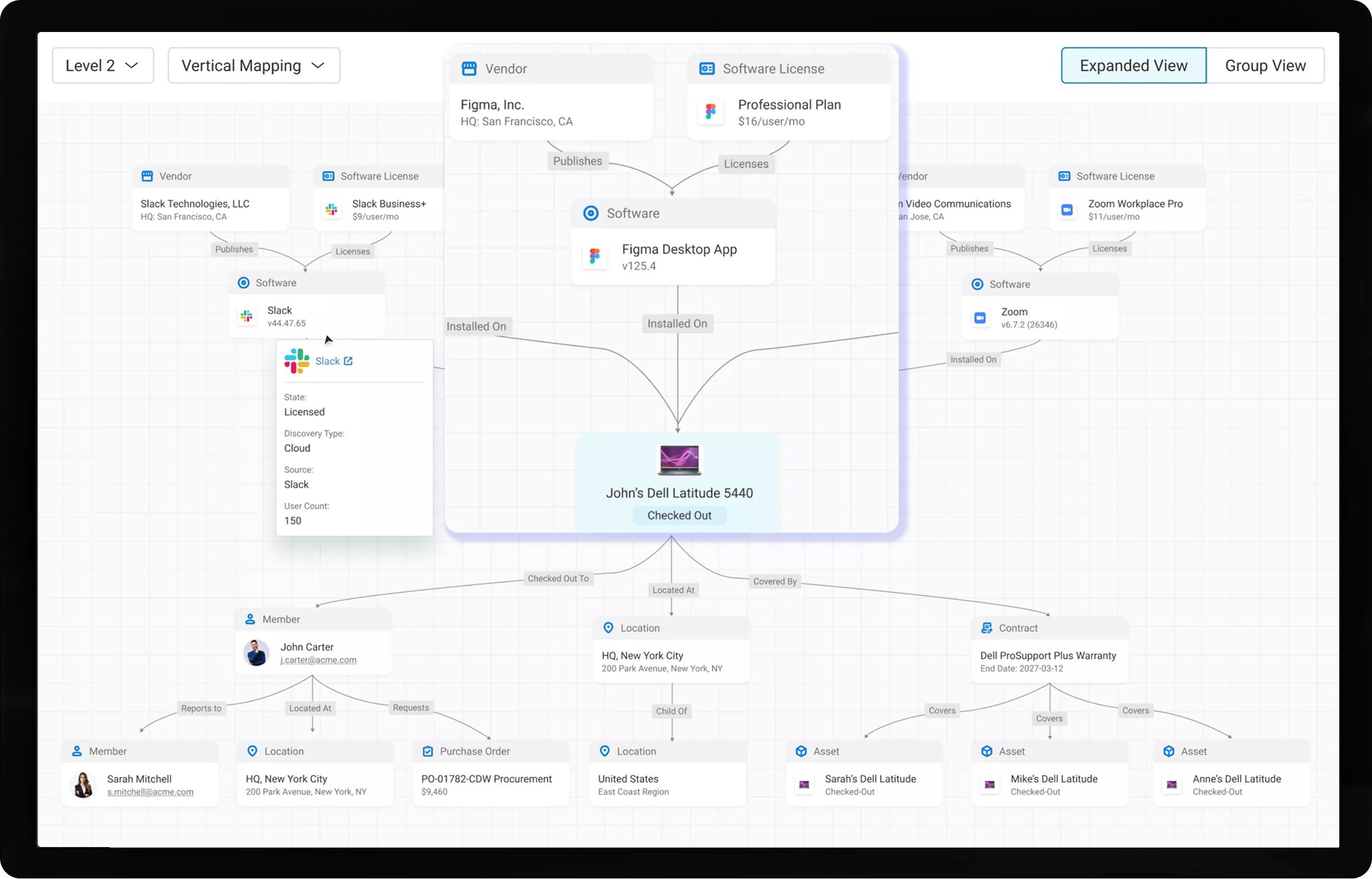
Your CMDB shouldn’t start empty; it should already know your infrastructure. AssetSonar’s CMDB is a live IT Graph built from your assets, software, users, and tickets, so you can see relationships, trace dependencies, and understand impact instantly.
Best Meets Requirements
High Performer Mid market
best support-2026
Momentum Leader
IT asset relationship map linking a device to software, licenses, user, location, PO, and warranty.

Proven Impact Across IT Teams

Faster Ticket Resolution
0 %
Automated Asset Discovery
0 %
Automated CMDB Setup
0 %

From Disconnected to Current, Connected, and Contextual Intelligence

Dependency Without the Guesswork

See how assets, software, users, and tickets connect instantly. No manual tracing.

Your CMDB, Populated From Day One

Your existing asset and service data are automatically populated in the CMDB. No blank database, no setup project.

Understand Impact Before You Act

Know what breaks before you make a change. Trace dependencies across your entire environment.

One View Across Cloud and On-prem

Bring AWS infrastructure and physical assets into a single connected model.

Ownership, Always Accounted For

Every asset and CI is tied to a user, team, or contract so accountability is never a manual lookup.

Audit-Readiness Without the Scramble

Generate relationship maps and trace asset history without manual reconciliation.

Trusted by High-Performing Teams

See the IT Graph in Action Across Your Infrastructure

Power Every Layer of Your Configuration Management

Customer Testimonials

Map Your IT Infrastructure. Manage It With Confidence.

Connected Across Your Entire IT Stack

AssetSonar’s CMDB isn’t a standalone module. It’s powered by everything in your environment:
One platform. One model. No silos.

Frequently Asked Questions

Traditional CMDB implementations often fail because they rely on manual data entry, complex upfront setup, and ongoing maintenance to keep configuration items and relationships accurate. As IT environments change, data quickly becomes outdated, especially when it’s spread across multiple tools, which leads to low trust in the CMDB.

To avoid starting from scratch, modern approaches build the CMDB from existing operational data such as assets, software, users, and tickets. This can be done through integrations, discovery tools, or unified platforms where data is already connected. When the CMDB is continuously updated as part of everyday workflows, it stays accurate, reduces manual effort, and becomes reliable for incident, change, and impact analysis.

A traditional CMDB is a centralized database that stores configuration items (CIs) and their relationships, often relying on manual input, integrations, or discovery tools to stay up to date. This can make it hard to maintain accuracy as environments change.

An IT Graph models the same data as a connected, dynamic network, in which relationships among assets, software, users, and services are continuously updated. Instead of static records, it provides real-time visibility into dependencies and context.

In short, CMDBs are typically record-driven and maintenance-heavy, while an IT Graph is relationship-driven, continuously updated, and better suited for real-time analysis, impact assessment, and operational decision-making.

No. AssetSonar does not require you to build your CMDB from scratch. Instead of starting with an empty database, your CMDB is automatically created from the asset, software, user, vendor, and ticket data already in your system.

As your team manages devices, licenses, and service workflows, configuration items and their relationships are continuously captured and updated in the background. This eliminates the need for manual data entry, imports, or ongoing reconciliation, ensuring your CMDB stays accurate, complete, and ready to use from day one.

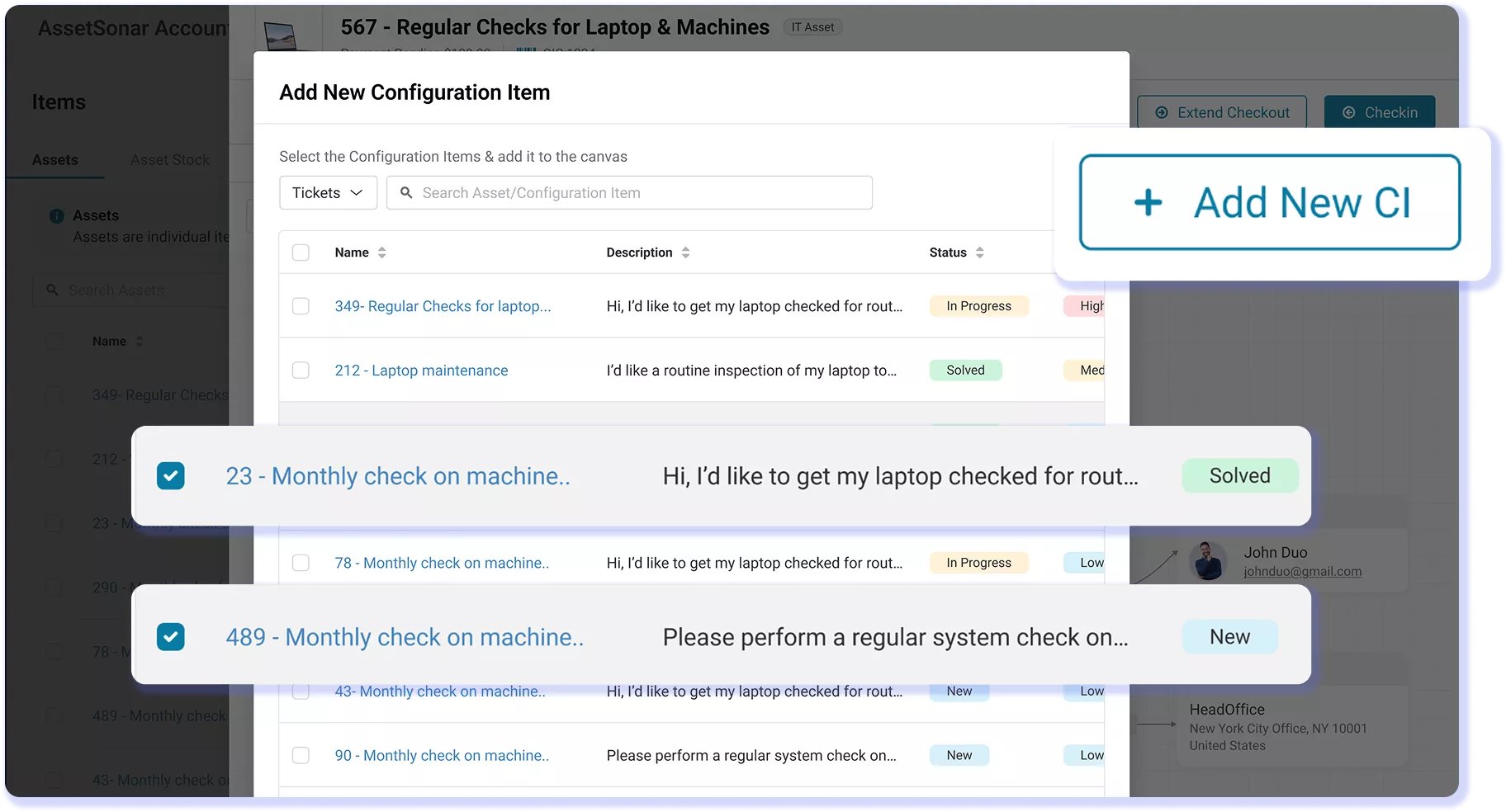
AssetSonar supports a wide range of Configuration Items (CIs) including hardware assets, software, licenses, users (members), vendors, contracts, locations, domains, and service tickets. These records are already part of the platform so they are automatically structured as CIs without requiring separate imports or setup.

Because all CI types exist within a unified data model, they are connected through relationships such as assets assigned to users, software governed by licenses, or tickets linked to devices; giving you a complete, contextual view of your infrastructure and how different components interact.

AssetSonar can work alongside monitoring systems to support outage response. Users can create custom integrations with their monitoring tools via REST-based APIs to automatically update CI status. AssetSonar keeps configuration data accurate through a unified ITAM and ITSM data model, in which assets, software, users, and tickets are continuously updated as part of daily operations.

Monitoring tools can still trigger alerts or incidents, but every ticket in AssetSonar is already linked to the relevant configuration items, giving teams immediate context during outages. This reduces the need to reconcile data across systems and ensures faster, more informed incident resolution.

Yes. AssetSonar’s CMDB can track relationships between applications and their database dependencies by modeling both as Configuration Items (CIs) and linking them through system-defined or custom relationships. Applications, databases, servers, and related components can all be connected within a unified data model, allowing you to see how systems depend on each other.

Because these relationships are maintained as part of everyday asset and service workflows, they stay current without requiring separate mapping projects. This makes it easier to trace dependencies, assess impact during changes or incidents, and understand how different components interact across your infrastructure.

AssetSonar does not offer traditional automated “business service mapping” as some enterprise ITSM tools that rely on dedicated discovery engines do. Instead, it models application dependencies through a unified ITAM and ITSM data layer, in which assets, software, users, and tickets are already connected as Configuration Items.

Relationships between applications, databases, and infrastructure can be defined using system-defined or custom links and are continuously updated as part of everyday operations. This provides a practical, real-time view of dependencies without requiring complex discovery setups, making it easier to understand impact and manage changes using data that reflects how your environment actually operates.

AssetSonar differs from tools like Freshservice and InvGate by building its CMDB from a unified ITAM and ITSM data model, rather than relying on manual setup or separate mapping layers. In many tools, CMDB data and relationships require configuration, imports, or ongoing maintenance to stay accurate.

AssetSonar, however, connects assets, software, users, and tickets in a single system so configuration items and their relationships are created and updated as part of everyday operations. This reduces manual effort, minimizes data drift, and ensures that your CMDB stays current, making it more reliable for incident resolution, impact analysis, and change management.

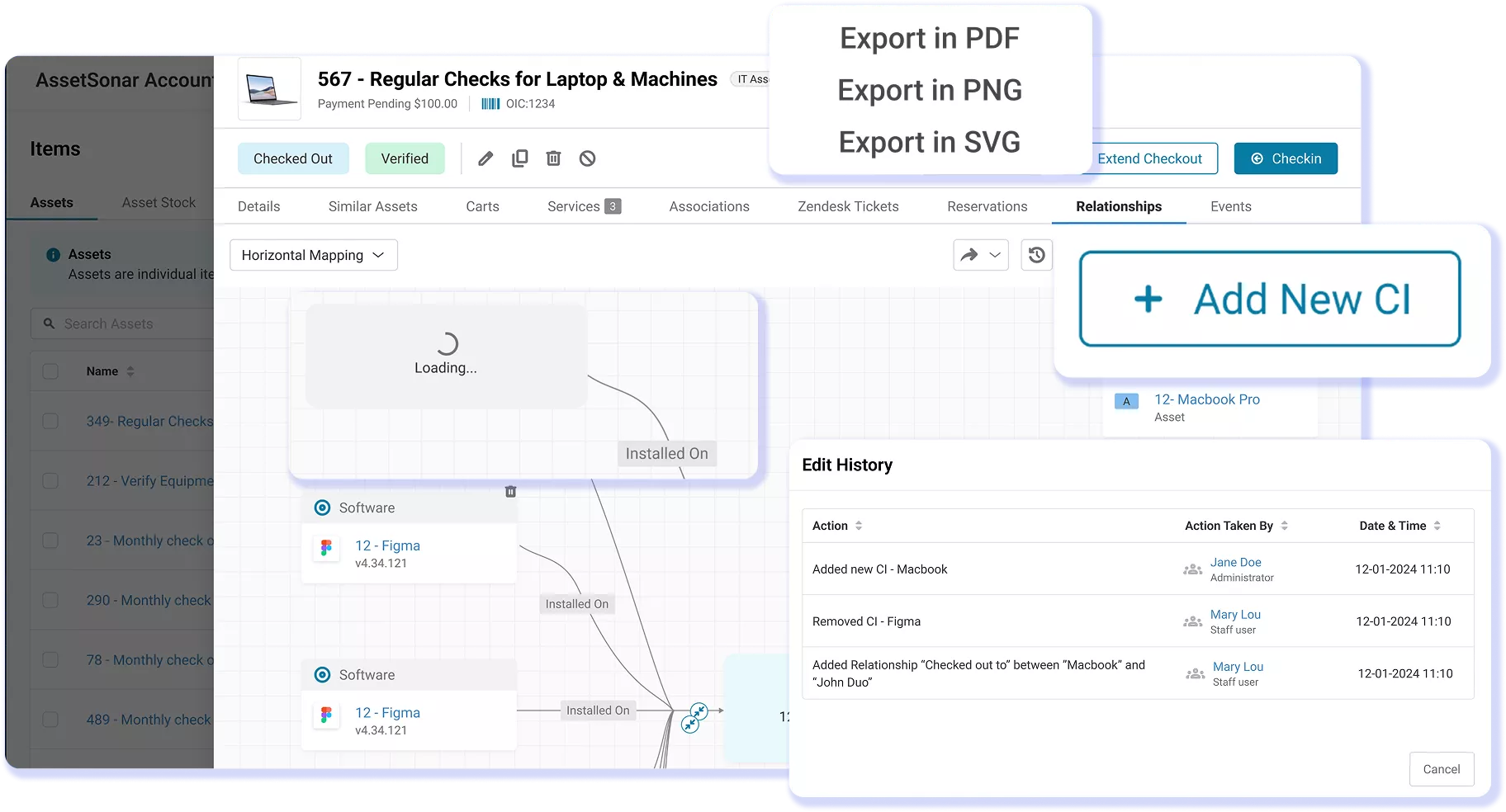
Yes. AssetSonar allows you to create custom relationships between any configuration item (CI) types, in addition to 30+ system-defined relationship types. This means you can model how your infrastructure actually works; whether it’s linking applications to databases, assets to users, or software to contracts.

Relationships can be defined, edited, and managed directly within the platform and are reflected across the IT Graph in real time. Because these connections are part of everyday workflows, they stay current without requiring separate maintenance, making it easier to track dependencies, understand impact, and manage changes accurately.

Yes. AssetSonar supports cloud infrastructure in its CMDB, including visibility into AWS resources alongside on-prem assets. Cloud assets can be represented as Configuration Items and connected to users, software, and other infrastructure components within the same data model.

This allows you to map dependencies across hybrid environments and understand how cloud and physical systems interact. While it may not provide full multi-cloud discovery like some enterprise tools, it enables you to track and manage cloud resources within a unified, continuously updated CMDB built on real operational data.

A CMDB That Powers Real IT Operations

Move beyond static records and disconnected data. Map your infrastructure, understand dependencies, and resolve issues faster with a CMDB built on real asset and service context.