

AssetSonar Retail

IT Asset Management for Retail

Keep IT Asset Records Accurate Across Stores

AssetSonar helps retail IT teams connect registers, scanners, tablets, software, custody, and service history across every location. It tracks store technology, not merchandise or payment applications, in one current view.

Best Meets Requirements
high performer 2026
best support-2026
Momentum Leader

No Credit Card Required

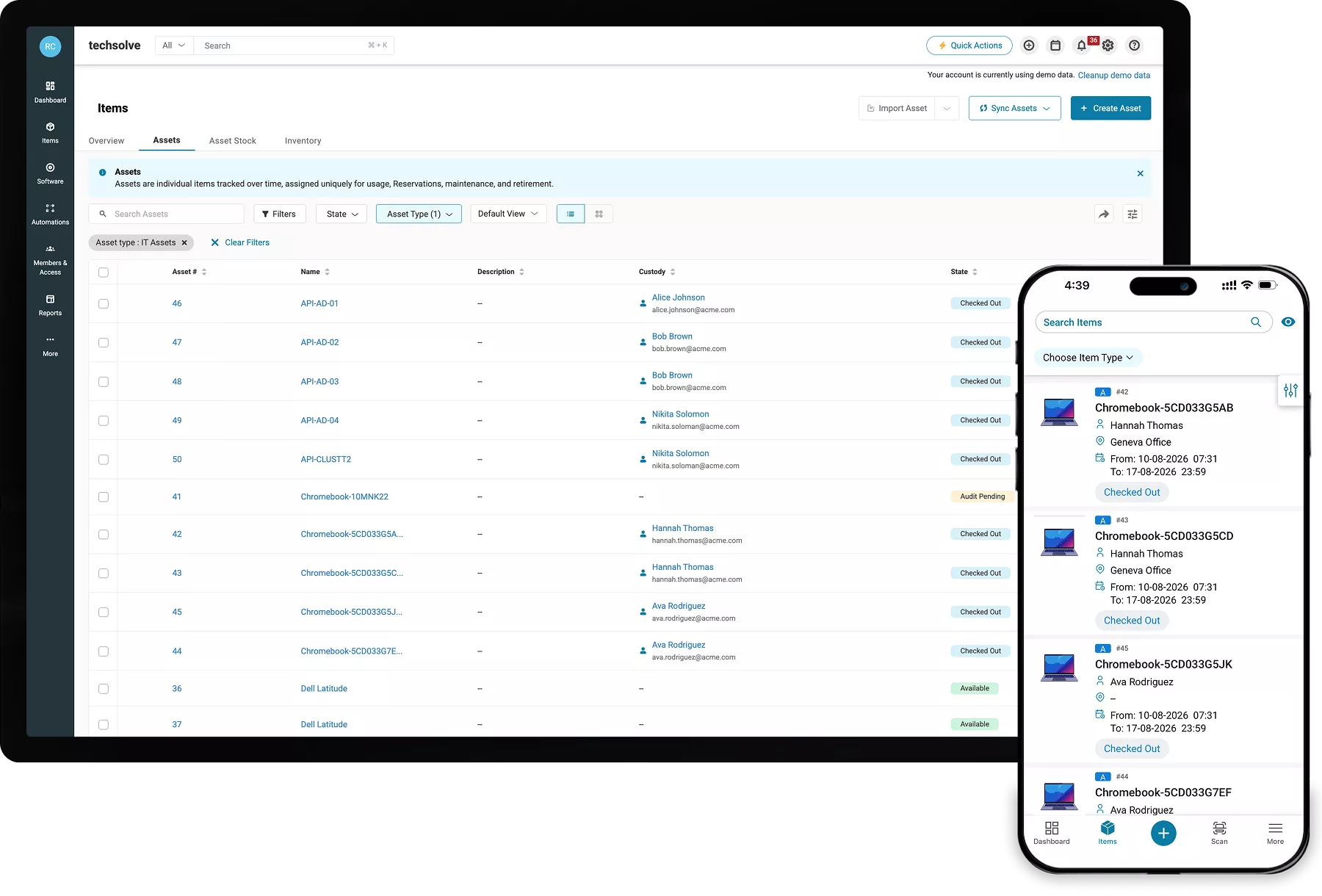
AssetSonar desktop and mobile views showing IT asset locations, status, and audit details.

Where Retail IT Asset Records Fall Out of Sync Across Stores

Retail IT teams support devices across stores that often get overlooked. As devices move and records diverge, accountability weakens, and audits require rework.

Each Store Keeps a Different Record

When each store keeps its own list, no two device names, locations, and statuses match. Central IT calls each store and rebuilds records to answer basic questions.

Shared Devices Lose Accountability

Without store-level custody, shared devices pass between associates with no clear owner. Registers, scanners, tablets, and other IT equipment become harder to track.

Store Changes Create Record Gaps

When stores open, close, relocate, or remodel, hardware can move before records are updated. Devices that move without a recorded transfer become harder to trace.

Assessments Trigger Manual Rework

Without an updated device register, evidence remains scattered across spreadsheets and disconnected tools. IT must rebuild it store by store for each assessment.

Unify Retail IT Across the Store Estate

Manage Retail IT From One Consolidated Record

MULTI-STORE VISIBILITY

Give Regional Teams a Connected Store View

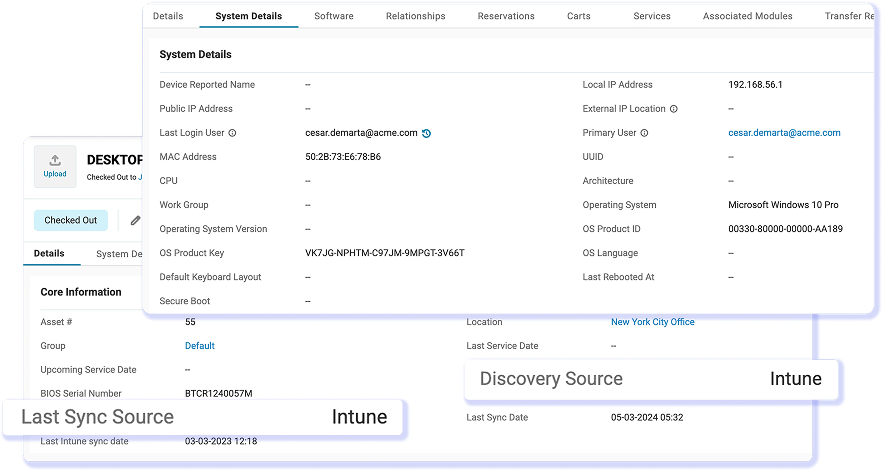
Combine endpoint and MDM data with the store, custody, and lifecycle context AssetSonar maintains. Regional IT teams can manage their stores locally without creating separate records. AssetSonar matches devices by serial number, adds discovery source and last sync data, and uses nested Locations for region, district, store, and back office. Location-scoped roles and rollup reports keep regional control connected to the central view.
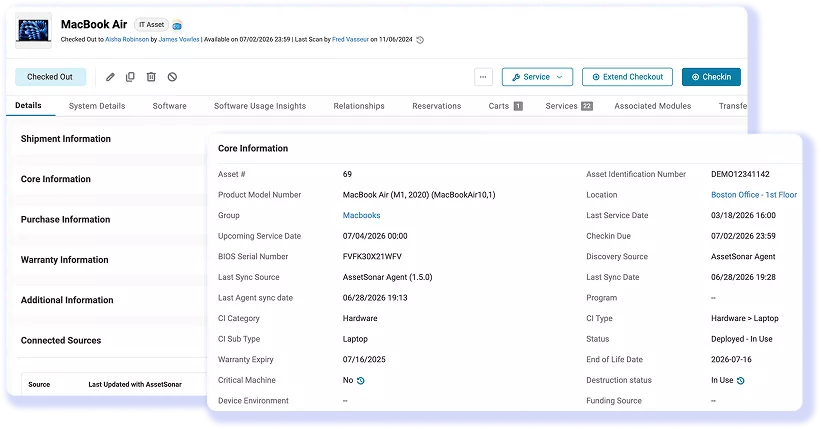
AssetSonar MacBook Air record showing custody, purchase, warranty, and device details.
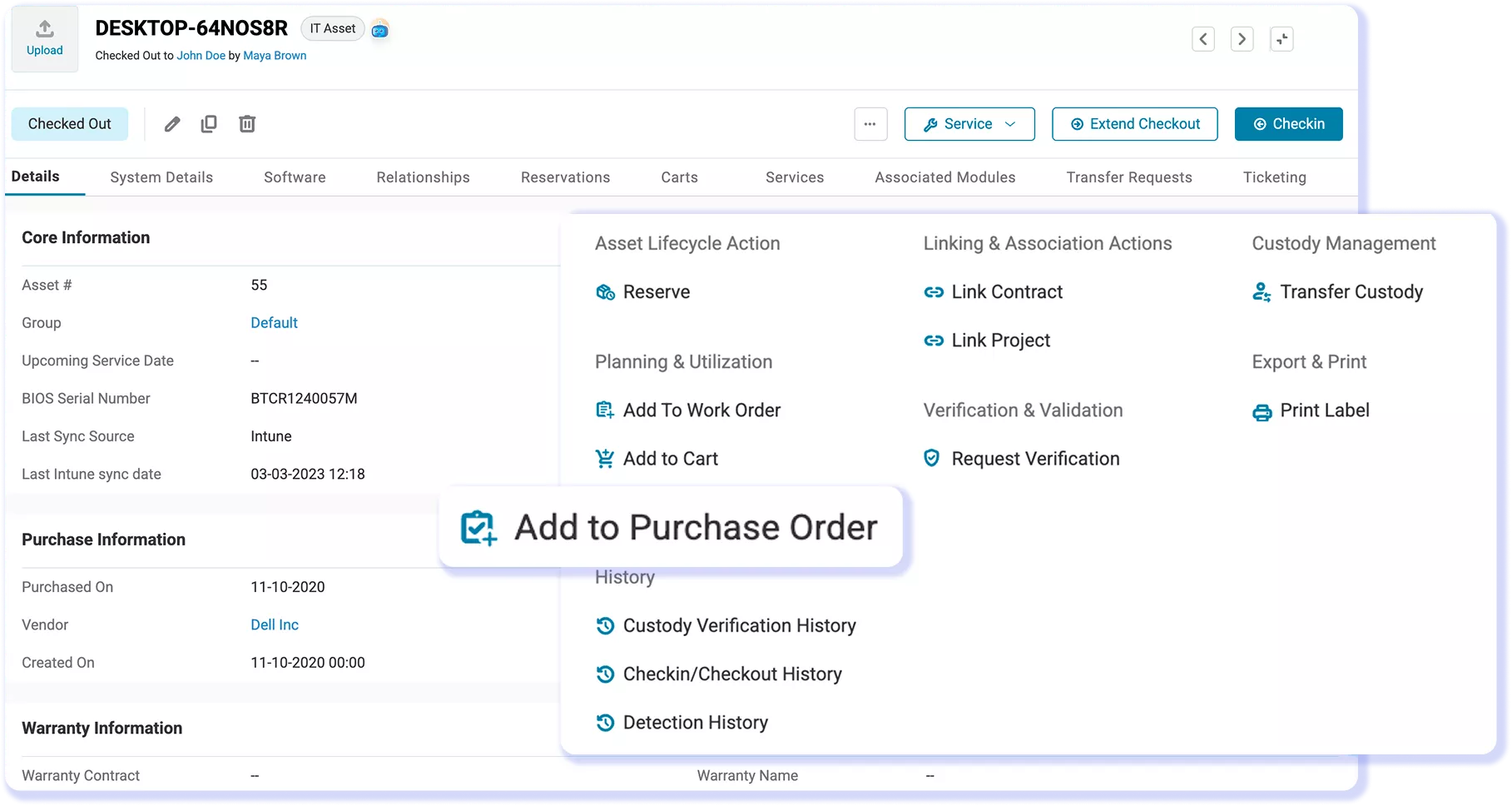
AssetSonar asset record with Request Verification selected and the request form open.

SHARED DEVICE CUSTODY

Track Shared Devices By Store, Not Employee

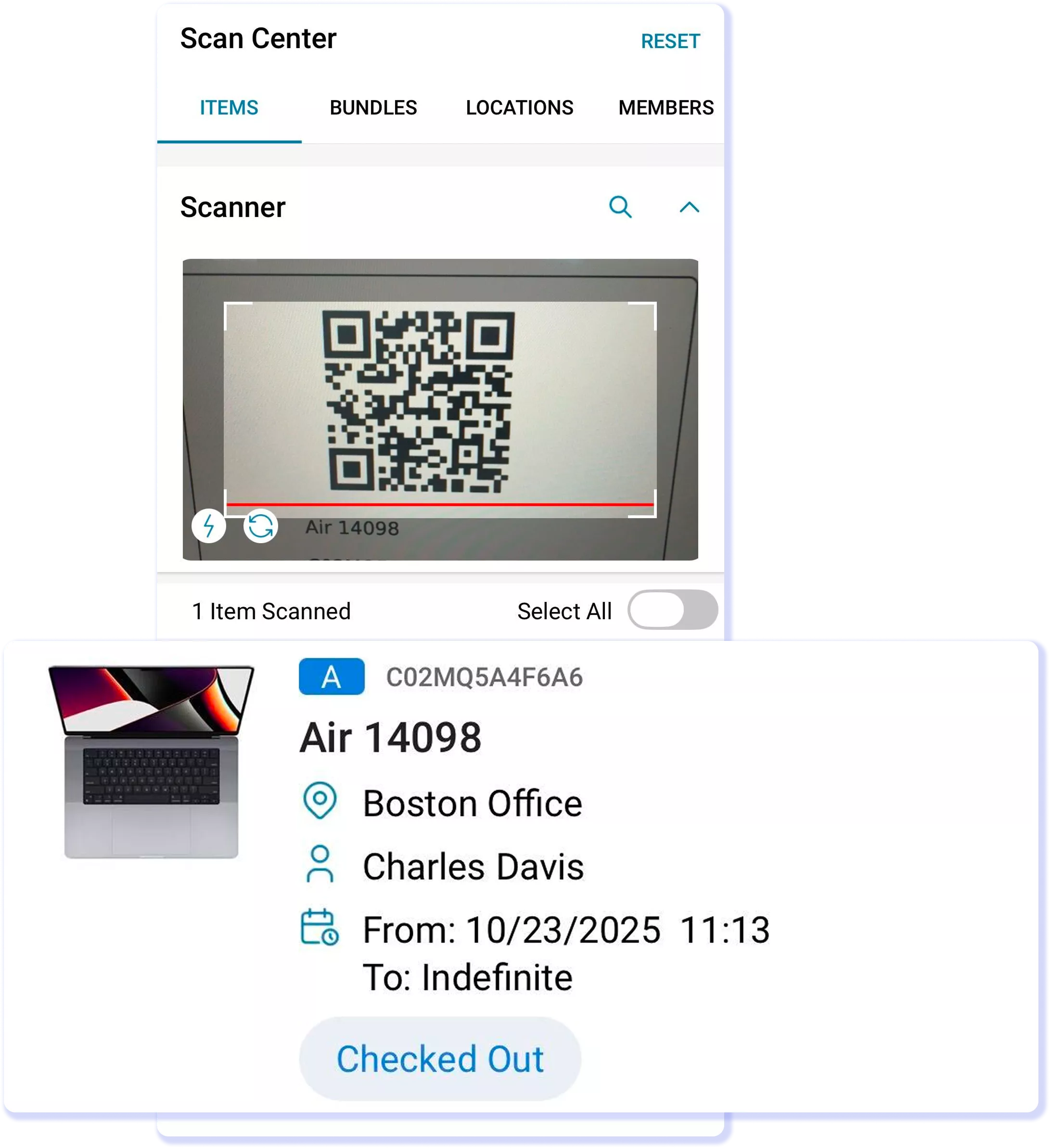
Assign shared devices to a store Location instead of requiring a new named-user assignment at every handover. Store teams can verify what should still be on site without tying each device to one person. AssetSonar uses Custody Verification, Location Audits, and the Item Trail to confirm presence and record movement. This keeps shared-device accountability tied to the store while preserving check-in, checkout, and transfer history.

STORE LIFECYCLE WORKFLOW

Keep Hardware Tracked Through Store Changes

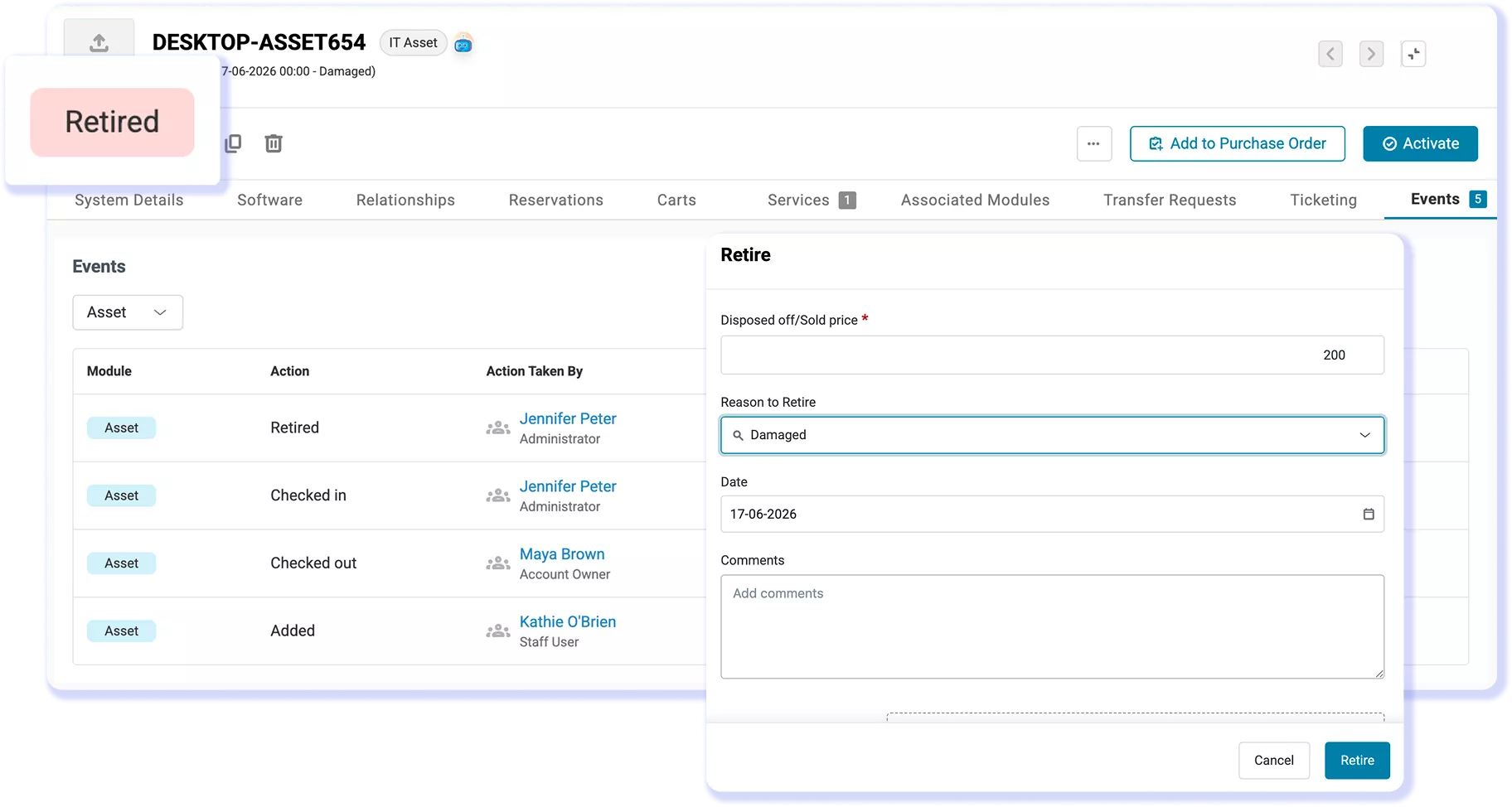
Move hardware through store openings, closures, relocations, or remodels without rebuilding records for each change. Store teams can check devices in or out individually or in bulk and transfer them between stores or into regional spare stock. The Item Trail preserves movement history, while retirement records retain what happened when hardware leaves service. Retired records no longer count toward the subscription’s asset total.
Track the ownership of IT assets in AssetSonar, manage their location, and retire them from one place
AssetSonar completed location audit showing item totals, progress, auditors, and locations.

RETAIL AUDIT EVIDENCE

Prepare The Device Register Before Review

Schedule assessment reports in advance, so central IT does not reconstruct the device register store by store. Filter by store, region, lifecycle, age, or last-seen date and export in CSV, PDF, or XLS. Phone-based Location Audits verify physical presence, while the Item Trail records what changed and when. Together, current report data and timestamped history support each assessment.

Scale Store IT With a Unified Platform

Proven by IT Teams in Retail

95%

Automated Asset Discovery

20%

Faster Ticket Resolution

30%

Software Spend Reclaimed

Customer Testimonials

Frequently Asked Questions

Yes. AssetSonar supports Custom Fields on asset records, allowing retail IT teams to add details such as store number, register ID, device role, or other internal identifiers. These fields can appear in asset views and Custom Reports, and selected fields can be required during checkout or custody verification to keep records consistent across locations.

AssetSonar supports REST APIs and webhooks for custom integrations and workflow connections. Retail teams can use them to connect asset data with internal ERP, POS, or logistics systems when a native connector is not available. Teams should confirm the required integration method during evaluation.

Retail procurement and security teams can review EZO’s SOC 2 Type 2, ISO 27001, and GDPR credentials. These EZO-level certifications support vendor security reviews and can be evaluated against the retailer’s compliance requirements.

AssetSonar is priced per managed asset, not per administrator seat. It has volume pricing above 1,000 assets, and unlimited agents and user seats. This means retailers can add regional technicians or store-support users without a separate per-seat charge, while total cost still depends on managed asset volume and the plans or add-ons selected.

AssetSonar uses a managed implementation approach. A phased retail rollout can begin with one region, connect the relevant endpoint and identity sources, and establish location structure and naming before expanding. A standard hardware-discovery rollout may take about 14 days, while broader multi-store timing depends on deployment scope.

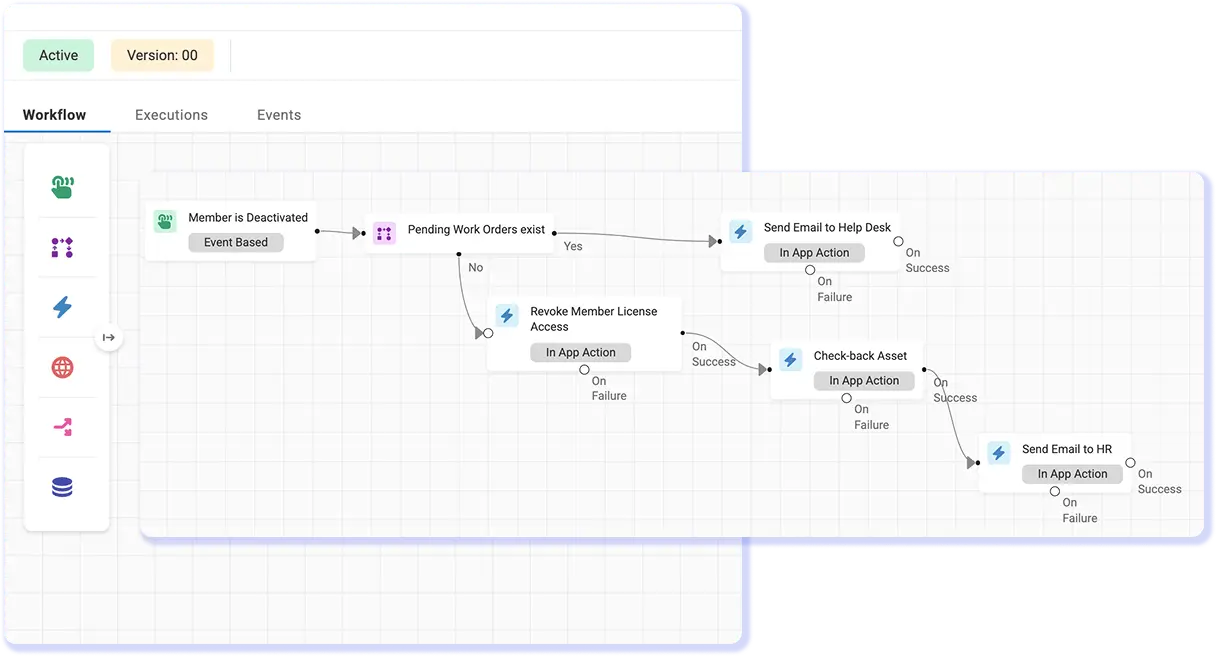
AssetSonar supports structured seasonal offboarding through reusable workflows, with each employee processed in an individual workflow. Assigned IT items and relevant identity actions can be brought into the process, while repeatable tasks such as license reclamation can be automated to reduce manual follow-up.

AssetSonar can organize retail operations using locations and related structures within one environment. Retailers can use these structures to separate stores, regions, or brands operationally. Organizations that require fully independent environments or strict legal-entity separation should confirm whether they need separate instances.

AssetSonar can use Custom Reports to analyze recorded purchase-cost data by location when the relevant fields are available. Retail teams can also track supported depreciation data in AssetSonar. Finance-system reconciliation or ERP synchronization may require a custom integration, depending on the systems involved.

Learn More About IT Asset Management for Retail

Unified IT Control and Governance Across Retail Stores

Track shared devices by store, preserve history through transfers, and keep reports ready for review while central IT maintains one accurate record across the IT estate.