







AssetSonar Features It Asset Custody
IT Asset Custody Management
From Assignment to Return, With Full Custody Trail
Proven Impact Across IT Teams
4x
Reduction in Asset Loss
90%
Improvement in Asset Data Accuracy
20%
Increase in User Productivity
Every Device Accounted For, From Handover to Return
Assign Every Device to a Custodian
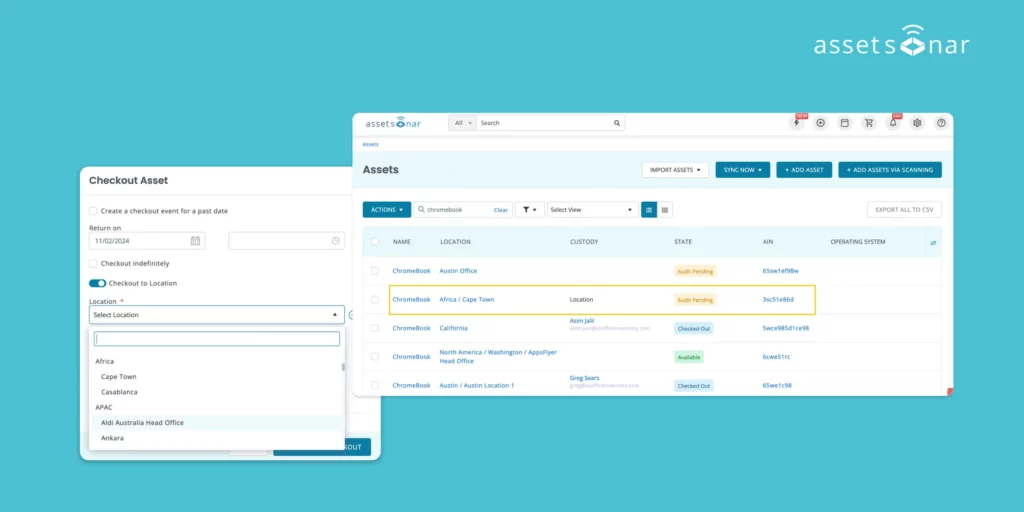
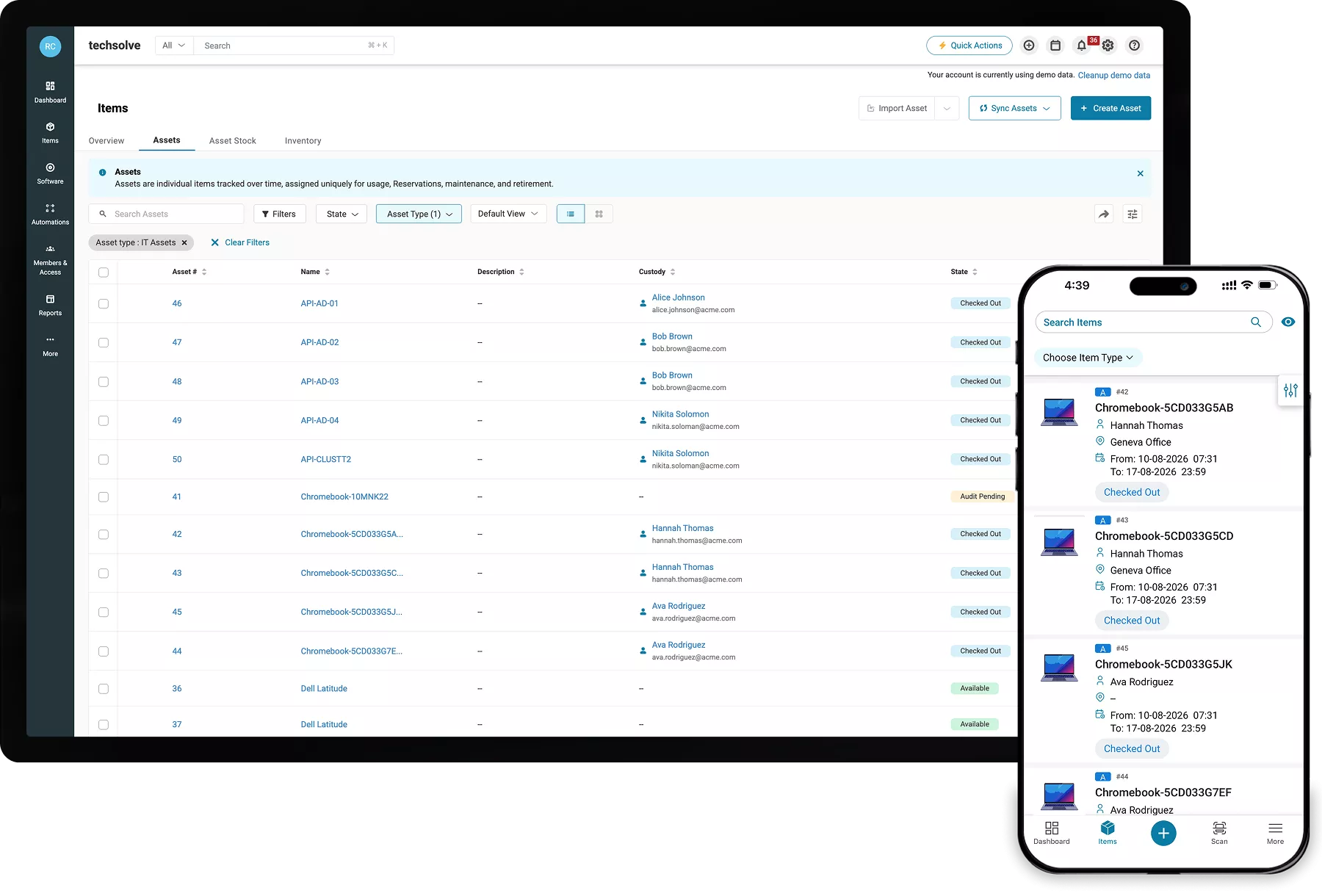
Check out hardware to a user or location so every device has a named custodian, visible in the Custody column in the asset record. No more switching between tools.
Perform Mandatory Steps During Handover
Custodian can review configured terms, record device condition, and provide a signature at the time of handover, creating a documented acknowledgment on the asset record.
Verify Device Custody on Demand
Run custody verification by department or conduct a location audit, recording each response so IT can investigate stale assignments or missing hardware before audits.
Close the Loop on Device Returns
Return devices through Quick Check-In by name, item number, Asset Identification Number, or by scanning a barcode and recover every assigned device easily.
Keep a Provable Chain of Custody
Use Item Trail to see who held each device, where it moved, and when custody changed. Create custom reports for advanced analysis and audit reporting across devices.
Automate Custody as Devices Enroll
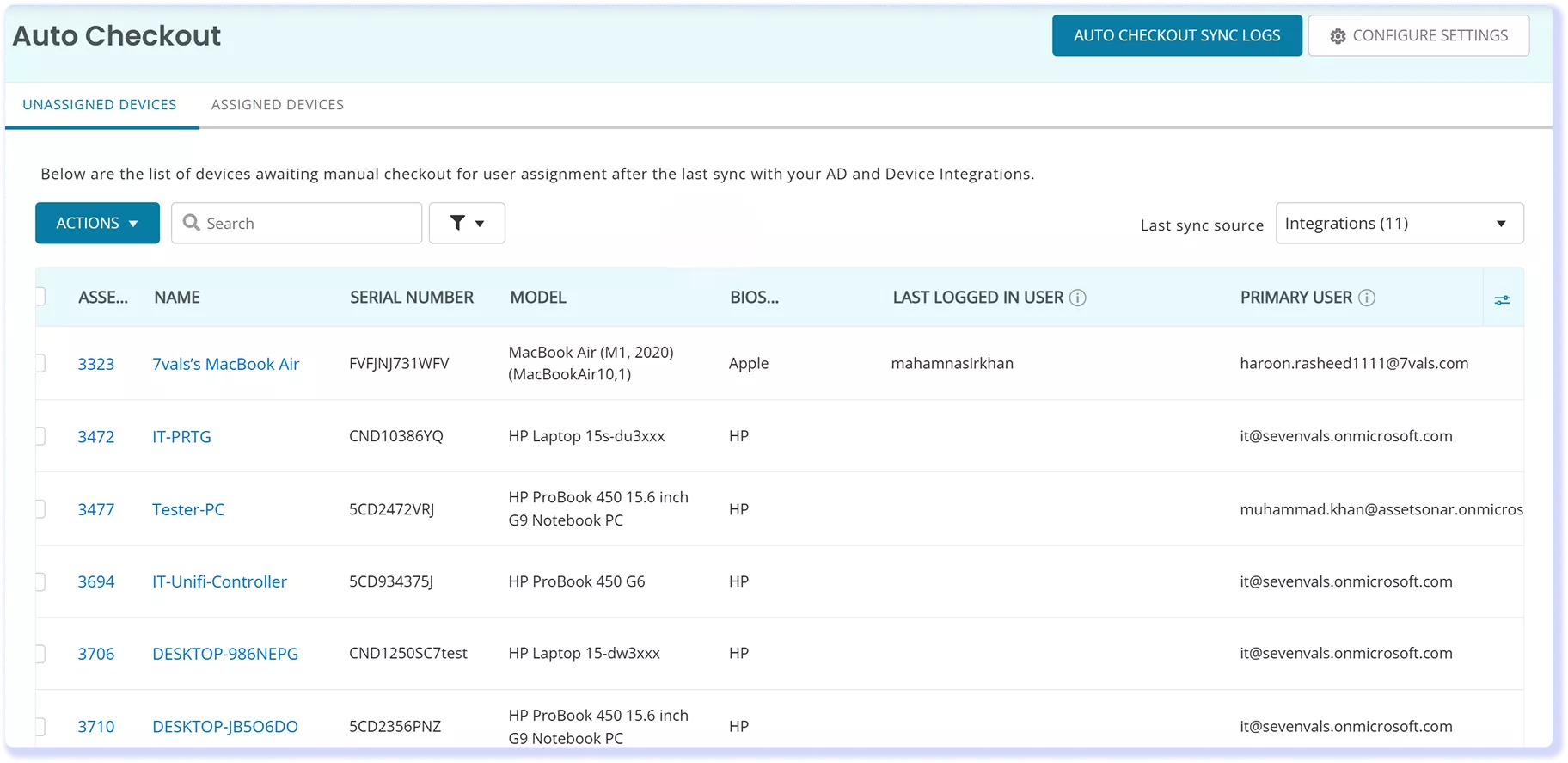
Use Auto Checkout with device integrations to match enrolled hardware to users, reducing manual assignments while keeping the custodian on each asset record current.
Trusted by High-Performing IT Teams


See How AssetSonar Tracks IT Asset Custody
Manage IT Asset Custody From Handoff to Return
Assign & Check Out
Checkout Requirements
Custody Verification
Returns & Recovery
Custody History & Reporting
Assign & Check Out
Match Each Device to the Right Custodian
Assign a laptop, desktop, or peripheral to an employee, or check it out to a location when it should remain at a site. The Custody column shows the current custodian. Auto Checkout matches devices detected through MDM integrations to users by email or another configured field, allowing IT to review and process assignments in bulk as devices enroll.
Checkout Requirements
Complete Checkout Steps at Handover
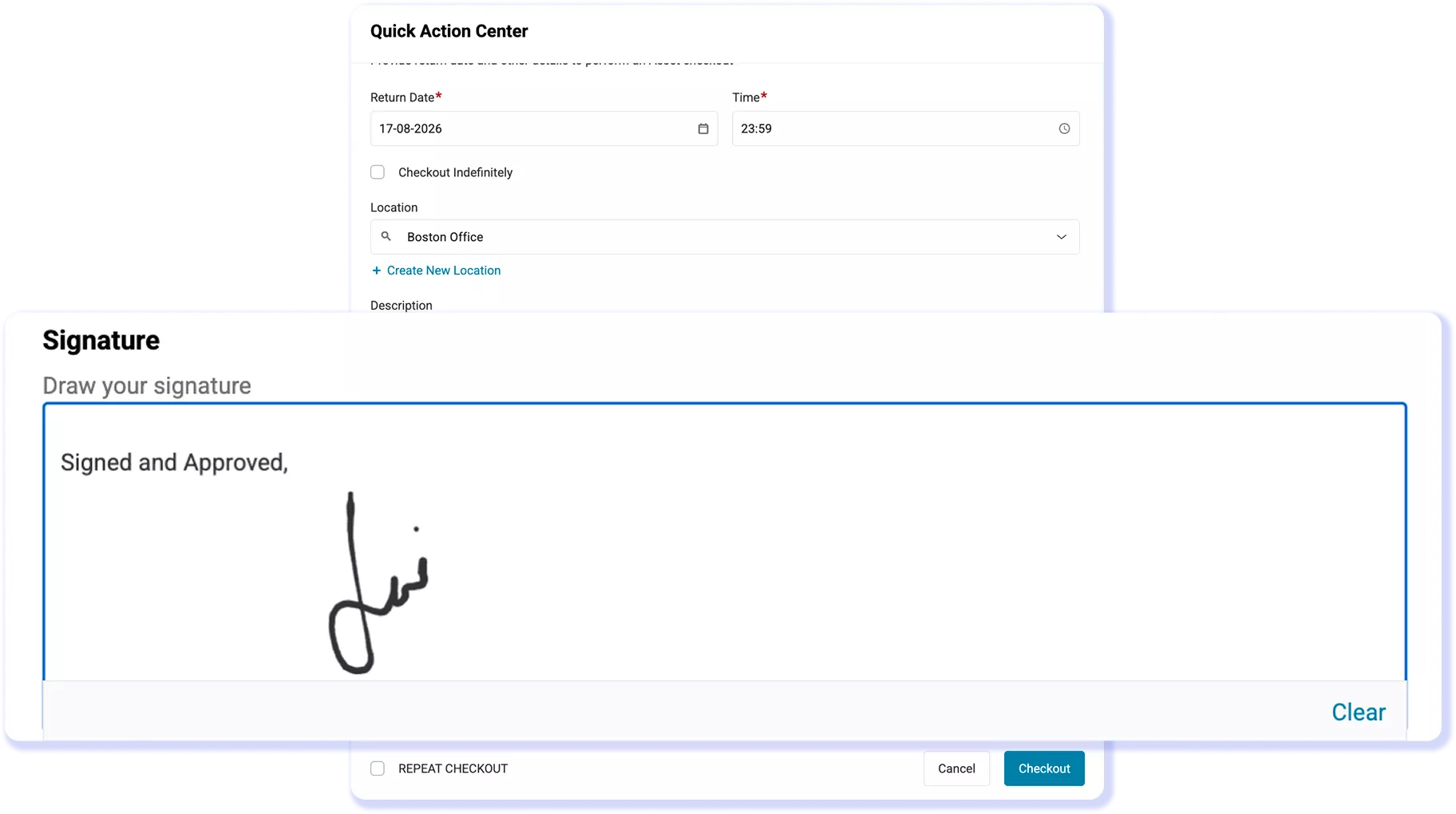
At checkout, present configured Agreements and require users to accept the terms before completion. Mandatory custom fields can record details such as device condition. Capture Signatures at checkout, requiring a drawn signature and printed name. The completed signature remains on the Asset’s Details page and in Check In/Out History for later review.
Custody Verification
Verify Custody at Assignment and On Demand
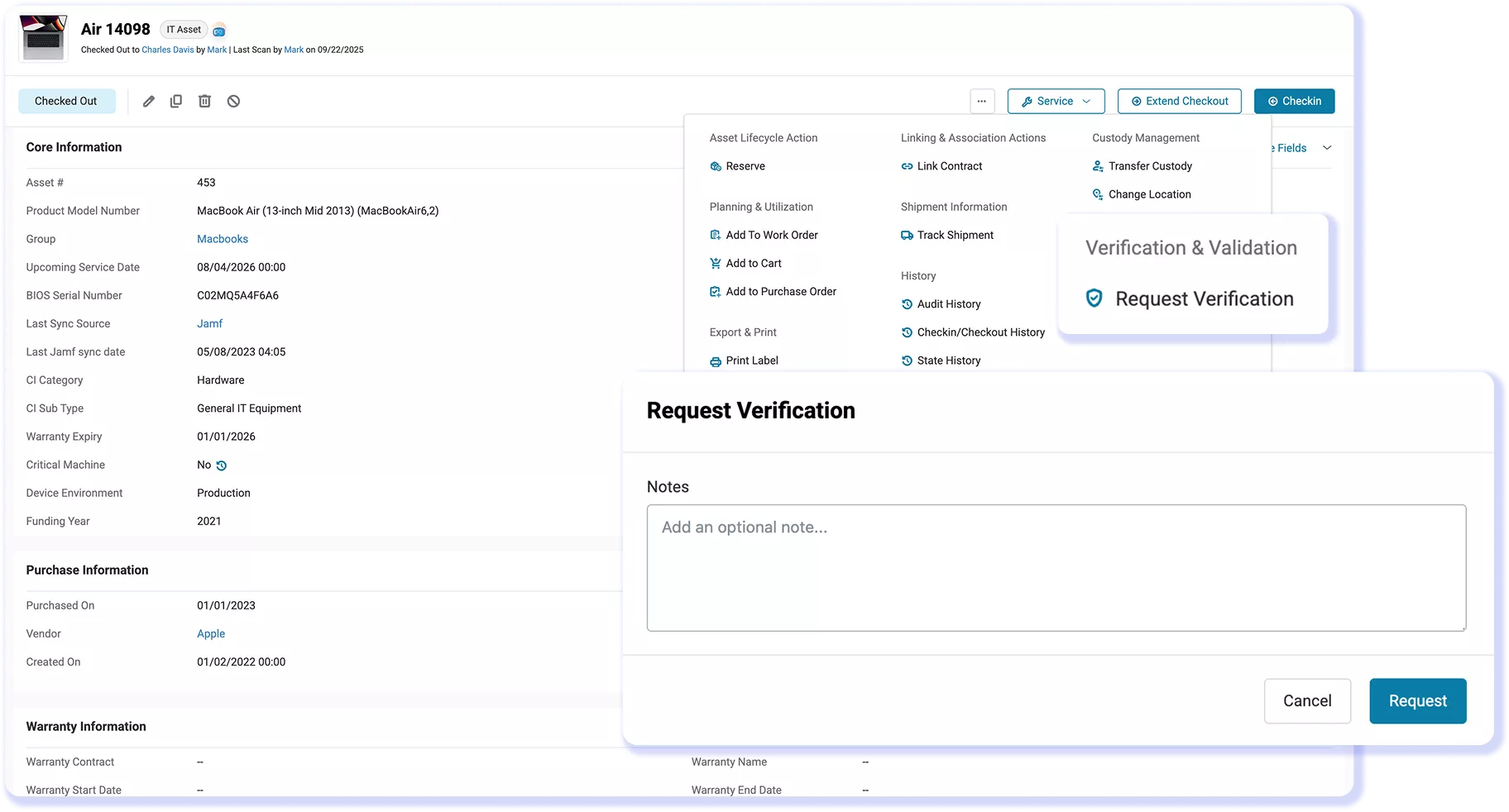
Require custody verification at checkout so the user confirms possession when an asset is assigned. Filter Members by department and send mass custody verification requests for Assets or Asset Stock. Users can verify or deny possession and complete configured fields, with responses retained for review. Location audits confirm devices present at a site.
Returns & Recovery
Check In and Recover Devices Without Friction
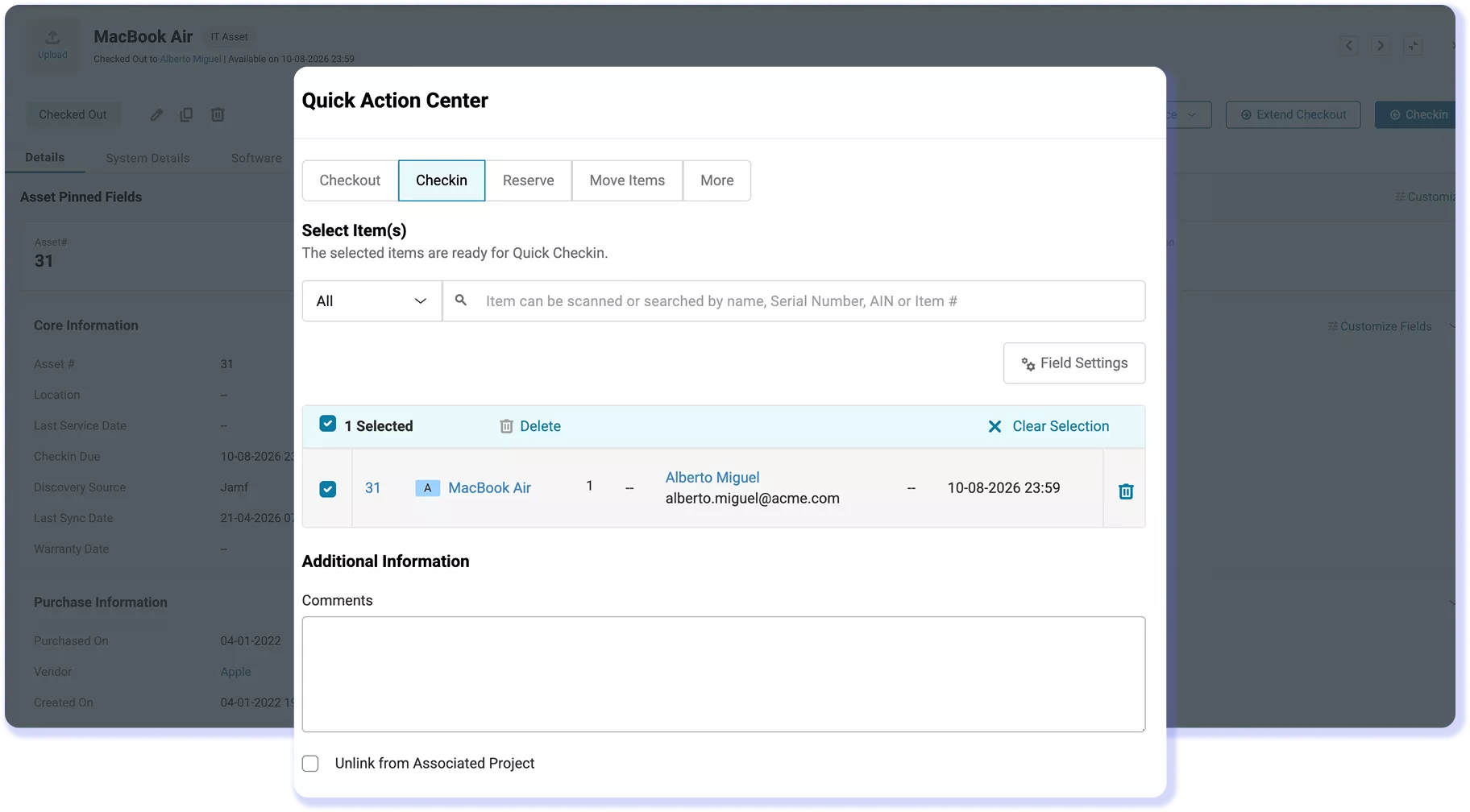
Scan a label or barcode from Quick Check-In to retrieve an Asset, Asset Stock entry, or Bundle. Search by name, Asset Identification Number (AIN), or item number. Return items, complete required fields or signatures, and select a return location. Asset Stock returns to its original location. When an employee offboards, the custody record shows exactly which devices they hold, so nothing is forgotten and every device is recovered.
Custody History & Reporting
Build a Provable Chain of Custody
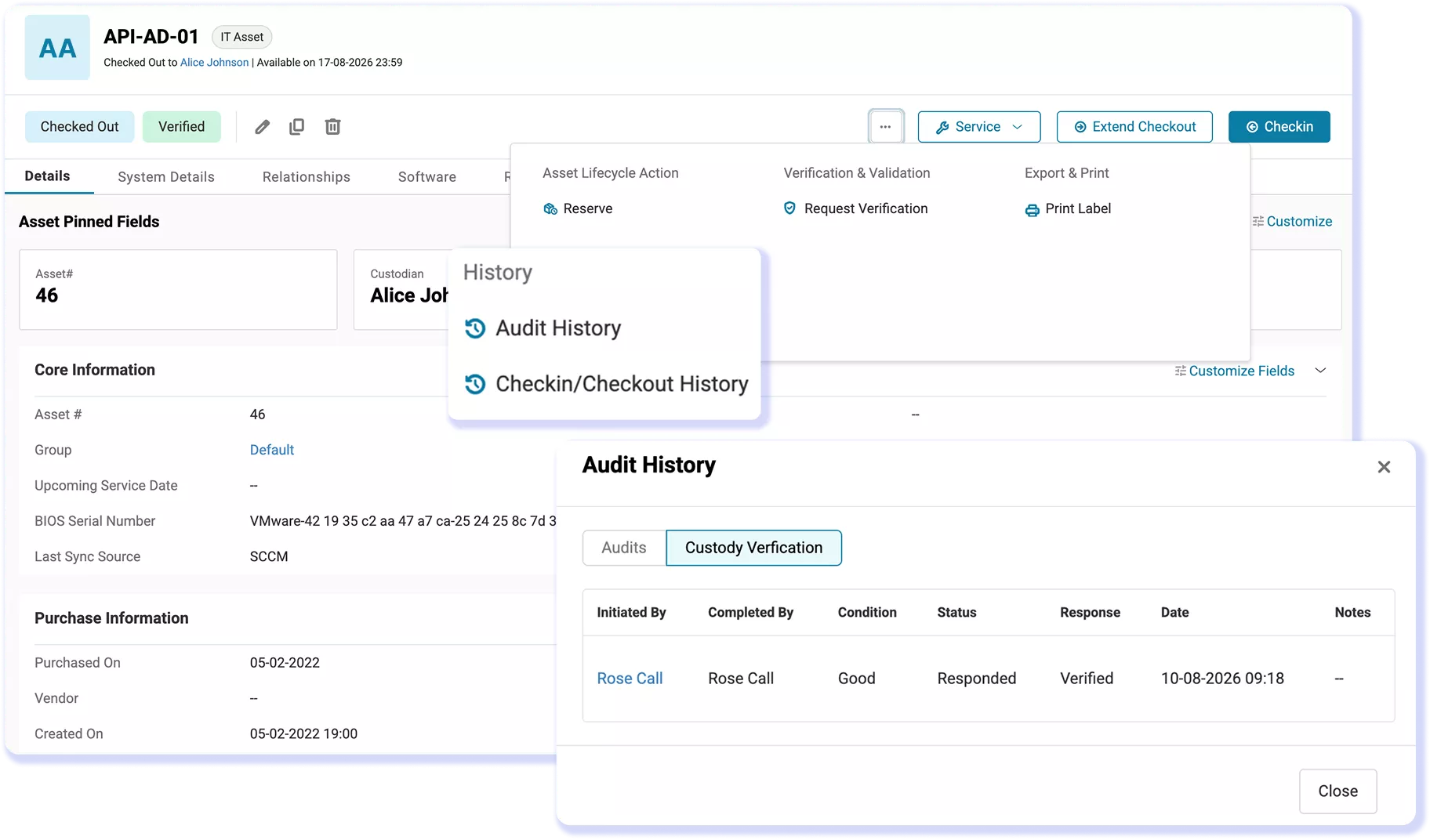
Every custody action builds a trail. AssetSonar records who has each asset, where it is, when it was assigned, and how it moved through check-ins, check-outs, transfers, audits, and offboarding, all on the live asset record. Identity-provider sync keeps custodians current as people and roles change. When an auditor or a security review asks who had a device and when, the answer is already assembled, with reports you can generate on demand.
Customer Testimonials
Stop Losing Track of Who Has Which Device
Explore the Workflows Behind Better Control
Frequently Asked Questions
With location custody enabled, AssetSonar can check hardware out to a location like an office, lab, classroom, or workspace instead of an individual. The asset list shows Location in the Custody column, while the Location details page can filter assets held by that location. IT can track the Custody and Location columns side by side and run a location audit to verify which devices are physically present.
With AssetSonar’s Auto Checkout, devices synchronized from a mobile device management (MDM) integration appear as Checkout Candidates and can be assigned in bulk. If Automatic Checkouts and Transfer Custody are enabled, a change in the reported primary user can transfer the device to the new custodian. Matching uses email by default or a custom field containing a valid email address. Administrators can exclude users and review changes in Auto Custody Sync Logs. Devices in maintenance are excluded.
Yes. With Agreements, AssetSonar can present configurable terms during checkout and require the recipient to accept them before completion. Custom checkout fields can capture details such as device condition, while Capture Signatures can make an electronic signature mandatory. The signed transaction remains accessible from the asset’s Details page and Check In/Out History, leaving a retrievable record of who accepted the handover.
Yes. An administrator can email a request to a non-login custodian subscribed to email alerts through public-link verification and custody alerts. The recipient opens the form, verifies or denies possession, completes mandatory custom fields, and submits the required response. The status updates on the asset record for IT to review. Mandatory item-label scanning does not apply, so the recipient does not need product access or a label scan to respond.
AssetSonar supports barcode and QR code scanning for item lookup and custody actions such as check-in, checkout, and audits. In the mobile app, a device camera can scan QR codes, while a Bluetooth scanner can retrieve item records and support actions. Labels created with Label Designer require a Code 39-compatible barcode scanner. Radio Frequency Identification (RFID) scanning is supported through the TSL 1128 reader with Ultra High Frequency tags in the 840–960 MHz range.
Yes. Quick Check-In processes multiple checked-out assets, Asset Stock, or bundles from the dashboard. Technicians can assign return locations and must complete any mandatory check-in fields or required signature before submission. A bundle can be returned as a whole or item by item. Completed check-ins change returned assets to Available and, when Item Trail is enabled, preserve the return event without opening each asset record.
AssetSonar stores an offboarding date on the member profile and can alert administrators before that date. The alert lists Assets and Asset Stock currently checked out to the departing member, creating a recovery list without rebuilding assignments in a separate checklist. IT can follow up on each assigned item and complete the return through the normal check-in workflow. Returned assets move to Available; with Item Trail enabled, the return remains visible in the asset’s event history.
With Item Trail, AssetSonar records checkout and check-in actions, custody changes, and location updates, including the user or integration responsible and the time of each change. IT can filter the trail by action and time frame instead of relying only on the device’s current custodian. Verification responses remain available separately in Custody Verification History, preserving both transaction history and possession confirmations.
AssetSonar includes Custody Verification Reports, including Asset Custody Verification and Asset Stock Custody Verification reports, custom reports from the Custody Verification Requests module, Check-in/out Events, and Auto Custody Sync Logs. IT teams can filter records for investigations or audit preparation. With signature reporting enabled, supported reports display signatures; PDF exports embed images and CSV exports include URLs. These records support evidence collection but do not certify compliance with a framework.
Make IT Asset Custody Verifiable, Not a Guess
Review recorded custodians, verification responses, transfers, and returns from connected hardware records, then prepare reports for internal reviews.