







AssetSonar Features Change Management
Change Management
Approve and Track IT Changes With Asset Context
Proven Impact Across IT Teams
90%
Automated Asset Discovery
20%
Faster Ticket Resolution
100%
Automated CMDB Setup
From Change Request to Audit-Ready Record
Assess Impact for Accurate Classification
Raise Standard, Normal, or Emergency change types, each with its own template and approval chain, so every change is recorded and is proportionate to the risk involved.
Document Impact and Backup Plans
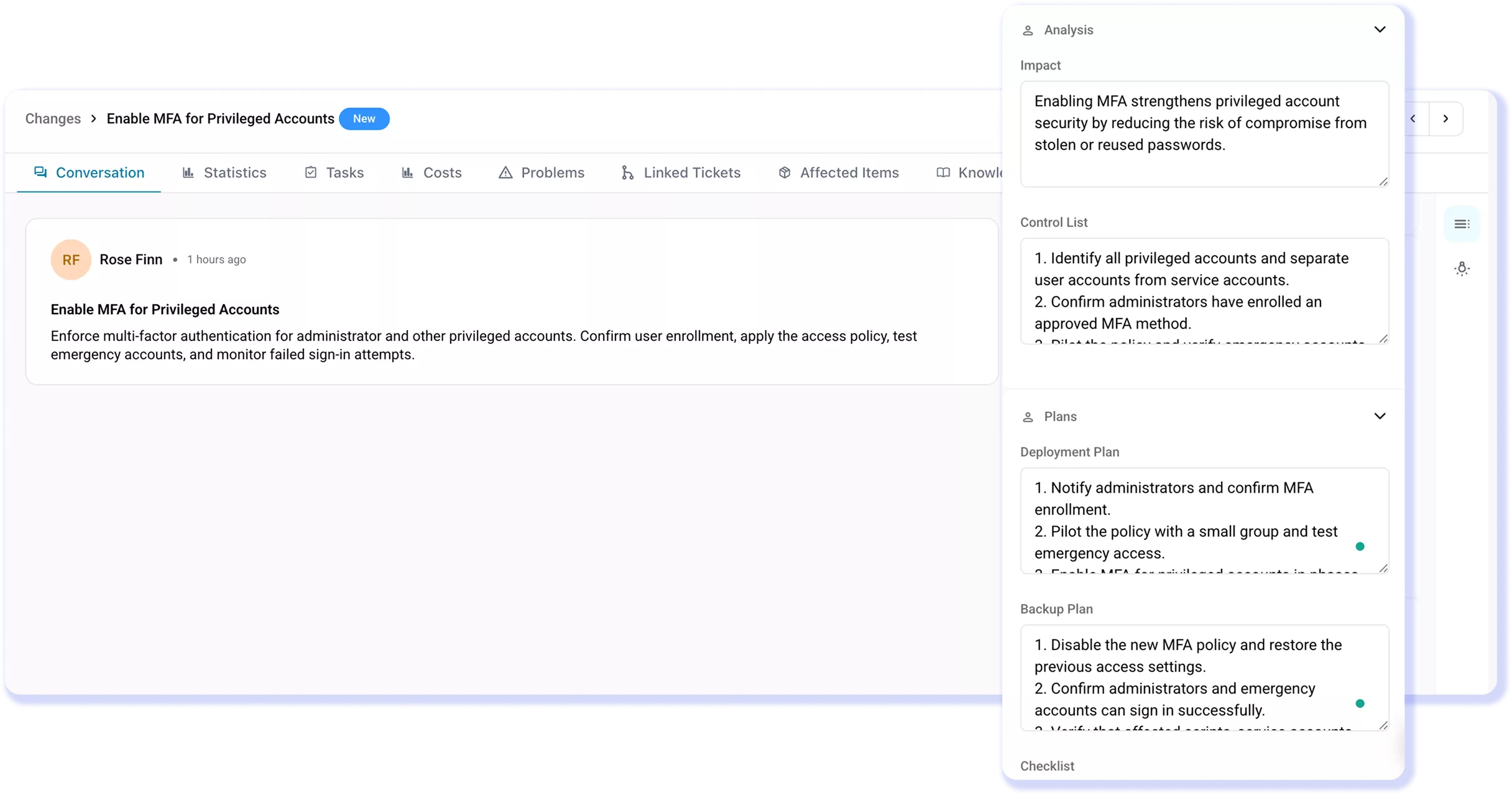
Document the impact, deployment steps, and backup plan for every change, so IT teams understand the risks before work begins.
Route Changes for the Right Approvals
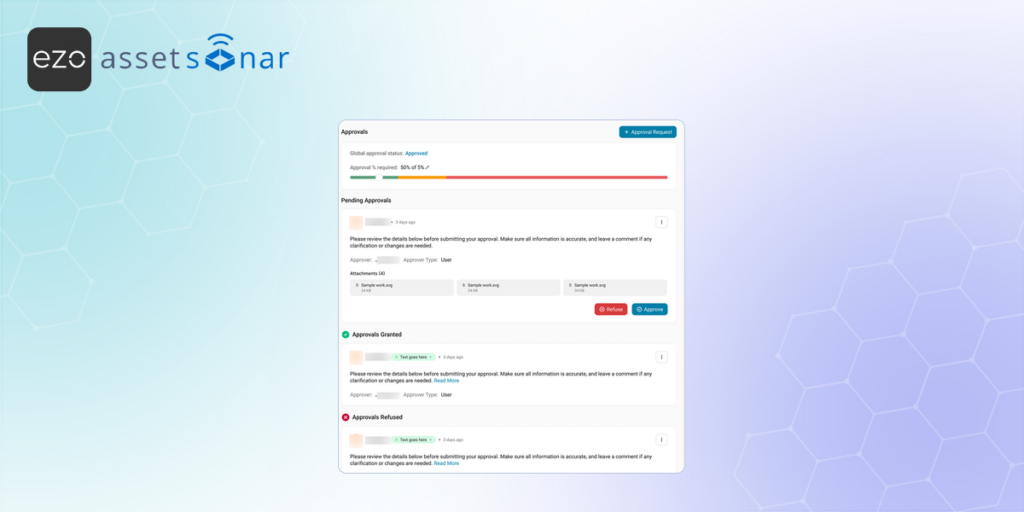
Route approvals to individuals or groups, set approval thresholds, and run them in sequence or in parallel. Log every decision for a complete audit trail.
Connect Assets, Software, and Related Records
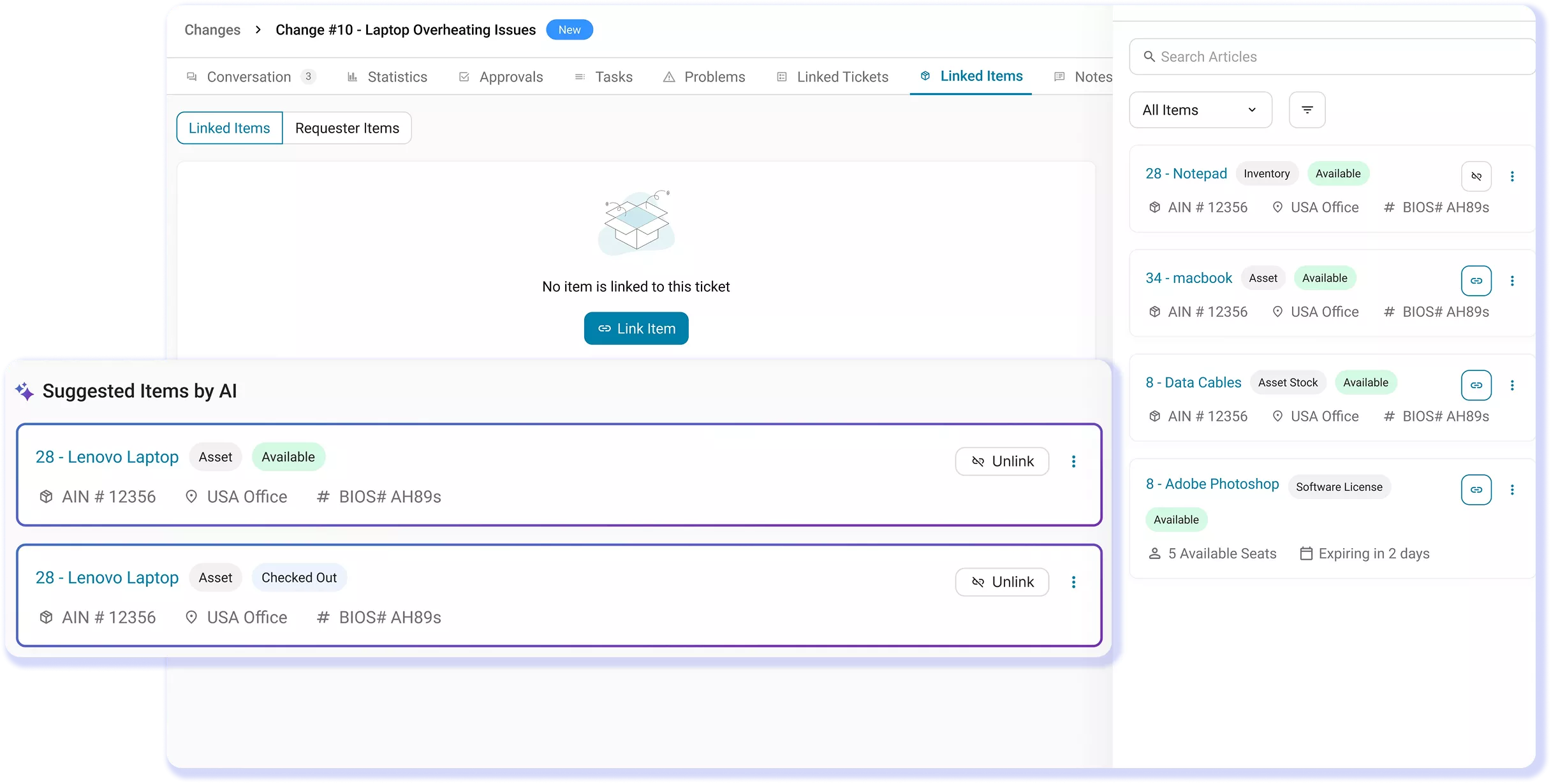
Each change connects approvers to the affected devices, owners, and asset history in the IT Graph, helping them assess its real impact.
Review Changes Faster With Zoe
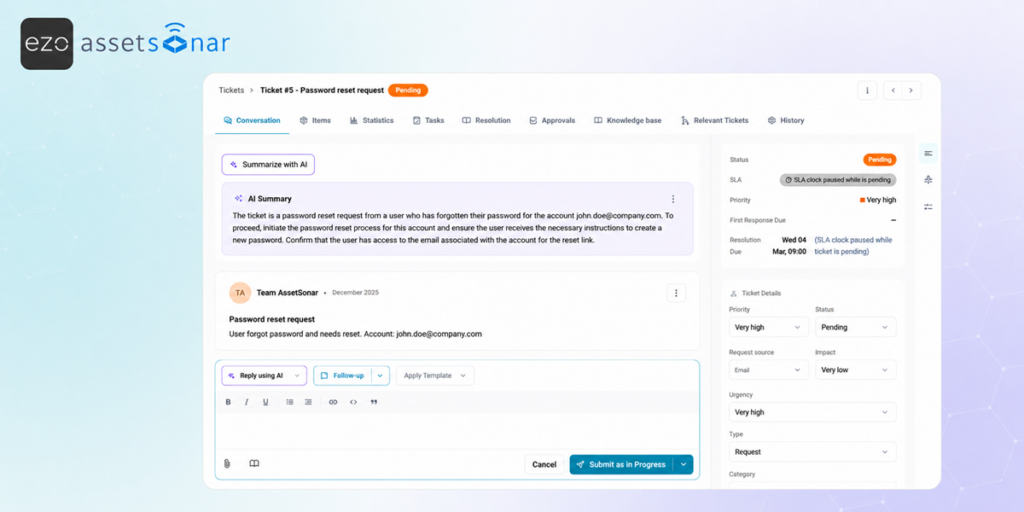
Understand the scope and risk of a change using Smart Summaries backed by Zoe, so approvers can make decisions without reading the full thread.
Efficiently Filter and Export Event History
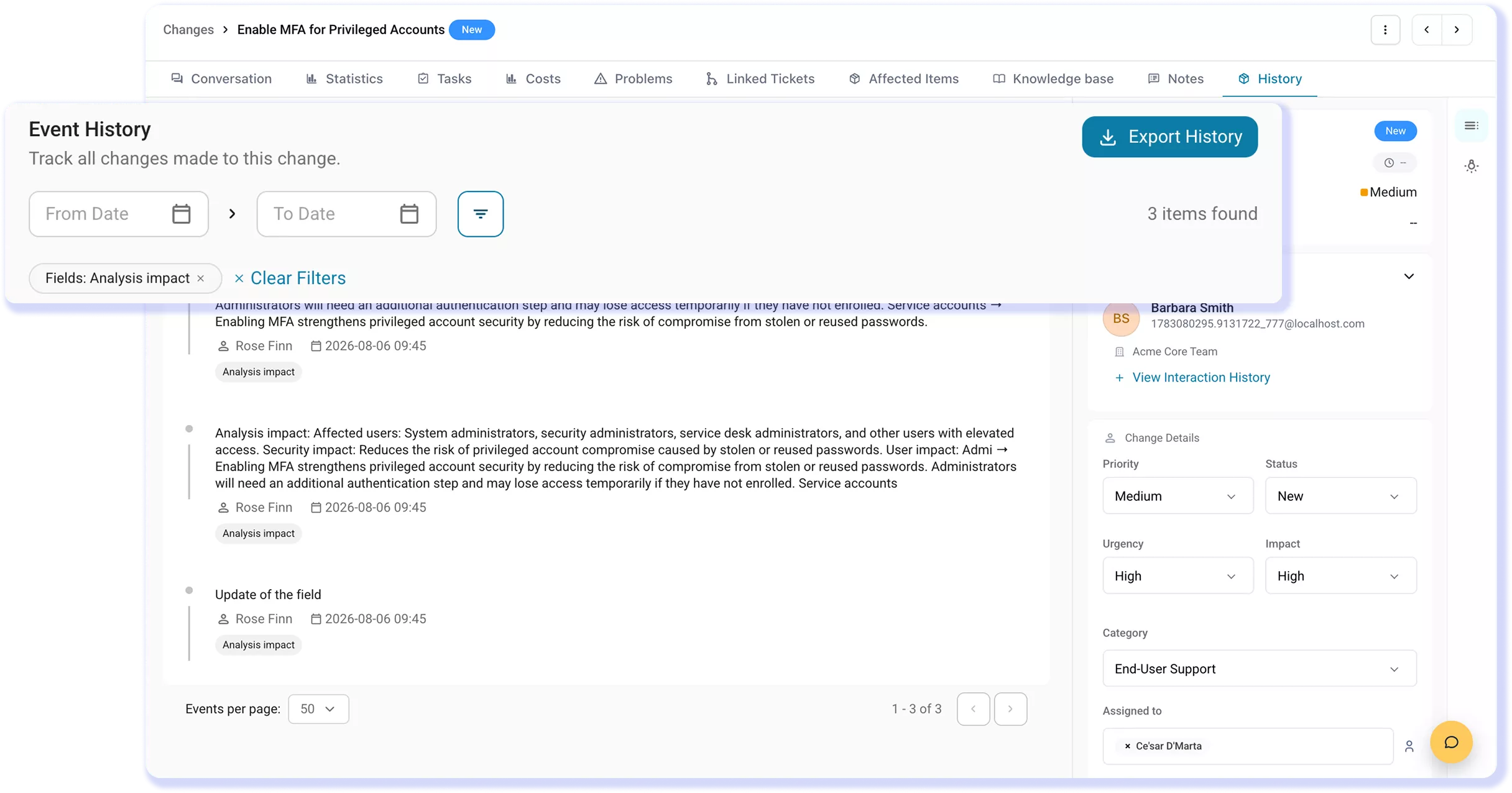
Maintain every field change, approval, and status update in a timestamped Event History, so you can filter and export the data for audits.
Trusted by High-Performing IT Teams


Support the Full ITIL Change Lifecycle With AssetSonar
Plan, Approve, and Trace Every IT Change
Change Types
Approvals
Unified IT Context
Impact & Plans
AI-Powered Change Reviews
Audit Trail & Traceability
Change Types
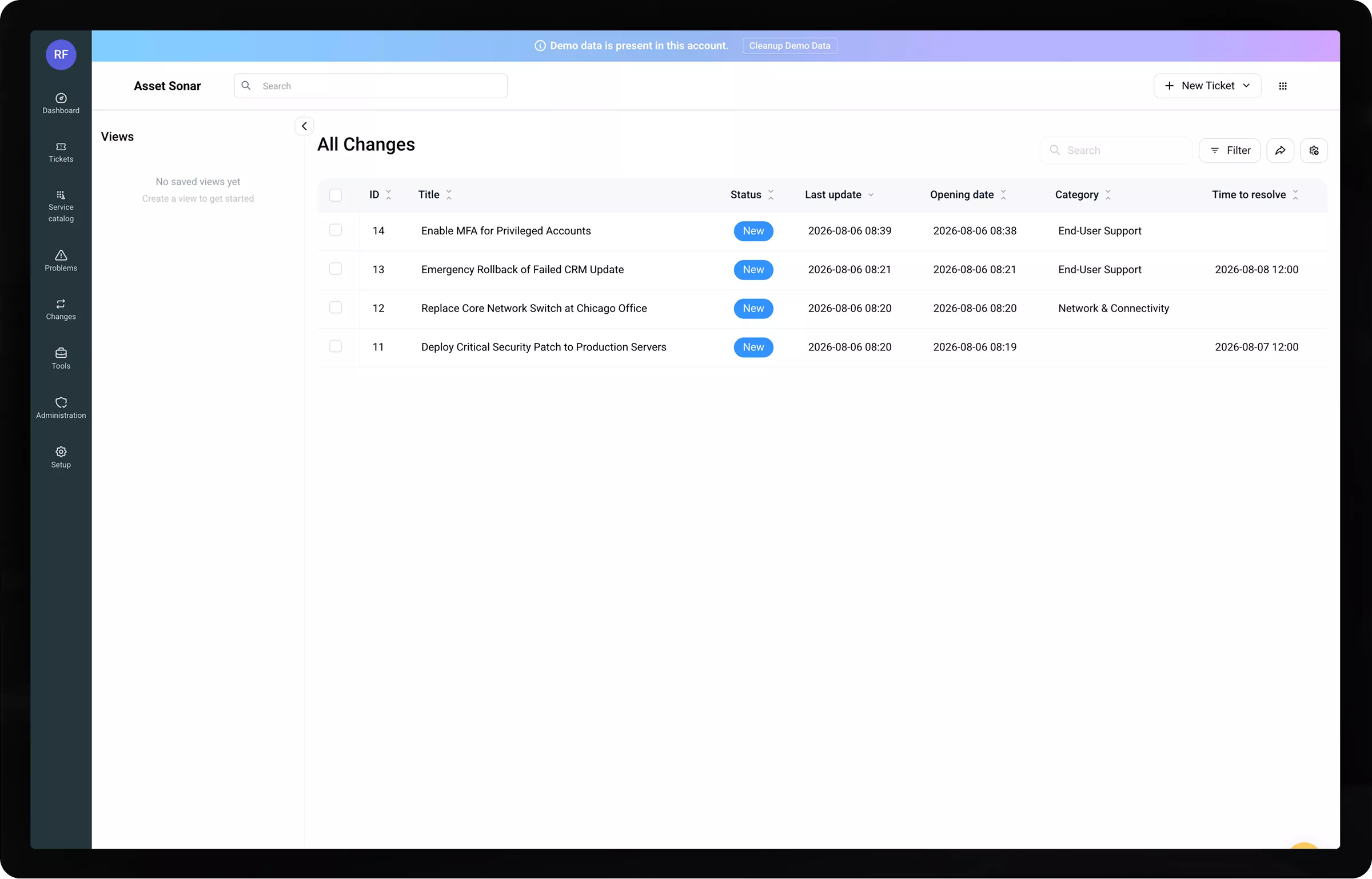
Match Every Change to Its Risk
Not every change carries the same risk. AssetSonar lets you define change request types such as Standard, Normal, and Emergency; each type has its own template that pre-fills fields like category, urgency, and impact. IT teams can submit the right change type and follow the approval process required for its risk level.
Approvals
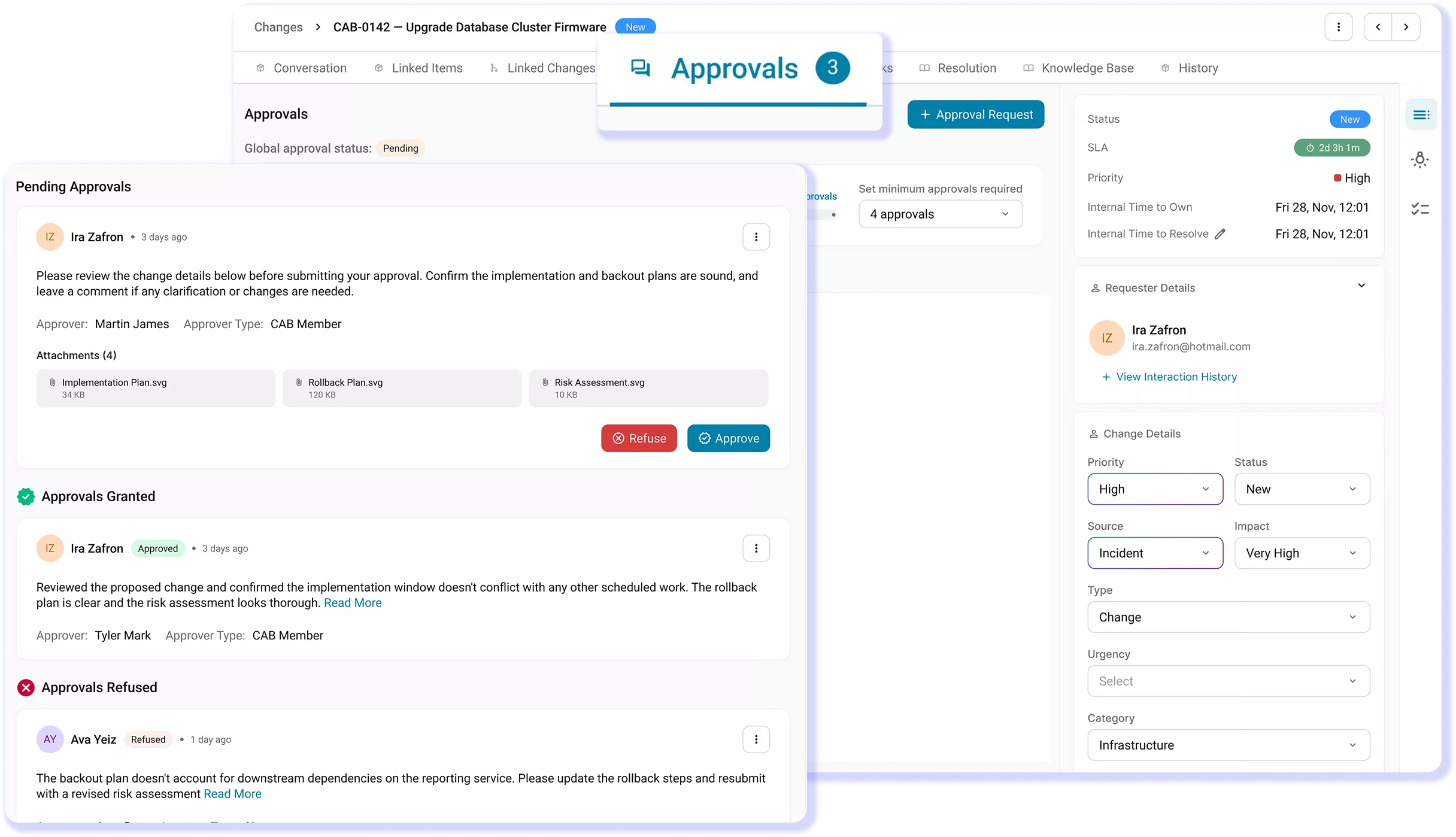
Secure the Right Approvals, Every Time
Changes should not proceed without the right approvals. AssetSonar runs multi-step approval workflows, sending several approval requests at once with a required approval threshold, or in sequence, where each approval triggers the next. Approvers can be individuals or groups, and they can approve or reject a change record. Every request, approval, and rejection is logged, so the approval trail is audit-ready.
Unified IT Context
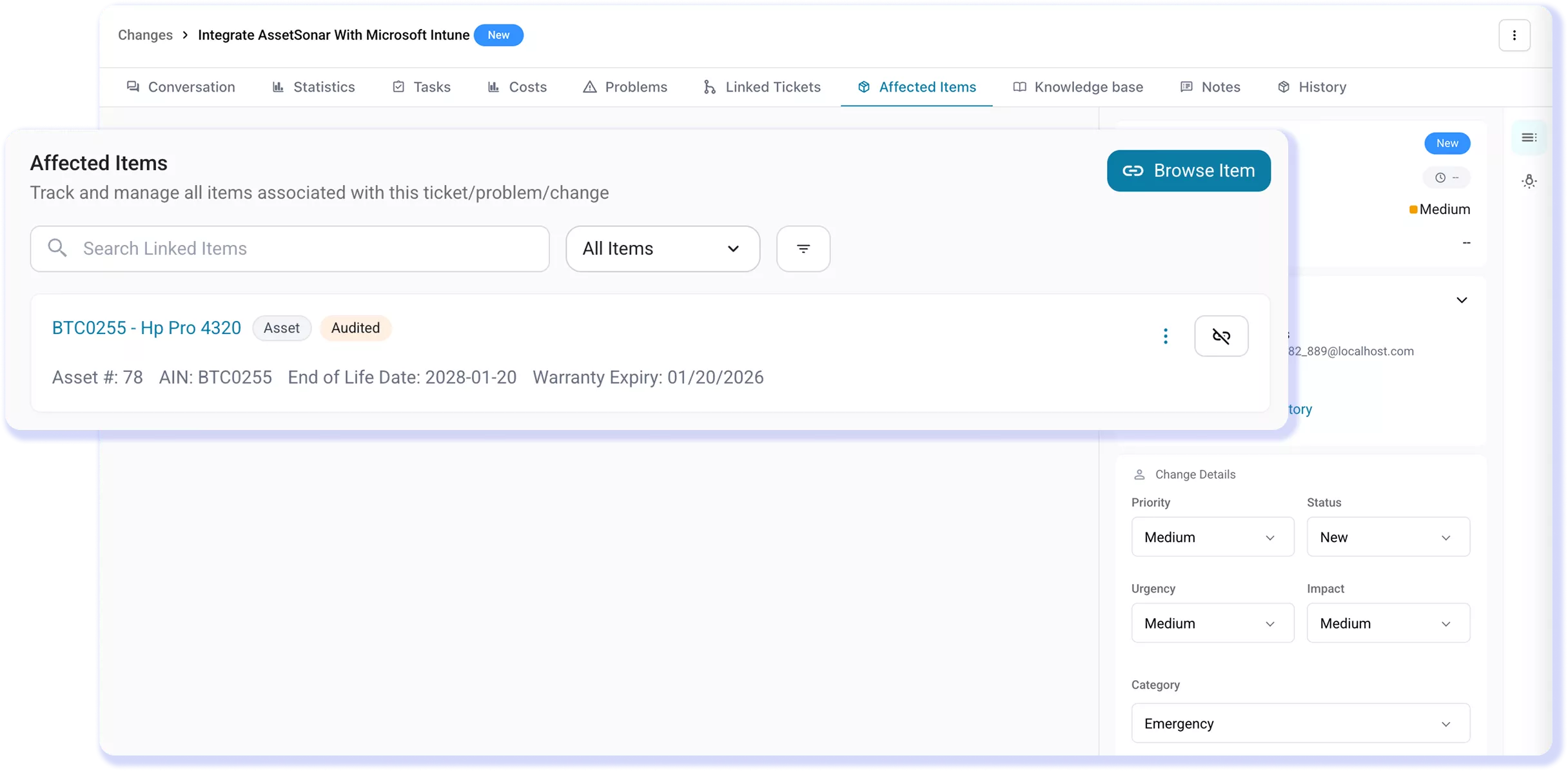
Link Every Change to the Affected Assets
Link every change to the specific assets, stock items, installed software, and software licenses it affects on the IT Graph. From the change record, approvers can review the linked assets, software, owners, and history mapped in the IT Graph, and run ITAM actions such as checking out or retiring an asset directly from the change. This gives approvers and technicians the context they need to assess impact and carry out changes safely.
Impact & Plans
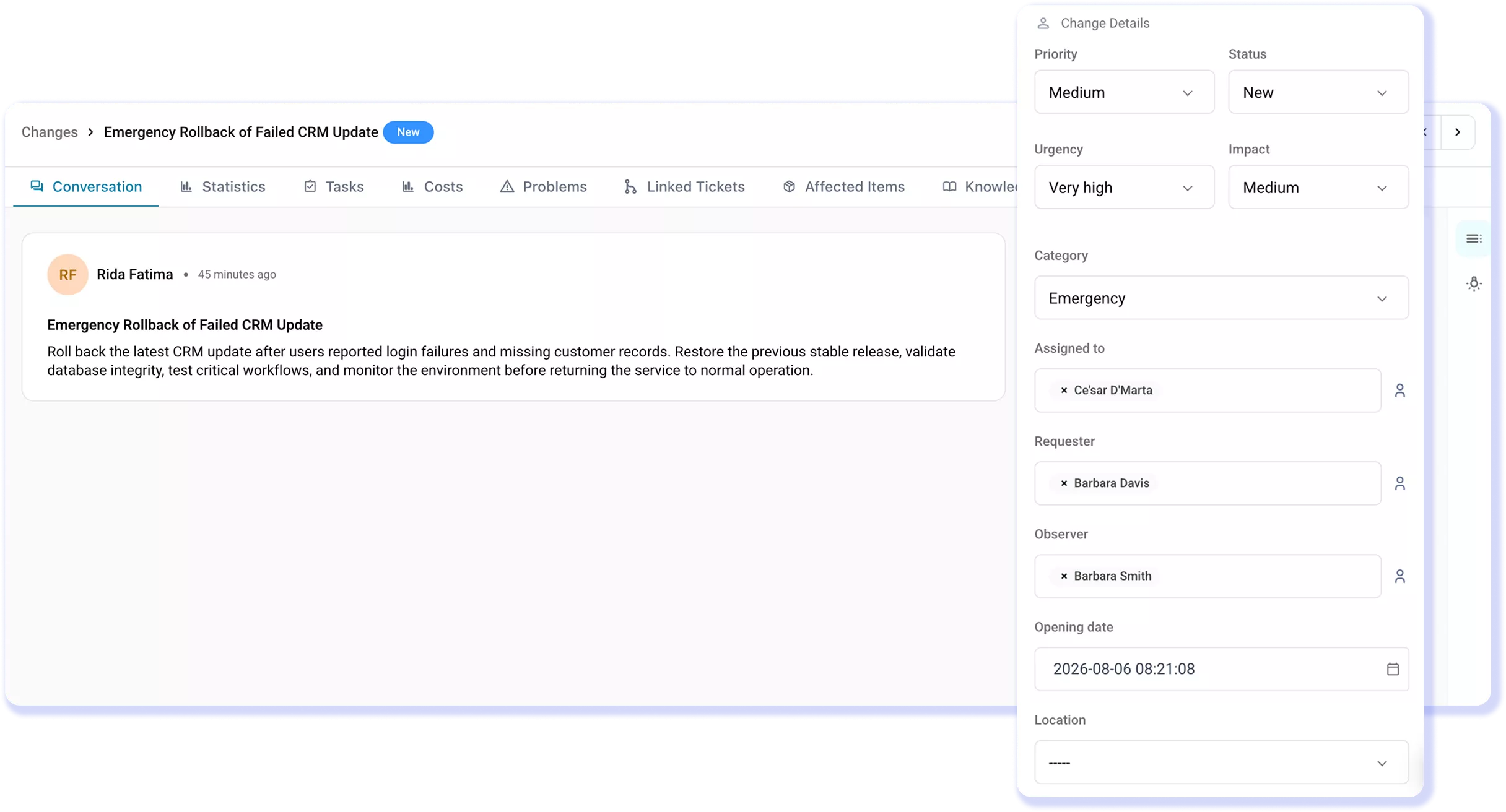
Document Impact and a Backup Plan
Plan every change before work begins. Document the impact, controls, deployment steps, backup plan, and the solution checklist in AssetSonar. Link these details to affected assets so approvers can assess the scope, risks, and fallback options. Give IT teams clear steps to carry out the change safely and restore systems if issues arise.
AI-Powered Change Reviews
Reduce Change Review Time With Zoe
Zoe summarizes the change record, including its scope, risks, next steps, open questions, and related incidents and problems. Approvers can orient quickly before reviewing the details that matter to their decision or reviewing each linked ticket. Zoe speeds up the review process and highlights key details, while keeping the final decision firmly in the approver’s hands.
Audit Trail & Traceability
Track Every Change With an Audit Trail
Track every change from action to outcome in AssetSonar. Review timestamped field updates, comments, approvals, and status transitions in a non-deletable Event History. Filter and export the record, trace each change back to related problems and incidents, and give auditors clear proof of who approved it, what changed, when it happened, and why at any time.
Customer Testimonials
Strengthen Your Change Control Process
Read More on IT Change Management
Frequently Asked Questions
AssetSonar creates a structured change record within its broader ITSM capabilities. IT teams can raise change requests, select the change type, document impact and implementation plans, link affected assets and software, and configure approvals. Event History records decisions, comments, field updates, and status changes, while related incidents and problems remain connected through closure.
Yes. Among its core ITSM features, AssetSonar lets teams define change categories, such as Standard, Normal, and Emergency, with dedicated templates. Templates can prefill details such as category, urgency, and impact and follow the appropriate approval process, helping IT teams apply governance based on each change’s risk and urgency.
Yes. AssetSonar uses workflow automation to route change requests to individuals or CAB groups through sequential or parallel approval stages. IT teams can set approval thresholds, while each request, approval, and rejection is recorded in the change history. This reduces manual follow-ups while preserving a traceable decision record.
AssetSonar connects changes to affected assets, asset stock, and software through the IT Graph. Reviewers can examine assets, owners, asset history, and CMDB relationships before making a decision about the change. Approval groups and thresholds help route proposed changes to the appropriate reviewers based on defined criteria.
Most ITSM tools reach assets through an integration. AssetSonar keeps change records and asset records in one system, so approvers see the affected devices, owners, and history without leaving the change. Since AssetSonar’s ITSM is backed by ITAM, IT teams can link changes to assets, asset stock, and software and review device, owner, and asset-history details. Technicians can also check out or retire linked assets directly from the change. It places asset and configuration context inside each change record through the IT Graph.
Yes. AssetSonar connects incident management with change and problem records, preserving the path from the original issue to corrective action. Event History records comments, approvals, field updates, and status transitions, helping teams trace why a change was created, who authorized it, and how it progressed.
AssetSonar’s Zoe brings AI, ITSM, and asset context into the review process by summarizing a change’s scope, risks, next steps, open questions, and related incidents and problems. Approvers receive the essential context without reviewing every activity or linked record, while the designated approver retains responsibility for the final decision.
Yes. AssetSonar maintains a timestamped Event History (that cannot be deleted by users) covering field updates, comments, approvals, rejections, and status transitions. Users can filter and export this record for reviews and audits. The platform’s Item Trail also supports visibility into asset activity and historical actions.
Yes. AssetSonar can support an ITIL-aligned change enablement process when configured to your organization’s policies. IT teams can classify changes, document impact and implementation plans, configure approval groups and thresholds, connect affected assets, and maintain Event History as supported by AssetSonar’s ITSM. Your organization remains responsible for defining change policies, risk criteria, and governance procedures.
Change Management is available as part of AssetSonar ITSM. Check AssetSonar’s pricing to confirm the plan details, free-trial access, user permissions, and implementation requirements. AssetSonar is cloud-based, so no on-premises infrastructure is required. It also connects with tools across your IT environment, including identity providers, endpoint management platforms, and collaboration systems.
Create a Smarter Flow for Change Management
Connect affected assets, risk assessments, approval workflows, implementation plans, and audit trails to manage each change with complete IT context.