


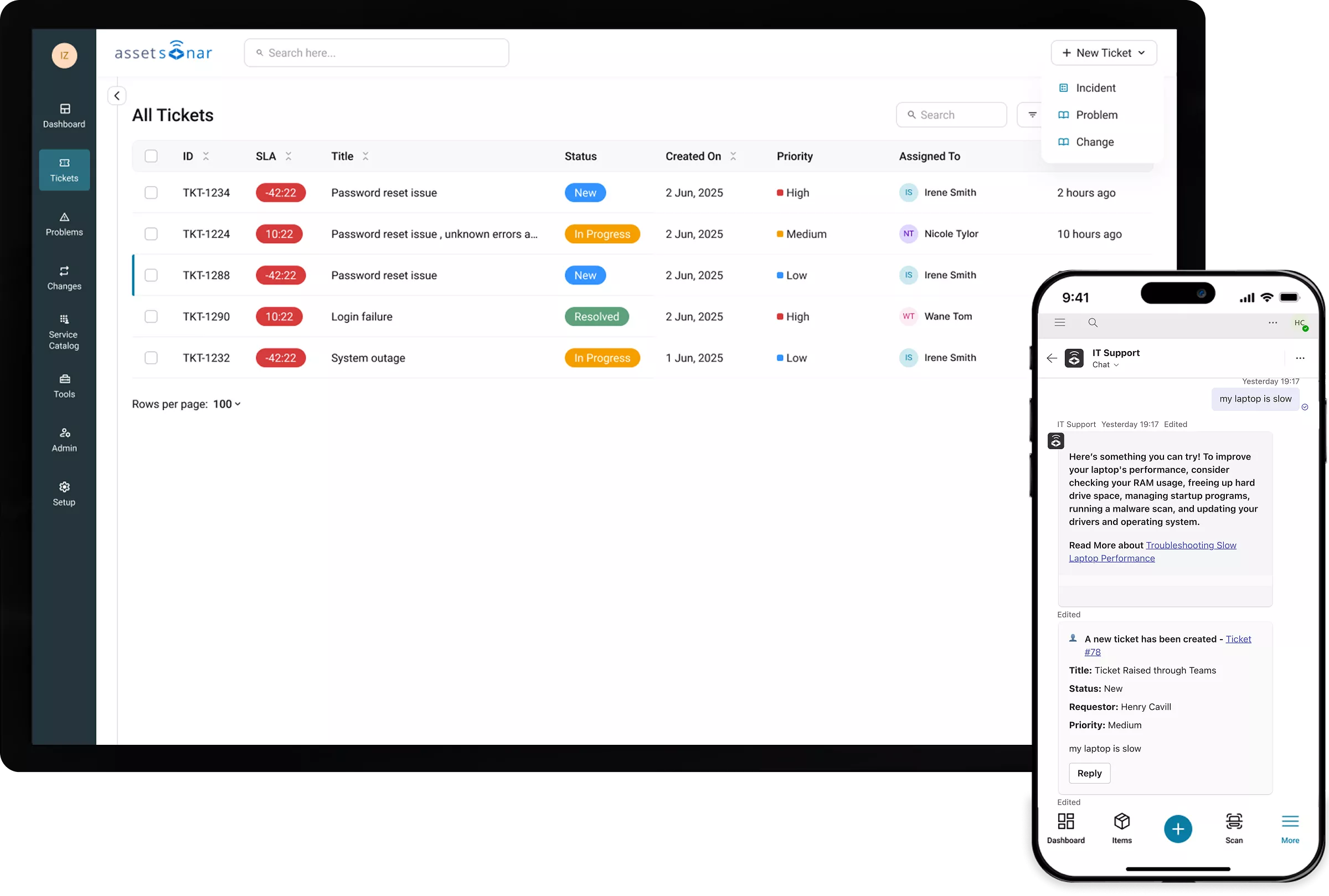






AssetSonar Features Itsm Incident Management Software
Incident Management tool
Faster Diagnosis, Faster Incident Resolution
Proven Impact Across IT Teams
Incident Management for Faster Issue Resolution
Asset-Aware Diagnosis
Every incident ticket arrives with model, OS, software, location, and history fields populated so technicians diagnose faster without chasing basic details.
One Queue For Every Incident
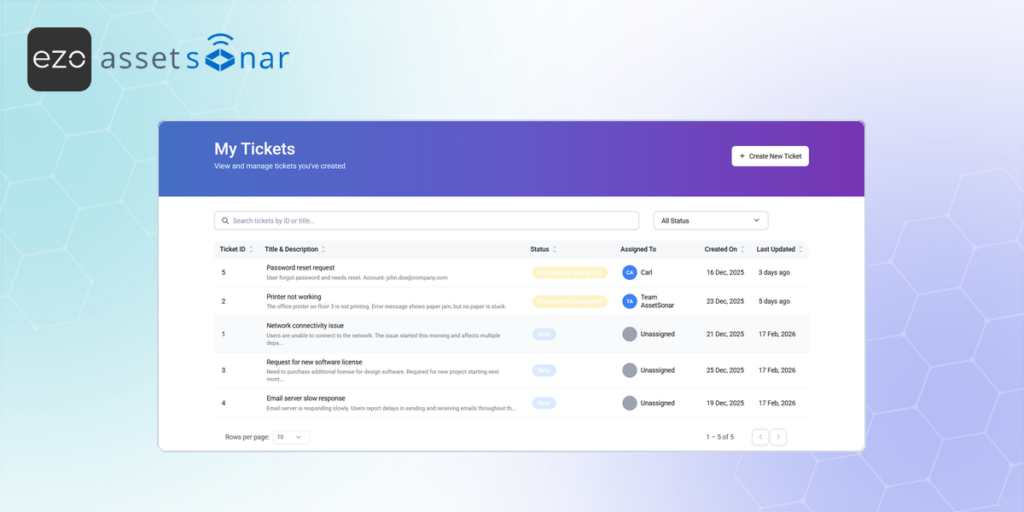
Capture incidents from Teams, Slack, email, and portal in one unified queue so nothing is lost, ensuring complete visibility and control over every issue.
Zero-touch Triage
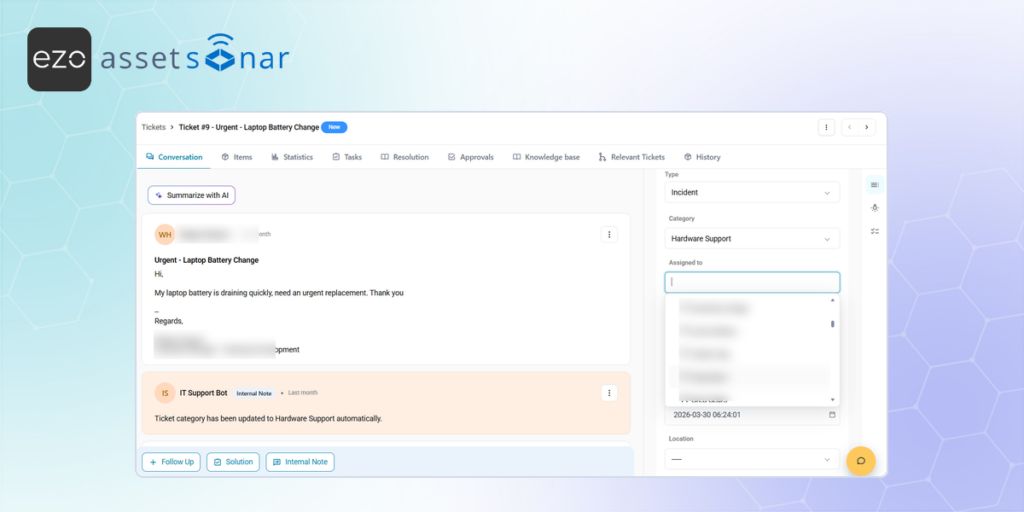
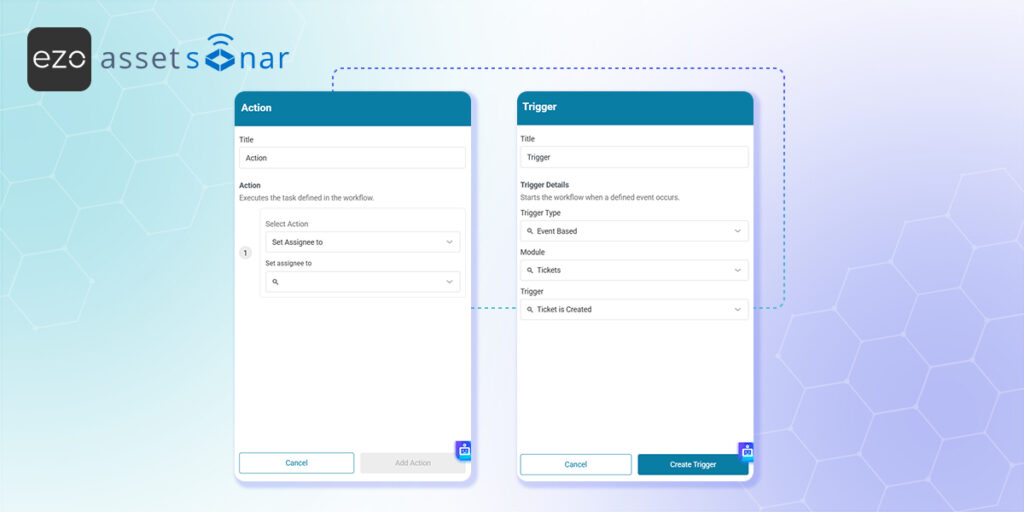
Automatically categorize and route incidents using rules, asset context, and history so the right technician is assigned instantly without manual triage.
AI That Diagnoses Before You Ask
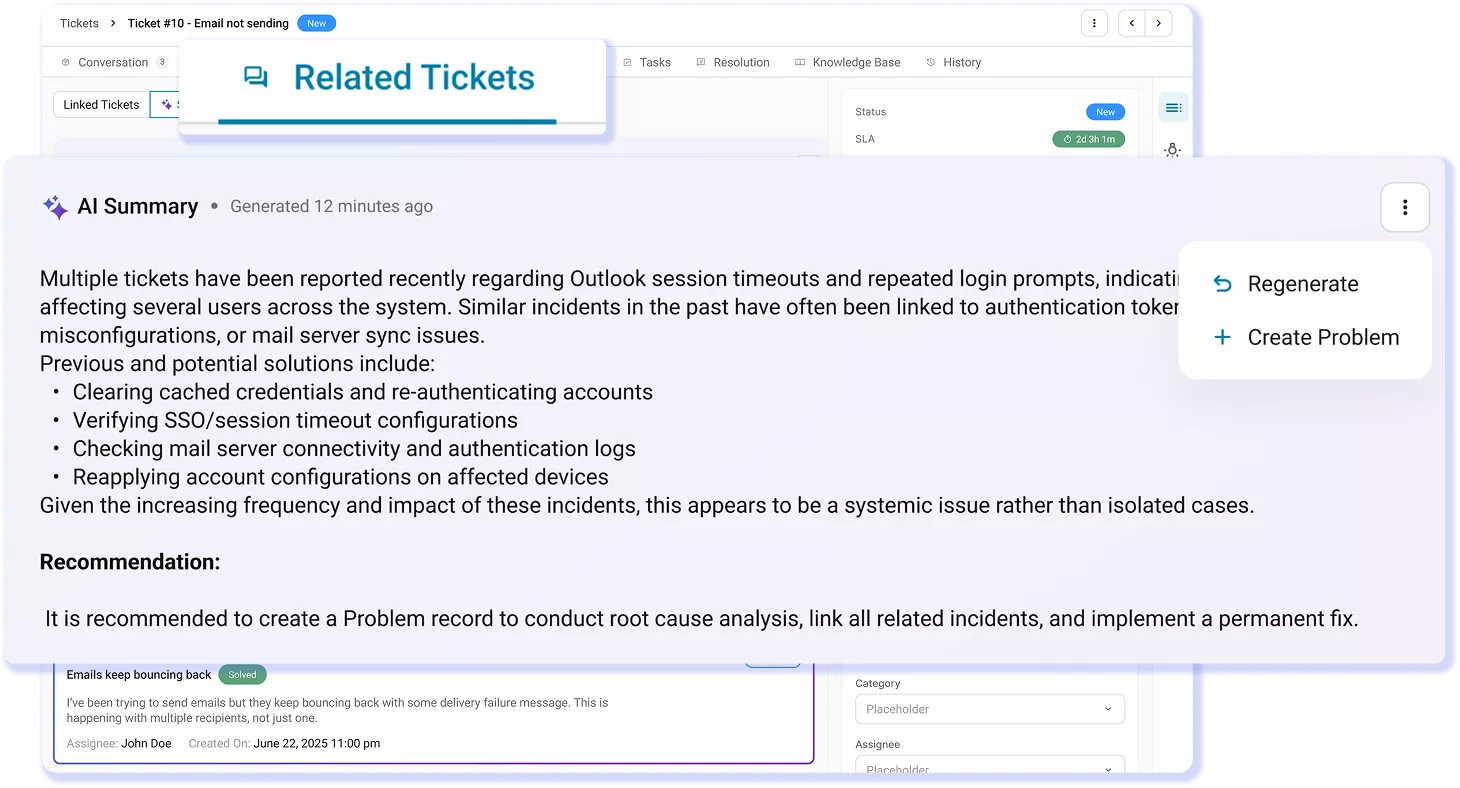
AI surfaces diagnostic steps, root causes, and similar incidents using asset context while suggesting KB articles before tickets are even created.
Automatic SLA Enforcement
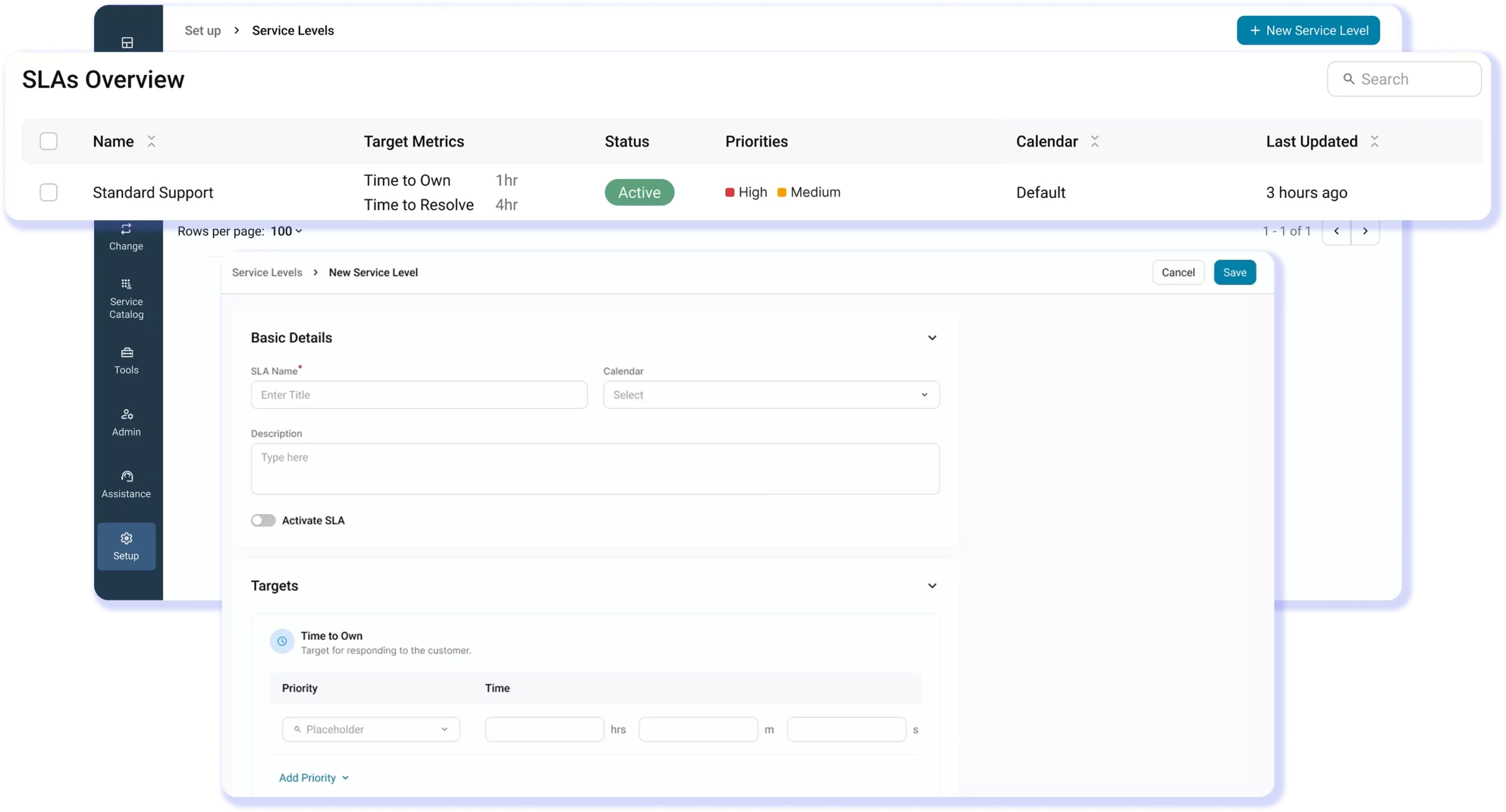
Apply SLAs with live countdown timers and automatic escalations that trigger before breaches, keeping incidents on track without manual follow-ups.
Root Cause Analysis
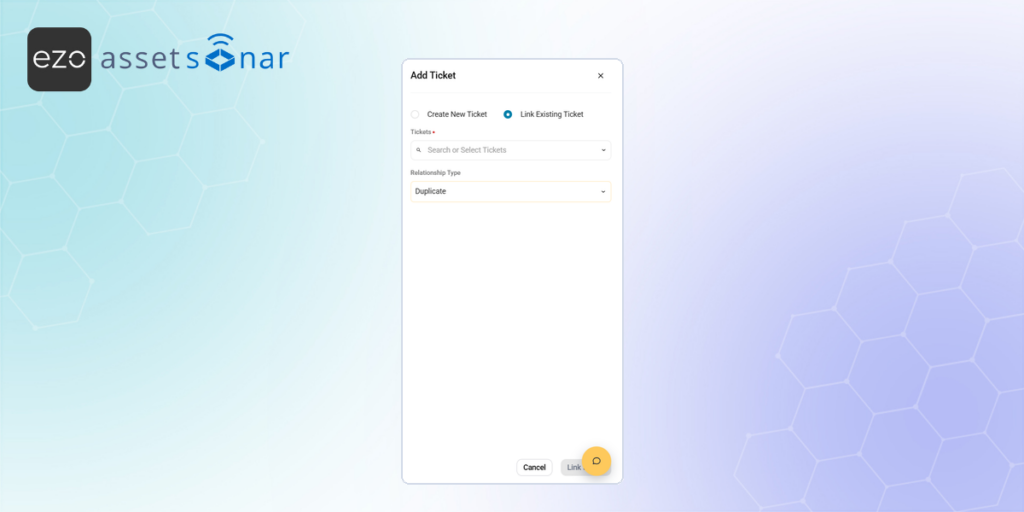
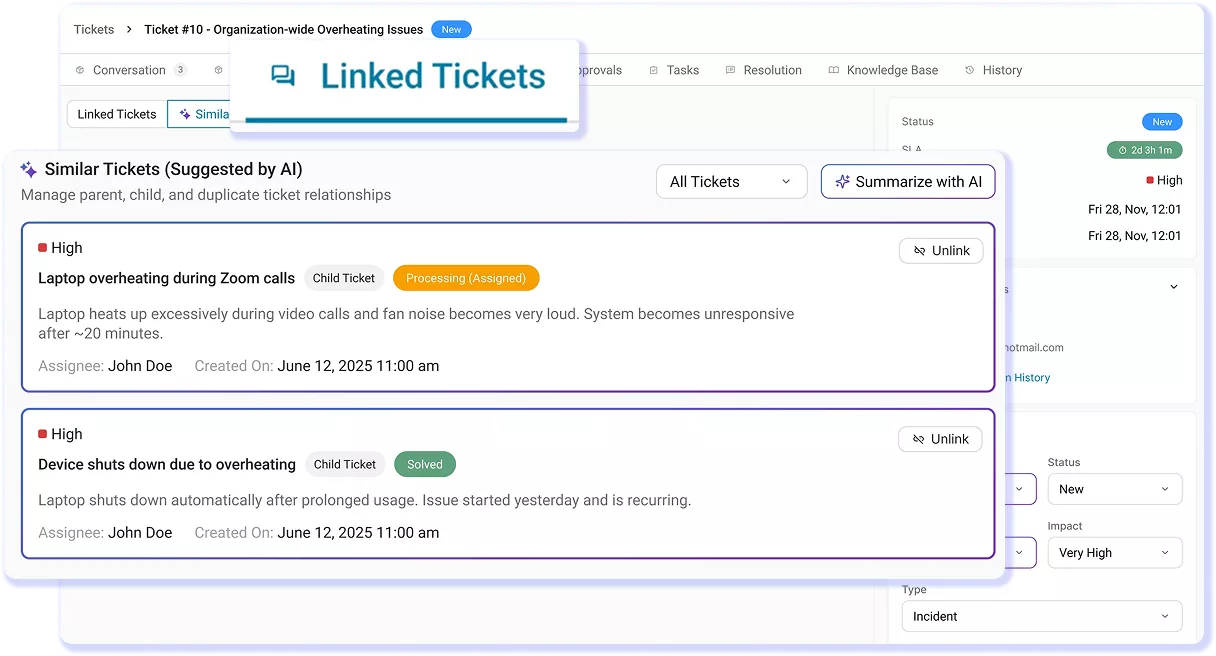
Merge duplicate incidents into one, track all affected users, and link related tickets to identify recurring issues early and fix root causes instead of repeating work.
Trusted by High-Performing Teams


Resolve Incidents Faster With Live Asset Context
From Ticket to Resolution with IT Service Management Incident System
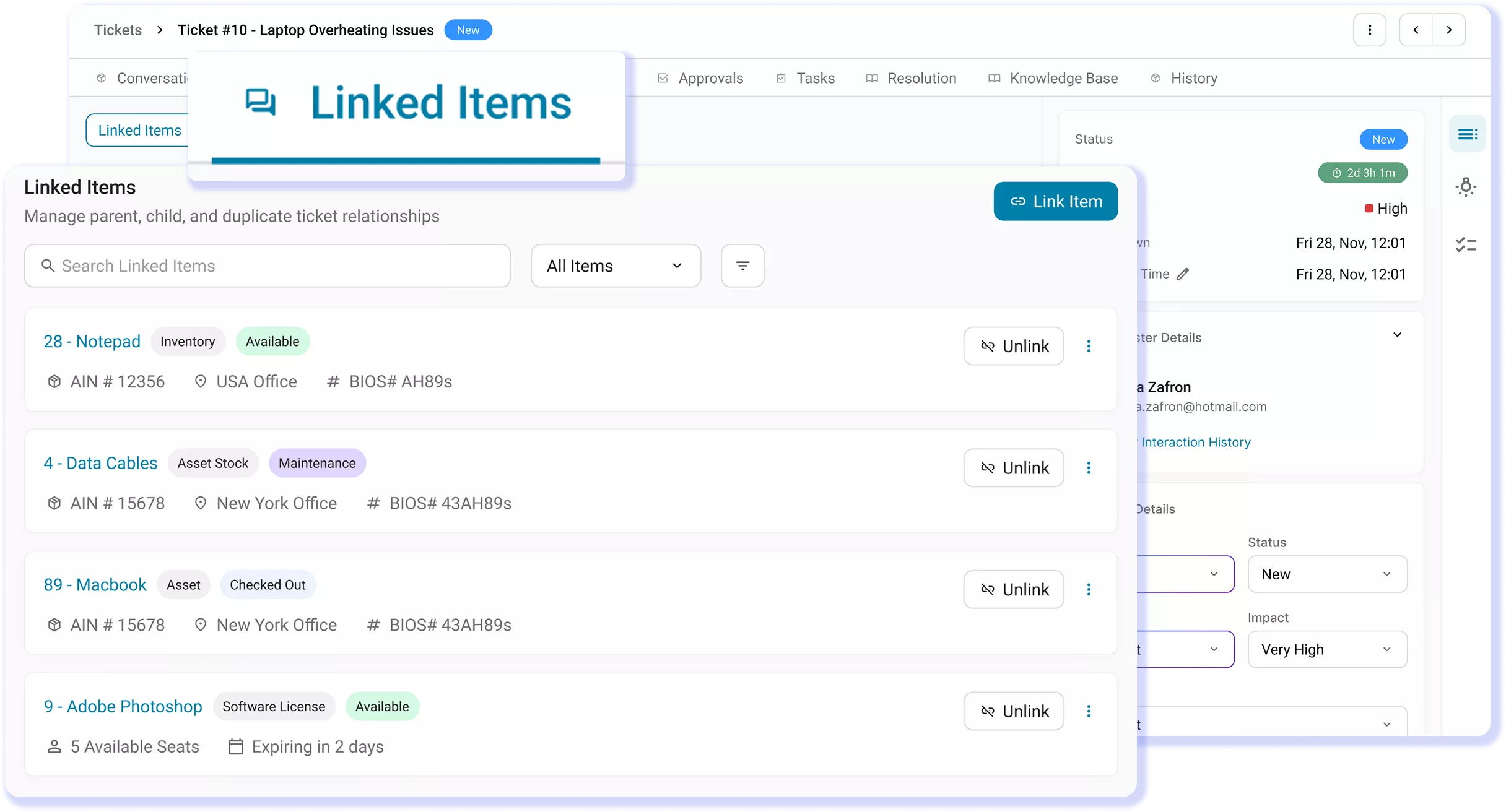
IT Graph
Multi-Channel Incident Intake
Incident Routing & Assignment
SLA Management
Duplicate Detection & Linked Incidents
AI Diagnosis for Incident
IT Graph
Start Incidents With Full Asset Context
Your technicians shouldn’t waste the first minutes of every incident figuring out what they’re working on. AssetSonar links each ticket to the affected device using native ITAM data, surfacing model, OS, patch status, software, maintenance history, and past incidents instantly, so teams can skip the back-and-forth and start diagnosing immediately. Learn more
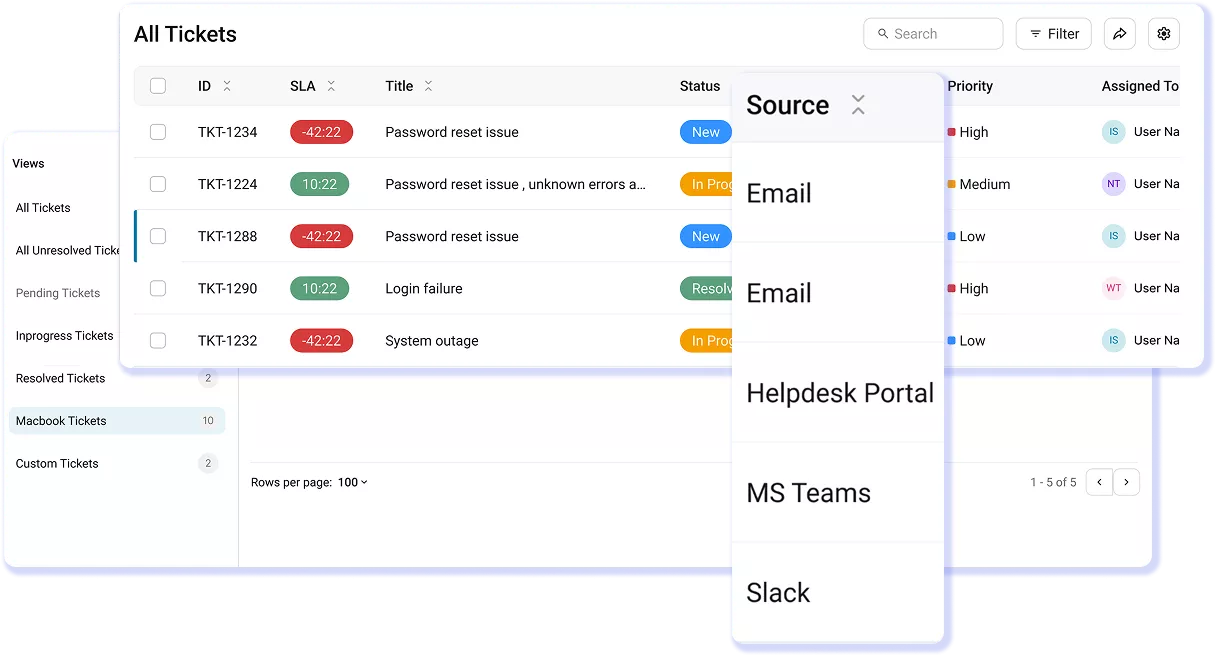
Multi-Channel Incident Intake
Capture Incidents Across Every Channel
Incidents don’t follow a process. They show up across Teams, Slack, email, and your service portal. AssetSonar captures every request and brings it into a single, unified queue with clear source tracking and full visibility. Nothing gets lost in chat threads or handled off-record, so your team stays in control and responds consistently.
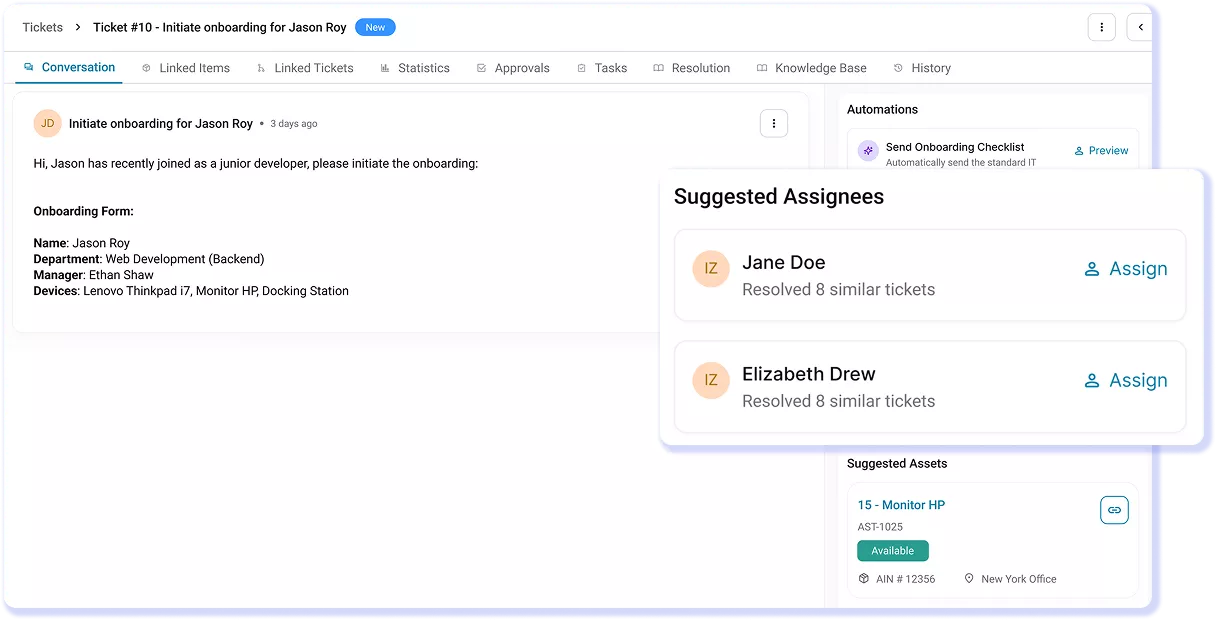
Incident Routing & Assignment
Route Every Incident Instantly
Incidents shouldn’t wait for manual triage. AssetSonar routes every ticket instantly using rules, categories, urgency, and requester context. Smart Assignments ranks technicians based on past experience, asset familiarity, resolution history, and workload, so the right person takes ownership immediately, without dispatcher delays.
SLA Management
SLAs Built Into Every Incident Workflow
Most teams define SLAs, but few systems enforce them. AssetSonar makes SLAs operational by attaching live countdown timers to every incident and triggering escalations before breaches occur. Get real-time visibility into SLA health across all incidents without relying on manual tracking, follow-ups, or delayed reporting.
Duplicate Detection & Linked Incidents
Resolve Once, Eliminate Repeat Incidents
When the same issue is reported multiple times, AssetSonar automatically merges duplicate tickets into a single incident while keeping all requesters informed. Related and similar incidents are linked in one view, giving technicians full visibility into recurring problems. Identify patterns early and fix the root cause before they continue generating new tickets. Learn more.
AI Diagnosis for Incident
Diagnose Faster With Asset-Aware AI
AssetSonar’s Smart Diagnosis surfaces insights before a technician’s first reply by generating asset-aware checklists for employees and root-cause suggestions for technicians. Every incident starts with a populated context on device, software, and ticket history, helping teams diagnose faster and respond with clarity from the outset.
Customer Testimonials
Stop Guessing. Start Resolving With Context.
Read More on Incident Management Best Practices
Frequently Asked Questions
The IT Graph in AssetSonar is a live, connected model of your IT environment that links assets, software, users, and tickets in one system. In incident tickets, it automatically attaches the affected device and surfaces key details like model, OS, installed software, ownership, and past incidents.
This means technicians don’t have to search for context or switch between tools. They can see everything they need the moment the ticket opens. By reducing time spent on investigation, the IT Graph helps teams diagnose issues faster and resolve incidents more efficiently.
Incidents in AssetSonar can be created through multiple channels including Microsoft Teams, Slack, email, and the self-service portal. Employees can report issues in the way they naturally work and every request is automatically captured as a ticket in a unified queue.
AI helps categorize incidents, gather missing details through follow-up questions, and attach relevant context from the start. This ensures that every incident is logged, structured, and ready for action without relying on manual entry or scattered communication.
Yes, AssetSonar offers a native Microsoft Teams integration for incident management. Employees can report issues directly within Teams through an “IT Support” interface, without switching tools.
Incidents are automatically created, categorized, and routed to the right team. The integration can also guide users with forms, ask follow-up questions, and surface relevant knowledge base articles before a ticket is submitted.
This makes reporting seamless for employees while ensuring every incident is properly logged, tracked, and handled within AssetSonar.
AssetSonar is designed to be highly user-friendly for both IT teams and employees. For technicians, every incident comes with asset context already attached, reducing the need for manual lookups and simplifying diagnosis.
For employees, incidents can be reported through familiar channels like Teams, Slack, email, or a self-service portal, without learning a new system. Automation handles categorization, routing, and SLA tracking in the background so teams spend less time managing tickets and more time resolving them.
The result is a smoother experience that supports faster adoption and more efficient incident management.
AssetSonar reduces MTTR by eliminating the time spent diagnosing issues. Every incident arrives with full asset context—device details, software, and past incidents—so technicians don’t start from zero.
AI suggests likely causes and next steps, while automated routing ensures the right technician is assigned instantly. SLA timers and escalations keep tickets moving without delays. By combining context, automation, and guided resolution, AssetSonar helps teams resolve incidents faster with fewer back-and-forth interactions.
Incident queues grow not just because of slow resolution, but because of poor intake, duplication, and recurring issues. When incidents come from multiple channels, some go unlogged while others get duplicated.
Technicians may resolve tickets quickly but without linking related issues or identifying root causes, the same problems keep generating new tickets. Manual triage and misrouting also add delays, causing backlog buildup.
Without proper context, pattern detection, and automation, teams end up solving symptoms repeatedly instead of reducing incoming volume so the queue keeps growing even when resolution speed improves.
AssetSonar handles SLA tracking by making it automatic and visible within every incident. You can define response and resolution targets based on priority or ticket type, and each ticket carries a live countdown timer.
The system tracks progress in real time and triggers escalations before a breach occurs, not after. Technicians always know how much time they have left while managers can monitor SLA health across all incidents from a single dashboard. This ensures SLAs are consistently enforced without manual tracking or follow-ups.
AssetSonar’s customer support is built to help incident management teams stay operational, not just resolve issues with the tool. Teams get responsive assistance, onboarding guidance, and help with setup, workflows, and integrations so they can move quickly without long implementation cycles.
Support is known for being practical and solution-oriented, helping IT teams configure processes, troubleshoot issues, and get more value from the platform. This ensures teams aren’t blocked when adopting new workflows and can rely on consistent support as their incident management needs evolve.
Incidents get lost when they’re reported across multiple channels without a centralized system to capture them. Messages in Teams, Slack, or email may be acknowledged or resolved informally but never logged as tickets, leaving no record, ownership, or visibility. This leads to missed issues, repeated work, and no way to track patterns or performance.
AssetSonar solves this by capturing incidents from all channels into a single, unified queue, ensuring every issue is logged, tracked, and acted on from the moment it’s reported.
Ticket routing requires manual triage in most ITSM tools because categorization is limited, inconsistent, or relies on structured forms that employees don’t always fill correctly. As a result, tickets land in shared queues where someone has to read, interpret, and assign them manually. This slows response times and leads to misrouted issues.
AssetSonar eliminates this by using AI categorization, rule-based routing, and asset context to automatically assign tickets the moment they’re created, ensuring the right technician handles the issue without manual intervention.