








Meet the help desk that knows your IT from day one.

AssetSonar Features ITSM SLA Management Tool

SLA Management Software

SLAs That Enforce Themselves

AssetSonar turns SLAs into system behavior by automatically assigning policies, pausing clocks when blocked, triggering pre-breach escalations, and flagging risks early, so teams can focus on resolution rather than monitoring deadlines.
Best Meets Requirements
high performer 2026
best support-2026
Momentum Leader
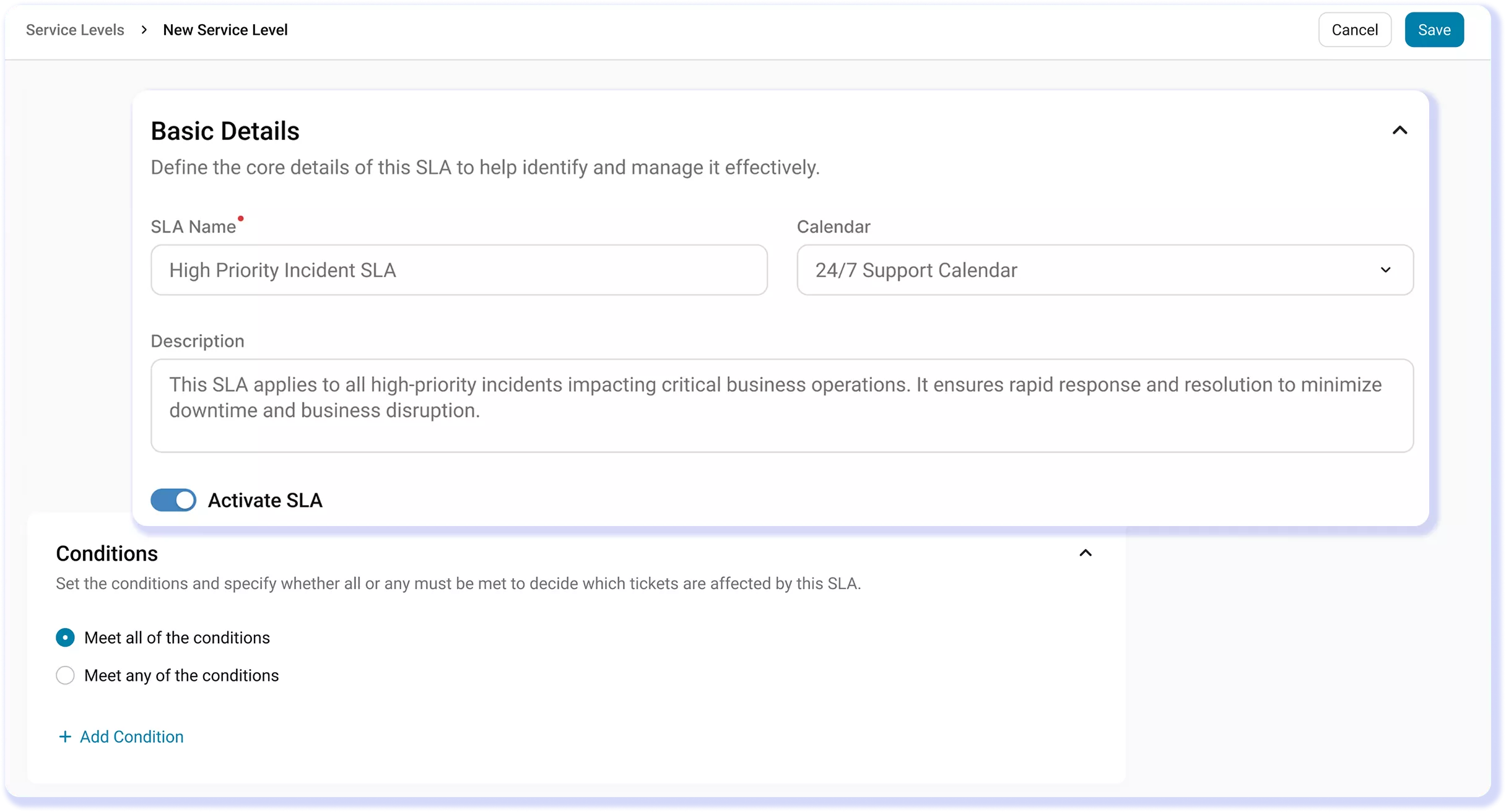
Dashboard showing SLA tracking, ticket timelines, and automated escalation in AssetSonar

Proven by Rapidly Growing IT Teams

Automated Discovery
0 %
Faster Ticket Resolution
0 %
Potential Savings On Shelfware
0 %

SLA Compliance With SLA Management Software

SLAs the System Enforces

Stop relying on IT managers to catch approaching breaches; the system assigns, tracks, and escalates issues based on policies your team configures once.

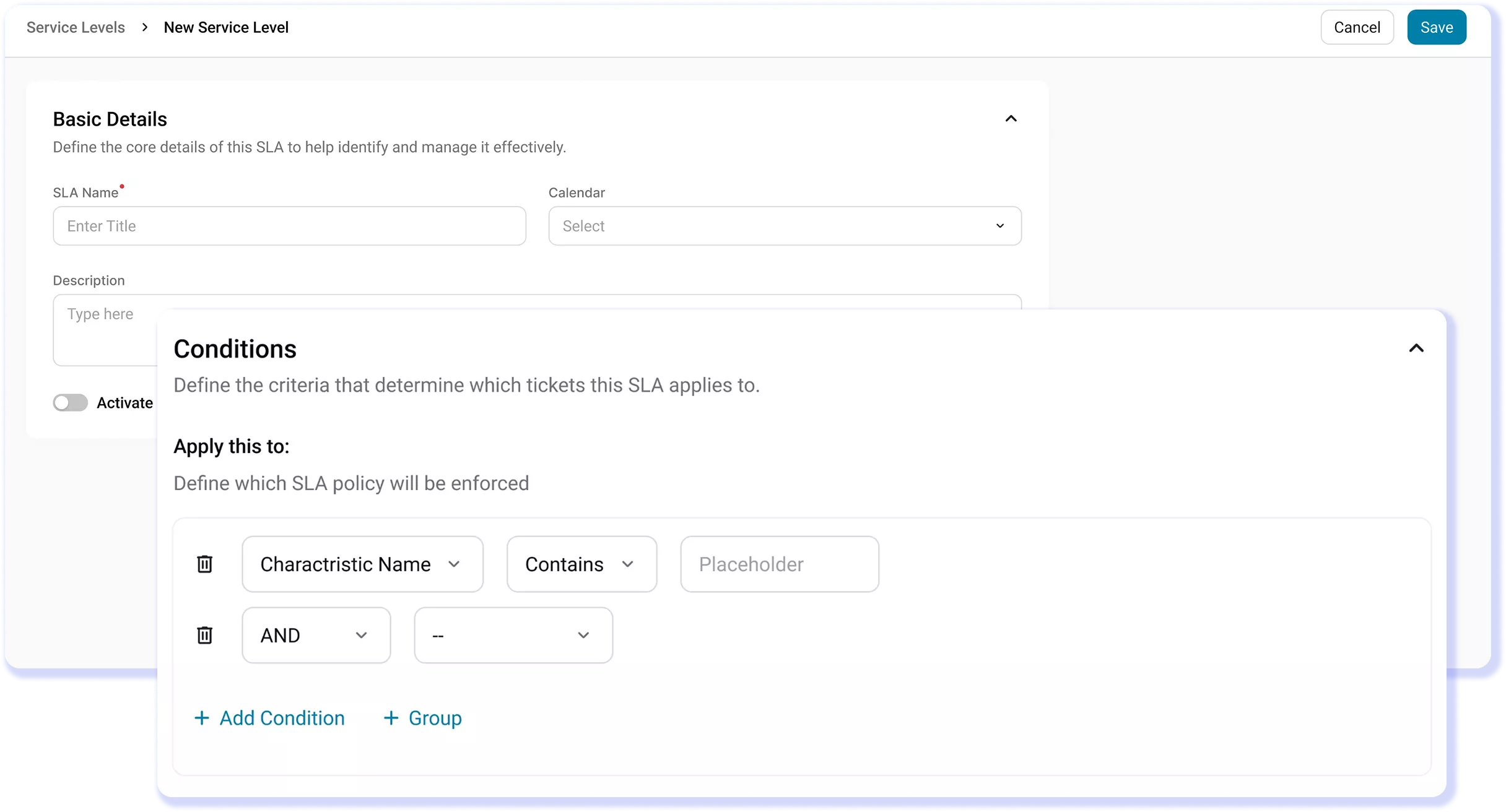
Right SLA on Every Ticket

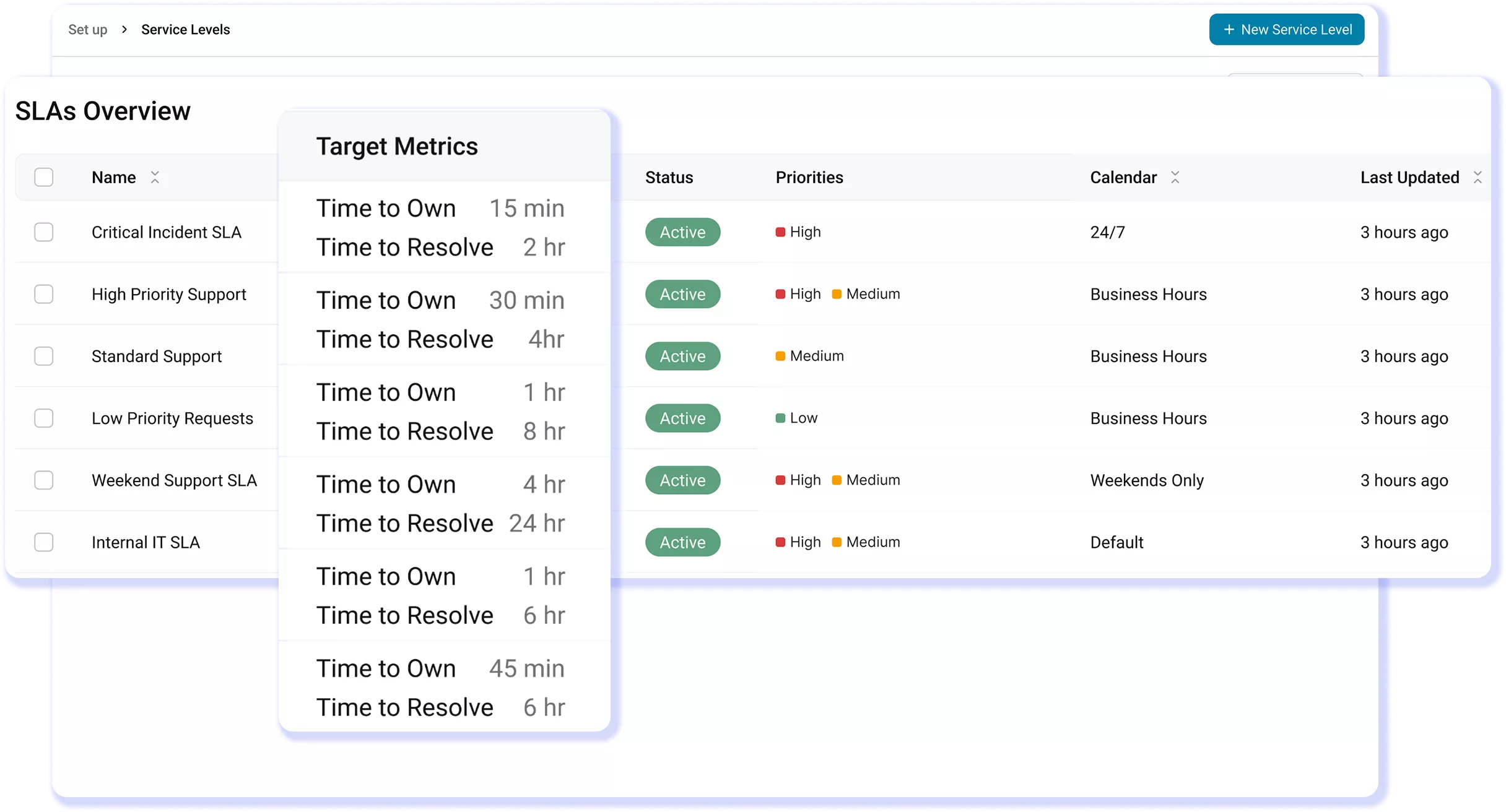
Rule-based triggers apply the exact policy to each ticket, ensuring the right commitment is attached without any manual selection by technicians.

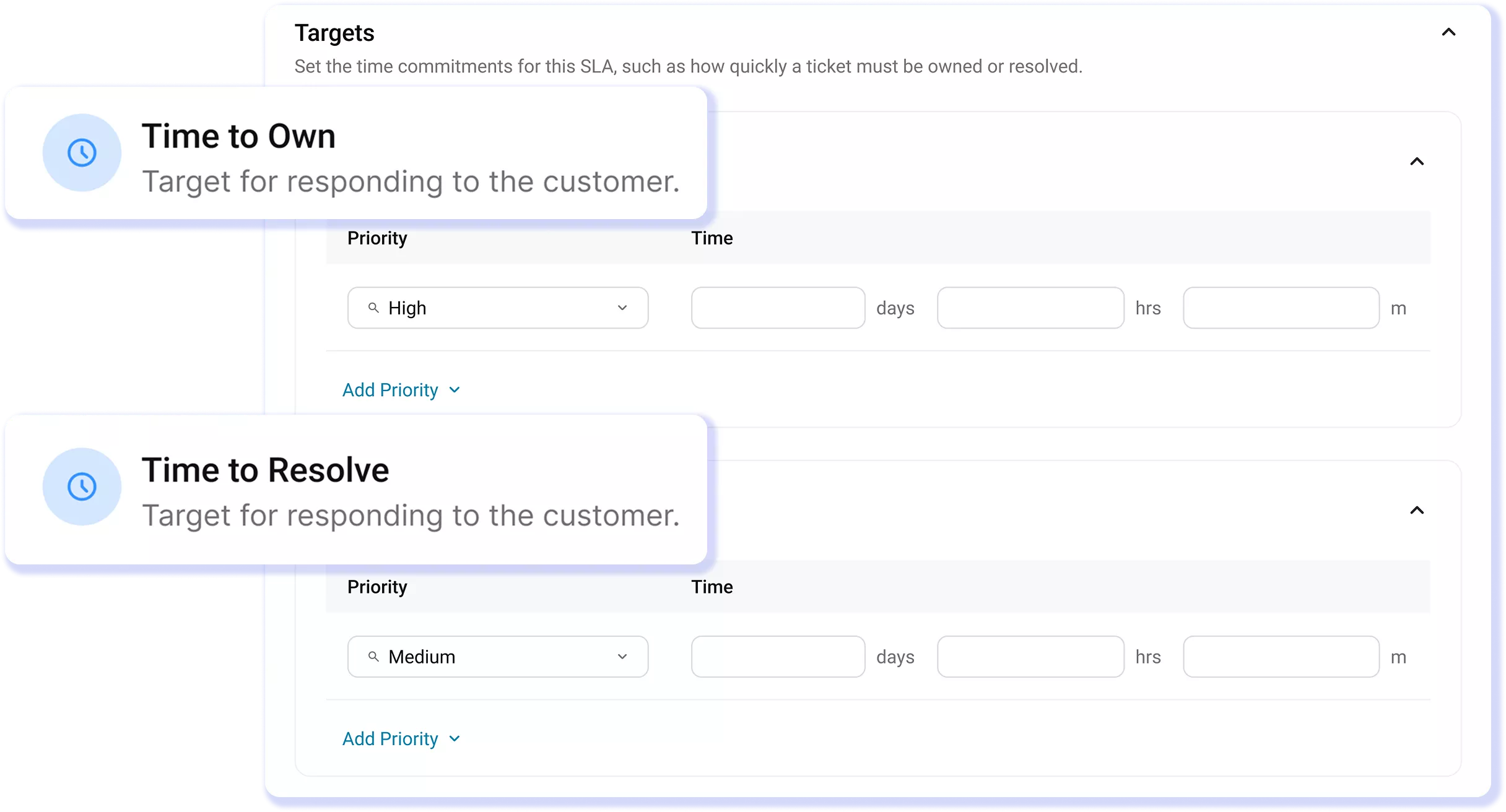
Targets by Work Hours

Time to Own and Time to Resolve track against real working hours and holidays, so tickets raised don’t show up as breaches unnecessarily.

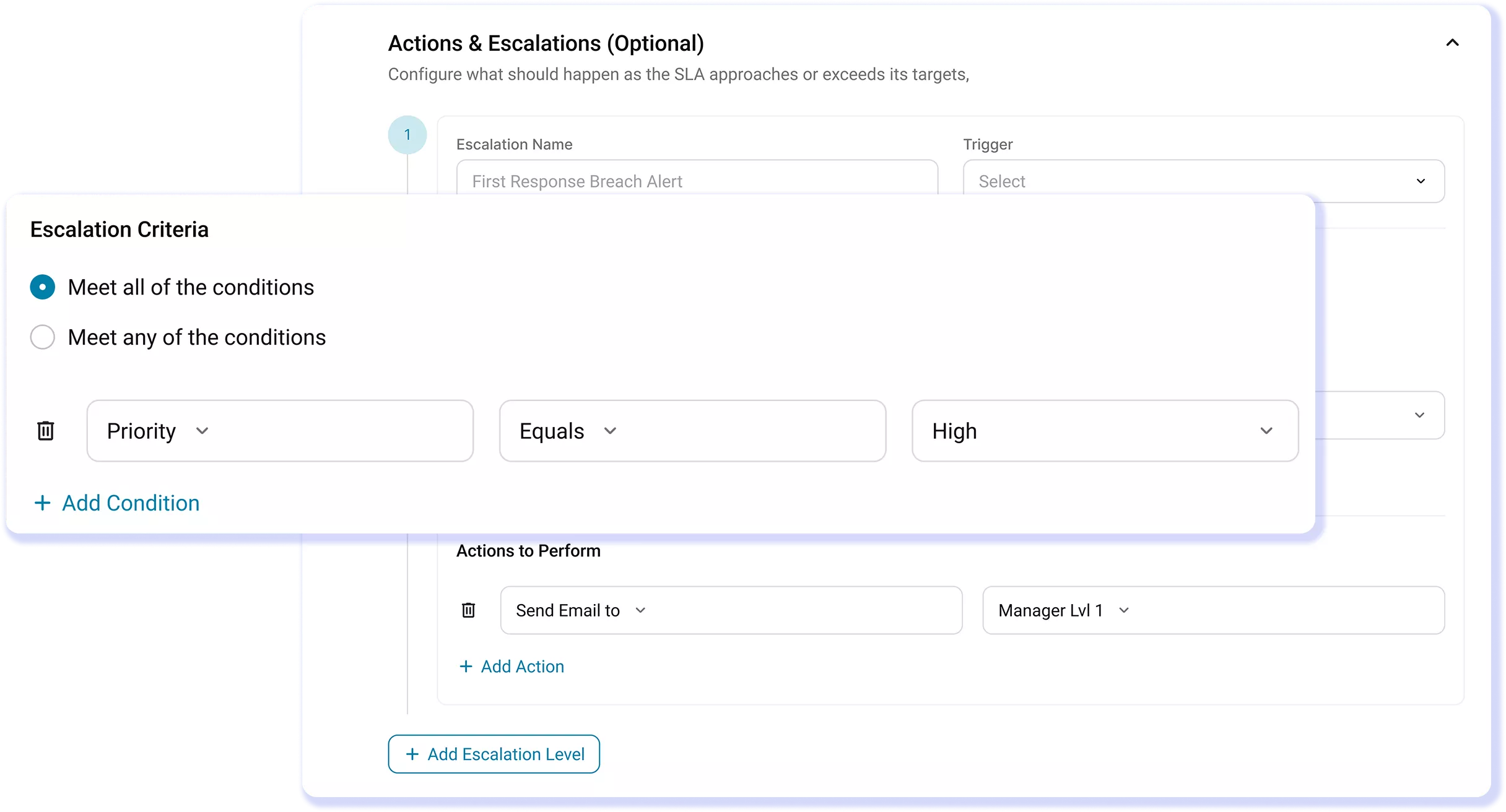
Escalation Before the Deadline

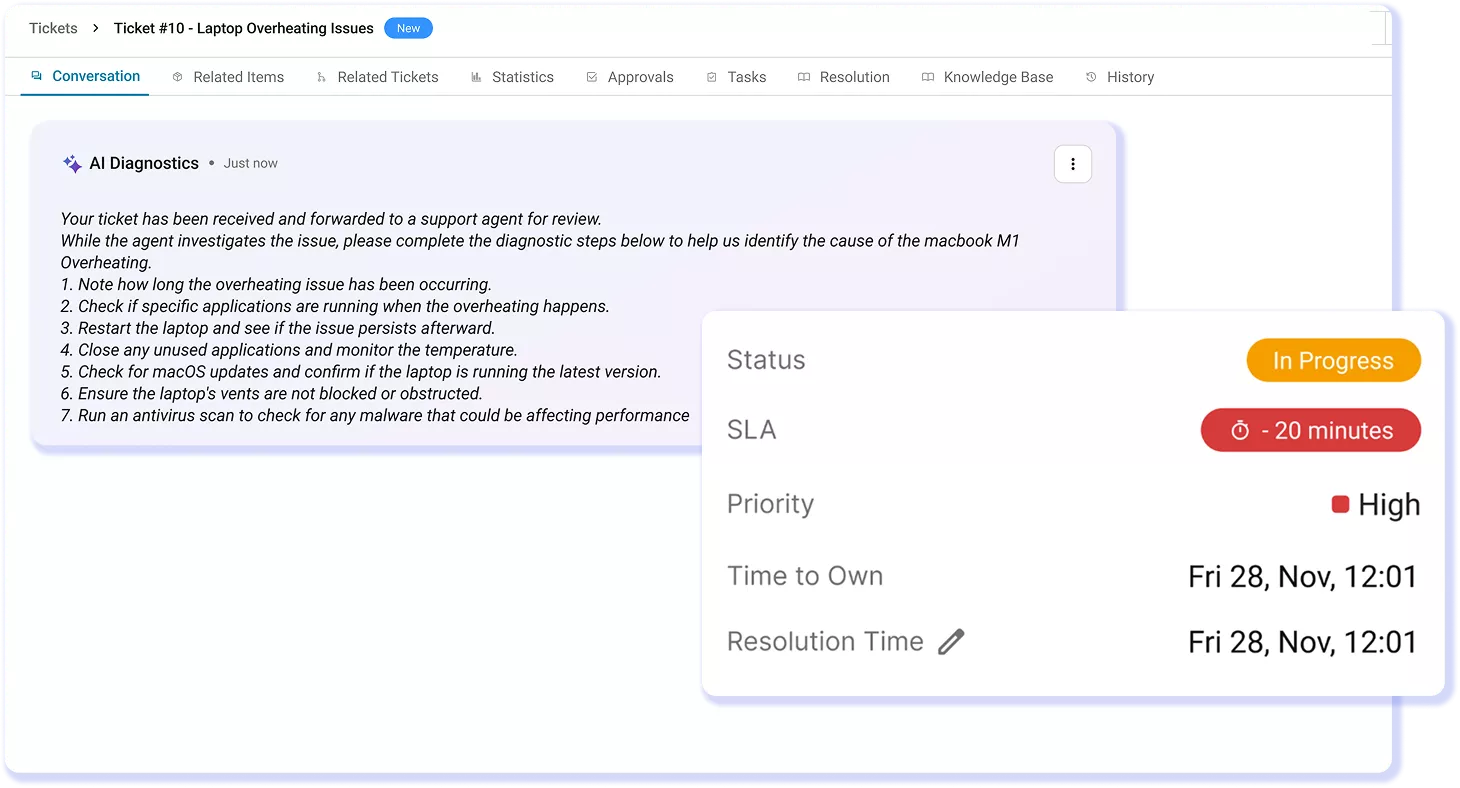
Automated escalation levels fire minutes before a threshold is crossed, giving teams time to respond to SLA risk before it becomes critical.

SLA Urgency in Every Queue View

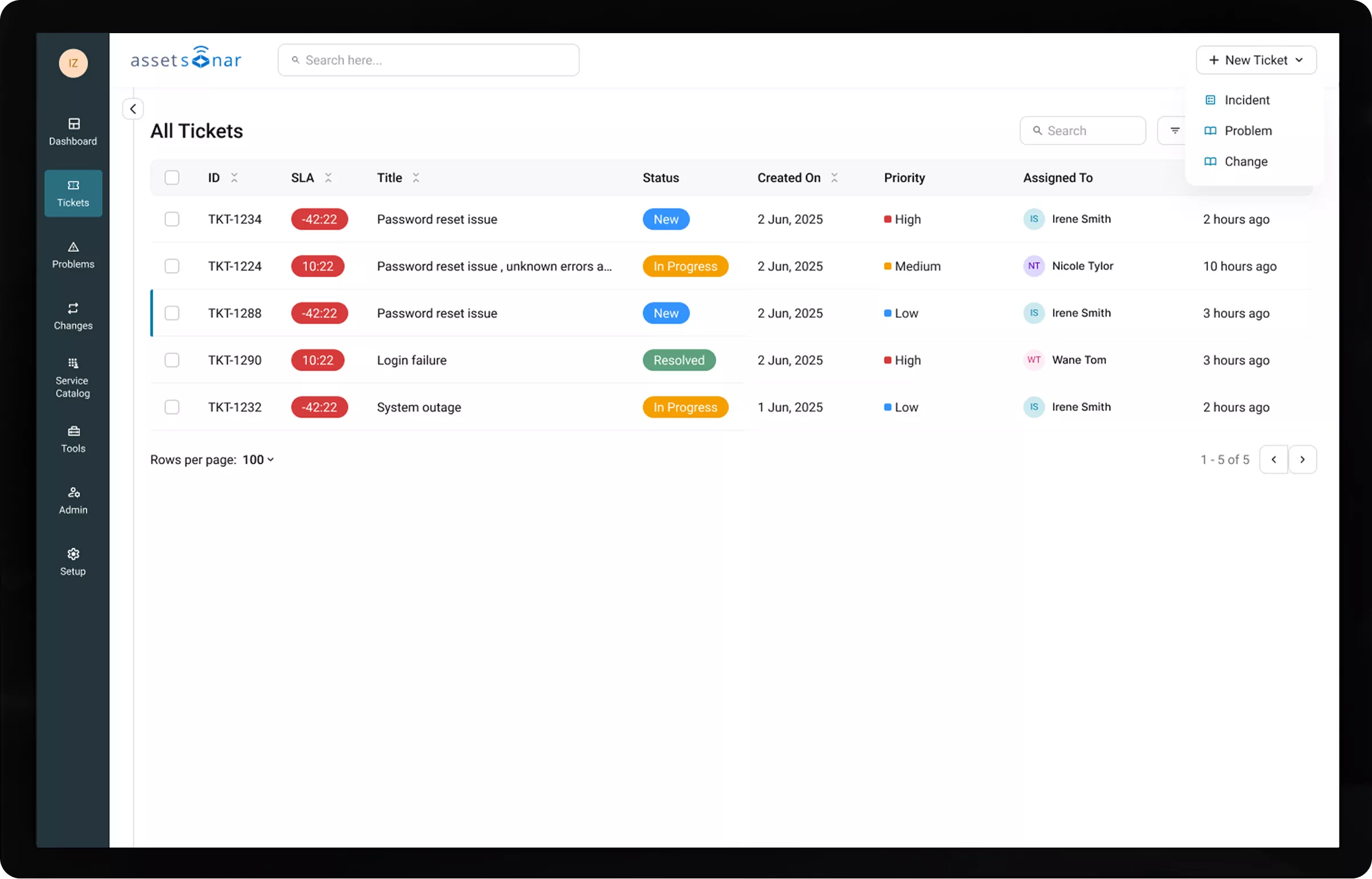
Live countdown timers and breach indicators appear in the ticket list, so technicians can see priority at a glance.

AI That Predicts the Next Breach

SLA Breach Prediction flags at-risk tickets early, so your team acts before deadlines are missed, not after.

Trusted by High-Performing Teams

Replace SLA Monitoring With SLA Execution

Stop SLA Breaches Before They Happen

Customer Testimonials

Meet SLAs by Design, Not Manual Monitoring

Read More on SLA Tracking in AssetSonar

Frequently Asked Questions

Yes. AssetSonar lets you apply different SLA policies based on ticket type, priority, category, requester group, or any combination of conditions. Using rule-based triggers, each ticket is automatically assigned the correct SLA at creation. No manual selection needed.

This means a high-priority incident can follow strict response and resolution targets, while routine service requests operate on a different timeline. You can also define separate Time to Own and Time to Resolve targets within each policy.

The result: every ticket carries the right commitment from the start, ensuring consistency, fairness, and accurate SLA enforcement across all workflows.

When a ticket is at risk of breaching, AssetSonar triggers pre-configured escalation actions automatically, before the deadline is missed. Based on time thresholds, the system can notify the assignee, alert team leads or managers, send messages via Slack or Teams, reassign the ticket, or increase its priority.

These actions run on schedule without manual monitoring so the team is prompted to act while there’s still time to resolve the issue. Instead of discovering breaches after the fact, your team gets early signals and built-in responses to prevent them altogether.

Yes. AssetSonar’s SLA clock is business-hours aware and pauses automatically outside configured working hours. You can define calendars with specific working hours and holidays, and assign them to each SLA policy.

This ensures tickets submitted after hours, like on Friday evening, don’t continue counting toward a breach over the weekend. The clock resumes automatically when business hours begin again so SLA tracking stays fair and reflects how your team actually works.

Yes. AssetSonar supports strong SLA tracking for multi-site operations, and in practice, it’s often more operationally aligned than HaloITSM for distributed teams.

AssetSonar allows multiple business-hours calendars, region-specific SLA policies, and rule-based assignment, so each site, team, or time zone follows its own SLA logic automatically. The SLA clock pauses outside local working hours, ensuring fair tracking across locations.

HaloITSM offers robust SLA configuration and ITIL-aligned processes, but it typically requires more setup and configuration to achieve similar multi-site behavior.

In short: both support multi-site SLAs, but AssetSonar reduces the operational overhead by enforcing them automatically across locations.

Time to Own and Time to Resolve track two different stages of a ticket.

Time to Own is the deadline for assigning a ticket to a technician. It ensures tickets don’t sit unassigned in the queue.

Time to Resolve is the deadline for fully resolving and closing the ticket. It ensures issues are completed within the expected timeframe.

Both targets are set independently within an SLA policy, so you can catch delays early and track completion separately. This helps prevent tickets from being ignored at the start while still holding teams accountable for final resolution.

Yes. AssetSonar shows SLA status directly in the ticket queue, so you don’t need to open each ticket to understand urgency.

A dedicated SLA Status column displays live countdowns for active tickets and clear breach indicators for overdue ones. You can hover over the status to view Time to Own and Time to Resolve separately.

This gives technicians instant visibility into which tickets need attention, helping teams prioritize work faster and manage SLAs at scale without manually checking individual records.

Yes. AssetSonar allows escalation notifications to be sent via Slack and Microsoft Teams, in addition to email.

You can configure these notifications within the escalation matrix for each SLA policy, triggering them at specific time thresholds before or after a breach. Notifications can be sent to assignees, team leads, or managers, ensuring the right people are alerted at the right time.

This keeps your team informed in the tools they already use, so SLA risk is addressed quickly without relying on manual follow-ups or constant queue monitoring.

AssetSonar provides built-in custom reports and dashboards to track SLA performance in real time. You can monitor metrics like SLA compliance rates, breach counts, MTTR, and Time to Own across teams, ticket types, and locations.

Filter data to identify patterns such as recurring breaches by category, overloaded teams, or delays at specific stages of the workflow.

With live visibility and historical trends in one place, you can pinpoint bottlenecks, adjust SLA policies, and improve processes proactively instead of reacting after issues repeat.

Set SLAs based on actual performance, not assumptions. AssetSonar helps you analyze historical metrics like Time to Own, Time to Resolve, and breach trends to understand what your team can realistically deliver.

Define separate targets for different ticket types and priorities, and apply business-hours calendars so SLAs reflect real working time.

You can start with achievable targets, monitor performance, and refine policies over time. With visibility into workload and bottlenecks, you set commitments your team can consistently meet, without over-promising or creating unnecessary pressure.

See SLA Breach Prevention in Action

Discover how AssetSonar predicts, escalates, and prevents SLA breaches before they happen so nothing slips through your queue unnoticed.