






AssetSonar Features Zoe
AI Copilot for IT Teams
Cut Manual Work Across IT Management Workflows
Proven Impact Across IT Teams
95%
Software Visibility Achieved
95%
Automated License Management
30%
SaaS Savings
AI-Powered Workflows from Intake to Resolution
Resolve Queries Without Tool Switching
Zoe answers workflow-related questions instantly, so users can unblock themselves without searching docs, opening tickets, or leaving work.
Create Accurate Asset Records
Zoe turns spec sheets into review-ready asset records and documents into POs, so IT tracks new hardware from day one without manual re-entry.
Create Draft POs from Vendor Invoices
Automatically create draft POs from vendor invoices. Zoe reads invoice details, line items, quantities, and costs, allowing IT and Finance to review them in AssetSonar.
Catch Hidden Risks With Quick Reporting
Ask follow-up questions, request charts, and surface issues like unused licenses or end-of-life assets with AI-assisted reporting. No need to leave AssetSonar reports.
Fetch Maintenance Checklists on Demand
Ask Zoe for the right maintenance checklist from an asset record, then turn it into work orders without searching manuals or attachments.
Move Service Tickets with More Context
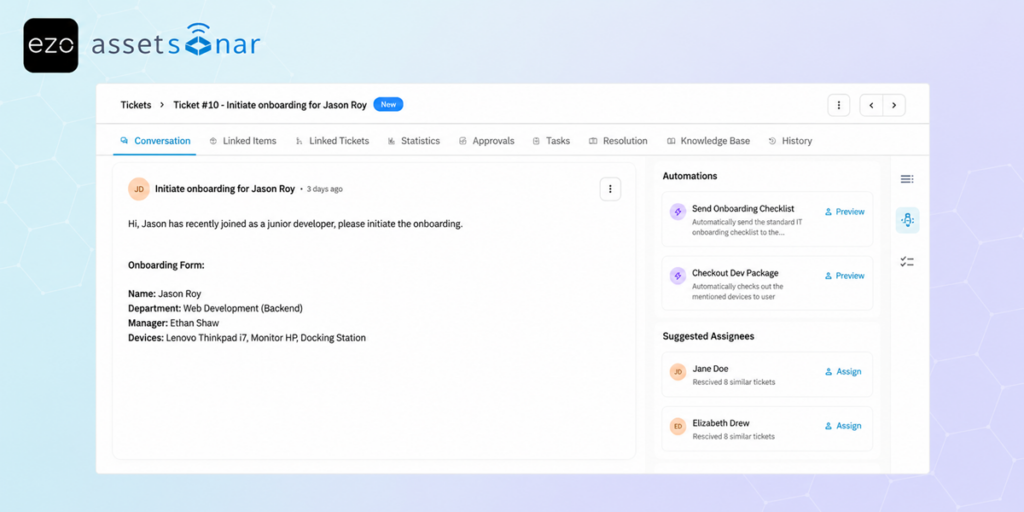
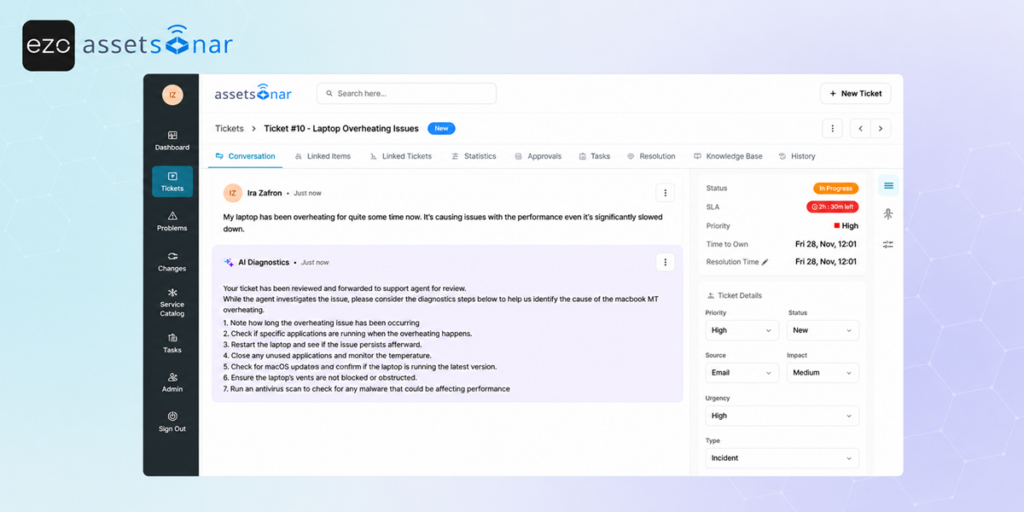
Zoe routes, tags, summarizes, suggests fixes, finds similar tickets, and drafts replies, so technicians start with better context each time.
Trusted by High-Performing Teams


Get AI Help Inside AssetSonar Workflows
Embedded AI for Every AssetSonar Workflow
In-Product How-to Assistance
Intelligent Document Intake
Data-Driven Insights
Maintenance Checklist Fetch
AI-Assisted Issue Resolution
Ticket Triage
In-Product How-to Assistance
Ask Zoe. Get Unblocked in Seconds.
Zoe answers how-to questions inside AssetSonar, from bulk asset updates and ticket resolution to depreciation setup and knowledge base management. Users get guidance in the same workflow instead of searching docs, asking teammates, or raising support tickets. That keeps daily IT work moving and helps every user act with product confidence, not just power users across busy teams now. Learn more.
Intelligent Document Intake
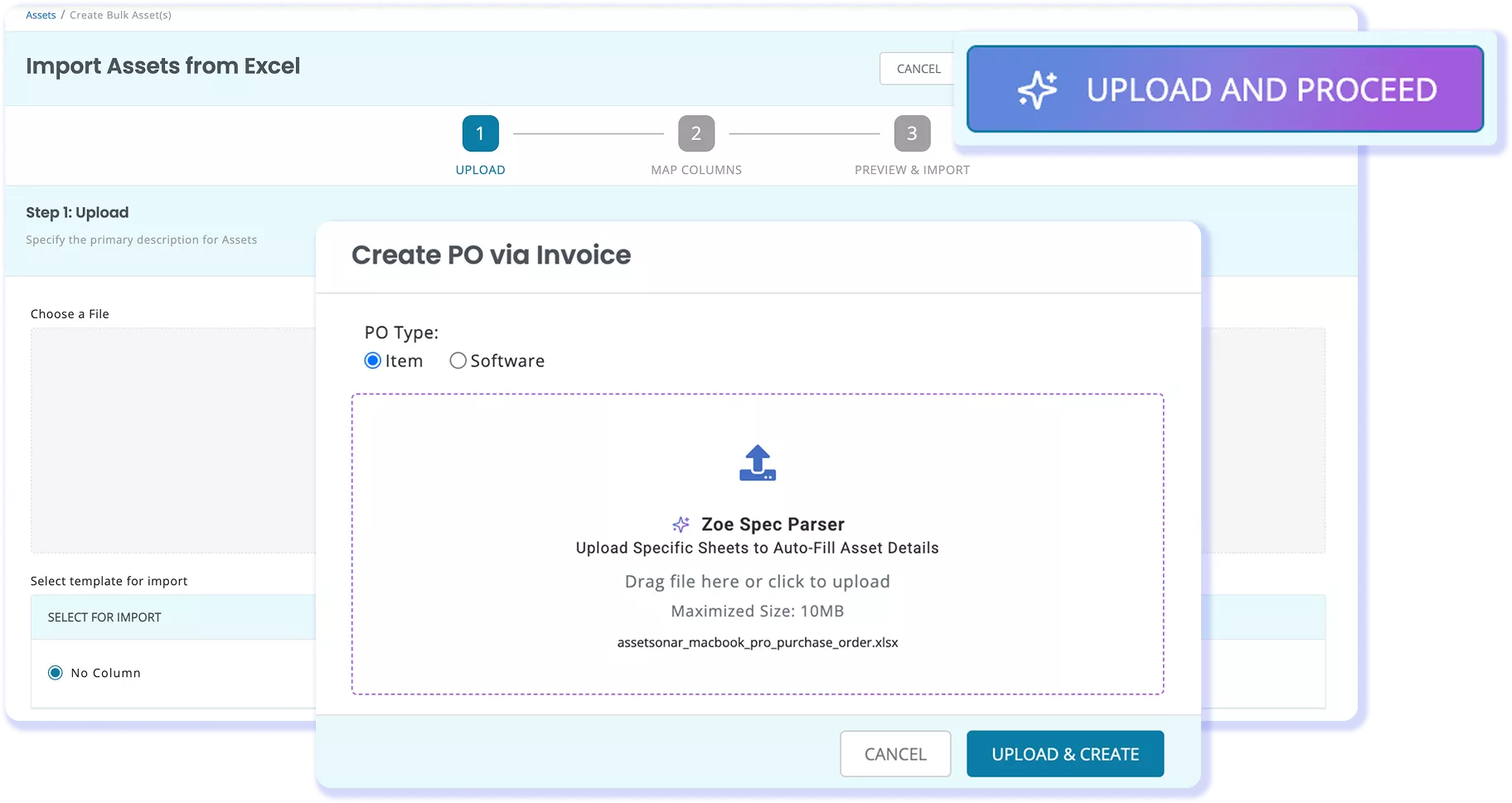
From Vendor Invoice To Draft PO in Seconds
Zoe converts procurement paperwork into review-ready records. Upload a spec sheet, and it populates an asset record with the model, serial, specs, and warranty details. Upload a vendor invoice, and it drafts a PO with vendor, line item, quantity, and cost data, reducing copy-paste work between IT and finance while keeping records aligned from day one.
Data-Driven Insights
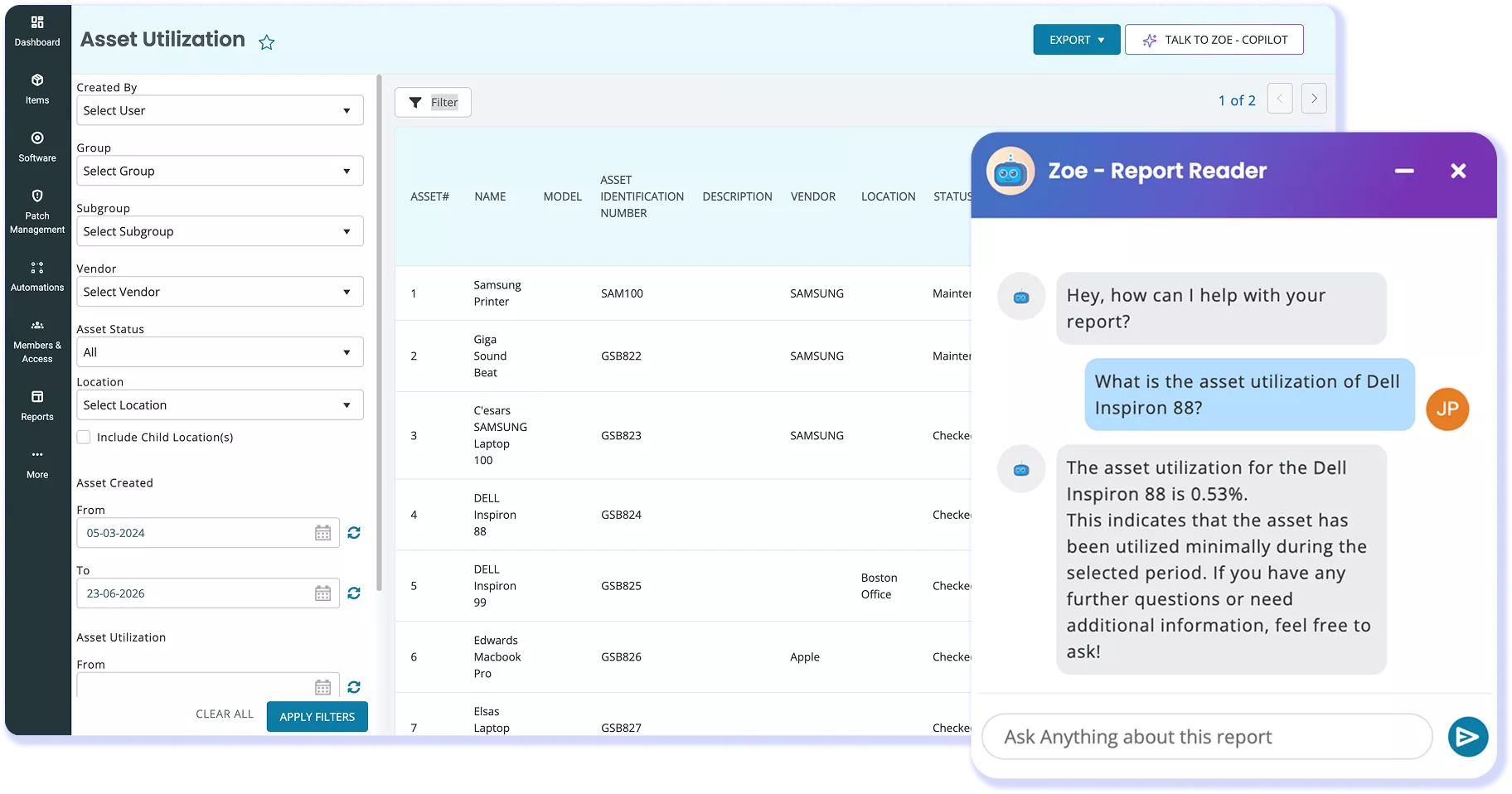
Turn Reports Into Action-Ready Insights
Ask follow-up questions and request charts without exporting data using Zoe. Also monitor assets, software, and members for issues such as unused licenses, end-of-life assets, and excess software, and catch spend and compliance risks before audits or renewals force cleanup under pressure. Learn more.
Maintenance Checklist Fetch
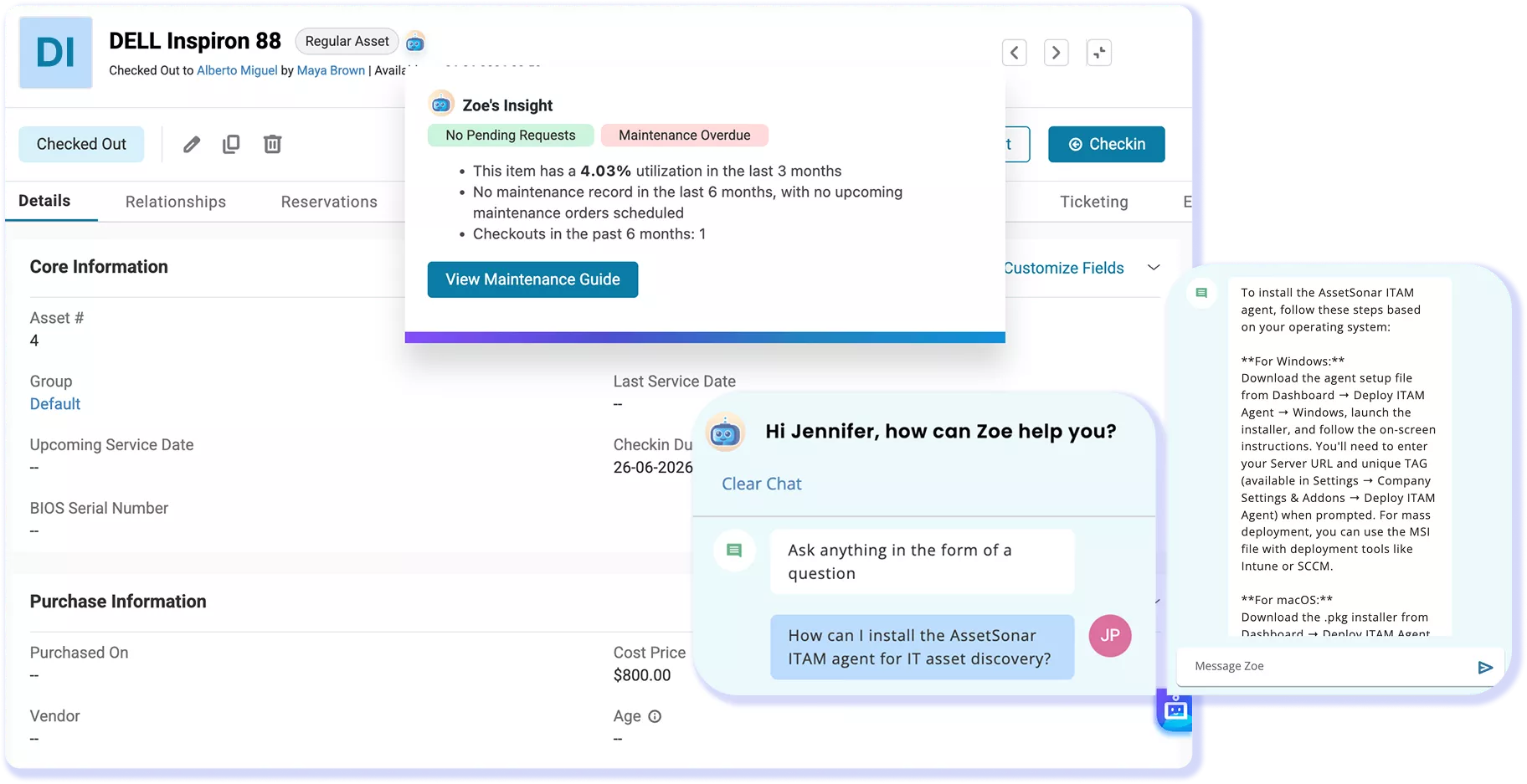
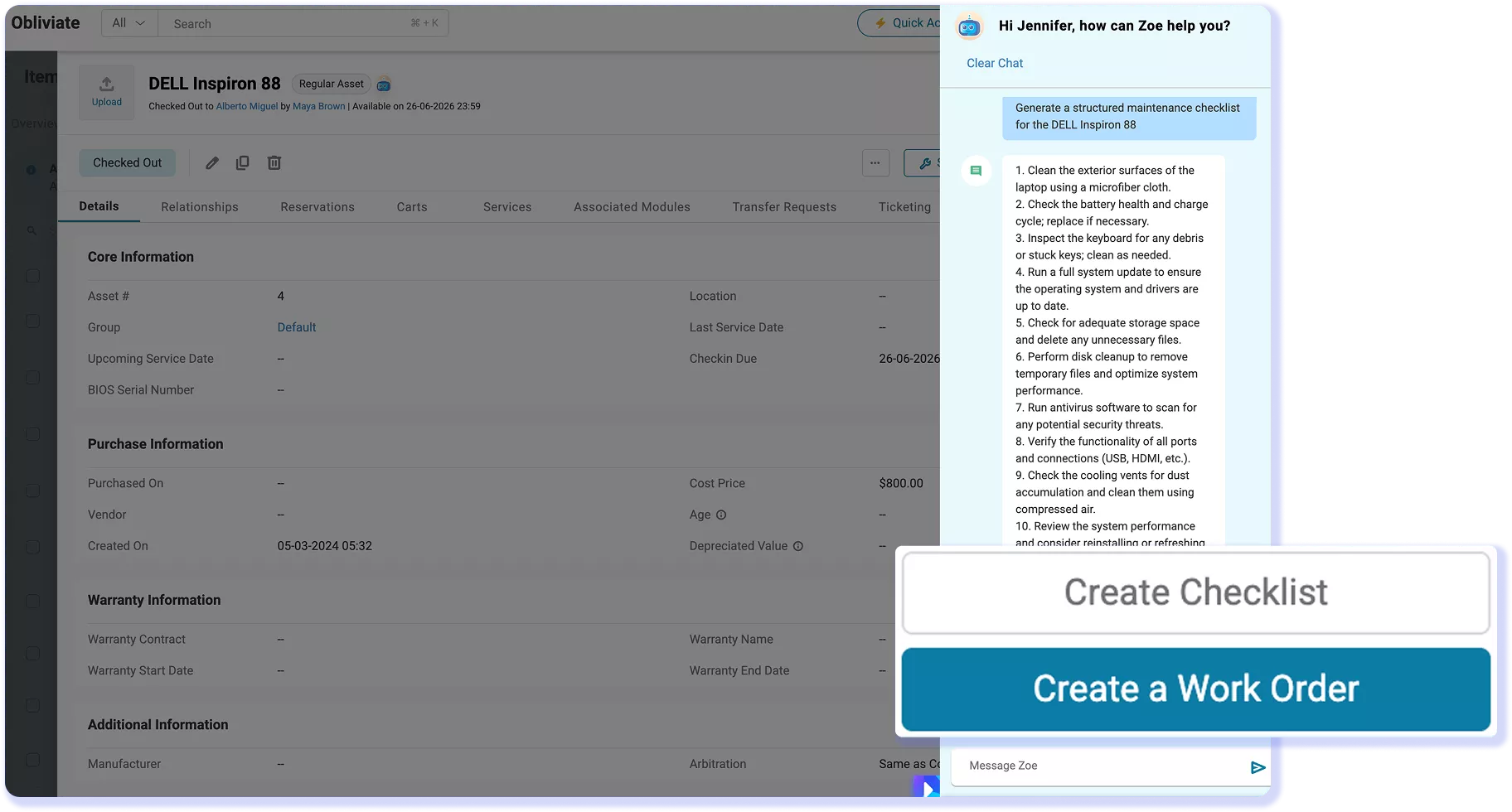
Start Maintenance From Any Asset Record
Zoe supports both maintenance and service workflows from a single experience. Fetch the correct maintenance checklist from an asset record and turn it into a work order, while also helping technicians route tickets, identify likely causes, suggest fixes, and provide the context needed to resolve issues faster with less manual effort.
AI-Assisted Issue Resolution
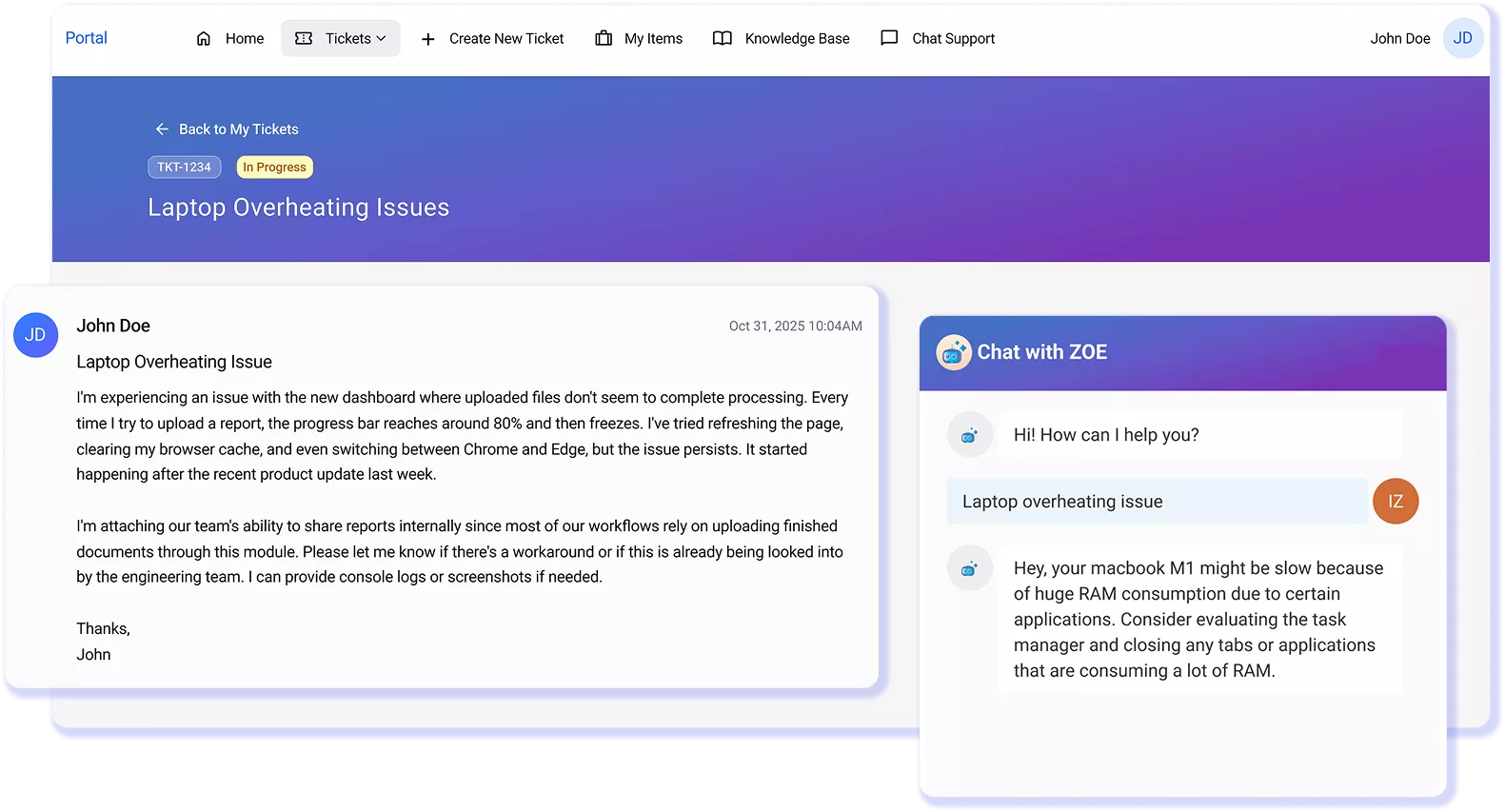
Use Past Context to Close Tickets Faster
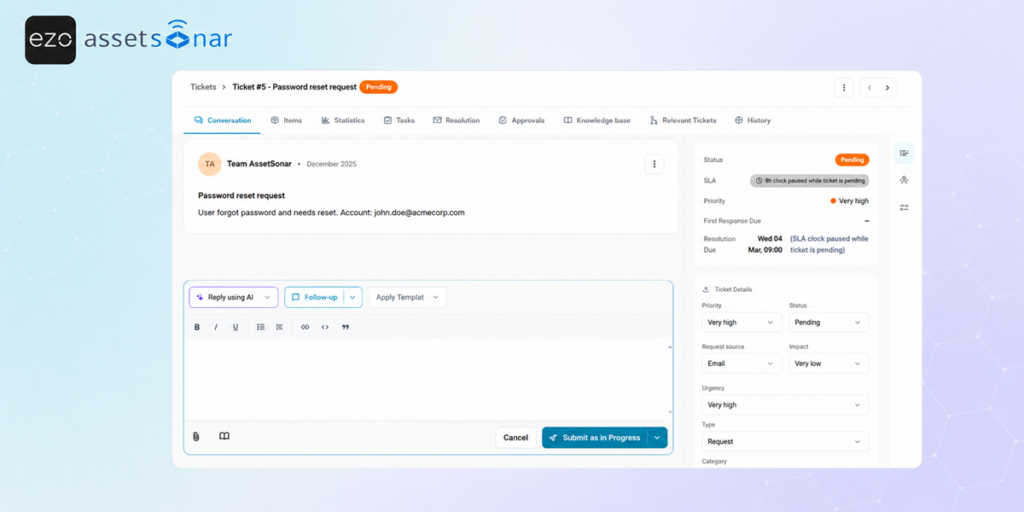
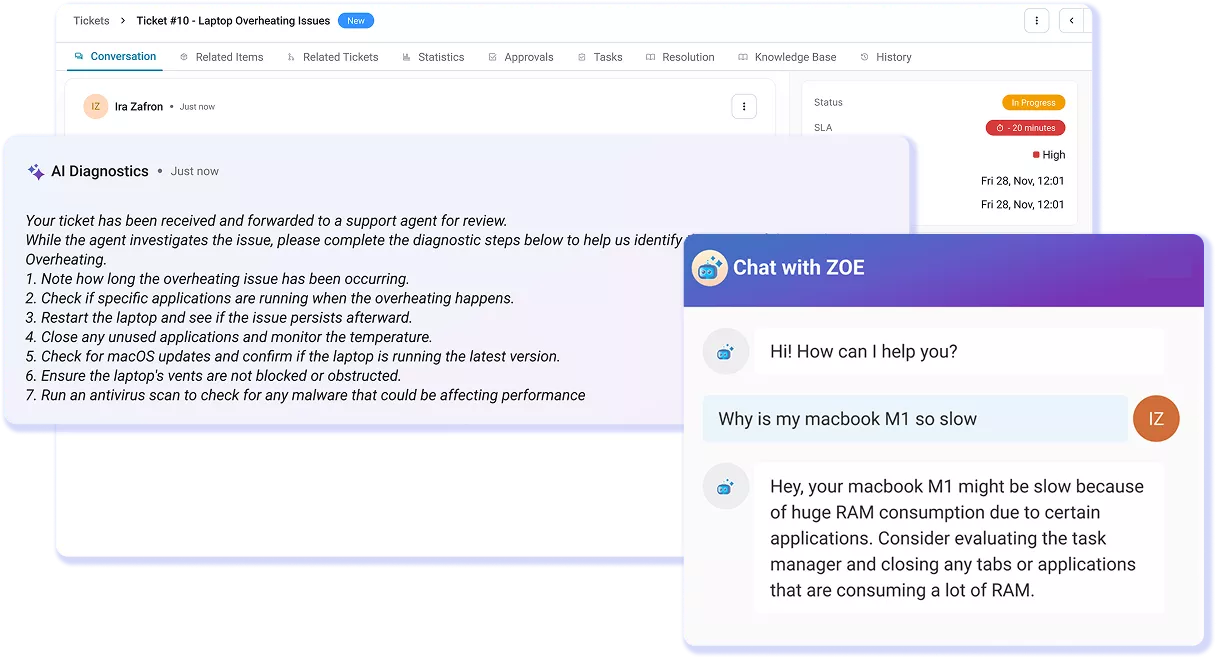
Looking into a recurring issue? Zoe brings context from past tickets into the current ticket view. It surfaces similar issues, summarizes how they were resolved, condenses long threads, and drafts replies or resolution notes for technician review. Beyond resolving the current case, it can generate solution articles from resolved tickets, helping the knowledge base stay useful as service volume grows over time, too. Learn more.
Ticket Triage
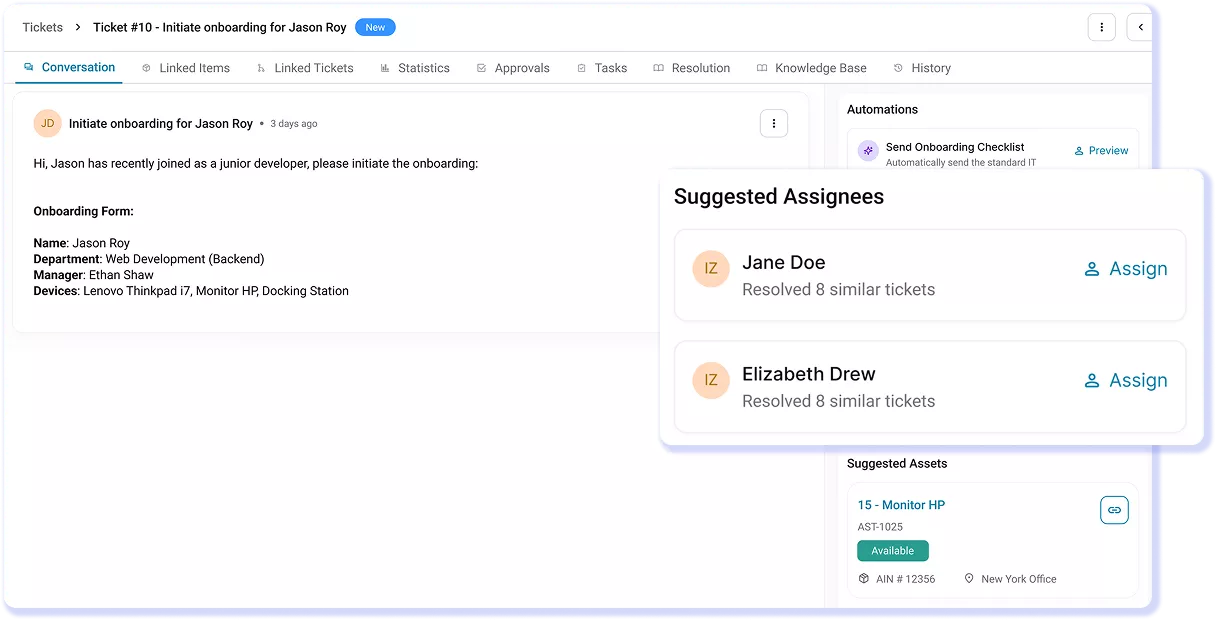
Route Tickets With First-Fix Context
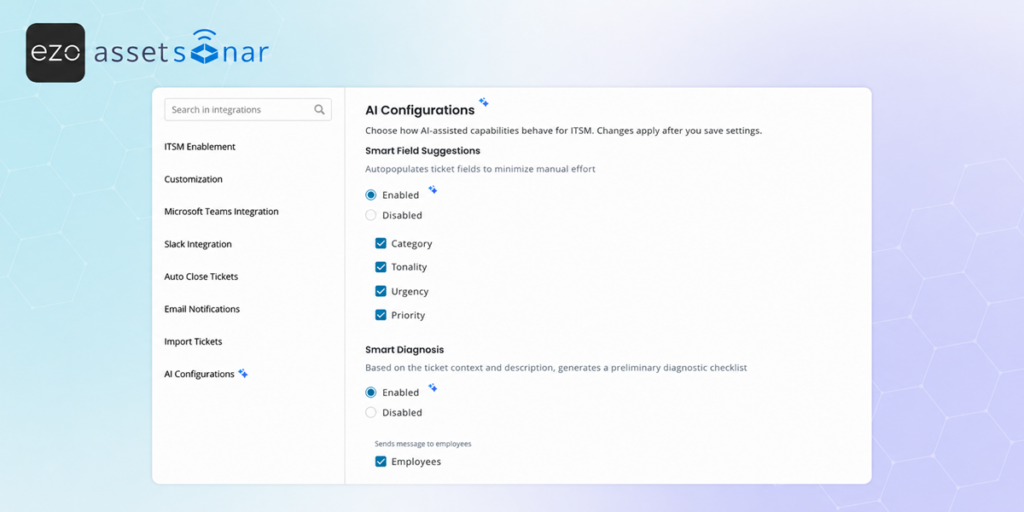
Zoe helps submit tickets, starting in the right place. It identifies the right assignee, applies accurate categories, and generates likely root causes and suggested fixes from ticket context. Users get useful guidance sooner, while technicians open cleaner tickets instead of spending time re-routing, re-tagging, or diagnosing from zero first. Learn more.
Customer Testimonials
Less Guesswork. More Resolution With Zoe AI.
Read More on Zoe AI
Frequently Asked Questions
Zoe is an AI assistant for IT teams that works inside AssetSonar, not a separate chatbot or standalone tool. It appears that users need help with product workflows, reports, asset records, procurement records, and tickets. This matters because IT teams do not have to switch tabs, move data into another system, or rebuild context. Zoe supports the work already happening inside AssetSonar
Zoe AI is built for IT managers, IT operations teams, service desk leaders, and asset managers who already manage IT work in AssetSonar. It is especially useful for teams responsible for assets, software, tickets, service history, procurement records, and operational workflows. Instead of adding another tool to the stack, Zoe helps teams move faster inside the system where ITAM and ITSM work already happens.
Zoe is not a generic AI assistant sitting outside your IT management software. It works inside AssetSonar and supports the workflows your team already uses for assets, software, procurement, maintenance, and service management. That makes the experience more practical for IT teams because Zoe is tied to the operational context of the platform, not a detached chat window that requires users to explain their work from scratch.
Yes. Zoe is designed to work with AssetSonar’s connected IT context, including assets, users, software, tickets, and service activity. This helps service desk and IT operations teams make better use of the information already captured in AssetSonar. For example, ticket support becomes more useful when routing, diagnosis, summaries, and next steps are informed by real IT relationships instead of isolated ticket text alone.
Zoe helps teams understand, triage, summarize, and act faster, while AssetSonar’s workflow automation engine handles repeatable actions across ITAM and ITSM. Together, they help teams reduce manual coordination around tickets, approvals, asset actions, license updates, access workflows, and escalations. Zoe adds context and assistance; automation helps ensure the next operational step is not dependent on someone remembering to trigger it manually.
AssetSonar’s pricing page lists AI Copilot, Zoe, under the ITAM plan, while the ITSM plan includes ITAM plus service management capabilities such as request management, incident management, problem management, change management, knowledge base management, service catalog, SLA management, AI diagnostics, and automated service workflows. For teams evaluating Zoe, the right plan depends on whether they need ITAM only or ITAM with full ITSM.
Zoe helps with troubleshooting by giving technicians more context before they begin work. It can support diagnosis with device history, ticket history, similar past issues, suggested fixes, and summaries of what has already been tried. This reduces the chance that technicians repeat the same investigation steps or miss relevant history. The result is a more structured path from issue intake to resolution, especially for recurring incidents.
Yes. Zoe can support more proactive IT planning by surfacing asset and software signals that teams may otherwise miss. This can include utilization patterns, maintenance needs, depreciation context, vulnerabilities, unmanaged software, out-of-warranty assets, and expiring contracts. Instead of waiting for an audit, renewal, or support issue to expose a gap, IT teams can use Zoe-backed insights to prioritize action earlier.