








AssetSonar Features IT Request Management Tool
Request Management Software
Request Management With Built-In Context
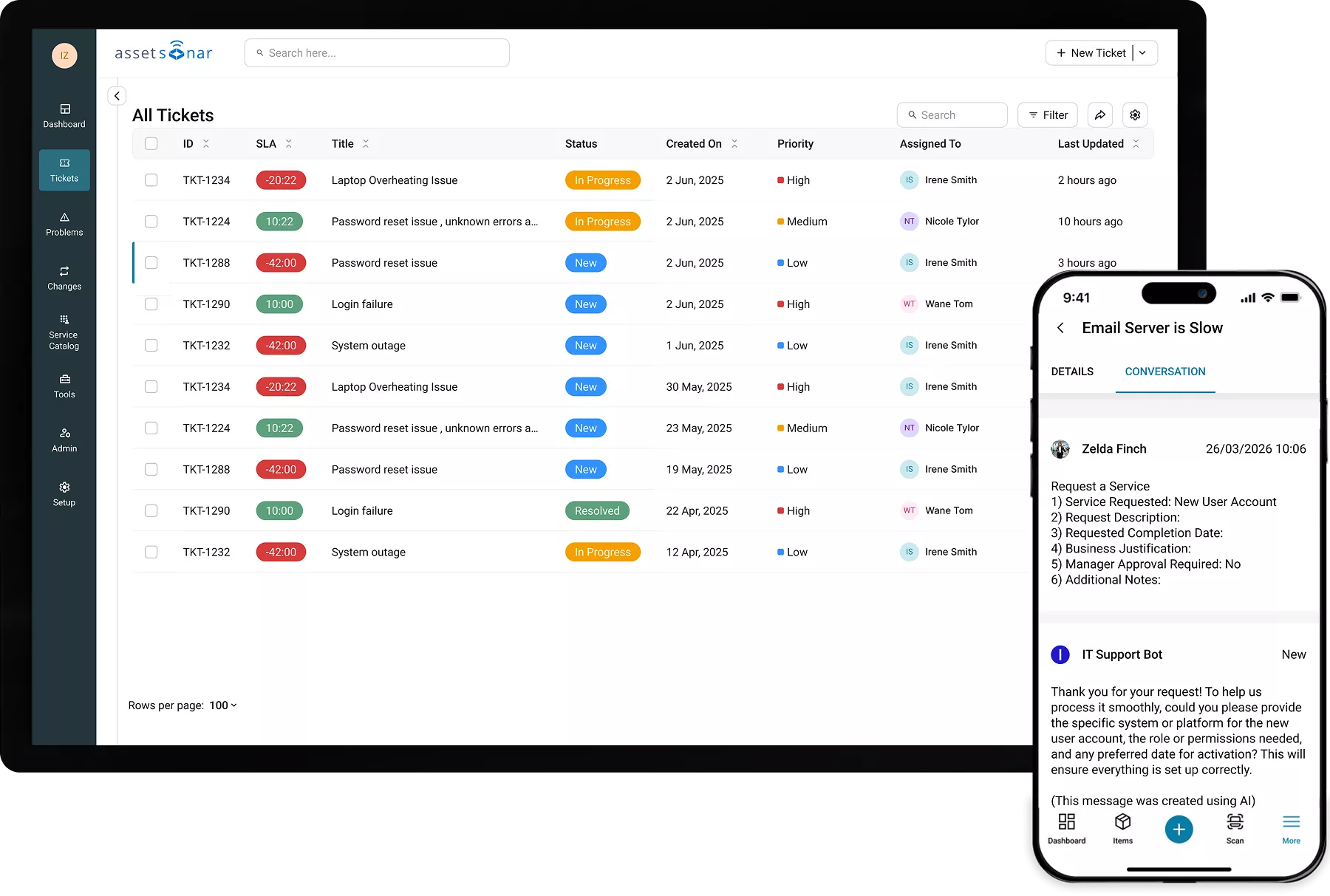
Requests should start with answers, not questions. AssetSonar enriches every request with full asset context, so your team acts instantly, handling intake, routing, approvals, and fulfillment in one system.
Proven Impact Across IT Teams
Unified Service Request Management Built on Asset Control
The Right Request, First Time
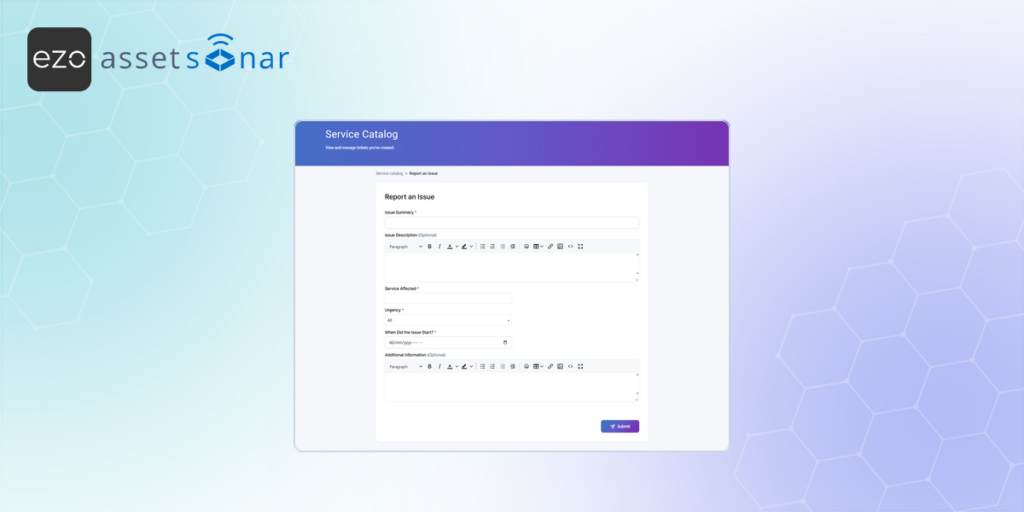
Structured service catalog with customizable forms ensures employees submit complete, actionable requests from the start. No guesswork, no missing details.
Zero-touch Triage
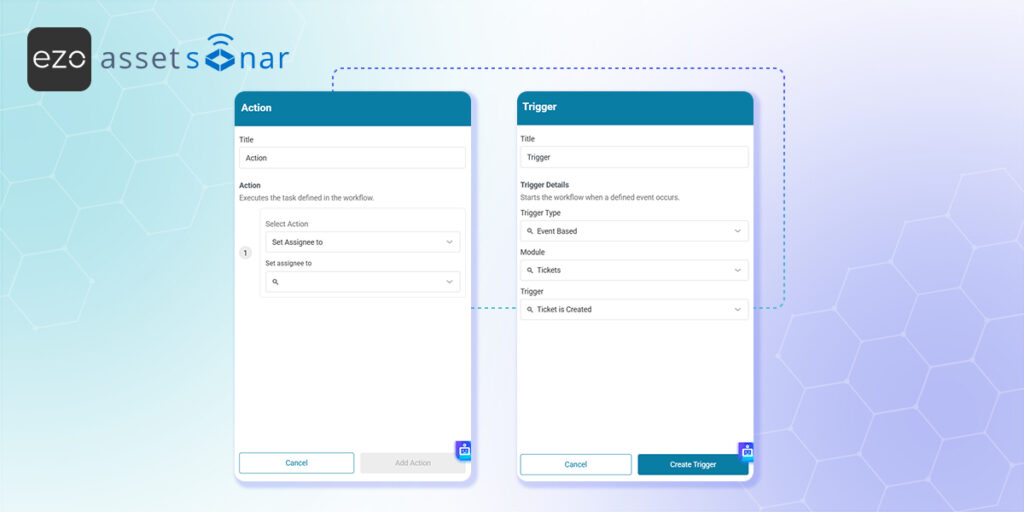
Automatically assign requests based on availability, skills, and rules so the right technician handles the work right the first time. Eliminate manual triage and keep queues moving.
Every Ticket Starts With Context
Avoid manual lookups with AssetSonar’s IT Graph. See assets, software, ownership, and history instantly so every ticket starts with complete, accurate context.
AI That Understands Context
Use AI to suggest fields, surface knowledge, and recommend next steps. Powered by real asset data, every suggestion reflects the user’s device, software, and history.
ITIL-Aligned Ticket Lifecycle
Manage requests through a structured ITIL lifecycle with clear stages, automated notifications, and auto-close rules. Keep workflows consistent, transparent, and trackable.
Connected Tickets, Faster Resolution
Link related, duplicate, and dependent tickets to give technicians full context in one view, reducing duplicate work and improving resolution time.
Trusted by High-Performing Teams


See How AssetSonar Handles Requests Differently
From Fragmented Requests to Structured Execution
Service Catalog
Multi-Channel Request Intake
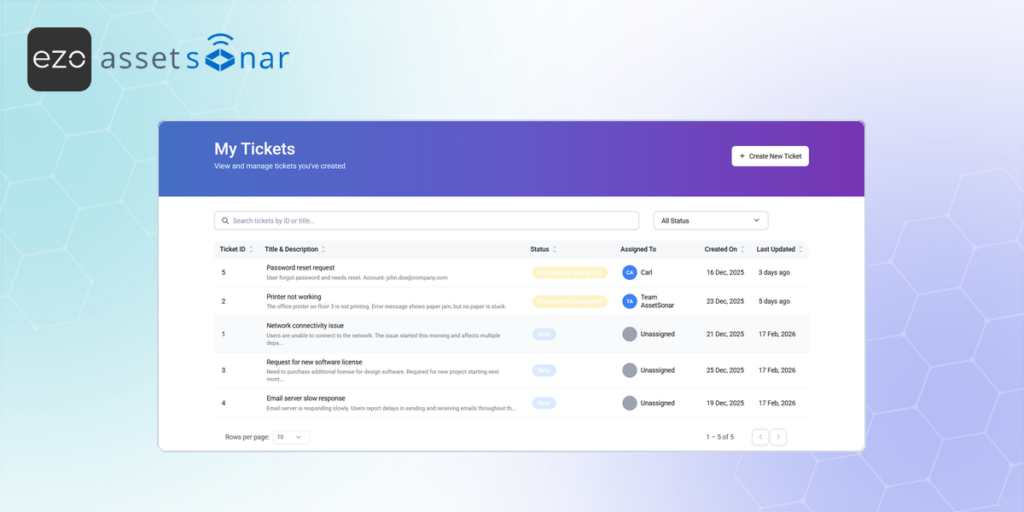
Automated Routing
Multi-step Approvals
Parent-Child Tickets
AI Classification & Assignment
Service Catalog
Get Structured Requests From the First Click
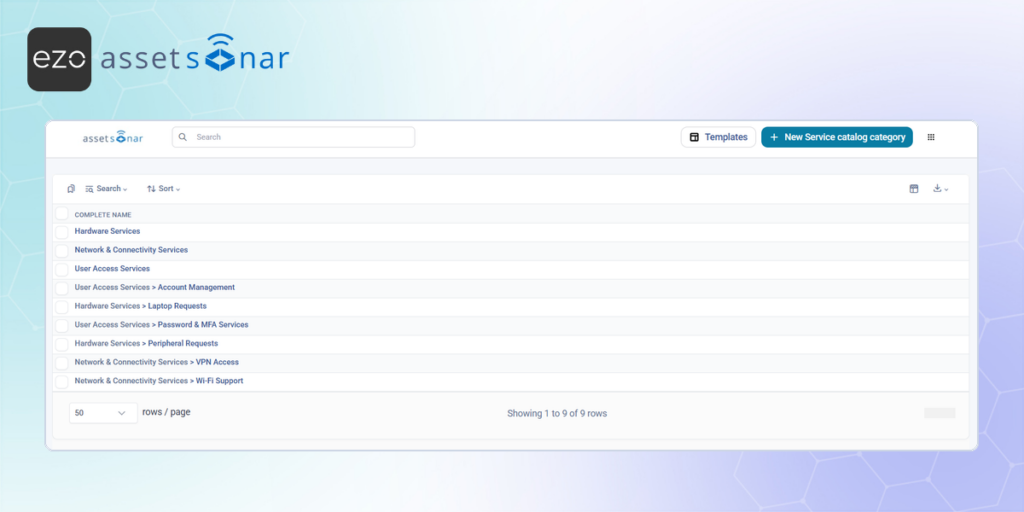
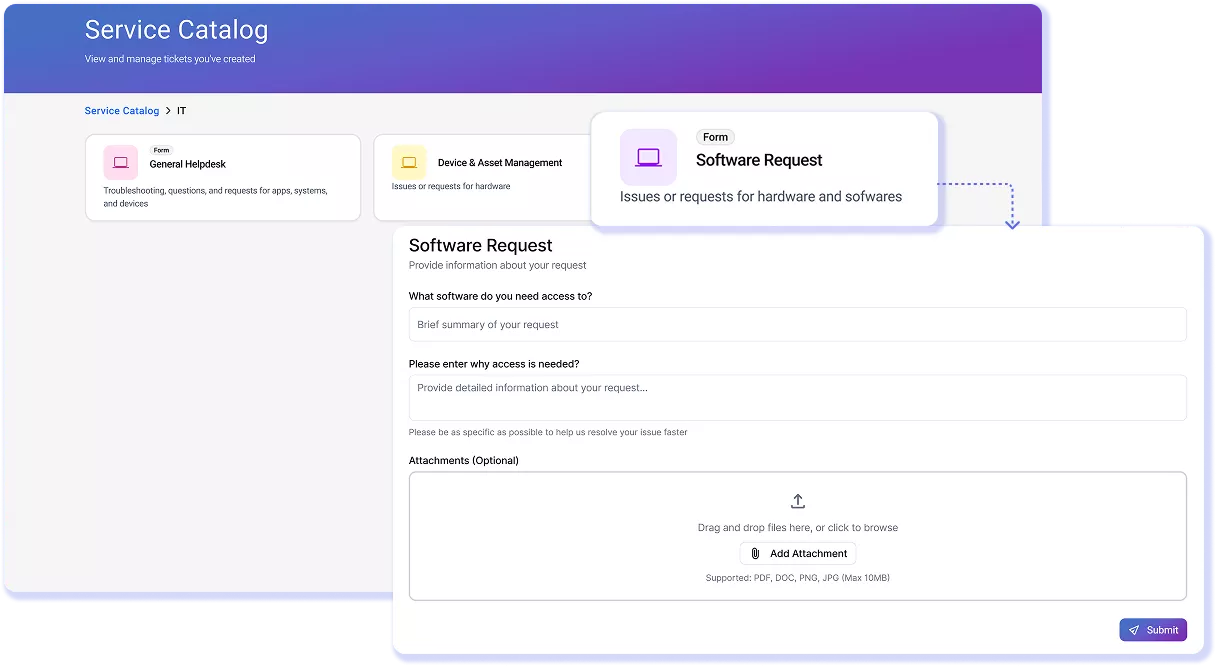
Replace vague emails with a structured service catalog in which each request type has its own form, logic, and required fields. Dynamic forms show only what’s relevant, so employees don’t have to guess what to submit, and IT doesn’t have to chase missing details. Every request starts complete, consistent, and actionable. Learn more about Service Catalog.
Multi-Channel Request Intake
One Queue for Every Channel
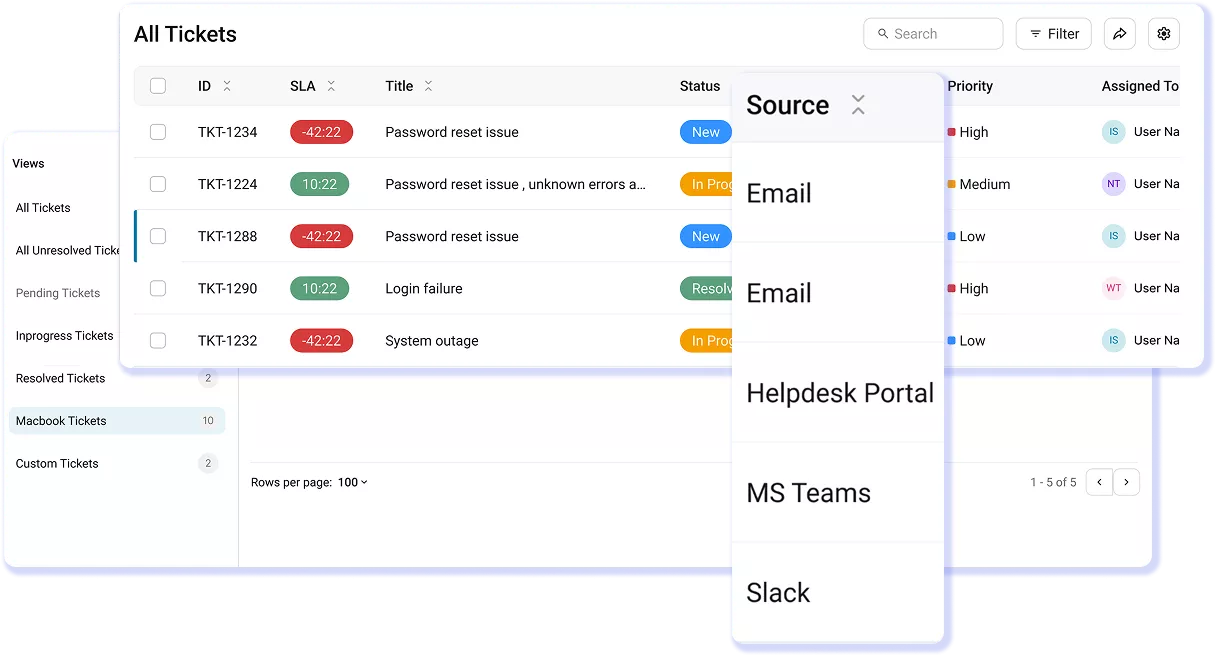
Capture requests from email, Microsoft Teams, Slack, the portal, or manual entry, and automatically unify them into a single queue. No separate inboxes to monitor. No tickets slipping through cracks. Every request is logged, timestamped, and tracked from the moment it’s created. Meet employees where they already work, without forcing process change. Learn more.
Automated Routing
Every Ticket to the Right Team, Automatically
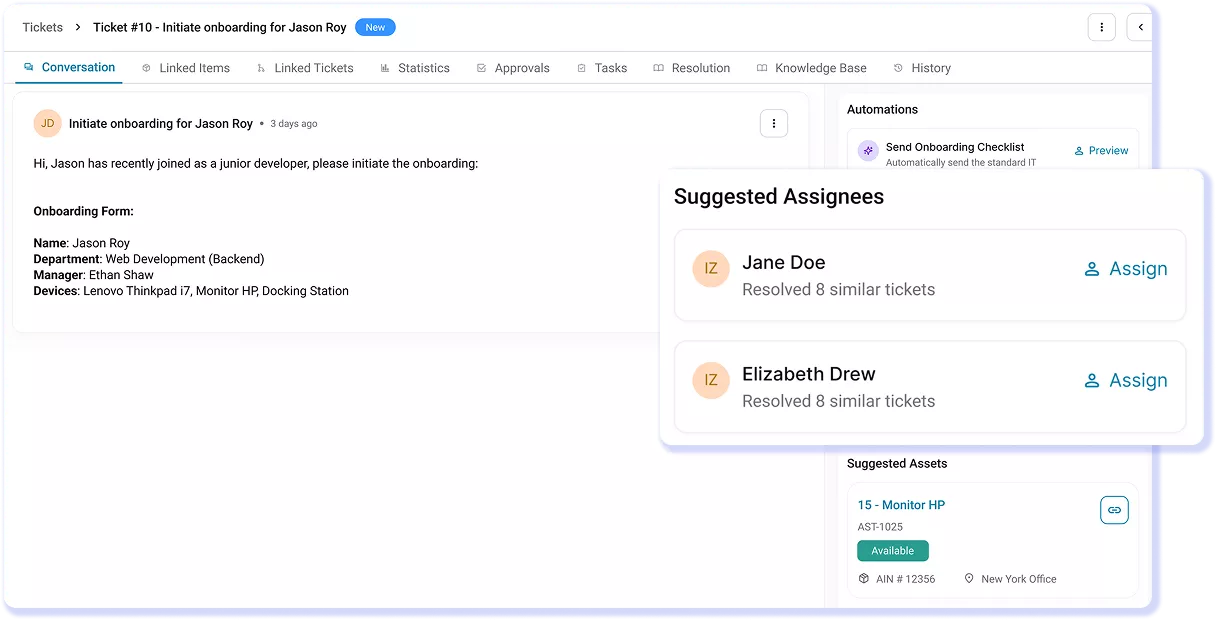
Automatically assign tickets based on availability, department, skills, and past resolution patterns so the right technician handles the request from the start. Eliminate manual triage and reassignment loops with rule-driven routing that keeps work flowing without intervention. Every ticket reaches the right owner instantly, ensuring faster, more consistent resolution. Learn more.
Multi-step Approvals
Sign-offs That Don't Slow Fulfillment Down
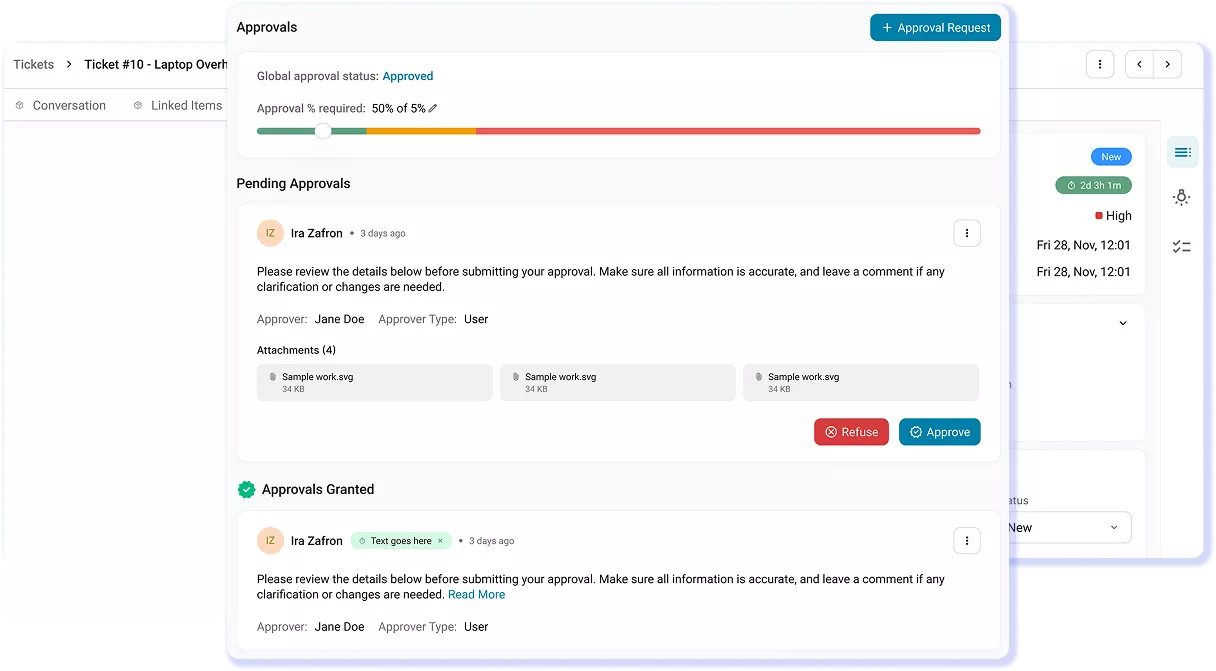
Attach multi-step approval workflows to any request with sequential or parallel paths, conditional routing, and approvals via email, Teams, Slack, or portal. Keep the right stakeholders involved without adding friction by enabling approvals directly from the tools they already use. Every approval is tracked, timestamped, and auditable, ensuring governance without slowing request fulfillment.
Learn more.
Parent-Child Tickets
Manage Complex, Multi-Team Requests as One
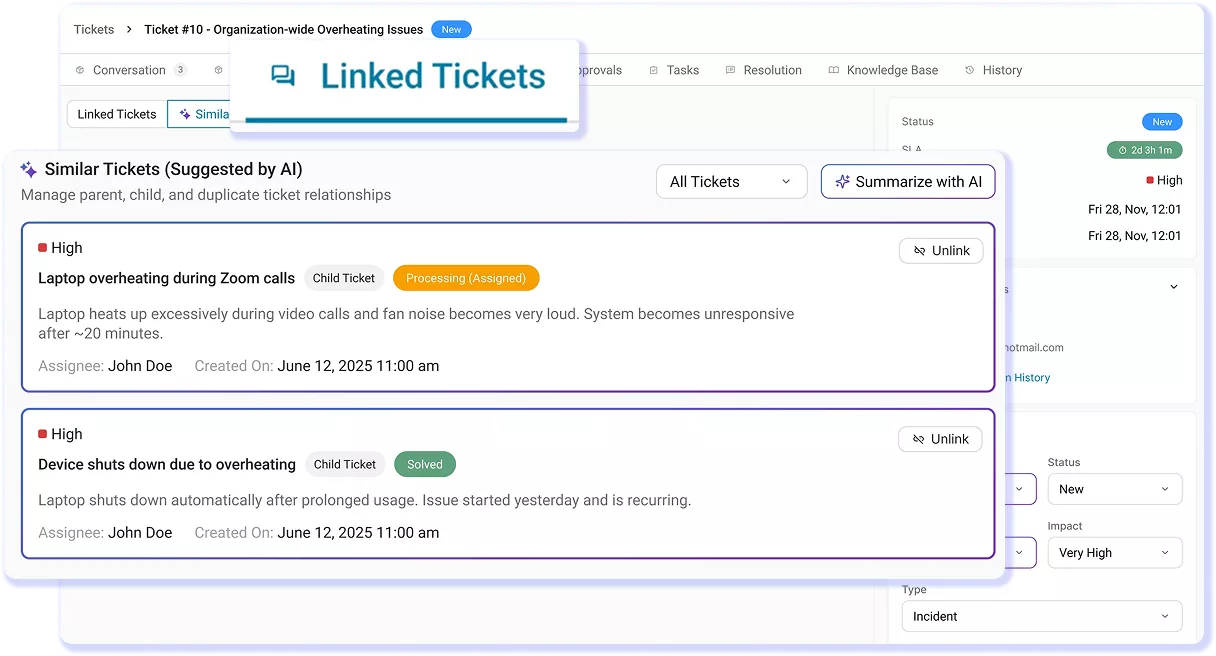
Split complex requests into sub-tickets across teams, all linked to a single parent for complete visibility. Enable parallel work while tracking progress in one place so cross-team requests stay aligned without gaps or delays. Ensure nothing falls through as tasks move across teams, keeping execution connected from start to resolution. Learn more.
AI Classification & Assignment
Let AI Classify, Prioritize, and Assign
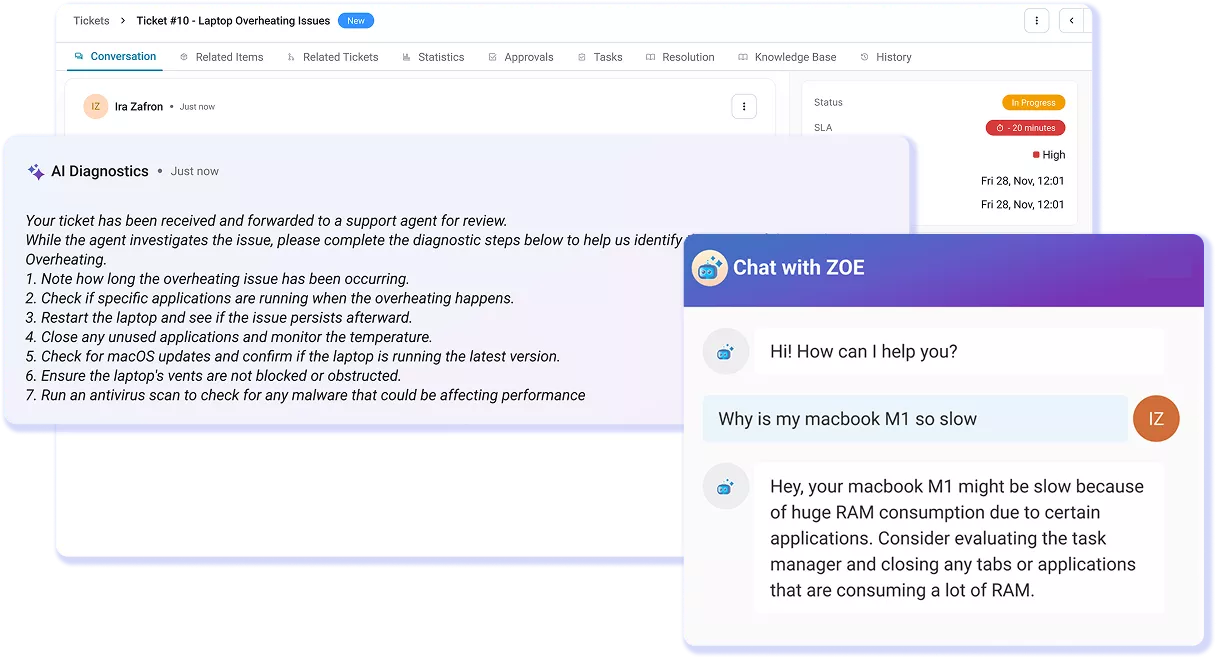
Auto-fill category, urgency, priority, and request details at ticket creation with Smart Field Suggestions, then route work faster with Smart Assignments. AI recommends technicians based on expertise, performance, SLA history, and workload while surfacing relevant knowledge and insights. Every suggestion is grounded in your real IT environment, ensuring accurate decisions, faster resolution, and full control for technicians.
Customer Testimonials
Turn Request Chaos Into Structured Fulfillment
Read More on Request Management in AssetSonar
Frequently Asked Questions
Yes, AssetSonar integrates natively with Microsoft Teams through its built-in IT support bot, enabling asset request approvals directly within Teams. Employees can submit requests, check status, and interact with tickets without leaving their workspace, while approvers receive real-time notifications and can approve or reject requests instantly.
Approval workflows are tied to service requests, with support for multi-step and conditional approvals based on criteria like cost or request type. Every action is tracked, timestamped, and logged within the ticket for full auditability.
Because approvals are enriched with asset context from the IT Graph, approvers can make informed decisions based on the requester’s device, software, and history without switching tools.
Yes, AssetSonar keeps asset records in sync with service desk activity by linking every ticket to its related asset through the IT Graph. When a ticket is resolved, any updates made during the process such as status changes, ownership updates, software modifications, or maintenance actions are reflected in the asset’s history automatically. This ensures that asset records stay current without requiring manual updates after ticket closure.
Technicians can also perform asset actions directly from the ticket such as check-in, check-out, or retirement so changes are captured as part of the workflow. The result is a continuously updated asset record that reflects real operational activity, improving visibility, audit readiness, and lifecycle tracking.
AssetSonar improves request resolution time by removing the delays that typically slow IT teams down. Every ticket is automatically enriched with asset context—device details, software, ownership, and history—so technicians can start diagnosing immediately without back-and-forth.
Automated routing assigns requests to the right technician based on availability, skills, and past performance, eliminating manual triage and reassignment loops. AI further accelerates resolution by suggesting categories, surfacing relevant knowledge articles, and recommending next steps.
Combined with structured request intake and real-time SLA tracking, AssetSonar ensures requests move faster through the system with fewer blockers, helping IT teams resolve issues efficiently and consistently at scale.
Yes, employees can submit IT requests in AssetSonar directly through tools like Microsoft Teams and Slack using native integrations.
With built-in bots, users can create tickets, respond to updates, check request status, and even access knowledge base articles without leaving their chat environment. This allows employees to raise requests from the tools they already use, eliminating the need to switch to a separate portal.
All requests, whether submitted via Teams, Slack, email, or the portal, are automatically captured in a unified queue for IT. This ensures nothing gets missed while maintaining a consistent, trackable workflow, improving both employee experience and request visibility for IT teams.
AssetSonar stands out from standalone request management or ITSM tools by combining request workflows with a native IT asset management layer. Every ticket is automatically enriched with real-time asset context—device details, software, ownership, and history—so technicians don’t need to gather information before acting.
This IT Graph approach ensures requests are handled with full operational visibility from the start. In addition, automation for routing, approvals, and SLA tracking is driven by this live data, not just ticket fields or static rules.
Because ITAM and ITSM operate on the same platform and data model, there’s no integration overhead, data silos, or sync delays; just a unified system that executes work based on actual IT conditions.
Yes, AssetSonar’s IT asset system can update inventory as part of the help desk workflow when tickets are resolved. Because every ticket is linked to an asset through the IT Graph, any actions taken during resolution such as ownership changes, status updates, software installs, or maintenance activities are reflected in the asset record automatically.
Technicians can also perform asset actions directly within the ticket like check-in, check-out, or retirement, ensuring updates happen in real time without separate processes. This keeps inventory accurate and continuously aligned with operational activity, eliminating manual reconciliation and improving visibility, audit readiness, and lifecycle tracking across your IT environment.
AssetSonar supports compliance tracking within request management by embedding governance into every stage of the request lifecycle. Requests are captured through structured forms with required fields, ensuring complete and consistent data from the start.
Multi-step approval workflows create a clear audit trail with every action—submission, approval, rejection, and update—tracked and timestamped. Because each request is linked to assets, users, and software through the IT Graph, teams can verify access, ownership, and entitlement before approving changes. SLA policies and escalation rules ensure requests are handled within defined timelines.
Together, this provides end-to-end visibility, accountability, and traceability, helping IT teams meet internal controls, audit requirements, and compliance standards without relying on manual documentation.
AssetSonar’s request management includes multi-channel intake (portal, email, Microsoft Teams, Slack), a unified ticket workspace, and a structured service catalog with dynamic forms. Every request is enriched with asset context—device, software, ownership, and history—through the IT Graph.
Automated routing and AI-powered smart assignments ensure the right technician handles each request. Multi-step approval workflows, SLA management, and real-time dashboards provide control and visibility. A self-service portal with AI-powered knowledge suggestions helps deflect common requests.
Technicians can link tickets, create parent-child workflows, and perform asset actions directly within tickets. Together, these features create a system that executes requests with context, automation, and full request lifecycle tracking.
AssetSonar handles duplicate tickets by allowing technicians to identify, link, and manage them as related or duplicate requests within the same workflow. When multiple users report the same issue, tickets can be connected so all activity is tracked in one place, avoiding repeated work.
Technicians can resolve one primary ticket while keeping others linked for visibility and communication. The system also surfaces similar or related tickets, helping teams quickly spot duplicates early.
This ensures consistent updates across all affected users, reduces redundant effort, and improves resolution speed while maintaining a clear audit trail of all related requests.
You likely need a request management tool once requests start getting lost, delayed, or handled across scattered channels like email, Slack, or hallway conversations. As request volume grows, lack of structure leads to missed tickets, unclear ownership, and no visibility into workload or performance.
A request management system centralizes intake, enforces consistent workflows, and provides tracking from submission to resolution. It also introduces automation for routing, approvals, and SLAs, reducing manual effort.
Instead of reacting to issues, IT teams gain control, visibility, and accountability. If your team is spending more time organizing requests than resolving them, it’s a strong signal that it’s time to adopt a structured system.