








AssetSonar Features It Workflow Builder
IT Workflow Builder
Build IT Workflows With No-Code Automation
Proven Impact Across IT Teams
50%
Less Manual Work
2X
IT Productivity
50%
Savings on FTE Costs
Design, Connect, and Automate IT Workflows in One Place
Build Workflows on a Visual Canvas
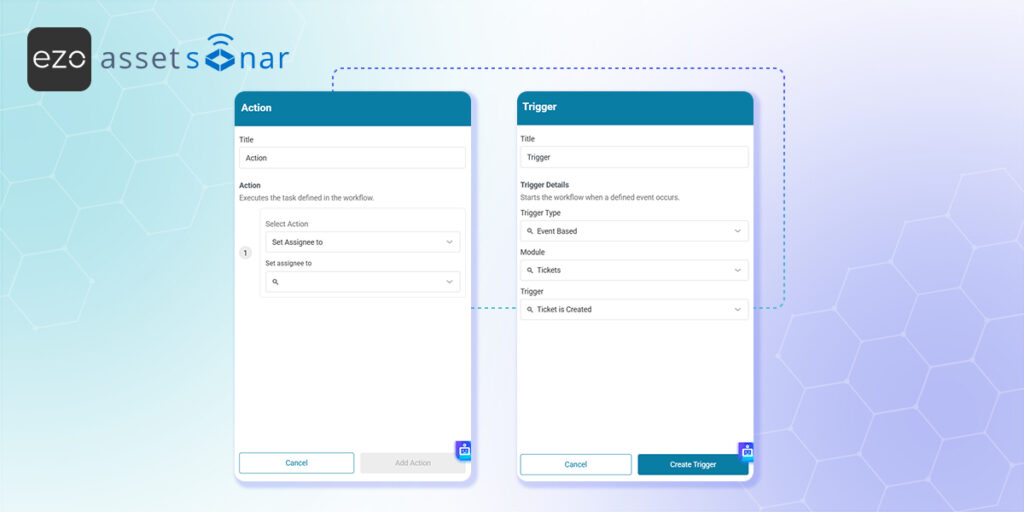
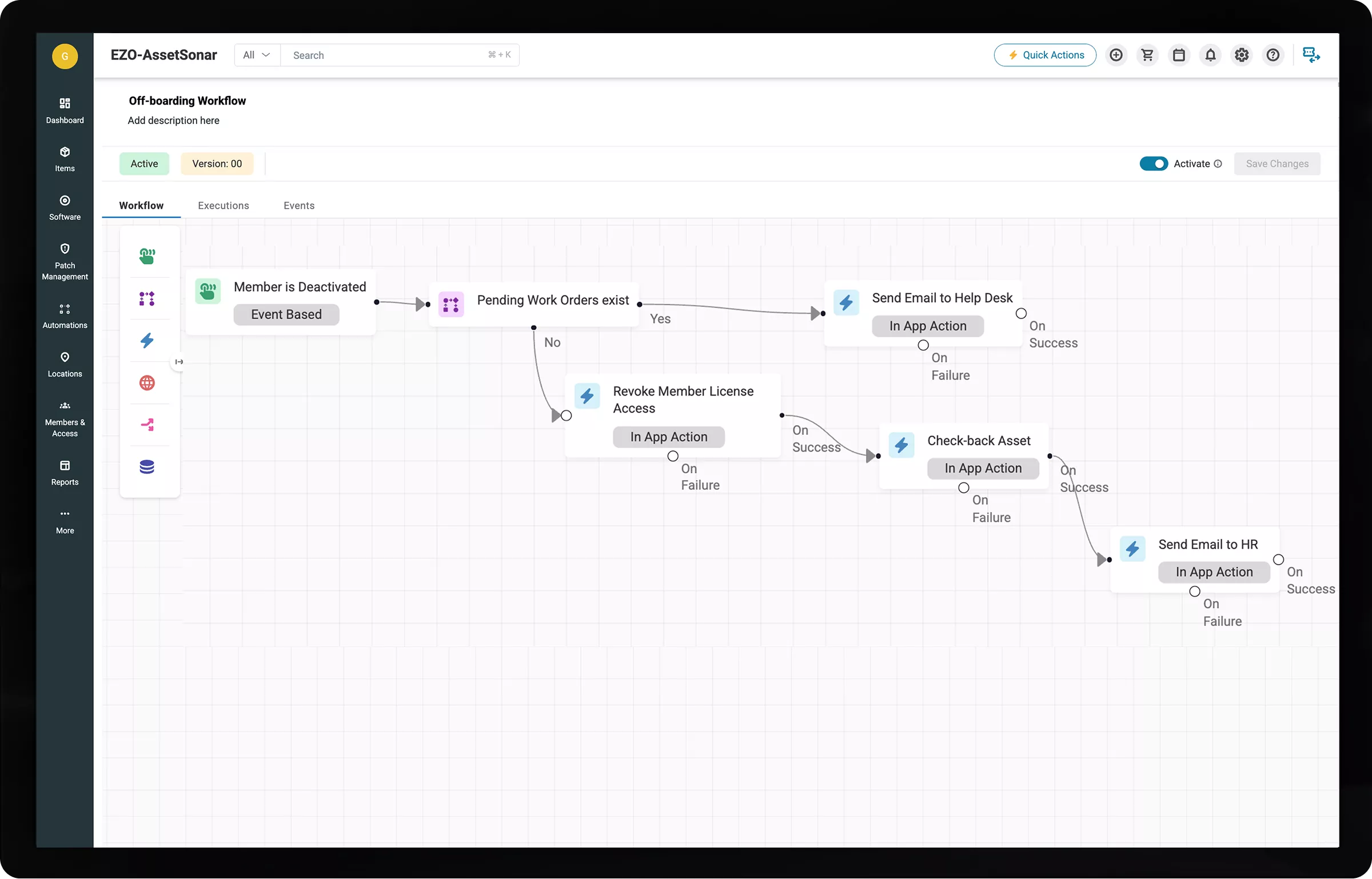
Drag Trigger, Condition, and Action nodes onto a visual canvas and connect them. Module-aware settings help IT build, update, and activate workflows without scripting.
Start Workflows From Any IT Trigger
Run automations from any IT event, scheduled time, or webhook. When workflows share the same trigger, define their execution order to keep every process coordinated.
Apply Automation Only Where Needed
Set clear criteria, so workflows act only on records that match each process. This reduces unintended changes, avoids unnecessary runs, and keeps automation focused.
Route Actions by Execution Outcome
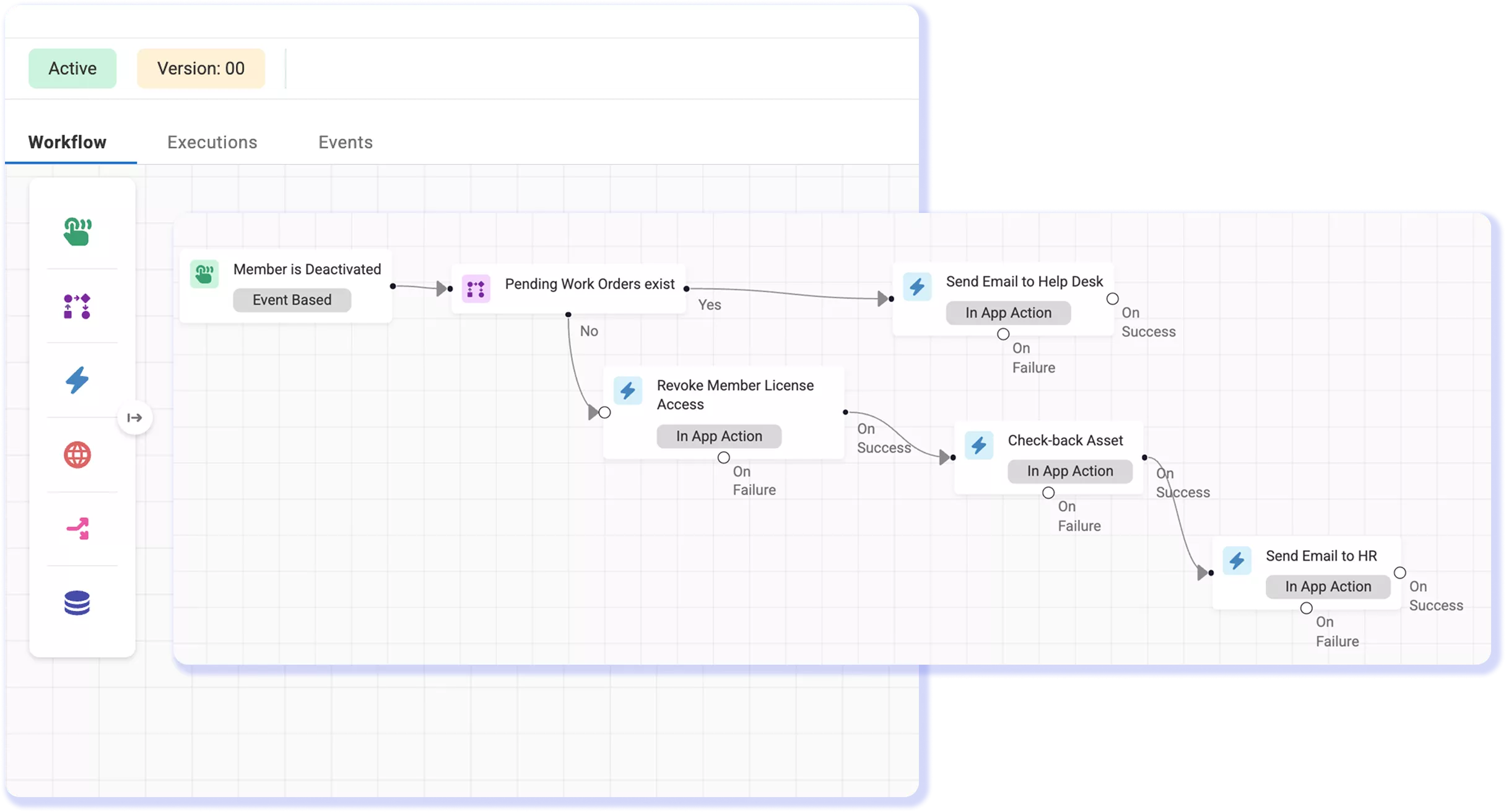
Chain actions in sequence and route each result through On Success or On Failure. IT teams can continue or stop the process and send alerts based on each node’s outcome.
Run Actions With Live IT Context
Use placeholders to pass current asset, owner, ticket, or member values into downstream actions. Each step accurately uses connected context from the AssetSonar IT Graph.
Inspect Each Workflow Execution
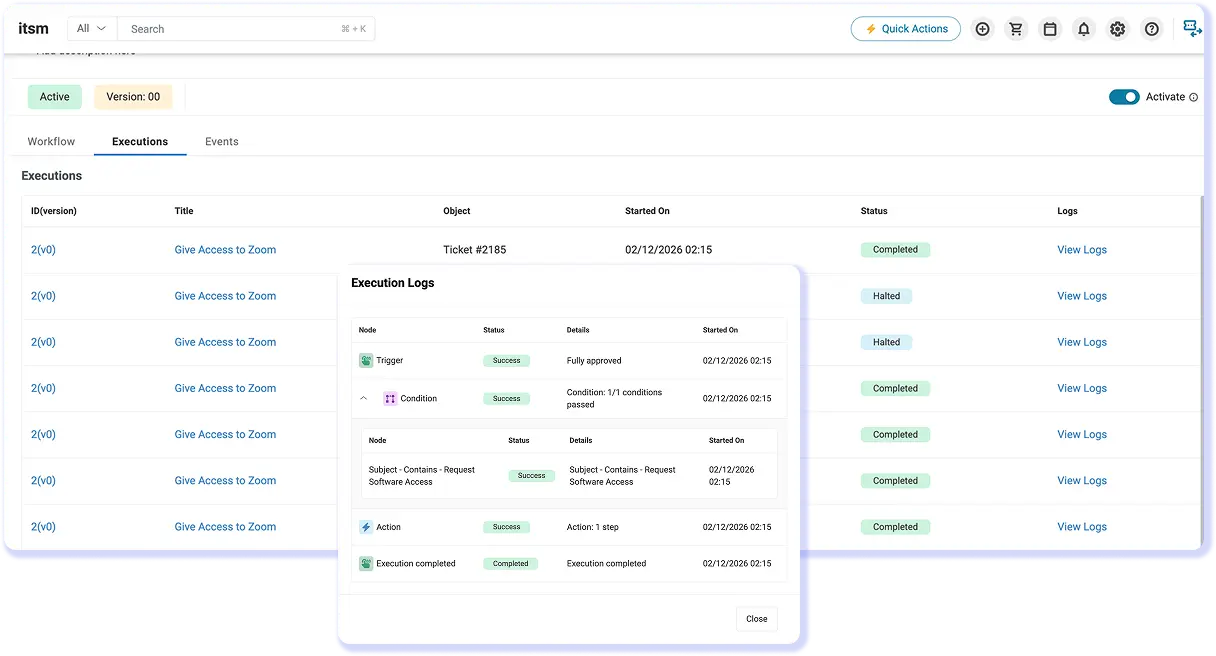
Open the Executions tab to trace triggers, condition results, action outcomes, errors, and timestamps. Filter runs and inspect retained web request details in place.
Trusted by High-Performing Teams


Turn Repetitive IT Work Into Reliable Workflows
Build Smarter IT Workflows From Trigger to Outcome
No-Code Canvas
Workflow Triggers
Conditions & Branching
Automation Actions
Connectors & API
Execution & Logs
No-Code Canvas
Shape Logic on a Visual Canvas
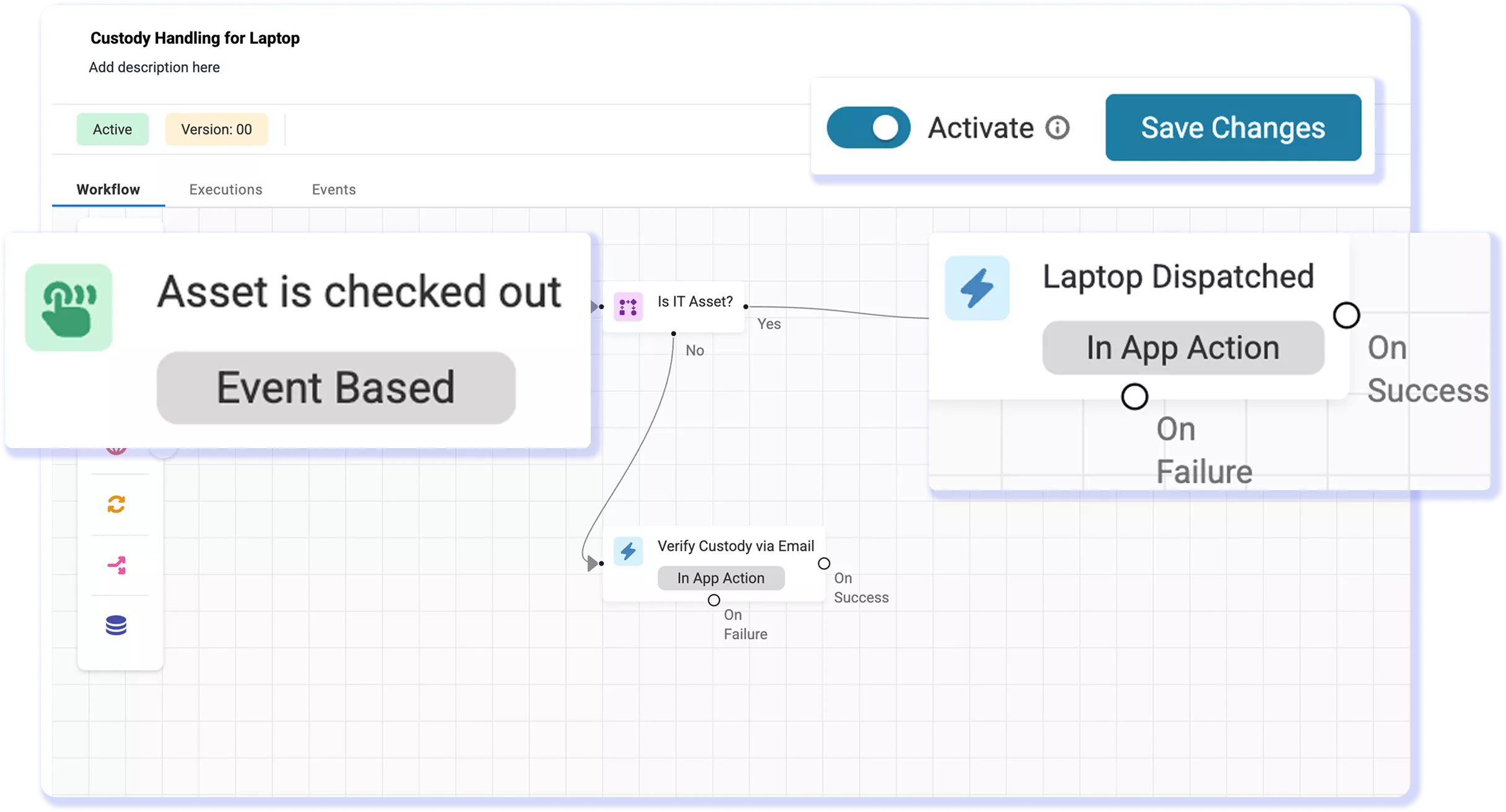
Add a Trigger node and select the record area that applies to the workflow. Then connect Condition and Action nodes to shape the process visually. This selection determines which fields, rules, actions, and placeholders are available. Each workflow uses one Trigger and requires at least one Action, keeping the setup structured and easier to review.
Workflow Triggers
Trigger Work When It Matters Most
Use an Event-Based trigger when a supported record changes or a Time-Based trigger for scheduled work. The trigger determines when AssetSonar evaluates the workflow, while conditions and actions define what follows. If workflows share a trigger, assign distinct sequence values to control order. Lower values run first; equal values may run in either order.
Conditions & Branching
Route Records To The Right Path
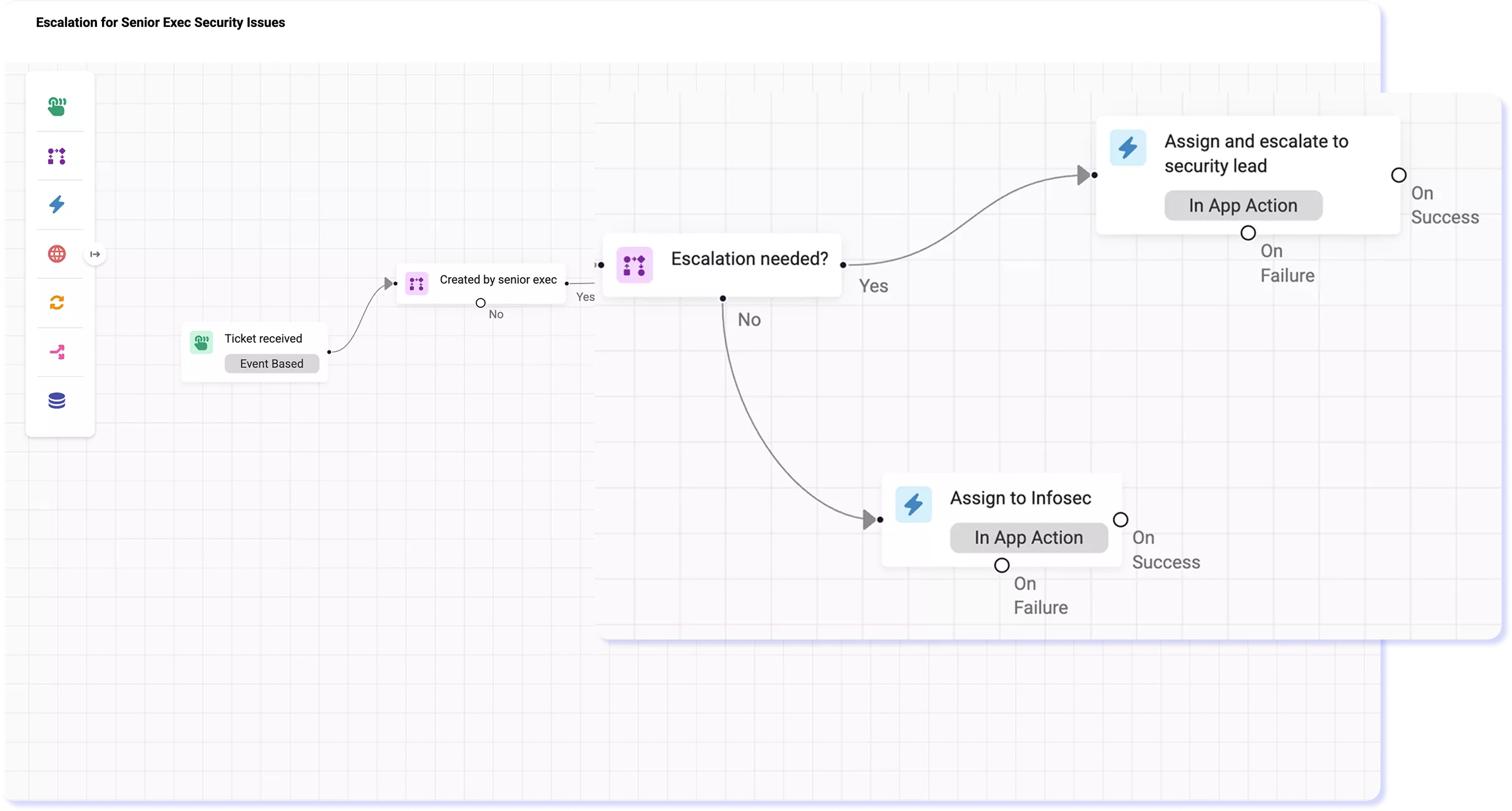
Add module-specific conditions to determine which records continue. Combine filters with nested AND/OR logic to create precise rules, while the canvas automatically generates Yes and No paths. Each Action node also bifurcates into On Success and On Failure branches, allowing IT to route failed steps to an alert, another section, or a stop path for a clear outcome.
Automation Actions
Execute Actions Across Your IT Stack
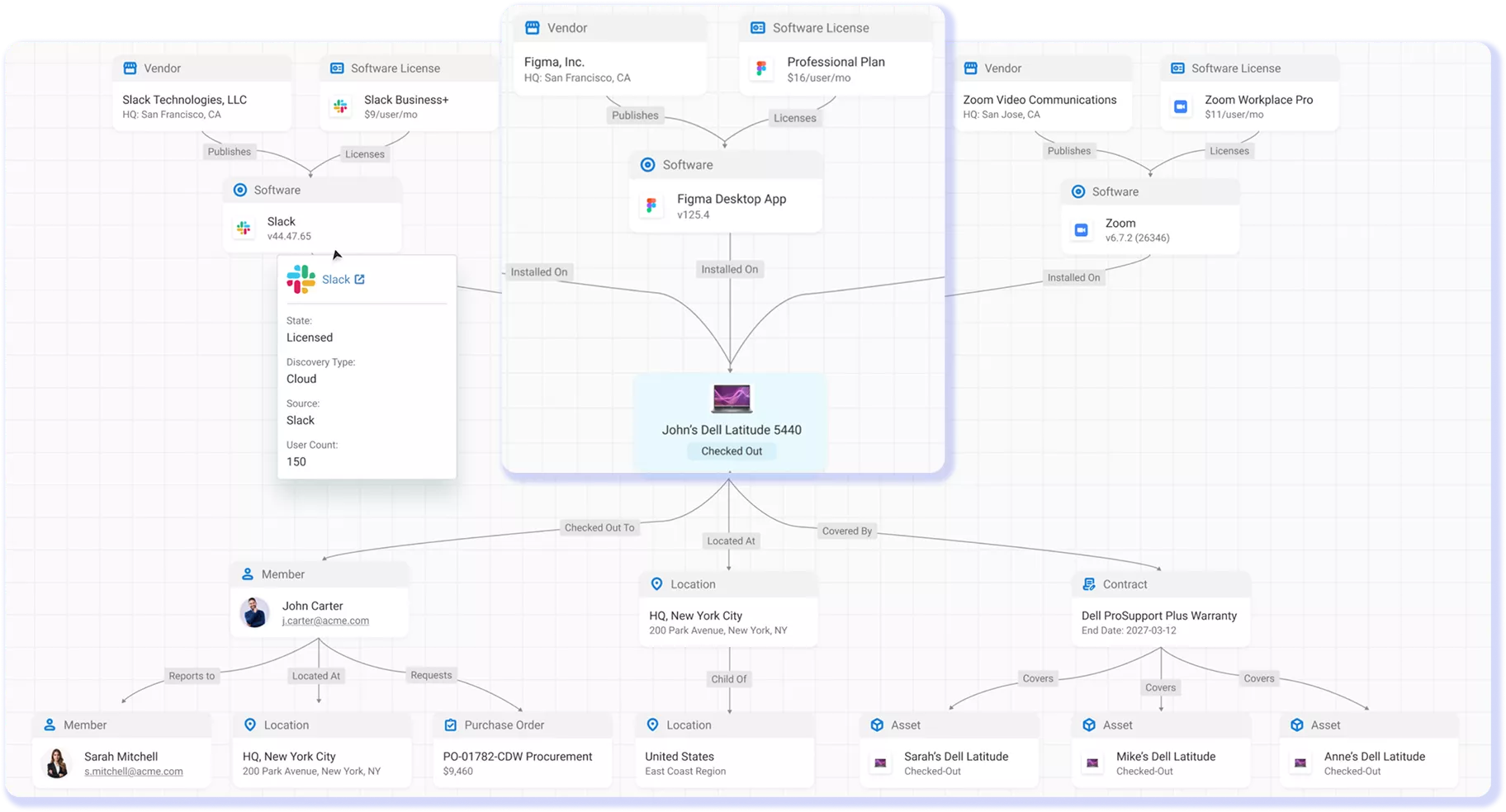
When a workflow runs, actions update records, send emails or notifications, and invoke supported app operations. Chain actions in sequence and use placeholders to pass values, such as an asset name or owner, into later steps. Each action draws from AssetSonar’s IT Graph, reflecting current asset state and ownership more accurately than copied values.
Connectors & API
Extend Workflows Beyond Your ITAM Tool
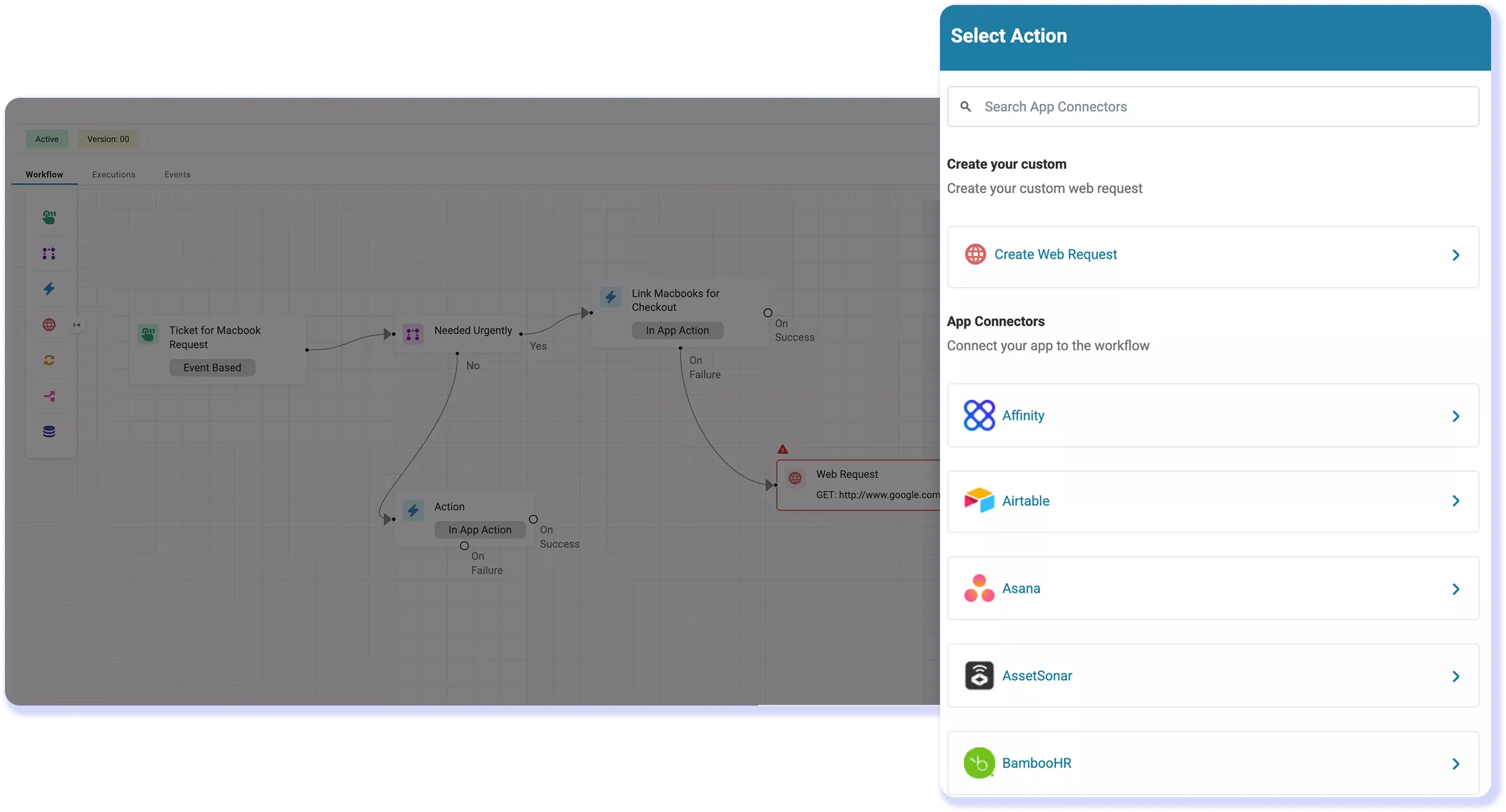
Extend workflows with 30+ prebuilt app connectors, API, and a Web Request node for HTTP calls to systems without a native connector. Use Data Transformation to filter, sort, or deduplicate returned data before the next node runs. Pass structured results between steps while keeping execution logic and troubleshooting centralized within the workflow.
Execution & Logs
Trace Each Execution to Its Source
Open the Execution tab to review each run’s trigger, time-stamped node status, condition results, action outcomes, and errors. Filter by trigger, status, or module to narrow the list. For Web Request and App Connector nodes, detailed inputs, request data, and responses remain available for seven days, while high-level status remains afterward for review.
Customer Testimonials
Automate IT Work Without Losing Control
Explore More IT Workflow Automation Resources
Frequently Asked Questions
AssetSonar can automate work tied to assets, software, members, purchase orders, and work orders. Teams can start an asset lifecycle workflow when a record changes or a due date arrives, apply module-specific conditions, then update the record, notify stakeholders, or invoke a connected app. Practical uses include asset assignment and custody updates, inactive-device cleanup, purchase order follow-up, renewal reminders, license reclamation, and audit follow-ups. Available conditions and actions depend on the module selected in the Trigger node, so the builder presents the fields and operations relevant to that record.
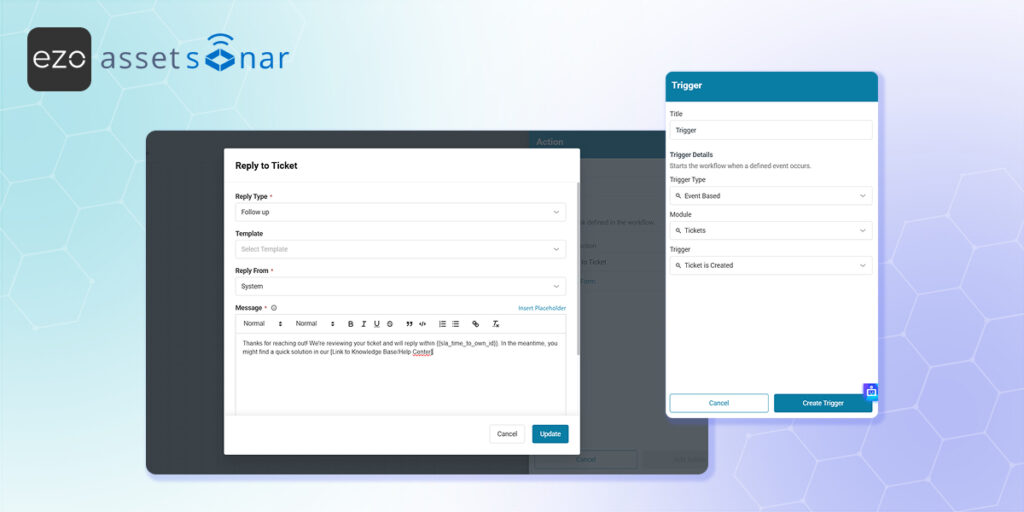
Yes. AssetSonar can use ticket events as workflow triggers and apply conditions to route service work using ticket fields. IT teams can automate ticket assignment, send an acknowledgment when a ticket is created, update related records, close eligible tickets, and trigger notifications or escalations around service-level agreement (SLA) risk. Because AssetSonar connects tickets with users, devices, software, and service history, workflow actions can use that context rather than relying only on ticket text. The exact conditions and actions shown depend on the selected ticket event and module configuration.
Yes. AssetSonar can start onboarding or offboarding automation from a member event, HR signal, webhook, or supported app connector. A workflow can use member and asset context to update records, send notifications, call identity or communication systems, and route failed steps for review. For offboarding, documented member automations can revoke licenses and lock devices through supported mobile device management (MDM) controls when a user is deactivated. Prebuilt connectors such as Microsoft Entra and Microsoft Teams, along with custom Web Requests, can extend the process beyond AssetSonar.
Yes, but the configuration depends on the process being automated. The IT Workflow Builder can react to approval events or related record changes, evaluate conditions, and run notifications, record updates, or connected actions. Purchase order approvals use AssetSonar’s dedicated multi-tier procurement workflow controls, where teams can define criteria such as amount, vendor, or delivery location and route requests to named users, roles, or a manager hierarchy. This lets procurement retain its approval-specific routing controls while related follow-up work continues through AssetSonar’s wider automation capabilities.
The module selected in the Trigger node establishes the record context for the workflow. It determines which fields are available for conditions, which in-app actions can be configured, and which placeholders can pass data into later steps. In an asset workflow, for example, downstream nodes can use relevant asset values such as the name, owner, location, or status. Selecting the module first also prevents the builder from presenting actions that do not apply to the triggering record. This module-aware setup makes the canvas an IT workflow designer rather than a generic process diagram.
Yes. AssetSonar provides prebuilt app connectors for supported services. IT teams can use a Webhook trigger to receive an external signal or a Web Request node to call an API. Web Requests support GET, POST, PUT, PATCH, and DELETE methods, along with headers, query parameters, request bodies, pagination, and multiple authentication methods. Data returned by an app connector or API call can be mapped into later workflow steps through expressions and placeholders.
Yes. AssetSonar can process arrays returned by a Web Request or another data-producing node. A Data Transformation node can filter or deduplicate data before it continues. A Split node can separate an API response into individual items, while a Loop node can run connected steps once for each item. Teams can choose whether a loop continues after an item fails or stops at the first failure, then inspect individual iterations in the Execution Logs. Nested Loop nodes are not currently supported.
AssetSonar saves credentials created for Web Requests in a credential vault so they can be reused instead of entered into every node. Prebuilt app connectors prompt for the authentication details required by the selected service, such as OAuth 2.0, and a saved connection can be selected in later workflows. Web Requests support Basic Auth, Header Auth, OAuth 2.0, or No Auth, depending on the endpoint. For the native AssetSonar connector, credentials are prefilled for Account Owners, Administrators, and custom roles with access to Settings.
Build Smarter & Controlled IT Workflows
Design no-code automations, connect IT systems, route actions by outcome, and trace every execution from trigger to result with AssetSonar.