







Meet the help desk that knows your IT from day one.

AssetSonar Features License Discovery & Tracking

License Discovery & Tracking

Reconcile Every License Against Real Installs

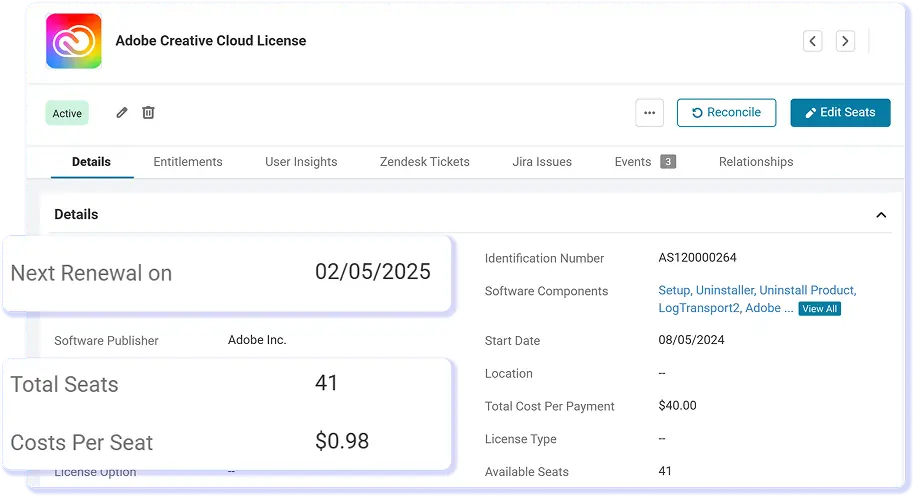
AssetSonar imports license entitlements from supported sources, detects installed applications with the ITAM Agent, and reconciles both so IT teams can review assigned and unassigned records.
Best Meets Requirements
High Performer Mid market
best support-2026
Momentum Leader

No Credit Card Required

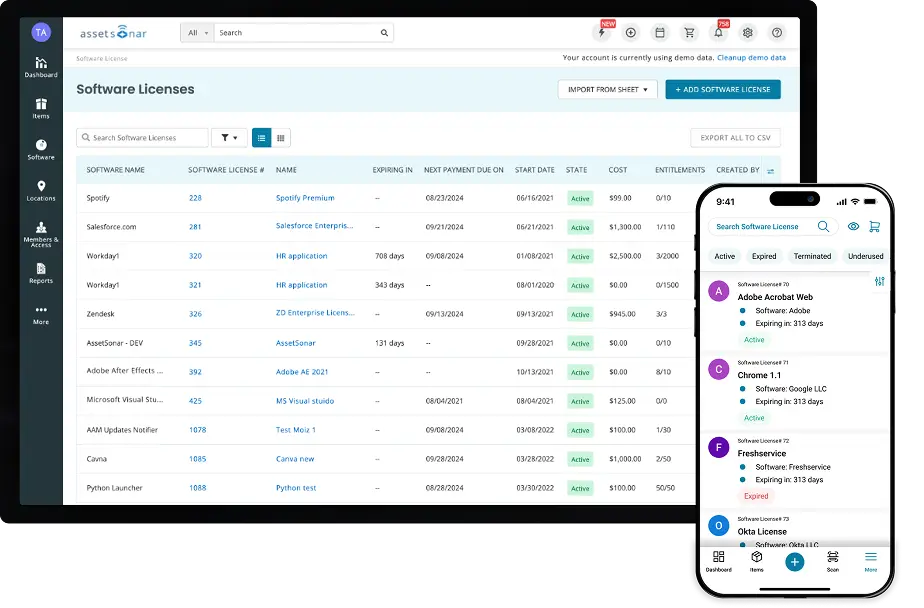
AssetSonar software license list on desktop and mobile showing status, costs, and entitlements

Proven Impact Across IT Teams

90%

Improvement in Data Accuracy

100%

License Reconciliation

30%

Potential SaaS License Savings

Discover and Track License Data Accurately

Reduce Manual Entitlement Upkeep

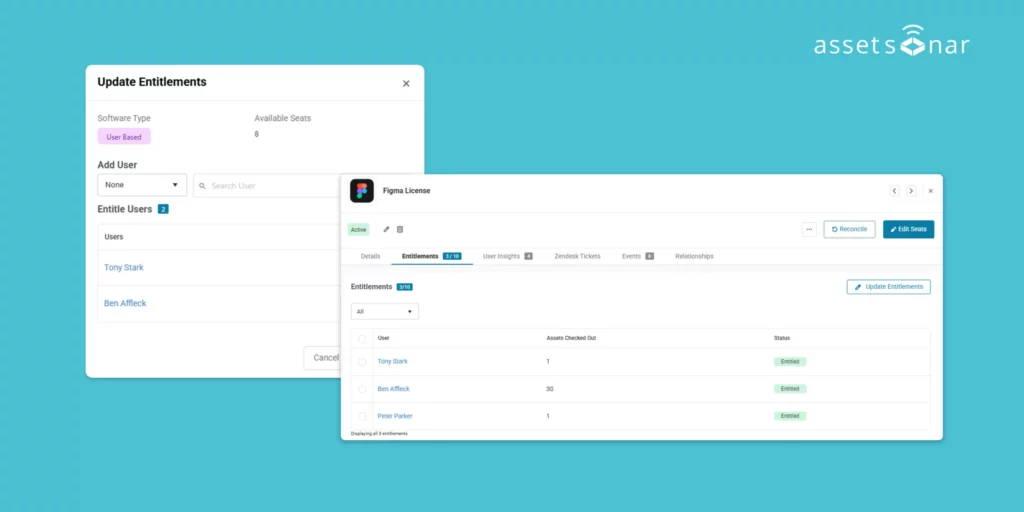
Sync seats and assignments from supported sources such as Microsoft 365, Okta, and Azure, reducing manual entry while keeping each license tied to its source data.

Detect Installed Software at Scale

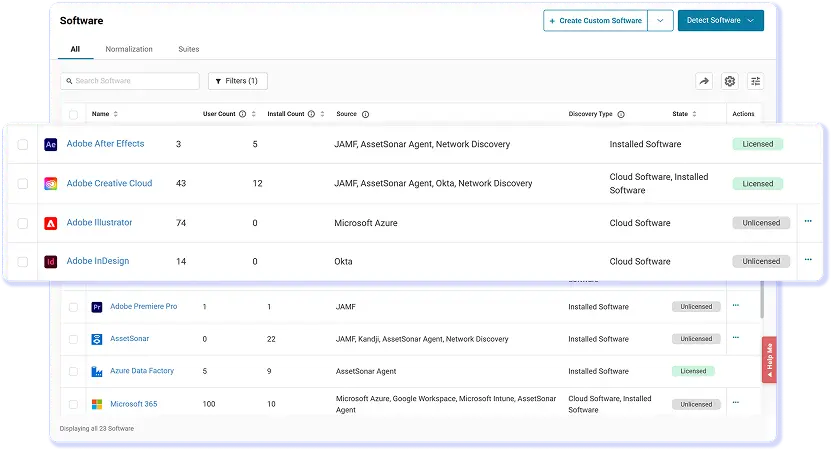
Use the ITAM Agent to identify applications across supported Windows, macOS, and Linux devices, giving IT a measured view of where licensed software is deployed.

Reconcile Records Against Installs

Compare entitlements with detected installations, then update status and installation views so IT can review where assignments and actual deployments differ.

Identify Potential Entitlement Gaps

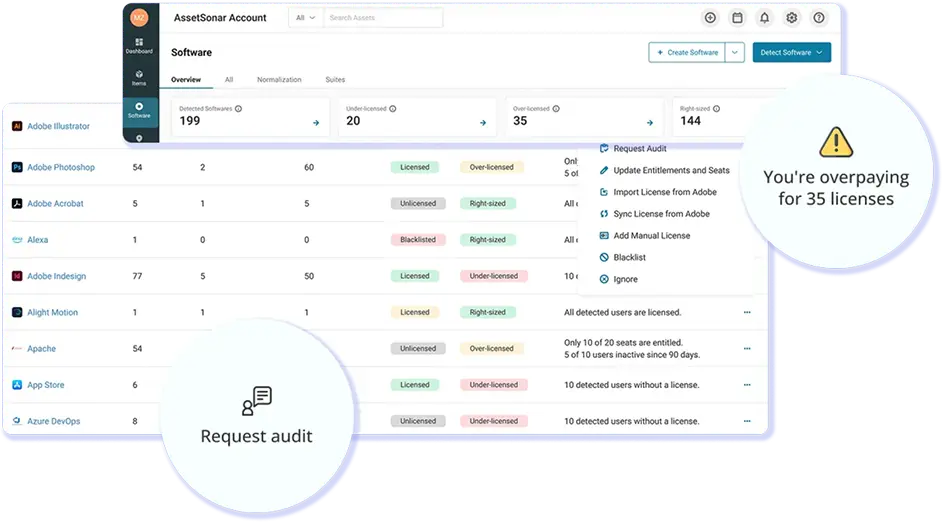
Surface every device with a software installation that does not match a user entitlement, so IT can identify license gaps before an audit.

Distinguish Assignment From Usage

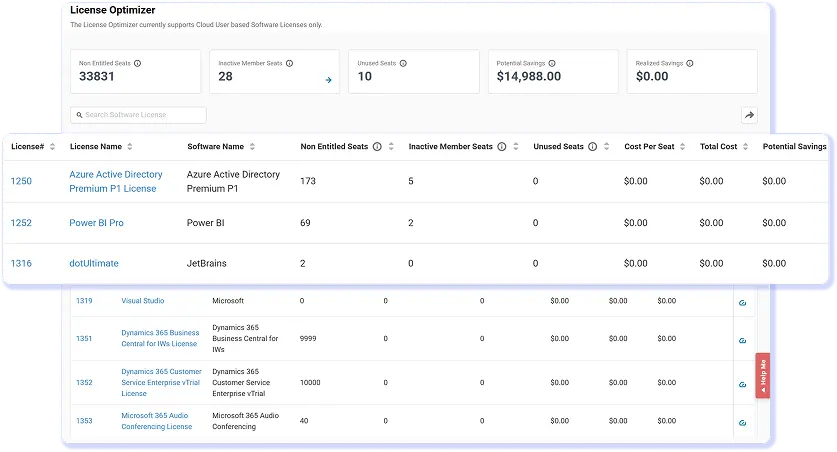
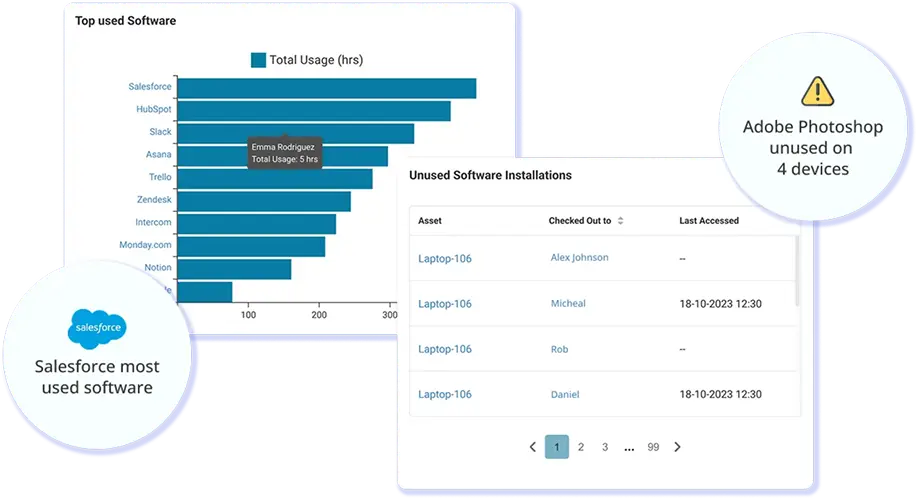
Use Software Metering and Chrome Browser Tracking to compare assigned entitlements, so IT can identify licenses with little use for review before the next renewal cycle.

Investigate With Connected Context

Connect every license to the device on the IT Graph to understand ownership, installation, and assignment details before resolving discrepancies.

Trusted by High-Performing IT Teams

See What You Own Against What Is Deployed

Build a Clearer, Current License Position

Customer Testimonials

Stop Parsing Requests. Start Fulfilling Them.

Frequently Asked Questions

AssetSonar combines entitlement synchronization, endpoint discovery, and license reconciliation. Eligible licenses can import assignment data from supported connected sources, while the ITAM Agent detects installed applications across Windows, macOS, and Linux devices. Running “Reconcile” compares installations with configured entitlement criteria and updates assigned and unassigned installation records.

Yes. Through a supported Microsoft 365 connection, AssetSonar can import license plans, seat totals, entitlements, assignment data, and relevant dates. Eligible licenses can remain associated with their source in Automatic mode, reducing manual record maintenance. IT teams can review this entitlement data alongside detected installations and available activity signals.

Yes. The AssetSonar ITAM Agent detects installed applications on supported Windows, macOS, and Linux endpoints, including devices used outside the corporate network. It connects detections with related software and device records so IT can review deployments centrally. The Agent must be installed on the endpoints being inventoried, and discovery does not guarantee extraction of a valid license key from every application.

AssetSonar can evaluate user-based, machine-based, or combined user-and-machine entitlement criteria. When IT reconciles from an active license record, AssetSonar refreshes relevant Agent data, compares detected installations with configured rules, and organizes the results into Assigned and Unassigned Installations. This gives teams a focused set of discrepancies to investigate.

AssetSonar places installations without the expected entitlement in the Unassigned Installations view. IT can open the related software, user, device, and license records to investigate ownership and assignment details, then assign an appropriate entitlement or take another supported action. An unmatched installation is a review signal rather than automatic proof of noncompliance.

Yes. AssetSonar treats entitlement assignment and recorded activity as separate signals. Software Metering and Browser Tracking can help teams compare assigned access with available usage evidence before changing seat counts, reclaiming a license, or planning a renewal. Low recorded activity should prompt further review rather than automatic removal of the entitlement.

AssetSonar can combine browser activity, available software-metering data, and entitlement information from supported connected sources to help IT compare assigned access with recorded usage. Coverage depends on the application, integration, browser, and tracking method configured, so the feature should not be interpreted as universal discovery of every SaaS application or license agreement.

AssetSonar can reduce spreadsheet dependence by centralizing supported entitlement data, detected installations, assignments, and available usage signals. Automatic synchronization and the ITAM Agent reduce manual updates, while reconciliation identifies assigned and unassigned installations. Teams must still maintain accurate vendor agreements and manually manage licenses that cannot be synchronized.

Find License Gaps Before Renewals

Sync entitlements, detect installed software, compare assignments with usage, and investigate potential gaps from connected user and device records.