

AssetSonar Government
IT Asset Management for Government
Turn Asset Records Into Control Evidence
Where Government IT Asset Management Loses Control
Limited Software License Visibility
Purchased seats, deployed installs, entitlements, and renewals sit in separate records, leaving the agency unable to verify software license compliance before a true-up.
Asset Records Split Across Systems
Directory, endpoint, and deployment tools capture part of the IT estate, while custody, location, service, and retirement details often remain fragmented across systems.
Manually Assembled Audit Evidence
When a control assessment or records request arrives, government IT teams have to manually assemble evidence from disconnected systems, exports, and spreadsheets for review.
Unapproved Devices and Software
Unknown devices and software outside procurement can remain untracked until a departure, physical audit, license review, or disposal event brings them into the record.
Unify Government IT for Transparent Operations
Hardware Asset Management
Software Asset Management
IT Service Management
Patch Management
Workflow Automation
Mobile IT Management
Hardware Asset Management
Reconcile Device Data Across MDM Tools
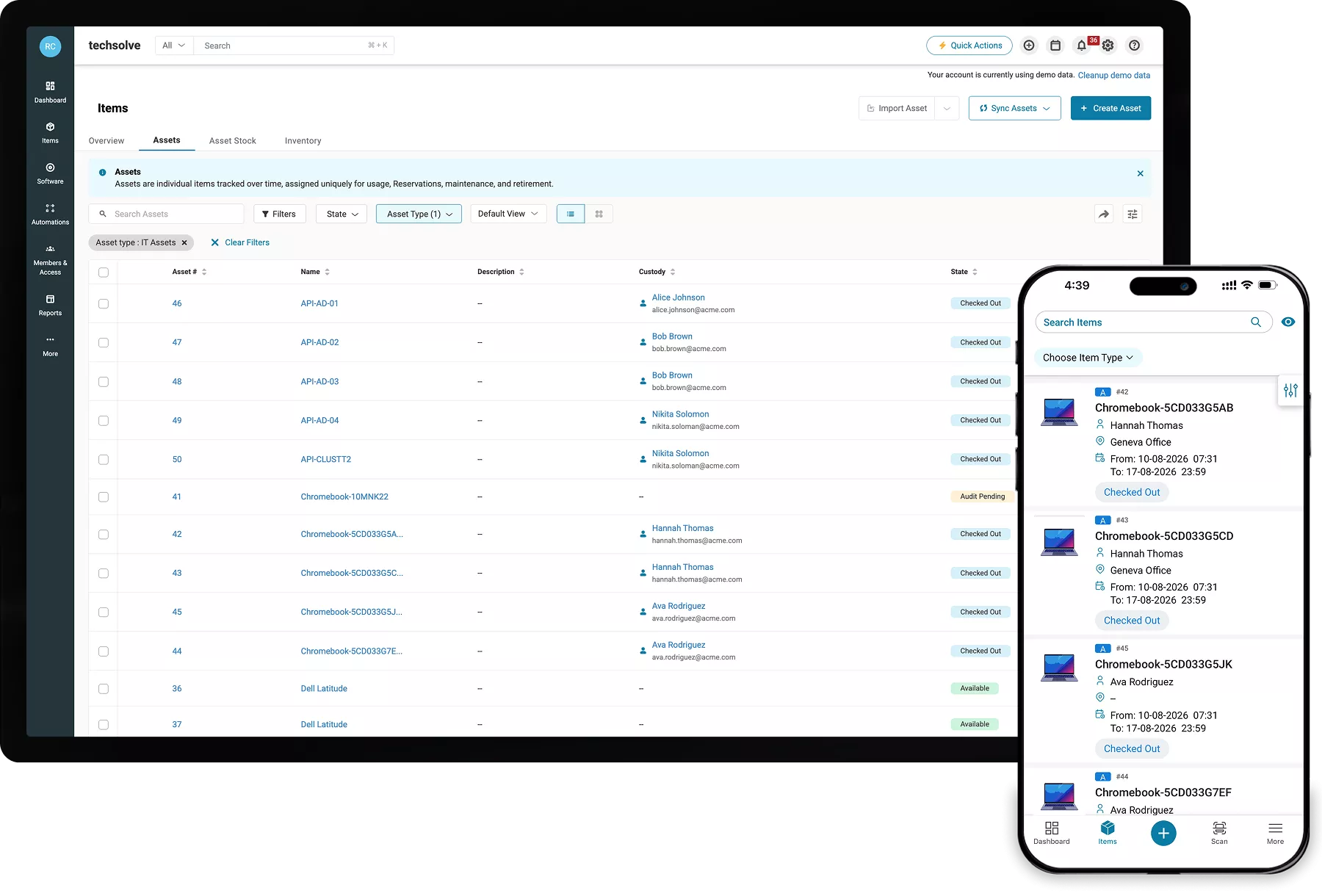
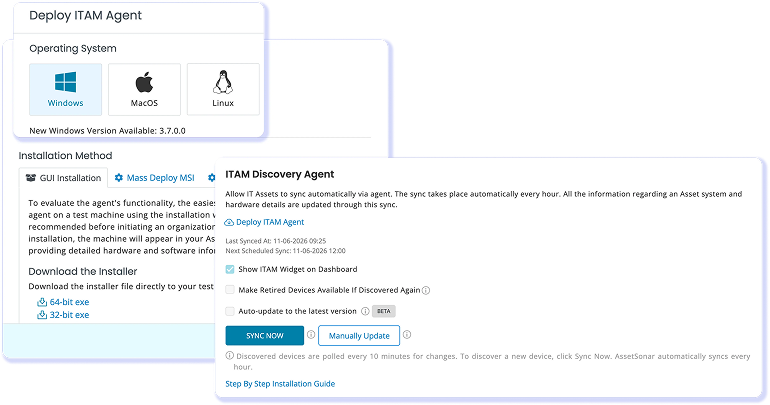
Track laptops, desktops, servers, network equipment, and mobile endpoints across departments and facilities. AssetSonar reconciles data from the ITAM Agent, SCCM, endpoint tools, and network discovery, then connects each device to its custodian, location, warranty, service history, and lifecycle status for government IT operations at scale.
Software Asset Management
Validate Your License Position Before Review
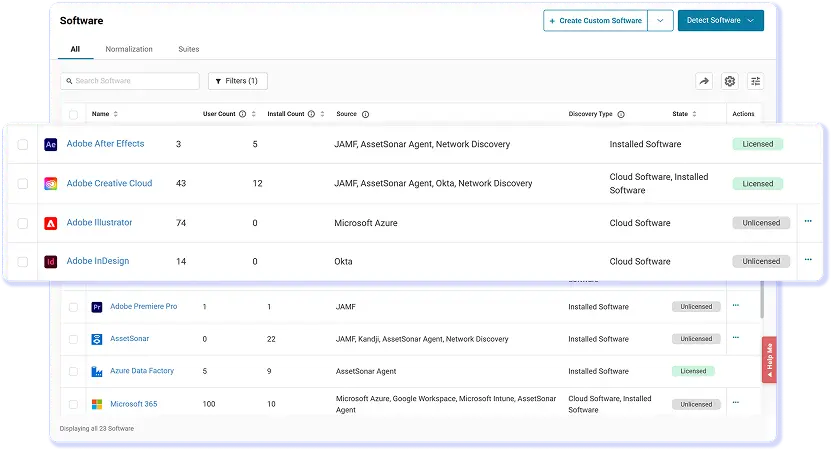
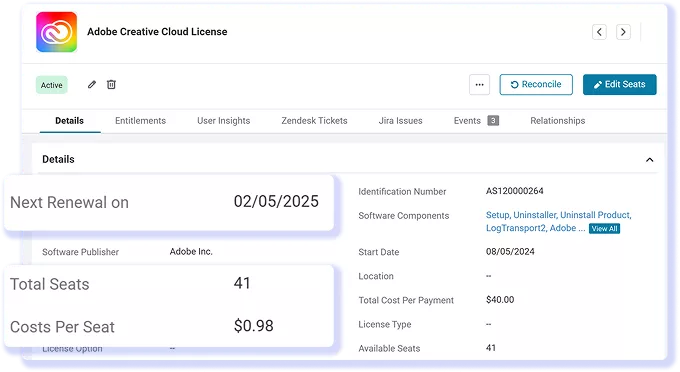
With Advanced SAM, unify departmental software in the software catalog. AssetSonar normalizes application names, connects installs to entitlements and renewal dates, and marks software as licensed, unlicensed, or blacklisted. Government IT teams can then review unused seats and identify unapproved applications before renewals, true-ups, or reviews.
IT Service Management
Resolve Requests With Asset Context Attached
Open each request with its device context attached, including custodian, department, location, warranty, and service history. With the ITSM plan, AssetSonar’s native service desk connects forms, approvals, incidents, SLA management, and request tracking, so government IT staff can resolve requests without gathering asset details from separate systems.
Patch Management
Patch Endpoints on Your Own Schedule
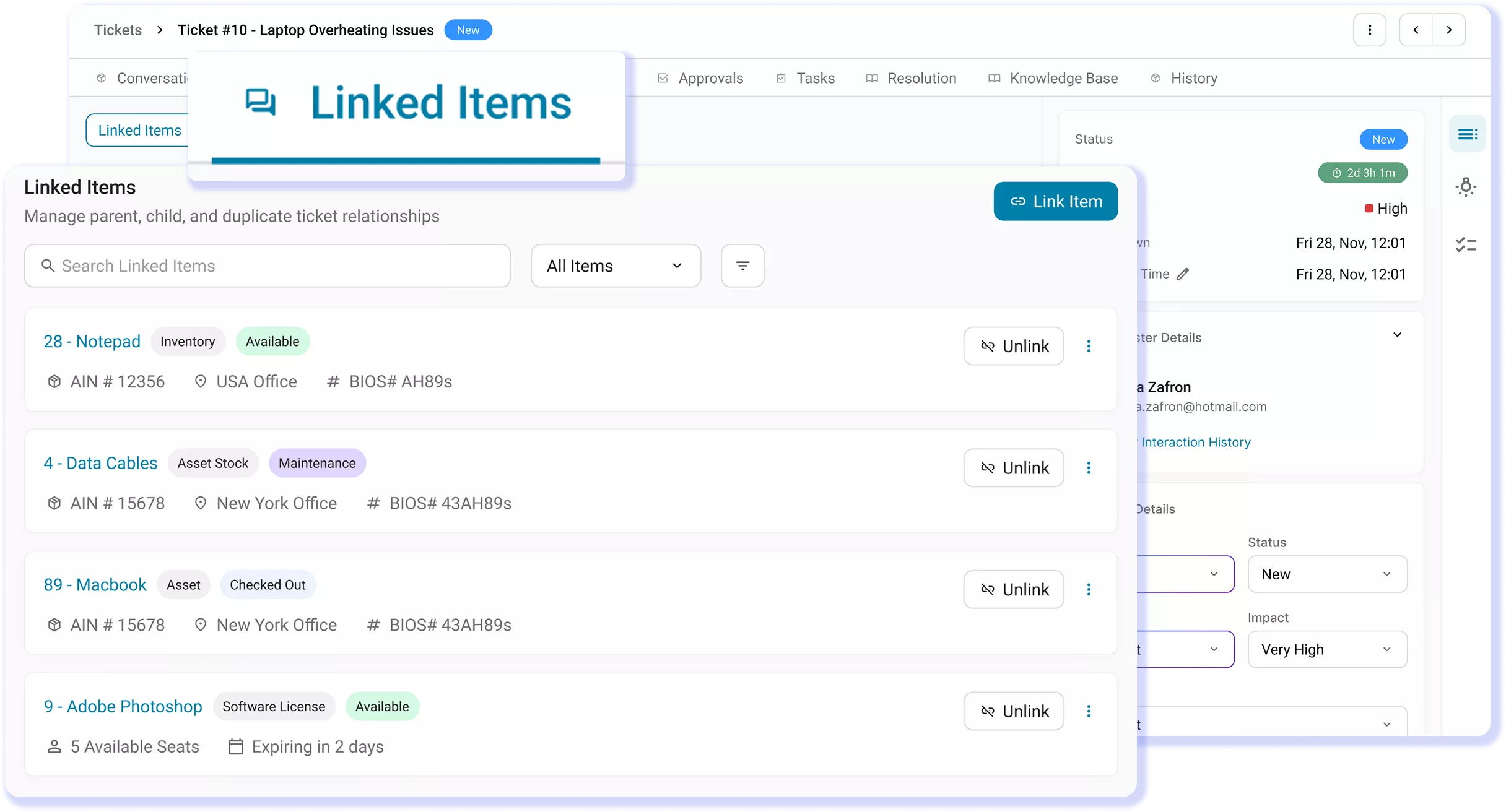
Prioritize patching for Windows, macOS, and Linux endpoints based on owner, location, patch state, and CVE visibility. With the Advanced SAM add-on, define maintenance windows, target device groups, schedule deployments, and verify patch status. Admins add the patches they need, while AssetSonar handles scheduling, rollout, and deployment tracking.
Workflow Automation
Automate IT Workflows Without Losing Oversight
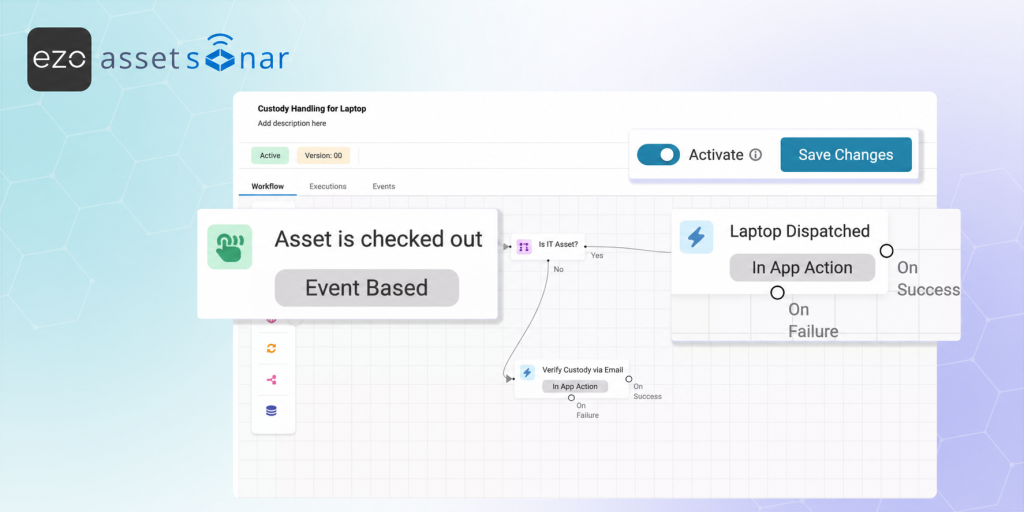
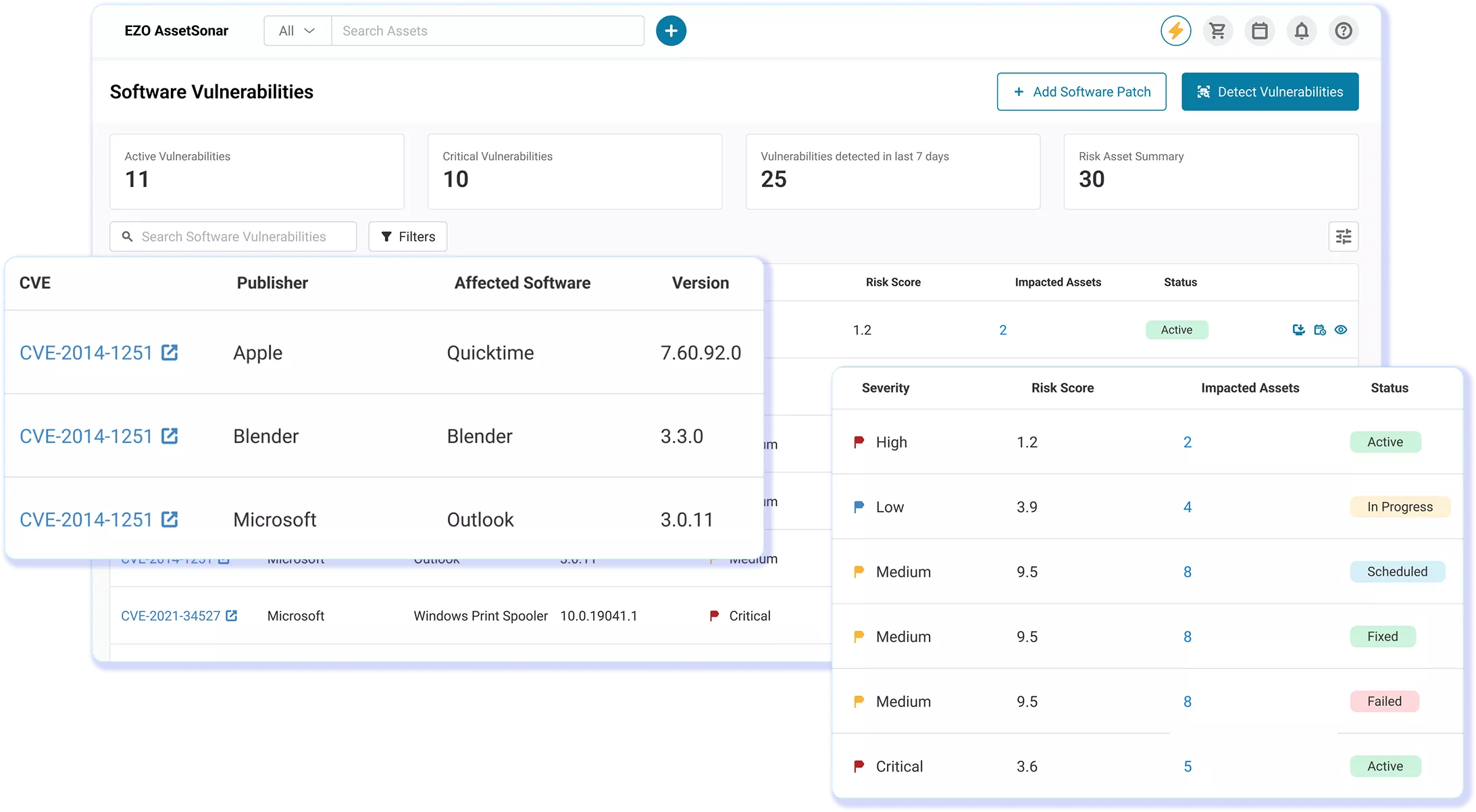
Build automation workflows for reconciliation, custody verification, stale-asset follow-up, license reclamation, and retirement. Use event, time, and webhook triggers with nested AND/OR conditions to route actions. This keeps recurring government IT work on a defined cadence, while staff retains approval checkpoints for decisions that require agency review.
Mobile IT Management
Verify Asset Records Across Locations
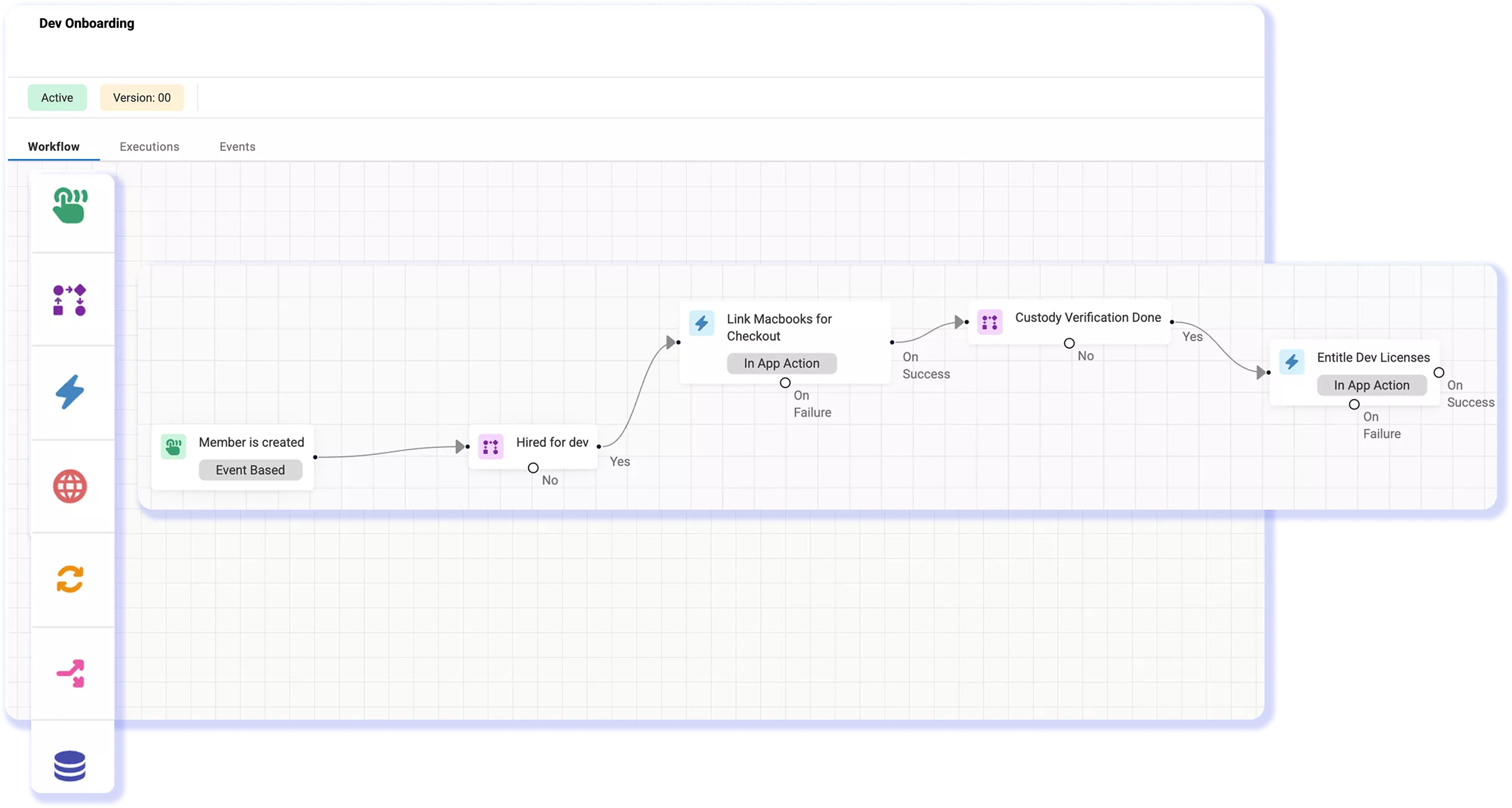
Use the iOS or Android app to scan barcode and QR labels, check IT assets in or out individually or in bulk, update custody and location, and run room-by-room location audits. Government IT staff can verify and update devices where the work happens, preserving transfer, service, and disposition activity without returning to a desk to reconcile changes later.
Maintain Audit-Ready Asset Records Across the Asset Lifecycle
DISCOVERY AND RECONCILIATION
Run Review-Ready IT Workflows Across the Asset Lifecycle
SOFTWARE LICENSE GOVERNANCE
Resolve Conflicting Device Data Before Review
CUSTODY AND DISPOSITION
Preserve Custody Through Separation and Retirement
REPORTING AND AUTOMATION
Keep Review Material Current Before It Is Requested
Manage Government IT Assets From Purchase Through Retirement
Proven by IT Teams in Government
30%
Potential License Savings
20%
Faster Ticket Resolution
95%
Automated Asset Discovery
Customer Testimonials
Frequently Asked Questions
AssetSonar works alongside existing endpoint and discovery tools rather than replacing them. It can reconcile data from Microsoft Intune, SCCM, Jamf Pro, the ITAM Agent, directories, endpoint tools, and network discovery into one IT Graph. Asset records can then connect custody, department, location, warranty, service history, and lifecycle context.
AssetSonar can provide supporting asset evidence for compliance. It reconciles records from sources such as Intune, SCCM, Jamf Pro, and network discovery and connects them with custody, department, location, service history, and other asset context. This gives teams a clearer trail of how assets are assigned, managed, and updated across their lifecycle.
Government buyers can review EZO’s security documentation and certifications as part of vendor due diligence. AssetSonar supports SSO, SCIM, and role-based access controls for governing access to the platform. AssetSonar supports agency security reviews with robust SSO, SCIM, and RBAC. For specific government authorization details (e.g., FedRAMP, StateRAMP), please request our latest compliance documentation.
Yes. Advanced SAM adds the unified software catalog, software normalization, license discovery and tracking, utilization insights, License Optimizer, renewal management, and software compliance capabilities. Government IT teams can use these capabilities to compare installs with entitlements, identify unused seats, and review software outside approved channels before renewals, true-ups, or reviews.
With the Advanced SAM add-on, available with either ITAM or ITSM, AssetSonar supports vulnerability visibility and patch deployment across Windows, macOS, and Linux endpoints. Teams can use CVE and patch-state context, define maintenance windows, target device groups, schedule deployments, and verify status. Customers add patches rather than sourcing them from a vendor-maintained patch catalog.
AssetSonar uses per-asset pricing with unlimited agents and seats, so adding reviewers, departmental IT staff, or other authorized users does not create a separate per-seat charge. Plans and add-ons should still be scoped to the capabilities the agency needs, including ITSM and Advanced SAM where applicable. This gives government buyers a cost model tied primarily to asset count rather than the number of people who need access.
Yes. AssetSonar supports exporting Custom Reports in CSV, PDF, or XLS formats, allowing IT teams to share asset, license, custody, and lifecycle records outside the platform when needed. Export access should still follow the agency’s configured roles and internal handling requirements. This supports audits and records workflows without requiring teams to recreate the same information in separate spreadsheets.