When an employee leaves and IT cannot locate their laptop, the missing piece is often the custody record. IT asset check-in/check-out software records who has each device, where it is, and when it was assigned, transferred, or returned. In this guide, custody means physical possession and accountability, while assignment refers to the system action that updates the custodian.
Mobile device management (MDM) can help identify enrolled devices and surface user signals, but those signals alone do not prove a physical handoff or user acceptance. Check-in/check-out workflows use scans, acknowledgments, and approved assignments to maintain a current custody record.
This guide compares four product models: IT asset management (ITAM)-first custody, IT service management (ITSM) with asset context, shared-equipment reservation, and general asset or inventory tracking.
Recent audits and industry research show how incomplete location, custody, and return records can leave IT equipment unaccounted for.
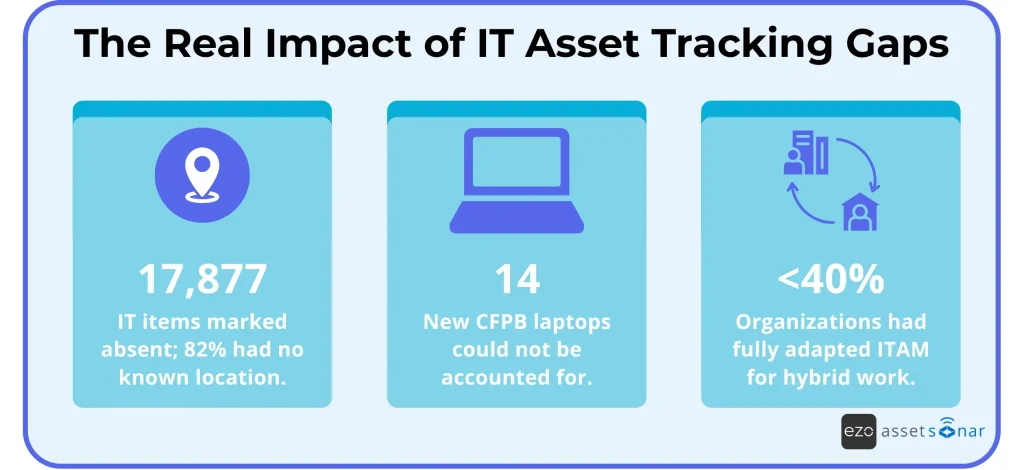
Source: New York State Comptroller, OIG, Deloitte Global ITAM Survey 2025
Best IT asset check-in/check-out software at a glance
| Tool | Key Feature | Why it stands out | G2 rating | Pricing |
| AssetSonar | Automated IT asset custody; combined ITAM and ITSM | Connects physical handoffs with MDM-driven assignment changes | 4.5/5 | ITAM from $0.75 per asset monthly |
| Snipe-IT | Free self-hosted ITAM; optional managed hosting | Offers license-free self-hosting with internal operational control | 4.6/5 | Self-hosted free; hosted from $399.99 yearly |
| Reftab | Scheduled checkouts and self-service | Turns checkout into a scheduled check-out-to-check-in workflow | 4.3/5 | Free for 50 assets; paid from $31.25 monthly |
| Asset Panda | Configurable equipment workflows | Adapts checkout actions to mixed assets and internal processes | 4.2/5 | Custom quote |
| Atlassian Assets | Jira-native asset context | Places asset relationships directly inside service workflows | 4.3/5 | Included with paid Jira Service Management plans |
| Freshservice | Service-catalog check-out/ check-in requests | Connects service requests with checkout requests and return | 4.6/5 | ITAM offers custom pricing per 500 asset units |
| InvGate Asset Management | ITAM-backed equipment loan workflows | Connects asset records with request-driven loan and return workflows | 4.6/5 | Asset Management from $1,499/year |
| Device42 | Lifecycle-based check-in/check-out | Connects checked-in/out status with end users, discovery, and asset history | 4.7/5 | Annual subscription based on device count |
Choose by operating model
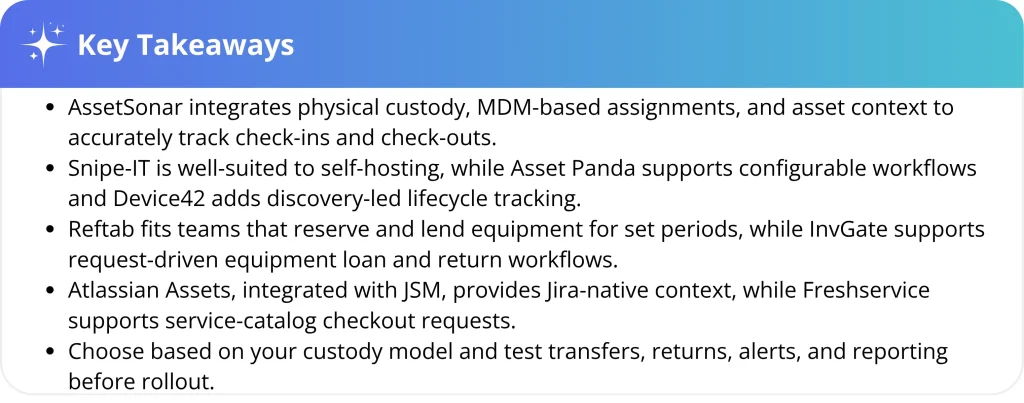
- Choose AssetSonar for automated custody across managed endpoints. Make sure your MDM identity data is reliable.
- Choose Snipe-IT for free self-hosting and internal control. Your team will need to manage hosting and data upkeep.
- Choose Reftab for scheduled, self-service equipment checkouts. Key integrations require a higher-tier plan.
- Choose Asset Panda for configurable forms and actions. Setup requires careful workflow planning.
- Choose Atlassian Assets for Jira-native asset context. Physical handoffs may require additional configuration.
- Choose Freshservice for a unified service desk and automated workflows with integrated asset visibility, which may overlap with those of existing ITSM platforms.
- Choose InvGate for request-driven equipment loans backed by ITAM records. The documented checkout workflow uses Asset Management with Service Management.
- Choose Device42 for discovery-led asset custody and lifecycle tracking. Its model is better suited to assigned infrastructure than reservation-heavy equipment pools.
How did we evaluate these tools?
To qualify, a product had to support a clearly identified current custodian or controlled location, accessible history after transfers and returns, and a practical assignment, transfer, or check-in workflow, either natively or through supported configuration.
We assessed custody records, barcode or QR workflows, endpoint automation, reservations, return handling, audit history, exception handling, integrations, administration, security controls, and pricing. We also distinguished native capabilities from workflows that require additional configuration or third-party applications.
Vendor documentation established each product’s documented capabilities and plan limits. Separately, we reviewed recurring customer feedback themes to identify usability, setup, reporting, and workflow concerns that product pages may not address. Products with small review samples were treated as directional rather than representative.
Avoid relying on ticket comments or issue status alone as the custody record. Custody should live in a structured asset record with auditable history, whether that record sits in an ITAM platform or an ITSM platform’s asset module.
We evaluated the software based on the following functionalities as well:
- Custody records: Maintain a structured record of the asset’s current custodian or controlled location.
- Assignment workflows: Assign equipment to users, teams, technicians, or locations through a defined checkout process.
- Transfer handling: Move custody between users or locations while preserving the asset’s previous assignment history.
- Check-in and returns: Record returned equipment, update its availability or location, and manage overdue or unresolved returns.
- Barcode and QR workflows: Support scanning for faster checkouts, check-ins, transfers, audits, and physical verification.
- Endpoint automation: Use supported MDM or endpoint-management data to automate or verify device assignments.
- Reservations: Let users reserve shared equipment for defined periods and view expected return dates.
- Audit history: Preserve accessible records of assignments, transfers, returns, custody changes, and administrative actions.
- Exception handling: Flag denied custody, overdue equipment, assignment conflicts, failed automated updates, and location mismatches.
- Integrations: Connect custody records with MDM, identity, HR, ITSM, and other systems involved in device management.
- Administration and security: Provide role-based permissions, SSO, audit logs, API controls, data retention, and export capabilities.
- Reporting: Report on current custody, checkout activity, overdue returns, verification responses, and asset discrepancies.
- Native versus configured workflows: Distinguish built-in custody capabilities from processes requiring custom configuration or third-party applications.
- Pricing and plan limits: Assess subscription costs, asset or administrator limits, required plans, add-ons, and implementation expenses.
- Customer feedback: Recurring themes related to usability, setup, reporting, administration, and workflow reliability, while treating small review samples as directional.
Match the software to your custody model
Assigned endpoints and shared equipment create different custody requirements. Assigned laptops need reliable onboarding, user transfers, temporary repair custody, offboarding, and return-to-service updates. Shared equipment needs availability calendars, reservations, user accountability, reminders, and expected return dates.
Strength in one model does not guarantee strength in the other. A checked-out tool may handle returns well but offer no automated way to reassign a laptop when its primary user changes. Identify your dominant custody model before weighing secondary capabilities.
With those custody models in mind, here is how each platform handles assignment, transfer, and return workflows.
Best IT asset check-in/check-out software breakdown
The following breakdown examines each product’s custody workflows, operational value, and limitations that buyers should validate before making a decision.
1. AssetSonar: Best for automated IT asset custody
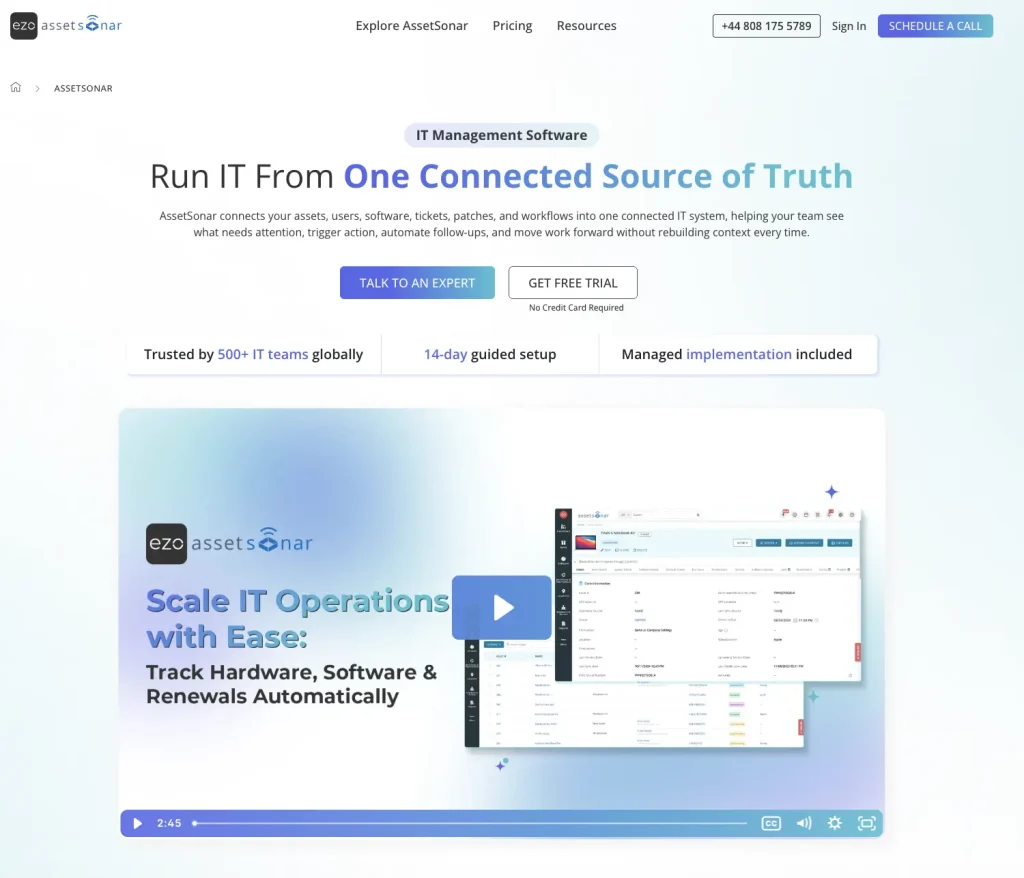
Growing IT fleets make purely manual custody updates difficult to sustain. AssetSonar addresses that problem through physical and automated assignment workflows.
Teams can check devices out to users or locations. Label scanning supports faster handoffs and physical inventory verification during audits. Auto Checkout uses integration data to automate device checkout and update custody records. It can reassign a device when the integrated MDM’s primary-user value changes and the configured rules permit the update.
Discovered device data and custody history appear in the same asset context, allowing teams to view hardware details and the current custodian together. This can reduce the number of parallel updates after routine user changes. AssetSonar’s built-in ITSM capabilities bring this context into service workflows, enabling agents to check assets in or out, update custody records, and view device and custodian details as they handle requests and incidents.
Review analysis: Reviewers value AssetSonar’s MDM integrations, custody tracking, and workflow automation. Some also report that initial integration and workflow configuration require meaningful setup time, particularly when connecting multiple data sources. Validate custody and audit-history reports using your own asset data during the trial.
Cost implication: AssetSonar charges $0.75 per tracked asset per month (billed annually), so cost scales with asset volume. Confirm any minimum commitment and add-on pricing before estimating total cost.
2. Snipe-IT: Best free and self-hosted solution

Cost control and infrastructure ownership drive Snipe-IT’s strongest appeal. Its open-source application tracks assignments to people, locations, or other assets. It also prevents simultaneous assignment of the same asset.
The self-hosted application carries no software license fee. Asset labels support physical identification, while the REST API supports custom integrations and automation. However, that flexibility shifts daily operational responsibility toward internal administrators. Someone must host, secure, update, and integrate the deployment.
Review analysis: Reviewers praise a straightforward navigation and clear assignment tracking. They frequently note that discovery, automation, and reporting require more manual setup and upkeep than in more automated ITAM platforms. Therefore, accuracy depends more heavily on disciplined internal updates. That operating model suits teams willing to manage the platform internally.
Cost implication: Snipe-IT carries no software license fee. Self-hosting shifts the work of hosting, security patching, upgrades, backups, and integration to your team. Managed hosting reintroduces a subscription in exchange for handling that maintenance.
3. Reftab: Best for scheduled checkouts and self-service
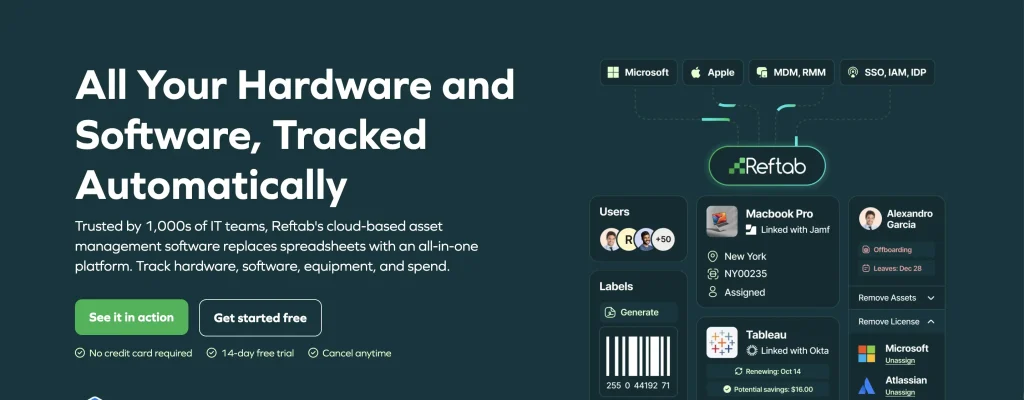
Reftab supports time-bound asset checkouts with defined due dates and structured return workflows. Reservations establish demand before the equipment physically leaves a location. Automated reminders reduce the need for manual follow-ups before expected equipment return dates. Users can view their checkouts and reservations through a user portal.
Reftab can also display assigned assets within Jira requests. That connection helps support teams discuss the correct device. However, MDM, identity, Jira, and Zendesk integrations require the Business tier.
Review analysis: Reviewers highlight usability, barcode tracking, and responsive support. Some mention notification limits, interface instability, and growing setup effort.
Cost implication: Reftab’s $31.25 Starter plan suits basic tracking across 250 assets. MDM, identity, Jira, and Zendesk integrations require the $125 Business tier. Budget against the plan that includes the integrations you need, not the lowest advertised tier.
4. Asset Panda: Best for configurable workflows
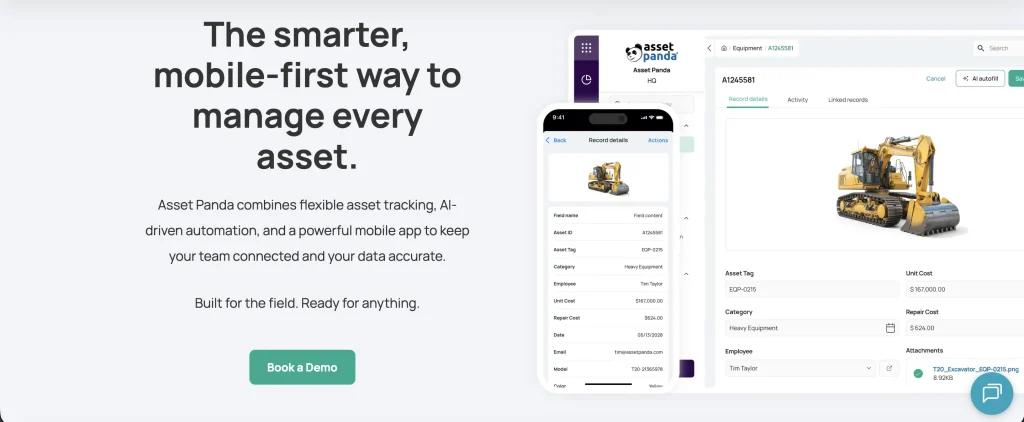
Asset Panda supports configurable fields, forms, actions, and workflows for check-out and return processes. Mobile scanning applies those configured actions when equipment changes hands.
This flexibility can support IT devices alongside other organizational equipment, but it also makes careful implementation planning important. Buyers should define the fields, statuses, responsibilities, and approvals that matter to their workflow before rollout. Without that structure, configuration can reproduce the inconsistencies of a spreadsheet.
Reservations extend the workflow when employees need equipment later.
Review analysis: Reviewers regularly praise customization and mobile access. Some also describe setup as daunting or checkout as overly complex. The same flexibility, therefore, creates both the product’s value and its implementation risk.
Cost implication: Asset Panda uses quote-based pricing, which makes early cost comparison less direct. Request separate estimates for implementation, integrations, support, and future asset growth, and use the seven-day trial to assess configuration effort.
5. Atlassian Assets integrated with Jira Service Management (JSM): Best for Jira-native context
Atlassian Assets, integrated with Jira Service Management (JSM), is strongest at modeling service and configuration relationships, whereas physical handoff workflows generally require additional configuration. Teams can connect assets with incidents, changes, and service requests.
That context helps agents understand relationships during support work. However, Atlassian documents a flexible configuration management database (CMDB), not scan-first custody software. This distinction matters for physical handoffs and scheduled returns. Basic custody workflows may be configured with native fields and automation, while scan-first handoffs, scheduled returns, or specialized checkout controls may require a paid Marketplace application.
Review analysis: Reviewers favor Atlassian integration, automation, and flexible workflows. They also report steep learning curves and complex initial configuration.
Cost implication: Assets are included with paid Jira Service Management plans. Existing customers may avoid a separate asset repository when their requirements fit its object model and workflow capabilities. Budget separately for administration, physical custody configuration, discovery tools, and Marketplace applications where required.
6. Freshservice: Best for service desk and asset workflows
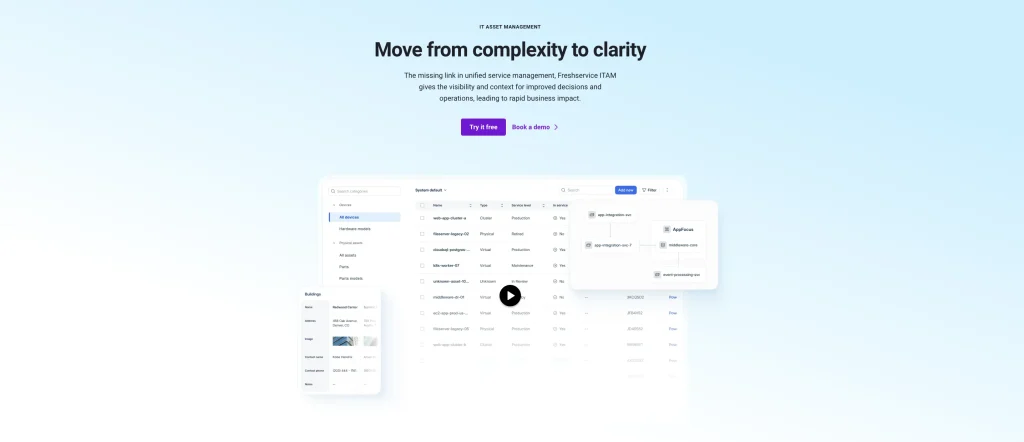
Freshservice is particularly well-suited when checkouts begin as service requests. Employees can request equipment through the service catalog. Freshservice then distinguishes checked-out equipment from permanently assigned assets.
That design keeps the request and asset records within a single platform. It can reduce workflow switching for teams managing service requests and asset data together. Organizations already standardized on another ITSM platform may create duplicate service-desk functionality by adopting Freshservice primarily for asset workflows.
Review analysis: Reviewers consistently value its interface, automation, and connected asset context. Some reviewers identify reporting and analytics as recurring limitations, particularly when they need detailed or highly customized outputs. Buyers should therefore build sample custody reports during their pilot. Standard dashboards may not answer every operational question without customization.
Cost implication: Freshservice licenses ITAM based on 500-unit packs, not on simple device counts. Map the asset categories you plan to manage to Freshservice Asset Units before estimating cost, because unit weighting varies significantly by asset type.
7. InvGate: Best for request-driven equipment loans
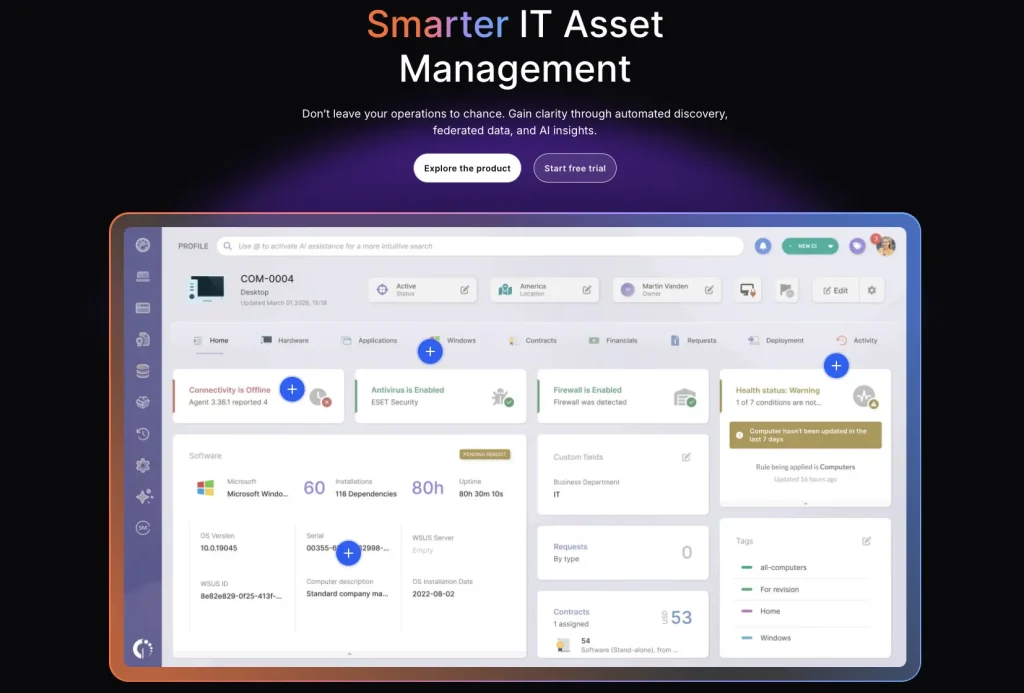
InvGate supports equipment loan workflows by connecting InvGate Asset Management with InvGate Service Management. Users can request devices through the service catalog, while Asset Management maintains the associated asset, ownership, location, and lifecycle information.
A documented workflow can mark equipment as ready to loan, assign it when a request is fulfilled, prompt agents to collect it when returned, and move it back into available inventory. This makes InvGate particularly relevant when check-in/check-out begins with a service request rather than a standalone lending transaction.
This model suits teams that want ITSM and ITAM processes working together. However, the documented end-to-end equipment checkout workflow uses both InvGate products, so buyers should validate licensing and configuration requirements for their intended process.
Review analysis: Reviewers generally praise InvGate Asset Management for its usability, centralized asset visibility, and straightforward administration. Some reviewers mention a learning curve, configuration complexity, or limitations around reporting customization.
Cost implication: InvGate Asset Management starts at $1,499 per year for up to 500 IP devices. Pro starts at $2,500 per year and scales by IP device. Because the documented equipment-loan workflow also uses InvGate Service Management, confirm combined licensing costs before estimating total spend.
8. Device42: Best for discovery-led lifecycle tracking
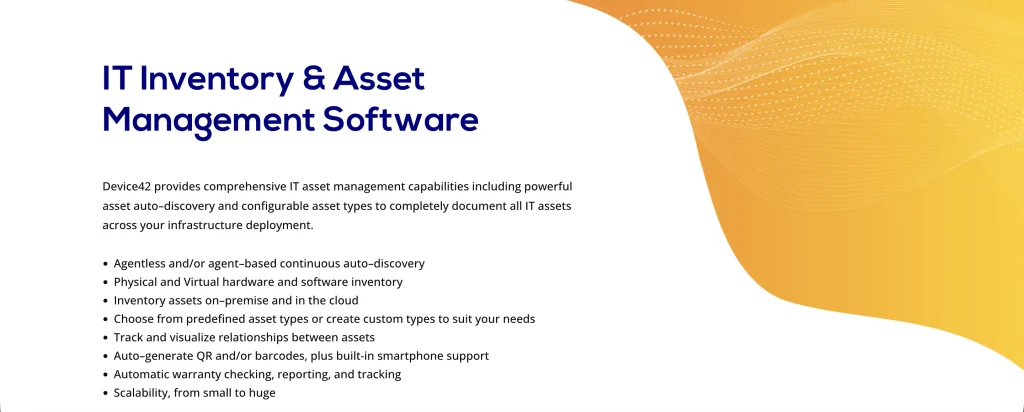
Device42 combines infrastructure discovery with asset lifecycle tracking. Its lifecycle events include Checked Out and Checked In, and teams can associate an end user with those events to record who has a device.
QR codes and barcodes support physical identification, while lifecycle history and audit logs preserve changes over time. This allows infrastructure teams to connect discovered device information with custody status instead of maintaining separate records for inventory and device assignment.
Device42 is broader and more infrastructure-oriented than dedicated equipment-lending software. Its check-in/check-out model is therefore better suited to organizations that want custody information alongside discovery and infrastructure records than teams primarily managing reservations and high-volume loaner scheduling. Device42 explicitly supports Checked Out and Checked In lifecycle states and prevents invalid state changes, such as checking out an already checked-out device.
Review analysis: Reviewers value Device42’s asset visibility, infrastructure discovery, integrations, and support. Some users report complexity during initial setup and navigation, while others mention occasional performance slowdowns with large datasets. Buyers should therefore test lifecycle tracking, checkout history, and reporting with representative infrastructure data.
Cost implication: Device42 uses an annual subscription model based on the number of devices. Its public pricing page does not list a fixed starting price, so buyers should request pricing based on the device estate they plan to manage.
How to validate your shortlist
Run each shortlisted product through the workflows your team handles most often: new-hire assignment, user transfer, temporary repair custody, offboarding return, and overdue recovery. Confirm that every event updates the structured asset record and remains visible in history and reports.
In a sandbox or pilot environment, simulate integration failures such as a paused MDM sync or expired credential. Check whether the system identifies the failure, preserves the existing custody record, and gives administrators a clear recovery path.
Security should be part of the shortlist, not a final afterthought. Verify single sign-on (SSO), role-based access, audit logs, API permissions, data retention, and export controls using current vendor documentation.
How to Link Checked-Out Assets to Tickets
The goal is to connect every checked-out asset with its current user before a service request is raised. When that user opens a ticket, the agent can see the relevant device without having to search the asset register manually.
- Tag and register every asset. Apply a barcode, QR code, or RFID tag and record its serial number, model, status, location, and current custodian.
- Assign custody during checkout. Scan the asset and assign it to the correct user or location during the handoff. Keep each transfer to a single scan where possible, since lengthy processes are more likely to be skipped.
- Link assets to service requests in AssetSonar ITSM: When a user submits a request, they can select the affected asset from the service portal. AssetSonar links the asset to the ticket, allowing the service agent to view the device’s details and current custodian, update custody, and complete any required check-in or check-out within the service workflow.
- Connect the asset platform to Jira. Configure the integration so the relevant asset appears with the service request. AssetSonar can map a device identifier from a Jira Help Center request and link the matching device to the ticket, giving the agent immediate asset context.
- Set return dates and exception alerts. Add due dates for checked-out equipment and flag assets that are overdue, have not been scanned within the chosen review period, or show a possible custody mismatch.
- Make returns part of offboarding. Confirm every asset assigned to the departing employee, recover the equipment, revoke access through the appropriate identity or MDM tools, and complete any required wipe or reset before closing the return.
- Run periodic cycle counts. Scan a sample of assets and confirm that each physical location and custodian matches the system record. Investigate exceptions while preserving the original custody history.
From Checkout to Audit: A Connected Custody Workflow
Each handoff should update the same asset record rather than create a separate trail. The workflow below shows how checkout, custody assignment, Jira ticket context, return, and audit verification remain connected.
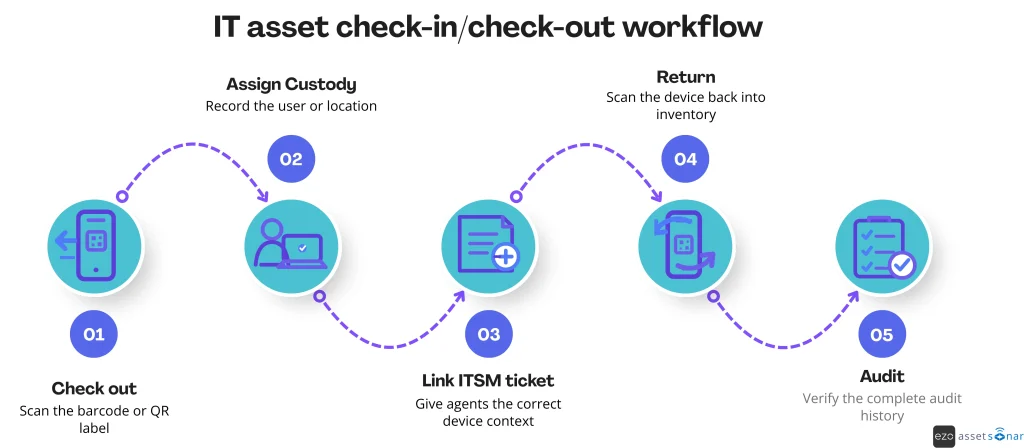
What to measure: Track the percentage of assets that are overdue or unreturned, the offboarding recovery rate, and the number of assets not scanned within your chosen review period. You can also compare average ticket-handling time before and after agents receive asset context inside your ITSM tool.
Choose a system your team can maintain
The right tool depends on whether you manage assigned endpoints, scheduled check-ins and check-outs, or service-led asset workflows. Prioritize the workflow that mitigates the custody risk, then evaluate the amount of configuration and manual administration your team can sustain.
Whatever product you choose, validate it using real assets and realistic edge cases before rollout. Strong custody comes from a clear process supported by records that remain current after every assignment, transfer, and return.