Most IT teams do not struggle because they have no asset data. They struggle because asset data is scattered across MDMs, endpoint tools, spreadsheets, SaaS admin consoles, service desks, procurement records, and security tools.
A laptop may appear in Intune. A license may sit in Microsoft 365. A ticket may live in the service desk. A warranty record may be stored with procurement. Ownership may be known only to HR or Finance.
When those records do not reconcile, IT teams lose trust in audits, refresh plans, license counts, offboarding tasks, and service desk decisions.
That is why IT asset discovery in 2026 is no longer just about finding devices on a network. It is about turning fragmented asset signals into usable ITAM context.
The best IT asset discovery tools help IT teams understand what exists, who owns it, which software is installed, which licenses are assigned, which assets are unmanaged, and what action to take next.
Quick Comparison: Best IT Asset Discovery Tools in 2026
| Tool | Best for | Discovery strength | Consider if you need |
| AssetSonar | Mid-market ITAM + SAM + ITSM discovery | Hardware, software, MDM, SaaS, identity, and browser-based software visibility | Asset discovery tied to ITAM, SAM, service workflows, and IT Graph context |
| Lansweeper | Network and cyber asset intelligence | Agent-based, agentless, active/passive network discovery | Broad device visibility across complex networks |
| Device42 | Data center and CMDB-heavy environments | Infrastructure, dependencies, remote collectors | Deep infrastructure documentation and dependency mapping |
| ServiceNow | Large enterprise ITOM/ITAM ecosystems | Service Graph, CMDB, ITOM discovery | Enterprise workflows are already built on ServiceNow |
| ManageEngine AssetExplorer | Cost-conscious ITAM teams | Agent-based and agentless IT asset scanning | Traditional IT inventory and flexible deployment |
| Freshservice | ITSM-first teams | Asset management inside service desk workflows | IT service management with asset context |
| InvGate Asset Management | ITAM + service teams that want usability | Inventory, lifecycle, service integration | Faster adoption and simpler ITAM workflows |
| Flexera One ITAM | Enterprise SAM and license optimization | Software, SaaS, cloud, license intelligence | Complex software estates and spend optimization |
| Ivanti Neurons | Endpoint and security-linked discovery | Endpoint intelligence and automation | Discovery tied to endpoint management and remediation |
| Snow Atlas | Enterprise SAM and SaaS visibility | Software usage, license, SaaS discovery | Software governance and cost control |
What is an IT asset discovery tool?
An IT asset discovery tool automatically identifies technology assets across an organization and updates asset records as devices, users, software, licenses, and configurations change.
This can include laptops, desktops, servers, printers, peripherals, network devices, virtual assets, cloud resources, installed software, SaaS applications, and identity-linked users.
In mature ITAM programs, discovery is not just an inventory function. It becomes the data foundation for software compliance, hardware lifecycle management, service desk context, security remediation, procurement decisions, audit readiness, and employee offboarding.
For example, suppose a remote employee is issued a laptop. A basic scanner may detect that the device exists on the network. A stronger IT asset discovery platform can show who the laptop is assigned to, which software is installed, whether required security tools are present, which licenses are tied to the user, whether the device has open tickets, and whether it is due for warranty review, patching, or replacement. If the employee leaves, the same discovery data helps IT recover the device, reclaim software licenses, and update ownership records, rather than starting from scratch.
A basic scanner can show what is connected to a network. A stronger IT asset discovery platform helps teams understand:
- Who owns the asset
- Where the asset is located
- What software is installed
- Which licenses are assigned
- Whether the asset is active, stale, or unmanaged
- Whether the asset is tied to tickets, contracts, warranties, or CIs
- What action should happen next
That difference matters. Discovery should not only create a list. It should support operational decisions.
How we evaluated the best IT asset discovery tools
We evaluated each tool across seven criteria: discovery breadth, data freshness, ITAM workflow fit, SAM/license depth, ITSM/CMDB context, deployment effort, and best-fit buyer profile. This article does not rank tools by feature volume alone; it ranks them by the action each tool helps IT teams take after discovery.
Discovery coverage
A strong discovery platform should detect more than traditional network-connected hardware. IT teams now need visibility across endpoints, remote devices, virtual machines, cloud resources, SaaS applications, installed software, license assignments, and unmanaged assets.
Useful discovery coverage includes:
- Laptops, desktops, servers, printers, and peripherals
- Windows, macOS, and Linux devices
- Cloud and virtual assets
- Network devices
- Installed software
- SaaS usage
- Shadow IT
- Unmanaged or rogue assets
- License assignments and usage
- Ownership and custody details
Data freshness
Discovery data becomes stale quickly. Employees join, leave, change devices, install applications, work remotely, and move between departments. The right tool should keep records current through agents, MDM integrations, network scans, SaaS integrations, identity providers, cloud connectors, or recurring syncs.
AssetSonar’s ITAM Agent syncs every hour, while MDM syncs occur approximately every 24 hours. The ITAM Agent is also required for patch management, software usage tracking, and remote uninstall.
Discovery methods
Different IT environments need different discovery methods. A remote-first IT team may rely on agents, MDMs, identity providers, and SaaS integrations. A network-heavy team may need agentless scanning and passive discovery. A data center team may need collectors and dependency mapping.
Common discovery methods include:
- Agent-based discovery
- Agentless discovery
- MDM integrations
- Network scanning
- Browser-based software discovery
- SaaS integrations
- Identity provider integrations
- Cloud connectors
- Remote collectors
Lansweeper combines active and passive scanning with agent-based and agentless discovery to identify and classify devices across the IT environment. Device42 can extend discovery across separate network segments through remote collectors deployed as virtual appliances.
ITAM workflow fit
Discovery should feed asset lifecycle management, not sit separately from it.
For ITAM teams, discovery data should connect to:
- Check-in/check-out
- Custody verification
- Asset lifecycle stages
- Procurement records
- Warranty and contract data
- Depreciation
- Audits
- Offboarding
A device record is not enough if the team cannot see who has it, whether it is under warranty, whether it can be reassigned, or whether it should be retired.
SAM and license management depth
For software asset management, discovery should show more than installed applications. Teams need normalized software records, entitlement visibility, usage data, license reclamation opportunities, and renewal context.
AssetSonar provides Software Normalization, Managed Software View, License Optimizer, license audits, Shadow IT detection, MDM/SaaS/identity discovery, Chrome Browser Tracking, and remote uninstall through the ITAM Agent.
ITSM and CMDB context
Discovery becomes more useful when it helps service teams act faster.
For ITSM and CMDB teams, discovery should help:
- Link tickets to devices
- See impacted users
- Identify duplicate assets or incidents
- Populate CMDB records
- Understand dependencies
- Trigger workflows
Freshservice provides real-time tracking across hardware, software, and cloud tools through an auto-updating CMDB. ServiceNow’s Service Graph Connectors import third-party data using certified guardrails designed to maintain consistency with other CMDB data sources.
Ease of deployment and administration
A tool can have strong discovery features and still fail if implementation is too heavy for the team. Buyers should consider deployment effort, agent rollout, MDM support, administration, reporting flexibility, and scalability.
AssetSonar allows positioning implementation within almost two weeks, with no additional setup cost in applicable cases.
Best IT asset discovery tools in 2026
1. AssetSonar: Best for unified ITAM, SAM, and ITSM discovery

AssetSonar is a strong fit for mid-market IT teams that want discovery to support IT asset management, software asset management, service workflows, lifecycle actions, and audit readiness from one system.
AssetSonar is a unified ITAM platform that combines hardware asset management, software asset management, ITSM, patch management, and workflow automation. Its architecture is built around the IT Graph, which connects assets, software, users, contracts, tickets, and CIs.
AssetSonar gives IT teams real-time visibility and control over hardware and software assets through automated workflows.
Key discovery and ITAM capabilities include:
- ITAM Agent / ITAM Discovery Agent
- MDM discovery through integrations such as Intune, Jamf Pro, Google Endpoint, Kandji, SCCM, Meraki, and others
- SaaS and identity discovery
- Chrome Browser Tracking for software visibility
- Software Normalization
- Managed Software View
- Shadow IT detection
- License tracking and License Optimizer
- Remote uninstall through the ITAM Agent
- Hardware lifecycle tracking
- Custody Verification
- Asset discovery connected to ITSM tickets, users, contracts, and CIs
AssetSonar should not be evaluated as just a scanner. Its stronger use case is operational discovery. It helps IT teams connect asset records to ownership, licenses, service requests, contracts, offboarding, procurement, and lifecycle workflows.
For example, a discovered laptop is not just a device record. In AssetSonar, it can be connected to users, tickets, assigned software, warranty data, lifecycle status, and offboarding recovery.
Best for: Mid-market IT teams that want asset discovery to support ITAM, SAM, ITSM, audits, license optimization, and employee lifecycle workflows.
Consideration: Teams looking only for a standalone network scanner may prefer a network-first tool. AssetSonar is strongest when discovery needs to feed asset lifecycle, software governance, and service workflows.
2. Lansweeper: Best for network and cyber asset intelligence
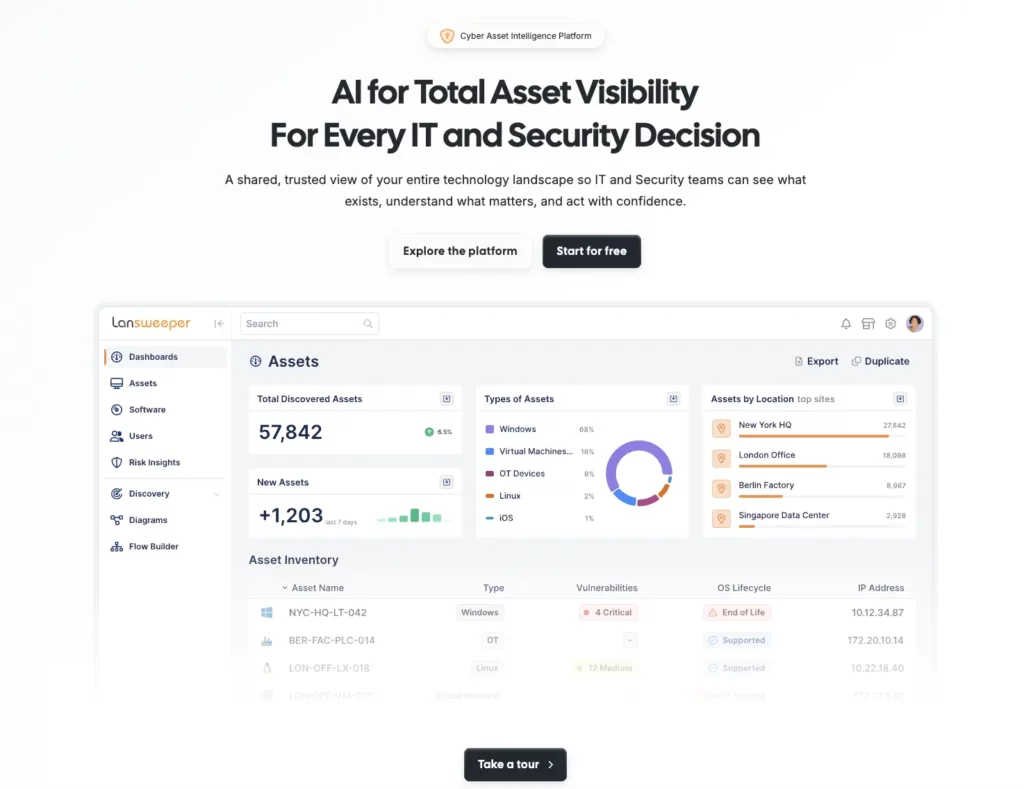
Lansweeper is a strong option for teams that prioritize broad infrastructure visibility and network-connected asset discovery.
Lansweeper provides cyber asset intelligence and comprehensive asset visibility to support informed IT and security decisions. It combines active and passive scanning, agent-based and agentless discovery, device recognition, and cloud connectors to maintain an accurate, up-to-date inventory of the technology environment.
Key strengths include:
- Network asset discovery
- Agent-based and agentless scanning
- Active and passive scanning
- Device recognition
- Cyber asset intelligence positioning
- Visibility across IT and security workflows
Lansweeper is especially relevant for organizations that want broad visibility into connected assets and unmanaged devices across complex network environments.
Best for: IT and security teams that need strong network visibility and broad cyber asset intelligence.
Consideration: Teams that need discovery deeply connected to ITAM workflows, software license governance, service tickets, procurement, and employee lifecycle processes should evaluate how much of that workflow depth is native versus handled through integrations.
3. Device42: Best for data center discovery and infrastructure dependency mapping
Device42 is well suited to infrastructure-heavy organizations that need detailed visibility into data centers, servers, applications, configuration items, and their dependencies.
Its discovery capabilities span hybrid IT environments, helping teams identify and document servers, storage systems, network devices, cloud resources, SaaS applications, and the relationships between them. For distributed or segmented networks, Remote Collectors can be deployed as virtual appliances to run discovery jobs in locations that are separate from the main Device42 appliance.
Key strengths include:
- Auto-discovery
- Configurable asset types
- CMDB orientation
- Remote collectors
- Hardware, software, and infrastructure documentation
- Dependency and relationship mapping
Device42 is particularly useful where infrastructure teams need discovery to support dependency mapping, migration planning, service impact analysis, and CMDB accuracy.
Best for: Data center, infrastructure, and CMDB teams that need deep technical asset documentation and dependency mapping.
Consideration: Device42 may be more infrastructure- and CMDB-centric than teams need if their main priority is everyday ITAM, SAM, service desk, and employee lifecycle workflows.
4. ServiceNow: Best for large enterprises already standardized on ServiceNow
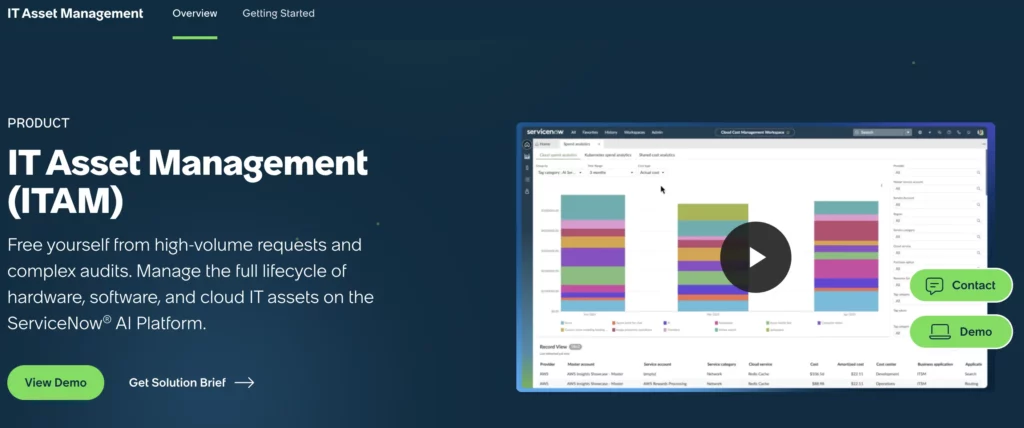
ServiceNow is best suited to large enterprises that already use the ServiceNow ecosystem and want discovery data to feed CMDB, ITOM, ITAM, SAM, and ITSM workflows.
ServiceNow can consolidate third-party asset data through Service Graph Connectors while applying controls that help maintain consistent and current CMDB records. Its software asset management capabilities also support software discovery and normalization, helping teams standardize software data across connected sources.
Key strengths include:
- Service Graph
- Service Graph Connectors
- ITOM Visibility
- CMDB integration
- Enterprise workflow integration
- Cloud and endpoint discovery options
- SAM and ITAM use cases
ServiceNow is a strong fit when discovery is part of a broader enterprise service, operations, and workflow ecosystem.
Best for: Large enterprises with mature ServiceNow environments, complex workflows, and dedicated platform administrators.
Consideration: ServiceNow may be too complex or expensive for leaner mid-market teams that need faster deployment and lower administrative overhead.
5. ManageEngine AssetExplorer: Best for traditional IT inventory and flexible deployment
ManageEngine AssetExplorer is a practical option for teams that want traditional IT asset inventory with flexible deployment options.
AssetExplorer supports both cloud-based and on-premises deployment. It combines IT asset lifecycle tracking with automated discovery, agent-based and agentless scanning, and software license management capabilities.
Key strengths include:
- IT inventory
- Hardware and software discovery
- Agent-based and agentless scanning
- License compliance
- On-premises and cloud flexibility
- Purchase and lifecycle records
ManageEngine may appeal to teams already using other ManageEngine products across service desk, endpoint, network, or IT operations.
Best for: Teams that want a traditional ITAM inventory system and may prefer ManageEngine’s broader IT management suite.
Consideration: ManageEngine has multiple overlapping products across ITAM, endpoint, service desk, and IT operations. Buyers should verify the current packaging carefully before selecting a product.
6. Freshservice: Best for ITSM teams that need asset context inside service delivery
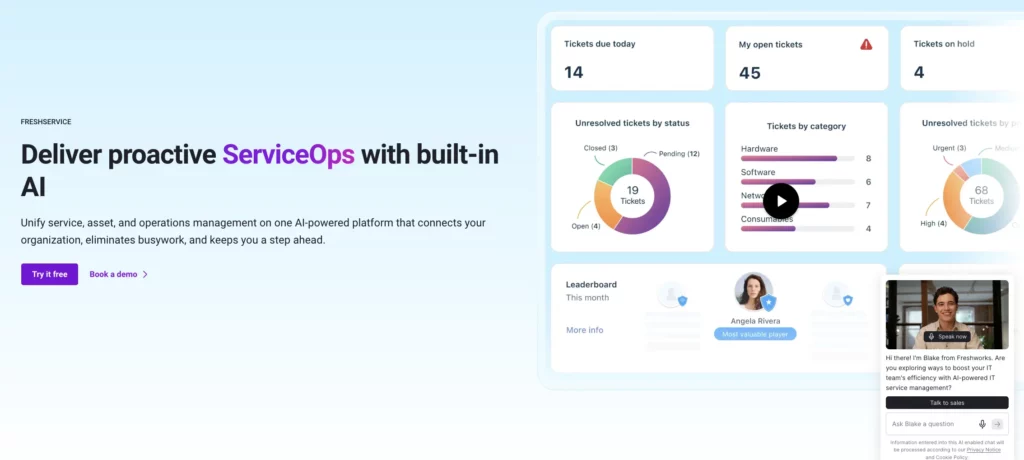
Freshservice is a good fit for teams that want asset discovery and asset management inside an ITSM platform.
Freshservice combines IT service management, IT asset management, IT operations management, and enterprise service management within a unified platform. Its IT asset management capabilities help teams track hardware, software, and cloud resources while maintaining asset information and relationships within a continuously updated CMDB.
Key strengths include:
- ITSM-first asset context
- Hardware, software, and cloud asset management
- Auto-updating CMDB
- Service desk workflows
- Employee service experience
- AI and automation positioning
Freshservice is strongest when the buyer wants asset context mainly to improve ticket handling, support workflows, employee service, and service desk efficiency.
Best for: IT service teams that want asset visibility primarily to improve service delivery.
Consideration: If the buyer’s primary problem is deep SAM, license optimization, or ITAM governance, compare Freshservice’s asset depth against dedicated ITAM/SAM platforms.
7. InvGate Asset Management: Best for usable ITAM and service integration
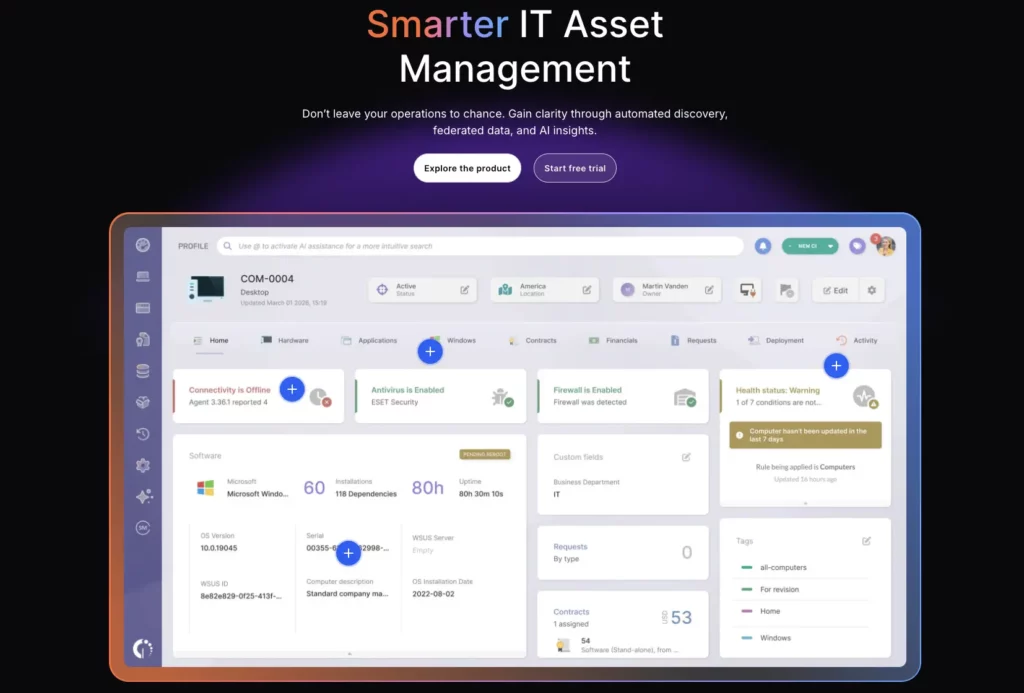
InvGate is a good fit for teams that want IT asset management and service management without heavy enterprise complexity.
InvGate combines service operations with IT asset management to help organizations manage technology resources and related costs. Its asset management capabilities cover hardware, software, and licenses throughout the lifecycle, from procurement and deployment to maintenance and disposal.
Key strengths include:
- ITAM + ITSM ecosystem
- Asset lifecycle management
- Inventory visibility
- Service desk integration
- Usability and adoption
- Mid-market fit
InvGate is relevant to teams seeking practical ITAM workflows, lifecycle visibility, and alignment with service operations.
Best for: Teams looking for ITAM and service management with an approachable administration and adoption experience.
Consideration: Verify specific 2026 discovery methods and integrations before evaluating agent-based, agentless, SaaS, cloud, or browser discovery depth.
8. Flexera One ITAM: Best for enterprise software asset management and license governance
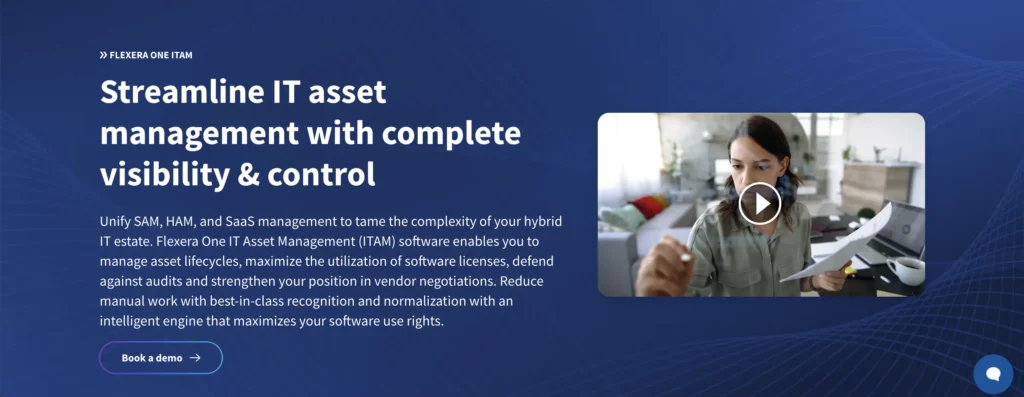
Flexera is best for enterprise SAM, software license optimization, cloud cost visibility, and complex technology spend management.
Flexera One brings technology and business data into a standardized view, adding context such as spending, contracts, adoption, and risk. The platform combines IT asset management, SaaS management, and FinOps capabilities to support broader technology management and cost optimization.
Key strengths include:
- Enterprise SAM
- License compliance
- SaaS and software spend visibility
- Cloud cost visibility
- Vendor and contract complexity
- Large software estates
Flexera is especially relevant where software license risk, SaaS sprawl, vendor contracts, and cost optimization are major concerns.
Best for: Enterprise IT, SAM, procurement, and finance teams managing complex licensing environments.
Consideration: Flexera may be more than a team needs if the core problem is endpoint discovery, hardware custody, or service desk asset context.
9. Ivanti Neurons: Best for endpoint discovery connected to automation and remediation
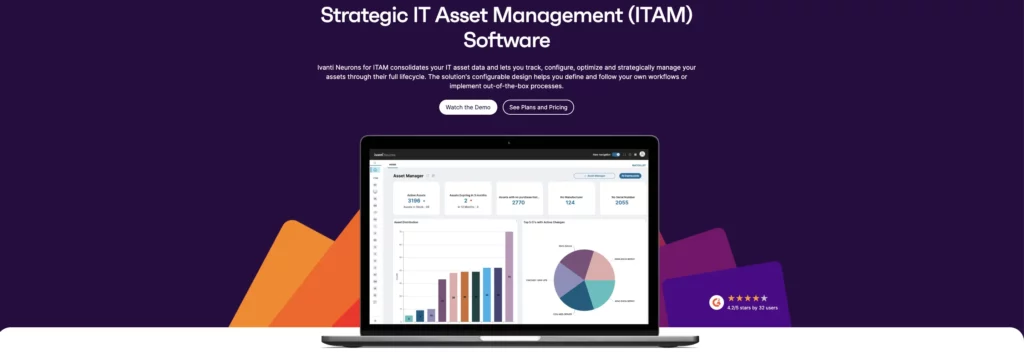
Ivanti is relevant for teams that want asset intelligence connected to endpoint management, automation, remediation, and security operations.
Ivanti provides visibility and management across devices and IT assets located on-premises, in the cloud, and at the edge. Its portfolio brings together IT service management, unified endpoint management, enterprise service management, asset discovery, and security capabilities.
Key strengths include:
- Endpoint discovery
- Asset intelligence
- Endpoint management
- Remediation workflows
- Patch and security-adjacent context
- Automation
Ivanti is most relevant when discovery is part of a broader endpoint management and remediation strategy.
Best for: IT operations and security teams that want discovery connected to endpoint action.
Consideration: Clarify whether the buyer needs endpoint management first or ITAM/SAM governance first. Those are related, but they are not the same buying motion.
10. Snow Atlas: Best for enterprise SAM and SaaS visibility
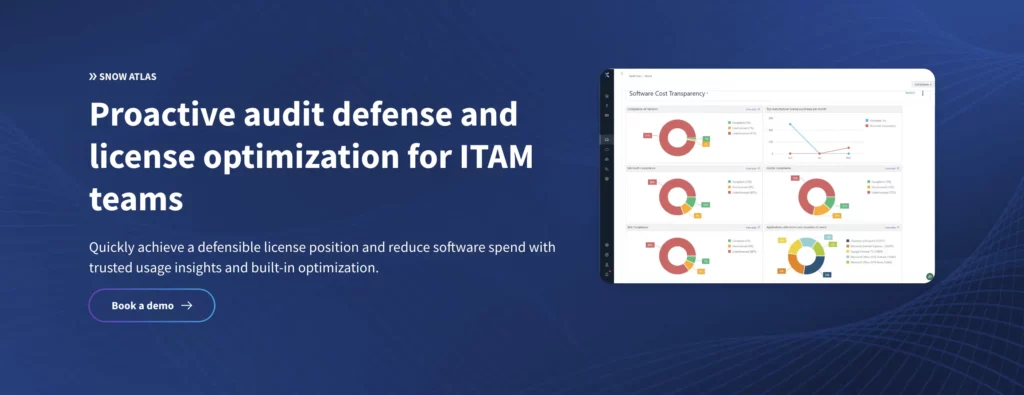
Snow Atlas is a strong fit for software asset management, SaaS visibility, license optimization, and software governance in large or complex environments.
Flexera Snow Atlas supports software license optimization and audit preparation for end-user and data center applications. It also helps normalize and enrich IT asset data while providing visibility into bring-your-own-license (BYOL) and pay-as-you-go (PAYG) licensing and costs for Microsoft Windows Server and SQL Server workloads on Azure.
Snow License Manager supports software asset management by helping organizations manage software assets, prepare for license audits, and monitor technology spending.
Key strengths include:
- SAM
- SaaS management
- Software usage visibility
- License optimization
- Cloud/software cost control
- Compliance support
Snow Atlas is especially relevant for teams that need deeper software governance and license optimization.
Best for: SAM leaders, procurement teams, and enterprises focused on software spend and license risk.
Consideration: If the buyer also needs hardware custody, service tickets, offboarding, and asset lifecycle workflows, compare Snow against broader ITAM platforms.
Which IT asset discovery tool is best for your use case?
The right tool depends on the action you need discovery to support.
Best for unified ITAM discovery: AssetSonar
Choose AssetSonar when you need hardware, software, SaaS, identity, tickets, contracts, and CIs connected in one IT Graph. It is strongest when discovery needs to support ITAM, SAM, ITSM, audits, license optimization, and employee lifecycle workflows.
Best for network-heavy discovery: Lansweeper
Choose Lansweeper when your primary concern is broad network visibility, device recognition, and cyber asset intelligence.
Best for data center and dependency mapping: Device42
Choose Device42 when you need infrastructure documentation, dependency mapping, remote collectors, and CMDB depth.
Best for ServiceNow enterprises: ServiceNow
Choose ServiceNow when your organization already runs ServiceNow and has the resources to manage a larger platform.
Best for ITSM-first teams: Freshservice
Choose Freshservice when asset discovery is primarily needed to improve ticket context, employee service, and service delivery workflows.
Best for enterprise SAM: Flexera or Snow
Choose Flexera or Snow when software licensing, SaaS spend, audit defense, and vendor compliance are the primary concerns.
Key features to look for in an IT asset discovery tool
The best IT asset discovery tools do more than identify devices. They help IT teams connect discovered assets to owners, software, licenses, tickets, contracts, lifecycle status, and audit evidence. Before choosing a platform, evaluate whether it can keep asset data current, usable, and connected to the workflows your team runs every day.
1. Multi-source discovery
Modern discovery needs data from MDMs, identity providers, SaaS apps, endpoint agents, network tools, cloud platforms, and procurement systems. A single source rarely tells the whole story.
2. Hardware and software visibility
The tool should show both the device and what runs on it. This matters for audits, software spend, patch planning, service support, and evidence of compliance.
3. Ownership and custody tracking
Discovery without ownership creates a list, not accountability. IT teams need to know who has the asset, where it is, to whom it is assigned, and whether custody is verified.
4. Software Normalization
Software Normalization helps avoid the same software appearing as multiple inconsistent records. This is important for SAM, license reporting, renewal planning, and software usage analysis.
5. License and usage visibility
Discovery should connect to entitlements, assignments, usage, renewals, and reclamation. For AssetSonar, this includes License Optimizer and related SAM workflows.
6. ITSM and CMDB integration
Discovery data should help service teams resolve tickets faster by providing asset history, user ownership, installed software, warranty information, and related CIs.
7. Audit-ready reporting
A good discovery tool should help teams maintain audit-ready records for frameworks such as SOC 2, ISO 27001, and HIPAA. Avoid tools that force teams to rebuild audit evidence manually from spreadsheets and screenshots.
8. Automation readiness
Discovery should trigger workflows such as missing-device follow-ups, license reclamation, offboarding tasks, patch reviews, warranty checks, or approval routing.
Common mistakes when choosing IT asset discovery software
The wrong discovery tool can generate more asset data without making it useful. Before choosing a platform, teams should be clear about whether they need basic visibility, full ITAM workflows, software and SaaS governance, security context, or all of these. These mistakes often happen when buyers focus on what a tool can find, but not what it helps them do next.
Mistake 1: Choosing a scanner when you need ITAM
A network scanner can find devices, but ITAM teams also need ownership, lifecycle status, procurement records, contracts, licenses, and service history.
For example, a scanner finds 300 laptops, but IT still cannot tell which ones are assigned, under warranty, ready for reassignment, or due for replacement.
Mistake 2: Ignoring software and SaaS discovery
Endpoint discovery alone does not show whether software is licensed, assigned, used, duplicated, or reclaimable.
For instance, IT sees that Adobe is installed on a device, but not whether the license is active, unused, overassigned, or available for reclamation.
Mistake 3: Treating discovery as a one-time project
Asset data decays quickly as employees join, leave, switch devices, install software, or move across locations. Discovery should be ongoing.
Consider this example. A laptop is discovered during audit season, but three months later, the employee has left, the device is missing, and the license is still assigned.
Mistake 4: Not checking how records are normalized
Duplicate and inconsistent records reduce trust in dashboards, reports, and audit exports.
For example, the same software appears as “Microsoft Teams,” “MS Teams,” and “Teams Desktop,” making it harder to trust usage and license reporting.
Mistake 5: Buying for security visibility only
Security teams and ITAM teams need overlapping but different records. Security may care that an asset exists and is subject to risk exposure. ITAM also needs ownership, cost, lifecycle, custody, license, and contract context.
For example, a security tool flags an unmanaged laptop, but ITAM still needs to know who owns it, where it came from, whether it has assigned licenses, and whether it should be recovered or retired.
Final recommendation: Which IT asset discovery tool should you choose?
It’s important to choose the tool based on the action you need discovery to support.
Choose AssetSonar if you need discovery tied to ITAM, SAM, ITSM, patch management, lifecycle workflows, custody, licenses, tickets, and IT Graph context.
Choose Lansweeper if your priority is broad visibility into networks and cyber assets.
Choose Device42 if your priority is data center documentation and dependency mapping.
Choose ServiceNow if your enterprise already runs ServiceNow and has the resources to manage a larger platform.
Choose Freshservice if your team wants ITSM-first asset context inside service workflows.
Choose Flexera or Snow if your main problem is enterprise SAM and license optimization.
The best IT asset discovery tools in 2026 are not just scanners. They are systems of operational context. The winning tool is the one that turns discovered assets into ownership, license, ticket, lifecycle, compliance, and service workflow decisions.