Key takeaways:
- The right SAM tool depends on software complexity, IT maturity, and whether the priority is SaaS, discovery, or enterprise licensing.
- Software discovery alone is insufficient; normalization and entitlement reconciliation determine whether usage and compliance data can be trusted.
- Usage analytics are most valuable when they drive license reclamation, renewal decisions, and software-spend optimization.
- Mid-market IT teams typically need SAM tools that combine visibility with automation, integrations, optimization, and lifecycle workflows.
- Complex publisher licensing and detailed Effective License Position requirements can justify a specialist enterprise SAM platform.
- AssetSonar fits teams that want software management connected with hardware, users, Shadow IT, renewals, and offboarding workflows.
- A real-world pilot should test discovery, integrations, reclamation, lifecycle events, reporting, and total implementation cost before purchase.
With the global rise of digital transformation, most businesses, especially mid-market and large enterprises, have begun to rely on their IT landscapes to function effectively. As organizations increasingly use software for their IT operations to drive productivity and improve business processes, managing IT assets has become critical to simplifying operations and reducing costs.
Companies save an average of 20% on software costs within the first year of adopting a SAM tool. This shows how quickly companies can obtain ROI with SAM implementation.
Top software asset management (SAM) solutions: At a glance
Here’s a comparison table for the 15 Best Software Asset Management (SAM) Tools for IT Teams in 2026, highlighting key features, use cases, strengths, and current G2 ratings:
| Tool | Best For | Primary Coverage | Key Strengths | Watch For | G2 Rating |
| AssetSonar | Mid-market IT teams needing cost control & Shadow IT visibility | SaaS, on-prem software, hardware (HAM + SAM) | Usage-based license optimization, strong integrations, lifecycle automation, audit readiness | Advanced SAM requires an add-on | 4.5/5 |
| Flexera One | Large enterprises with complex licensing | Enterprise SAM + ITAM | Deep license analytics, software intelligence, cloud & container support | Higher implementation and administration requirements | 4.3/5 |
| Snow Atlas | IT teams managing complex hybrid software estates | Cloud-native SAM + HAM | License reconciliation and ELP, normalization, usage metering, entitlement management | May require complementary Flexera capabilities for broader use cases | 4.5/5 |
| NinjaOne | Endpoint-led IT teams needing software license tracking alongside ITAM | ITAM + software license management | License tracking, assignments, renewal alerts, endpoint context | Less suited to complex enterprise software licensing | 4.7/5 |
| Torii | Fast-growing SaaS organizations | SaaS management | SaaS discovery, lifecycle workflows, license optimization, app governance | No deep on-premises SAM or hardware management | 4.5/5 |
| Zylo | Procurement & finance-led SaaS governance | SaaS spend & renewals | Spend intelligence, renewal workflows, utilization insights | Limited traditional ITAM and on-premises SAM depth | 4.8/5 |
| ManageEngine AssetExplorer | Budget-conscious SMBs | ITAM + software license management | Discovery, software metering, license compliance, contract tracking | Less suited to complex SaaS and software licensing | 4.2/5 |
| ServiceNow Software Asset Management | Enterprises already on ServiceNow | Enterprise SAM within ServiceNow | License reconciliation, normalization, publisher support, ITSM/CMDB integration | High cost and implementation complexity | 4.4/5 |
| Ivanti Neurons for ITAM | IT teams connecting asset and license management with the Ivanti ecosystem | ITAM + software license management | Asset visibility, license tracking, discovery, contracts | Broader capabilities may require additional Ivanti modules | 4.3/5 |
| Device42 | Infrastructure-heavy IT teams needing discovery and license tracking | ITAM/CMDB + software license management | Agentless discovery, flexible license models, infrastructure context | More infrastructure-centric than dedicated SAM suites | 4.7/5 |
| Lansweeper | Rapid discovery & inventory | Hardware + software inventory | Flexible discovery, broad inventory, integrations | Limited deep entitlement reconciliation and license optimization | 4.4/5 |
| Freshservice | IT teams combining ITSM + SAM | ITSM + ITAM/SAM | Software normalization, SaaS management, license optimization, CMDB context | Deeper SAM capabilities require higher ITAM packages | 4.6/5 |
| InvGate Asset Management | Unified ITAM with software optimization | ITAM + software license management | Discovery, metering, normalization, CMDB | Limited support for complex software licensing. | 4.7/5 |
| Oomnitza | Enterprise lifecycle automation | Enterprise ITAM + SAM | License optimization, SaaS + installed software, lifecycle automation | More planning and configuration than lighter tools | 4.6/5 |
| Snipe-IT | Small IT teams needing open-source asset and license tracking | Open-source ITAM + basic license tracking | License seats, assignments, expiry tracking, self-hosting | Basic license tracking rather than deep SAM reconciliation | 4.6/5 |
This table compares the top SAM tools by their coverage, strengths, limitations, and user ratings, helping IT managers narrow down options that fit their software environment, IT infrastructure, and budget.
Why SAM is crucial in 2026
Organizations use only 54% of their SaaS licenses on average, leaving 46% unused or underutilized and contributing to roughly $19.8 million in annual waste.
As an IT manager or IT operations lead of a mid-market or enterprise organization, you must be familiar with the rising challenges of managing software licenses. With the growing number of IT assets your team uses and the rising complexity of a hybrid IT environment (on-premises, cloud, and SaaS), it can become increasingly difficult to keep track of software assets. In fact, it can feel like a full-time, never-ending job in itself.
Gone are the days when an IT manager was only responsible for tracking which software their organization owned or for when software licenses were up for renewal. Now, the IT landscape has changed, and so have the responsibilities for an IT manager.
Being an IT manager now means controlling software costs, maintaining license compliance and audit readiness, preventing Shadow IT, and using reliable software data to make better renewal and purchasing decisions.
Now, software asset management (SAM) is all about controlling IT costs, preventing shadow IT, improving compliance, and ensuring that software investments are working for you, not against you. SAM tools are used to track software usage, automate workflows, and provide security context.
IT managers use SAM tools not just to manage licenses, but also to manage cost, risk, and software governance.
In this article, we will discuss why SAM is crucial for your organization in 2026 and the top SAM tools you can use to reduce SaaS license waste, optimize your software spend, and save time while managing renewals and compliance.
Evaluating SAM tools: Key features for IT Teams in 2026
When evaluating SAM tools for your IT team, it’s essential to prioritize the features that will enhance your operations in 2026. Here are the key functionalities that modern IT teams must focus on when selecting a SAM solution:
1. Software discovery & License inventory
- Feature Focus: Ensure the SAM tool can automatically discover software across on-premises, cloud, and SaaS environments. This includes identifying all software assets in real time and managing them centrally.
- Why It Matters in 2026: As businesses continue to adopt hybrid and multi-cloud environments, the need for accurate and automated discovery has never been more critical. Efficient cataloging of software assets across all environments prevents blind spots and streamlines governance.
2. Usage analytics & optimization
- Feature Focus: A top-tier SAM tool should provide detailed usage analytics to track how often each software license is being used, helping to identify underutilized or unused licenses. It should also suggest optimization strategies to reduce unnecessary spending.
- Why It Matters in 2026: With organizations investing heavily in SaaS and cloud-based solutions, understanding software usage is vital to ensure that you’re not overpaying for licenses. It also helps IT teams optimize software spend and eliminate waste.
3. Renewal tracking & vendor visibility
- Feature Focus: The SAM tool should provide an intuitive renewal-tracking system to ensure that no software licenses are missed. It should also include vendor relationship insights, enabling IT teams to track contract deadlines and terms to avoid penalties.
- Why It Matters in 2026: Vendor and contract management is a major pain point, and with many software subscriptions on annual cycles, this feature allows you to proactively plan for renewals and prevent budget surprises.
4. License reclamation & policy control
- Feature Focus: A strong SAM tool should provide license reclamation capabilities, allowing organizations to reclaim unused or inactive licenses. Additionally, it should enforce license management policies to prevent overspending.
- Why It Matters in 2026: As remote work and BYOD (Bring Your Own Device) environments continue to evolve, ensuring that unused software licenses are reclaimed helps reduce operational inefficiencies. Clear policy enforcement also protects against compliance issues and overspending.
5. Integrations
- Feature Focus: The SAM solution must integrate seamlessly with other enterprise systems, including HR systems, procurement tools, IT Asset Management (ITAM) systems, Mobile Device Management (MDM), and SSO.
- Why It Matters in 2026: In a modern IT landscape where data must flow freely between tools, integration is a non-negotiable requirement. Smooth integrations help provide comprehensive visibility and a unified view across all assets, software, and user data.
6. Patch management
- Feature Focus: For IT teams that want software management connected with endpoint security, patch management can be a useful additional capability. It helps IT teams identify outdated software and manage patches or updates across supported devices.
- Why It Matters in 2026: Patch management is not a core SAM requirement, but it can add value when software inventory and vulnerability management need to work together. This is especially useful for IT teams managing both software compliance and endpoint risk.
7. Automation
- Feature Focus: A modern SAM tool should leverage automation to streamline repetitive tasks like license reclamation, software inventory updates, compliance checks, and audit prep.
- Why It Matters in 2026: With IT teams expected to do more with fewer resources, automation is essential for efficiency. Automating key workflows, such as compliance tracking and license optimization, frees up resources for strategic tasks while improving overall accuracy and reliability.
8. Reporting
- Feature Focus: The SAM tool must be able to generate customizable reports for different stakeholders (e.g., finance, procurement, compliance). These reports should cover key metrics like license usage, renewal status, compliance, and spend trends.
- Why It Matters in 2026: Clear, real-time reports are vital for enabling stakeholders to make data-driven decisions. For instance, finance IT teams need detailed reports on software spending, while compliance IT teams require visibility into compliance gaps to mitigate risk.
9. Artificial intelligence & machine learning integration
- Feature Focus: AI can be a useful additional capability for identifying usage patterns, surfacing anomalies, summarizing software data, or recommending optimization opportunities. The practical value will depend on how the feature is implemented within each SAM platform.
- Why It Matters in 2026: AI can help IT teams review growing software estates more efficiently, but it should support rather than replace reliable discovery, normalization, reconciliation, and usage data when evaluating a SAM solution.
10. Software normalization
- Feature Focus: Look for a SAM tool that can normalize discovered software by standardizing publisher names, product titles, versions, and editions. This helps remove duplicate or inconsistent records from the software inventory.
- Why It Matters in 2026: Software data often comes from multiple discovery sources. Without normalization, the same application can appear under different names, making license reconciliation, usage analysis, and reporting less reliable.
11. Entitlement management & license reconciliation
- Feature Focus: The SAM tool should connect purchased licenses and entitlements with actual software installations or usage. Where supported, it should also calculate an Effective License Position (ELP) to show whether the organization is correctly licensed.
- Why It Matters in 2026: Discovery shows what software exists, but reconciliation shows whether you have the rights to use it. This helps IT teams identify over-licensing, under-licensing, and compliance gaps before renewals or software audits.
Comprehensive breakdown of top 15 SAM tools for IT teams in 2026
Let’s discuss the top 15 SAM tools for IT managers in 2026.
1. AssetSonar: Best for mid-market IT teams that need cost control and shadow IT visibility
Best for:
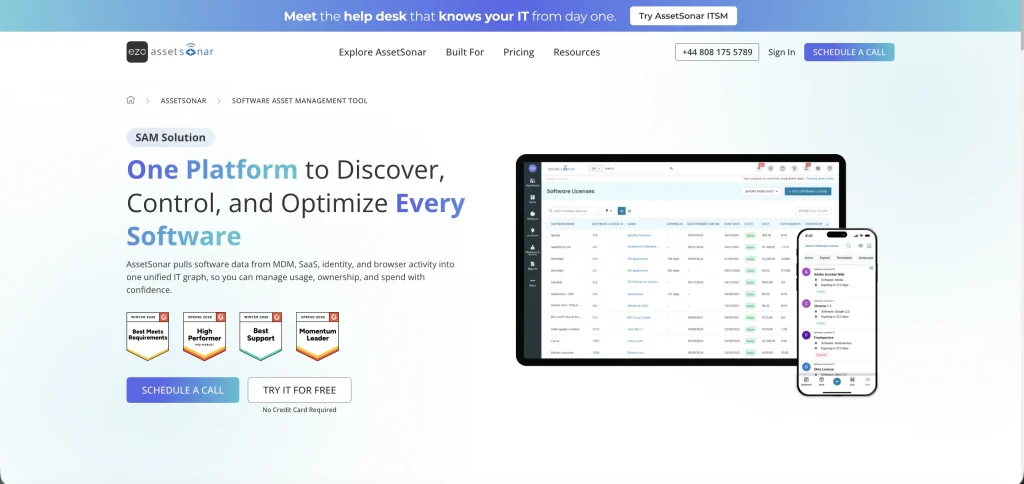
AssetSonar is best suited for mid-market IT teams that manage software alongside hardware, users, and service workflows. It is particularly useful in hybrid environments where IT teams need visibility across installed software, SaaS applications, licenses, devices, and users.
Strengths:
- Hybrid SAM + SaaS + HAM coverage: AssetSonar connects on-premises software, SaaS applications, licenses, users, and hardware records via a unified IT Graph. This gives IT teams more context when investigating software usage, ownership, or costs, rather than managing separate inventories.
- Software discovery and normalization: The platform discovers software across devices, MDMs, SaaS integrations, and browser activity. It also normalizes inconsistent application names, publishers, and versions into a cleaner software catalog, making license reconciliation and reporting more reliable.
- License entitlement and renewal management: IT teams can connect licenses with users, devices, installations, contracts, costs, and renewal dates. Automated alerts and a centralized renewal view make SaaS renewal planning easier before contracts come up for review.
- Usage-based license optimization: AssetSonar identifies unused and underused licenses, enabling IT teams to reclaim, reassign, or right-size seats before renewal. Usage and inactivity data also help IT teams optimize software spend based on actual demand rather than purchased quantities alone.
- Shadow IT visibility: Browser tracking and software discovery help uncover applications that may not appear in traditional procurement or IT records. IT teams can review unknown or unauthorized software alongside usage and ownership context before deciding whether to approve, consolidate, or remove it.
- Integrations: AssetSonar integrates with MDM, identity, SaaS, and procurement tools, including Jamf Pro, Intune, and SCCM. These integrations help bring software and user data into a single environment, eliminating the need for manual reconciliation across systems.
- Lifecycle automation and offboarding: AssetSonar can connect employee departures with assigned devices, licenses, and access-related actions. Its Offboarding Center tracks these steps through to completion, helping IT teams recover hardware and reclaim software licenses rather than leaving unused seats active after an employee leaves.
- Patch management: Alongside SAM workflows, AssetSonar supports vulnerability and patch management. This gives IT teams additional context to identify outdated or vulnerable software and take action without treating patching as a separate inventory problem.
Watch for:
AssetSonar’s deeper software governance capabilities are part of the Advanced SAM module rather than the base ITAM package. Organizations with highly complex publisher-specific licensing requirements may also want to compare their reconciliation depth with that of specialist enterprise SAM platforms built primarily for complex licensing agreements.
Notable:
AssetSonar is most useful when software management does not happen in isolation. Software, licenses, users, devices, installations, usage, and renewals remain connected, so a finding can provide complete visibility into IT operations. For example, an inactive license can be reclaimed during offboarding, or an unknown application can be traced back to the device and user running it.
Pricing:
AssetSonar’s ITAM plan starts at $0.75 per asset/month with annual billing, while ITSM, which includes ITAM, starts at $1.08 per asset/month annually. Advanced SAM can be added to either plan for $0.42 per asset/month ($5 per asset/year). Packages start at 100 assets, with volume discounts available for 1,000+ assets.
2. ServiceNow SAM: Best for enterprises using the full ServiceNow suite
Best for:
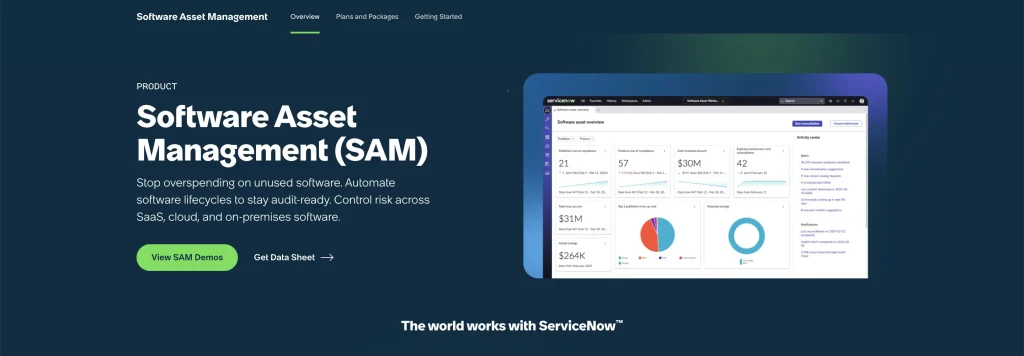
ServiceNow Software Asset Management is best suited for large organizations already using ServiceNow for ITSM, CMDB, or ITAM and looking to extend those workflows into software compliance, optimization, and audit readiness.
Strengths:
- Integrated ServiceNow ecosystem: Software licenses, asset data, service workflows, procurement, and CMDB records can remain connected across the broader ServiceNow platform.
- License reconciliation: IT teams can link software installations to entitlements, run a reconciliation, and review compliance positions from the Software Asset Workspace.
- Software normalization: ServiceNow standardizes discovered software data to create cleaner software models and improve license management accuracy.
- License optimization: Unused or underused software can be identified and reclaimed, helping IT teams reduce unnecessary purchases.
- Publisher support: Publisher packs extend SAM capabilities for major vendors and more complex licensing requirements.
Watch for:
ServiceNow SAM is a separate subscription and works best when an organization is already invested in the ServiceNow ecosystem. Implementation, configuration, publisher packs, and supporting modules can also make deployment more time-consuming than lighter SAM tools.
Notable:
ServiceNow stands out when software asset management needs to work closely with existing ITSM, CMDB, procurement, and enterprise workflows rather than operate as a separate system.
Pricing:
ServiceNow does not publish standard list prices for Software Asset Management. Licensing uses Subscription Units based on the types and quantities of IT resources being managed, with pricing provided through a custom quote.
3. Flexera One: Best for enterprises needing deep ITAM and SAM integration
Best for:
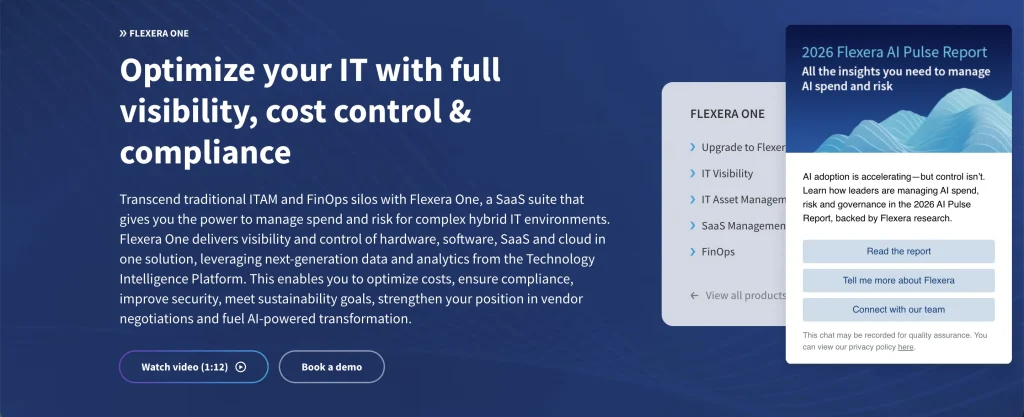
Flexera One is best suited for large enterprises with complex hybrid environments across on-premises, cloud, SaaS, and containers. These IT teams often need deep license intelligence, optimization, and support for major software publishers.
Strengths:
- Robust software license optimization: Flexera supports complex licensing from vendors such as Microsoft, Oracle, IBM, and SAP, helping IT teams understand their Effective License Position.
- Integrated ITAM + SAM: Hardware, software, SaaS, and cloud data can be normalized and analyzed across the wider technology estate.
- Software intelligence: Technopedia enriches discovered data with standardized product and publisher information to improve recognition and reporting.
- Cloud and container coverage: Flexera extends SAM into public cloud and container environments where traditional inventory tools may leave gaps.
- Audit and renewal preparation: Entitlement, usage, and product-use-right data help IT teams prepare for audits and approach renewals with clearer evidence.
Watch for:
Flexera One is designed for complex enterprise environments, so implementation and ongoing administration may require more SAM expertise and resources than simpler tools.
Notable:
Flexera One is particularly useful when licensing complexity is the main problem. Its strength lies in connecting detailed publisher rights, usage, and entitlement data across a large hybrid estate.
Pricing:
Flexera does not publish standard pricing for Flexera One ITAM. Organizations need to request a custom quote based on their required products and environment.
4. Snow Atlas: Best for enterprise SAM across hybrid environments
Best for:
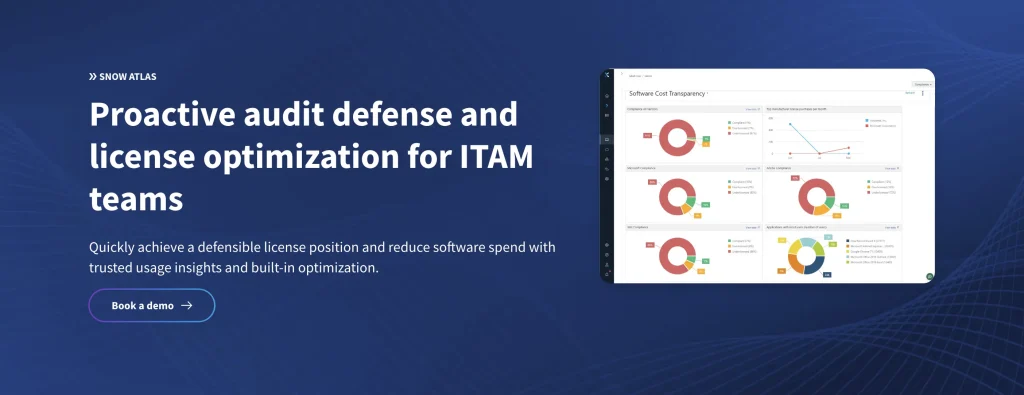
Snow Atlas is suited to organizations that need structured software asset management across large hybrid environments, including installed software, users, devices, licenses, agreements, and software usage.
Strengths:
- License compliance: Snow Atlas continuously combines entitlement and usage data to calculate software license positions and identify compliance gaps.
- Software discovery: Software can be discovered using Snow agents or third-party connectors, giving IT teams flexibility in how inventory data is collected.
- Usage and optimization: IT teams can review installations, usage, licenses, and agreements together to identify opportunities for savings.
- SAM Core: Centralized SAM workflows help manage software purchases, installations, users, devices, and contracts within a single environment.
- Renewal insights: Compliance and usage data can help IT teams identify where licenses may be reduced or adjusted before renewals.
Watch for:
Reliable results still depend on accurate license and entitlement data being entered into the platform. Organizations needing broader SaaS or cloud optimization may also need complementary Flexera offerings.
Notable:
Snow Atlas should no longer be viewed primarily as a Microsoft licensing tool. Its SAM Core is designed to manage software assets and license compliance across a broader enterprise software estate.
Pricing:
Snow Atlas uses custom pricing; organizations can contact Flexera to determine the appropriate Snow Atlas entitlement and package.
5. Lansweeper: Best for automated discovery and unified IT inventory
Best for:
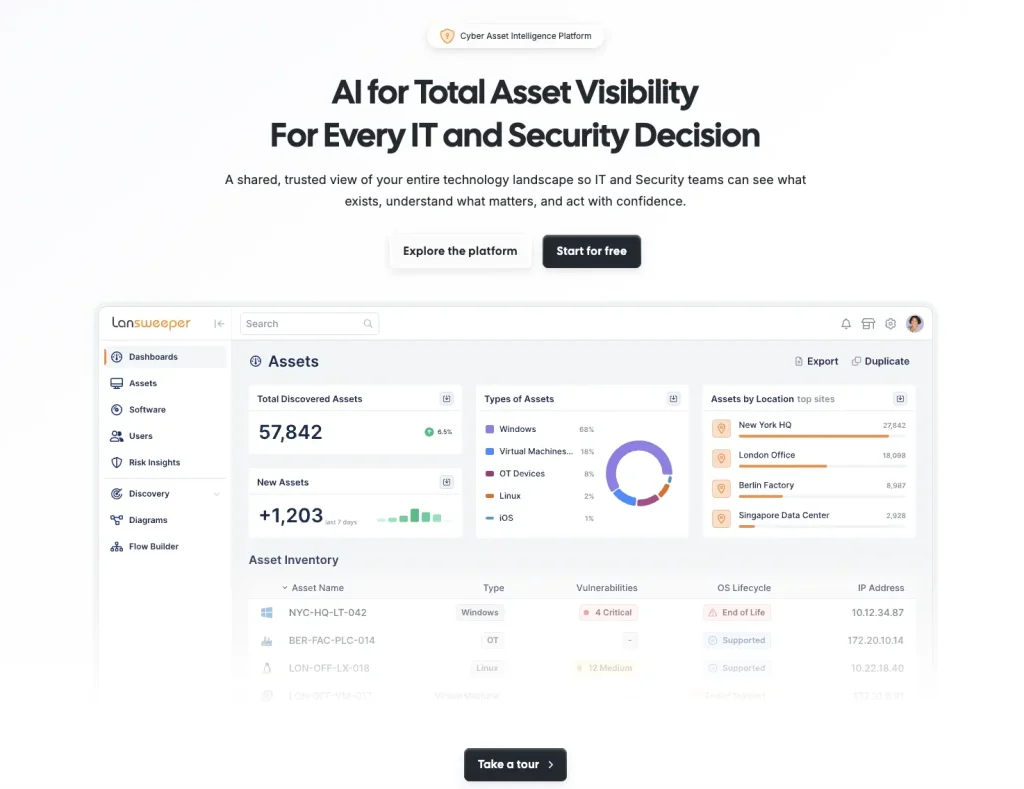
Lansweeper is well suited for IT teams whose priority is discovering and maintaining an accurate inventory of hardware, software, cloud resources, users, and other technology across their environment.
Strengths:
- Flexible discovery: Lansweeper supports agentless scanning and agent-based discovery, as needed for remote or distributed environments.
- Software inventory: IT teams can quickly see installed software, versions, vendors, users, and associated devices.
- Data normalization: Software and asset data from multiple sources can be reconciled and standardized into a cleaner inventory.
- Broad integrations: Connections with tools such as Intune and SCCM help bring existing inventory data into the platform.
- Fast visibility: Lansweeper is useful for organizations that need to establish an accurate technology baseline before building advanced SAM processes.
Watch for:
Lansweeper is stronger in discovery and inventory than in deep software entitlement reconciliation or publisher-specific license optimization. IT teams with complex SAM requirements may need another platform alongside it.
Notable:
Its strongest use case is creating a reliable discovery layer. This makes Lansweeper practical for IT teams that do not yet trust or fully understand their existing software inventory.
Pricing:
Starter starts at € 219 per month, billed annually, for 2,000 assets, while Pro starts at € 399 per month, billed annually. Enterprise pricing is custom and starts at 10,000 assets.
6. ManageEngine AssetExplorer: Best for blended ITAM and SAM on a budget
Best for:
ManageEngine AssetExplorer is best suited for small to mid-sized organizations that want hardware and software asset management together without moving into a complex enterprise SAM suite.
Strengths:
- ITAM + software license tracking: Hardware inventory, installed software, licenses, and contracts can be managed within the same platform.
- Automated discovery: AssetExplorer supports agent-based and network discovery across Windows, macOS, Linux, and other networked assets.
- License compliance: IT teams can compare purchased licenses with installed software to identify under-licensed, over-licensed, and compliant software.
- Software metering: Usage data helps identify which applications are frequently used, rarely used, or unused before purchasing or renewing licenses.
- Contracts and procurement: Purchase orders, vendors, contracts, and expiry notifications provide useful commercial context around software assets.
Watch for:
AssetExplorer provides practical SAM functionality, but IT teams managing highly complex publisher agreements, SaaS estates, or advanced entitlement models may need deeper specialist capabilities.
Notable:
AssetExplorer works well for organizations formalizing SAM alongside broader ITAM without needing separate tools for asset discovery, software licenses, contracts, and procurement.
Pricing:
Pricing is based on the number of IT assets managed. Published plans start at $115 per month for 250 IT assets, with annual options available. A 30-day trial is also offered.
7. Freshservice: Best for unified ITSM and software asset management
Best for:
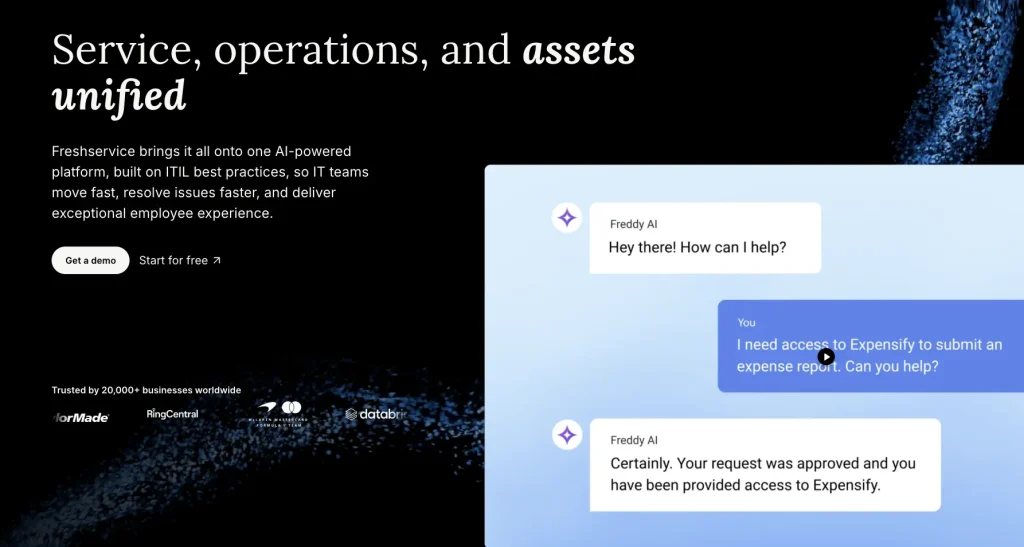
Freshservice is suited for IT teams that want software and asset management closely connected with service management, particularly where incidents, changes, CMDB records, and asset workflows regularly overlap.
Strengths:
- Hybrid software discovery: Freshservice discovers and tracks installed and SaaS software across on-premises and cloud environments.
- Software normalization: Discovered software data is standardized and enriched to provide cleaner records for license and lifecycle decisions.
- License optimization: IT teams can identify unused licenses and improve software utilization before buying or renewing more seats.
- SaaS management: SaaS applications, usage, licenses, renewals, and Shadow IT can be managed alongside installed software.
- ITSM and CMDB context: Software and asset records connect with incidents, changes, services, and infrastructure relationships.
Watch for:
Freshservice’s deeper SAM capabilities are included in its higher ITAM packages rather than the entry-level Growth package. Highly complex publisher licensing may still call for a specialist SAM platform.
Notable:
Freshservice makes the most sense when software governance is part of a wider service-management operating model rather than a standalone licensing practice.
Pricing:
Freshservice ITAM uses Asset Units, purchased in packs of 500. Software Asset Management, SaaS discovery, and normalization are included from the Pro ITAM package, with a starting price of $29 per agent per month for the Starter plan. A 14-day trial is available.
8. Ivanti Neurons for ITAM: Best for asset and license management within the Ivanti ecosystem
Best for:
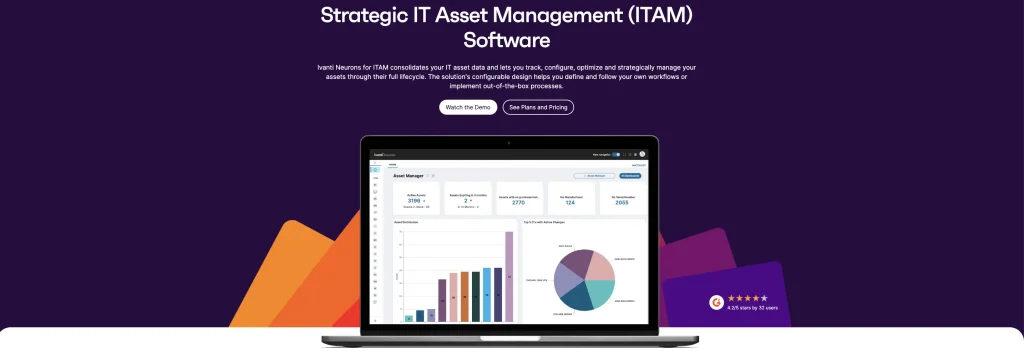
Ivanti Neurons for ITAM is suited for mid-sized and large organizations that want software and hardware asset data connected with discovery, service management, contracts, and endpoint operations.
Strengths:
- Hardware and software visibility: Asset records cover hardware, software, ownership, lifecycle, financial, and configuration context.
- Software license tracking: Dedicated dashboards display licensed software and identify licenses that have been unused for 90 or 180 days.
- Discovery and normalization: Ivanti Neurons discovery can populate and normalize asset records, helping IT teams maintain cleaner license data.
- Contract and vendor management: IT teams can track contracts, renewals, spending, and vendor information alongside asset records.
- Broader Ivanti integration: ITAM can connect with Ivanti Neurons for Discovery, ITSM, endpoint management, and other platform capabilities.
Watch for:
The full value of Ivanti’s asset environment often depends on combining ITAM with other Neurons products. Buyers should confirm which discovery, software, endpoint, and service workflows require additional modules.
Notable:
Ivanti is a stronger fit when software-license information needs to sit alongside endpoint, hardware, service, and lifecycle data rather than function as a standalone SAM repository.
Pricing:
Ivanti does not publish standard list pricing for Neurons for ITAM. Organizations need to request a custom quote based on deployment and required Neurons capabilities.
9. Zylo: Best for procurement IT teams managing SaaS spend
Best for:
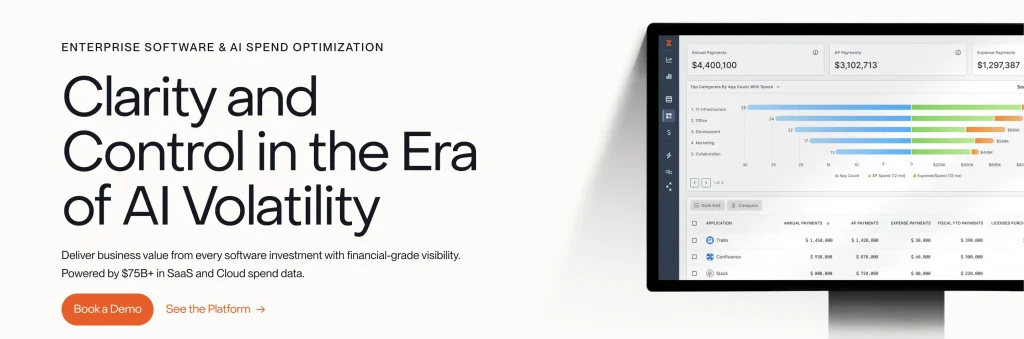
Zylo is best suited for IT, procurement, SAM, and finance IT teams in SaaS-heavy organizations that want better visibility into application spend, usage, renewals, and license optimization.
Strengths:
- SaaS discovery: Zylo identifies applications and builds a centralized SaaS system of record for the organization.
- Spend intelligence: IT teams can track SaaS costs across applications and business units to see where software budgets are going.
- Usage visibility: Usage data helps identify underused licenses and opportunities to right-size subscriptions.
- Renewal management: Contracts, owners, renewal dates, benchmarks, and alerts give procurement IT teams more time to prepare.
- Workflow automation: Higher tiers include IAM actions, Jira automation, API access, and cost allocation capabilities.
Watch for:
Zylo is focused on SaaS management. Organizations that require deep installed software discovery, hardware lifecycle management, or complex on-premises publisher reconciliation will require broader SAM or ITAM capabilities.
Notable:
Zylo is strongest when SaaS cost control is the main priority, particularly in organizations where applications are purchased across many departments.
Pricing:
Zylo offers Core, Premium, and Enterprise packages with custom quote-based pricing.
10. Oomnitza: Best for enterprise lifecycle and software automation
Best for:
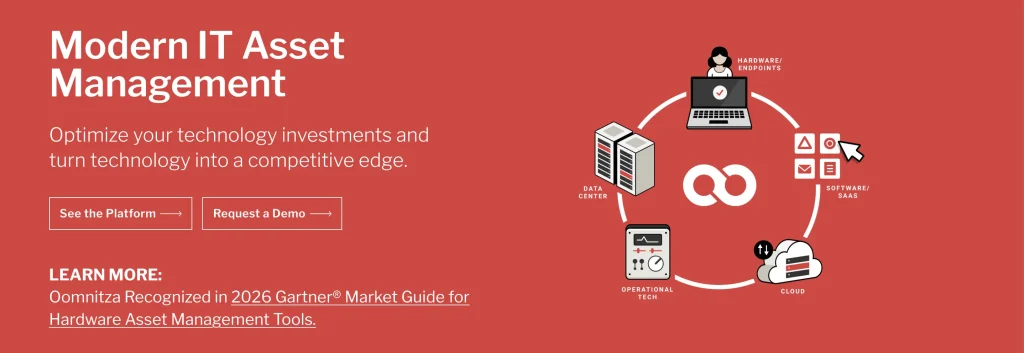
Oomnitza is well-suited for enterprises that need to connect software, hardware, identities, procurement, finance, and security data and automate actions across the technology lifecycle.
Strengths:
- Unified software data: Software entitlements, usage, spend, identity, and endpoint information can be reconciled into a shared record.
- License optimization: IT teams can identify idle licenses, right-size renewals, and reclaim unused software based on usage data.
- SaaS + installed software: Oomnitza covers both SaaS applications and software installed on managed devices.
- Lifecycle automation: Onboarding, transfers, renewals, and offboarding can trigger actions such as license reclamation or ownership updates.
- Integration-driven approach: Data from HR, identity, endpoints, finance, procurement, and ITSM systems can be connected and reconciled.
Watch for:
Oomnitza’s broad enterprise scope can require more planning and configuration than a lightweight license-tracking tool, particularly when many source systems and workflows are involved.
Notable:
Oomnitza is strongest when the SAM problem is really a data and lifecycle problem, with software information spread across several business systems.
Pricing:
Oomnitza does not publish standard list pricing for its Software Asset Management products. Pricing is determined through a custom sales process tailored to the organization’s requirements.
11. InvGate Asset Management: Best for unified asset tracking and software optimization
Best for:
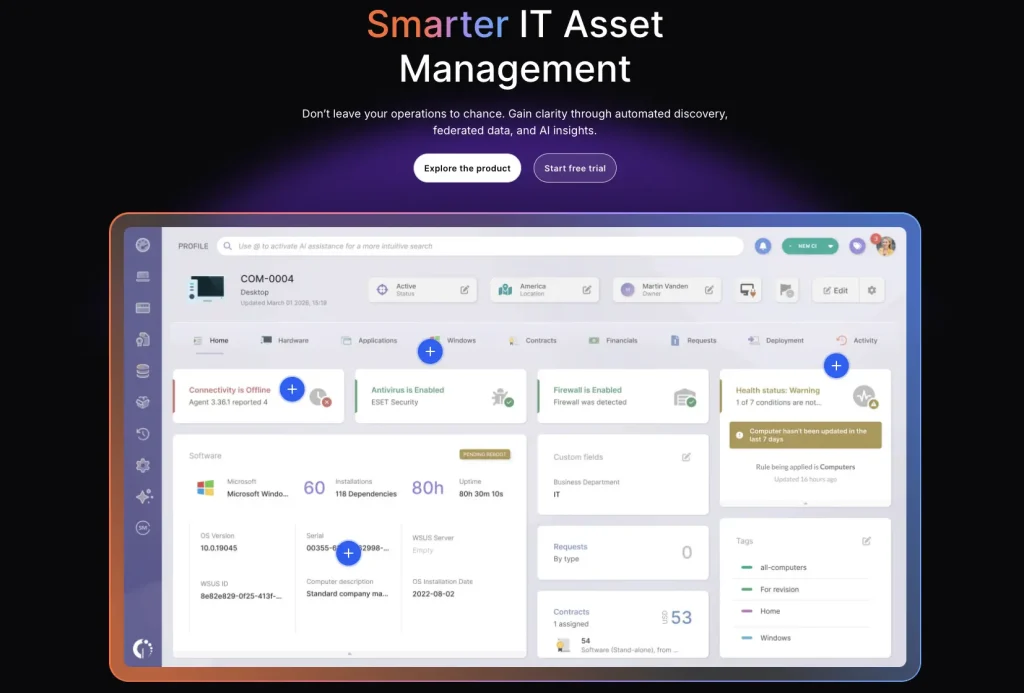
InvGate Asset Management is suited for organizations that want ITAM, discovery, CMDB, software tracking, and license optimization without moving to a large enterprise SAM suite.
Strengths:
- Unified discovery: Hardware, software, cloud resources, databases, and other assets can be discovered through agents, integrations, scanning, or imports.
- Software license optimization: IT teams can compare purchased licenses with software usage and identify opportunities to reduce unnecessary costs.
- Software metering: Usage frequency, users, versions, and installations help IT teams determine when to purchase or reallocate licenses.
- Software normalization: Discovered software data is normalized to reduce manual cleanup and improve inventory accuracy.
- Lifecycle and CMDB context: Software information sits alongside financial, hardware, relationship, and asset lifecycle records.
Watch for:
InvGate covers practical license management and optimization, but organizations with highly specialized publisher licensing or complex ELP requirements may need a deeper enterprise SAM platform.
Notable:
InvGate offers a useful middle ground for IT teams that want stronger software governance without separating SAM from their broader IT asset workflows.
Pricing:
Starter costs $1,499 per year for up to 500 IP devices. Pro costs $5 per IP device/year, starting at $2,500 annually. Enterprise pricing is custom and starts at $12,000 per year.
12. NinjaOne: Best for endpoint-led IT teams adding software license management
Best for:
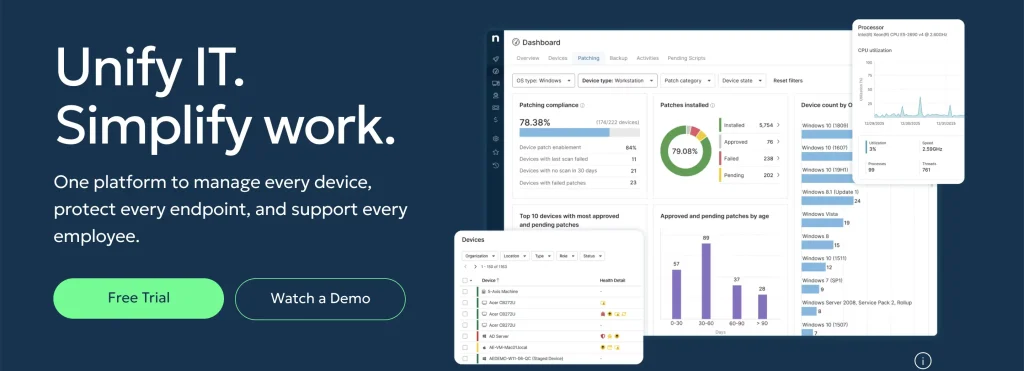
NinjaOne is best suited for IT teams already managing endpoints through an RMM or endpoint management model and looking to bring basic software license tracking and renewals into the same operating environment.
Strengths:
- Software license dashboard: IT teams can see purchased licenses, expiration dates, and the number currently in use.
- Flexible license models: Consumption can be tracked by user, device, or site depending on how the software is licensed.
- License alerts: Administrators can receive alerts for upcoming expirations or insufficient license quantities.
- Assignment tracking: License quantities and assignments can be updated as software access changes.
- Endpoint context: Software license data is integrated with NinjaOne’s broader endpoint inventory and management workflows.
Watch for:
NinjaOne’s license-management capabilities are useful for operational tracking, but they are not designed to replace deep enterprise SAM tools that specialize in publisher rights, normalization libraries, or complex reconciliation.
Notable:
NinjaOne is most relevant when the IT team already operates on an endpoint-first model and wants license information close to the devices it manages.
Pricing:
NinjaOne uses per-device pricing. Published pricing ranges from $3.75 per device/month for 50 or fewer endpoints to as low as $1.50 per device/month at 10,000 endpoints. Pricing varies by region and products purchased, with volume discounts available. A 14-day free trial is offered.
13. Device42: Best for infrastructure-heavy IT teams needing software license visibility
Best for:
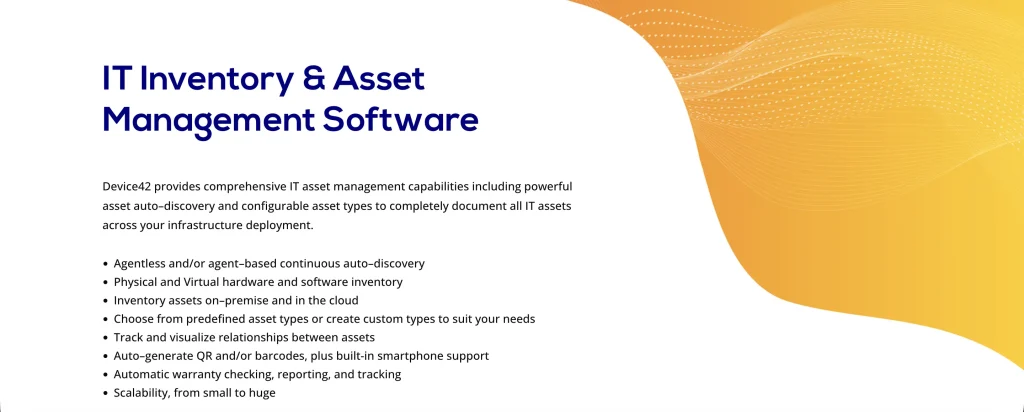
Device42 is suited for infrastructure-heavy organizations that need software license information alongside device discovery, CMDB data, application dependencies, servers, and data center infrastructure.
Strengths:
- Agentless software discovery: Device42 can scan Windows and Linux systems to identify installed software without requiring agents on every machine.
- Flexible license models: Licenses can be tracked by user, device, CAL, CPU/core, subscription, perpetual, and other models.
- Software usage visibility: IT teams can see where software is installed and which devices are using it.
- Compliance alerts: Device42 can flag insufficient licensing and prohibited software and track software approaching end of life.
- Infrastructure context: Software information is connected with the servers, devices, applications, and infrastructure already recorded in Device42.
Watch for:
Device42’s core strengths remain infrastructure discovery and the CMDB. IT teams looking primarily for SaaS spend management or advanced publisher-specific SAM may require additional tooling.
Notable:
Device42 works well when software licensing needs to be understood in the context of a complex infrastructure estate rather than managed as a separate SaaS portfolio.
Pricing:
Device42 is sold as an annual subscription based on the number of devices. Organizations need to request a quote for their environment.
14. Torii: Best for SaaS discovery, optimization, and lifecycle automation
Best for:
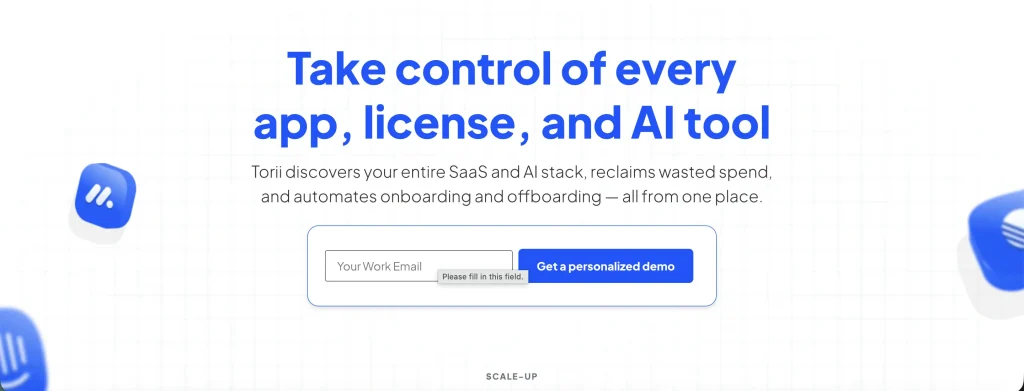
Torii is best suited for SaaS-heavy organizations that need to discover applications, track usage and renewals, optimize licenses, and automate software access across the employee lifecycle.
Strengths:
- SaaS discovery: Torii uncovers applications through connected business systems and continuously builds visibility into the SaaS environment.
- License optimization: Usage and license data help IT teams identify unused seats and potential savings before renewals.
- Renewal workflows: Contract integrations, renewal forecasting, benchmarks, and application comparisons help IT teams prepare for purchasing decisions.
- Lifecycle automation: No-code workflows can automate onboarding, offboarding, provisioning, and license reclamation.
- AI application visibility: Torii now also offers AI Management to discover AI tools and track usage, spend, and adoption.
Watch for:
Torii is a SaaS management platform rather than a traditional full-stack SAM suite. It does not replace deep installed-software discovery, hardware management, or complex publisher-license reconciliation.
Notable:
Torii is most useful for organizations where software sprawl happens mainly through SaaS and AI applications rather than traditional installed software.
Pricing:
Torii does not publish list prices. Its products are divided into SMP, IGA, and AI Management, with buyers directed to contact Torii based on the capabilities they need.
15. Snipe-IT: Best for open-source asset and basic license tracking
Best for:
Snipe-IT is best suited for small or technically capable IT teams that want an open-source system for tracking hardware and basic software-license ownership without paying for a dedicated SAM platform.
Strengths:
- License seat tracking: IT teams can record how many seats they own and assign individual license seats to users or assets.
- Purchase records: License records can include purchase cost, purchase date, supplier, purchase order, and product-key information.
- Expiration tracking: Expiration and termination dates can be stored to provide IT teams with a basic record of upcoming license changes.
- Reassignment: Reassignable licenses can be checked in and checked out as users or devices change.
- Open-source flexibility: Organizations can self-host Snipe-IT and use its REST API to connect it with other systems.
Watch for:
Snipe-IT does not provide native network discovery and should not be treated as a full enterprise SAM platform. It lacks the deeper normalization, entitlement intelligence, usage metering, and ELP capabilities found in specialist SAM tools.
Notable:
Snipe-IT is useful when the requirement is straightforward asset and license recordkeeping rather than automated software discovery and optimization.
Pricing:
The self-hosted version is free. Hosted plans start at $39.99 per month or $399.99 per year for Basic Hosting, with higher tiers available for additional hosting and support requirements.
How to choose the right SAM tool
Choosing the right Software Asset Management (SAM) tool starts with understanding your organization’s size, IT maturity, and software complexity. Not every SAM solution is built for the same purpose; some focus purely on SaaS discovery, while others support full license governance across software, hardware, cloud, and compliance workflows.
While the SAM tools covered above are among the best options available in 2026, the guide below will help you narrow down the right fit for your organization’s needs.
For small IT teams and early-stage IT environments
If you’re part of a small organization or lean IT team, ease of deployment and affordability should be top priorities.
- Snipe-IT: A practical option for small or technically capable IT teams that need open-source asset and basic license tracking without the cost of a dedicated SAM platform.
- ManageEngine AssetExplorer: Suitable for SMBs with Windows-centric environments that need combined hardware and software tracking.
- Lansweeper: Ideal for IT teams that primarily need automated discovery and inventory to establish a baseline of software visibility.
These tools are generally easier to roll out and cost-effective, but they may lack advanced license optimization, audit defense, or automation capabilities that organizations require as they scale.
For growing mid-market organizations
Mid-market IT teams often face the most pressure: rapid SaaS growth, increasing audit risk, tighter budgets, and lean staffing. SAM tools in this category must go beyond visibility and support optimization, automation, and integration.
- AssetSonar: Well-suited for mid-market IT teams that need software management integrated with hardware, users, Shadow IT, license optimization, renewals, and lifecycle workflows such as offboarding.
- Freshservice: A good fit for IT teams that want software and asset management closely connected with ITSM, CMDB, and service workflows.
- InvGate Asset Management: Suitable for organizations that need ITAM, software discovery, license optimization, and CMDB capabilities without the complexity of a large enterprise SAM suite.
- Zylo: A strong choice for organizations focused mainly on SaaS spend optimization, utilization, and procurement alignment.
- Torii: Useful for SaaS-heavy IT teams that prioritize application discovery, lifecycle automation, renewals, and SaaS governance.
- NinjaOne: A good fit for endpoint-led IT teams that want basic software license tracking and renewal visibility alongside device management.
These tools give growing IT teams different ways to improve software visibility, control license costs, manage renewals, and connect software data with the systems and workflows they already use.
For enterprises and highly complex IT environments
Large enterprises typically operate across multi-cloud, hybrid, and global environments, requiring deep license intelligence, compliance reporting, and automation at scale.
- Flexera One: Designed for enterprises with complex licensing models, major software publishers, and mature ITAM programs.
- ServiceNow Software Asset Management: Best suited for organizations already standardized on ServiceNow that need SAM connected with ITSM, CMDB, and enterprise workflows.
- Snow Atlas: A strong option for enterprises that need software discovery, entitlement management, license reconciliation, usage analysis, and compliance across large hybrid estates.
- Ivanti Neurons for ITAM: A good fit for organizations that want software and license information connected with broader endpoint, discovery, and IT asset workflows.
- Oomnitza: Suitable for enterprises that need lifecycle automation and integrations across software, hardware, identity, finance, and business systems.
- Device42: Best suited for infrastructure-heavy environments where software license visibility needs to sit alongside CMDB, application dependency, server, and data-center information.
These platforms typically involve higher costs and longer implementation cycles, but provide deeper capabilities for complex licensing, governance, compliance, and automation.
How to test a SAM tool before you buy
A demo can show you what a SAM tool can do, but a pilot shows how well it works with your environment. Before committing, test each software against a few real workflows and data sources.
- Use real software and licensed data: Import a representative sample of software, users, devices, and entitlements to see how accurately the tool discovers, normalizes, and reconciles records.
- Test key integrations: Connect systems such as your MDM, identity provider, procurement platform, or ITSM tool. Check data freshness, duplicate handling, and what happens when a sync fails.
- Run an end-to-end workflow: Identify an inactive license, confirm the user, reclaim or reassign it, and verify that the change is reflected in reporting.
- Test lifecycle events: Include scenarios such as employee offboarding, license expiration and renewal, and software removal to assess how well the tool handles ongoing changes.
- Review reporting and permissions: Make sure IT, finance, procurement, and compliance IT teams can access the views and reports they need without unnecessary complexity.
- Compare the full quote: Confirm pricing units, required modules, implementation fees, support, integrations, and minimum commitments before comparing total cost.
A good pilot should tell you not only whether the tool works but also whether your team can realistically manage it day-to-day.
Which software asset management tool is right for your IT team?
The right SAM tool depends on your software environment and the problem you need to solve. Enterprises with complex publisher licensing may prefer Flexera One, ServiceNow Software Asset Management, or Snow Atlas. SaaS-heavy IT teams may get more value from Zylo or Torii, while Lansweeper fits discovery-led use cases and Snipe-IT suits basic license tracking.
AssetSonar is a strong fit for mid-market IT teams that need software management connected with hardware, users, renewals, Shadow IT, and lifecycle workflows such as offboarding.