It starts with a phone call you didn’t want to get.
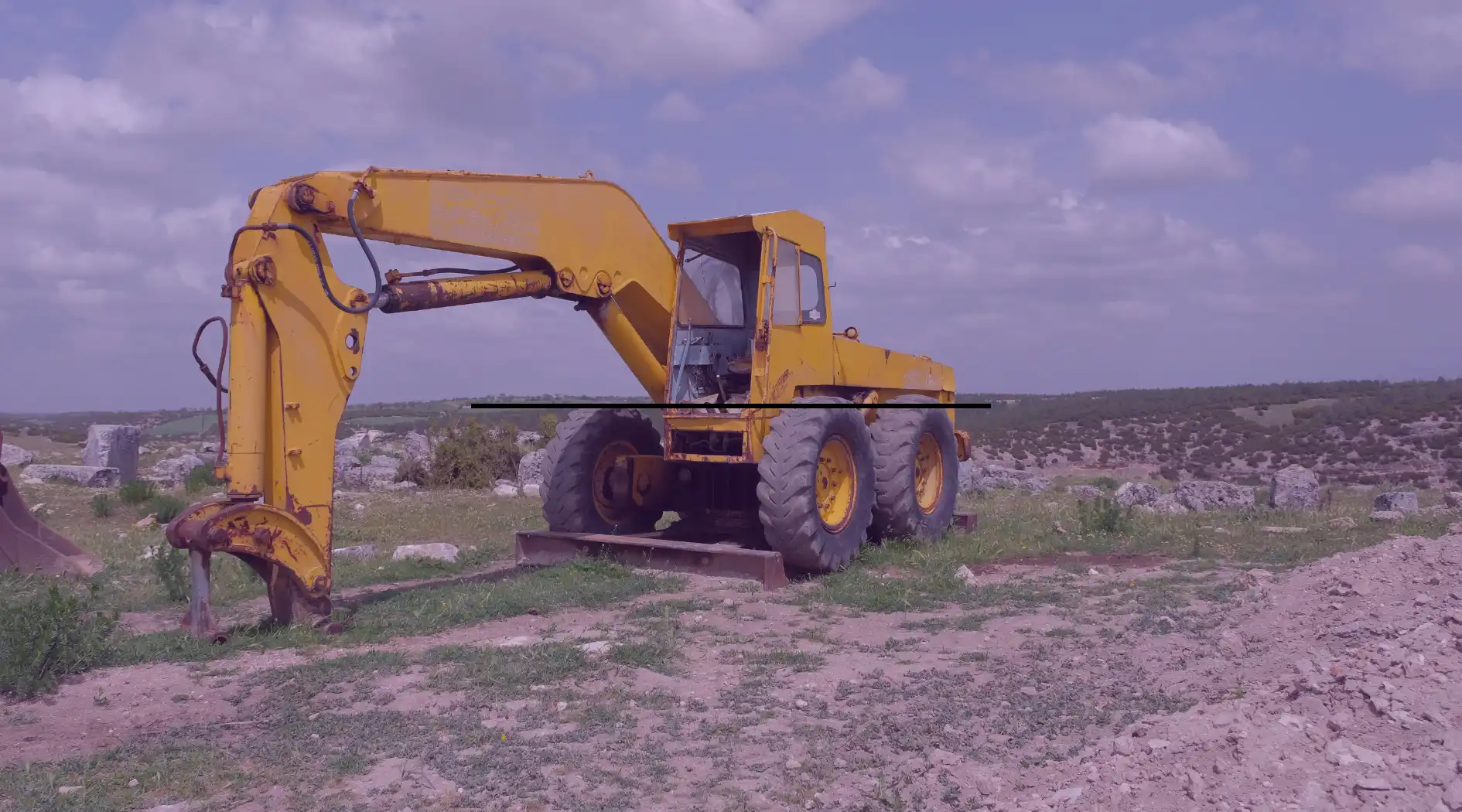
Your excavator is sitting on a job site, not moving. The customer is frustrated. Your dispatcher is scrambling. And somewhere in the back of your mind, you know this wasn’t a surprise; the service reminder had been sitting in a spreadsheet for three weeks.
Downtime like this is not a mechanical problem. It’s an operational one. And in most cases, your equipment rental software made it worse, not better.
Here’s the thing: most equipment rental platforms have some version of a maintenance module. A tab, a field, a log somewhere. But having a maintenance feature and having maintenance actually wired into how your operation runs are two very different things.
This post breaks down why most rental software get maintenance wrong, what the consequences look like in the real world, and what to actually look for when you’re evaluating a platform.
What equipment rental operators actually said about maintenance
We interviewed construction and heavy equipment rental operators across the US to understand how they manage their fleets day-to-day. Maintenance came up in every single conversation. Not as a nice-to-have, but as something that directly affects revenue, reputation, and relationships.
Dominick Perez, owner of DomCo Direct, rents out skid steers and excavators in New Jersey. He was direct about why maintenance reminders were a deciding factor in choosing his equipment rental software:
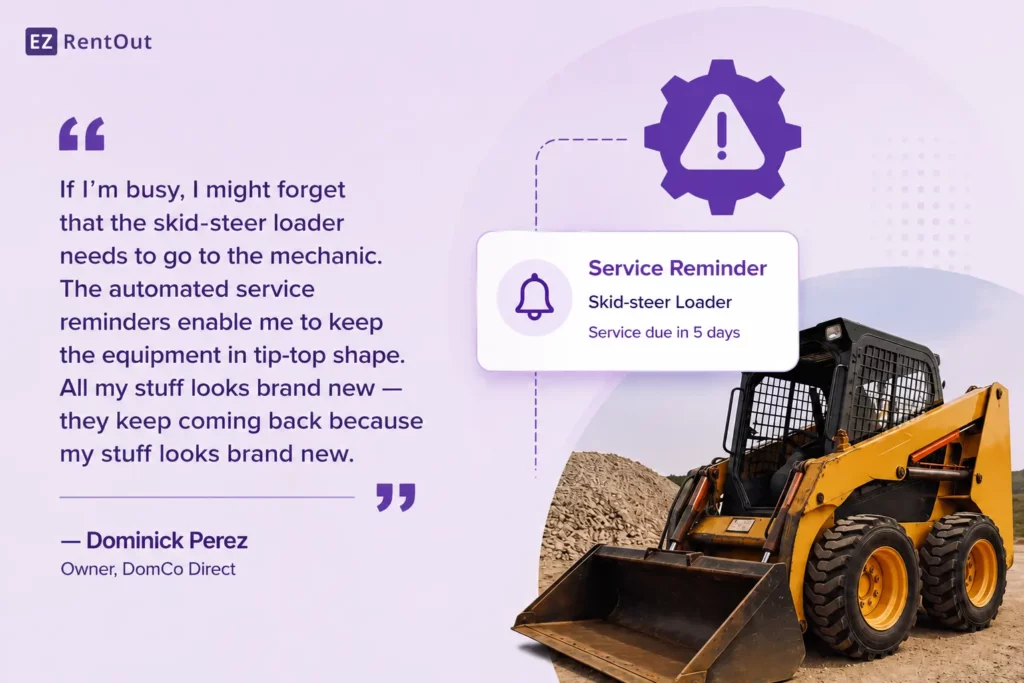
He also made the financial stakes clear by saying that reactive repairs on heavy equipment are not cheap:
“Something could break on there, and it could be several hundreds of dollars, several thousand dollars — which can be avoided by merely maintaining a consistent maintenance schedule.”
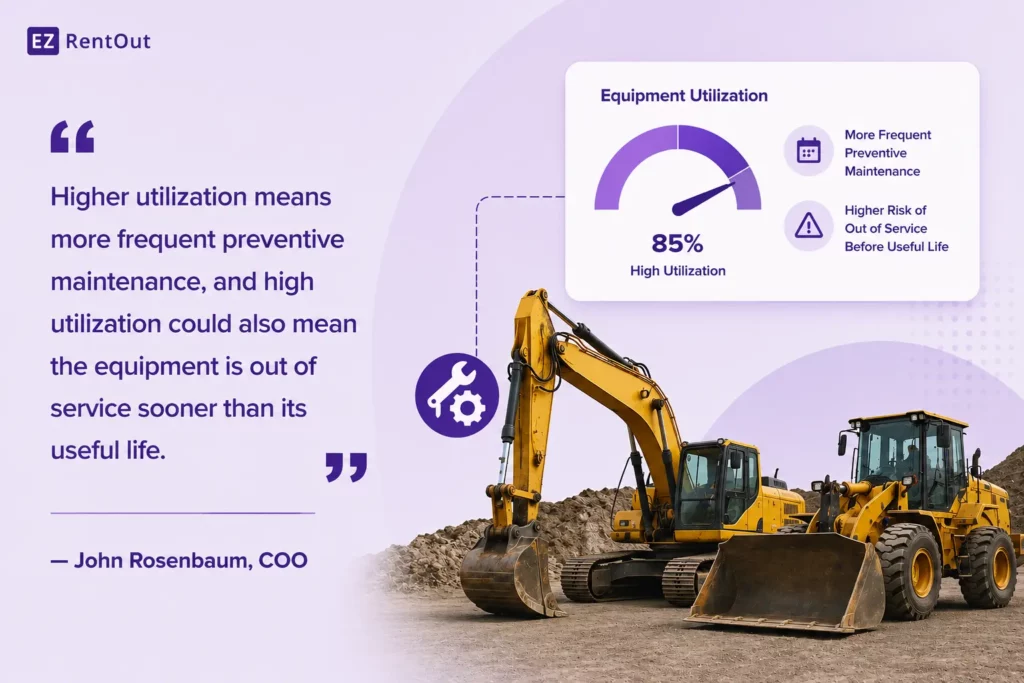
John Rosenbaum, COO at Housing and Educational Resources Development, manages a 20-piece heavy-equipment fleet. He tracks maintenance days vs. rental days as a core utilization metric, and directly ties higher utilization to more frequent maintenance intervals:
The pattern is consistent across equipment rental operators of every size: maintenance isn’t just about keeping equipment running. It’s about keeping revenue flowing, customers trusting you, and operations predictable.
The full cost of equipment rental software maintenance failure
Most people think of maintenance failure as a breakdown event. In reality, poor rental equipment maintenance management creates a chain of operational and financial consequences that ripple far beyond the machine that went down.
1. Direct downtime and lost rental revenue
According to rental association insights, 39% of equipment rental operators report that equipment downtime directly impacts their rental profitability, and it’s not hard to see why.
Every hour rental equipment is unready is an hour it isn’t earning. If a 250-hour service interval gets missed and the equipment breaks down mid-rental, you’re not just losing that rental day; you’re potentially absorbing a tow, an emergency repair, and the cost of scrambling to find a replacement. Downtime isn’t a maintenance metric; it’s a revenue metric.
2. Expensive sub-rentals to cover gaps
When your own rental equipment is down, and a customer still needs it, many operators resort to sub-renting from a competitor or broker. Margins on sub-rentals are thin at best, negative at worst. You’re paying someone else’s rates while covering your customer commitment, a double hit that compounds quickly across a fleet.
3. Reputation damage that outlasts the breakdown
In equipment rentals, a breakdown isn’t just a mechanical event; it’s a trust event. When a piece of equipment fails on a client’s job site, work stops. Crews stand idle. Project timelines slip. And the contractor who hired you is the one who has to explain the delay to their client. That’s not a position anyone forgets easily.
The financial cost of a single breakdown might be recoverable. The reputational cost is harder to contain. In construction, word travels fast between general contractors, across job sites, through referral networks built over the years. A rental company that sends out equipment that breaks down mid-job doesn’t just lose that rental; it loses the next five that would have come from the same network. There’s no invoice for that loss, which is exactly what makes it so dangerous to underestimate.
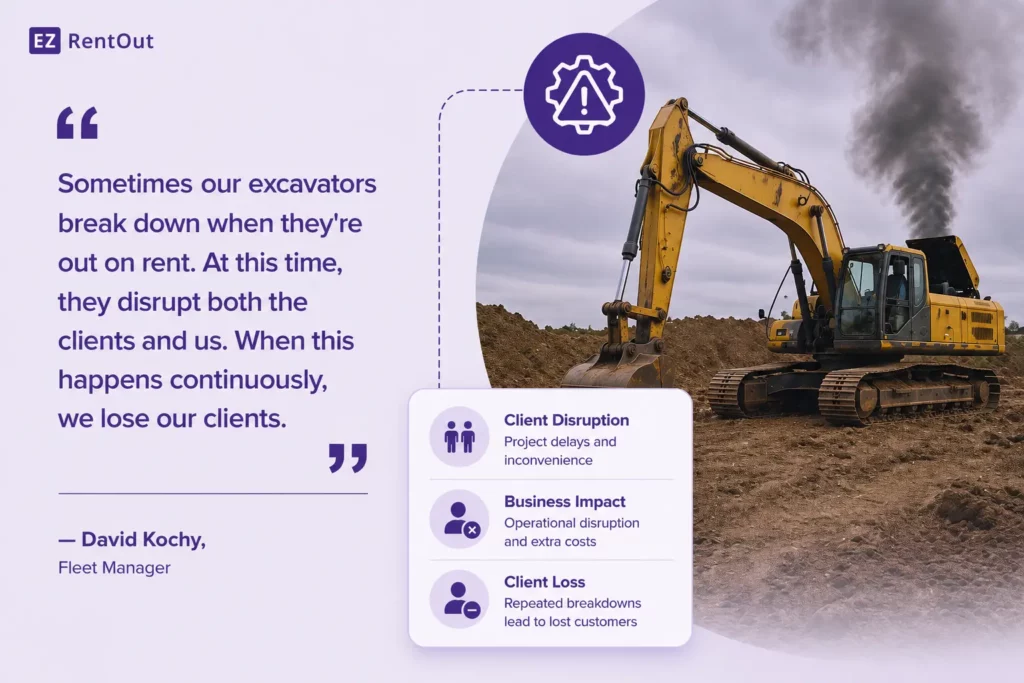
David Kochy, Fleet Manager and Team Lead for Rentals at a 120+ unit construction company, named unplanned downtime as his single biggest operational challenge. He was candid about what repeated breakdowns ultimately cost:
4. Damage disputes without inspection proof
Without a proper inspection workflow at check-out and return, there’s no record of what condition the rental equipment was in before it left your yard. When damage happens, and it does, you have no evidence to support a charge.
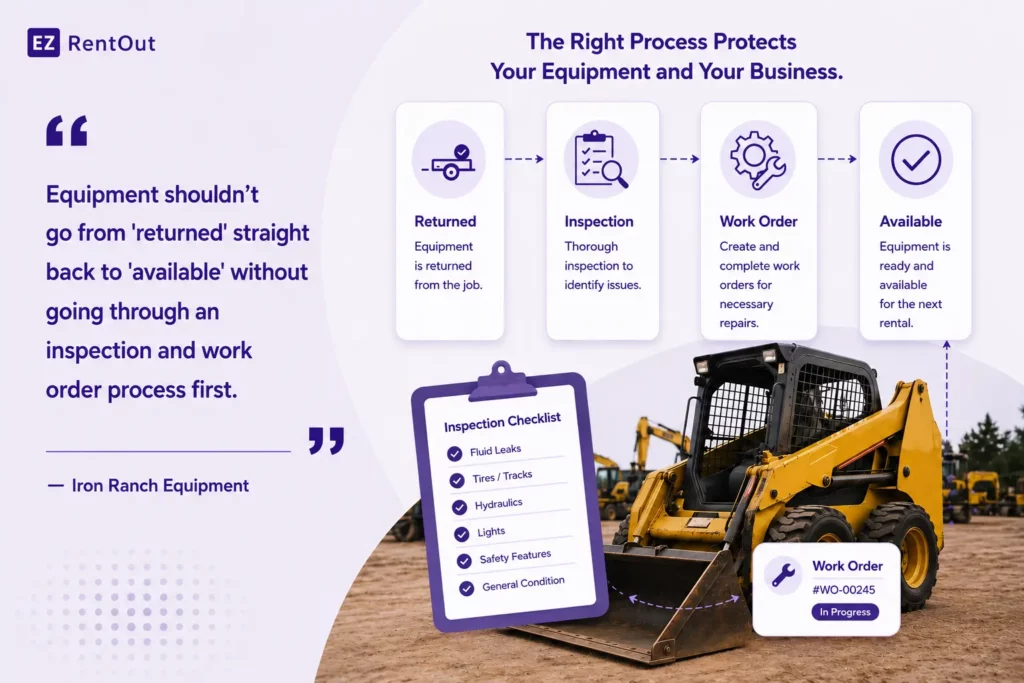
The loss falls on you. Iron Ranch Equipment specifically flagged this as a required process: equipment can’t go from returned to available without first going through inspection.
5. Shortened asset lifespan and higher total cost
Overused, under-maintained rental equipment reaches the end of its life faster. As John Rosenbaum pointed out, high utilization without proper preventive maintenance scheduling shortens the asset’s useful life, which directly affects the ROI calculation for every piece in your fleet.
You end up replacing equipment sooner, spending more on parts, and carrying higher maintenance costs per rental dollar earned.
6. Cascading scheduling failures
When maintenance status isn’t visible in your availability view, double booking becomes a real risk. You commit equipment to a rental that’s actually sitting in a service queue. The dispatcher finds out when it’s time to dispatch.
The scramble that follows is rebooking, calling the customer, and finding an alternative, which, in turn, burns team time and trust simultaneously.
How most equipment rental software manage maintenance
There’s a difference between software that logs maintenance and software that manages it. Most rental platforms only do the first; they give you a place to write down what was done, with no mechanism to ensure it actually gets done on time.
The three most common failure patterns are:
1. Maintenance lives in isolation
The maintenance module exists, but it’s not connected to anything else. It doesn’t know when a specific piece of rental equipment was returned. It doesn’t flag assets as unavailable during service.
It doesn’t trigger a work order when a rental ends. It’s a silo, useful for documentation, but not useful for operations.
2. Preventive maintenance depends on human memory
The system doesn’t schedule service based on usage, hours, or calendar triggers. Someone has to manually remember to set reminders, check them, and follow through. In a busy rental operation, that means preventive maintenance consistently falls through the cracks.
3. Equipment readiness status doesn’t surface where it matters
Even if someone does log a service issue, that status isn’t visible in the availability view. So the team books the rental equipment, the dispatcher commits to delivery, and nobody realizes until it’s too late that the asset is sitting in the service queue.
This is the gap Iron Ranch Equipment explicitly called out: the return-to-available pipeline needs a mandatory inspection step before a unit can be booked again.
The result is a system that creates a maintenance paper trail without actually improving maintenance outcomes. That’s a critical difference.
The signals that tell you that an equipment rental platform is built for maintenance
When you’re evaluating equipment rental software, don’t ask “Do you have maintenance?” Ask how maintenance works inside the rest of the system.
Here are five specific things to look for:
1. Work orders are connected to the rental lifecycle
A return should automatically trigger a work order linked to the asset, be visible to the maintenance team, and be trackable through to completion. If the rental platform requires someone to manually create a work order every time equipment is returned, you’ll see inconsistencies.
Therefore, the equipment rental platform of your choice should use this as standard practice: the return event starts a maintenance and inspection queue, not just a record update.
2. Preventive maintenance is schedulable by time and usage
Look for the ability to set preventive maintenance schedules based on calendar intervals (e.g., every 90 days) and usage metrics (e.g., every 250 hours).
Melinda Barbaglia, who runs a 49-year-old industrial equipment rental business, noted that most of her customers are on time-based intervals, 30, 60, 90, 120 days, while a smaller segment tracks engine hours. Your software needs to support both.
“The majority of our customers are interval and time-based. And then I have about 10% that call us when they’ve hit 250 hours.” — Melinda Barbaglia, Owner, C&B Lift Truck
3. Inspection workflows exist at check-out and return
Rental equipment should be inspected on the way out and on the way back in, and the system should make it easy for field teams to actually do so. But before getting into what that looks like, it’s worth being clear on why it matters in the first place.
A check-out inspection establishes a baseline. It documents the exact condition of the equipment before it leaves your yard, such as scratches, dents, fluid levels, tire condition, and any pre-existing wear. A return inspection then compares against that baseline. Together, they create a timestamped, photographic record that answers the question every rental operator eventually faces: was this damage there before it went out, or did it happen on the customer’s watch?
Without that record, the answer is always a dispute. And in a dispute without evidence, the cost almost always falls on the rental business.
Beyond damage accountability, inspection workflows serve two other critical functions. First, they act as a readiness gate; a returned unit can’t quietly slip back into the available pool without someone physically signing off that it’s fit to go out again. Second, they build a service history per asset over time. Every inspection adds a data point: what was found, what was flagged, what was fixed. That history is what tells you whether a unit is costing more to maintain than it earns, and when it’s time to retire it from the fleet.
4. Maintenance status affects rental equipment availability
If a piece of equipment is in service, it should appear that way across the entire dashboard, visibly marked as unavailable so no booking can be made against it until it’s ready to go.
The reason this matters is that availability and maintenance aren’t two separate concerns in an equipment rental operation. They’re the same concern viewed from different angles. When the two systems don’t talk to each other, your dispatch team makes booking decisions with incomplete information without even knowing it.
The result is predictable: equipment is committed to a job while it’s sitting in a service queue, and by the time anyone notices, the customer is already expecting delivery.
5. Field, yard, and office teams share the same picture
When field, yard, and office teams work from different systems, maintenance coordination breaks down fast. Someone in the yard knows an equipment is being serviced; dispatch doesn’t and books it anyway.
When maintenance status, availability, and scheduling all live in the same platform, every team is working from the same picture, and decisions get made on real information rather than assumptions.
This matters more as your operation grows. With a small fleet and a tight-knit team, a quick phone call can bridge the gap between what the yard knows and what the office sees. But once you’re managing 30, 50, or 100+ units across multiple locations, verbal updates and informal check-ins don’t scale. Gaps between systems become gaps in accountability, and nobody can pinpoint where the breakdown happened until a customer is already affected.
What connected maintenance actually looks like in practice for equipment rental operations
Here’s the same scenario, a piece of equipment coming back from a rental, played out two ways.
Without connected maintenance:
An excavator returns. The driver parks it in the yard and closes the order. Someone makes a note in a spreadsheet that it needs an oil change. Three days later, a rental coordinator sees that the equipment is available and books it for a week-long job. It ships out. On day two, it breaks down.
The customer is furious. Your team discovers the maintenance note after the fact. You’re now sub-renting a replacement at cost while managing an angry customer and a disputed damage claim.
With connected maintenance:
An excavator returns. The return automatically triggers a work order based on the preventive maintenance schedule and logged usage hours. The asset status changes to ‘In Service’, and it disappears from the availability view.
The maintenance team completes the work order and marks it done. Status changes to ‘Ready.’ The asset reappears as available. The next rental goes out clean, with a completed inspection record attached.
Same equipment. Same team. Completely different outcome, because maintenance was part of the workflow, not a separate task bolted on the side.
Questions to ask any equipment rental software vendor
Before you commit to a rental platform, ask these questions directly. The answers will tell you whether maintenance is a connected workflow or just a feature on a checklist.
- Can I trigger a work order automatically when equipment is returned?
- Does maintenance status affect whether a unit appears as available to book?
- Can field technicians update service status from a mobile device?
- Can I set preventive maintenance schedules by both time and usage hours?
- Can I attach inspection photos to an asset’s history at check-out and return?
- Can I see, in one view, what’s currently out on rent, what’s in service, and what’s ready to go?
- Is there a forced-function step that prevents a returned unit from becoming available before inspection is complete?
If the answer to most of these doesn’t satisfy your business needs, and you’d need to execute the workflows manually, that would tell you how the equipment rental platform actually handles maintenance.
EZRentOut is built to answer yes to every one of these. Work orders are triggered automatically upon return, maintenance status blocks availability across the dashboard, and field teams can update service status in real time on mobile devices. Preventive maintenance schedules run on both time and usage intervals, inspection photos attach directly to the asset’s history, and a single availability view shows your entire fleet’s status, what’s out, what’s in service, and what’s ready to go, without anyone having to deal with clunky software, chase down a phone call, or cross-reference a spreadsheet.
Finally, maintenance isn’t a feature; it’s a revenue decision
Every hour a piece of equipment sits idle is an hour it isn’t earning. Every breakdown that could have been prevented with a properly timed preventive maintenance is a customer relationship at risk. Every damage dispute without an inspection record is money and credibility on the line. And every expensive sub-rental you arrange to cover a gap is a margin you’ll never get back.
The equipment rental operators we spoke with, from a 5-unit side business in New Jersey to a 120-unit fleet across two states, all arrived at the same conclusion: maintenance has to be part of the system, not separate from it.
The best equipment rental software doesn’t bolt maintenance onto the side of the product. It builds it into the core loop, so tracking availability, keeping equipment ready, and capturing revenue are all part of one connected workflow.
If your current software can’t answer yes to most of the questions above, it may be time to look at what connected maintenance actually looks like in practice, and whether your current platform is costing you more than you realize.

![[How-to] Service and Maintain Items in EZRentOut](https://cdn.ezo.io/wp-content/uploads/2015/05/18102704/Service-and-maintenance.jpg)