IT procurement often involves manual data entry, email trails, and disconnected systems. With AssetSonar’s Connection Integration, you can now automate this entire workflow. The integration bridges your procurement data directly from Connection into AssetSonar — eliminating spreadsheets, imports, and delays.
As soon as you purchase hardware or software through Connection, the relevant purchase details automatically sync into AssetSonar, giving you real-time visibility, accuracy, and a single source of truth across procurement and ITAM.
1. Benefits of Connection Integration
Centralized asset information
Keep detailed purchase data — including model, quantity, pricing, and vendor details — in one place.
Data integrity
Ensure accurate tracking, reporting, and auditing across procurement and IT operations.
Cost optimization
Access granular purchase and pricing data for budgeting, cost allocation, and compliance.
Procurement automation
Eliminate manual entry and focus your IT team’s time on higher-value initiatives.
Lifecycle visibility
Track assets from procurement through deployment to retirement for better utilization and reduced overspending.
2. Enable Connection Integration
Go to Settings → Integrations → Procurement Integration → Connection Integration and toggle Enabled.
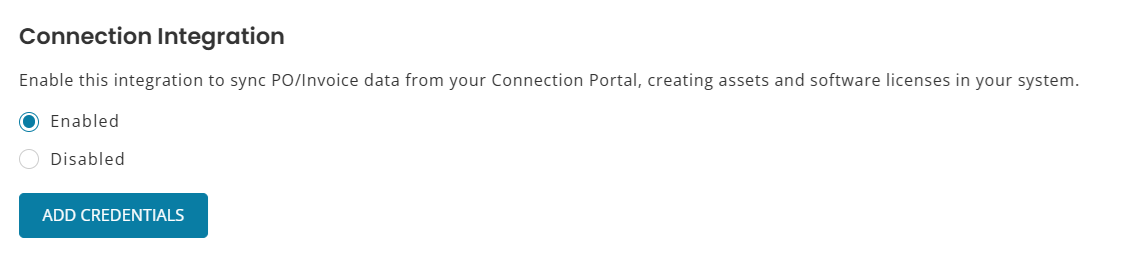
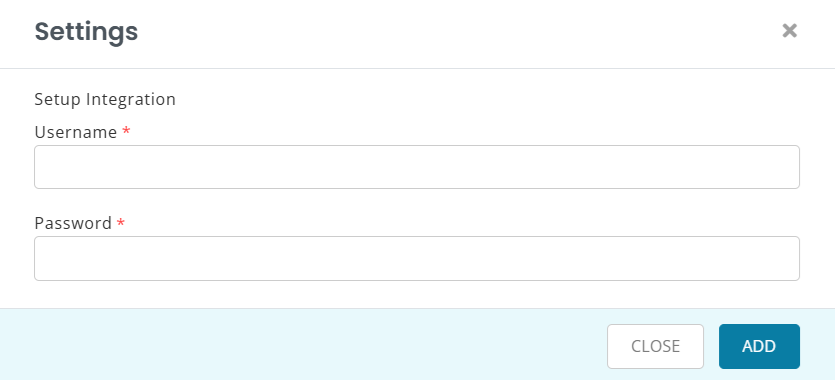
Next, click Add/Update Credentials to enter your Connection Account. Add email and password for an API enabled account, then click Update to save your credentials.
3. What Gets Synced from Connection
For every purchase order processed through Connection, AssetSonar automatically creates a completed Purchase Order (PO) and imports the following data fields:
- Item details: Name, model, and type (hardware or software)
- Vendor: Connection
- Order timeline: Order date and invoice date
- Pricing: Unit price and total cost
- Shipping location: Destination city
- Requester: Individual who placed the order
All this information appears on the Purchase Order details page in AssetSonar, delivering structured procurement data without any manual uploads.
4. View Synced Purchase Order Information
Once the integration is live and an order is placed through Connection, a completed Purchase Order is automatically generated in AssetSonar.
To view:
Go to More → Purchase Orders and open the relevant record.
You’ll be able to review the following synced details:
- Vendor: Connection
- Model and manufacturer information
- Quantity and price breakdown
- Delivery location and requester info
- Order and invoice dates
- Purchase Order Status: Completed
- Source: Connection (non-editable)
Note: POs created through this integration are non-editable to maintain procurement data integrity.
5. Track Connection Software Licenses
When Connection sends a purchase order for software, AssetSonar automatically:
- Creates a PO of type Software
- Lists Connection as the vendor
- Adds an entry to the Software Licenses module containing:
- License Name (model)
- Seats (from quantity)
- Price per seat (auto-calculated)
- Total Price
- State: Active
- License Name (model)
To view:
Go to Software → Software Licenses and open the relevant license entry to review purchase details.
Each Connection software license is automatically linked to its purchase order, providing full traceability between procurement and license management.
6. View Connection Sync Logs
To view sync history for all purchase orders created through this integration:
Go to More → Purchase Orders → Sync Logs tab.
Here you can monitor:
- Sync source
- Status of each sync attempt
- Sync time
- Associated PO reference
7. Vendor Auto-Creation: Connection
If Connection is not already listed under your vendors, AssetSonar will automatically create it when the first PO is synced.
Name: Connection (non-editable)
Website: https://www.connection.com
8. Purchase Info on Asset and License Detail Pages
All procurement data fetched from Connection is visible across:
- Assets → Purchase Information tab
- Software Licenses → Linked PO and License fields
This ensures a unified view of purchase and lifecycle details for every asset and license.
Ready to Streamline IT Procurement?
With AssetSonar’s Connection Integration, you can eliminate manual data entry, automate purchase order creation, and gain end-to-end visibility into your IT procurement — all in real time.
Need help enabling it? Reach out to us at support@ezo.io — we’re happy to assist.
