

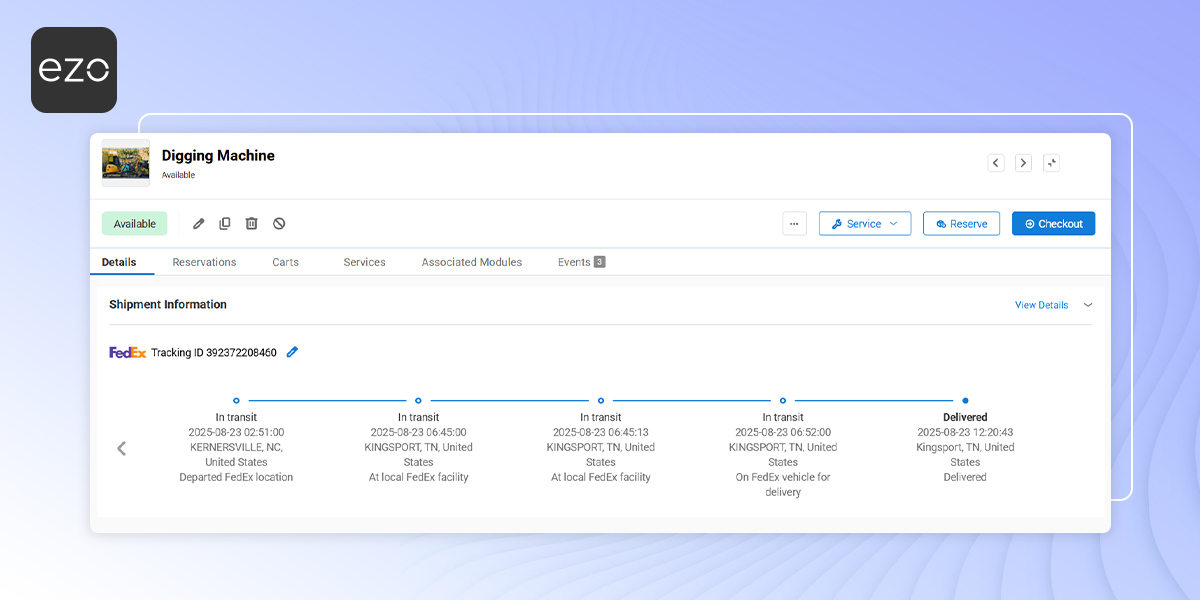
When devices are sent out for repair, replacement, or return, IT teams often lose visibility once the asset leaves their custody. Tracking shipment status across carrier portals often requires switching between tools and asset records, which can make it harder to maintain consistent visibility during repair and return workflows.
With the FedEx integration in EZO, you can track shipment status directly against assets already in your inventory. This helps you see when a device was shipped, where it is in transit, and when it reaches its destination—without leaving EZO.
This guide covers the beta release of the FedEx integration: tracking shipment status for assets in EZO.
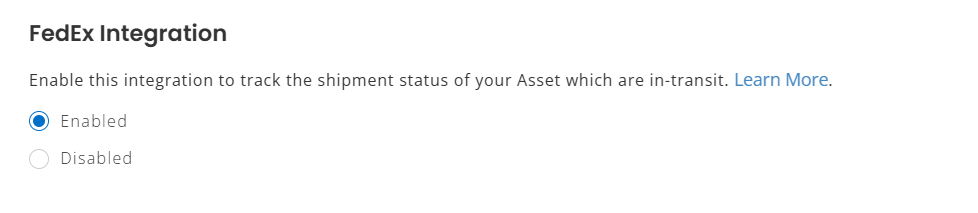
1. Enable the FedEx Integration
- Go to Settings → Integrations → Shipment Integration and locate FedEx Integration.
- Click Enable and then click Update.
3. Add Tracking IDs to Assets
For EZO to track a shipment through FedEx, a Tracking ID must be associated with the asset. You can add tracking IDs in the following workflows:
- Asset Checkout: When shipping a device out.
- Asset Check-in: When receiving a device back.
- Service/Maintenance: When sending an asset for repair.
- Asset Creation or Edit: Manual entry on the asset detail form.
- Bulk Import: During mass asset creation or update via CSV.
Each tracking ID added is tied directly to the asset’s lifecycle.
4. View Shipment Information on an Asset
Once a Tracking ID is added, EZO fetches shipment data from FedEx and displays it in a new section on the asset’s detail page.
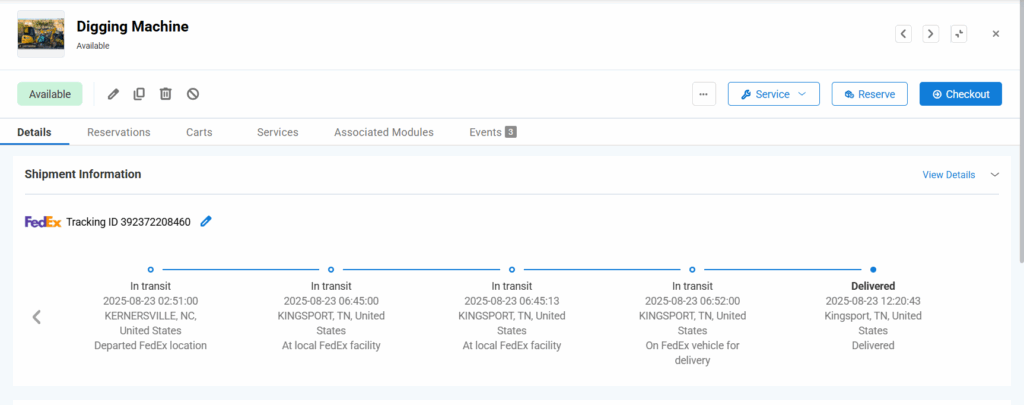
For each tracking ID, EZO shows a shipment timeline with scan events returned by FedEx. Shipment events are displayed newest first, making the current status immediately visible.
This timeline helps you quickly answer:
- Has the device left the origin?
- Is it still in transit?
- Has it reached the destination?
5. Reporting on Shipment Data
Shipment Information is also available in Custom Reports.
You can:
- Add Shipment Information as a sub-module for Assets
- Include shipment fields as report columns
- Build reports for assets currently in transit or recently delivered
This is useful for audit trails, repair tracking, and logistics oversight.
With shipment tracking now tied directly to assets, teams can monitor repair and return workflows without switching tools or manually checking carrier portals.
Ready to Track Asset Shipments Inside EZO?
With the FedEx integration enabled, you no longer need to jump between carrier portals to check shipment status. EZO keeps shipment updates tied directly to the asset’s lifecycle—helping you reduce delays, losses, and manual follow-ups.
If you need help setting up the FedEx integration or troubleshooting shipment data, contact support@ezo.io.







