





EZO EAM Inventory Tracking Software
Inventory Management Software
Inventory Control You Can Trust
Track what you own, allocate easily when needed, replenish before it runs out, and close every audit without the scramble. EZO EAM connects inventory visibility with the workflows that keep operations running so you’re always working with data you can trust.
Our Clients Have Reported
2000+ hrs
Saved Annually via Automation
50%
Reduction in Unplanned Downtime
80%
Reduction in Asset Misplacement
One System for Everything You Stock, Store, and Use
See Everything, Across Every Location
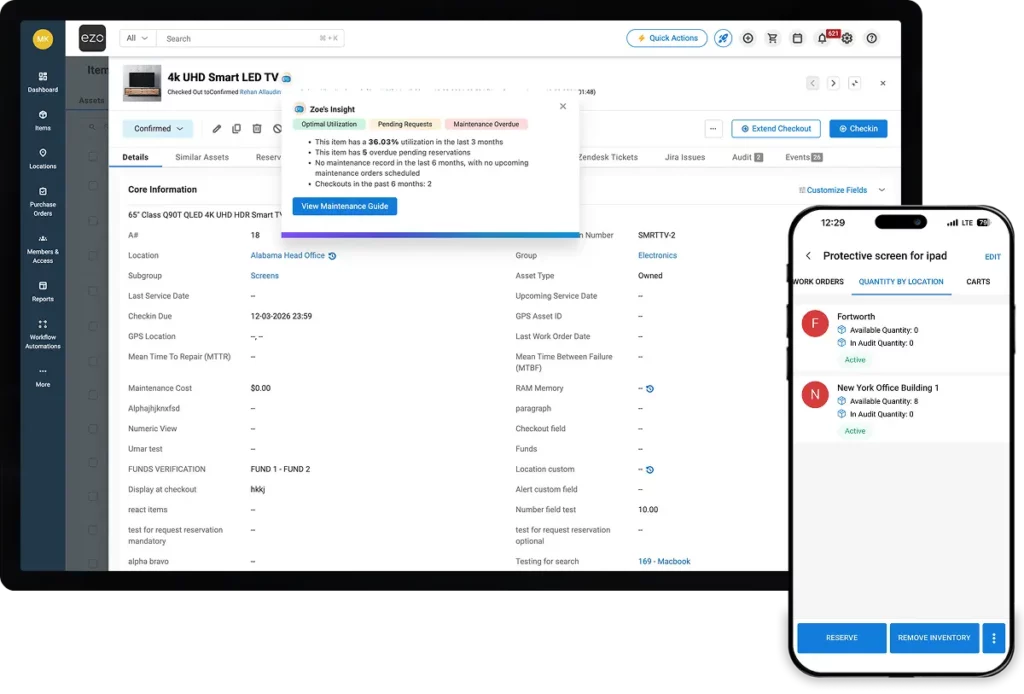
Know what's in stock, what's reserved, and what's running low, across every site, without making a single phone call.
Update Stock in Real Time
Scan to receive, transfer, or audit. Records update at the point of work, not hours later when the details are fuzzy.
Procure Intelligently, Cut Wasted Spend
Set your own thresholds. Talk to vendors. Manage purchase orders in multiple currencies. Trigger purchase orders before you run dry, not after work has already stalled.
Automate the Busywork, Reclaim Hours
Low-stock alerts, replenishment triggers, audit reminders. Configure once, stop babysitting. The system monitors so your team doesn't have to.
We're Trusted by the Best


Join the Teams Cutting Inventory Loss by up to 80%
Inventory Operations That Hold Up at Scale
Transfers & Allocation
Batch Management
Automated Procurement
Smart Catalog Optimization
Transfers & Allocation
Right Stock, Right Place, in Just a Click
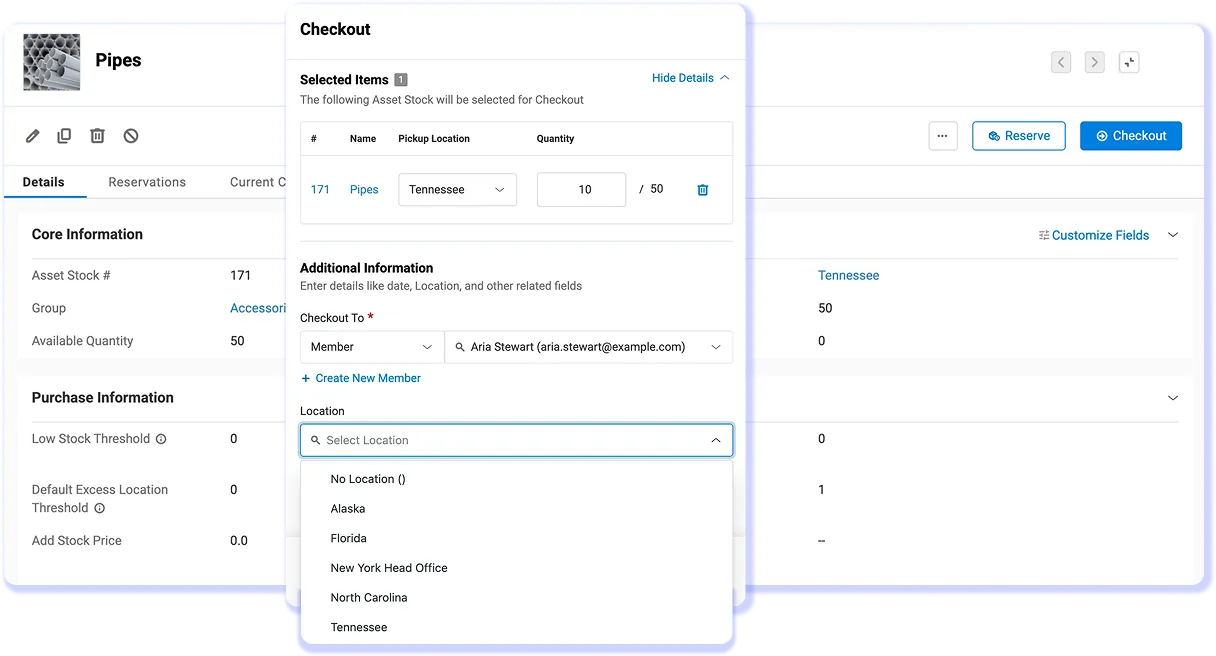
Allocate inventory to teams, departments, and projects. Transfer between sites with a full movement trail. When availability is visible and stock can be reserved, the where is it? calls stop.
- Reserve stock against projects before its allocated elsewhere
- Transfer items between sites with a timestamped audit trail
- Real-time availability before committing stock to a job
Batch Management
Easy Traceability Without the Paperwork
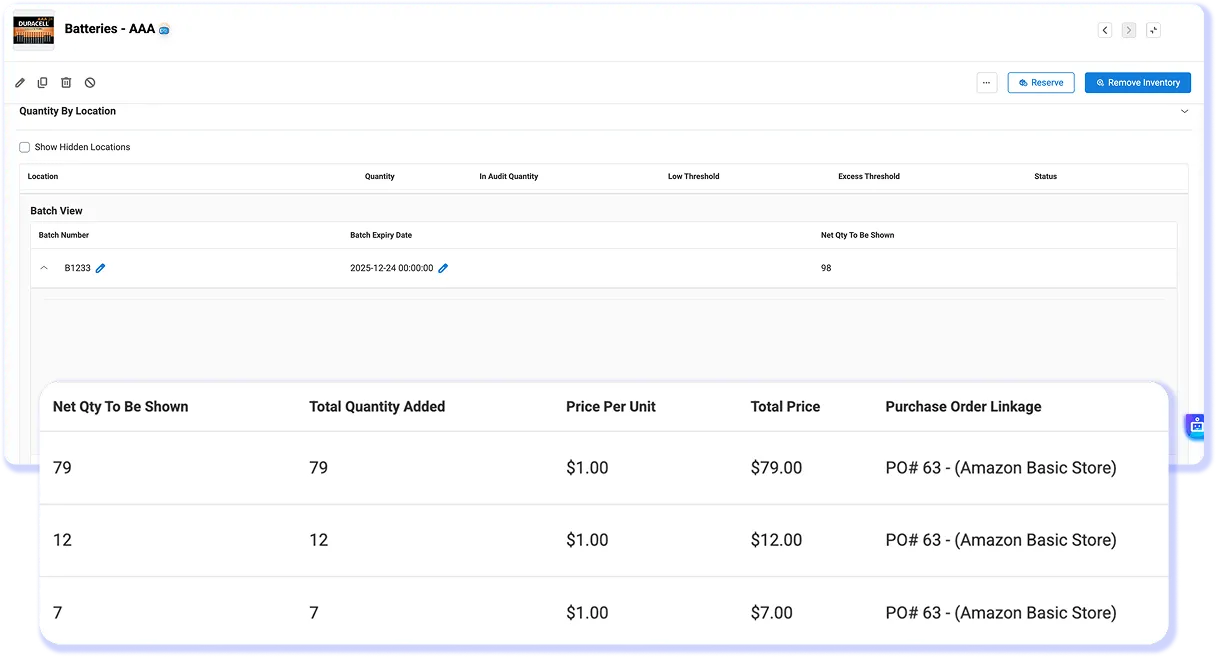
Organize inventory in batches or lots, track quantities and expiry dates, and pull clean records for any audit without digging through binders or reconstructing what happened from memory.
- Batch management with cost tracking
- Smart stock grouping with custom fields
- Full movement history per batch, audit-ready at any time
Automated Procurement
Precision Reordering that Keeps you Stocked Up
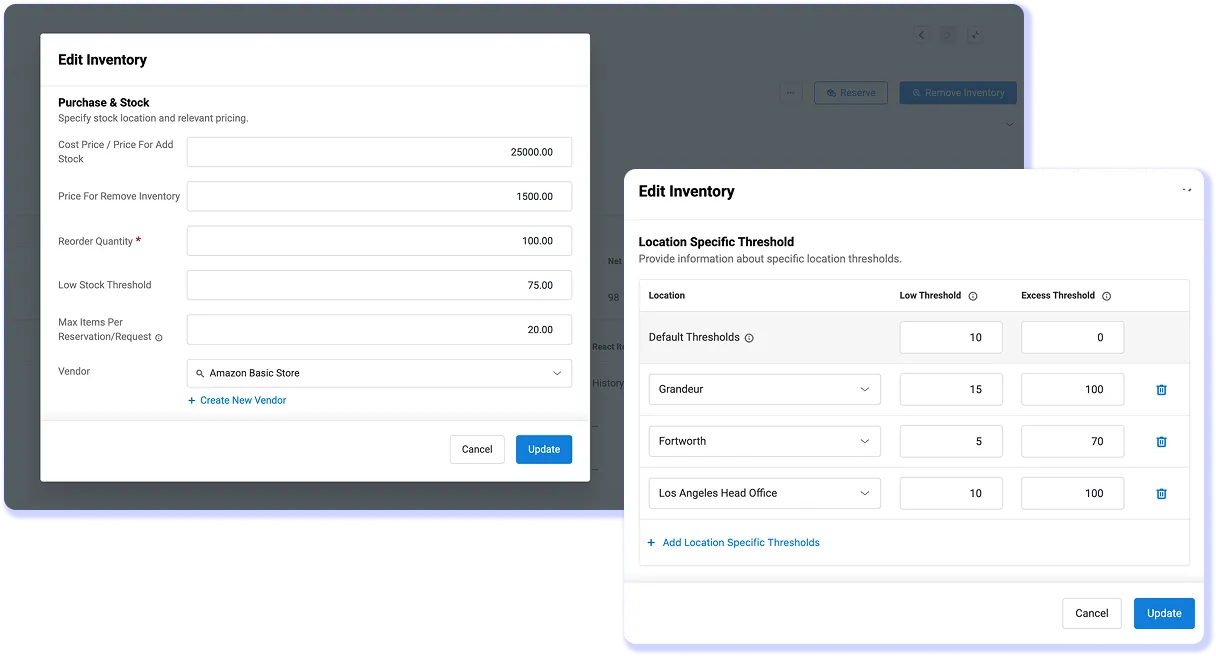
Set minimum quantity thresholds and EZO EAM triggers purchase orders automatically. Connect to QuickBooks Online and every PO flows into your accounting records without a manual step.
- Threshold-based PO triggers; replenishment before the stockout
- Supplier management in the same workflow as stock control
- QuickBooks Online integration keeps purchasing and accounting in sync
Smart Catalog Optimization
Forecast Demand, Cut Cost & Maintain Optimal Stock Levels
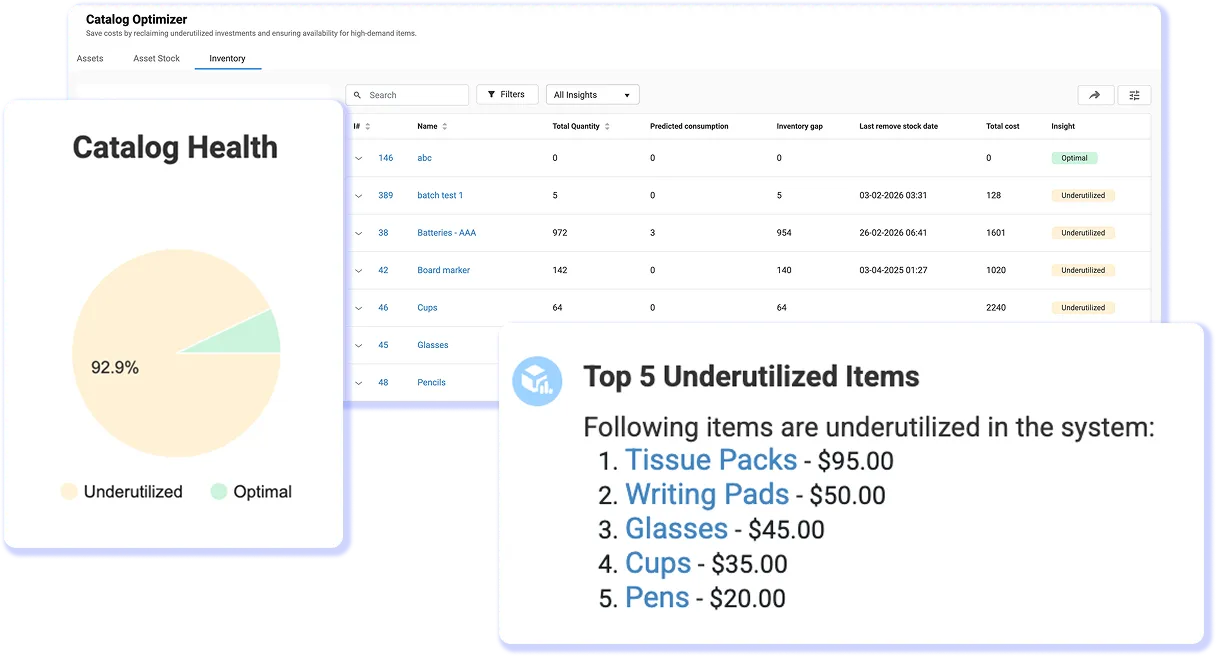
EZO EAM Catalog Optimizer analyzes consumption trends and flags whats under-utilized, over-ordered, or trending toward shortage so procurement decisions are driven by data, not instinct.
- Demand forecasting from actual usage history
- Surfaces slow-moving stock before it becomes dead stock
- Proactive replenishment recommendations before shortages hit
What Operations Teams Say
Join Teams that Trust Their Inventory Data
Your Stock Shouldn't Be a Mystery
- Fragmented Stock Data: Different systems, spreadsheets, and site-level records show different quantities, so teams cannot trust what is actually available.
- Untracked Inventory Movement: Stock is transferred, consumed, or reallocated without clear records, making it hard to know what moved, where it went, and who used it.
- Replenishment happens too late: Without accurate thresholds and timely updates, teams find out inventory is low only after stockout.
- Poor Inventory Organization: Poorly organized SKUs, duplicate records, and missing batch or expiry details make inventory harder to search, count, and audit at scale.
Proven Results by Our Customers
assets recovered
“A Global Broadcasting Giant recovers over 100+ assets, saves 5-6 hours of manual work, and achieves 50% more accurate data through powerful asset tracking in EZO.”
reduction in inventory downtime
“Lesley university reduces downtime to manage university inventory by 50% with convenient location tracking and higher transparency in EZO.”
Improvement in operational efficiency
“The intuitive EZO interface gives quick access to item availability, improving operational efficiency by 40%, saving 3+ hours a day resulting in more than $1000 savings.”
Explore More Resources
Frequently Asked Questions
Inventory management software helps organizations track stock levels, monitor inventory movement, and maintain accurate records of what is available across locations. EZO EAM connects inventory visibility with operational workflows so teams can track quantities, allocate stock, and replenish inventory without relying on spreadsheets.
EZO EAM keeps inventory levels accurate by updating stock quantities in real time as items are received, transferred, consumed, or allocated. Barcode scanning and automated workflows ensure that inventory updates happen when work happens, preventing discrepancies and manual errors.
Yes. EZO EAM supports multi-location inventory management, allowing teams to track stock levels across warehouses, offices, storage rooms, and job sites. You can monitor quantities by location, transfer inventory between sites, and maintain a centralized view of stock availability.
Yes. EZO EAM allows you to label inventory with barcodes or QR codes and scan them to instantly update quantities, check stock availability, or verify items during audits. This significantly speeds up stock counts and reduces manual entry errors.
EZO EAM helps prevent stock-outs with low-stock alerts, minimum quantity thresholds, and demand-aware planning. Its Catalog Optimizer shows which items are under- or over-utilized, helping teams predict shortages before work is delayed and replenish inventory when forecasted demand is rising.
Yes. EZO EAM connects inventory levels with procurement workflows, allowing teams to generate purchase orders when stock reaches predefined thresholds. This ensures critical inventory is replenished on time and reduces manual monitoring.
Yes. EZO EAM integrates with QuickBooks to connect your Purchase Orders with your accounting system. This allows teams to track inventory purchases and expenses while keeping financial records synchronized with operational data.
Yes. EZO EAM supports batch and lot tracking so organizations can maintain traceability for inventory items. This helps teams monitor quantities by batch, manage expirations when relevant, and maintain clear records for audits and compliance.
EZO EAM maintains a complete record of inventory transactions, including stock movements, adjustments, and transfers. Teams can run stock audits with verified counts and reconcile discrepancies quickly, reducing the time and effort required for inventory verification.
Yes. EZO EAM supports consumable inventory such as supplies, spare parts, and fast-moving stock items. Teams can track quantities, monitor usage, and automatically update inventory levels as items are consumed.
EZO EAM allows teams to structure inventory catalogs using categories, SKUs, custom fields, and location assignments. This makes it easier to search inventory, manage large catalogs, and maintain consistent records across teams.
Yes. EZO EAM provides mobile inventory management through iOS and Android apps. Teams can scan barcodes, update stock levels, conduct inventory audits, and access inventory records directly from the field.
Yes. EZO EAM provides inventory reporting on stock levels, consumption trends, movement history, and inventory valuation. These reports help teams forecast demand, optimize stock levels, and improve procurement planning.