EZO EAM Features

EZO EAM Features

Asset Lifecycle & Operations

Explore EZO EAM’s asset management features for tracking equipment, managing custody and reservations, controlling inventory, and overseeing purchasing, audits, and depreciation. Add CMMS software capabilities for work orders and preventive maintenance to support the full asset lifecycle.
No Credit Card Required

Asset Lifecycle

Manage each asset from purchase to retirement with connected records for custody, location, stock, and purchasing. Teams can see where an asset is, who holds it, and what it has cost without keeping separate tracking sheets.
EZO EAM dashboard showing top software by usage and software usage by category.
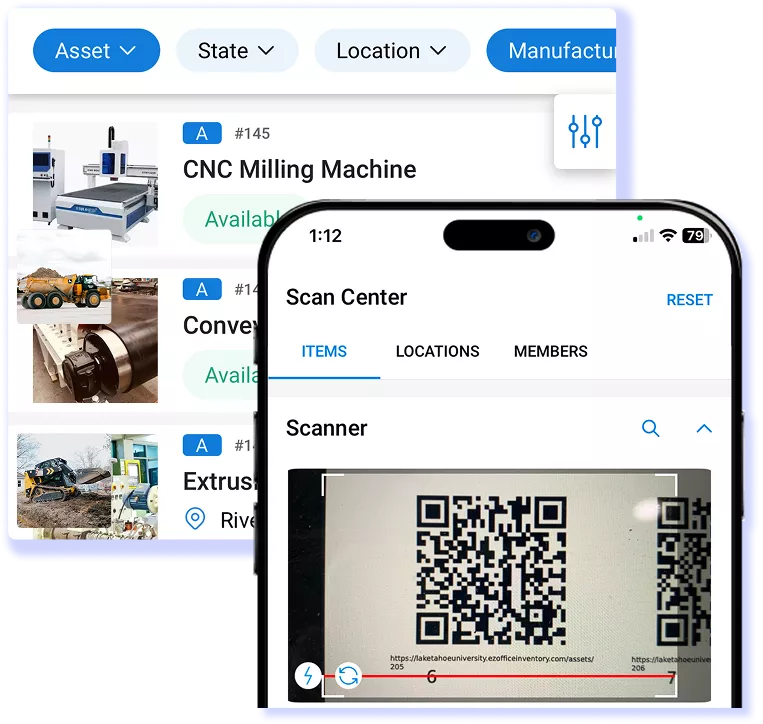
Barcode QR and RFID scanning for engineering and maintenance asset tracking in EZO EAM.
Label assets with QR codes, barcodes, or RFID tags and scan them with the Android or iOS app to update location, status, and custody in the field.
Asset fulfillment dashboard showing check-ins, checkouts, custodians, and return dates.
Check items in and out, transfer custody between users, and move packages, bundles, or carts as one unit, with each handoff added to the item’s history.
EZO EAM availability calendar showing daily asset availability, checkouts, and maintenance
Reserve assets for future dates and use the availability calendar to see what is free, booked, checked out, or in maintenance at each location.
Location-based inventory thresholds in EZO
Track consumables and reusable stock by location, set low-stock thresholds, manage batches and stock transfers, and link inventory to the assets it supports.
EZO EAM item record listing linked purchase orders with price, requester, and status
Raise and receive purchase orders in multiple currencies, manage vendors and contracts, and record rented-in equipment alongside your owned assets.
EZO EAM request portal with availability filters, checkout button, and item details
Staff request items through a self-service portal, approvers sign off in sequence, and admins fulfill or dispatch the approved request from one center.
Custody verification request on the EZO mobile app with condition options and a scanned asset label
Run custody and location audits to confirm condition and counts, and depreciate equipment by group with straight-line or declining-balance methods.
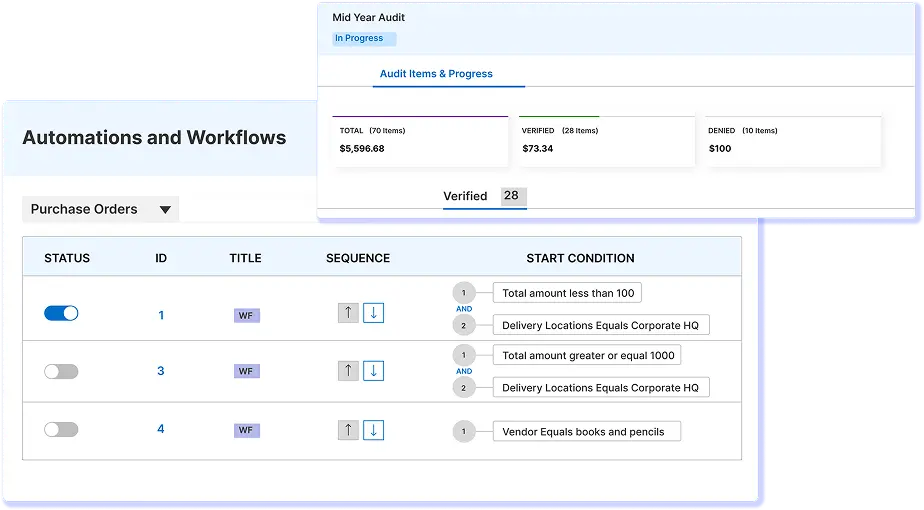
EZO EAM automation workflows and audit progress dashboard with purchase order rules and verification status
Group assets and purchase orders by project, then set rules to update statuses, route approvals, or send alerts when a defined event occurs.

Show More

Show Less

Maintenance Management

A service schedule protects an asset only if it flags when maintenance is required. EZO EAM moves assets into maintenance on schedule when service is due, assigns work orders to technicians by rule, and keeps costs and checklists connected to the asset’s service history.
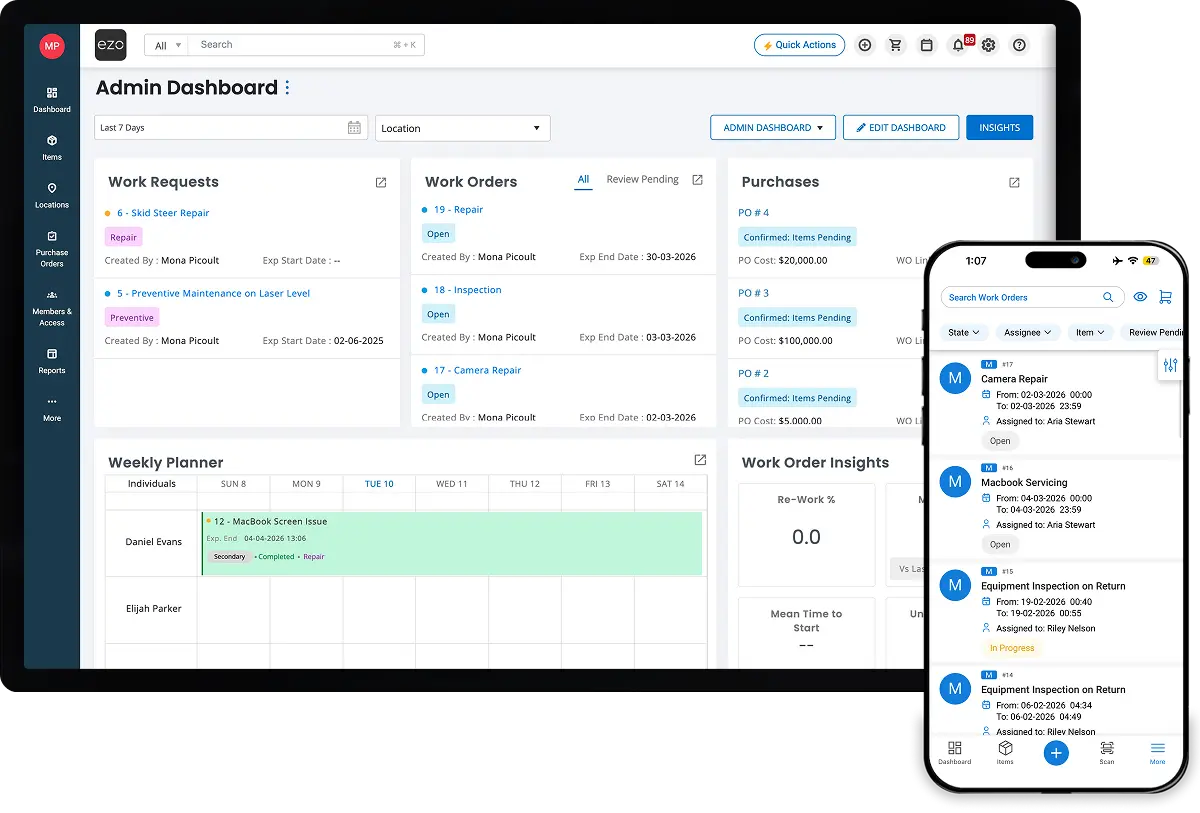
EZO EAM dashboard and mobile app showing work requests, work orders, and technician schedules.
EZO EAM Services list showing active repairs with asset, state, servicer, and type
Log every repair and service event, including dates, costs, and vendors to give teams a complete service history to guide repair-or-replace decisions.
EZO EAM maintenance insights with work order metrics, maintenance cost chart, and work logs
Set recurring service schedules that move assets into maintenance when service is due, so planned upkeep can happen before an avoidable failure forces it.
EZO EAM work orders list with Edit Work Order panel for assignee, supervisor, and reviewer
Create, assign, and track work orders through completion, with linked assets, priorities, costs, notes, and a review step when needed.
EZO EAM dashboard showing item distribution, asset utilization, uptime, and latest events

Technician Management

Assign a primary technician to each work order, then add a supervisor, secondary assignees, or a reviewer as needed to keep ownership clear.
EZO EAM generator inspection checklist with line items and Yes or No responses
Attach step-by-step checklists to work orders and mark key steps as mandatory, so a work order cannot close until the required checks are done.
EZO EAM preventive maintenance Scheduler configured with a maintenance interval
Auto-assign supervisors, technicians, and due dates when a work order is created or approved, based on its priority, type, location, or group.
EZO EAM planner showing work orders, asset checkout details, and Zoe insights for maintenance decisions

Work Planner

View technician schedules on a calendar and drag work orders between technicians to adjust assignments as priorities change.
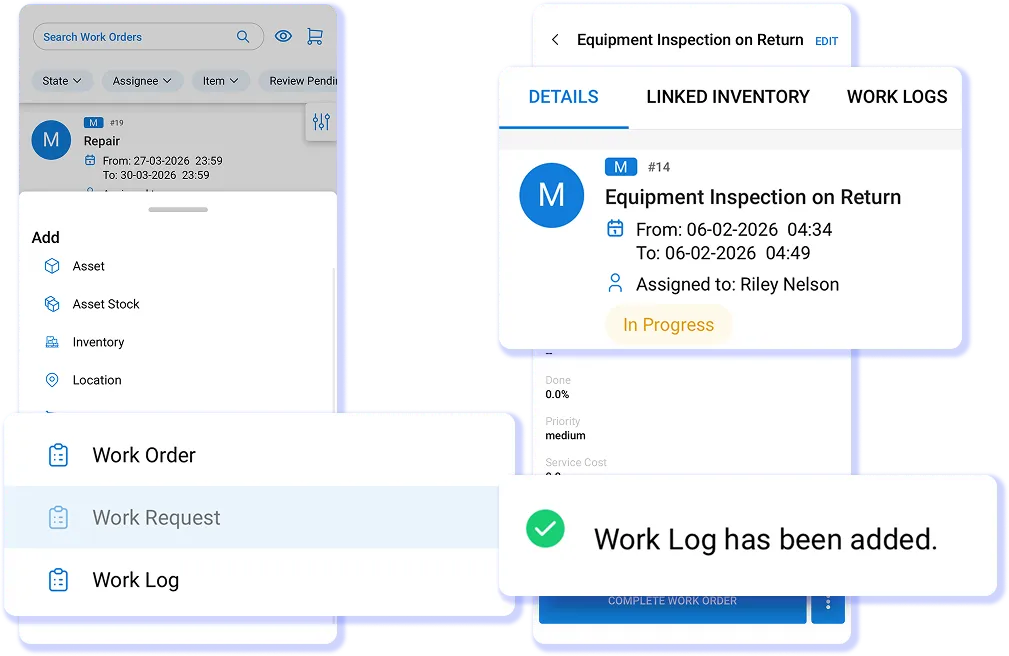
Mobile equipment inspection work order in EZO
Work on synced work orders and requests, add work logs, and open up to 100 bookmarked assets offline. Changes sync once you reconnect.

Show More

Show Less

Custody and Access

When custody is unclear, a missing asset becomes a question nobody can answer. EZO EAM ties each asset to the person who holds it, sets who can see and approve what, and alerts admins before an employee leaves with equipment still assigned.
EZO EAM Members listing showing employee roles, account statuses, and offboarding dates.
EZO EAM mobile checkout screen with a barcode scan option to select the receiving member
Check items out by scanning an employee’s ID badge to record custody against the right person at the counter or in the field.
EZO EAM member profile with Offboard Member dialog to set offboarding date and status
Record an employee’s exit date to get alerts listing the assets still assigned to them, so admins can recover or reassign equipment in time.
EZO EAM Approve/Cancel Reservation dialog showing dates, requester, and reserved asset
Decide which staff need admin approval to reserve, check out, or check in items, so approval applies where an action carries risk.
EZO EAM access control settings with options to restrict access by groups or locations
Limit what each user can see by item group, location, or both, so each team works only with records in its permitted groups and locations.
EZO EAM role permissions grid for carts with view, update, and move actions by user scope
Build custom roles that define what each user can view, edit, transfer, or act on, and combine them with scopes to further narrow visibility.

Show More

Show Less

Customization & Configuration

A system that forces its own vocabulary on a team tends to get worked around, which leaves gaps in the record. EZO EAM lets you set your own fields, states, terms, labels, and alerts, so the system describes your operation in your words.
EZO EAM settings screen with custom fields, custom substates, asset ID naming format, and label designer
EZO EAM asset details page showing a custom Focal Length field on a camera lens record
Add custom fields, such as text, date, dropdown, yes-or-no, and multi-select to items, carts, purchase orders, work orders, members, and vendors.
EZO EAM asset with custom substate In Transit To Owner and option to change substate
Create substates such as ‘In Transit’ under each asset state, with named transitions and a state history recorded on every item.
EZO EAM asset ID settings with AIN options, prefix, and number of digits fields
Rename product terms and buttons to match your team’s language, and set asset ID prefixes and digit counts for each group.
EZO EAM label printing screen with selected items, template size, and print options
Design labels and printouts in a drag-and-drop editor, then clone the templates so every team prints the same format.
EZO EAM email template editor for a checkout alert using placeholders in the body
Customize supported alert email templates with placeholders that insert your terms and the details each recipient needs.
EZO EAM alert settings to choose the groups and locations for email notifications
Send personal, staff, and role-based alerts for supported events, so the right people hear about checkouts, overdue items, requests, and maintenance.
EZO EAM Company URL settings with a branded sign-in URL and a Validate Company URL button

Branded Company URL

Point a subdomain you own, such as assets.yourcompany.com, to your EZO EAM account with a CNAME record, so every user signs in at one branded address.

Show More

Show Less

Reporting & Analytics

A report is only as reliable as the records behind it. EZO EAM builds reports from the same records teams update during checkouts, work orders, and purchases, so usage, cost, and status reflect the latest recorded activity, not a separate copy.
EZO EAM Dashboard showing custom report and graph
EZO EAM Reports page listing custom, location, member, vendor, and work order reports
Run built-in reports on assets, inventory, checkouts, maintenance, and purchasing, and export them as PDF or CSV to share with stakeholders.
EZO EAM custom report builder with module selection, saved reports, and export options
Build reports across modules with the columns, filters, and charts you choose, then save them so anyone on the team can rerun them.
EZO EAM data backup settings connected to Dropbox with a daily backup option

Data Sync and Backups

Schedule exports to OneDrive or Dropbox, or back up your data on demand, so you keep a current copy of your records in storage you control.
EZO EAM asset checkout frequency chart with options to download as PNG, PDF, SVG, or CSV
Import assets, locations, and members from supported Excel templates, and export records in supported formats when another team or tool needs them.

Show More

Show Less

Integrations Across Your Stack

Every system that holds its own copy of asset data is another place for that data to drift. EZO EAM syncs users from your identity provider, links assets to service desk tickets, sends costs to QuickBooks Online, and brings GPS and telematics data onto asset records.
EZO EAM SAML single sign-on integration settings with entity ID and callback URL
Sign users in with SAML and sync members from LDAP or Active Directory so access stays in step with your identity provider.
Google Workspace integration syncs directory users to EZO EAM automatically every 24 hours.
Import employees from your Google Workspace directory, so you can add new employees without manual entry before assigning them equipment.
EZO Settings section showing Zendesk and Jira integrations
View assets, including checkout and vendor history, in Zendesk, and create tickets for assets that need work or link items to issues in Jira Service Management.
EZO EAM QuickBooks Online integration settings with a Connect to QuickBooks button
Sync work orders and purchase orders to QuickBooks Online, so maintenance and purchasing costs reach your accounting records without rekeying.
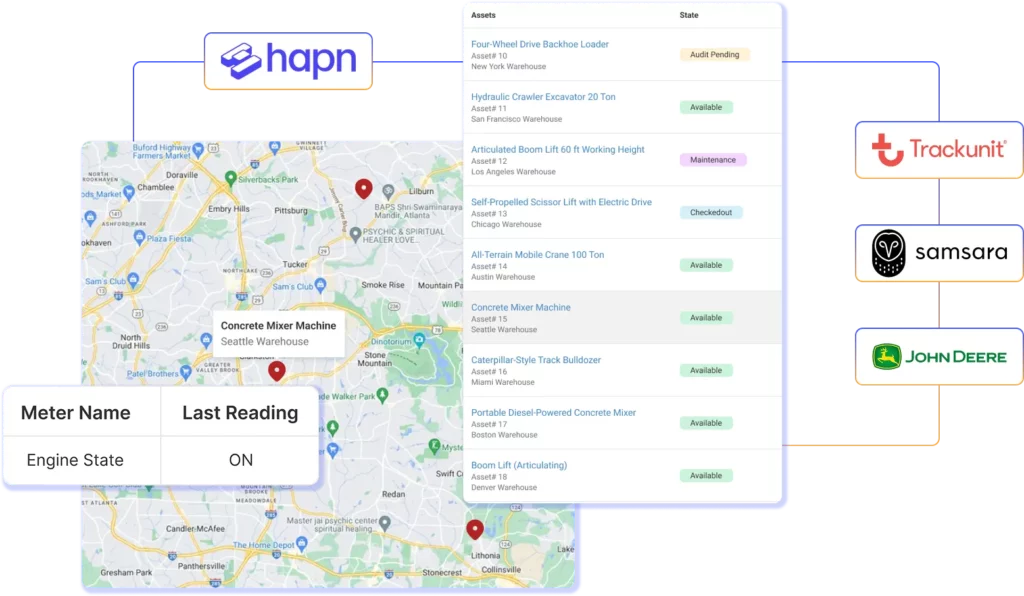
Field equipment tracked in EZO with GPS, telematics, barcode, QR code, and RFID scans
Connect a supported GPS provider to see tracked assets on one fleet map, and bring machine data from telematics providers such as John Deere onto asset records.
Settings to enable Topaz Signature Pad integration
Capture signatures on a Topaz signature pad at check-in, checkout, and reservation, so each handover that needs a signature leaves a signed record.
Settings to enable handheld scanner integration
Use supported handheld barcode scanners to check items in and out, run audits, and update records faster than typing IDs by hand.
Integrations for Identity and SSO
Use the REST API to build integrations that exchange asset and inventory data with ERP and internal systems on a schedule your team controls.

Show More

Show Less

AI Features With Zoe

Zoe, EZO EAM’s AI copilot, works from the asset, work order, and report data already in your account. It helps teams create assets and invoices faster, read reports without digging through exports, and start maintenance checklists from a structured list.
Zoe AI copilot panel in EZO EAM answering a question about an asset and suggesting a maintenance checklist
EZO EAM mobile Add Asset screen with AI-suggested fields filled in from a drill photo

AI-powered Asset Import

Scan a barcode or take a photo of an asset, and let AI autofill relevant fields for you to review.
Zoe AI copilot chat in EZO EAM answering a question about checking asset count

Zoe AI Copilot

Ask Zoe about your assets and reports in plain language and get answers from your operational data without building a filter or export first.
EZO EAM AI invoice import showing an uploaded invoice and extracted vendor and line items

AI-powered Invoice Import

Upload an invoice and let AI pull its details into EZO EAM, cutting the manual entry needed to record new purchases.
EZO EAM maintenance checklist for a forklift repair with line items and Yes or No responses

AI-powered Checklists

Generate a draft checklist for a maintenance task, then edit the steps before technicians use it on a work order.

Show More

Show Less

We're Trusted by the Best

Frequently Asked Questions

Yes. EZO EAM’s Service Triage can automatically send assets into maintenance at check-in. Teams can apply it to all or selected asset groups and set a maintenance period for cleaning, inspection, or servicing. This creates a dedicated post-return inspection window so teams can verify equipment condition and complete any required service before returning it to use.

EZO EAM separates items into Assets, Asset Stock, and Inventory. Use Assets when each unit needs its own identity, custody record, maintenance history, and lifecycle—for example, an excavator or camera. Use Asset Stock for reusable, interchangeable items managed by quantity, such as cables or chairs. Use Inventory for supplies consumed during use, such as fuel or cleaning materials. This distinction determines whether teams track individual units, quantities checked out and returned, or stock consumed.

EZO EAM’s Asset Utilization report measures checkout frequency and duration. Its Catalog Optimizer calculates asset utilization using hours checked out relative to total available hours. These measures help teams understand equipment allocation and identify items that are checked out for little time. They represent checkout-based utilization: an asset assigned to a crew for eight hours may not have operated for all eight hours.

Yes. The Availability of Overdue Items setting lets teams choose how overdue assets affect reservation availability. Enable it to allow future reservations after an asset’s expected return date. Disable it to exclude overdue assets from availability until they are returned. Assets under maintenance remain unavailable.

Yes. With Work Order Costs enabled, EZO EAM can track base cost, consumed inventory, labor, and associated service costs. Tracking consumed inventory costs requires the relevant setting and a configured costing method. Labor costs use work logs with hours worked and an hourly rate. These costs appear in work order reports. Changing the account’s costing method does not change the method already applied to an existing work order.

EZO EAM’s Packages and Bundles support different grouping needs. Use Packages to manage specific assets as a single unit, keeping assigned equipment together for reservations, checkout, and return. Use Bundles for flexible equipment lists combining Assets, Asset Stock, and Inventory, with quantities, pickup locations, or item selections adjustable before checkout.

Mobile barcode scanning can capture geolocation at the time of a scan, providing a location snapshot rather than continuous GPS tracking. For ongoing location updates, EZO EAM can receive coordinates from third-party GPS providers through an API integration, using middleware where required. Update frequency depends on the connected provider and integration setup.

Yes. EZO EAM’s Recurring Services configuration includes an “Upon completion of previous Work Order” repetition option. Teams can also make the next service visible immediately after the previous service finishes. This supports maintenance cycles that depend on completed work rather than only a fixed calendar schedule. Recurring services can apply to a group or subgroup, or selected individual assets, letting teams distinguish shared maintenance requirements from equipment-specific schedules.

Bring your asset operations into one place

See how EZO EAM connects asset tracking, inventory, maintenance, and custody.
No Credit Card Required