







Transfers & Allocation
Batch Management
Automated Procurement
Smart Catalog Optimization
Transfers & Allocation
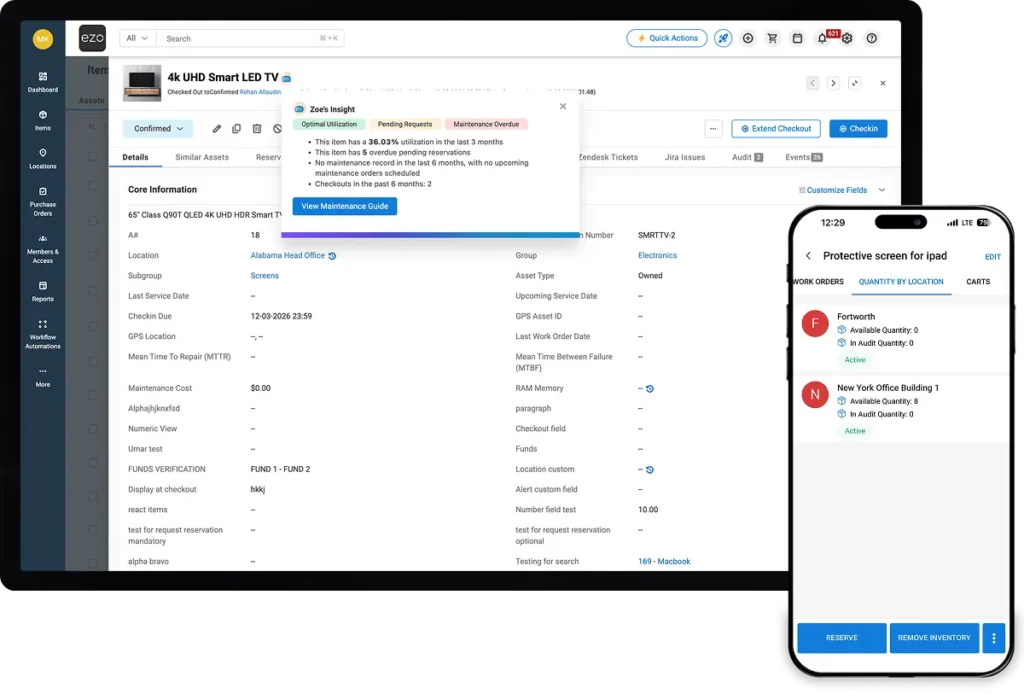
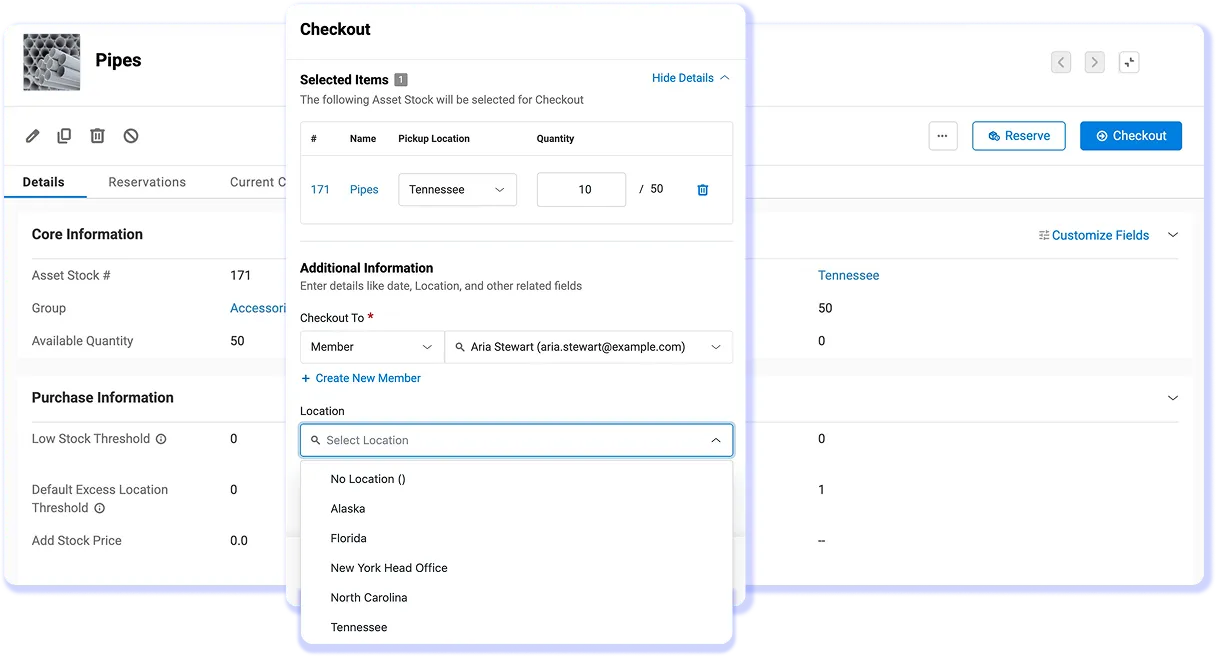
Right Stock, Right Place, in Just a Click
Allocate inventory to teams, departments, and projects. Transfer between sites with a full movement trail. When availability is visible and stock can be reserved, the where is it? calls stop.
- Reserve stock against projects before its allocated elsewhere
- Transfer items between sites with a timestamped audit trail
- Real-time availability before committing stock to a job
Batch Management
Easy Traceability Without the Paperwork
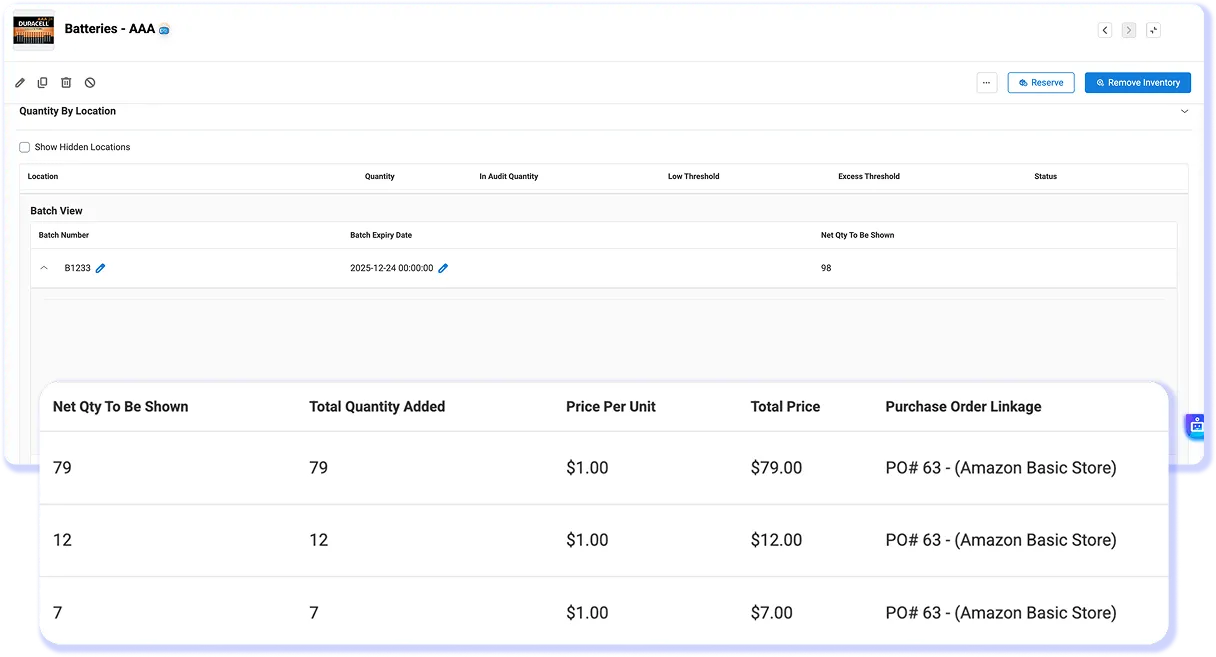
Organize inventory in batches or lots, track quantities and expiry dates, and pull clean records for any audit without digging through binders or reconstructing what happened from memory.
- Batch management with cost tracking
- Smart stock grouping with custom fields
- Full movement history per batch, audit-ready at any time
Automated Procurement
Precision Reordering that Keeps you Stocked Up
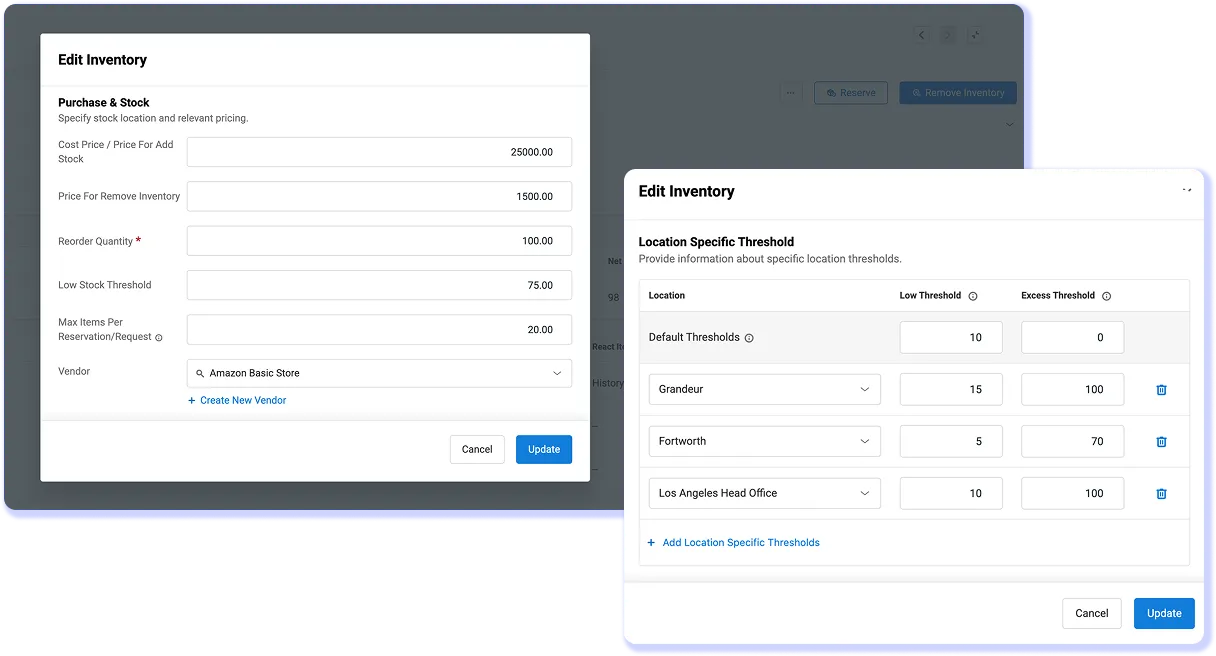
Set minimum quantity thresholds and EZO triggers purchase orders automatically. Connect to QuickBooks Online and every PO flows into your accounting records without a manual step.
- Threshold-based PO triggers; replenishment before the stockout
- Supplier management in the same workflow as stock control
- QuickBooks Online integration keeps purchasing and accounting in sync
Smart Catalog Optimization
Forecast Demand, Cut Cost & Maintain Optimal Stock Levels
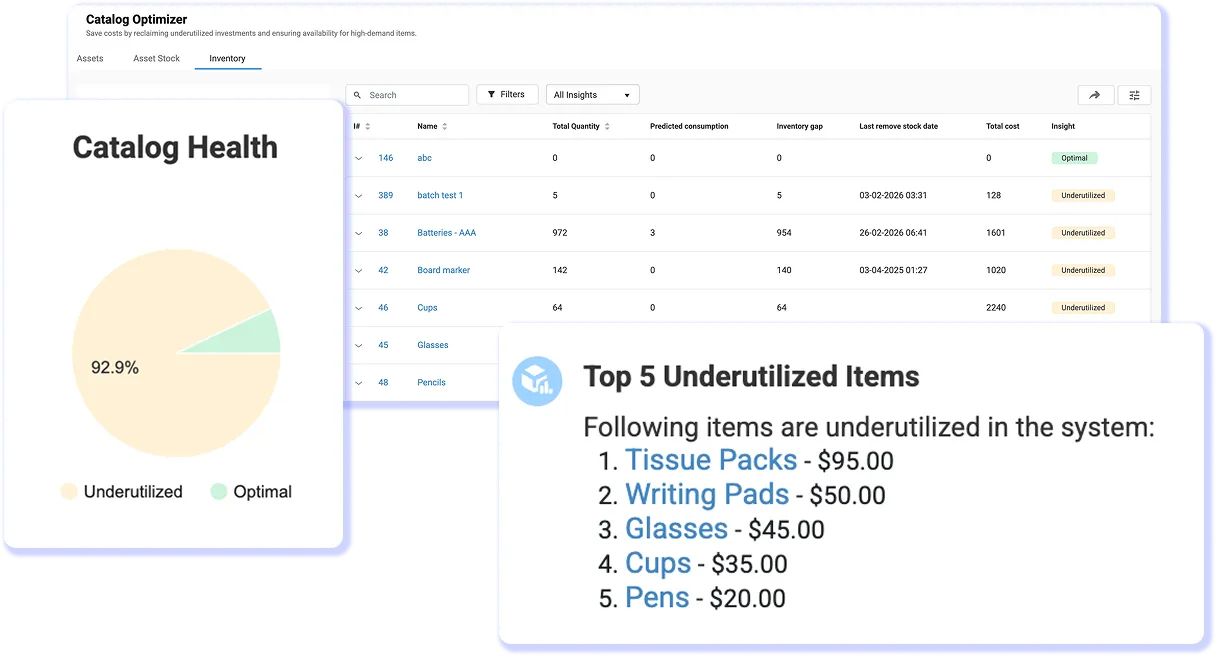
EZO Catalog Optimizer analyzes consumption trends and flags whats under-utilized, over-ordered, or trending toward shortage so procurement decisions are driven by data, not instinct.
- Demand forecasting from actual usage history
- Surfaces slow-moving stock before it becomes dead stock
- Proactive replenishment recommendations before shortages hit
"EZO offers an excellent asset tracking solution with detailed location history, assignments, check-in/check-out, and lifecycle management. Robust reporting, analytics, and alerts for maintenance, low stock, and other key events."
Dwayne E.Network Administrator, Enterprise 
"The range of options, assigning items to specific people, custom fields, estimated depreciated value, makes it much easier to track and manage everything."
Damon R.Asset Management & Configuration Tech, Mid-Market
"Genuinely impressed with how comprehensive and user-friendly EZO is. Clean, intuitive interface. The mobile app keeps field teams connected wherever they're working."
John D.Program Development, Mid-Market

100+
assets recovered
“A Global Broadcasting Giant recovers over 100+ assets, saves 5-6 hours of manual work, and achieves 50% more accurate data through powerful asset tracking in EZO.”
assets recovered
“A Global Broadcasting Giant recovers over 100+ assets, saves 5-6 hours of manual work, and achieves 50% more accurate data through powerful asset tracking in EZO.”

50%
reduction in inventory downtime
“Lesley university reduces downtime to manage university inventory by 50% with convenient location tracking and higher transparency in EZO.”
reduction in inventory downtime
“Lesley university reduces downtime to manage university inventory by 50% with convenient location tracking and higher transparency in EZO.”

40%
Improvement in operational efficiency
“The intuitive EZO interface gives quick access to item availability, improving operational efficiency by 40%, saving 3+ hours a day resulting in more than $1000 savings.”
Improvement in operational efficiency
“The intuitive EZO interface gives quick access to item availability, improving operational efficiency by 40%, saving 3+ hours a day resulting in more than $1000 savings.”