Construction equipment planning can be tricky if done without an equipment tracking system. Equipment planning involves strategically managing and organizing your equipment to ensure efficiency and cost optimization. Reliance on a manual system for managing equipment, or the absence of an automated system entirely, can significantly delay operations. It’s about managing equipment the right way by keeping data centralized, so as a Construction Equipment Manager, you do not have to switch between systems to gather essential data.
Construction equipment planning involves managing equipment costs, usage, and maintenance while ensuring regulatory compliance. The best part is that you can control how you manage your construction equipment with a construction equipment planning system.
The best solutions will enable you to manage equipment availability, project sites, schedule equipment maintenance, and assess who is responsible for what equipment.
Let’s help you understand what to look for in a construction equipment management system as you manage and organize your equipment.
Top features to look for in a construction equipment management system
Equipment planning is a process that passes through several stages of equipment management. It revolves around a few basic features and solutions, including:
- Centralized equipment inventory: Maintain a complete digital registry of all construction equipment, including specifications, serial numbers, categories, ownership status, and jobsite assignments to ensure clear visibility across the fleet.
- Equipment scheduling and jobsite allocation: Plan and assign equipment to projects using scheduling calendars and reservation systems that prevent double bookings and ensure machines are available when needed.
- Equipment tracking: Monitor equipment location and operational status to maintain visibility across multiple job sites and prevent equipment loss or misuse. Update the equipment status every time a piece of equipment is checked in or checked out.
- Preventive maintenance planning: Schedule routine servicing, set automated maintenance alerts, track service history, and manage repair work orders to minimize breakdowns and extend equipment lifespan.
- Utilization and performance analytics: Analyze equipment usage, idle time, engine hours, and productivity metrics to identify underutilized assets, optimize fleet deployment, and improve ROI.
- Mobile access for field teams: Enable field staff to check equipment in and out, update status, conduct inspections, and log maintenance activities using mobile devices directly from job sites.
- Work Order and maintenance management: Generate and track maintenance work orders, assign technicians, and monitor repair progress to ensure equipment issues are addressed quickly.
- Project-Based equipment planning: Link equipment planning directly with project timelines so managers can forecast equipment demand and allocate resources across multiple projects.
- Reporting and data Insights: Generate detailed reports on utilization, maintenance costs, equipment availability, and project allocation to support better operational and financial decisions.
All these capabilities are essential and correspond to different stages of the equipment planning cycle. Construction managers look for solutions that centralize complex data and make it easier to automate their workflows.
Let’s delve deeper into the different construction equipment management solutions that come with the above features:
Top construction equipment management systems
We have compiled a list of the top six construction equipment management systems that you can use to expedite equipment planning and gain efficiency for construction projects:
1. EZO
EZO is a highly customizable construction equipment tracking system designed specifically to meet the needs of the evolving construction industry. EZO is targeted toward mid- and enterprise-level organizations that manage construction equipment and seek an integrated equipment-tracking system. Its functionalities go beyond basic tracking, combining inventory management, dispatch management, location tracking, statistical analyses, maintenance scheduling, and equipment lifecycle tracking in one place.
Top EZO features that are well-suited for the construction industry
Some of the primary features offered by EZO that help streamline construction workflows include:
- Equipment tracking across locations: Construction projects span months and years and are based in different locations. EZO helps track equipment across these locations, which is the key to efficiently managing project needs and analyzing equipment utilization location-wise and project-wise.
- Dispatch management: Manage equipment reservation and dispatch requests from the centralized dispatch center. Schedule and assign equipment to projects and crews to quickly and efficiently respond to reservation requests. This ensures that the equipment reaches the right location or project at the right time.
- Project management: EZO enables its users to create projects for different construction sites and assign jobs to each, so equipment maintenance, tracking, and usage can be accurately tracked. Assess which projects have idle equipment and which have high equipment utilization, so you can improve resource planning and reallocate equipment.
- Preventive maintenance: EZO, combined with its CMMS capabilities, helps schedule maintenance and service routines based on the required service type. You can schedule inspections and send a piece of equipment for repairs due to an on-site breakdown. You can also enable maintenance alerts to stay updated with upcoming maintenance routines and even attach checklists to maintenance work orders to ensure the maintenance is as per the manual.
- Utilization analytics and reporting: Construction businesses need to know at all times how well their equipment is performing. With EZO, you can create utilization reports and even filter them by customer or project to assess how well each piece of equipment is performing. Construction managers can identify underutilized assets, optimize fleet allocation, and make data-driven decisions on renting, reallocating, or purchasing new equipment.
- Request Portal management: Construction managers centralize requests, streamlines the request approval process, and enable managers to approve, reject, or reassign requests based on availability, project priority, or maintenance schedules. Approved requests can automatically feed into the Dispatch Center, making it easy to allocate and deliver equipment to the right site.
- Workflow automation: You can create Custom fields, dashboards, and automation rules that help streamline planning workflows. For example, equipment can be auto-assigned to locations, statuses can update automatically when checked in/out, and alerts can trigger for upcoming maintenance or jobsite needs.
- User permissions and audit trails: Role-based access and complete audit trails ensure accountability and data integrity. Construction managers can control who updates equipment information, monitor dispatch actions, and track changes for compliance and operational audits.
How EZO stands out
- All-in-one platform: Combines asset tracking, dispatch, maintenance, requests, and analytics in a single system with instant insights into equipment location, status, and availability across multiple sites.
- Preventive maintenance focus: Built-in CMMS to reduce downtime and extend equipment lifespan, which is ideal for construction businesses looking to use one system for equipment management and maintenance.
- Field-ready mobile access: Supports on-site check-ins, inspections, and updates, even offline. Construction projects might happen in remote areas, and EZO’s offline mobile capability makes it easier for construction managers to check in equipment or check their availability as required.
- Dispatch and resource optimization: Central Dispatch Center ensures timely allocation and reduces idle equipment. This way, construction managers do not have to switch between systems to manage incoming equipment requests. The Dispatch Center gives them a central dashboard to manage all equipment centrally.
- Compliance and safety tracking: Digital inspections and audit-ready records ensure safety and regulatory adherence. Audit trails are maintained, and the equipment value and count can be checked from time to time to assess the most up-to-date equipment value and decide whether it needs to be replaced.
- Customizable workflows: Flexible automation and role-based permissions to match organizational processes. Construction companies can leverage the software’s flexibility to tailor the workflows to their needs.
- Scalable for large fleets: Handles everything from small tool inventories to heavy machinery operations seamlessly. Large-scale construction companies can easily manage a wide variety of equipment, stock, and consumables, even bundling them to accurately track their usage.
According to WildStone Construction, EZO fulfills all its business requirements and helps track over 1,000 pieces of heavy equipment, including loaders, excavators, drills, and skid steers. The company’s supervisors and foremen regularly use the software, making it easier to manage equipment procurement and service and to keep service history in check.
Where EZO falls short
- Advanced jobsite resource forecasting: Predictive planning tools for multi-project scheduling or AI-driven equipment allocation are not as sophisticated as some construction-focused planning software.
- Large fleet customization complexity: Managing extremely large or highly specialized fleets may require additional customization or manual setup to match unique workflows.
Overview of EZO’s capabilities in the construction realm
| Feature / Capability | How EZO Excels | Why It Matters for Construction Equipment Management |
| Centralized asset tracking | Single digital record for all machinery, tools, and consumables across multiple sites | Eliminates lost or misplaced equipment and gives managers real-time visibility for better planning |
| Dispatch management | Central Dispatch Center for scheduling deliveries, returns, and allocations | Ensures equipment reaches the right site at the right time, reducing idle time and avoiding scheduling conflicts |
| Preventive Maintenance and CMMS | Automated maintenance schedules, alerts, and work order management | Keeps equipment operational, minimizes downtime, and supports reliable project planning |
| Request Portal | Field teams submit equipment requests for approval directly in the system | Streamlines approvals, reduces miscommunication, and improves equipment allocation accuracy |
| Mobile field access | On-site check-ins/out, inspections, and status updates via mobile devices | Allows real-time updates from job sites, even offline, improving planning accuracy and operational control |
| Utilization Analytics and reporting | Detailed dashboards on usage, idle time, and performance | Helps identify underutilized assets, optimize fleet deployment, and make data-driven decisions |
| Compliance & Safety Tracking | Digital inspections and audit-ready logs | Ensures equipment meets safety standards and regulatory requirements, reducing risks on job sites |
| Customizable workflows and automation | Flexible automation, role-based permissions, and alerts | Streamlines recurring tasks and enforces consistent planning processes |
| Scalability | Handles both small tool inventories and large heavy machinery fleets | Supports growing construction operations without needing separate systems |
| Integration capabilities | Connects with ERPs, accounting, and other business systems | Enables seamless data flow across operations, reducing manual work and errors |
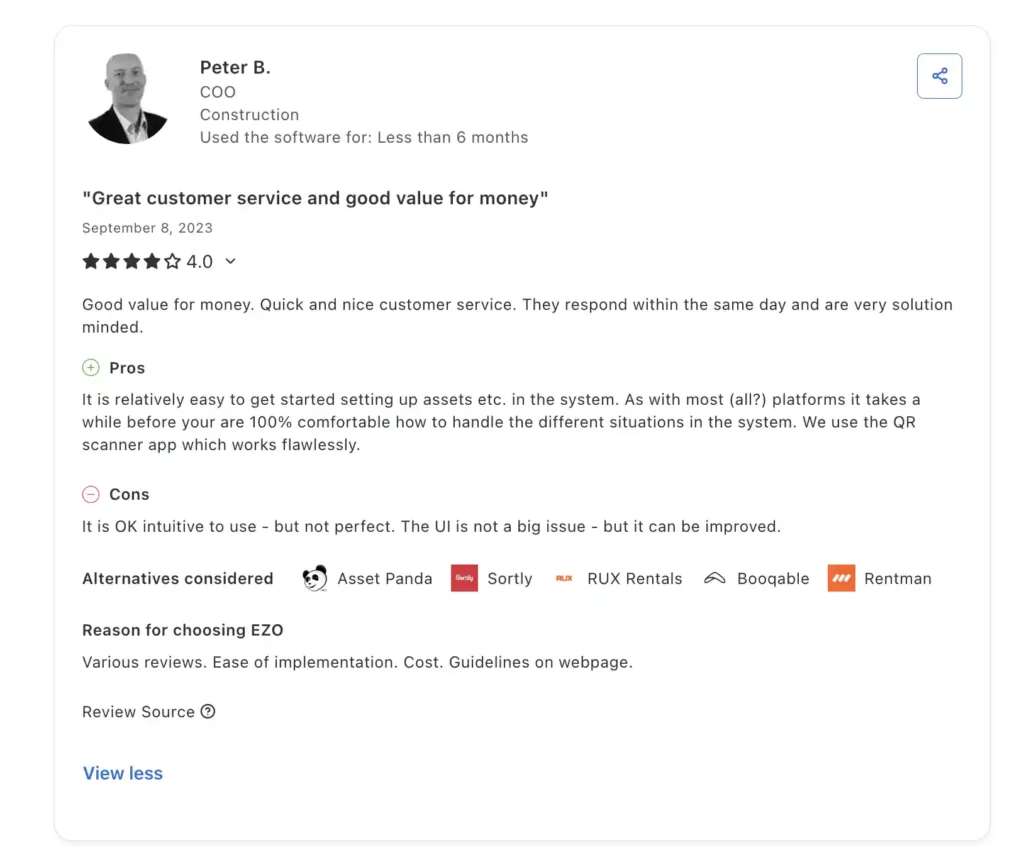
EZO Construction Review
Source: Capterra
2. AlignOps
AlignOps is not just an equipment-tracking solution; it integrates equipment, materials, labor, safety, and project planning into a single ecosystem that covers most aspects of construction operations. It suits mid- to enterprise-level contractors and construction businesses with highly complex operations. It’s not a standalone product. It has products that support construction project management, including ToolWatch, BusyBusy, SafetyReports, and FleetWatcher – all targeted at construction operations.
Top features of AlignOps
- Enterprise-wide equipment tracking: With support for GPS, RFID, and BLE tracking, teams can accurately locate assets and get visibility into equipment, tools, and materials across jobsites and warehouses.
- Resource planning and scheduling: With drag-and-drop timelines and reusable templates, teams can avoid scheduling conflicts and forecast demand more effectively.
- Materials and inventory management: Unlike many tools, AlignOps integrates materials and equipment tracking into one system. It helps manage purchasing, inventory levels, and material movement across jobsites.
- Logistics, dispatch, and jobsite coordination: The platform enables efficient movement of equipment and materials between locations. Managers can track transfers, manage dispatch operations, and monitor deliveries
Areas where AlignOps shines
- True operations platform: AlignOps goes beyond basic equipment tracking by combining assets, labor, materials, and safety into a single system. This unified approach eliminates data silos and gives construction managers a complete operational view.
- Strong field + warehouse integration: AlignOps connects field crews, warehouse teams, and office staff. Equipment movements, material usage, and updates are instantly reflected across the system.
- Advanced planning capabilities: The platform offers visual, drag-and-drop resource planning tools for both equipment and crews. Managers can schedule across multiple projects, avoid conflicts, and forecast future demand.
- Deep safety and compliance features: AlignOps includes built-in tools for inspections, incident tracking, and regulatory compliance. It helps teams maintain safety standards and generate audit-ready reports.
- Enterprise-grade scalability: Designed for large contractors, AlignOps can handle complex workflows, multiple locations, and high asset volumes, helping manage diverse and distributed construction projects.
Areas where AlignOps falls behind
- Overly complex interface: AlignOps offers several capabilities that require time and make the interface highly complex. Teams require extensive training to use the platform, and bigger teams can be difficult to onboard.
- User interface complexity: The interface might seem less intuitive than more focused tools. Users could face a steeper learning curve when moving between modules like assets, safety, and resource planning.
- Customization can require effort: Although the platform is flexible, tailoring it to specific workflows or reporting needs may require configuration time or vendor support.
Overview of AlignOps
| Capability | Description | Why It Matters for Construction |
| Equipment & asset tracking | Tracks tools, machinery, and materials across jobsites, warehouses, and vehicles using GPS, RFID, and BLE. | Ensures real-time visibility, reduces equipment loss, and improves utilization across multiple locations. |
| Mobile data collection | Enables field teams to update asset status, usage, and location via mobile devices. | Eliminates paperwork, improves data accuracy, and keeps planning data updated in real time. |
| Resource planning & scheduling | Offers visual, drag-and-drop scheduling for equipment and crews across projects. | Prevents double-booking, improves allocation, and helps forecast equipment demand. |
| Materials & inventory management | Manages inventory levels, purchasing, and material movement alongside equipment tracking. | Provides full visibility into both assets and consumables, improving overall resource planning. |
| Maintenance management | Supports preventive maintenance, service tracking, and work orders. | Reduces unexpected breakdowns and ensures equipment is job-ready. |
| Safety & compliance tracking | Includes inspections, incident tracking, and audit-ready compliance reporting. | Helps meet regulatory requirements and ensures safe equipment usage on jobsites. |
| Dispatch & logistics management | Tracks equipment and material transfers, deliveries, and jobsite coordination. | Ensures timely delivery of resources, reducing project delays and idle time. |
| Cost tracking & job costing | Links equipment usage with job costs, productivity metrics, and financial data. | Enables better budgeting, cost control, and profitability analysis. |
| Reporting & analytics | Provides dashboards and reports on utilization, performance, and operations. | Supports data-driven decision-making and continuous operational improvement. |
| Enterprise scalability | Designed to handle large fleets, multiple locations, and complex workflows. | Supports growth and ensures the system remains effective as operations expand. |
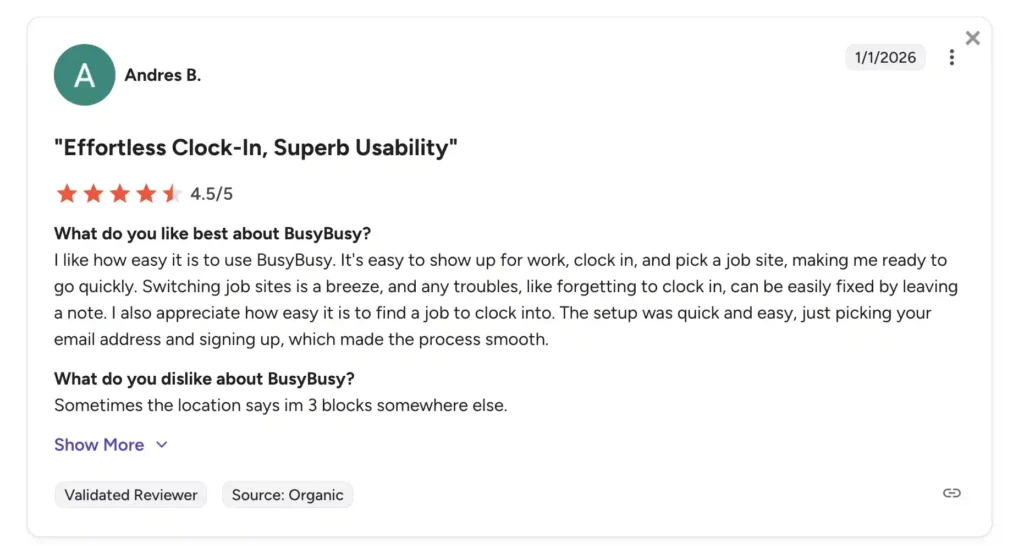
AlignOps review
Source: G2
3. Fleetio
Fleetio is a fleet and equipment management system designed to drive operations for construction businesses. It centralized fleet management workflows from maintenance and inspections to cost tracking and telematics. You can manage the fleet, maintain and repair it, and manage costs effectively.
Technicians, fleet managers, construction GMs, and parts managers can access essential fleet information in a consolidated format so they know what’s performing and what’s not.
Key Capabilities of Fleetio for Construction
- Comprehensive fleet and equipment oversight: Fleetio lets construction teams view their entire fleet, including vehicles, heavy equipment, and rented machines, in a single platform. You can see real‑time status, locations, and operational data on all assets, eliminating reliance on disconnected spreadsheets.
- Preventive maintenance and Work Orders: Fleetio automates preventive maintenance schedules using criteria such as engine hours or time intervals. Field technicians can create and manage work orders directly from the mobile app, log repairs and service history, and access inspection records on the go.
- Mobile inspections and field tools: With the Fleetio Go mobile app, crews can complete inspections, document issues with photos, record meter readings, and update asset information on-site.
- Cost and utilization tracking: Fleetio provides insights into the true total cost of ownership for each asset by tracking fuel usage, maintenance costs, parts inventory, and labor expenses.
- Parts and inventory management: The system tracks parts inventory and usage, helping managers ensure that necessary spare parts are available when maintenance is due.
- Reporting and analytics: Custom reports and dashboards help construction managers uncover patterns, such as high cost per engine hour or frequent breakdowns, so they can optimize utilization and plan future equipment purchases or rentals more effectively.
How Fleetio outperforms other platforms
- Preventive maintenance scheduling: Fleetio lets you set maintenance schedules based on actual usage (such as engine hours, mileage, or time intervals). This way, construction teams are better able to assess how certain equipment performs and what its usage patterns are.
- Detailed cost and utilization tracking: Fleetio tracks fuel usage, labor hours, parts costs, repairs, and other expenditures tied to each asset. This helps construction companies understand the true total cost of ownership (TCO) and make smarter budgeting.
- Mobile‑first field capabilities: The Fleetio Go mobile app empowers field crews to perform inspections, log meter readings, capture photos of issues, and update asset status.
- Parts and inventory management: It manages spare parts inventory, allowing teams to track quantities, reorder levels, and parts usage across equipment.
Areas where Fleetio falls behind
- Limited focus beyond fleet (not full construction platform): Fleetio is primarily built for fleet and vehicle management, not full construction operations. It lacks native capabilities for managing labor, project workflows, materials, or jobsite coordination.
- Implementation and setup complexity: Some users report that initial setup and configuration can be technical and time-consuming, especially for larger fleets.
Overview of Fleetio
| Limitation | Description | Impact on Construction Operations |
| Limited scope beyond fleet | Fleetio is primarily focused on vehicles and fleet maintenance, not full construction operations. | Requires additional tools for labor, project management, materials, and jobsite coordination. |
| Dependence on telematics integrations | Advanced tracking (engine hours, diagnostics, GPS) relies on third-party integrations. | Can create data gaps or setup challenges if integrations are not properly configured. |
| Implementation complexity | Initial setup, especially for large fleets, can be time-consuming and require technical effort. | Slows onboarding and delays time-to-value for construction teams. |
| Limited offline functionality | Mobile features depend on internet connectivity for full functionality. | Not ideal for remote jobsites with poor or inconsistent network access. |
| Customization constraints | Workflows and features are somewhat standardized with limited deep customization. | May not fully align with unique construction processes or specialized workflows. |
| Reporting & data linkage gaps | Some limitations in connecting data across modules and generating advanced reports. | Can lead to manual workarounds or incomplete operational insights. |
| Requires multiple systems | Needs to be paired with other tools for safety, dispatch, or project management. | Creates fragmented workflows and potential data silos. |
| Cost vs usage for smaller teams | Advanced features may be excessive for small fleets. | Smaller contractors may find it complex or not cost-effective. |
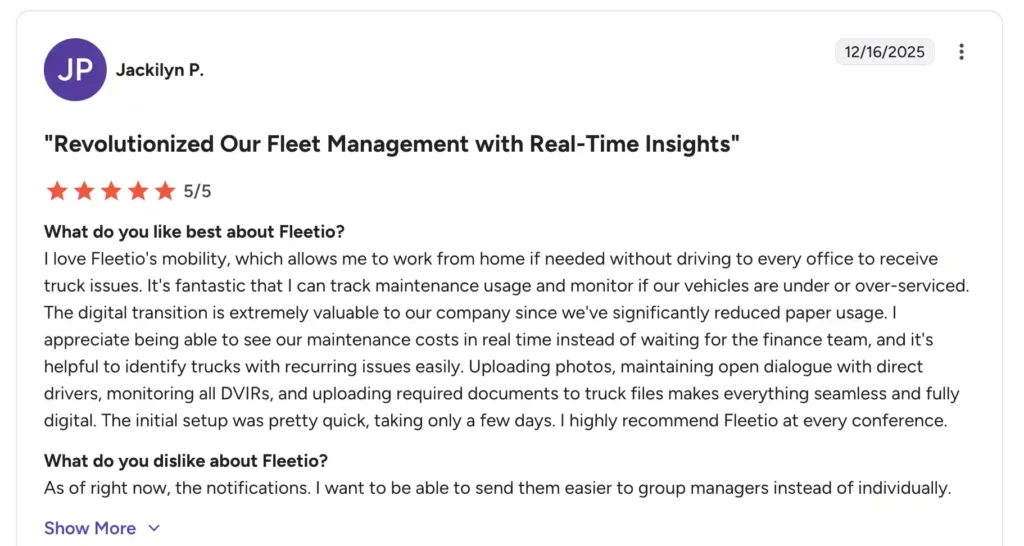
Fleetio review
Source: G2
4. Procore
Procore is a comprehensive construction management platform that connects all stakeholders, contractors, subcontractors, project managers, and owners throughout the entire project lifecycle. Unlike equipment-focused tools, Procore is built as a project-centric system that covers everything from preconstruction and planning to execution, financials, and closeout.
It’s an end-to-end construction management solution that helps contractors, subcontractors, and owners to manage construction projects, equipment, and resources while saving time and resources.
Main features of Procore
- RFIs (Requests for Information): Create, track, and respond to RFIs digitally within the platform. All communication about clarifications or questions is centralized and organized by project.
- Budgeting and job costing: Record and manage project budgets, assign costs to specific tasks, and track expenditures. Provides structured visibility into project finances.
- Change orders: Document and manage changes to project scope, schedule, or cost. Keeps a record of approvals and updates the project budget accordingly.
- Invoicing: Generate, submit, and track invoices related to projects. Maintains a record of financial transactions tied to project milestones.
- Bid Management: Create, send, and compare bids from subcontractors. Facilitates organized evaluation and selection of vendors.
- Inspections and checklists: Conduct site inspections and complete checklists digitally. Tracks compliance with project requirements and regulations.
- Mobile access: Access project data and update records from smartphones or tablets. Supports field teams in capturing information on the go.
- Reporting and analytics: Generate structured reports on project schedules, costs, or tasks. Provides organized data to review project status.
- APIs and integrations: Connect Procore to accounting, ERP, scheduling, or BIM tools. Enables structured data exchange across multiple software systems.
Strengths of Procore
- Project management and collaboration: Procore centralizes all project activities, RFIs, submittals, drawings, daily logs, and communication on a single platform. Teams can manage tasks, track progress, and collaborate in real time, reducing miscommunication and delays.
- Financial management and job costing: Procore includes robust financial tools for budgeting, change orders, invoicing, and cost tracking. Construction managers can monitor project budgets in real time and tie costs directly to tasks or cost codes.
- Quality, safety, and compliance: With built-in inspection forms, checklists, and incident tracking, Procore helps teams maintain safety standards and regulatory compliance.
- AI and data-driven insights: Procore is increasingly using AI (e.g., Copilot, automation agents) to analyze project data, surface risks, and automate workflows.
- Document management and central data hub: Procore acts as a single source of truth for all project documents, including drawings, specifications, contracts, and photos.
Weaknesses of Procore
- Primarily project-focused, not equipment-focused: Procore is designed for project management, documentation, and collaboration, not detailed equipment or fleet management. Companies still need separate tools for maintenance, utilization tracking, or rental workflows.
- High cost for smaller teams: Licensing and implementation costs can be significant, especially for small contractors or teams with simpler projects. This can make Procore less accessible for small-scale operations.
- Customization constraints: Although flexible, some workflows or reports cannot be fully customized. This can make it difficult for teams with very specific project or reporting requirements.
Overview of Procore
| Capability | Description | Why It Matters for Construction |
| Project management | Manage RFIs, submittals, schedules, daily logs, and team communication digitally. | Centralizes project activities, keeps all stakeholders aligned, and reduces miscommunication. |
| Document management & version control | Store drawings, specifications, contracts, and photos in a single repository with revision tracking. | Ensures teams always work from the latest documents and minimizes errors or rework. |
| Budgeting & job costing | Record project budgets, track expenditures, and tie costs to specific tasks. | Helps contractors maintain financial oversight and monitor project profitability. |
| Change order management | Document and manage changes to project scope, schedule, or costs. | Maintains accurate project records and updates budgets automatically. |
| Invoicing | Generate, submit, and track invoices for projects and contractors. | Streamlines financial processes and keeps payment cycles organized. |
| Preconstruction tools (bidding & estimating) | Manage bids, contractor prequalification, and estimates before construction starts. | Ensures accurate project planning and selection of qualified vendors. |
| Workforce management & time tracking | Schedule crews, track labor hours, and allocate workers based on availability and skills. | Optimizes workforce utilization and productivity on site. |
| Inspections & checklists | Conduct site inspections and complete quality or safety checklists digitally. | Helps maintain compliance and track safety or quality issues efficiently. |
| Punch lists & issue tracking | Track incomplete tasks or items that need resolution before project completion. | Keeps projects on track and ensures accountability for finishing work. |
| Incident & safety reporting | Log safety incidents, accidents, or near misses on the jobsite. | Supports compliance with regulations and maintains safety records. |
| Progress tracking | Record and monitor progress of tasks, phases, or deliverables in real time. | Provides visibility into project status and helps manage timelines. |
| Mobile access | Access and update project information from smartphones or tablets, including offline support. | Bridges field-office communication and enables updates directly from the jobsite. |
| Reporting & analytics | Generate dashboards and reports on project performance, costs, and schedules. | Supports data-driven decisions and keeps stakeholders informed. |
| APIs & integrations | Connect Procore with accounting, ERP, BIM, and other construction software. | Allows seamless data flow across systems and reduces siloed information. |
Procore review
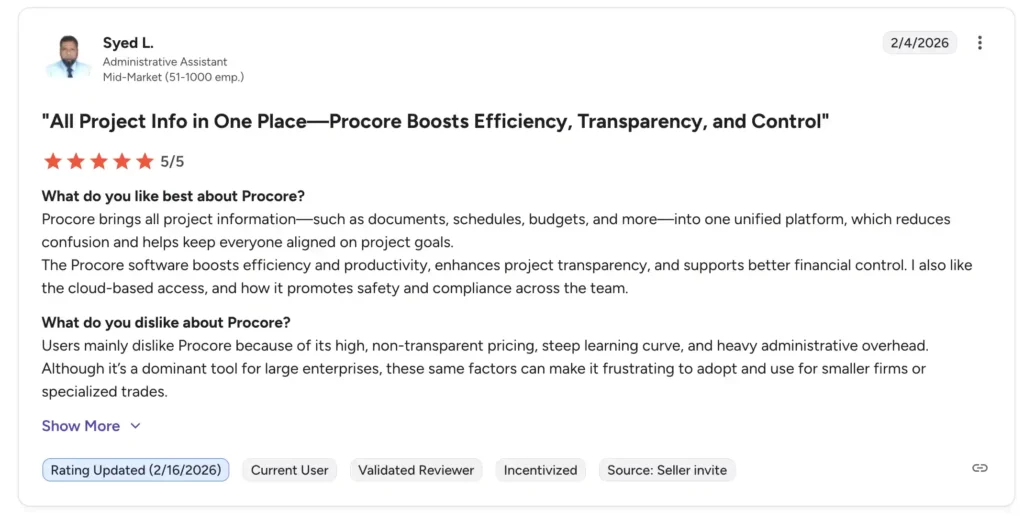
Source: G2
5. Clue
Clue is construction-optimized equipment tracking software that helps contractors track tools, heavy equipment, and materials across job sites. It is designed for field-heavy operations where equipment is constantly moving, helping teams track where assets are, how they’re being used, and whether they’re available when needed.
At its core, Clue combines GPS tracking, IoT integrations, and centralized asset records to create a live view of equipment activity. This allows construction managers to monitor utilization, reduce idle time, and prevent loss or misplacement of high-value assets.
Core features of Clue
- Real-time asset tracking: Track the live location and status of equipment using GPS and telematics integrations. Data includes location, engine hours, fuel levels, and machine activity.
- Fleet and equipment monitoring: Monitor performance of heavy equipment across job sites, including usage, idle time, and operational status. This provides a centralized view of all fleet activity.
- Utilization tracking: Capture how frequently equipment is used, including idle vs active time. Helps identify underused or overused assets across projects.
- Dispatch and resource allocation: Assign equipment and resources to job sites based on availability and status. Helps coordinate field operations and equipment movement.
- AI-powered analytics and reporting: Generate dashboards on utilization, downtime, fuel usage, and performance trends. Converts raw data into structured operational insights.
- Integrations (GPS, ERP, telematics): Connect with OEM telematics, GPS providers, ERP systems, and other tools. Brings all equipment data into a single unified platform.
Key areas where Clue shines
- Strong real-time visibility and analytics: Clue provides live insights into equipment location, utilization, fuel usage, and performance. Managers can quickly identify inefficiencies like idle assets or underutilization.
- Advanced utilization and fleet intelligence: The platform uses analytics (and AI in some cases) to highlight idle time, cost anomalies, and optimization opportunities. This helps improve equipment ROI and reduce waste.
- Preventive maintenance amd uptime optimization: Automated maintenance scheduling and fault tracking help reduce breakdowns and extend equipment life. This ensures higher uptime across projects.
- Scalable for enterprise operations: Used across thousands of assets and large construction firms, Clue supports complex, multi-site operations with high data volumes.
Areas where Clue falls short
- High cost for smaller companies: Clue is often seen as a significant investment, especially for smaller contractors. Pricing can become a barrier for teams that don’t fully utilize its advanced capabilities.
- Initial setup and onboarding challenges: Users report that implementation and adaptation can take time. Teams may face difficulties during the early stages before fully integrating Clue into their workflows.
- Training and usability for non-technical users
Some users find it difficult to train staff, especially those less familiar with digital tools. Training materials may not always be intuitive for all skill levels.
Overview of Clue
| Capability | Description | Why It Matters for Construction |
| Asset tracking & visibility | Track tools, equipment, and materials across multiple job sites in real time using GPS and IoT integrations. | Prevents equipment loss and ensures teams always know where assets are located. |
| Utilization tracking | Monitor how often equipment is being used and identify idle or underutilized assets. | Helps improve ROI by redistributing equipment where it’s needed most. |
| Equipment check-in/check-out | Log equipment movement between sites, teams, or projects with digital workflows. | Reduces manual tracking errors and improves accountability. |
| Maintenance management | Schedule and track preventive maintenance and repairs for equipment. | Keeps equipment operational and reduces unexpected breakdowns. |
| Inventory management | Manage tools, spare parts, and consumables within the same system. | Ensures availability of required items and avoids project delays. |
| Mobile field access | Enable field teams to update equipment status, location, and usage via mobile devices. | Keeps data updated in real time directly from job sites. |
| Reporting & analytics | Generate reports on utilization, asset status, and operational performance. | Provides visibility into equipment trends and supports decision-making. |
| Integration capabilities | Connect with other construction and ERP systems for data sharing. | Helps unify workflows across different business systems. |
Clue review
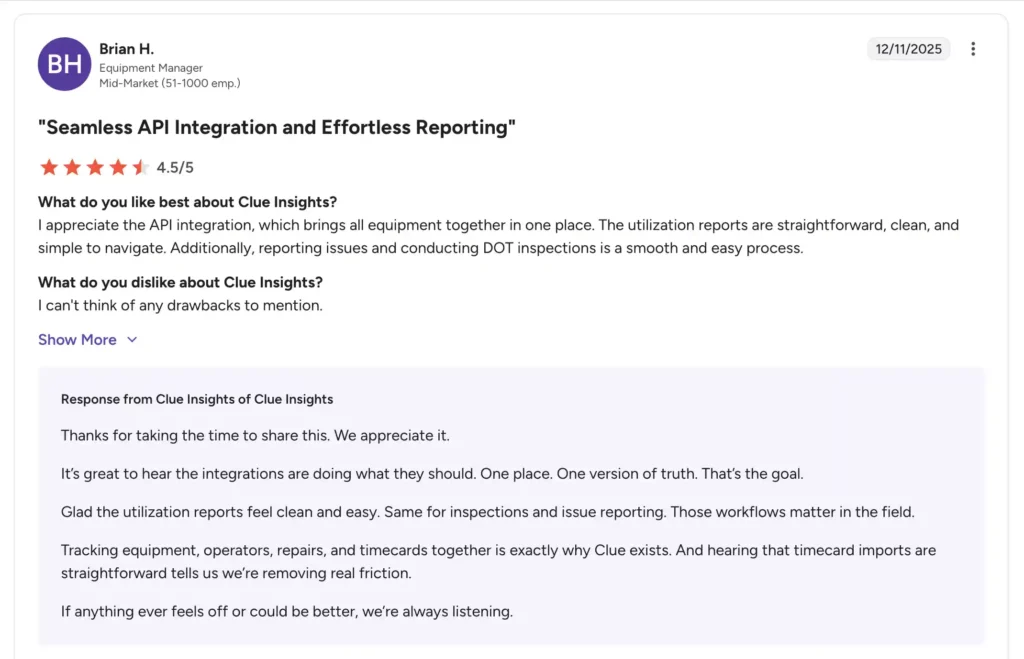
Source: G2
6. Tenna
Tenna is also an equipment-tracking software designed to handle construction fleets ranging from small to large. It combines advanced workflows to manage a complex fleet through a single platform. Tenna is built for companies that manage high-value equipment, allowing operations teams to reduce loss, prevent downtime, and make informed decisions about asset allocation. It is widely used in industries where equipment is constantly moving between projects.
Key features offered by Tenna
- Centralized asset register: All equipment, tools, and vehicles are recorded in a single cloud database with details like serial numbers, categories, and assignment history. This creates a reliable “single source of truth” for all assets in the organization.
- Utilization monitoring: Tenna captures operational data such as engine hours, idle time, and run time for each asset. Managers can then see which equipment is active, underused, or sitting idle at any moment.
- Preventive maintenance scheduling: Maintenance tasks can be scheduled based on runtime, engine hours, or calendar dates. The system tracks service history and sends alerts when maintenance is due to reduce breakdowns.
- Work order management: Users can generate, assign, and track maintenance work orders directly in the platform. This ensures service jobs are documented, scheduled, and completed efficiently.
- Mobile field access: Field teams use smartphones or tablets to update equipment status, scan assets, create work orders, and record inspections. This keeps data current directly from job sites.
- Alerts and notifications: Tenna can send automated alerts for maintenance reminders, unauthorized movement, geofence breaches, or unexpected idle time. These notifications help prevent equipment loss and unexpected downtime.
- Reporting and analytics: Built‑in dashboards and customizable reports show metrics like utilization, maintenance history, equipment distribution, and cost trends. These analytics help managers make data‑driven decisions.
- Integration capabilities: Tenna integrates with GPS providers, ERP systems, accounting tools, and other construction software. This helps unify data across systems and reduces manual entry.
- Telematics integrations: Tenna often emphasizes deeper built‑in integrations with heavy equipment telematics systems from multiple OEM brands (e.g., Cat, John Deere, Komatsu) without heavy middleware.
Strengths of Tenna
- Deep telematics integrations: It connects directly with OEM telematics systems (such as Caterpillar, John Deere, Volvo, and others) to pull in engine hours, diagnostics, and operational data without manual entry. This enables accurate, automated monitoring of equipment usage.
- Utilization and idle time analytics: Tenna tracks how often assets are used, idle, or under‑utilized. These insights help teams optimize deployment, reduce idle costs, and maximize return on investment.
- Geofencing and jobsite boundaries: Users can set virtual geofences around jobsites or yards, and receive alerts when equipment enters or exits these zones. This strengthens security and ensures machines are where they’re supposed to be.
- Scalable for enterprise fleets
Tenna is capable of handling large, distributed fleets across multiple sites, making it suitable for mid‑size to large contractors with complex asset ecosystems.
Weaknesses of Tenna
- Not a full project management solution: Tenna focuses on equipment tracking and fleet intelligence, not on broader construction project workflows like RFIs, submittals, daily logs, or project scheduling. You still need separate tools (e.g., Procore) for complete project planning and execution.
- Higher cost for smaller operations: Tenna’s pricing and telematics integration focus is often geared toward larger fleets and enterprise users, making it comparatively expensive for small to mid‑sized contractors.
- Onboarding & implementation complexity: Because it integrates with hardware and multiple systems, setting up Tenna can require technical effort, configuration, and time before it becomes fully operational.
Overview of Tenna
| Capability | Description | Why It Matters for Construction |
| Real‑time GPS & telematics tracking | Tracks equipment, vehicles, and tools live using GPS and integrated telematics data. | Ensures accurate location visibility — reducing loss, improving coordination, and supporting timely deployment across sites. |
| Centralized asset register | Maintains a cloud database of all equipment with details like serial numbers, categories, and assignment history. | Provides one unified source of truth for asset information, eliminating manual spreadsheets and disconnected records. |
| Utilization monitoring | Measures asset activity by tracking run time, idle time, and usage patterns. | Helps identify under‑used or over‑used equipment so managers can optimize fleet deployment and reduce unnecessary rentals. |
| Preventive maintenance scheduling | Schedules maintenance tasks based on engine hours, runtime, or calendar triggers. | Reduces unexpected breakdowns and downtime by keeping equipment serviced and job‑ready. |
| Work order management | Creates, assigns, and tracks service or repair work orders within the platform. | Organizes maintenance workflows and ensures all service activities are documented and followed through. |
| Geofencing & jobsite boundaries | Defines virtual worksite areas and receives alerts when equipment crosses these zones. | Strengthens site security and asset control, preventing unauthorized movement. |
| Automated alerts & notifications | Sends alerts for maintenance due, equipment movement, idle behavior, or zone breaches. | Enables proactive issue response and reduces risk of loss or downtime. |
| Mobile field access | Field teams can update equipment status, log inspections, and capture data via mobile devices. | Keeps asset data current and accurate directly from jobsites, improving operational coordination. |
| Reporting & analytics | Built‑in dashboards and reports on utilization, activity, and maintenance trends. | Supports data‑driven decision‑making and helps identify areas for fleet optimization. |
| Integration ecosystem | Connects with GPS hardware, OEM telematics systems, ERPs, and accounting tools. | Allows unified workflows and shared data across construction software stacks, reducing manual entry and silos. |
Tenna review
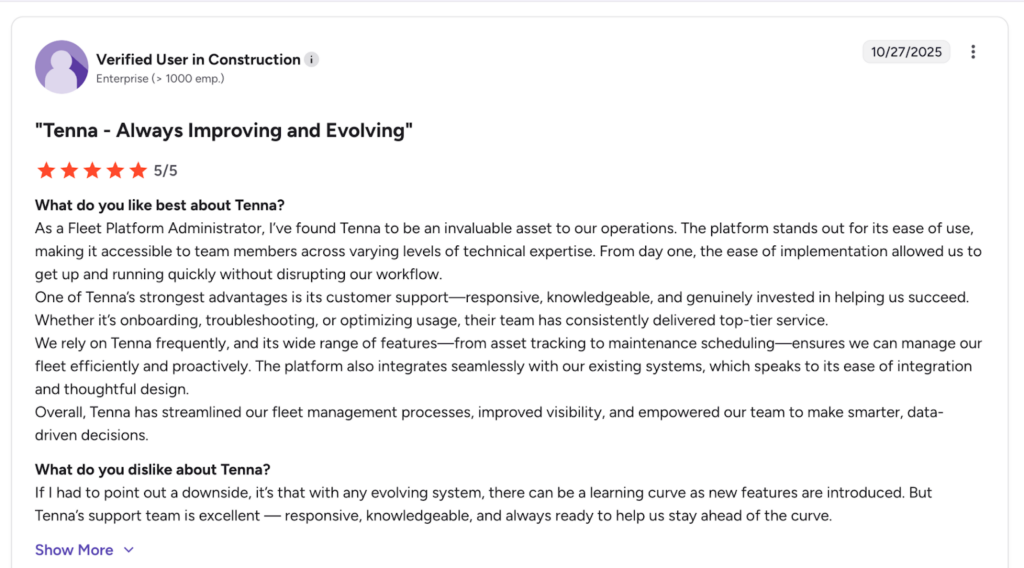
Source: G2
Conclusion: Which software is the best for construction equipment management?
We evaluated these platforms on the basis of the following factors to determine how well each software fulfills the needs of the construction industry:
- Construction-based workflows: The construction industry is highly regulated and sensitive, requiring specialized, optimized workflows for equipment management. This includes whether the tool supports advanced capabilities such as equipment tracking, project management, financial management, usage tracking, and reporting and analytics.
- Pricing structure: We evaluated to answer questions like, “Does the tool deliver measurable value in utilization, reduced downtime, and improved planning?” This is based on whether the system offers subscription tiers, per‑asset fees, telematics add‑ons, and the platform’s overall affordability.
- Ease of use and onboarding: Construction managers already deal with complex equipment and workflows. They need to assess whether the system they are going for is easy to use and whether the crew can be onboarded quickly. A complex software with complex workflows only increases their onboarding time.
- Reporting and analytics: Availability of dashboards and reports for utilization, maintenance, costs, and fleet performance, and whether insights are actionable and help improve efficiency.
- Mobile and field capabilities: Strength of the mobile app experience for check‑ins, inspections, updates, and offline use. This includes field‑focused features that support data capture from jobsites.
These criteria helped us analyze how well each tool can perform in real-world construction environments that are constantly evolving. Your decision to go for a system should depend on the nature of your construction operations, affordability, and overall organizational structure. Go for a construction equipment management system that delivers and helps increase your ROI without sacrificing your workflows and operational structure.