





EZRentOut Integrations Quickbooks
QuickBooks Integration
Keep QuickBooks Aligned With Every Rental Change
We're Trusted by the Best


Keep Rentals Moving Without Breaking the Books
EZRentOut keeps billing activity tied to QuickBooks, so finance and operations stay connected.
Rental Billing That Ties Out
Invoices, payments, deposits, and credits stay connected to QuickBooks, so finance no longer has to clean up after the rental workflow at month-end.
Give Finance Proof in Real-Time
See sync history, payment sync status, and sync results so teams catch what failed and what needs attention, before reconciliation starts
Run Rentals, Keep Books Right
Run rentals in EZRentOut. Keep QuickBooks as your accounting system. No double entry, no workarounds, no forcing finance to change what works.
Our Clients Reported
1.2M
Customers Managed Seamlessly
22%
Quarterly Revenue Growth
3.1M
Orders Created with Ease
The EZRentOut Advantage
Equipment rental orders change after the first invoice is created, but most rental software only sends data to QuickBooks through one-way sync, journal entries, or GL-level exports.
EZRentOut gives teams two-way QuickBooks sync for payments and tax updates, so the workflow stays flexible and the books stay aligned.
Proven Results by Our Customers
OPERATIONAL EFFICIENCY GAIN
“All my invoicing and all my payments get pushed over there, so I don’t have to physically do that anymore.”
SAVED PER YEAR
“You can save over 2,000 hours per year with EZRentOut. There is nothing comparable.”
REDUCTION IN COSTS
“EZRentOut decreases the amount of rework, chasing down the equipment, and knowing whether or not we’ve done the maintenance.”
Turn Rental Activity Into QuickBooks Records
Invoices
Payments
Customers
Taxes
Locations
Credit Memos
Invoices
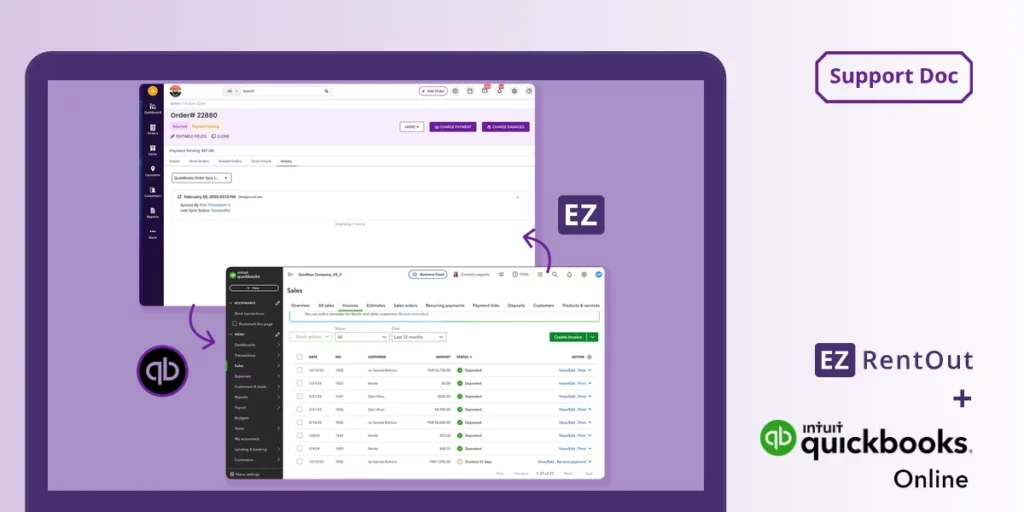
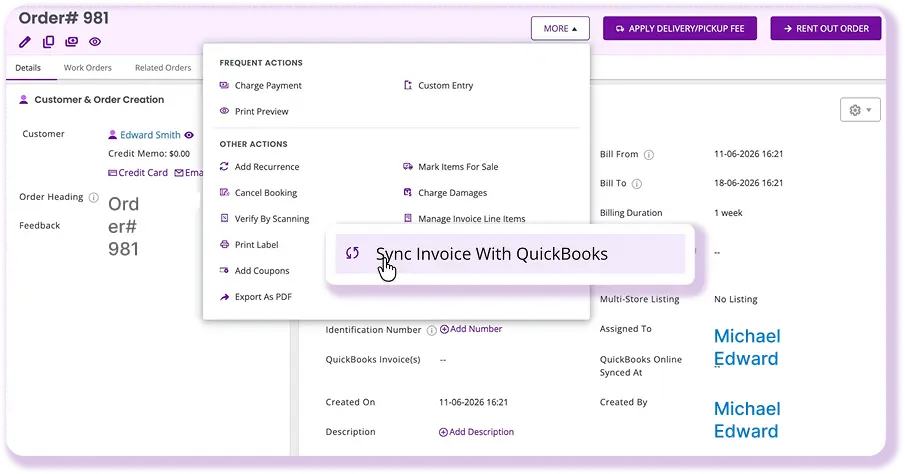
Sync Rental Orders As QBO Invoices
Sync EZRentOut orders to QuickBooks Online as invoices with the right customer, billing address, dates, line items, taxes, discounts, and payment details based on your mapped settings. Booked or rented-out orders can be imported into QuickBooks without manually rebuilding the invoice, helping finance work from the same rental activity operations already captured.
Payments
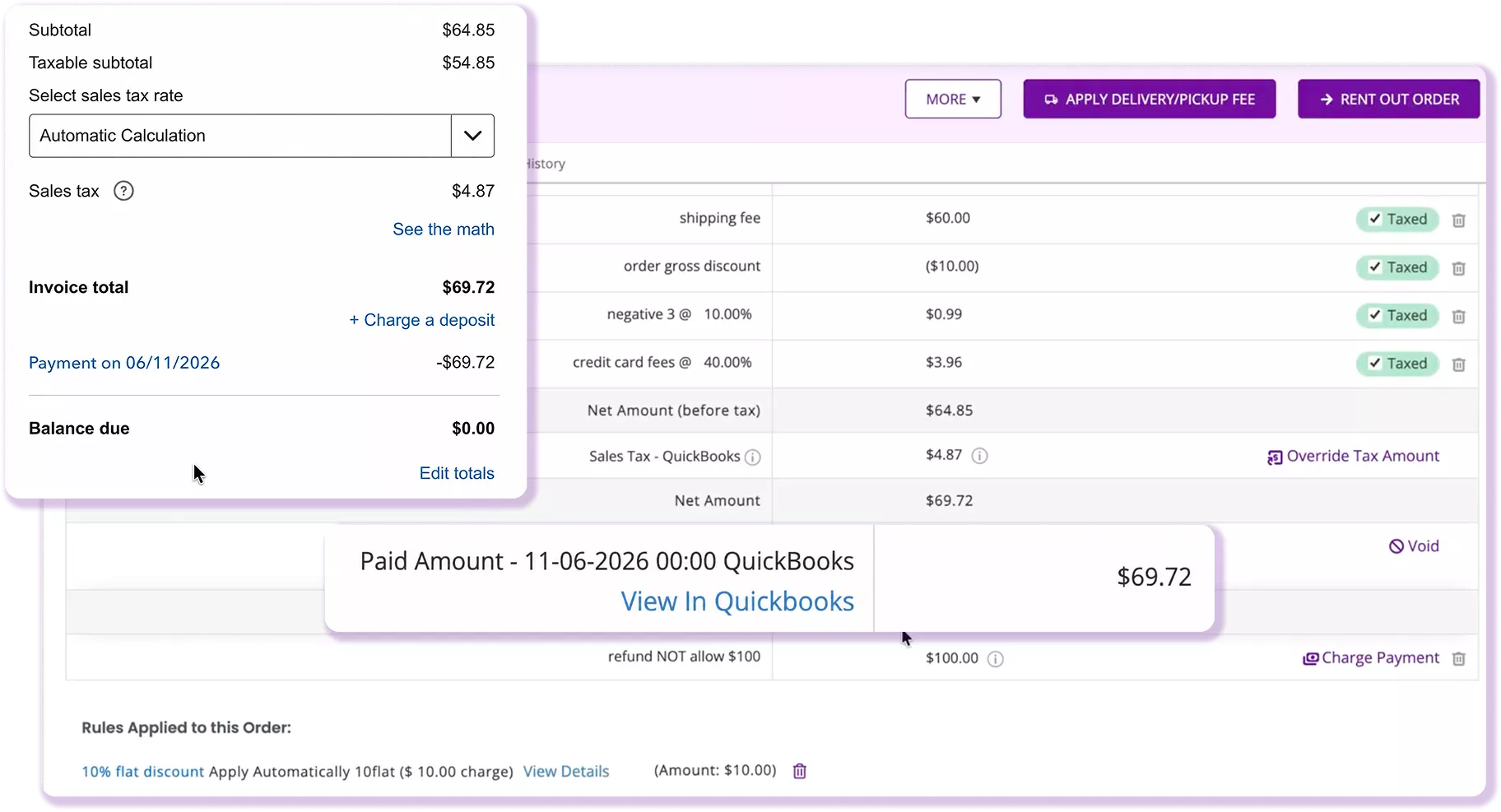
Keep Payment Records Aligned Both Ways
Payments sync both ways between EZRentOut and QuickBooks Online. When a payment is collected in QBO by card, bank transfer, or check, it automatically updates the corresponding EZRentOut invoice. When payment is recorded in EZRentOut, it reflects in QuickBooks. Finance and the rental team always see the same payment status without logging into both systems.
Customers
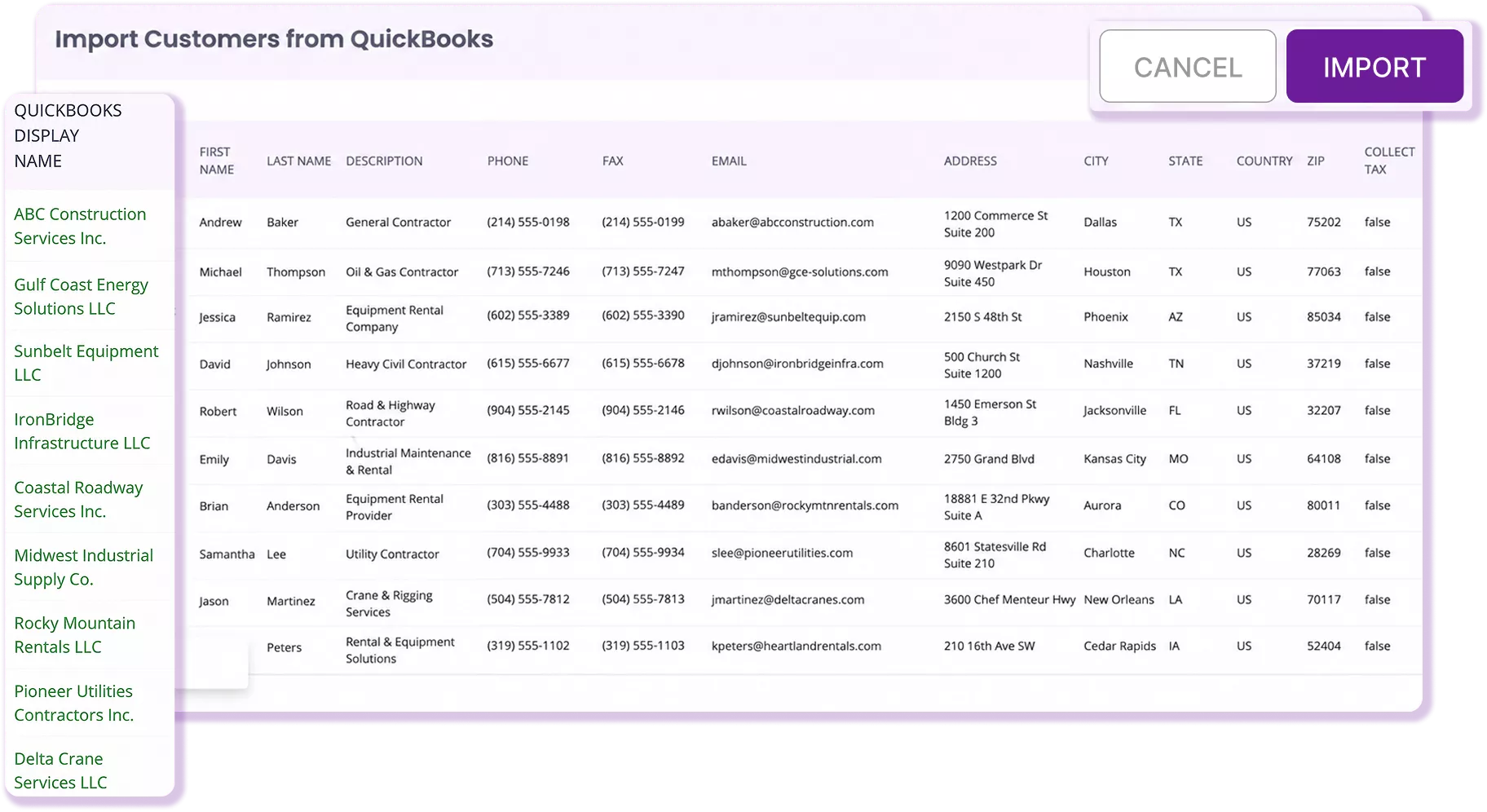
Keep Customer Records Consistent
Keep customer records consistent between your rental workflow and QuickBooks. Use Display Name to map customers, import from QBO, auto-create records on rental orders, and reflect QBO tax-exempt status in EZRentOut. When a customer exists in QuickBooks, EZRentOut maps to that record rather than creating a duplicate. New customers can automatically push to QBO.
Taxes
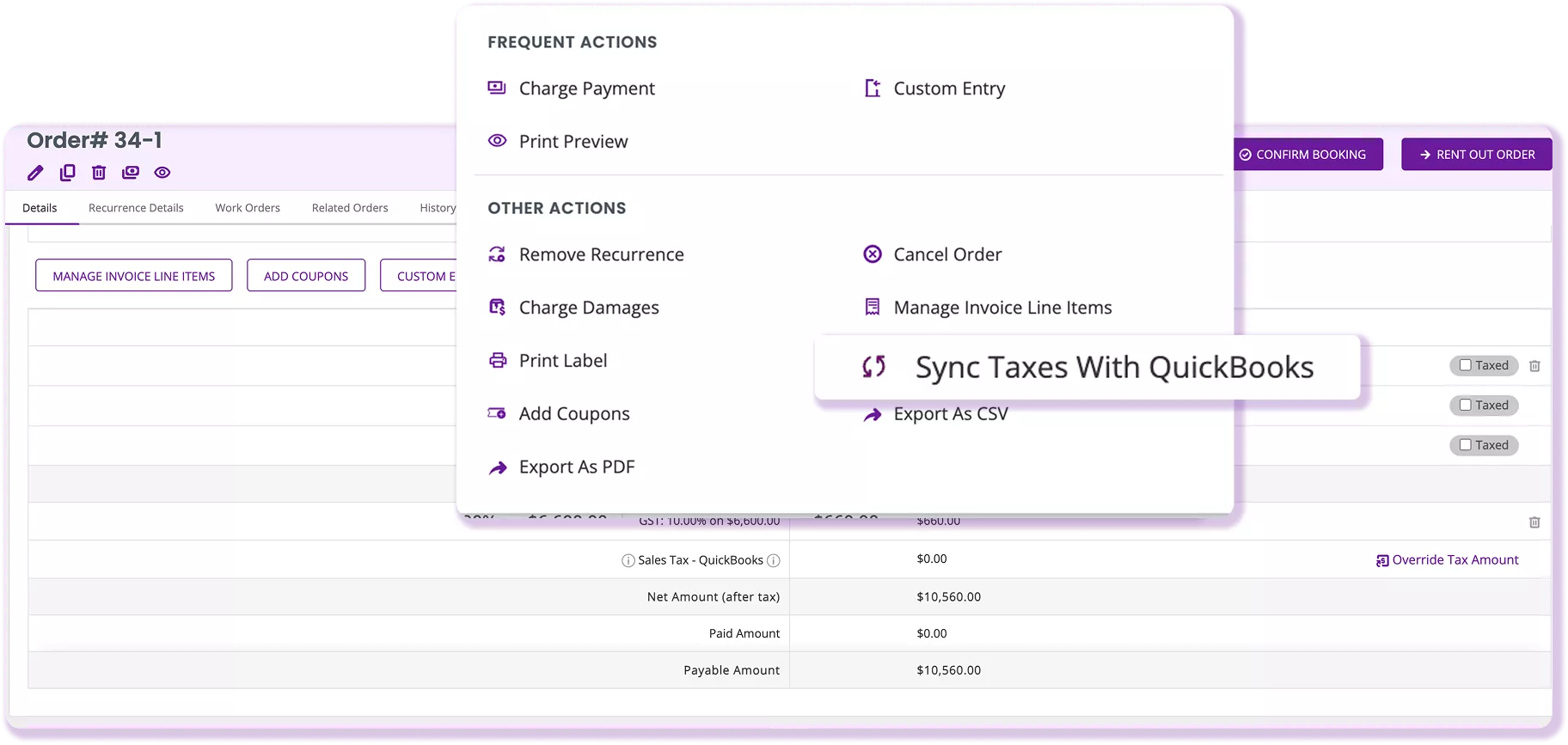
Sync Taxes From QuickBooks Online
Use QuickBooks Online tax sync to pull the right rates into EZRentOut orders. Re-sync taxes when an order changes to keep amounts accurate. State and local breakdowns are shown instead of only the combined total, so finance sees what was applied. For teams using Avalara with QBO, EZRentOut keeps the tax source in QuickBooks without disrupting workflows.
Locations
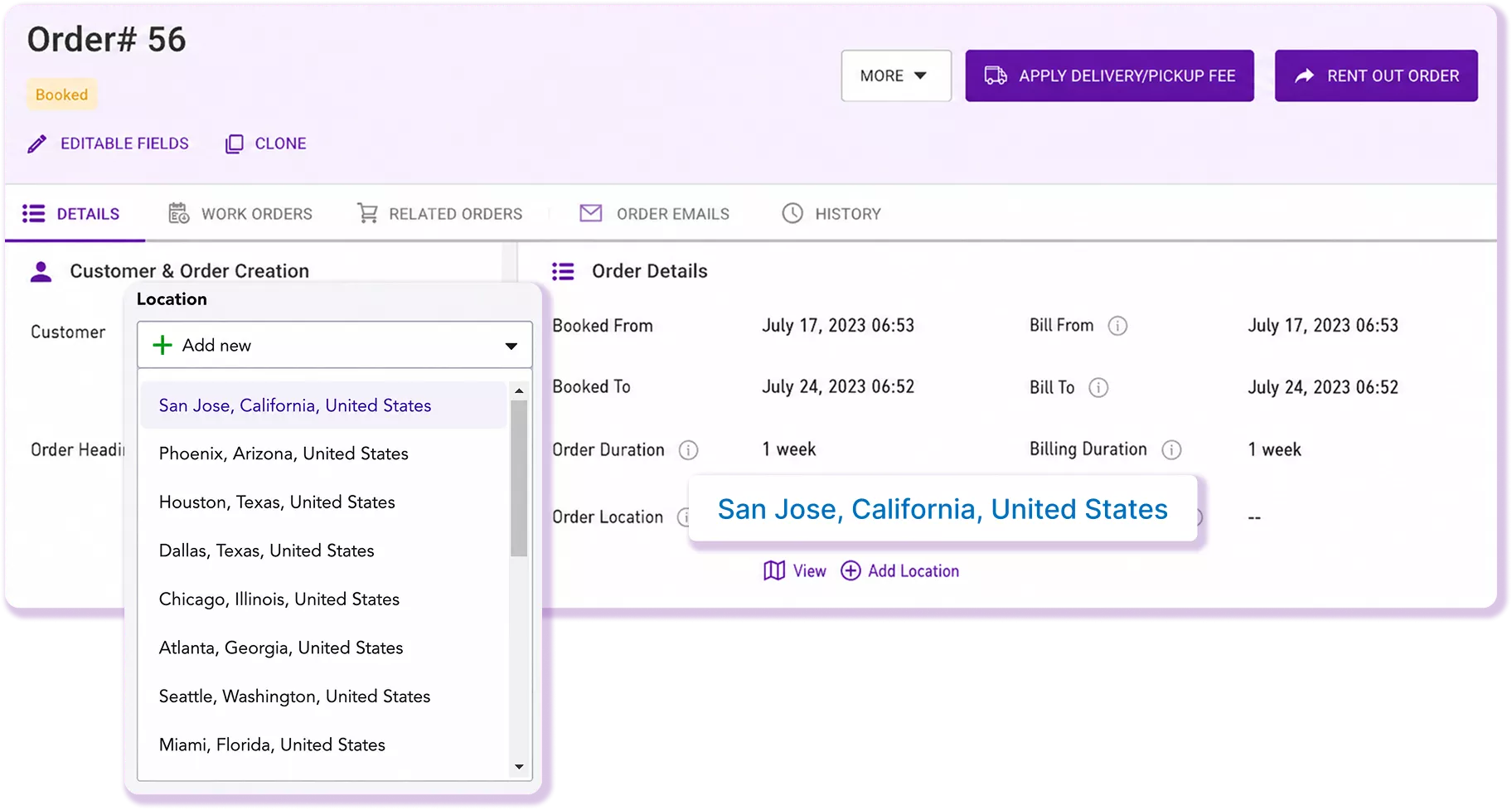
Track Revenue by Store or Yard
Track where rental revenue came from across store, branch, or yard. Sync EZRentOut order locations with QuickBooks so each invoice maps to the right store. When an order is created at a specific location in EZRentOut, that store syncs to the matching QuickBooks location. Finance gets cleaner revenue visibility by location without manual reclassification.
Credit Memos
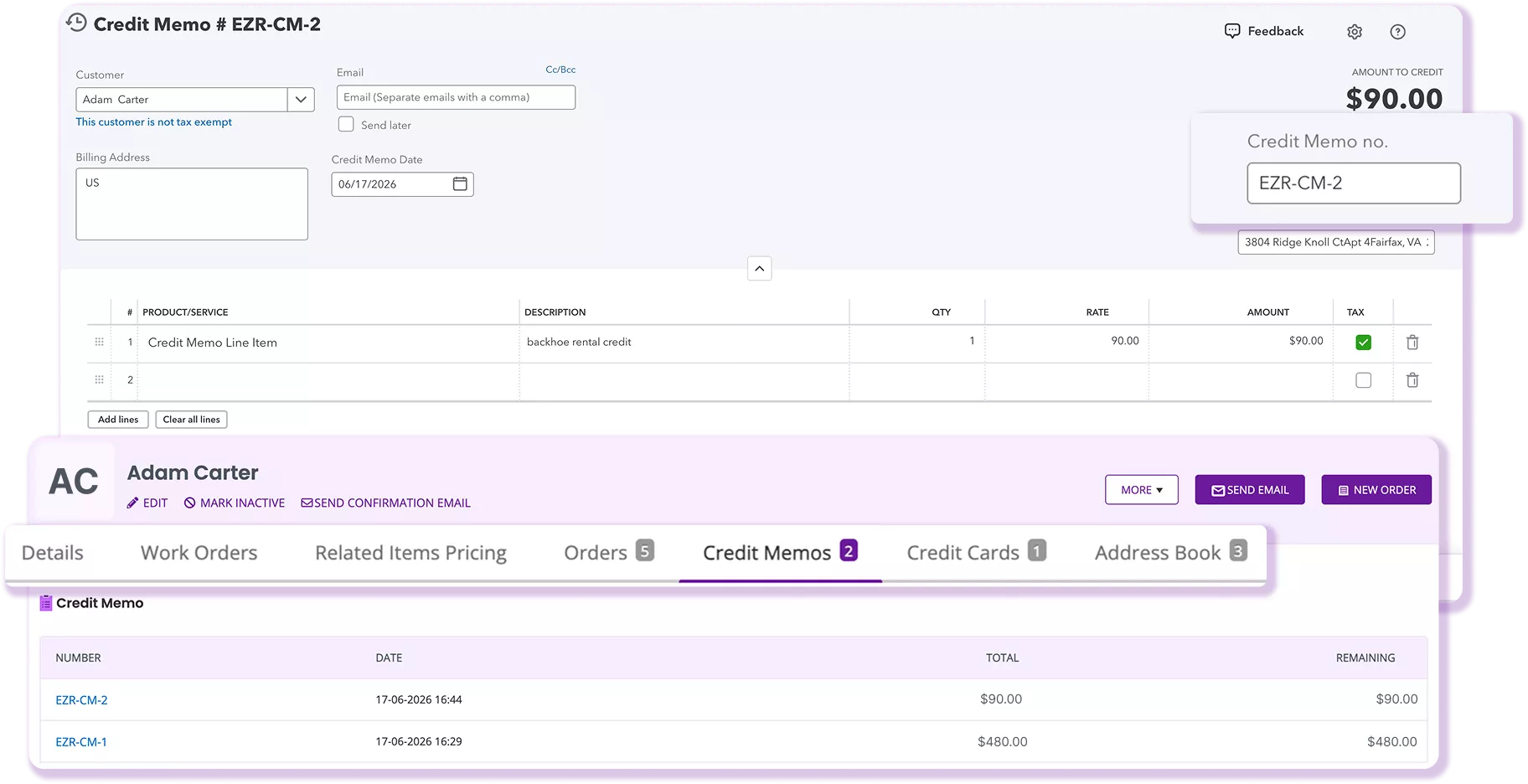
Sync Credit Memos to QuickBooks Online
Create credit memos in EZRentOut and sync them to QuickBooks Online, while keeping credit activity tied to the customer record. Your team can track sync status, applied credit, and remaining credit in EZRentOut, so credits stay connected to the memo, the customer, and QuickBooks instead of becoming a separate finance lookup.
Stop Reconciling Rental Work After the Fact
CUSTOMER STORY
Rental Operations Built With QuickBooks Clarity
Iron Ranch Equipment launched its heavy equipment rental business with EZRentOut as the foundation for contracts, billing, accounts receivable, and equipment tracking. Instead of starting with spreadsheets or disconnected systems, the team built structured rental workflows from day one.
With EZRentOut, Iron Ranch connects invoices and payments to QuickBooks, tracks contracts through custom AR reports, and manages long-term rentals across locations. The result is cleaner financial visibility, less manual admin work, and a rental operation built to scale without adding unnecessary complexity.
EZRentOut gives Iron Ranch
- QuickBooks-connected invoicing and payment workflows
- Custom AR reporting for contracts and collections
- Centralized visibility into billing, contracts, and equipment tracking
- Scalable workflows for long-term rentals and multi-state operations
~30%
1 month
Invoices & payments
Confidence Built on Results!
4.5/5
G2 Overall Sentiment
0 (Difficult)
10 (Easy)
<1 Day
>12 Months
<6 Months
Frequently Asked Questions
Yes. EZRentOut is designed to sit beside QuickBooks Online, not replace it. Rental teams can manage quotes, bookings, rented-out orders, returns, payments, deposits, and equipment tracking in EZRentOut, while finance continues to use QuickBooks Online for accounting. This helps operations stop forcing rental work into QuickBooks while keeping invoices, payments, and customer records aligned.
Many rental businesses struggle when equipment is billed on different schedules, such as hourly, daily, weekly, monthly, or long-term rates. EZRentOut lets teams manage rental pricing and order activity inside the rental workflow, then sync the resulting order to QuickBooks Online as an invoice. This keeps QuickBooks focused on the financial record instead of managing every rental-rate scenario.
Partial payments are common in rentals, especially when customers pay a deposit upfront and the remaining balance at pickup, delivery, or return. EZRentOut helps rental teams track the order and payment activity in one place. When the related invoice exists, and payment sync settings are enabled, payments can sync between EZRentOut and QuickBooks Online so both teams see the updated balance.
Double-counting can happen when invoices are created in one system, and payments are recorded again as separate sales or deposits. EZRentOut helps reduce that risk by linking payments to the corresponding rental invoice when the QuickBooks Online integration and payment sync settings are configured correctly. Finance can work from the synced invoice and payment status instead of manually recreating the same transaction.
Yes, with the right setup. EZRentOut can map order activity, such as discounts, damages, late fees, custom entries, taxes, and service items, to QuickBooks Online based on your configured accounts and sync settings. This helps finance avoid dumping all charges into a single generic income bucket and provides the business with cleaner reporting on where rental revenue and extra charges came from.
A good QuickBooks integration should not feel like a black box. EZRentOut provides sync status, sync history, payment sync status, filters, and reporting visibility so teams can see what synced, what failed, and what has not been initiated. This helps finance catch issues before month-end, rather than discovering missing invoices or payment mismatches during reconciliation.
Look for rental software that first handles the rental workflow, then syncs clean financial records to QuickBooks Online. At minimum, it should support order-to-invoice sync, payment sync, customer matching, tax sync, account mapping, location sync, deposits or line items, credit memos, and sync history. EZRentOut is built for this handoff, so operations can run rentals while finance keeps QuickBooks as the system of record.