



Think of your business as a thriving entity, serving hundreds of clinics, specialized care units, and rehabs efficiently. On a random Monday, your equipment manager at the main branch allocates a piece of equipment to a medical facility. Another manager allocates the same equipment to another facility, without realizing that it has already been booked.
Just before the delivery, your warehouse team is confused about which customer to send the equipment to. You are caught off guard, and the result is clear: a frustrated customer and significant damage to your business reputation. At the end, your team finds itself scrambling through scattered records, trying to fix the scheduling error that led to double-bookings.
This is just one example of several issues your rental business can incur. One minor hiccup can turn into a significant obstacle, preventing you from providing consistent services to your long-term medical clients.
So, what’s the solution? Let’s first understand the kind of issues you can face while managing a complex portfolio of medical rental equipment, and then understand ways to fix them.
Challenges in managing medical rental equipment
According to a report, the medical rental equipment market is valued at USD 65.97 billion in 2025 and is expected to reach USD 115.2 billion by 2034, with a CAGR of 6.39%. Achieving this level of growth on a broader scale requires managing rental equipment with precision and constant quality checks.
However, medical rental equipment businesses often face several operational hurdles that interfere with the management of their rental workflows. Managing rental medical equipment is far from simple!
From high-value devices like ventilators and monitors to consumables and accessories, rental companies must juggle booking, scheduling, maintenance, compliance, and billing. These aspects need to be aligned with the equipment’s deployment for timely delivery. Even minor oversights can result in delayed deliveries, dissatisfied clients, underutilized assets, and lost revenue. Additionally, there is the impending fear of lawsuits when patient health is at risk due to faulty equipment, leading to insurance claims, penalties, and fines.
Timely optimization of a diversified mix of rental equipment is critical to ensuring your operations are on point, hassle-free, and, most importantly, able to meet your clients’ needs. Let’s help you find out ways to do just that!
Challenge 1: Limited visibility into available medical equipment
When you are managing a wide variety of medical equipment, the risk of losing visibility into some of it is high. This is especially likely when equipment is distributed across different locations and is tracked using manual or legacy systems. These systems reinforce data silos, making communication and simultaneous updates to booking data nearly impossible.
The result is an increase in double bookings and equipment underutilization, especially when your equipment is marked available, but is out of stock on the website. The result is obvious: lost rental opportunities and frustrated clients who required their medical equipment on time.
Also, the medical industry is highly critical, and clinics need reliable vendors for their medical equipment supplies. A minor setback in meeting their expectations not only impacts your revenue but also puts their operations at risk and, in turn, patient health. So, can you afford to provide unreliable services because of little visibility into your own equipment?
Fix 1: Invest in a medical rental equipment management solution
To avoid situations like these, adopting a medical rental equipment management solution can be a viable option. Such software not only gives you complete visibility into your rental equipment but also enables you to manage it most holistically. It centralizes all rental operations, saving time spent searching for equipment and delivering it. It helps initiate their tracking right from the time it is procured to its deployment.
Software like EZRentOut stores medical equipment data in compliance with the GDPR regulations, ensuring that your equipment data and client details are well-protected. This is important for medical clients because it can involve government clinics or sensitive data related to highly monitored or sensitive equipment.
Once you know the client data is secure, you can rent equipment out seamlessly directly from the software. It will give you access to an availability calendar where all bookings will be recorded, and equipment availability will be clearly mentioned. Your team can cross-check the equipment’s availability to make bookings and avoid double bookings. The system can also help assess the most underutilized equipment, so you can rent it out first. This way, you can put your underutilized equipment to use while also improving your equipment scheduling.
In addition, this is especially helpful when you have long-term contracts with specific clinics. You might be renting equipment without a return date. Using the software, you can check the equipment out for an indefinite period or specify a future return date to ensure it is returned on time.
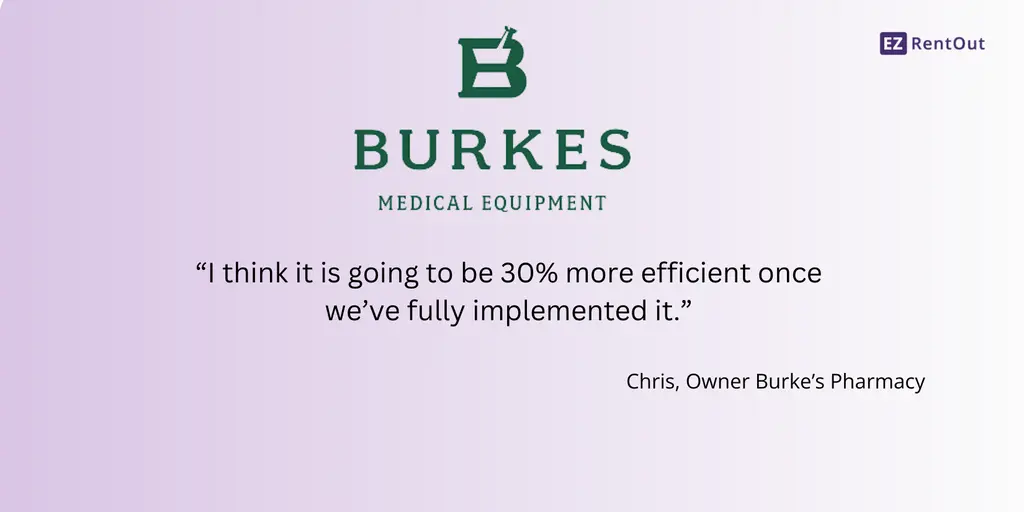
For instance, Burke’s Pharmacy faced challenges due to the manual management of medical equipment. They automated their scheduling with EZRentOut’s availability calendar, as it enhanced visibility across locations and minimized scheduling errors. Overall, Burke’s Pharmacy improved its efficiency by 30% using EZRentOut. We asked Chris, the owner of Burke’s Pharmacy, about the growth in their business processes and how much the operations have improved after using EZRentOut. They responded:
Impact: A centralized medical rental management system restores full visibility, prevents scheduling conflicts, and boosts utilization by ensuring every item is tracked, secure, and ready to rent.
Challenge 2: Delayed turnaround of equipment returns and redeployment
As mentioned earlier, healthcare is a highly critical industry, requiring fast turnaround times with no room for error. Renting medical equipment is tricky, as there are set protocols for equipment maintenance. Extensive health checks, including sterilization processes, quarantine periods, and maintenance cycles, require time and adherence to specific procedures. This often delays equipment uptime.
But the real problem arises when equipment is tracked manually and is not ready on time for the next shipment. When your staff is unaware of the exact turnaround time for your equipment or the next stages in its lifecycle, your deliveries are delayed. The equipment sits idly in storage while customers wait for it, lowering overall utilization rates.
Similarly, when equipment depreciation is not adequately calculated and tracked, your rental medical equipment might not be serviced or disposed of at the appropriate times, leading to performance issues. This leads to a serious violation of health compliance rules, putting patients’ health at risk.
Fix 2: Automate post-rental lifecycle
With rental equipment software, you can automate the post-rental lifecycle, including order-return alerts that notify clinical authorities when equipment is due to be returned. This helps ensure that the equipment is returned on time without unnecessary delays. If the equipment is back on time, then you can ensure that it passes through the necessary maintenance steps on time as well.
You can also make check-ins and checkouts faster by using Barcodes and QR codes to check equipment in and out. The result? Faster turnaround times, higher equipment availability, and increased rental revenue, all while ensuring compliance with medical hygiene and safety protocols.
You can also automate depreciation calculation, so the system calculates and records it automatically without manual intervention. With optimized calculations, you can save time and also make smarter decisions regarding equipment optimization.
Impact: Automating returns, maintenance, check-ins, and depreciation ensures faster equipment turnaround, higher availability, and more intelligent optimization, directly boosting rental revenue and operational reliability.
Challenge 3: Unable to track medical equipment across multiple facilities
One of the main concerns for any medical rental equipment business is efficiently tracking equipment across multiple clinical sites. Such businesses usually operate across multiple warehouses and branches, which makes it easier to lose access to the equipment’s location. Without accurately tracking the location, you risk the equipment being misplaced during transit or sitting at a client’s location longer than expected.
Sometimes, your equipment can be late for delivery and not reach its destination on time. Without a unified tracking system, teams are left relying on phone calls, spreadsheets, or scattered notes to locate equipment. Similarly, if not tracked on time, it may be left in the clinic’s storeroom or stay with a facility longer than expected because the involved parties forgot about it. In high-value categories like ventilators, imaging devices, infusion pumps, and patient monitors, any misplacement can be extremely costly.
These location-based blind spots also lead to scheduling delays, slower turnaround times, and inaccurate availability data, resulting in underutilized assets. Moreover, for medical clients who depend on timely and reliable equipment, frequent location-related errors erode trust and paint your business as disorganized or unreliable.
Fix 3: Create consolidated records for accurate location tracking
When you bring all location data into one place, it becomes significantly easier to track where and in what condition your equipment is located. Specific software, like EZRentOut, offers API integrations like Trackunit to track equipment on the go. You can leverage such solutions to track the exact location of your equipment, even on the wheels.
Automated records provide a real-time view of the equipment and update it as needed. Rental management solutions consolidate data from multiple sources into a single place, so all teams have visibility into equipment at their respective locations. This way, they do not need to rely on manual records for equipment quantity updates and can ensure that accurate, up-to-date data always informs scheduling and redeployment decisions.
You can also transfer your medical equipment between locations with a single click. If the supply of medical equipment is low at the main office, your staff can quickly check and reallocate equipment from a location with more units. This is especially helpful when you are renting equipment to multiple medical clients who are far apart. This also helps utilize resources in the most efficient way possible.
Impact: Centralizing location data ensures every piece of equipment is tracked accurately, reducing loss, minimizing idle time, and enabling timely redeployment to meet client needs.
Challenge 4: Misaligned medical equipment rental rates
Another major challenge for medical rental businesses is inconsistent pricing. No medical equipment is priced the same way when rented out to different customers. Different equipment types, ranging from high-value devices such as ventilators and monitors to smaller accessories and consumables, have different rental rates. Add to that variations in rental duration, late returns, damage fees, and optional add-on services, and the billing process quickly becomes complex.
Similarly, you can offer customized pricing to specific medical clients depending on your relationship with them. But when these pricing details are handled manually without an automated system, your booking staff may miss or forget to apply them. In addition, teams can easily apply incorrect rates, miss charges for consumables, or overlook fees for overdue or damaged equipment.
Imagine a clinic renting a ventilator and several monitoring accessories for a week. The manual billing system fails to charge for some consumables and applies the wrong daily rate to the equipment. When the invoice arrives, the client disputes the charges, delaying payment and creating friction. Even though the mistake is small, it undermines trust and forces your teams to spend hours resolving it, rather than focusing on operations.
Fix 4: Automate and standardize billing
As part of your pricing strategy, you can use dynamic pricing to apply different rental rates to your equipment based on equipment type, rental duration, late returns, consumables, and damage fees. With dynamic pricing, you can also apply taxes and promotional discounts to cater to each medical client based on your relationship with them. You can also use customer-level pricing if you are providing equipment to a large medical facility. This way, you can offer them specific rates only if you rent them equipment often, turning them into long-term clients.
Automatic and standardized billing helps automate rental charges and manually cross-check calculations to reduce errors and prevent revenue loss. Your team does not need to be on its toes all the time and can focus on more critical tasks.
Additionally, automated billing provides flexibility for complex rental scenarios. For example, if a client extends a rental period or adds extra consumables mid-rental, the system recalculates charges in real time, reflecting accurate costs immediately. It can also generate detailed, itemized invoices that show precisely what was rented, for how long, and any additional charges, helping build trust and transparency with clients.
Another advantage is audit readiness: every transaction, adjustment, or discount is automatically logged, making it easy to reconcile accounts, provide compliance documentation, and respond to client queries quickly.
Impact: Automated billing ensures accurate, consistent invoicing, prevents revenue leakage, and strengthens client trust while saving time and reducing errors.
Challenge 5: Difficulty managing medical accessories
Real problems arise when you rent multiple medical accessories that must be provided with the primary device. Managing small items like these can be a challenge because consumables such as filters, masks, tubing, or sterilization kits, as well as detachable accessories like batteries, probes, or sensors, are essential for the equipment to function correctly.
Difficulty managing these accessories can add to problems like:
- Delayed deliveries: Clients receive equipment without all necessary accessories or consumables, delaying procedures or forcing last-minute substitutions.
- Stockouts: Without proper tracking, consumables can run out unexpectedly, impacting availability and revenue.
- Misplaced components: Accessories often get separated from the primary device, leading to inefficiencies, repeated replacements, or loss.
While this may not qualify as an operational issue, it can break your client’s trust, mainly because medical facilities and clinics rely on reliable deliveries to complete procedures.
Fix 5: Bundle items together when checking out
Medical rental software helps in this situation by bundling equipment and ensuring that every accessory is with the primary device. Your staff can also easily check in and check out equipment by scanning the entire bundle’s QR code and Barcode. Your system can also forecast the equipment’s usage and utilization, i.e., how frequently certain items are used.
Usage history and inventory levels are both recorded, providing you with more operational insights into equipment history. This helps provide greater visibility into how frequently certain accessories and specific pieces of equipment are rented. When you know which items are rented with which accessories, you can handle them more effectively by setting minimum and maximum thresholds. If the accessory falls below a defined threshold, the rental equipment software you are using will notify you and prompt you to arrange more quantities.
These prompts help keep you up to date with your inventory and help arrange the necessary quantities so the primary device can function properly and there are no operational delays.
Challenge 6: Handling a high volume of rental orders
In critical situations, such as patient emergencies or post-discharge care, fulfilling urgent requests for oxygen concentrators, ventilators, mobility aids, or other medical equipment can be challenging during sudden surges in demand. Last-minute orders might conflict with current rental bookings, and your staff may not even be aware.
Teams are forced to depend on manual checks, verbal confirmations, or outdated spreadsheets to verify equipment availability. This guesswork makes it incredibly easy for items to be double-booked or assumed “available” when they are actually scheduled elsewhere.
Beyond availability issues, last-minute bookings force the time staff to prepare equipment by implementing strict, maintenance-oriented routines in no time. As a result, teams often fall behind, leading to incomplete prep work or rushed handoffs. The pressure trickles down the workflow, causing stress for front-desk staff, warehouse crews, and even delivery teams who now have to adjust their schedules.
This can frustrate medical clients who rely heavily on fast delivery; a minor scheduling slip-up can delay treatments, severely impacting your reputation.
Fix 6: Implement inventory management strategies
One of the best ways to manage a high volume of orders is to standardize your inventory management techniques across your rental business. This means beginning with creating consistent workflows for tracking, maintaining, and preparing equipment so that every team follows the same steps, regardless of branch or workload. Standardization reduces confusion, ensures quality, and helps teams move quickly without compromising safety or compliance.
Effective strategies include implementing categorization and tagging systems that enable staff to identify equipment type, condition, and readiness status instantly. This makes it easier to prioritize high-demand items or locate alternatives quickly during peak loads. You can also improve your stock visibility to ensure availability across departments, eliminating the back-and-forth communication that slows down urgent requests.
Adding automated replenishment thresholds ensures your inventory levels are up to date and that your frequently rented consumables or accessories (like tubing, batteries, straps, etc.) are restocked before they run low. Meanwhile, standardized maintenance checklists help teams prep equipment faster without missing crucial steps for medical devices, where hygiene and calibration are non-negotiable.
Finally, integrating these strategies into rental software like EZRentOut helps automate tracking, minimize human error, and streamline order fulfillment. With consistent processes and smart inventory oversight, you can handle large order volumes with confidence, speed, and complete operational clarity.
HealthQuest Inc., a medical supply store, reports issues managing its medical rental equipment due to manual tracking and recording. They adopted EZRentOut to automate their workflows, build an online store, and manage repeat bookings. They call EZRentOut a “little encyclopedia” and a “full-time employee at a bargain rate,” as it scaled with them and offered a customized solution to their equipment management needs.
Impact: Standardized inventory management drastically reduces operational chaos, enabling faster order fulfillment, fewer booking errors, and consistent equipment readiness, even during peak demand, so medical clients always receive reliable, on-time service.
A practical 7-Day checklist for large-scale medical rental operations
There is always a systematic way to scale your operations and manage thousands of pieces of medical equipment. Here’s a list of the potential steps you can take to manage your rental medical equipment more efficiently:
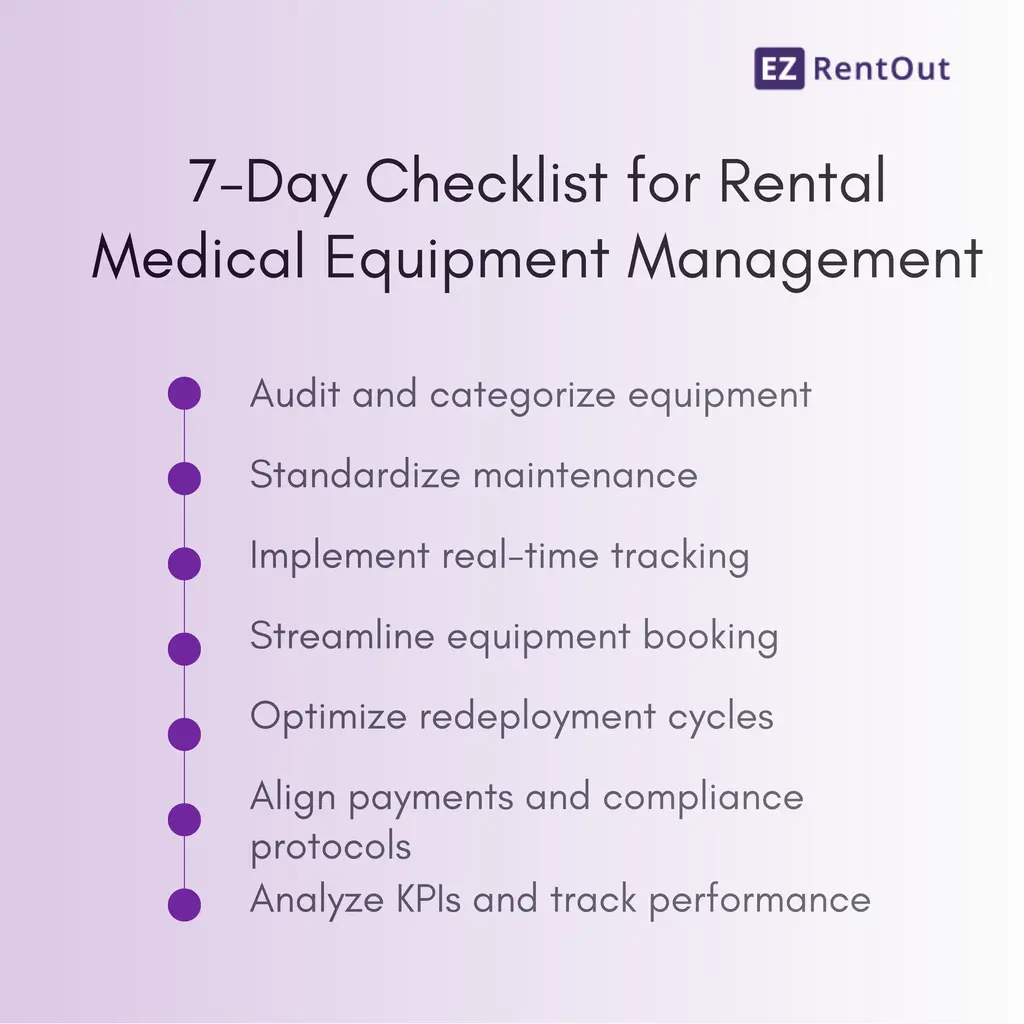
Day 1: Audit and categorize equipment
Until and unless you audit your medical equipment, you will not be able to categorize it or correctly identify its use over time. The main goal of conducting an audit is to gain complete visibility into your equipment and know where, how, and in what condition it is located.
Start by working on the audit, including identifying active, out-of-service, and underutilized equipment. You can tag them by state, and if you are using medical equipment rental software, the process becomes even simpler. Automated records update on their own with the most recent status of the equipment. Track your medical equipment’s maintenance and utilization from a single place that helps guide smarter scheduling decisions. You can also tag your equipment as high-use and critical to make your team more vigilant about its check-ins and maintenance.
Once you can categorize your equipment by group, you can manage their bookings accordingly and stay on top of their collective utilization. All the same equipment will be part of that one group, reducing the need to switch between systems or tabs to check the status of each piece of equipment.
Additionally, different categories of equipment have different cleaning, calibration, or maintenance requirements. By categorizing, you can assign custom workflows for each group, ensuring compliance with hygiene standards and regulatory protocols.
| Summary | Start with high-value or high-demand equipment first (e.g., ventilators, monitors).Tag assets digitally with QR codes or barcodes.Record location, condition, and maintenance status. Flag items needing urgent maintenance or cleaning. |
| Tip: Do not try to audit all 1,000+ items in one day; roll out in batches. | |
Day 2: Standardize maintenance
Following maintenance protocols is necessary to maintain medical hygiene standards. Each type of equipment, ventilators, monitors, infusion pumps, wheelchairs, or mobility aids, has unique cleaning, sterilization, and maintenance requirements. Document detailed Standard Operating Procedures (SOPs) for each category so staff know exactly what steps to follow and when.
When you are auditing your equipment, upload checklists or manuals that include these SOPs for each piece of equipment, highlighting the exact maintenance routine for that item. To ensure SOPs are followed, highlight which steps must be followed and when.
Assign roles and responsibilities to your staff and grant role-based access so they know exactly what they are responsible for. Access to the rental management software you use can also be automated, as they will see data relevant to their job role. This way, the specific users will be fully responsible for scheduling maintenance based on usage hours, rental cycles, or calendar dates.
| Summary | Define SOPs for different equipment categories. Create digital checklists for cleaning, calibration, and inspectionAssign responsibilities per team/location. Schedule preventive maintenance based on equipment usage. |
| Tip: Start with the most critical or high-value devices first, such as life-support machines or high-demand diagnostic equipment. Once SOPs and checklists are established for these items, you can gradually expand the standardized processes to the rest of your inventory. | |
Day 3: Implement real-time tracking
Real-time tracking is essential for medical rental businesses to maintain visibility over their equipment and prevent misplacement or double bookings.
Start by using dashboards that show which items are available and which are currently rented, giving your team a single source of truth for inventory status. Set up automated location alerts for any equipment leaving warehouses or client sites, so you always know where each asset is in transit or in use.
Integrate tracking tools such as QR codes and Barcodes to streamline check-ins, check-outs, and redeployment. For large operations, it is best to roll out tracking in key locations first, then gradually expand to all sites, ensuring that your team adapts smoothly while maintaining accurate inventory data. Implementing location-wise tracking not only helps streamline rental activities but also expands your operations with time.
| Summary | Activate real-time dashboards for available vs. rented items. Set up location alerts for items leaving warehouses or client sites. Integrate tracking tools (QR/barcode scanners, RFID, or GPS). |
| Tip: Implement automated tracking in key sites first, then scale to all locations. | |
Day 4: Streamline booking and equipment dispatching
Data centralization is the key to successful rental operations (as highlighted earlier). You need a system that can bring together all the information for each piece of equipment, so you do not have to switch between tabs. If you are using a rental asset management system, you can schedule equipment for bookings, check its availability, and manage reservations easily. If you manage orders through an online rental store, your system will automatically flag unavailable items, eliminating the need for manual checks.
You can also predefine rental bundles; for example, pairing a ventilator with necessary accessories such as tubing, monitors, or batteries, so that every dispatch is complete and ready for immediate use. You can also update the staff on the delivery of each item beforehand, so they expect it and can prepare in advance.
| Summary | Use a centralized software like EZRentOut for all bookingsAutomate notifications for upcoming returns or maintenance.Predefine equipment bundles to reduce errors. |
| Tip: Train staff on the system gradually; start with one team or branch. | |
Day 5: Optimize redeployment cycles
Your equipment needs to be well-prepared before you rent it to other clients. Send automated alerts to the clients with your medical equipment so you can recover it on time. Similarly, notify your staff when the equipment is due back so they can make space in the warehouse. Staging zones in warehouses help separate returned equipment awaiting processing from ready-to-rent equipment.
Prioritize high-value, high-demand equipment for redeployment to improve turnaround times and process equipment more quickly.
| Summary | Create a staging workflow: Return → Inspection → Cleaning → Maintenance → Ready to Rent.Automate alerts for overdue returns.Prioritize high-demand assets for faster redeployment. |
| Tip: Set alerts for quick equipment retrieval and proper handling. | |
Day 6: Align payments, billing, and compliance documents
Make sure you use payment gateways like Stripe and Square to automate credit and debit card transactions. Provide your clients with a hassle-free experience so they know you offer all the payment management options and can come back to you.
Save every invoice with the order so you can easily access it anytime and compare if changes have been made to the order. The rental system you use will automatically reflect the changes in the invoice that you can share with your clients. Charge damage and late fees, and the invoice will reflect those changes instantly.
Always stay audit-ready by digitizing records and keeping them intact in one place. You can keep detailed records of all your equipment so you can quickly pull up its details when needed.
| Summary | Set up automated pricing rules, late fees, and consumable charges. Digitize rental agreements, invoices, and compliance logs. Maintain audit-ready records for regulatory requirements. |
| Tip: Set up automatic pricing rules, late fee triggers, and consumables billing within your rental software, so your team never has to calculate charges manually. | |
Day 7: Analyze KPIs and track performance
No rental business can achieve excellence without periodically tracking its performance. To do that, track your KPIs rigorously by setting up a dashboard on your rental software. It will help analyze key performance indicators such as asset utilization, turnaround time, and maintenance delays to keep rental operations running smoothly.
By reviewing these metrics, you can quickly pinpoint bottlenecks. Whether it’s slow check-ins or under-maintained equipment, you can identify inefficiencies at specific locations and address them.
A practical approach is to focus improvement efforts on the top 10% of high-value or high-problem areas first, where optimization has the most significant impact. Once you are able to do that, move on to low-effort equipment and apply the same processes to the rest of the rental fleet.
| Summary | Analyze KPIs: utilization, turnaround time, maintenance delays.Identify bottlenecks and focus improvement efforts on the top 10% of high-value or problem areas.Plan the next batch of equipment or locations to bring under full process control. |
| Tip: Create automated KPI dashboards that refresh daily. This ensures teams always have visibility into performance trends and can act before minor issues turn into costly disruptions. | |
The winning strategy: Centralization for controlled medical equipment rental workflows
No rental business can flourish without a well-strategized direction toward medical equipment management. All you need to do is set your goals, plan what equipment needs to be prioritized, and identify the gaps or broken rental workflows. Most of the solutions will involve automating your processes and centralizing data to improve visibility.
Using a medical rental equipment software like EZRentOut can be beneficial, as it brings workflows like order processing, payment management, and analyzing equipment utilization under one roof. Invest in such a system, and you would be good to go for smooth medical rental operations!