
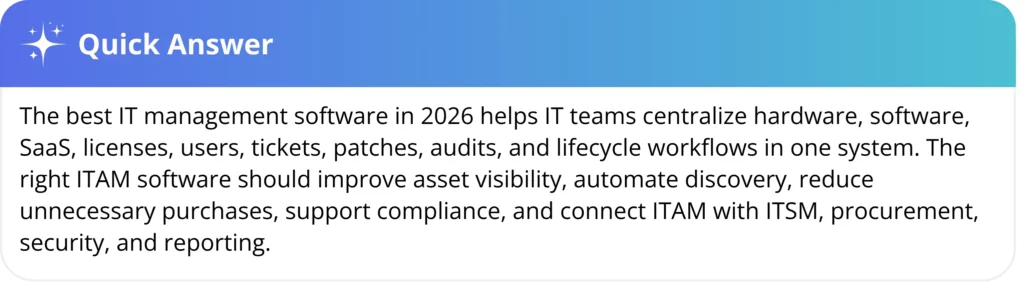
Choosing the best IT management software in 2026 is harder than ever. IT teams now manage hardware, SaaS apps, cloud assets, remote devices, licenses, and compliance workflows across complex environments.
The IT management software market is projected to be $2.2 billion in 2026. Flexera’s 2025 state of ITAM report also found that complete visibility across the technology stack dropped to 43%.
For CIOs, IT managers, and operations teams, this creates more pressure around cost, compliance, and control. This guide compares the top ITAM tools for 2026, highlights key trends, and explains how to choose the right platform.
The statistics below show why ITAM software has become a more strategic priority for IT, operations, and finance leaders in 2026:
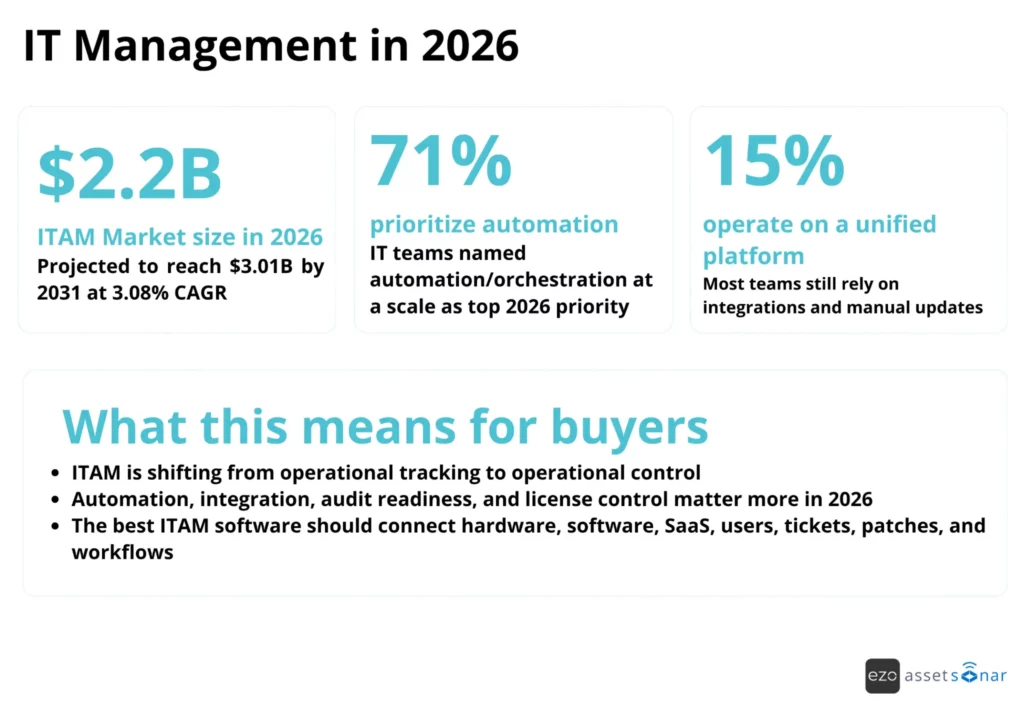
Source: Mordor Intelligence, AssetSonar 2026 State of IT Maturity Report
Why does your organization need an ITAM solution?
Organizations need an ITAM solution to gain accurate visibility into hardware, software, SaaS, licenses, users, and lifecycle status across the IT environment. Without ITAM software, teams often rely on spreadsheets, disconnected service desk tools, MDM exports, procurement records, and manual updates that quickly become outdated.
The business case is simple: if IT cannot see what it owns, who uses it, where it is, whether it is secure, and whether it is still needed, the organization is exposed to waste, compliance gaps, downtime, and unnecessary purchases.
For example, if an employee leaves the company and their laptop, software licenses, and SaaS access are tracked in separate systems, IT may recover the device but miss unused licenses, active subscriptions, or access permissions. An ITAM solution connects these records so teams can manage offboarding, reclaim licenses, update ownership, and reduce security or compliance gaps from one place.
Common reasons teams move to ITAM software include:
- Lack of visibility across assets: Hardware, software, SaaS, servers, peripherals, and cloud tools are tracked across disconnected systems.
- Shadow IT and unauthorized tools: Employees adopt apps or devices that IT cannot properly govern.
- License overspend and shelfware: Unused software licenses stay active because teams cannot easily reconcile usage and ownership.
- Audit anxiety: IT teams need weeks to gather evidence because ownership, license, warranty, and compliance records are spread across tools.
- Manual lifecycle tracking: Procurement, assignment, maintenance, depreciation, upgrades, warranty checks, and retirement are handled through manual workflows.
- Weak service context: Service desk teams troubleshoot tickets without reliable asset history, device data, patch status, or software context.
- Downtime and poor asset planning: Teams lose time when they cannot see device health, warranty status, maintenance history, or upgrade needs.
When ITAM data is incomplete or scattered, the impact shows up across cost, compliance, productivity, and operational control.
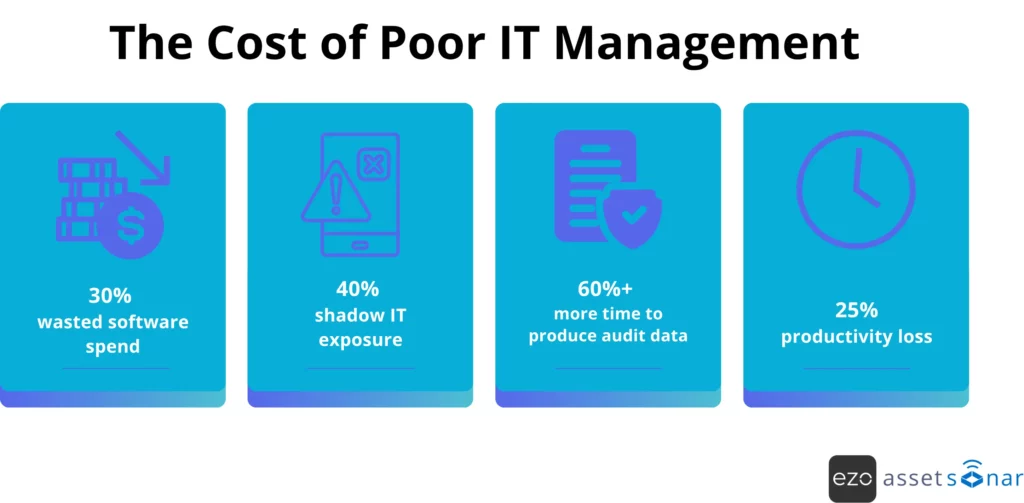
Poor ITAM increases security, cost, audit, and productivity risk, which is why buyers should evaluate tools based on visibility, automation, license control, reporting, and lifecycle coverage.
AssetSonar’s 2026 State of IT Maturity Report found that 54% of surveyed IT teams need 1-3 weeks to prepare audit evidence, while only 18% can respond in under one week. The report links slow evidence preparation to disjointed tools and recommends keeping asset data continuously synced to a single trusted source of truth.
The right ITAM software provides organizations with a clearer operating model: centralized inventory, real-time asset visibility, automated asset discovery, license tracking, compliance reporting, and lifecycle workflows that help IT teams operate more predictably.
What’s new in IT management in 2026?
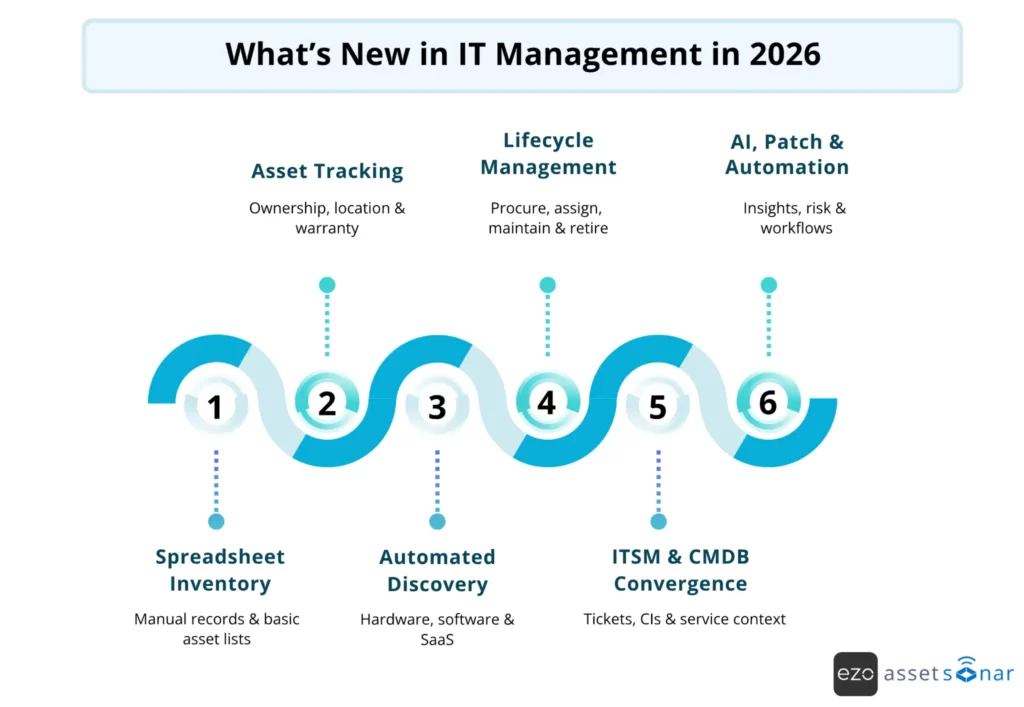
IT management in 2026 has moved beyond static inventory tracking. Modern platforms are expected to support AI-driven insights, SaaS visibility, patch management, ITSM integration, no-code workflow automation, and remote asset tracking for distributed teams.
The biggest shift is that IT management is becoming an operational control layer. Teams are no longer asking only, “What assets do we own?” They are asking:
- Which assets are assigned, underused, missing, vulnerable, or out of warranty?
- Which software licenses can be reclaimed?
- Which endpoints need patches?
- Which tickets are linked to which devices?
- Which lifecycle workflows can be automated?
- Which systems hold the most reliable source of truth?
AssetSonar’s maturity research notes that mature IT organizations rely on structure, predictability, trusted data, standardized processes, and automation.
The evolution below shows how ITAM has moved from basic inventory tracking to connected, AI-assisted asset operations.
AI-driven asset intelligence and decision support
AI in ITAM is becoming more practical when it is connected to real asset, software, ticket, and lifecycle data. Instead of only summarizing tickets, AI can help classify requests, suggest assignments, identify unmanaged software, surface lifecycle risks, support license reclamation, and provide asset-aware troubleshooting.
For IT teams, the value of AI is not replacing human judgment. It is reducing repetitive lookup, classification, routing, and reporting work while keeping technicians and managers in control.
Shadow IT and SaaS sprawl detection as a core ITAM capability
SaaS usage is now part of ITAM. Teams need visibility into browser-based apps, cloud software, subscription usage, license assignments, renewal dates, and unauthorized tools. Without this, SaaS costs grow quietly, and compliance teams struggle to reconcile who has access to what.
The best ITAM software should help identify software usage patterns, unused licenses, unmanaged apps, and renewal risks before they become budget or audit problems.
Patch management becoming part of ITAM platforms
Patch management is increasingly connected to asset lifecycle management. Knowing that a laptop or server exists is not enough; IT teams also need to know whether that device is patched, vulnerable, compliant, or creating operational risk.
This is why patch visibility, endpoint health, vulnerability status, and remediation workflows are becoming important selection criteria when comparing ITAM software in 2026.
No-code workflow automation for IT operations
Manual ITAM processes break down as asset volume grows. A spreadsheet might work for 100 assets, but it becomes unreliable when teams manage thousands of devices, software licenses, service requests, warranties, approvals, and renewals.
No-code workflow automation helps IT teams standardize actions such as:
- asset assignment
- onboarding and offboarding
- approval routing
- license reclamation
- warranty reminders
- renewal notifications
- audit follow-ups
- procurement updates
- ticket escalations
Mobile-first and remote asset tracking for distributed teams
Hybrid work, remote employees, and field teams make asset tracking harder. IT teams need to track hardware across homes, branch offices, storage rooms, repair workflows, and field operations.
Modern ITAM tools should support mobile access, barcode or QR scanning, custody history, location tracking, check-in/check-out, maintenance planning, and remote asset visibility so teams can maintain accurate records even when equipment is not physically near IT.
This is especially useful for field teams and distributed operations where laptops, mobile devices, and other IT equipment need accurate ownership and lifecycle tracking outside the office.
Deeper ITSM and ITAM convergence
ITAM and ITSM are increasingly connected. When tickets, incidents, service requests, assets, users, software, warranties, and configuration items are linked, service desk teams can resolve issues faster and make better decisions.
This convergence helps IT teams answer questions such as:
- Which device is affected?
- Who owns it?
- What software is installed?
- Is it under warranty?
- Has it had similar incidents before?
- Is it patched?
- Is there a known resolution?
AssetSonar’s State of ITSM Report 2026 found that asset-aware ITSM remains an unmet need: about 80% of respondents reported no deep integration between ITSM and asset inventories. The report also notes that missing device history, inaccurate ownership, and limited real-time discovery are major blockers for support teams, which is why linking tickets, assets, software, and user records is becoming critical for modern IT operations.
Top IT management software in 2026: Our picks
We evaluated top ITAM tools based on how well they support modern ITAM needs, including hardware and software asset management, automated asset discovery, lifecycle tracking, ITSM integrations, audit readiness, workflow automation, scalability, pricing structure, and user feedback.
The list includes platforms for different use cases, from enterprise ITAM governance and license compliance to asset discovery, endpoint management, service desk operations, open-source tracking, and small-team inventory control.
The comparison below provides a directional view of how broadly each platform covers core ITAM buying criteria, helping readers quickly identify which tools best align with their requirements.
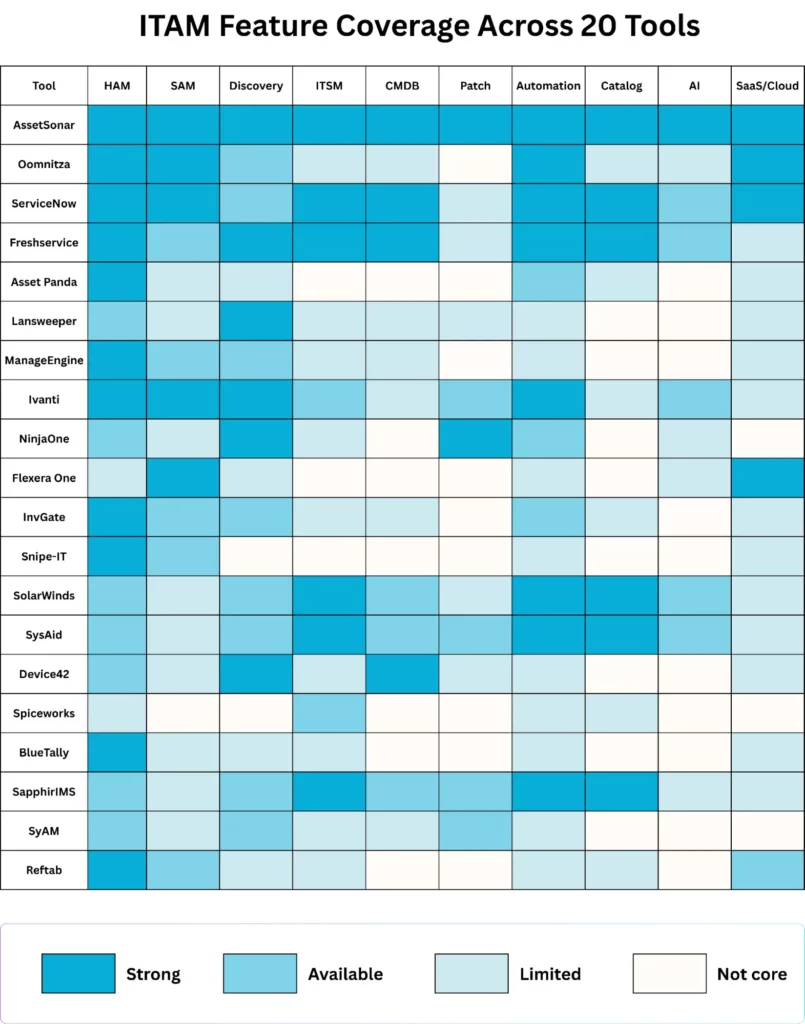
1. AssetSonar: Complete ITAM, ITSM, patch, and lifecycle control for modern IT teams
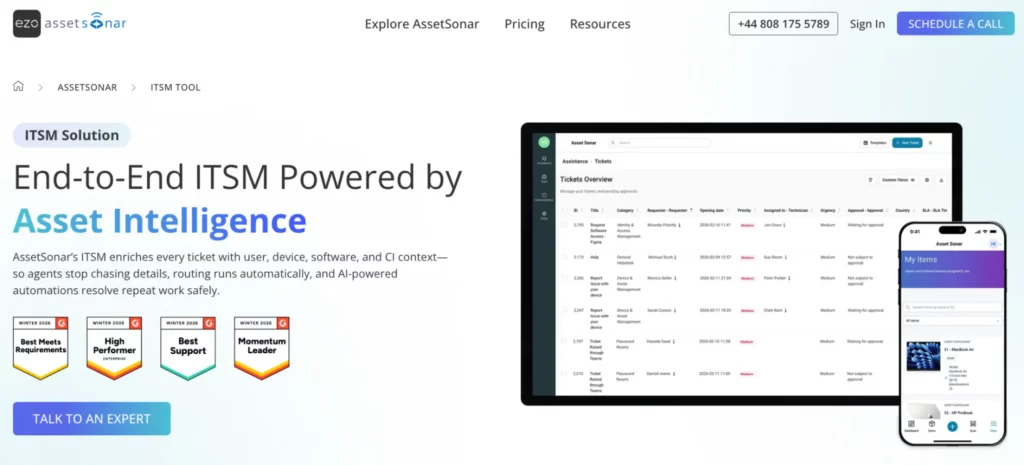
AssetSonar covers the core layers modern IT teams need from an ITAM platform: hardware asset management, software asset management, IT service management, patch visibility, workflow automation, and service catalog.
It is best for mid-market and enterprise IT teams that want to centralize asset data, reduce manual tracking, improve audit readiness, and connect ITAM with day-to-day service operations.
This matters in 2026 because IT teams are under pressure to manage increasingly complex environments spanning employee devices, on-premises infrastructure, cloud platforms, SaaS applications, and hybrid workforces, while also improving visibility, governance, and financial control. AssetSonar’s 2026 State of IT Maturity Report also found that only 15% of surveyed organizations operate through a unified platform where data flows across all key systems, while 46% still rely on a few integrations with frequent manual updates.
AssetSonar platform map: Core ITAM modules
AssetSonar’s platform map is built around connected ITAM workflows rather than isolated asset records. It keeps inventory, tickets, licenses, requests, approvals, patches, and lifecycle updates aligned so IT teams can manage assets in the same context where service work happens.
This is important for modern ITAM because asset records are only useful when they stay current across daily operations. A laptop assignment, software request, incident, approval, patch issue, or offboarding task should not create another manual update later.
In AssetSonar, these workflows can feed back into the same asset, user, software, and ticket context that IT teams rely on for audits, support, compliance, and lifecycle planning.
Hardware Asset Management
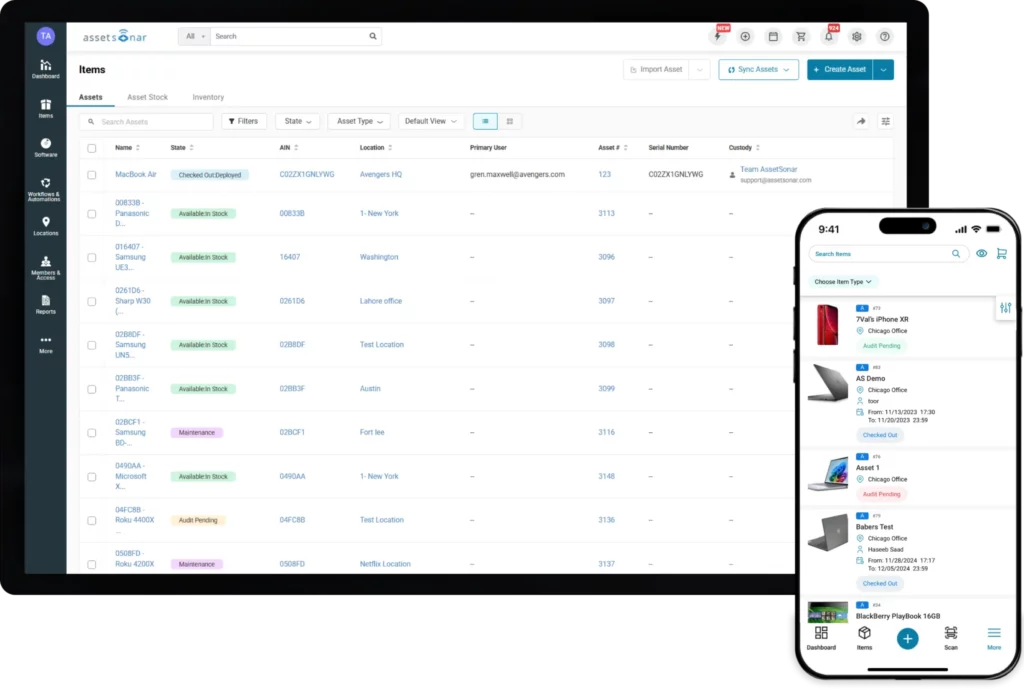
AssetSonar’s Hardware Asset Management module helps IT teams track laptops, desktops, servers, mobile devices, peripherals, and other IT equipment across users, locations, departments, and lifecycle stages.
Core capabilities include:
- IT asset discovery and tracking
- Inventory and stockroom management
- User assignment and custody history
- Employee check-in/check-out
- Mobile access for distributed teams
- Service and warranty management
- Compliance, audits, reporting, and analytics
- Integrations with surrounding IT systems
The value is not just that IT can see which devices exist. Hardware records become operational records that show who owns the asset, where it is, what service history exists, whether warranty coverage applies, and what should happen next in the device lifecycle. This helps teams make better decisions around repair, reassignment, refresh, retirement, and audit preparation.
Operational use cases: device assignment, employee onboarding and offboarding, remote asset tracking, stockroom visibility, warranty checks, service history, custody transfer, hardware refresh planning, audit preparation, and asset retirement.
Software Asset Management
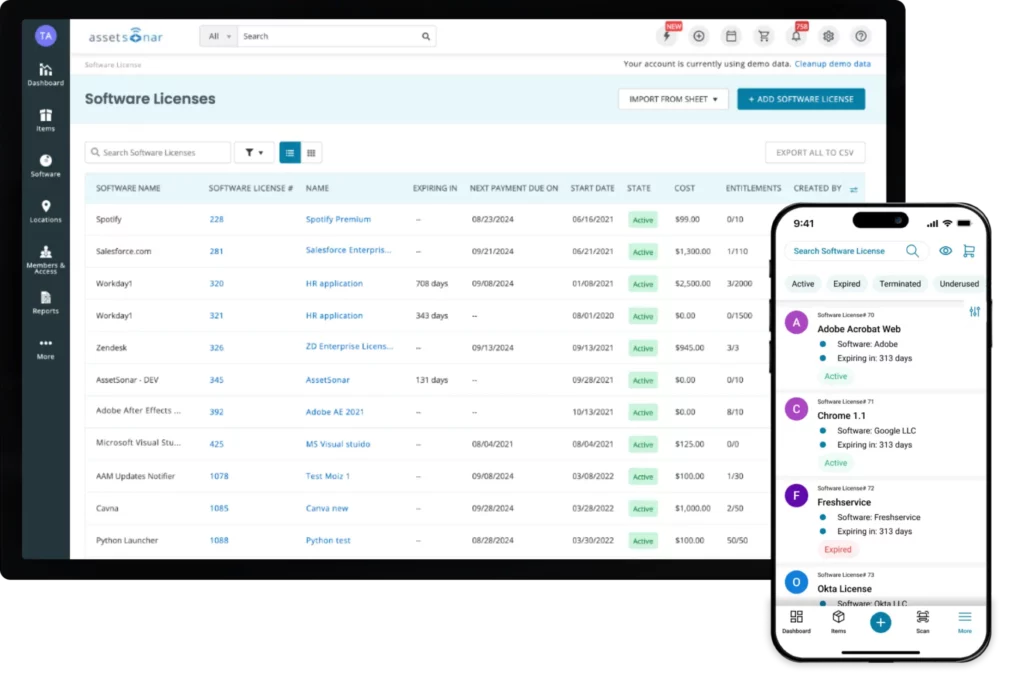
AssetSonar’s Software Asset Management module helps IT teams discover, normalize, track, and optimize software and licenses across installed applications, browser-based tools, SaaS subscriptions, and cloud software.
For software and license control, teams can manage:
- Software discovery and tracking
- Chrome and Edge browser-based software visibility
- Unified software catalog
- License allocation and tracking
- SaaS and cloud integrations
- Compliance and risk monitoring
- License optimization and reclamation
- Renewal and upgrade notifications
- Reporting dashboards
This helps teams manage software as a controllable asset instead of a recurring cost that is difficult to audit. IT teams can track what software exists, where licenses are assigned, which subscriptions are approaching renewal, which tools are underused, and where unused licenses can be reclaimed.
Operational use cases: license tracking, SaaS visibility, software discovery, renewal management, license reclamation, underused license identification, unauthorized software checks, compliance reporting, and software audit preparation.
IT Service Management
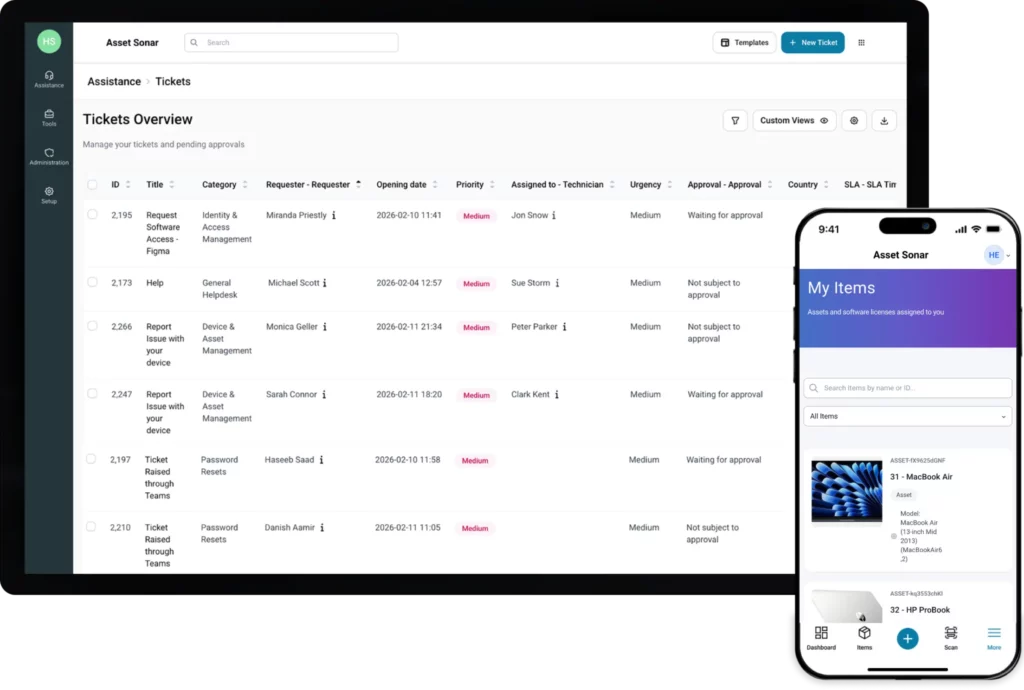
AssetSonar’s IT Service Management layer connects ITAM data with incidents, service requests, self-service workflows, knowledge management, CMDB, SLA tracking, automated workflows, and AI-powered diagnostics. This gives service desk teams asset context at the point of support, rather than forcing technicians to search across separate asset, software, ticketing, and user systems.
The ITSM layer connects:
- Incidents and service requests
- Asset records and assigned users
- Device model, serial number, location, and service history
- Installed software and license context
- Warranty status and lifecycle data
- CMDB relationships and configuration items
- Self-service workflows and knowledge articles
- SLA policies, escalation rules, and live ticket status
- AI diagnostics, smart assignments, and automated workflows
In practice, an incident or request can be linked to the affected asset, the assigned user, the device model, the software, the location, the service history, and related configuration data. The CMDB layer serves as a live IT Graph in which assets, software, licenses, users, vendors, contracts, domains, and tickets can be managed as configuration items.
Tickets can also be treated as connected configuration items (CIs), providing technicians with device details, ownership, location, and service history directly within the ticket workspace.
For mature service operations, the ITSM layer can also support problem and change workflows. That includes root cause tracking, known errors, problem-to-change escalation, structured change requests, rollback planning, approvals, and asset-linked impact visibility. This keeps service work connected to the assets, users, software, and infrastructure affected by the change or issue.
Operational use cases: asset-linked incident management, request fulfillment, CMDB context, SLA support, ticket triage, recurring issue tracking, service desk visibility, root cause analysis, change approvals, and ITAM actions from tickets. This matters because AssetSonar’s State of ITSM Report 2026 identified missing device history and inaccurate ownership as the top asset-related blockers to ticket resolution, with 25 mentions each.
Patch Management
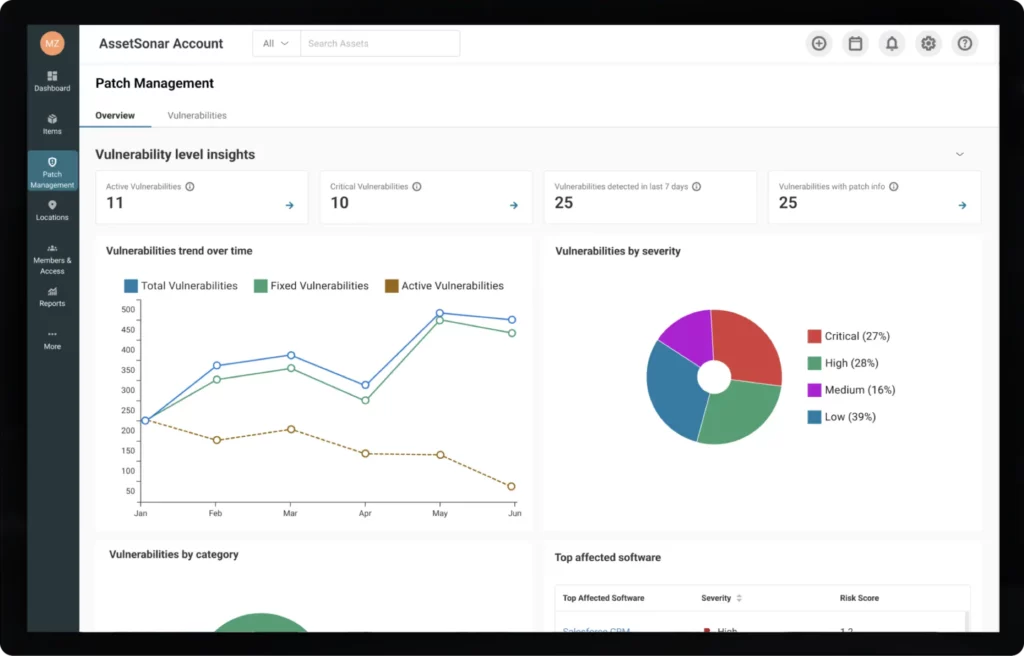
AssetSonar’s Patch Management module adds vulnerability, patch, endpoint health, and compliance context to ITAM. It connects vulnerability data with real device inventory so teams can identify exposed endpoints, prioritize risk, and track remediation work against the assets they actually manage.
For vulnerability and patch workflows, AssetSonar brings together:
- CVE and vulnerability intelligence
- At-risk endpoints and software versions
- Windows, macOS, and Linux device visibility
- Patch scheduling and maintenance windows
- Patch deployment tracking
- Risk scores and aging vulnerabilities
- Compliance dashboards
- Patch success metrics and audit-ready reporting
This makes patching part of the asset lifecycle rather than a separate security task. A hardware record becomes more useful when it also shows whether the endpoint is missing critical updates, which software versions are vulnerable, what risk level applies, and whether remediation was completed.
Operational use cases: vulnerability discovery, patch prioritization, maintenance window scheduling, endpoint risk tracking, compliance reporting, audit evidence, patch deployment, and security-driven asset prioritization.
Workflow Automation
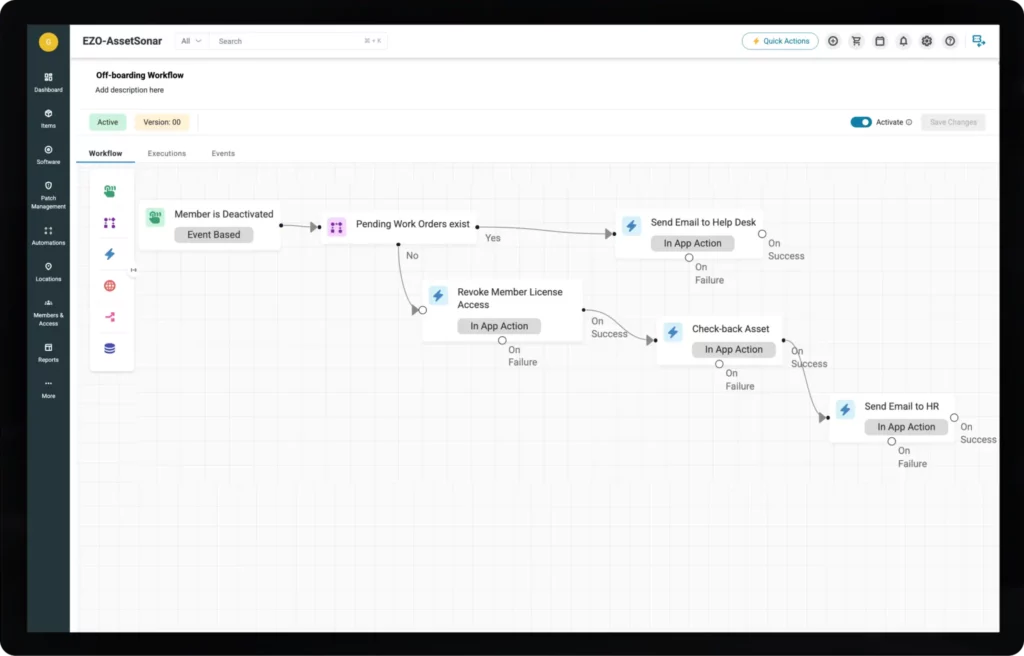
AssetSonar’s Workflow Automation Engine helps IT teams automate repeatable actions across assets, tickets, members, procurement records, approvals, renewals, and related IT objects. The automation model is based on triggers, conditions, and actions, so teams can define when a workflow should run, what criteria must be met, and what action the system should take.
Automation can be applied to:
- Asset lifecycle updates
- Approval workflows
- Procurement and purchase order approvals
- Onboarding and offboarding
- License reclamation
- Renewal reminders
- Audit follow-ups
- Custody transfers
- Ticket routing and escalations
- Parent-child request workflows
- SLA-based notifications and escalations
The automation layer is useful because ITAM work often falls through the cracks between teams. A device may be assigned but not recorded, an employee may exit without license reclamation, an approval may sit too long, or a procurement update may not sync back to the asset record. Workflow automation helps reduce those gaps by standardizing repeatable steps.
For service workflows, routing rules can evaluate ticket category, requester group, urgency, priority, source, keywords, and opening date. The system can then assign the request, set a priority, update the category, add observers, or automatically trigger approvals. Smart Assignments can also recommend technicians based on familiarity, resolution history, SLA performance, and workload.
Operational use cases: onboarding, offboarding, license reclamation, procurement approvals, renewal reminders, audit follow-ups, custody transfers, ticket routing, escalations, lifecycle status updates, and multi-team request fulfillment.
Service Catalog
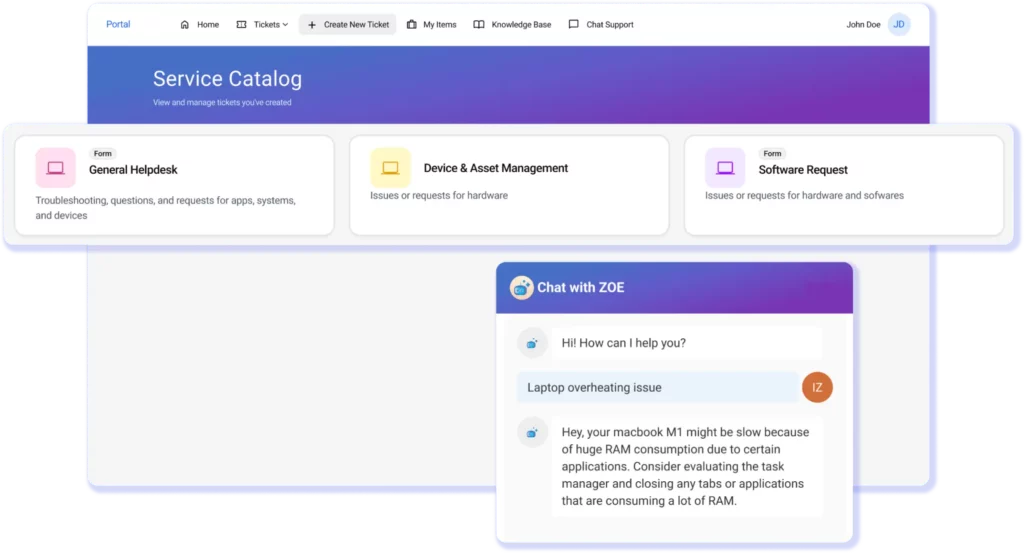
AssetSonar’s Service Catalog gives employees a structured way to request hardware, software, access, repairs, onboarding support, and other IT services. It helps IT teams replace vague emails, chat messages, and informal walk-ups with defined request categories, required fields, conditional logic, approval paths, and fulfillment workflows.
Structured request management can include:
- Nested service catalog categories
- Custom request forms
- Text fields, dropdowns, file attachments, lookup fields, date pickers, and asset selector fields
- Dynamic fields that appear only when relevant
- Role- or group-based form visibility
- Hardware, software, access, repair, and onboarding requests
- Multi-channel intake through portal, email, Microsoft Teams, Slack, or manual agent entry
- Automated routing by category, urgency, requester group, priority, source, or keywords
- Asset-linked forms that pull from ITAM data
- Multi-step approvals through portal, email, Teams, or Slack
The main value is better request intake. Employees can choose the right request type, provide the required details, and follow a consistent fulfillment path. Asset selector fields can pull from assets already assigned to the requester, so hardware or software requests arrive with the relevant asset context attached. That reduces clarification loops and keeps service activity connected to the right user, asset, approval, and workflow.
Operational use cases: hardware requests, software access requests, access provisioning, repair requests, employee onboarding, service intake, request approvals, self-service, SLA-backed fulfillment, and asset-aware forms.
Knowledge Management
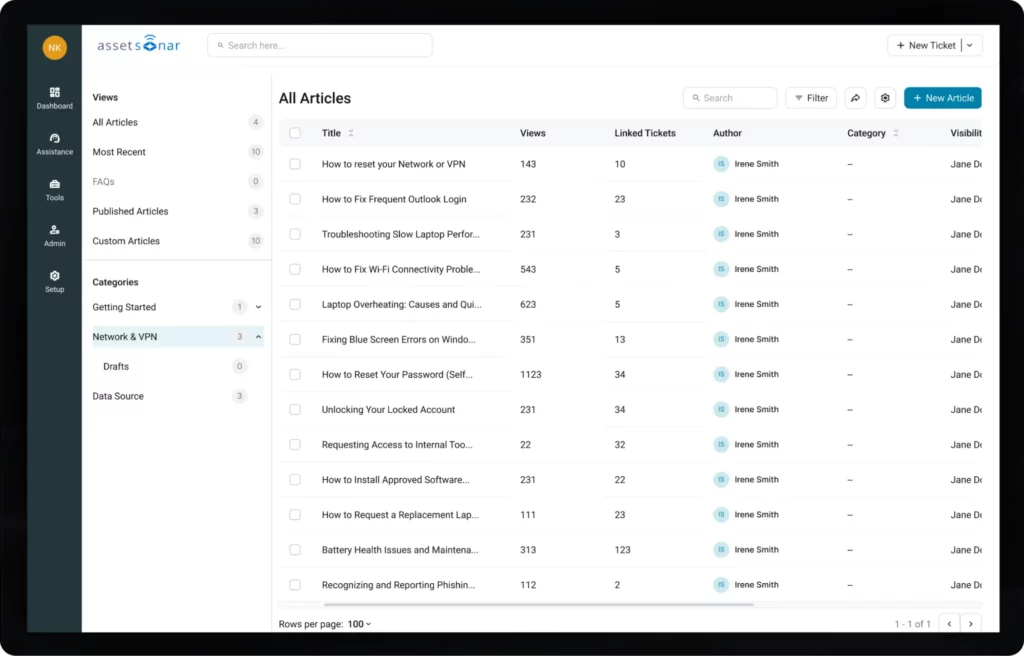
Knowledge Management strengthens AssetSonar’s ITSM layer by turning ticket resolutions into structured, reusable knowledge. Instead of allowing fixes to remain buried in closed tickets, Slack threads, emails, or individual technicians’ experience, AssetSonar helps teams convert service history into governed knowledge that can be reused inside future tickets and self-service workflows.
Knowledge workflows cover:
- Article creation and publishing
- Rich text editing with headings, embedded media, and attachments
- Category-based article organization
- Technician-only and employee-facing visibility controls
- Draft and publish states
- Version control and article history
- Ticket-linked knowledge articles
- Full-text knowledge search in the portal and ticket view
- AI-generated article drafts
- Article suggestions inside active tickets
- Ask Zoe support for contextual answers
Because knowledge can be linked to real assets, software, and service history, support teams can reuse context-specific resolutions instead of solving the same issue from scratch. AI can also help generate article drafts from prompts or resolved ticket solutions, reducing the documentation backlog that often keeps knowledge bases outdated.
Operational use cases: repeat ticket reduction, self-service, ticket-linked resolutions, technician runbooks, version-controlled knowledge articles, AI-generated documentation, knowledge governance, and context-aware support.
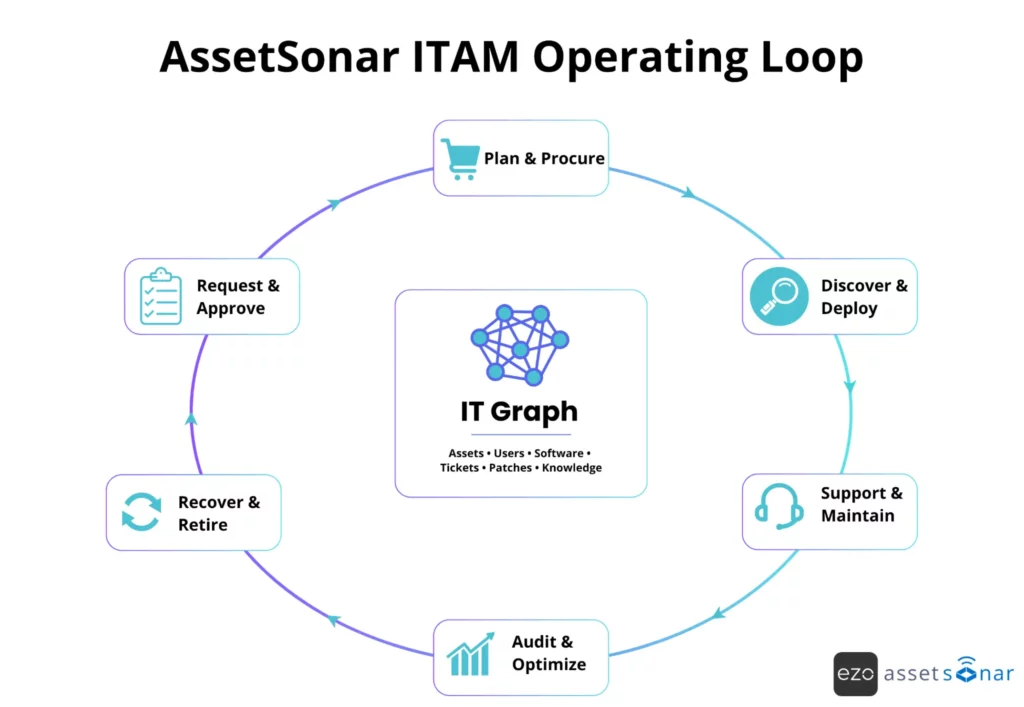
How AssetSonar supports the IT asset lifecycle
| Lifecycle stage | How AssetSonar supports it |
| Plan and procure | Centralizes asset requests, approvals, purchase records, vendor data, and procurement workflows |
| Discover and deploy | Tracks hardware and software assets, assigns ownership, and connects device data with users and locations |
| Support and maintain | Links assets with tickets, incidents, service requests, warranties, and patch workflows |
| Audit and optimize | Supports license tracking, audit readiness, software reclamation, compliance reporting, and lifecycle visibility |
| Recover and retire | Helps teams manage offboarding, asset returns, license reclamation, redeployment, disposal, and lifecycle closure |
This lifecycle coverage is important because IT maturity increasingly depends on connected systems, trusted data, and repeatable processes.
AI capabilities: Zoe
AssetSonar’s AI layer is built around ITAM context, not generic ticket automation. Zoe works with data from the IT Graph, CMDB, ticket history, knowledge base, software records, assigned assets, patch status, and lifecycle activity, so AI responses are tied to the actual environment the IT team manages.
This makes the AI useful for ITAM and ITSM workflows where context matters: ticket triage, technician assignment, diagnosis, self-service, knowledge creation, and asset-aware support.
The key difference is that Zoe does not only read ticket text. It can use the requester’s device, installed software, service history, similar tickets, warranty status, known issues, and relevant knowledge articles to provide more useful suggestions.
For example, a laptop performance issue can be linked to the employee’s assigned device, OS version, patch status, installed software, maintenance history, and similar past incidents before the technician starts troubleshooting.
How Zoe supports ITAM and ITSM workflows
| AI capability | What it does | Why it matters |
| Smart field suggestions | Suggests category, urgency, priority, and requester tone on ticket creation. | Improves ticket data quality and reduces manual classification. |
| Smart assignments | Recommends technicians based on familiarity, resolution history, SLA performance, and workload. | Routes work to the best-fit technician, not just the next available one. |
| Smart diagnosis | Creates employee checklists and technician root-cause cards using asset and ticket context. | Helps employees try simple fixes and gives technicians a stronger starting point. |
| Ask Zoe | Searches knowledge, assets, and software context to answer employee questions. | Supports self-service with answers tied to the user’s actual setup. |
| Teams and Slack AI support | Lets employees create tickets, check status, submit forms, approve requests, and share KB articles through chat. | Brings IT support into the tools employees already use. |
| AI article generation | Turns prompts or resolved ticket solutions into structured KB article drafts. | Helps teams capture fixes before they get buried in closed tickets. |
| Smart summaries | Summarizes ticket activity, blockers, linked assets, and similar ticket patterns. | Helps technicians, managers, and approvers understand context faster. |
| AI reply assist | Draft replies based on ticket context, user tone, assets, and conversation history. | Saves time and improves response consistency. |
Smart Diagnosis is especially useful because it produces two separate outputs: an employee-facing checklist with “It worked”/“It didn’t work” prompts and a technician-facing card with diagnostic steps, potential root causes, and similar ticket patterns.
This gives employees a chance to resolve common issues themselves while providing technicians with more context when the ticket reaches them.
Zoe also supports self-service beyond the portal. Through Microsoft Teams and Slack, employees can create tickets, reply to tickets, check status, share knowledge articles, submit forms, respond to approvals, and update ticket statuses using natural language. This reduces portal friction and keeps request activity logged in the same ITSM workflow.
Human oversight and governance
Zoe works best as a copilot, not as an unchecked automation layer. AI-generated fields, replies, summaries, and recommendations can be reviewed before action is taken, and technicians can override suggestions when needed.
That matters for IT teams that want AI to speed up triage, routing, diagnosis, and communication without losing control over priority, escalation, compliance-sensitive actions, or user-facing responses.
Where Zoe adds the most value
Zoe is most useful when IT teams need asset data, service history, and knowledge to come together quickly:
- Incident triage: classify, prioritize, and route tickets with asset context.
- Troubleshooting: generate device-aware diagnostic steps using software, patch, and ticket history.
- Self-service: surface relevant knowledge before a ticket reaches L1.
- Knowledge management: turn resolved issues into reusable articles.
- Manager review: summarize long tickets, SLA-risk tickets, and similar incident patterns.
- Asset optimization: surface insights around utilization, maintenance, depreciation, unmanaged software, vulnerabilities, warranty status, and expiring contracts.
In practice, Zoe acts as an asset-aware support layer. It helps IT teams move from static inventory lookup to contextual decision-making across assets, software, tickets, knowledge, and lifecycle workflows.
Integration ecosystem
AssetSonar’s integration value is strongest when IT teams need to reconcile asset data across ITSM, MDM/UEM, identity, procurement, SaaS, warranty, service desk, and security systems.
The goal is not just to move data between tools, but to keep hardware, software, users, tickets, approvals, vulnerabilities, warranties, and lifecycle activities connected within a single ITAM operating layer.
For service workflows, AssetSonar can consolidate requests from multiple channels into a single queue, including the employee portal, email, Microsoft Teams, Slack, and manual agent entry. This helps employees reach IT through the tools they already use while giving IT one place to track, route, approve, and resolve requests.
The integration ecosystem also supports automation across operational workflows. External systems and connected records can trigger actions across tickets, assets, members, procurement records, approvals, renewals, onboarding, offboarding, and lifecycle updates.
This is useful when IT teams want asset records to stay current as work progresses, rather than updating inventory after the fact.
This matters because fragmented tools remain a major barrier to IT maturity. In AssetSonar’s 2026 IT maturity research, 58% of respondents named manual processes as a top operational pain point, 46% cited cross-team misalignment, 38% cited budget limits, and 29% cited tool sprawl. The same report notes that fragmented tools limit a team’s ability to get a single view of asset data, usage patterns, and compliance status.
Real-world results
AssetSonar’s strongest outcome story is around visibility, automation, audit readiness, and cost control rather than basic inventory tracking. Its software asset management page cites a customer outcome in which AssetSonar increased user productivity by nearly 20% and improved overall efficiency by 60%.
The broader market need is also clear from AssetSonar’s IT maturity research. Only 18% of surveyed IT teams could prepare audit evidence in under one week, while 54% needed 1-3 weeks, 17% needed 4-8 weeks, and 11% needed more than 9 weeks. The report links lengthy evidence preparation cycles to disjointed tools and recommends keeping asset data continuously synced and accessible within a single trusted source of truth.
Best fit by ITAM maturity
| Current ITAM state | Why AssetSonar fits |
| Moving away from spreadsheets | Centralizes hardware, software, users, ownership, and lifecycle data |
| Managing distributed assets | Helps track assigned devices, locations, custody, service history, and lifecycle stages |
| Struggling with license waste | Supports software discovery, license allocation, SaaS visibility, renewal alerts, and license reclamation |
| Connecting ITAM and ITSM | Links assets with tickets, requests, service catalog items, and support workflows |
| Preparing for audits | Improves visibility into ownership, license records, warranty data, compliance reports, and evidence retrieval |
| Scaling IT operations | Adds workflow automation, patch visibility, service catalog, and integration-led asset updates |
This is especially relevant for mid-market and enterprise teams because AssetSonar’s maturity research found that ITSM, MDM/UEM, software and license management, endpoint security, patch management, automation/RMM monitoring, and asset repositories are all considered critical systems by respondents. However, many teams still lack a centralized way to connect.
User sentiment and review frequency
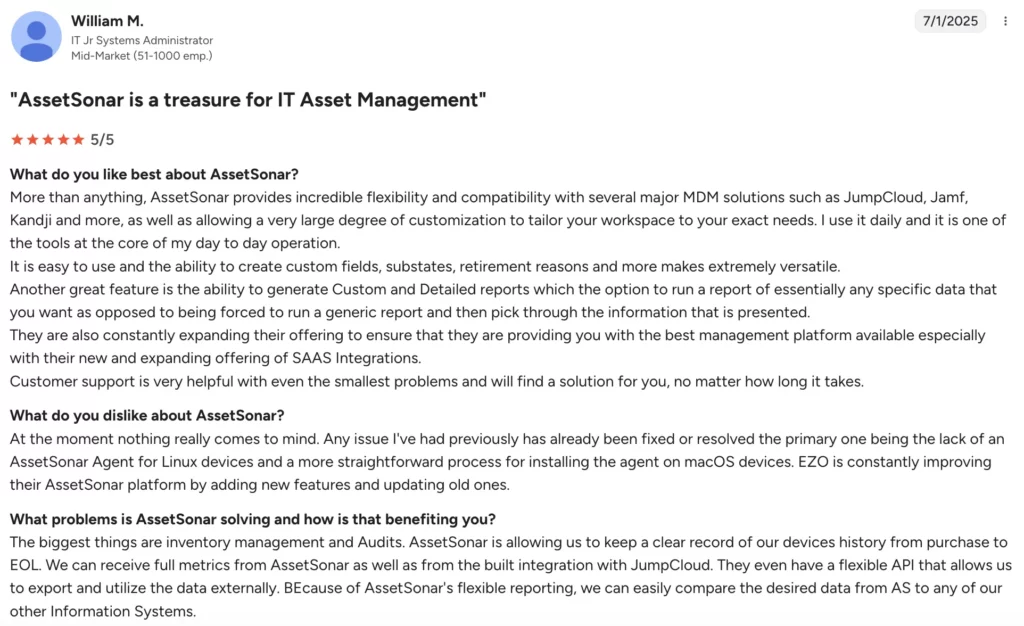
G2’s review summary gives AssetSonar a 4.5/5 rating and highlights ease of use and customizability, with positive mentions around asset tracking, intuitive interface, integrations, and daily ITAM operations. It also notes that some users want stronger reporting capabilities. One review mentions:
On Capterra, where AssetSonar holds a 4.5/5 rating, users mention easy setup, responsive support, custom fields, accurate inventory, integrations with tools such as Google, Jamf, and Zendesk, and clearer visibility into inventory, licensing, and device assignments.
A few reviewers suggest evaluating reporting needs, software inventory setup, mobile workflows, and automation preferences during implementation to ensure the platform is configured to support the team’s processes. According to one review:
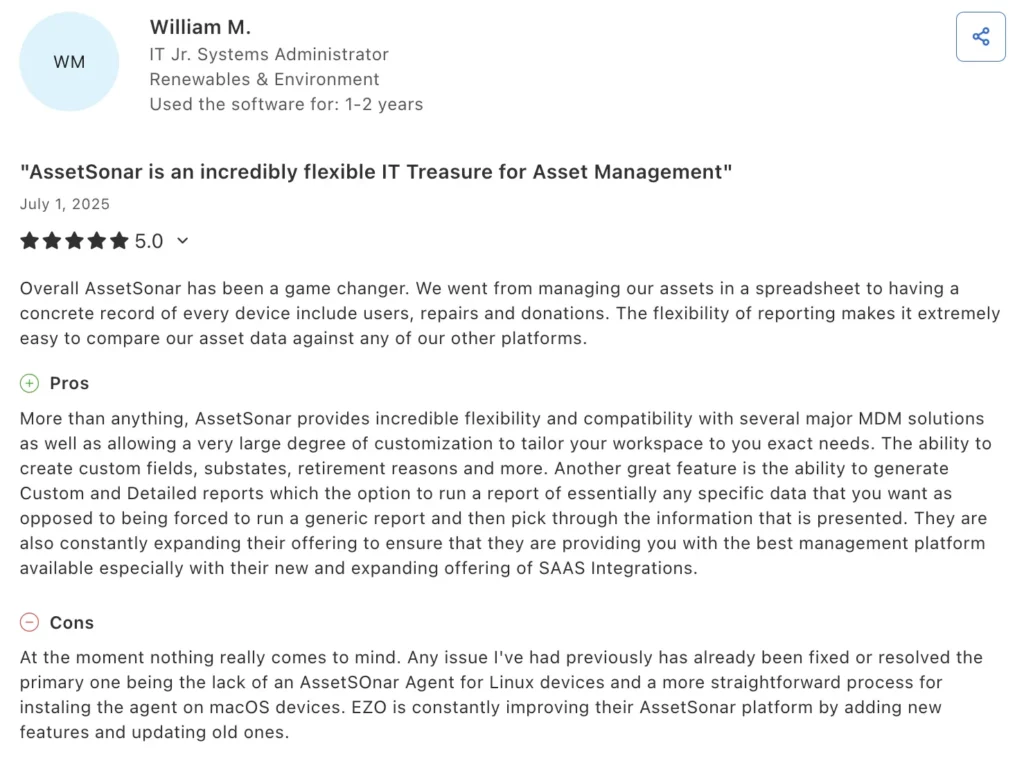
These reviews suggest that AssetSonar’s strongest user-facing value is not one isolated feature, but the combination of usability, asset visibility, customization, and integrations. The recurring review themes can be summarized as follows:
| Theme | User feedback pattern | Review frequency |
| Ease of use and setup | Users frequently mention that AssetSonar is easy to use, straightforward to set up, and accessible for IT teams managing inventory and asset records. | High |
| Asset visibility and accountability | Feedback often points to the need for clearer visibility into who has which assets, where assets are located, and how inventory is organized across users and locations. | High |
| Customization | Users commonly value custom fields, configurable records, and the ability to adapt the system to their specific asset-tracking needs. | Moderate to high |
| Integrations | Several reviews mention integrations with platforms such as Jamf, Zendesk, and Google, as well as broader IT systems, as a useful part of the workflow. | Moderate |
| Reporting and advanced configuration | Some users mention that default reports, reporting flexibility, mobile experience, or automation depth could be improved. | Occasional |
What to evaluate before choosing it
AssetSonar is strongest when the organization needs complete ITAM software rather than a basic asset tracker. Before choosing it, teams should evaluate which modules they need from day one: hardware asset management, software asset management, IT service management, patch management, workflow automation, service catalog, or all of them together.
The most important areas to check during a demo or pilot are asset data migration, discovery sources, MDM/UEM integrations, software license workflows, audit reports, patch visibility, service desk integrations, and workflow automation.
Teams should also define who within the team owns ITAM processes, because automation only works well when asset categories, permissions, approval paths, and lifecycle rules are clearly defined.
Deployment and onboarding
AssetSonar is a cloud-based ITAM platform with a free trial and demo options. Its onboarding should be structured around five practical steps: importing existing asset data, configuring asset categories and custom fields, connecting integrations, setting up workflows and reports, and training users in IT, service desk, procurement, and asset management.
This is important because ITAM success depends on more than installing software. The underlying data, ownership model, workflows, and integrations determine whether teams actually maintain accurate inventory, reclaim licenses, prepare audits faster, and reduce manual follow-ups.
Limitations
AssetSonar may be more comprehensive than very small teams need if they only want simple barcode tracking or basic check-in/check-out. Its greatest value emerges when IT teams need connected lifecycle management spanning hardware, software, tickets, patches, audits, compliance, and automation.
Review data also suggests teams should pay attention to reporting requirements, software inventory setup, mobile workflows, and automation flexibility during evaluation. These are not necessarily blockers, but they are areas worth validating before rolling AssetSonar out across a larger IT environment.
Pricing model
AssetSonar uses asset-based pricing across separate ITAM and ITSM plans. The ITAM plan (billed annually) starts at $0.75 per asset/month, while the ITSM plan, which includes ITAM, starts at $1.08 per asset/month. Advanced Software Asset Management is available as an add-on at $0.42 per asset/month. Volume-based discounts are available for organizations managing more than 1,000 assets.
Pricing note: Pricing varies by scope and is subject to change; verify current costs with the vendor.
2. Oomnitza: Enterprise technology lifecycle governance across hardware, software, SaaS, and cloud
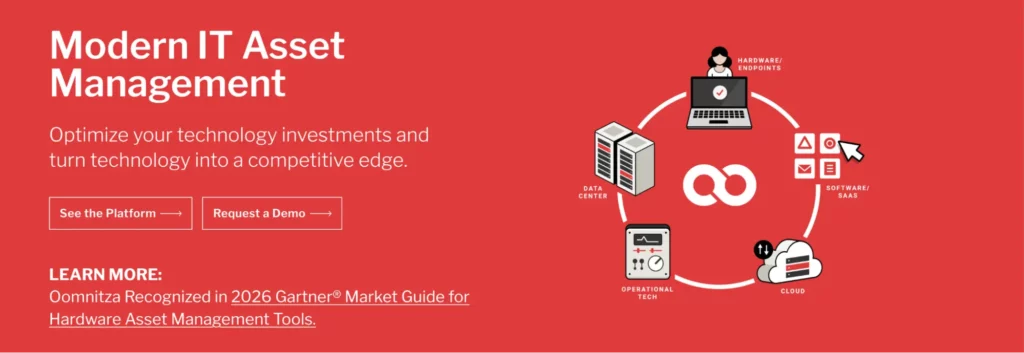
Oomnitza is built for organizations that need stronger lifecycle governance across complex technology environments. Instead of acting only as an IT asset inventory system, it helps IT, security, compliance, finance, procurement, and operations teams unify technology asset data into a single source of truth.
| Field | Detail |
| Best fit | Large enterprises with complex technology estates |
| Core use case | Enterprise technology asset lifecycle management and workflow automation |
| Deployment | SaaS |
| Pricing model | Custom quote |
| Free trial/demo | Demo available |
| User rating | 4.6/5 (G2); 4.4/5 (Capterra) |
What it does
Oomnitza helps teams centralize data on technology assets across hardware, software, SaaS, cloud, and business systems. Its value comes from connecting scattered IT asset management data and automating lifecycle workflows, including onboarding, secure offboarding, technology refresh, audit readiness, procurement forecasting, and SaaS lifecycle management.
Where it stands out
Oomnitza stands out for enterprise technology management, especially where ITAM data is spread across HR, finance, identity, endpoint management, service desk, and procurement tools. Gartner describes Oomnitza as an agentless SaaS platform that transforms multi-source data from IT, security, and business systems into actionable asset inventory for better technology data hygiene and audit readiness.
Who should consider it
Oomnitza is a strong fit for enterprises that want to move beyond asset tracking and build lifecycle governance across users, devices, applications, contracts, SaaS tools, and cloud assets. It is especially useful when ownership, compliance, and audit data are disconnected across several systems.
User sentiment
Review and analyst listings commonly position Oomnitza around flexibility, workflow automation, technology lifecycle management, and audit readiness. The strongest positive sentiment is about its ability to consolidate data from multiple systems into a single trusted technology asset view.
What to evaluate before choosing it
Evaluate how many integrations your team needs, how mature your lifecycle processes are, and whether your IT team has the resources to configure workflows properly. Oomnitza’s value is strongest when you need cross-system governance, not just a simple hardware inventory.
Limitations
Oomnitza may be more advanced than smaller teams need if they only want basic check-in/check-out tracking or simple inventory visibility. Its strongest fit is enterprise lifecycle automation and governance.
Pricing model
Oomnitza follows an enterprise subscription pricing model shaped by deployment size, platform scope, managed assets or endpoints, selected modules, and implementation requirements. Its pricing structure is better suited to organizations evaluating ITAM as a broader technology lifecycle governance system rather than a basic asset inventory tool.
Pricing note: Pricing varies by scope and is subject to change; verify current costs with the vendor.
3. ServiceNow ITAM: Enterprise IT asset management built into the ServiceNow workflow ecosystem
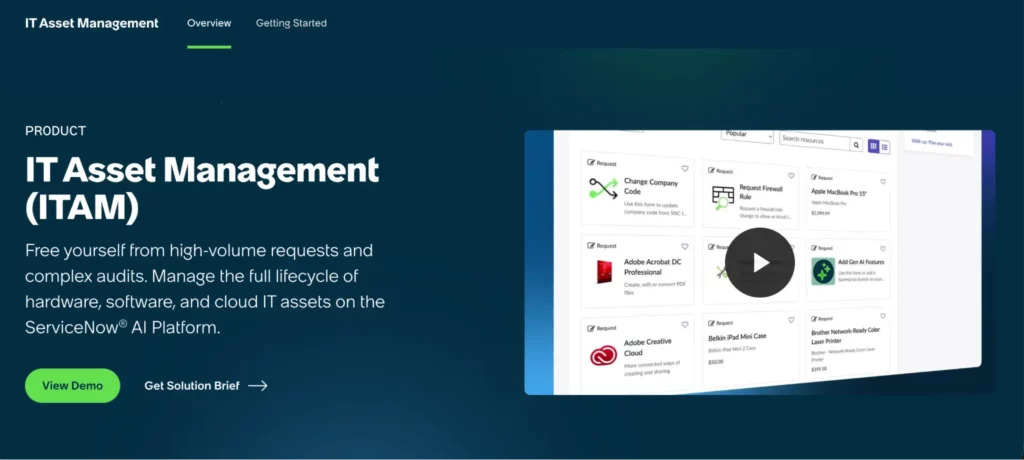
ServiceNow ITAM is built for large enterprises that want software, hardware, and cloud asset management integrated with broader ITSM, procurement, compliance, and workflow operations. It helps teams automate the end-to-end lifecycle of IT assets while improving cost control and risk visibility.
| Field | Detail |
| Best fit | Large enterprises with complex ITSM ecosystems |
| Core use case | Software, hardware, and cloud asset lifecycle management |
| Deployment | Cloud platform |
| Pricing model | Enterprise quote-based pricing |
| Free trial/demo | Demo available |
| User rating | 4.4/5 (G2); 4.5/5 (Capterra) |
What it does
ServiceNow ITAM helps organizations manage software, hardware, and cloud assets through lifecycle visibility and workflow automation. It is designed to centralize IT asset data, improve compliance, reduce unnecessary purchases, and connect asset records with operational workflows.
Where it stands out
ServiceNow stands out when ITAM needs to operate inside a larger enterprise service management environment. Its Hardware Asset Management page highlights real-time visibility into hardware location and status, cost and risk reduction, lifecycle automation, and better inventory use.
Who should consider it
ServiceNow ITAM is a strong fit for enterprises already using ServiceNow for ITSM, service requests, change management, procurement, or governance workflows. It is especially useful when ITAM data needs to support broader operational decisions across IT, finance, security, and compliance.
User sentiment
Enterprise review sources commonly position ServiceNow ITAM in terms of workflow depth, ITSM alignment, lifecycle automation, and governance at scale. The strongest positive sentiment is around its ability to connect software, hardware, cloud, procurement, compliance, and CMDB data inside the broader ServiceNow ecosystem.
What to evaluate before choosing it
Evaluate how deeply your organization already uses ServiceNow, how much configuration support you need, and whether your ITAM workflows require enterprise-level customization. Also, compare implementation effort, licensing scope, admin training, and reporting needs before committing.
Limitations
ServiceNow ITAM may be too complex for teams that only need simple inventory tracking or lightweight asset assignment. Its strongest value appears in mature enterprise environments where ITAM, ITSM, CMDB, procurement, compliance, and workflow automation must work together.
Pricing model
ServiceNow uses a custom enterprise pricing model built around each organization’s requirements. Its quote structure is based on a detailed evaluation of company needs, with scalable packages and flexible pricing for different stages of business growth.
Pricing note: Pricing varies by scope and is subject to change; verify current costs with the vendor.
4. Freshservice: ITSM-led asset management with discovery, CMDB, and service workflows
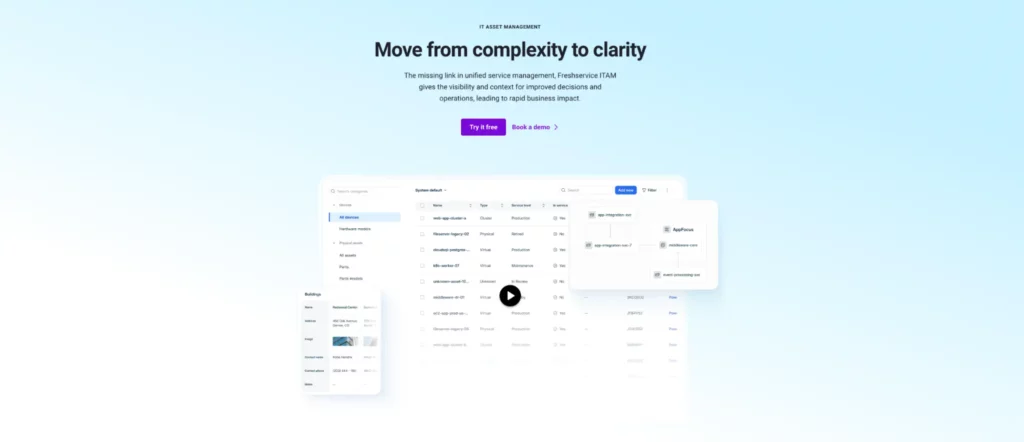
Freshservice is a cloud-based ITSM platform with IT asset management capabilities for teams that want asset data connected to service desk operations. It helps growing IT teams manage assets, tickets, incidents, requests, and CMDB data within a single service management environment.
| Field | Detail |
| Best fit | SMBs and mid-market IT teams |
| Core use case | ITSM-connected IT asset management |
| Deployment | Cloud |
| Pricing model | Asset Unit-based ITAM pricing |
| Free trial/demo | 14-day free trial available |
| User rating | 4.6/5 (G2); 4.5/5 (Capterra) |
What it does
Freshservice ITAM helps teams manage IT assets through discovery, CMDB, inventory tracking, and service desk-connected workflows. It gives IT teams visibility into hardware, software, cloud resources, and other assets, enabling them to track ownership, lifecycle status, asset relationships, and service history from a single ITSM platform.
Where it stands out
Freshservice stands out for teams that want ITAM inside an ITSM platform. Its strength lies in connecting asset data to service desk workflows, ticketing, incident management, and automation, helping IT teams maintain accurate asset context throughout support and service delivery.
Who should consider it
Freshservice is a good fit for IT teams moving away from spreadsheets and disconnected service desk tools. It works well when the goal is to centralize tickets, assets, users, services, and operational workflows without adopting a heavier enterprise ITAM platform.
User sentiment
Users commonly describe Freshservice as an approachable ITSM platform with built-in asset management, automation, and service desk usability. The strongest positive sentiment is around its ease of adoption for growing IT teams that want to manage tickets, assets, incidents, and service workflows without heavy enterprise complexity.
What to evaluate before choosing it
Evaluate how many Asset Units your environment will consume, especially if you manage servers, virtual machines, network devices, SaaS users, and containers. Also test reporting, software license management, contract tracking, and CMDB depth during the trial.
Limitations
Freshservice is strongest as an ITSM-led ITAM solution. It may not offer the same depth as enterprise SAM, cloud cost, license optimization, or procurement-heavy ITAM platforms for highly complex organizations.
Pricing model
Freshservice ITAM uses an Asset Unit-based pricing model across Growth, Pro, and Enterprise plans. Asset Units measure usage based on the number and type of assets managed in the Freshservice CMDB, including servers, virtual machines, network devices, end-user devices, SaaS users, containers, archived devices, physical assets, storage, and mainframes.
Pricing note: Pricing varies by scope and is subject to change; verify current costs with the vendor.
5. Asset Panda: Flexible asset tracking for IT, operations, and field teams
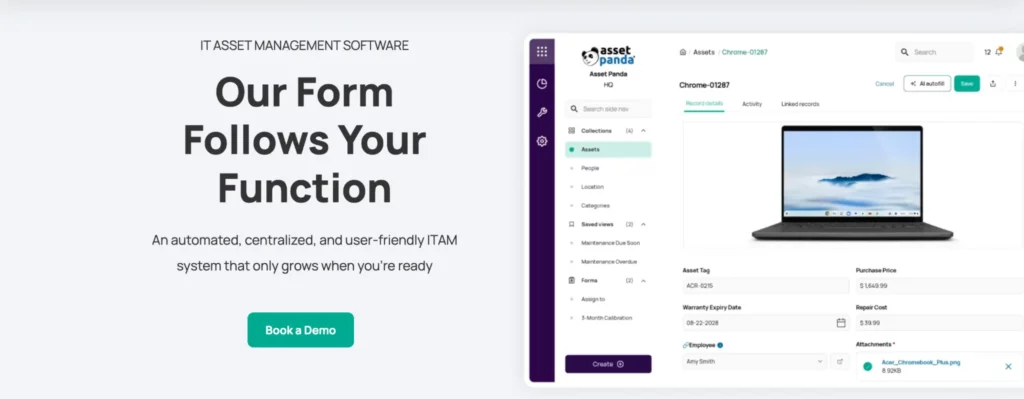
Asset Panda is a configurable asset management platform for organizations that need to track assets across IT, operations, facilities, and field teams. It is useful for teams that want mobile access, custom workflows, warranty records, integrations, and a centralized alternative to spreadsheets.
| Field | Detail |
| Best fit | Cross-department asset tracking |
| Core use case | Configurable asset tracking and mobile asset management |
| Deployment | Cloud |
| Pricing model | User-based pricing packages |
| Free trial/demo | Demo and 7-day trial available |
| User rating | 4.2/5 (G2); 4.6/5 (Capterra) |
What it does
Asset Panda helps teams track assets, action histories, warranty information, user manuals, photos, and related records on a single consolidated platform. Its official site also highlights integrations that sync data across the technology stack and create a single source of truth for asset estates.
Where it stands out
Asset Panda stands out for customization and mobile-first asset tracking. It is useful for organizations that want to track more than just IT hardware, including equipment, devices, tools, contracts, and operational assets across departments or locations.
Who should consider it
Asset Panda is a strong fit for teams that need flexible asset tracking across IT and non-IT workflows. It works well for organizations that prioritize custom fields, mobile scanning, warranty visibility, integrations, and user-friendly asset records.
User sentiment
Customer feedback often centers on Asset Panda’s configurability, mobile asset tracking, custom workflows, and cross-department asset visibility. The strongest positive sentiment is around its ability to adapt to different asset types, locations, teams, and tracking processes without forcing a rigid ITAM structure.
What to evaluate before choosing it
Evaluate whether your team needs broad asset tracking or deeper ITAM software capabilities such as software license reconciliation, patch visibility, ITSM workflows, and CMDB relationships. Also, test integration needs if you want Asset Panda to connect with several operational systems.
Limitations
Asset Panda is strong for configurable tracking, but it may not be the deepest fit for enterprise ITAM, SAM, ITSM, patch management, or cloud asset governance.
Pricing model
Asset Panda uses user-based pricing for its configurable asset tracking platform. Its pricing starts at $3,000/year for the Starter package and $7,500/year for the Business+ package, with cost shaped by business size, users, assets, integrations, support, and deployment needs.
Pricing note: Pricing varies by scope and is subject to change; verify current costs with the vendor.
6. Lansweeper: Discovery-first visibility across IT, OT, IoT, and cloud assets
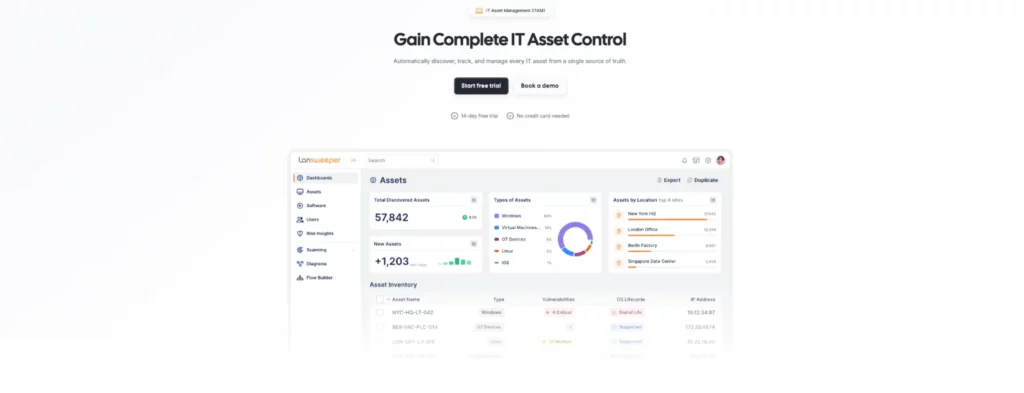
Lansweeper is a discovery-first technology asset intelligence platform for teams that need real-time visibility across IT, OT, IoT, cloud, hardware, software, and users. It is especially useful when asset inventory data is incomplete, outdated, or spread across disconnected systems.
| Field | Detail |
| Best fit | Asset discovery and network visibility |
| Core use case | Automated asset discovery and technology asset intelligence |
| Deployment | Cloud and scanning options |
| Pricing model | Asset-based pricing |
| Free trial/demo | 14-day free trial available |
| User rating | 4.4/5 (G2); 4.5/5 (Capterra) |
What it does
Lansweeper helps IT teams discover and inventory assets across complex environments. It is commonly used for IT asset management, IT management, and asset tracking, with Capterra listing it under IT Asset Management and Asset Tracking software categories.
Where it stands out
Lansweeper stands out for automated asset discovery and network visibility. It is useful for organizations that need to identify managed and unmanaged assets, maintain accurate inventory, and feed asset intelligence into ITSM, security, CMDB, and compliance workflows.
Who should consider it
Lansweeper is a strong fit for IT teams whose main challenge is discovering what exists across their network, cloud, endpoints, and connected environments. It is especially relevant for teams managing distributed infrastructure, shadow IT, unmanaged devices, and hybrid environments.
User sentiment
Analysts and customer sources frequently associate Lansweeper with automated asset discovery, inventory accuracy, network visibility, and technology asset intelligence. The strongest positive sentiment is around its ability to uncover managed, unmanaged, and shadow assets across complex IT environments.
What to evaluate before choosing it
Evaluate whether discovery is your main ITAM need or whether you also need procurement workflows, service catalog, license governance, employee requests, patch management, or lifecycle automation.
Limitations
Lansweeper is strongest for discovery and visibility, but discovery alone does not replace a full ITAM operating model. Teams may need integrations or additional tools for procurement, approvals, service workflows, software license reconciliation, and asset retirement.
Pricing model
Lansweeper uses asset-based annual pricing, so the cost scales with the discovery scope rather than the number of technician seats. Starter begins at €219/month for 2,000 assets, while Pro adds broader integrations, vulnerability and lifecycle insights, and scales up to 9,000 assets. Enterprise starts at 10,000 assets for larger environments.
Pricing note: Pricing varies by scope and is subject to change; verify current costs with the vendor.
7. ManageEngine AssetExplorer: Practical ITAM for mid-market teams that need asset and contract control
ManageEngine AssetExplorer is a dedicated IT management software platform for teams that need visibility into IT and non-IT assets, ownership, contracts, purchases, and lifecycle details. It is a practical fit for mid-market teams that want structured ITAM without the complexity of enterprise platforms.
| Field | Detail |
| Best fit | Mid-market teams on a budget |
| Core use case | Hardware and software asset management |
| Deployment | Cloud version listed; verify edition during evaluation |
| Pricing model | Asset/user-based pricing |
| Free trial/demo | 30-day free trial available |
| User rating | 4.2/5 (G2); 4.4/5 (Capterra) |
What it does
ManageEngine AssetExplorer helps teams gain visibility and control over IT assets from purchase to expiration. The official product page positions it as enterprise ITAM on a single platform, while the store listing says it provides a single view for tracking and managing ownership of IT and non-IT assets.
Where it stands out
AssetExplorer stands out for practical ITAM coverage, especially around inventory, ownership tracking, contracts, purchases, and lifecycle management. Its pricing page also lists add-ons such as remote control and UEM Remote Access Plus, which may be useful for teams that need endpoint access alongside asset records.
Who should consider it
ManageEngine AssetExplorer is useful for IT teams that want to centralize asset data, maintain accurate ownership records, track hardware and software assets, and improve audit readiness without moving to a large enterprise ITAM ecosystem.
User sentiment
Third-party software reviews often frame ManageEngine AssetExplorer as a practical ITAM platform for asset visibility, contract tracking, software inventory, and purchase management. The strongest positive sentiment is around its ability to centralize hardware, software, ownership, vendor, and contract data in a cost-conscious ITAM setup.
What to evaluate before choosing it
Evaluate reporting flexibility, integration requirements, CMDB needs, deployment options, and the difference between standalone AssetExplorer and other ManageEngine products. Also, check whether the pricing tier matches the number of assets, users, and technicians you need.
Limitations
AssetExplorer may not offer the same enterprise orchestration, AI, SaaS governance, or FinOps depth as platforms designed for larger IT estates. It is best positioned as a practical ITAM for teams that need structured asset and contract tracking.
Pricing model
ManageEngine AssetExplorer uses IT asset-based pricing. The cloud version starts at $115/month for 250 IT assets, with annual pricing also available. Pricing scales with the number of managed IT assets, and optional add-ons include remote control and UEM Remote Access Plus.
Pricing note: Pricing varies by scope and is subject to change; verify current costs with the vendor.
8. Ivanti Neurons for ITAM: Lifecycle management for endpoint-heavy IT environments
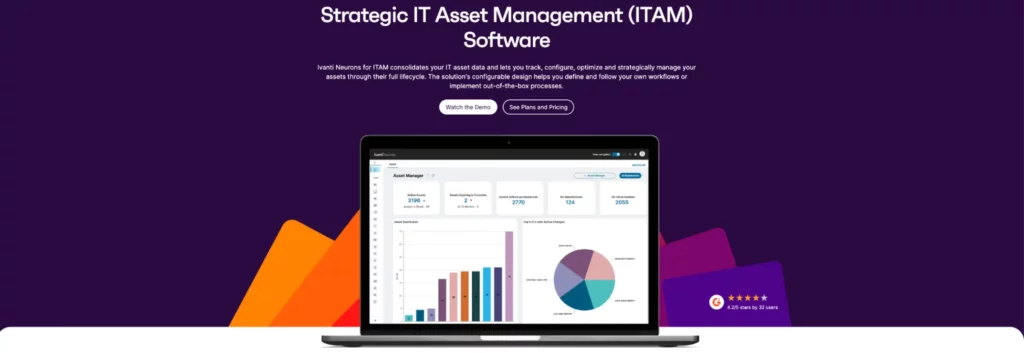
Ivanti Neurons for ITAM is built for teams that need lifecycle visibility across hardware, software, cloud, and virtual assets. It is especially relevant for organizations in which ITAM needs to integrate with endpoint operations, service management, and configurable workflows.
| Field | Detail |
| Best fit | Endpoint-heavy enterprise environments |
| Core use case | IT asset lifecycle management and data consolidation |
| Deployment | Vendor platform |
| Pricing model | Vendor quote |
| Free trial/demo | Demo available |
| User rating | 3.9/5 (G2); 4.0/5 (Capterra) |
What it does
Ivanti Neurons for ITAM centralizes and automates the management of IT assets across hardware, software, cloud, and virtual environments from procurement to disposal. Gartner’s review listing describes the platform as supporting real-time visibility, lifecycle tracking, compliance improvement, cost optimization, and configurable workflows.
Where it stands out
Ivanti stands out for asset management needs that require support for endpoint-heavy operations. Its value is strongest when IT teams need lifecycle management tied to device data, service workflows, compliance evidence, and asset optimization.
Who should consider it
Ivanti Neurons for ITAM is a good fit for organizations that already use Ivanti products or manage large endpoint estates. It is especially useful for teams that want ITAM connected to service management, endpoint management, and operational workflows.
User sentiment
Marketplace and analyst profiles commonly describe Ivanti Neurons for ITAM in terms of asset lifecycle management, workflow configuration, asset data consolidation, and endpoint-heavy environments. The strongest positive sentiment is around its ability to connect IT asset records with service management, compliance, and broader Ivanti ecosystem operations.
What to evaluate before choosing it
Evaluate implementation effort, integration with existing Ivanti tools, reporting depth, and how well it supports your endpoint, service desk, and compliance workflows.
Limitations
Ivanti may be less attractive for teams that are not already aligned with the Ivanti ecosystem or that only need lightweight inventory tracking.
Pricing model
Ivanti Neurons follows a quote-based, modular pricing model shaped by organization size, deployment model, selected modules, and user or endpoint volume. ITSM and MDM are typically licensed per user, while endpoint management and patch management often use per-device or per-endpoint licensing.
Pricing note: Pricing varies by scope and is subject to change; verify current costs with the vendor.
9. NinjaOne: Endpoint operations with asset visibility, patching, and remote management
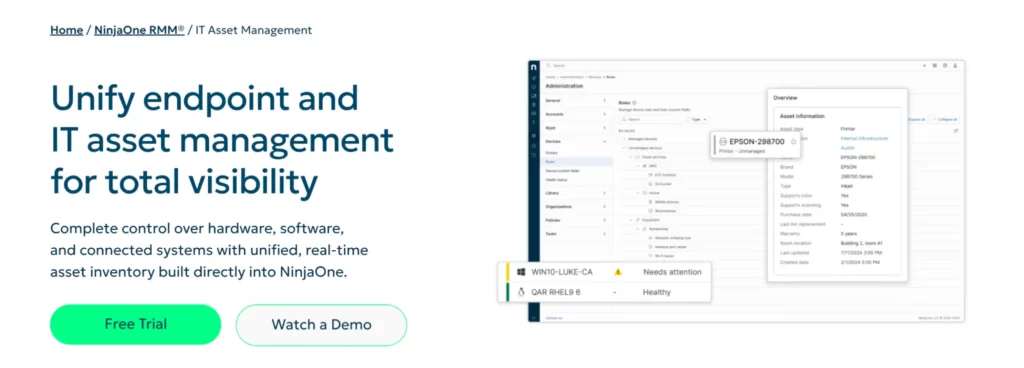
NinjaOne is an endpoint operations platform with built-in IT asset management capabilities. It is useful for teams that want real-time visibility into hardware, software, subscriptions, endpoint health, patching, monitoring, and remote support on a single platform.
| Field | Detail |
| Best fit | IT teams and MSPs managing endpoints |
| Core use case | Endpoint management with real-time IT asset inventory |
| Deployment | Cloud-native platform |
| Pricing model | Quote-based endpoint pricing |
| Free trial/demo | 14-day free trial available |
| User rating | 4.7/5 (G2); 4.7/5 (Capterra) |
What it does
NinjaOne’s IT asset management page says it helps teams track inventory, usage, and health across hardware, software, and subscriptions. It also uses real-time discovery to identify unmanaged or shadow IT assets such as rogue endpoints, IoT devices, legacy hardware, and user-introduced assets.
Where it stands out
NinjaOne stands out when ITAM needs to connect with endpoint control. Its platform brings asset inventory together with monitoring, patching, remote management, automation, and endpoint support.
Who should consider it
NinjaOne is a strong fit for MSPs, lean IT teams, and distributed organizations that need asset visibility plus endpoint operations. It works well when patch compliance, remote troubleshooting, and device control are as important as inventory accuracy.
User sentiment
User feedback commonly positions NinjaOne around endpoint visibility, remote management, patch automation, monitoring, and ease of use. The strongest positive sentiment is about its ability to integrate IT asset inventory with real-time endpoint operations, helping teams track, patch, troubleshoot, and manage devices from a single platform.
What to evaluate before choosing it
Evaluate whether your organization needs endpoint management first or a dedicated ITAM platform first. If your priority is SAM, procurement governance, contract management, SaaS lifecycle management, or audit reconciliation, compare NinjaOne with more ITAM-focused tools.
Limitations
NinjaOne is strongest for endpoint-centered IT operations. It may not be the best fit for organizations that need deep software license optimization, contract governance, or finance-led ITAM.
Pricing model
NinjaOne uses flexible per-device pricing for endpoint management and IT asset management. Its pricing starts at $1.50 per endpoint/month at 10,000 endpoints, increasing to $3.75 per endpoint/month for 50 or fewer endpoints, with volume and bundle discounts available.
Pricing note: Pricing varies by scope and is subject to change; verify current costs with the vendor.
10. Flexera One: Enterprise software, SaaS, cloud, and license optimization
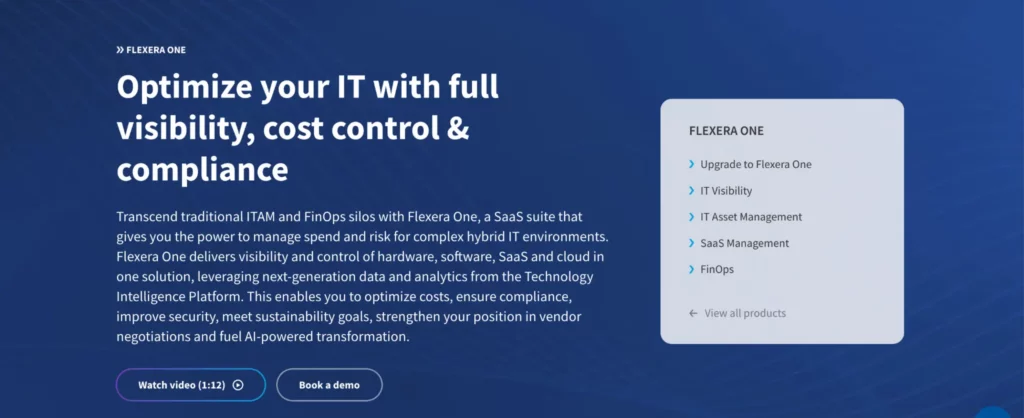
Flexera One is an enterprise platform for IT asset management, cloud cost optimization, and software license compliance. It is strongest for organizations where ITAM overlaps with SAM, SaaS management, FinOps, vendor audits, and hybrid IT spend control.
| Field | Detail |
| Best fit | Large enterprises with complex software, SaaS, and cloud estates |
| Core use case | SAM, HAM, SaaS management, cloud optimization, and audit defense |
| Deployment | SaaS platform |
| Pricing model | Enterprise quote-based pricing |
| Free trial/demo | Demo available |
| User rating | 4.3/5 (G2); 4.0/5 (Capterra) |
What it does
Flexera One combines IT asset management, cloud cost optimization, and software license compliance. Its official page says Flexera One ITAM helps manage the asset lifecycle, maximize software license utilization, defend against vendor audits, and strengthen vendor negotiation position.
Where it stands out
Flexera One stands out for enterprise SAM and cloud cost optimization. Its official page says the platform supports complex hybrid licensing models and provides intelligence and recommendations to control spend and meet compliance requirements.
Who should consider it
Flexera One is best for enterprises with large software estates, SaaS sprawl, cloud spend, vendor audits, and complex licensing models. It is especially relevant for IT, finance, procurement, and compliance teams that need to reconcile usage, contracts, licenses, and spend.
User sentiment
Analyst and peer-review sources frequently associate Flexera One with enterprise software asset management, SaaS visibility, cloud cost optimization, and license compliance. The strongest positive sentiment is around its ability to help large organizations reconcile usage, reduce software waste, prepare for audits, and manage complex licensing environments.
What to evaluate before choosing it
Evaluate the complexity of your software contracts, SaaS stack, cloud providers, audit requirements, and FinOps maturity. Also, confirm the level of integration needed with CMDB, procurement, finance, and cloud platforms.
Limitations
Flexera One may be more than smaller teams need if they only want hardware tracking or basic IT inventory. Its strongest fit is enterprise ITAM, SAM, SaaS, and cloud cost governance.
Pricing model
Flexera One follows an enterprise licensing model built around product scope, modules, contract length, and organizational scale. Pricing can reflect bundled capabilities across ITAM, SaaS, cloud cost optimization, and software asset governance, with agreements often structured around 12-, 24-, or 36-month terms.
Pricing note: Pricing varies by scope and is subject to change; verify current costs with the vendor.
11. InvGate Asset Management: Simple ITAM with asset discovery, lifecycle visibility, and service desk integrations
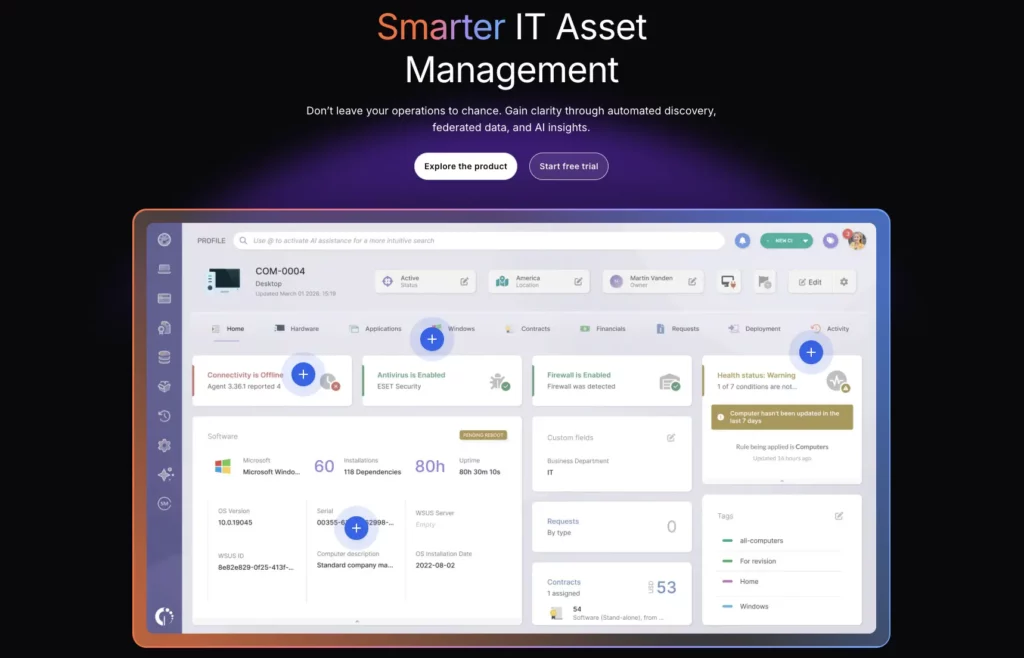
InvGate Asset Management is designed for teams that want IT asset lifecycle visibility without a heavy enterprise implementation. It helps organizations track physical, virtual, and cloud assets while connecting asset data to service operations and integrations.
| Field | Detail |
| Best fit | Mid-market IT teams seeking simplicity |
| Core use case | IT asset discovery, lifecycle tracking, and service desk alignment |
| Deployment | Vendor platform |
| Pricing model | Plan-based/vendor pricing |
| Free trial/demo | 30-day free trial available |
| User rating | 4.7/5 (G2); 4.4/5 (Capterra) |
What it does
InvGate Asset Management provides visibility into the lifecycle of IT assets from acquisition to retirement. Capterra describes it as supporting relationships between hardware, software, and cloud assets, with daily insights into asset health, usage, and performance.
Where it stands out
InvGate stands out for approachable ITAM with service desk connectivity. Its pricing page shows integrations with third-party service management and service desk tools such as Jira, ServiceNow, and Zendesk in higher tiers.
Who should consider it
InvGate is a good fit for mid-market IT teams that want to centralize inventory, improve lifecycle visibility, and connect asset management with service operations. It works well for teams that want usability and structure without enterprise-level complexity.
User sentiment
Software review sources commonly describe InvGate Asset Management as simple, usable, with asset discovery, lifecycle visibility, and service desk alignment. The strongest positive sentiment is around its ability to give mid-market IT teams clearer asset control without making ITAM workflows feel overly complex.
What to evaluate before choosing it
Evaluate discovery depth, reporting, integrations, and whether its service desk and ITAM capabilities meet your future scale. Also, compare how it handles SaaS, licenses, procurement, and lifecycle workflows.
Limitations
InvGate may not be the deepest option for large enterprises with complex SAM, cloud cost, or global governance requirements. Its strongest fit is practical mid-market ITAM.
Pricing model
InvGate Asset Management uses IP-device-based pricing, so cost scales with the number of discovered and managed devices. Starter is a fixed $1,499/year plan for 500 IP devices, while Pro starts at $2,500/year and adds capabilities such as SSO, automatic CMDB mapping, software deployment, integrations, guided onboarding, and automation. Enterprise starts at $12,000/year for larger environments that need custom hosting, data residency, dedicated servers, and extended controls.
Pricing note: Pricing varies by scope and is subject to change; verify current costs with the vendor.
12. Snipe-IT: Open-source IT asset and license tracking for technical teams
Snipe-IT is an open-source, web-based IT asset management system for tracking hardware, software licenses, and peripherals. It is useful for teams that want to replace spreadsheets with a low-cost ITAM tool and have the technical capacity to manage setup or hosting.
| Field | Detail |
| Best fit | Technical teams, schools, nonprofits, and small businesses |
| Core use case | Open-source asset and license tracking |
| Deployment | Self-hosted or hosted |
| Pricing model | Free self-hosted; paid hosting plans |
| Free trial/demo | Free self-hosted version |
| User rating | 4.6/5 (G2), 4.4/5 (Capterra) |
What it does
Snipe-IT helps organizations track IT assets, software licenses, hardware, and peripherals in a web-based system. G2 describes it as an open-source asset management system that improves record-keeping, visibility, and decision-making compared with traditional spreadsheets.
Where it stands out
Snipe-IT stands out because it is open-source and can be self-hosted. This gives technical teams more control over deployment, data, and customization than many paid-only ITAM tools.
Who should consider it
Snipe-IT is a strong fit for small businesses, schools, nonprofits, and technical teams that want free or low-cost asset tracking. It works best when the team can handle setup, maintenance, backups, and administration.
User sentiment
Open-source and software review communities often position Snipe-IT in terms of control, affordability, asset tracking, and software license management. The strongest positive sentiment is around its ability to replace spreadsheets with a self-hosted ITAM system that technical teams can customize and manage on their own terms.
What to evaluate before choosing it
Evaluate whether your team can support hosting, updates, backups, security, and configuration. Also, test whether Snipe-IT provides enough automation, reporting, integrations, and audit controls for your organization.
Limitations
Snipe-IT is not a full enterprise ITAM platform. It may not cover advanced automated discovery, ITSM workflows, patch management, SaaS governance, or complex software license reconciliation.
Pricing model
Snipe-IT uses an open-source pricing model: the self-hosted version is free, while hosted plans charge for setup, maintenance, upgrades, backups, and priority support. Basic Hosting starts at $39.99/month or $399.99/year, with higher tiers adding more support, LDAP capacity, IP restrictions, and dedicated hosting options.
Pricing note: Pricing varies by scope and is subject to change; verify current costs with the vendor.
13. SolarWinds Service Desk: ITSM and asset management for service-driven IT teams
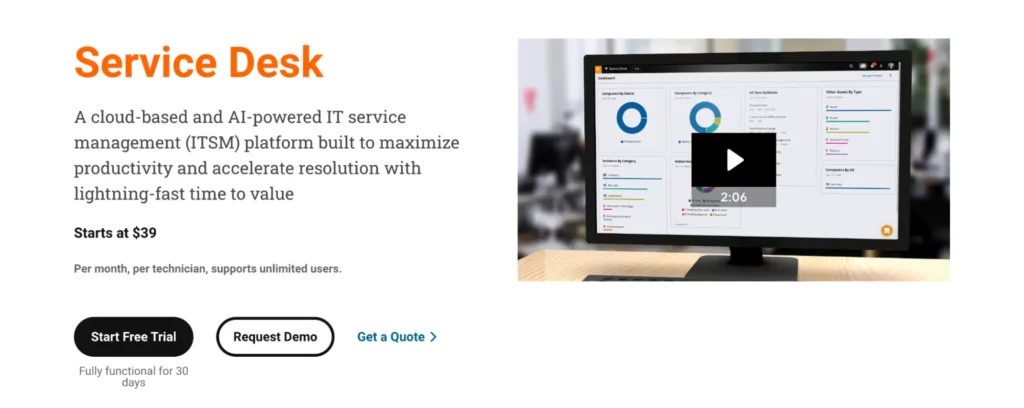
SolarWinds Service Desk is an ITSM platform that combines service desk operations with unified asset management. It is useful for organizations that want asset data connected to incidents, requests, workflows, service portals, and enterprise service management.
| Field | Detail |
| Best fit | Teams seeking integrated ITSM and asset tracking |
| Core use case | Service desk, ITSM, asset management, and automation |
| Deployment | Cloud |
| Pricing model | Per technician/month; asset pricing available upon request |
| Free trial/demo | 30-day free trial available |
| User rating | 4.3/5 on (G2); 4.6/5 (Capterra) |
What it does
SolarWinds Service Desk helps teams manage ITSM workflows while connecting service operations with asset management. Capterra describes it as an AI-powered ITSM platform with enterprise service management and unified asset management designed to reduce silos.
Where it stands out
SolarWinds stands out for ITAM when it needs to support service desk performance. Its official pricing page says plans support unlimited users, include a fully functional 30-day trial, and offer asset pricing upon request.
Who should consider it
SolarWinds Service Desk is a good fit for IT teams that want tickets, service requests, workflows, and asset context on a single platform. It works well when asset records need improvement to enhance incident resolution and service delivery.
User sentiment
Buyer feedback often links SolarWinds Service Desk to ITSM workflow management, service desk automation, ticketing efficiency, and asset-linked support. The strongest positive sentiment is about its ability to integrate service requests, incidents, workflows, and asset records into a single operational service management platform.
What to evaluate before choosing it
Evaluate whether the asset management features are deep enough for your ITAM needs. If you need advanced SAM, cloud asset governance, procurement workflows, or lifecycle automation, test those areas before committing.
Limitations
SolarWinds Service Desk is more ITSM-led than ITAM-led. It may not be the best choice for teams that need a dedicated enterprise ITAM or SAM platform.
Pricing model
SolarWinds Service Desk uses technician-based pricing, with unlimited users included across plans and asset pricing handled separately. Essentials starts at $39/technician/month for core ITSM and asset management, while Advanced and Premier add deeper automation, CMDB, contract management, license compliance, audit history, API access, and AI capabilities.
Pricing note: Pricing varies by scope and is subject to change; verify current costs with the vendor.
14. SysAid: Help desk-first ITSM with built-in asset management and AI agents
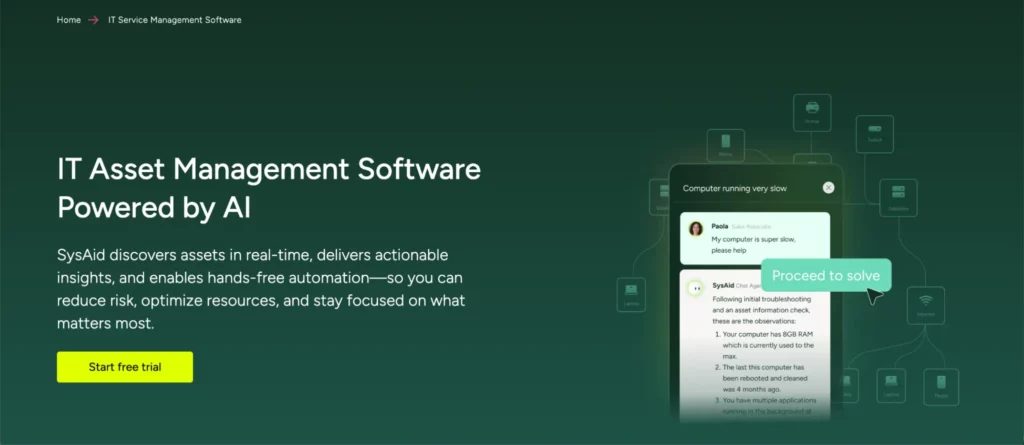
SysAid is an ITSM and help desk platform that includes asset management within its service management environment. It is best for support teams that need ticketing, a service catalog, self-service, automation, AI agents, and basic asset visibility all in one place.
| Field | Detail |
| Best fit | Help desk teams needing basic asset management |
| Core use case | ITSM, ticketing, service catalog, AI agents, and asset management |
| Deployment | Cloud and ITSM platform options |
| Pricing model | Plan-based quote pricing |
| Free trial/demo | 14-day free trial available |
| User rating | 4.5/5 (G2); 4.5/5 (Capterra) |
What it does
SysAid helps IT teams manage support workflows through help desk, ITSM, automation, self-service, and asset management. Capterra describes it as a help desk and IT ticketing tool most used by midsize businesses in IT services, healthcare, and banking.
Where it stands out
SysAid stands out for ITSM teams seeking built-in asset management, customizable ticket workflows, and self-service. Capterra notes that recent updates include AI agents for incident detection and Microsoft 365 license tracking.
Who should consider it
SysAid is a good fit for help desk teams that want asset data to support incident resolution, request handling, and service catalog workflows. It is especially useful when ITAM is part of service management rather than a standalone discipline.
User sentiment
Customer and marketplace profiles commonly associate SysAid with help desk management, customizable ticket workflows, self-service, automation, and built-in asset management. The strongest positive sentiment is around its ability to help support teams manage incidents, requests, service catalog workflows, and asset context from a single ITSM platform.
What to evaluate before choosing it
Evaluate whether SysAid’s asset management depth is enough for your ITAM needs. If you need automated discovery, software license reconciliation, procurement tracking, or lifecycle governance, test those workflows carefully.
Limitations
SysAid is strongest as a help desk and ITSM platform with built-in asset management. It may not replace a dedicated ITAM, SAM, or asset discovery platform for complex enterprise environments.
Pricing model
SysAid uses AI-driven plan-based pricing across Standard, Pro, and Enterprise tiers. Standard is designed for help desk teams; Pro adds broader ITSM capabilities and customizable AI agents; and Enterprise supports advanced customization and organization-wide automation. Professional onboarding is handled as a separate one-off fee.
Pricing note: Pricing varies by scope and is subject to change; verify current costs with the vendor.
15. Device42: CMDB, discovery, and dependency mapping for hybrid infrastructure teams
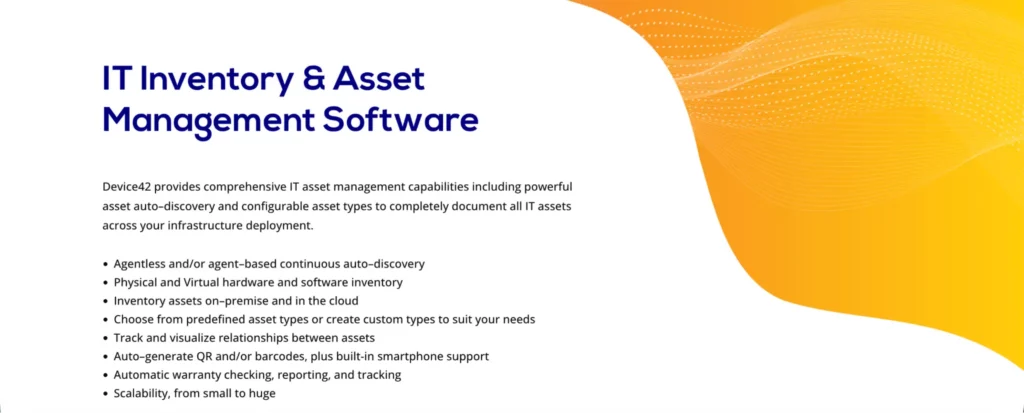
Device42 is a discovery and dependency mapping platform for hybrid IT infrastructure. It is especially useful where ITAM overlaps with CMDB, data center management, cloud migration, infrastructure modernization, and application dependency mapping.
| Field | Detail |
| Best fit | CMDB-centric and hybrid infrastructure teams |
| Core use case | Agentless discovery, dependency mapping, and IT asset inventory |
| Deployment | Annual subscription model |
| Pricing model | Device-based annual subscription |
| Free trial/demo | 14-day free trial available |
| User rating | 4.7/5 (G2); 4.8/5 (Capterra) |
What it does
Device42 helps teams discover and map IT assets, infrastructure, dependencies, and data center resources. Capterra lists it under CMDB, IT Asset Management, and Data Center Management, with features such as end-to-end hybrid IT discovery, asset lifecycle management, IP address management, dashboards, and REST API integrations.
Where it stands out
Device42 stands out for discovery and dependency mapping. It is useful when teams need to understand not only which assets exist but also how servers, applications, infrastructure, and services depend on one another.
Who should consider it
Device42 is a strong fit for infrastructure, cloud migration, CMDB, and data center teams. It works well when ITAM needs to support impact analysis, modernization planning, application mapping, and visibility into hybrid infrastructure.
User sentiment
Analyst profiles and user feedback often position Device42 as a leader in hybrid infrastructure discovery, CMDB visibility, dependency mapping, and data center documentation. The strongest positive sentiment is around its ability to show how servers, applications, infrastructure, and services connect, which helps with migrations, audits, and impact analysis.
What to evaluate before choosing it
Evaluate whether your main need is infrastructure discovery and dependency mapping or broader ITAM workflows. If your priority is employee device tracking, license management, service catalog, or procurement, compare Device42 with more traditional ITAM tools.
Limitations
Device42 may be more advanced than needed for lightweight asset tracking. It is strongest for CMDB, infrastructure discovery, data center asset management, and application dependency mapping.
Pricing model
Device42 uses an annual subscription pricing model based on the number of devices. This makes pricing closely tied to infrastructure scale, discovery scope, and the number of assets included in the CMDB, dependency mapping, and hybrid IT visibility environment.
Pricing note: Pricing varies by scope and is subject to change; verify current costs with the vendor.
16. Spiceworks: Free help desk and basic IT inventory support for small teams
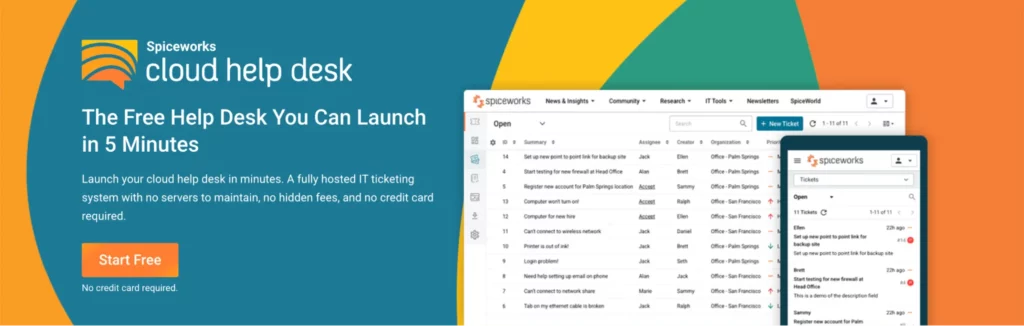
Spiceworks Cloud Help Desk is a free help desk platform for small IT teams that need basic ticketing and IT management support. It is best positioned as a free, community-backed service desk option rather than a full enterprise ITAM platform.
| Field | Detail |
| Best fit | Small IT teams |
| Core use case | Free help desk and basic IT management |
| Deployment | Cloud help desk |
| Pricing model | Free core plan; premium paid option referenced |
| Free trial/demo | Free product |
| User rating | 4.3/5 (G2); 4.4/5 (Capterra) |
What it does
Spiceworks Cloud Help Desk helps IT teams manage tickets and internal support workflows. Capterra describes it as purpose-built for IT pros and lists it under Help Desk, IT Management, and Issue Tracking.
Where it stands out
Spiceworks stands out for cost accessibility. It gives smaller teams a way to start managing help desk requests without investing in a paid ITSM platform.
Who should consider it
Spiceworks is a practical option for small teams that need basic help desk functionality and limited IT management capabilities. It works best when the budget is the biggest constraint and ITAM requirements are simple.
User sentiment
Small-team feedback often centers on Spiceworks’ free help desk functionality, community support, ticketing, and simple IT management. The strongest positive sentiment is around its accessibility for lean IT teams that need a low-cost way to organize support requests and basic IT operations.
What to evaluate before choosing it
Evaluate whether its free model, reporting, scalability, and asset-related capabilities meet your needs. If your team is growing, compare Spiceworks with dedicated ITAM software before building long-term processes around it.
Limitations
Spiceworks is not designed for advanced enterprise ITAM. It may not support the level of lifecycle management, license governance, audit workflows, automation, or scalability that larger organizations need.
Pricing model
Spiceworks Cloud Help Desk has traditionally been known for its free help desk model, and recent platform updates introduced a Premium plan. Its pricing structure is best understood as a free core help desk offering with paid enhancements for teams that need additional capabilities.
Pricing note: Pricing varies by scope and is subject to change; verify current costs with the vendor.
17. BlueTally: Simple IT asset assignment and device tracking for teams leaving spreadsheets
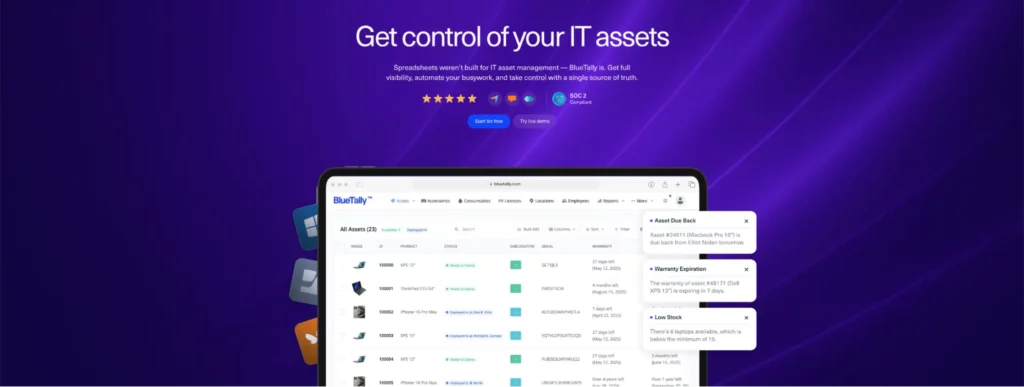
BlueTally is an IT management software platform for teams that need a simple way to track asset locations, employee assignments, stock availability, and device histories. It is useful for small and growing IT teams, replacing spreadsheets with a cloud-based asset register.
| Field | Detail |
| Best fit | Small teams moving away from spreadsheets |
| Core use case | Asset assignment, device tracking, and MDM-connected IT inventory |
| Deployment | Cloud |
| Pricing model | Transparent plan-based pricing |
| Free trial/demo | 14-day free trial available |
| User rating | 4.6/5 (Software Advice); 4.6/5 (Capterra) |
What it does
BlueTally helps teams answer operational ITAM questions such as where an asset is, who has it, who had it before, and how many assets are ready for checkout, under repair, or in use. Capterra says it integrates with tools such as Intune, Jamf, and Kandji.
Where it stands out
BlueTally stands out for simple asset assignment and device tracking. Its official website positions the platform for IT teams that want asset management features without added complexity, making it useful for tracking device ownership, location, status, and availability as teams move away from spreadsheets.
Who should consider it
BlueTally is a good fit for IT teams that want to move away from spreadsheets and maintain better visibility into devices, locations, assigned users, inventory status, and MDM-synced hardware data.
User sentiment
Software review sources commonly position BlueTally around simplicity, asset assignment, device tracking, and spreadsheet replacement. The strongest positive sentiment is around its ability to help IT teams quickly see where assets are, who has them, and which devices are available, assigned, in repair, or ready for checkout.
What to evaluate before choosing it
Evaluate reporting, customization, integrations, role permissions, and whether it can scale with your ITAM process. If you need CMDB relationships, SAM, procurement workflows, or patch management, compare it with broader ITAM platforms.
Limitations
BlueTally is strongest for simple IT asset assignment and tracking. It may not be suitable for complex enterprise ITAM, advanced software license management, or CMDB-heavy environments.
Pricing model
BlueTally uses transparent plan-based pricing with unlimited assets and users across paid plans. The Starter plan starts at $299/month on annual billing or $359/month on monthly billing, with higher Business and Corporate tiers offering broader integrations, permissions, automation, and support.
Pricing note: Pricing varies by scope and is subject to change; verify current costs with the vendor.
18. SyAM Software: Asset tracking, remote management, ticketing, and patch control for mixed devices
SyAM Software combines IT asset management with remote management, patch management, ticket management, and dashboard visibility. It is most relevant to IT teams that want asset tracking integrated with device management across mixed operating environments.
| Field | Detail |
| Best fit | Unified device management across mixed environments |
| Core use case | Asset tracking, remote management, patching, and ticketing |
| Deployment | Vendor software platform |
| Pricing model | Review/vendor-based pricing information |
| Free trial/demo | Demo available |
| User rating | 4.5/5 (Software Advice); 4.5/5 (Capterra) |
What it does
SyAM Software is used for IT management and IT asset management. Capterra lists features such as dashboard, patch management, ticket management, and asset tracking, with asset tracking defined as monitoring the usage of equipment, tools, software, and related assets throughout their lifecycle.
Where it stands out
SyAM stands out for its ability to connect asset tracking to device operations. It is useful for teams that want IT asset visibility alongside patch management, remote management, and ticket handling.
Who should consider it
SyAM is a fit for IT teams managing mixed-device environments that require operational controls beyond inventory. It may suit organizations that want to monitor assets, manage devices, handle support tickets, and maintain patch visibility in a single system.
User sentiment
Customer feedback often associates SyAM Software with asset tracking, remote management, patch management, ticketing, and mixed-device support. The strongest positive sentiment is around its ability to combine device-level asset visibility with operational controls for teams managing distributed or varied endpoint environments.
What to evaluate before choosing it
Evaluate setup effort, interface usability, device coverage, reporting, integrations, and patch management depth. Also, compare it with modern endpoint management platforms if endpoint operations are your primary requirement.
Limitations
SyAM may be more specialized than newer cloud-first ITAM tools. It may not be the strongest fit for SaaS management, license optimization, or enterprise ITSM integration.
Pricing model
SyAM Software’s pricing is based on its unified IT management scope, including asset management, help desk, remote management, patch management, MDM, software deployment, and power management. Its pricing model is best understood as modular operational IT pricing for teams managing devices, service requests, and asset visibility on a single platform.
Pricing note: Pricing varies by scope and is subject to change; verify current costs with the vendor.
19. SapphireIMS: ITSM, ITAM, service desk, and workflow automation in one platform
SapphireIMS combines IT asset management, ITSM, service desk, infrastructure monitoring, and workflow automation. It is useful for mid-market teams that want asset lifecycle tracking connected to support operations, incident handling, request workflows, and ITIL-based service delivery.
| Field | Detail |
| Best fit | Mid-market teams needing ITSM and ITAM in one platform |
| Core use case | Asset tracking, support ticket management, service desk, and automation |
| Deployment | Vendor platform |
| Pricing model | Vendor/review-based pricing information |
| Free trial/demo | Demo available |
| User rating | 4.5/5 (G2); 4.4/5 (Capterra) |
What it does
SapphireIMS supports asset tracking, support ticket management, dashboards, data import/export, equipment management, customer support, and service workflows. Capterra lists Asset Tracking and Support Ticket Management among its reviewed features.
Where it stands out
SapphireIMS stands out for its ability to combine ITAM, ITSM, and operational workflow automation. Gartner review content describes it as cost-effective for monitoring infrastructure devices and ticketing. In contrast, Capterra review content highlights complete visibility and control over operations, including field force and service handling.
Who should consider it
SapphireIMS is a strong fit for mid-market organizations that need IT asset tracking, service desk workflows, incident management, request handling, reporting, and automation on a single platform.
User sentiment
Analyst and software marketplace sources commonly position SapphireIMS around ITSM, ITAM, service desk operations, workflow automation, and infrastructure monitoring. The strongest positive sentiment is about its ability to centralize asset tracking, ticket management, and service workflows for teams seeking broader control over IT operations.
What to evaluate before choosing it
Evaluate UI experience, setup effort, workflow customization, reporting depth, and how well SapphireIMS supports SaaS, licenses, endpoint data, and procurement workflows.
Limitations
SapphireIMS may not be the best fit for teams seeking a lightweight, plug-and-play asset tracker. It is better suited to teams that need ITAM, ITSM, service desk, and automation all in one.
Pricing model
SapphireIMS uses a subscription-based pricing model shaped by the number of assets or users managed, selected ITSM/ITAM modules, automation requirements, deployment options, and organizational scale. Its pricing is best understood as modular enterprise pricing for teams combining service desk, asset lifecycle management, workflow automation, and infrastructure operations.
Pricing note: Pricing varies by scope and is subject to change; verify current costs with the vendor.
20. Reftab: Simple asset tracking, check-in/check-out, maintenance, and software spend visibility
Reftab is a simple asset management platform for teams that need hardware tracking, software tracking, maintenance management, check-in/check-out workflows, and mobile access. It is especially useful for small and mid-sized teams that want clearer asset visibility without a complex enterprise ITAM rollout.
| Field | Detail |
| Best fit | Small teams needing simple asset tracking with ITSM-adjacent workflows |
| Core use case | Asset tracking, check-in/check-out, maintenance, and software spend visibility |
| Deployment | Cloud |
| Pricing model | Free and paid plans |
| Free trial/demo | 14-day free trial available |
| User rating | 4.3/5 (G2); 4.7/5 (Capterra) |
What it does
Reftab helps teams track assets, software spend, license costs, usage, renewals, tools, maintenance, and IT spend. Its official website highlights software asset management, maintenance management, and IT spend management as core areas.
Where it stands out
Reftab stands out for practical asset workflows, including check-in/check-out, mobile tracking, maintenance visibility, asset assignment, and software spend tracking. Software Advice describes it as a customizable platform for hardware and software asset management, designed for IT departments and focused on automation.
Who should consider it
Reftab is a good fit for small and mid-sized teams that need a clean, affordable system for asset tracking, assignment, maintenance, software visibility, and inventory organization.
User sentiment
User and marketplace feedback commonly frames Reftab in terms of ease of use, asset tracking, check-in/check-out workflows, maintenance management, and software spend visibility. The strongest positive sentiment is about its ability to provide small and mid-sized teams with a clean, practical asset management system without enterprise-level complexity.
What to evaluate before choosing it
Evaluate whether Reftab’s reporting, integrations, label printing, software license depth, automation, and role permissions match your needs. If you need enterprise ITSM, patch management, SAM reconciliation, or CMDB mapping, compare these capabilities with those of broader ITAM platforms.
Limitations
Reftab is not designed to replace a full enterprise ITAM, ITSM, SAM, or CMDB platform. Its strongest fit is simple and practical asset tracking with useful lifecycle and maintenance features.
Pricing model
Reftab’s Complete IT Management plan combines hardware and software management. Pricing starts at $125.75/month, billed annually, for 250 assets, with unlimited platform users included. Costs scale by active asset count and the number of users tracked through automated SaaS discovery.
Pricing note: Pricing varies by scope and is subject to change; verify current costs with the vendor.
IT Management Software Comparison Table
| Tool | Deployment | Best for | Key features | Pricing model | User rating |
| AssetSonar | Cloud-based | Mid-market and enterprise IT teams needing complete ITAM, ITSM, patch, and lifecycle control | HAM, SAM, ITSM, patch management, workflow automation, service catalog, AI copilot, integrations | Module-based ITAM pricing | 4.5/5 |
| Oomnitza | SaaS | Enterprise lifecycle governance | Technology asset management, workflow automation, SaaS lifecycle, audit readiness | Enterprise subscription pricing | 4.6/5 |
| ServiceNow ITAM | Cloud platform | Large enterprises with complex ITSM ecosystems | HAM, SAM, cloud asset management, CMDB, workflows, procurement alignment | Custom enterprise pricing | 4.4/5 |
| Freshservice | Cloud | SMBs and mid-market ITSM-led teams | Asset management, CMDB, discovery, tickets, automation | Asset Unit-based pricing | 4.6/5 |
| Asset Panda | Cloud | Cross-department asset tracking | Custom fields, mobile tracking, barcode scanning, warranty records | User-based pricing packages | 4.2/5 |
| Lansweeper | Cloud and scanning options | Asset discovery and network visibility | Automated discovery, network inventory, shadow asset detection | Asset-based pricing | 4.4/5 |
| ManageEngine AssetExplorer | Cloud/vendor options | Mid-market teams needing asset and contract control | IT asset tracking, contracts, purchases, ownership records | Asset/user-based pricing | 4.2/5 |
| Ivanti Neurons for ITAM | Vendor platform | Endpoint-heavy enterprise environments | Lifecycle tracking, endpoint context, workflows, compliance | Modular quote-based pricing | 3.9/5 |
| NinjaOne | Cloud-native | IT teams and MSPs managing endpoints | Endpoint management, patching, remote support, real-time inventory | Per-device pricing | 4.7/5 |
| Flexera One | SaaS | Enterprise SAM, SaaS, and FinOps | License optimization, SaaS visibility, cloud cost governance | Enterprise licensing | 4.3/5 |
| InvGate Asset Management | Vendor platform | Mid-market teams seeking simplicity | Asset discovery, lifecycle tracking, service desk alignment | IP-device-based pricing | 4.7/5 |
| Snipe-IT | Self-hosted or hosted | Open-source IT asset tracking | Asset tracking, license tracking, peripherals, self-hosting | Free self-hosted; paid hosting | 4.6/5 |
| SolarWinds Service Desk | Cloud | ITSM and asset tracking | Service desk, workflows, asset management, automation | Per technician/month | 4.3/5 |
| SysAid | Cloud / ITSM platform | Help desk teams needing basic asset management | ITSM, ticketing, service catalog, AI agents, asset management | Plan-based quote pricing | 4.5/5 |
| Device42 | Subscription platform | CMDB and hybrid infrastructure teams | Discovery, dependency mapping, CMDB, data center visibility | Device-based annual subscription | 4.7/5 |
| Spiceworks | Cloud help desk | Small IT teams needing free help desk support | Ticketing, basic IT management, community support | Free core plan; paid premium option | 4.3/5 |
| BlueTally | Cloud | Small teams moving away from spreadsheets | Asset assignment, device tracking, MDM integrations | Transparent plan-based pricing | 4.6/5 |
| SyAM Software | Vendor software platform | Mixed device environments | Asset tracking, remote management, patching, ticketing | Modular operational IT pricing | 4.5/5 |
| SapphireIMS | Vendor platform | Mid-market ITSM and ITAM teams | ITSM, ITAM, service desk, workflow automation | Subscription-based modular pricing | 4.5/5 |
| Reftab | Cloud | Simple asset tracking with ITSM-adjacent workflows | Check-in/check-out, maintenance, software tracking, mobile access | Free and paid plans | 4.3/5 |
How to choose the right IT management software
The right ITAM tool depends on your organization’s size, asset complexity, compliance requirements, existing systems, and operational priorities. No single platform is best for every team, so the buying decision should start with what you need to centralize, automate, secure, and report on.
A small IT team moving away from spreadsheets may need simple asset tracking, barcode scanning, and check-in/check-out. A mid-market organization may need lifecycle management, software license tracking, procurement workflows, and ITSM integration.
A large enterprise may need CMDB mapping, SaaS governance, cloud asset management, endpoint security context, workflow automation, and audit-ready compliance reporting.
Core requirements: What assets and workflows do you need to manage?
Start by defining the scope of your ITAM environment. The best ITAM software for your organization should match the assets, users, locations, and lifecycle stages you actually manage.
Evaluate:
- number of hardware assets
- laptops, desktops, servers, mobile devices, peripherals, and IoT devices
- software licenses, SaaS subscriptions, and cloud applications
- asset locations across offices, remote workers, warehouses, and field teams
- procurement, warranty, depreciation, maintenance, upgrade, and retirement workflows
- audit and compliance reporting needs
- asset assignment, custody, and check-in/check-out requirements
Also, separate must-have features from nice-to-have features.
| Requirement type | Examples |
| Must-have | Automated asset discovery, hardware tracking, license management, audit reports, role-based permissions |
| Important | ITSM integration, patch visibility, mobile access, procurement workflows, SaaS tracking |
| Nice-to-have | AI recommendations, advanced dashboards, custom portals, dependency mapping, FinOps features |
The goal is to avoid two common mistakes: buying a tool that is too basic for your lifecycle needs or buying an enterprise platform that is too complex for your team’s maturity.
Technical evaluation: Will the ITAM tool connect with your existing systems?
A strong ITAM platform should connect with the systems your team already uses. Integrations matter because asset data often lives across MDM/UEM tools, identity systems, procurement systems, service desks, endpoint security tools, SaaS platforms, and finance records.
Look for integrations with:
- ITSM/help desk platforms
- MDM/UEM tools
- identity and access management systems
- procurement and finance tools
- endpoint security and patch management systems
- SaaS and cloud platforms
- warranty and vendor systems
- reporting and analytics tools
The technical evaluation should also cover the deployment model, security, permissions, API access, data imports and exports, and automation options.
Ask these questions during evaluation:
- Can the platform automatically discover assets?
- Can it reconcile hardware, software, SaaS, and user records?
- Does it support role-based permissions?
- Can it track device lifecycle stages from procurement to retirement?
- Can it connect assets to tickets, incidents, and service requests?
- Can it generate audit-ready reports?
- Can workflows be automated without a heavy technical setup?
- Can the tool scale as asset volume grows?
AssetSonar’s IT maturity research found that teams with integrated IT tools report better asset visibility, faster audits, enhanced security, and more efficient license reclamation. In contrast, fragmented tools leave gaps in automation and data depth.
Operational fit: Will IT teams actually use it?
The best ITAM software is not always the one with the longest feature list. It is the one your IT team can adopt consistently.
Evaluate operational fit across:
- user interface and ease of adoption
- mobile accessibility
- asset import process
- reporting and dashboard usability
- service desk workflows
- automation setup
- support documentation
- onboarding and training
- customer support quality
A tool with strong technical features can still fail if technicians find it difficult to update records, run reports, attach assets to tickets, or follow workflows. ITAM depends on process consistency. If the system is hard to use, teams will drift back to spreadsheets, emails, and manual workarounds.
Budget considerations: What is the real total cost of ownership?
ITAM software pricing can be based on assets, users, technicians, modules, endpoints, IP devices, or enterprise contracts. The monthly or annual subscription is only one part of the cost.
Consider the full cost of ownership:
- subscription or license cost
- implementation and onboarding
- data migration
- integrations
- training
- custom workflows
- support tier
- professional services
- future module expansion
- renewal pricing
- internal admin time
Also, compare the cost against the expected value. ITAM software can support ROI by reducing unnecessary purchases, reclaiming unused licenses, avoiding missed renewals, improving audit readiness, reducing manual work, and extending asset lifecycle visibility.
For finance and executive teams, the strongest business case usually connects ITAM to cost control, compliance, security, and operational efficiency.
Vendor assessment: Is the provider stable and aligned with your roadmap?
Vendor selection matters because ITAM becomes part of the organization’s operating infrastructure. The vendor should have a stable product, a clear roadmap, strong support, and enough flexibility to support your future ITAM maturity.
Evaluate:
- customer reviews on G2, Capterra, and Gartner Peer Insights
- customer support responsiveness
- implementation support
- documentation and training resources
- product roadmap and update frequency
- integration ecosystem
- security practices
- customer references in your industry
- fit for your company size and use case
A vendor may be excellent for small-team asset tracking but weak for enterprise lifecycle governance. Another may be powerful for enterprises but too complex for a lean IT team. Use the trial, demo, or pilot to test the workflows your team will use most often.
ITAM software evaluation checklist
| Criteria | What to look for | Red flags |
| Automated asset discovery | Discovers devices, software, SaaS, and network-connected assets with minimal manual updates | Inventory depends mostly on manual entry |
| Hardware asset management | Tracks ownership, location, custody, warranty, depreciation, maintenance, and lifecycle status | Limited lifecycle tracking beyond basic inventory |
| Software asset management | Tracks licenses, usage, renewals, compliance, and reclamation opportunities | No clear license reconciliation or renewal visibility |
| ITSM integration | Links assets with tickets, incidents, requests, and service workflows | Service desk and asset records remain disconnected |
| Patch visibility | Shows endpoint health, patch status, vulnerabilities, and compliance gaps | Security posture is not connected to asset records |
| Workflow automation | Supports approvals, alerts, onboarding, offboarding, audits, and renewals | Manual updates are required for routine tasks |
| Reporting and analytics | Provides audit-ready reports, dashboards, and exportable data | Reports are rigid, incomplete, or hard to customize |
| Integrations | Connects with MDM/UEM, identity, procurement, finance, ITSM, and security tools | Data has to be moved manually between systems |
| Scalability | Supports growing asset volume, teams, locations, and modules | Pricing or performance becomes difficult at scale |
| Usability | Easy for IT teams, service desks, and admins to use consistently | Technicians avoid using the system or create workarounds |
| Support and onboarding | Provides implementation help, training, documentation, and support | Setup is unclear or heavily dependent on internal trial and error |
Before committing, run a pilot with real asset data, real users, and real workflows. A demo can show what the software can do, but a pilot shows whether it fits how your IT team actually works.
Which IT management software should you choose?
The best IT management software in 2026 is the one that matches your organization’s asset complexity, compliance needs, software stack, and IT maturity. If your biggest problem is network visibility, a discovery-first tool like Lansweeper may be a strong fit.
If you need endpoint management and patching, NinjaOne may be worth evaluating. If software compliance, SaaS spend, and FinOps are your top priorities, Flexera One may be more relevant. If your team wants open-source asset tracking, Snipe-IT can be a practical starting point.
For mid-market and enterprise IT teams that need a more comprehensive ITAM platform, AssetSonar is a strong option because it brings hardware and software asset management, IT service management, patch management, workflow automation, a service catalog, AI capabilities, and lifecycle visibility into a single connected system.
That matters for organizations trying to move beyond spreadsheets, disconnected tools, and reactive asset tracking. The strongest ITAM outcomes usually come from better visibility, cleaner ownership records, stronger license control, faster audit readiness, fewer unnecessary purchases, and more consistent lifecycle workflows.
The practical recommendation is to shortlist 3-5 tools based on your actual requirements, then test them through demos, trials, or pilot programs. During evaluation, use real asset data, real software license records, real service workflows, and real reporting needs. The right ITAM software should make your asset environment easier to understand, not harder to manage.