

The type of equipment management technology you use can have a positive impact on your project completion rate. What does this mean? It is pretty straightforward. A solution that doesn’t address basic preventive schedules means prolonged breakdowns, and recurring repairs which lead to delayed deadlines, leaving crews idle for hours.
Good news is that you can control how you manage your equipment by choosing the right construction equipment management system.
The best solutions offer more than just maintenance management or log asset records. They help equipment managers gain visibility into where each equipment is, how it is being used and by whom. The tools you choose also help keep equipment in its optimal shape through proactive maintenance and operational management.
When evaluating platforms, you should look for features that support what’s actually needed at the field and back at the office for tracking equipment:
- Accurate asset and tool tracking across multiple sites and crews
- Preventive and reactive maintenance workflows that reduce breakdowns
- Mobile and offline-friendly tools for technicians working in the field
- Parts and inventory management to keep repairs moving
- Utilization and cost reporting to maximize ROI on every piece of equipment
Let’s explore the top three equipment management software that offer these features so you can make the right choice for your equipment.
EZO vs Limble vs Upkeep: A quick snapshot
EZO
What it is:
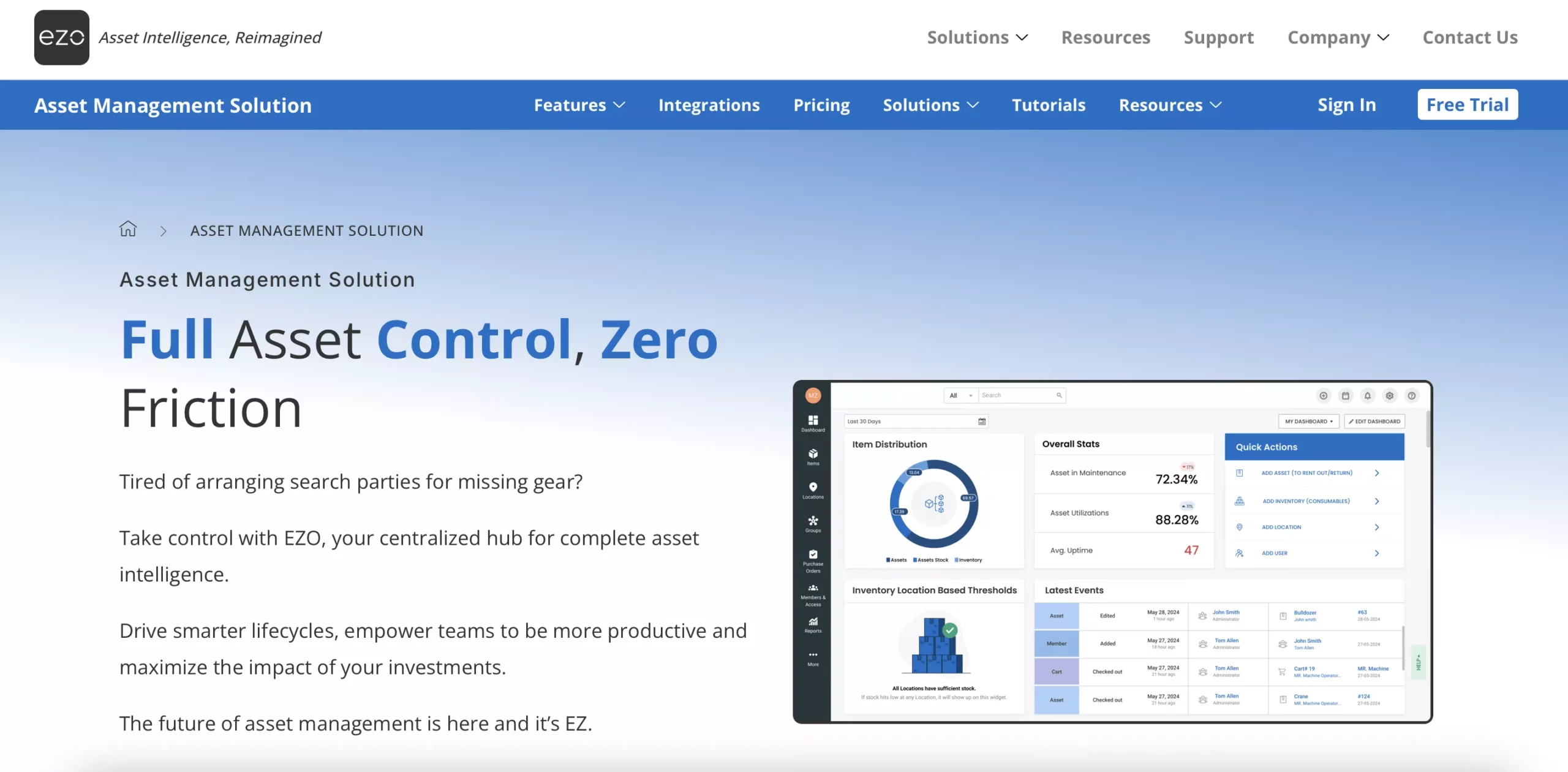
EZO is a physical asset management solution that offers complete asset operations management with robust modules for procurement, reporting, location tracking and maintenance. It has a full-fledged add-on focused on equipment management and maintenance called EZO CMMS. It’s designed to manage the full lifecycle of physical assets from acquisition to maintenance, repairs, spare-parts, and disposal. It’s centered around work order management, preventive maintenance scheduling, parts & inventory management, and robust reporting.
How it stands out:
- EZO emphasizes full lifecycle asset management, a notch above from just reactive maintenance. You get visibility into purchase data, warranty details, maintenance history, depreciation, and utilization metrics.
- It combines maintenance (CMMS), asset tracking, inventory, and analytics into one unified solution. This is extremely useful if you have a mix of heavy equipment, tools, spare parts, and want to manage everything centrally.
- Its reporting and analytics tools go beyond basic maintenance. This gives you insights into asset health, cost, uptime, and utilization, which helps with decisions like when to repair vs. replace equipment.
Limble CMMS
What it is:
Limble CMMS is a modern, cloud- and mobile-based computerized maintenance management system. It’s mainly designed to help maintenance teams across industries plan, schedule, and execute maintenance tasks. The main support features include work order management, preventive maintenance scheduling, asset tracking, inventory management, reporting, and mobile access.
How it stands out:
- Limble is well-known for its ease of use and intuitive interface, which makes onboarding easier and helps teams adopt it quickly.
- Its mobile CMMS capabilities let technicians submit work requests, update tasks, and track asset maintenance from anywhere, particularly useful for field service, distributed facilities, or multi- site operations.
- Limble emphasizes preventive maintenance. This includes scheduling recurring maintenance, inspections, checklists, and maintenance workflows to proactively avoid breakdowns.
UpKeep
What it is:
UpKeep is also a widely used maintenance management platform with a focus on mobile workflows, quick work-order generation.
How it differs:
- UpKeep tends to emphasize simplicity and mobility, intended for maintenance operations that require quick, on-the-go access. The Upkeep functionality makes it a popular choice for teams working across multiple locations, with varying connectivity, or for facility maintenance rather than long-term asset management.
- Compared to EZO, UpKeep is less focused on full lifecycle asset tracking and more about day-to-day maintenance workflow (work orders, reactive maintenance, simple asset logs)
- As compared to Limble, UpKeep’s strength lies in field team convenience and basic maintenance tasks. It may not offer the same level of advanced analytics or inventory, lifecycle tracking as a full-featured asset-management, and CMMS platform.
| Industry | EZO | Limble CMMS | UpKeep |
| Construction (General, Heavy, Specialty Contractors) | ✅ Full support (tools, heavy equipment, fleet, and maintenance management; work orders, usage & utilization logs, asset lifecycle tracking, multi-site operations) | ⚠️ Limited. Supports asset records and preventive maintenance but lacks deep utilization tracking, asset lifecycle visibility, and ROI-focused reporting | ⚠️ Limited. Strong for basic work orders and mobile maintenance tasks, but weak in long-term equipment management and analytics |
| Reason for functionality | Construction requires end-to-end asset control—from procurement to disposal—plus maintenance planning, utilization tracking, and visibility across jobsites to maximize equipment ROI | Limble is primarily maintenance-first. It does not support full lifecycle or utilization-driven decision-making required for asset-heavy construction environments | UpKeep is optimized for task execution and technician workflows, not for managing equipment value, depreciation, or utilization across projects |
| Manufacturing (Discrete & Process) | ✅ Full support (production equipment tracking, preventive & corrective maintenance, asset history, downtime analysis, lifecycle cost tracking) | ✅ Good support for PMs and work orders, but limited in asset financials, lifecycle depth, and cross-department visibility | ⚠️ Moderate. Handles maintenance tasks well but lacks advanced reporting on asset performance and lifecycle optimization |
| Reason for functionality | Manufacturers need visibility into asset health, downtime, and lifecycle costs to reduce unplanned outages and improve throughout | Limble works well for maintenance teams but is less effective as a centralized asset system across operations, finance, and leadership | UpKeep focuses on execution rather than strategic asset intelligence and long-term equipment performance analysis |
| Warehousing & Distribution | ✅ Full support (material handling equipment, tools, facility assets, maintenance workflows, utilization and condition tracking across locations) | ⚠️ Limited. Covers maintenance schedules but lacks utilization insights and asset performance reporting needed for operational optimization | ⚠️ Limited. Designed for reactive and preventive maintenance, not warehouse-scale asset visibility or utilization analysis |
| Reason for functionality | Warehouses depend on uptime of forklifts, conveyors, and facility assets, requiring centralized tracking, maintenance, and utilization insights | Limble supports maintenance execution but does not provide operational intelligence on asset usage or efficiency | UpKeep is effective for quick maintenance responses but lacks depth for multi-site warehouse asset optimization |
| Infrastructure & Utilities (Construction-led Operations) | ✅ Full support (long-lifecycle asset tracking, maintenance planning, audit history, condition monitoring, and reporting) | ⚠️ Partial. Suitable for maintenance tracking but limited in asset lifecycle documentation and long-term reporting | ⚠️ Partial. Works for field maintenance tasks but lacks the reporting depth needed for regulated, asset-intensive environments |
| Reason for functionality | Infrastructure assets demand long-term visibility, condition history, and maintenance traceability to support safety, compliance, and capital planning | Limble is maintenance-centric and does not fully address long-lived asset governance requirements | UpKeep prioritizes speed and mobility over structured lifecycle management and long-term asset intelligence |
Solution Analysis: EZO vs Limble vs Upkeep
Solution 1: Preventive Maintenance Scheduling
EZO:
EZO has a powerful module for setting up preventive maintenance schedules for equipment and tools. It allows equipment managers to set time-based, usage-based, or meter-based triggers for recurring maintenance tasks. You can also create maintenance checklists, cater to parts ordering, technician assignments, and link them directly to the asset. The system sends out reminder alerts to users via email or mobile app, ensuring maintenance tasks are completed on time, reducing unplanned downtime, and extending the lifespan of assets. EZO’s ability to integrate with asset tagging (QR/barcodes) and its maintenance history tracking provides a full audit trail of the work completed, which can be useful for compliance reporting.
Limble:
Limble CMMS is known for its ease of use when creating and managing preventive maintenance (PM) schedules. Users can set up automated PM reminders based on time intervals, usage, or meters for specific equipment. Limble offers simple work order management, enabling maintenance teams to quickly assign work orders with checklists, photos, and parts directly to the technician. It also tracks PM task completion rates, helping ensure that equipment is kept in peak condition to minimize breakdowns.
UpKeep:
UpKeep offers mobile-friendly preventive maintenance scheduling, making it easy for teams on the go to manage PM tasks. Maintenance managers can create PM schedules based on time, usage, or meter readings, with customizable intervals. UpKeep’s user-friendly mobile app allows field technicians to easily access schedules, add maintenance logs, and attach photos and parts. However, its strength lies in simplicity and flexibility for small to mid-sized teams, rather than complex maintenance needs for large fleets.
| Feature | EZO | Limble CMMS | UpKeep |
| Preventive Maintenance Scheduling (time/usage/meter-based) | ✅ Fully supported with time, usage, and meter-based triggers. Flexible intervals based on equipment needs. | ✅ Fully supported with flexible intervals for time, usage, and meter-based scheduling. | ✅ Fully supported with time, usage, and meter-based triggers for recurring tasks. |
| Automated Reminders & Alerts | ✅ Fully supported with automated reminders via email and mobile app. Ensures tasks are completed on time. | ⚠️ Limited support – automated reminders for tasks, but lacks robust alerting or complex scheduling functionality. | ⚠️ Limited support – mobile app alerts for scheduled tasks, but lacks deeper reminder functionalities (e.g., customizable reminders). |
| Automatic Work Order Creation / Integration with PM | ✅ Fully integrated – generates automatic work orders linked to preventive maintenance schedules and asset histories. Fully automated workflow for seamless maintenance management. | ✅ Fully integrated – automatic work order generation based on PM schedules. Well linked to assets for maintenance execution. | ⚠️ Limited support – work orders are generated manually or via simple automation. Integration with PM tasks is less seamless and more manual compared to EZO and Limble. |
| Mobile Access & Field Updates (work orders, logs) | ✅ Fully supported with a mobile app for technicians to access work orders, complete maintenance tasks, and log updates from the field. | ✅ Fully supported with a mobile app for real-time updates, work order creation, and technician task management. | ✅ Fully supported with mobile access for field technicians. Easy-to-use interface to complete tasks, update status, and attach photos, even offline. |
| Maintenance History / Asset‑linked Records | ✅ Comprehensive historytracking with each work order linked to specific assets, including maintenance logs, service events, and lifecycle details. | ⚠️ Limited history – basic asset history and maintenance tracking available, but lacks deep integration with asset performance over time. | ⚠️ Limited history – primarily focuses on maintenance logs and task completion but lacks full asset lifecycle or utilization history tracking. |
| Inventory / Spare Parts Integration for PM | ✅ Full integration – links spare parts and inventory directly to work orders and maintenance schedules. Automated reorder alerts and parts tracking. | ⚠️ Limited integration – basic inventory tracking tied to work orders but lacks advanced features like automated reordering or detailed parts management. | ⚠️ Limited integration – allows parts tracking and linking to work orders, but lacks advanced features like automated reordering or detailed reporting on parts usage. |
| Analytics / Utilization / Lifecycle Reporting | ✅ Advanced analytics – provides detailed reports on asset performance, maintenance history, cost tracking, and utilization, offering insights into asset lifecycle and ROI. | ❌ Not supported – no advanced analytics or performance reporting features for tracking asset utilization, downtime, or lifecycle metrics. | ❌ Not supported – lacks in-depth analytics or reports on asset utilization, lifecycle costs, or performance trends. Focus is mainly on tracking maintenance tasks. |
Solution 2: Work Order Management
EZO:
EZO provides a comprehensive work order management system that is fully integrated with asset and maintenance workflows. Managers can create work orders based on asset breakdowns, scheduled maintenance, or usage history. Every work order is tied to the asset, allowing managers to see the full service history. EZO also allows real-time tracking of work orders, team assignments, and completion updates, ensuring efficiency and accountability. Technicians can access work orders via the mobile app, with easy-to-fill forms and the ability to attach photos, parts, and notes.
Comment
byu/Obvious_Ant_5314 from discussion
inFacilityManagement
Limble:
Limble offers work order management with a simple interface. Work orders can be created and automatically assigned to technicians, with task descriptions, parts, and checklists included. Limble supports mobile updates, allowing field technicians to update work order status in real-time, helping managers track progress from anywhere. It also enables users to filter work orders by priority, department, or equipment, ensuring that the most critical tasks are completed first.
UpKeep:
UpKeep’s work order management system focuses on mobile access, which is ideal for field-based teams. Maintenance teams can easily create, assign, and track work orders using UpKeep’s mobile app, reducing paper-based work and increasing team productivity. UpKeep offers a simple solution for organizations looking to streamline their work order process without overwhelming them with complex features.
| Capability | EZO | Limble CMMS | UpKeep |
| Work Order Creation & Assignment | ✅ Fully supported – Users can easily create work orders directly from preventive maintenance schedules or reactive requests. Work orders are automatically assigned to technicians based on skill set, priority, or availability. | ✅ Fully supported – Work orders can be generated manually or automatically from PM schedules, with easy assignment to technicians based on role or urgency. | ✅ Fully supported – Work orders can be quickly created and assigned. Features include mobile access for real-time updates and quick creation of tasks in the field. |
| Work Order Prioritization & Workflow | ✅ Fully supported – Users can set priorities for work orders based on urgency, impact, and resource availability. Workflow automation can also be applied to direct tasks. | ⚠️ Limited support – Basic prioritization and workflow management, but lacks advanced features like conditional workflows or complex automation. | ⚠️ Limited support – Allows for basic prioritization of work orders, but lacks advanced features like automated routing or multi-step workflows. |
| Mobile Access & Field Technician Updates | ✅ Fully supported – EZO offers a comprehensive mobile app that allows technicians to view, complete, and update work orders from the field. Features include task assignment, comments, and photo attachments. | ✅ Fully supported – Mobile app for field technicians to access, update, and close work orders, including attaching files, taking photos, and logging time spent. | ✅ Fully supported – Strong mobile app offering for work order creation, updates, and real-time completion logging. Technicians can close tasks from the field and track progress on-the-go. |
| Parts & Materials Integration with Work Orders | ✅ Fully supported – Allows parts and materials to be linked to specific work orders. Inventory updates are automatic when parts are used, ensuring stock levels are accurate. | ⚠️ Limited support – Links parts to work orders, but lacks robust inventory tracking and automatic stock level updates. | ⚠️ Limited support – Parts can be attached to work orders, but advanced inventory integration or stock updates are not fully supported. |
| Work Order Reporting & Analytics | ✅ Fully supported – Detailed reports on work order status, completion times, technician performance, and parts usage. Customizable analytics dashboards for managers. | ⚠️ Limited support – Provides basic work order status reports, but lacks deep analytics for performance or parts usage. | ⚠️ Limited support – Basic reporting for work order completion but lacks detailed insights into technician efficiency or material usage. |
Solution 3: Equipment Utilization and Performance Tracking
EZO:
EZO tracks equipment utilization in real-time, offering detailed insights into the performance, condition, and usage hours of each asset. This is particularly beneficial for construction companies with large fleets of heavy equipment, as it helps managers understand how frequently equipment is used and identify underutilized assets. With EZO’s reporting tools, you can analyze usage trends and make better decisions about asset replacement or repairs, optimizing fleet management.
Limble:
Limble provides basic equipment performance tracking through its work order and PM systems. While it allows users to track maintenance histories, it doesn’t provide the same level of detailed utilization reporting as EZO. Limble’s focus is more on tracking maintenance activities rather than long-term asset performance or utilization trends, making it more suitable for teams who need to focus on keeping equipment in working order but not on optimizing fleet performance.
UpKeep:
UpKeep enables you to track equipment performance through maintenance logs and work order history. While it does not offer advanced utilization tracking, users can record equipment downtime and maintenance frequencies, helping them monitor which assets require the most attention. However, like Limble, UpKeep’s capabilities are more focused on keeping assets operational and less on performance optimization.
| Feature | EZO | Limble CMMS | UpKeep |
| Real-Time Equipment Utilization Tracking | ✅ Fully supported – EZO provides real-time data on asset usage, including operating hours, meter readings, and location. | ⚠️ Limited support. Basic tracking for equipment uptime and service history, but lacks detailed utilization metrics like meter readings or operating hours | ⚠️ Limited support. Tracks equipment downtime and work order completion but doesn’t provide full utilization metrics like usage hours or meter readings for performance analysis. |
| Asset Performance Analytics | ✅ Fully supported – EZO offers advanced analytics on asset performance, including downtime, repair frequency, and ROI. Provides detailed reports on utilization trends and maintenance costs. | ❌ Not supported – Limble does not have in-depth performance analytics or utilization reports. It focuses more on work order management and preventive maintenance scheduling. | ❌ Not supported – UpKeep lacks performance analytics related to equipment utilization, operating hours, or repair trends. It’s more focused on basic work order management. |
| Asset Lifecycle Management | ✅ Fully supported – EZO integrates asset performance with lifecycle management, tracking assets from purchase through maintenance, utilization, and eventual retirement. | ⚠️ Limited support – Offers basic lifecycle tracking linked to maintenance history, but lacks detailed utilization insights or comprehensive lifecycle management. | ⚠️ Limited support – Basic lifecycle tracking but not integrated with utilization data or long-term performance analysis. |
Solution 4: Inventory & Spare Parts Management
EZO:
EZO provides comprehensive inventory and spare parts management, which is critical for maintenance teams that need to ensure they always have the right parts on hand. Parts can be tied directly to assets and work orders, ensuring that technicians can quickly find the correct parts when performing maintenance tasks. EZO allows real-time inventory tracking, helping to avoid delays caused by out-of-stock parts, and offers automated reorder alerts for low stock.
Limble:
Limble includes inventory tracking as part of its work order management system. Spare parts can be linked to assets and maintenance tasks, and inventory levels can be monitored directly from the mobile app. However, Limble’s inventory system is less advanced than EZO’s. While it supports basic parts tracking, it lacks features such as automated reorder alerts or detailed parts reporting.
UpKeep:
UpKeep’s inventory management is integrated with its work order system, allowing maintenance teams to track parts usage and reorder items as needed. It provides real-time visibility into parts availability and links parts to specific work orders. However, UpKeep’s inventory management system is not as robust as EZO’s, and it does not offer advanced features such as automated reordering or detailed reporting on parts performance or costs.
| Capability | EZO | Limble CMMS | UpKeep |
| Parts & Inventory Tracking | ✅ Fully supported – EZO offers robust inventory tracking that links parts directly to work orders, maintenance tasks, and assets. Tracks part quantities, usage, and reorder levels in real time. | ⚠️ Limited support – Tracks parts linked to work orders, but lacks advanced inventory management features such as reorder alerts, automated stock updates, or detailed parts reports. | ⚠️ Limited support – Provides basic parts tracking and links them to work orders, but lacks deep integration with inventory systems and automated reordering capabilities. |
| Automated Reordering & Low Stock Alerts | ✅ Fully supported – EZO offers automated reorder alerts when parts are low, ensuring that inventory is always stocked and preventing delays in maintenance tasks. | ⚠️ Limited support – Basic low-stock notifications but lacks full automated reorderingcapabilities or integration with suppliers for seamless restocking. | ⚠️ Limited support – Offers low stock alerts but lacks automated reordering features or integration with external vendors for supply chain management. |
| Parts Usage Tracking | ✅ Fully supported – Tracks parts usage for each asset and work order, providing detailed insights into inventory turnover and cost. Allows for usage reports based on maintenance tasks. | ⚠️ Limited support – Basic tracking of parts used within work orders, but lacks detailed usage history reports or insights into long-term parts consumption. | ⚠️ Limited support – Tracks parts usage but does not offer advanced reporting or insights into parts efficiency or long-term trends. |
| Inventory Reporting & Analytics | ✅ Fully supported – Offers detailed reporting on inventory levels, part usage, cost tracking, and parts efficiency. Customizable reports to suit specific business needs. | ❌ Not supported – Limble does not offer advanced inventory reporting or analytics. It lacks the ability to generate in-depth reports on parts usage or inventory efficiency. | ❌ Not supported – UpKeep lacks advanced reporting on inventory or parts usage and does not provide analytics to track inventory performance over time. |
Solution 5: Mobile & Field Service Accessibility
EZO:
EZO offers a comprehensive mobile app that allows technicians to access work orders, maintenance schedules, and asset information on-site. The app supports barcode/QR scanning, asset checkouts, and service logs, making it ideal for construction teams working across multiple sites. It allows for real-time updates and integrates directly with asset tracking and work order systems, keeping the office and field in sync.
Limble:
Limble’s mobile app is one of its prominent features. It provides technicians with easy access to work orders, checklists, and maintenance logs, all while on the move. Limble is particularly known for its simple and intuitive mobile interface, which makes it easy for field technicians to complete tasks and provide updates. However, Limble’s app doesn’t integrate as deeply with asset tracking or parts management as EZO’s app.
UpKeep:
UpKeep’s mobile-first approach is one of its key advantages, offering a user-friendly app for technicians to view and update work orders, log maintenance, and track parts usage. UpKeep’s mobile app is highly optimized for field technicians, with a focus on task completion, photo uploads, and real-time updates. The app allows for fast reporting and can be accessed offline, making it ideal for teams working in areas with spotty connectivity.
| Capability | EZO | Limble CMMS | UpKeep |
| Mobile Work Order Access | ✅ Fully supported – EZO provides a robust mobile app for technicians to view, create, update, and close work orders in the field. Includes the ability to add photos, comments, and parts usage directly from the mobile interface. | ✅ Fully supported – Limble offers a mobile app that allows technicians to access and update work orders, including work order creation, progress tracking, and adding work-related notes or photos. | ✅ Fully supported – UpKeep provides a mobile-first solutionfor work order management, allowing technicians to complete tasks, update statuses, and log work from any mobile device, even offline. |
| Real-Time Work Order Updates | ✅ Fully supported – EZO allows technicians to update work orders in real time, which syncs immediately with the system, providing up-to-date task status, notes, and photos. | ✅ Fully supported – Limble allows real-time updates, ensuring that managers and technicians have access to the latest information about work orders, progress, and completion. | ✅ Fully supported – UpKeep enables real-time updates and work order tracking, allowing technicians to immediately log progress and close tasks as they complete them. |
| Mobile Access for Asset Information | ✅ Fully supported – Technicians can access detailed asset information, including service history, condition, parts usage, and lifecycle data, directly from the mobile app. | ⚠️ Limited support – Limble offers basic asset tracking on mobile but lacks full asset performance or lifecycle details on the mobile interface. | ⚠️ Limited support – UpKeep provides basic asset info in the mobile app but does not include in-depth asset lifecycle or performance data for detailed work order context. |
| Offline Mobile Functionality | ✅ Fully supported – EZO’s mobile app allows offline access, enabling technicians to view, update, and complete work orders without internet access. Once back online, data syncs automatically. | ⚠️ Limited support – Limble’s mobile app allows basic offline access for work orders, but asset data and inventory management are limited without an internet connection. | ✅ Fully supported – UpKeep offers strong offline functionality, allowing technicians to work without connectivity, ensuring no disruption to field tasks. Data syncs once internet access is restored. |
Pricing and customer support comparison
1. Pricing Models
When selecting a maintenance management solution, it’s crucial to consider not only the features but also the pricing model to ensure it aligns with your budget and growth needs. Below is a comparison of the pricing approaches for EZO, Limble CMMS, and UpKeep:
| Pricing Aspect | EZO | Limble CMMS | UpKeep |
| Transparent Pricing on Website | ✅ Yes – Published tiered pricing plans, including annual billing options for different asset tiers. | ❌ No – Custom quote-based pricing, requires contacting sales for pricing. | ✅ Yes – Public pricing available for small plans; higher tiers available on request. |
| Starting Price (Smallest Plan) | ~$59/month (Essentials plan, billed annually – $40/mo for 250 assets) | ~$1,200/year (approx. $100/month for entry-level; average ~$2.5k/year) | ~$45/month (Basic plan, includes up to 25 assets, billed annually) |
| Free Trial Available | ✅ Yes, 15-day free trial with full-feature access. | ✅ Yes, typically 14-day free trial after a guided demo. | ✅ Yes, free trial (usually 14 days) to evaluate software hands-on. |
| Free or Open-Source Version | ❌ No – No free tier available, only trial. | ❌ No – No free tier, only trial offered. | ❌ No – No free tier, only trial. |
| Pricing Model | Per asset tiers + unlimited users (base plans include a set number of assets; larger asset add-ons available). | Asset-based pricing + unlimited users (pricing adjusts as assets grow). | Per asset or per user hybrid model (Basic plan with asset limit; higher plans may allow more users/locations – Enterprise offers custom plans). |
| Enterprise Custom Plans | ✅ Yes, custom Enterprise plans with tailored features and pricing based on the number of assets and locations. | ✅ Yes, custom quotes for enterprises with multi-year discounts and tailored support. | ✅ Yes, “Core/Business/Enterprise” custom plans offered with specific needs and pricing. |
EZO offers the most transparent pricing, with clear tiered plans that are affordable for small teams and scale based on the number of assets. Limble CMMS requires more investment upfront, with pricing tied to asset numbers, and potential users must contact sales for exact quotes. UpKeep’s flexible, user-friendly pricing structure starts at a competitive price of $45/month, making it a budget-friendly option for small teams.
2. Onboarding & Customer Success
The level of customer support and the onboarding process are crucial to a smooth transition to new software. Here’s a breakdown of onboarding and customer success for EZO , Limble CMMS, and UpKeep:
Onboarding and Support:
EZO:
EZO offers a guided onboarding experience designed to help teams achieve value early. You can follow in-app walkthroughs and access an extensive knowledge base, which includes tutorials, FAQs, and video guides. During the free trial, users are supported with hands-on assistance through live chat and customer success specialists. EZO’s customer support is highly rated for its responsiveness and ability to help teams with complex asset ecosystems. Customers with larger deployments or multiple locations also get dedicated support for a smooth go-live process.
Comment
byu/bassnbassn from discussion
inFacilityManagement
Limble CMMS:
Limble provides a demo-led onboarding process, where users can explore configuration options that best fit their maintenance workflows. Limble offers tutorial videos and email support during the onboarding phase. Customer feedback from G2 reviewers indicates that while the platform offers flexibility in setup, teams may need more time and self-guided learning using available resources. Larger teams may benefit from additional training sessions or support to configure the system to match their needs.
UpKeep:
UpKeep emphasizes quick adoption with its intuitive interface and contextual tooltips. Smaller teams can often get up and running within days. UpKeep offers a Help Center with articles and FAQs, and for Enterprise clients, it provides implementation specialists and access to customer success representatives. Users highlight the ease of use and onboarding speed as key strengths. The mobile-first design makes it easy for field teams to get started without extensive training.
Final Verdict: EZO vs Limble CMMS vs UpKeep — Which One Fits Your Industry Needs?
Choosing the right CMMS solution depends on the complexity of your maintenance needs and the scale of your operations. EZO is ideal for asset-intensive industries like construction or manufacturing, offering deep insights into asset performance, lifecycle, and detailed maintenance management. It’s a perfect fit for larger teams or enterprises needing comprehensive asset tracking and analytics. Get your maintenance workflows sorted with EZO today!
Limble CMMS is a great choice for mid-market businesses looking for a user-friendly, mobile-first solution for preventive maintenance and work orders. It’s well-suited for teams that want an intuitive, easy-to-deploy platform without the complexity of larger systems.
UpKeep is best for mobile-focused teams or field service operations, offering a simple, quick-to-implement solution for work order management and basic asset tracking. It’s ideal for smaller teams or those needing a straightforward, on-the-go maintenance solution.







