

When staff create Orders across multiple branches, picking the Order Location manually is slow and easy to get wrong. A wrong Location can throw off your availability and reports. EZRentOut solves this by filling the Order Location field automatically based on your device’s location. This saves your team time on manual entry and ensures accurate Order Location data within the system.
Note: Location auto-fill works on accounts with 2 to 10 configured Locations.
How Location Auto-Fill Works
The first time you open a new draft Order, EZRentOut shows a pop-up explaining why it needs your location, followed by your browser’s permission prompt.
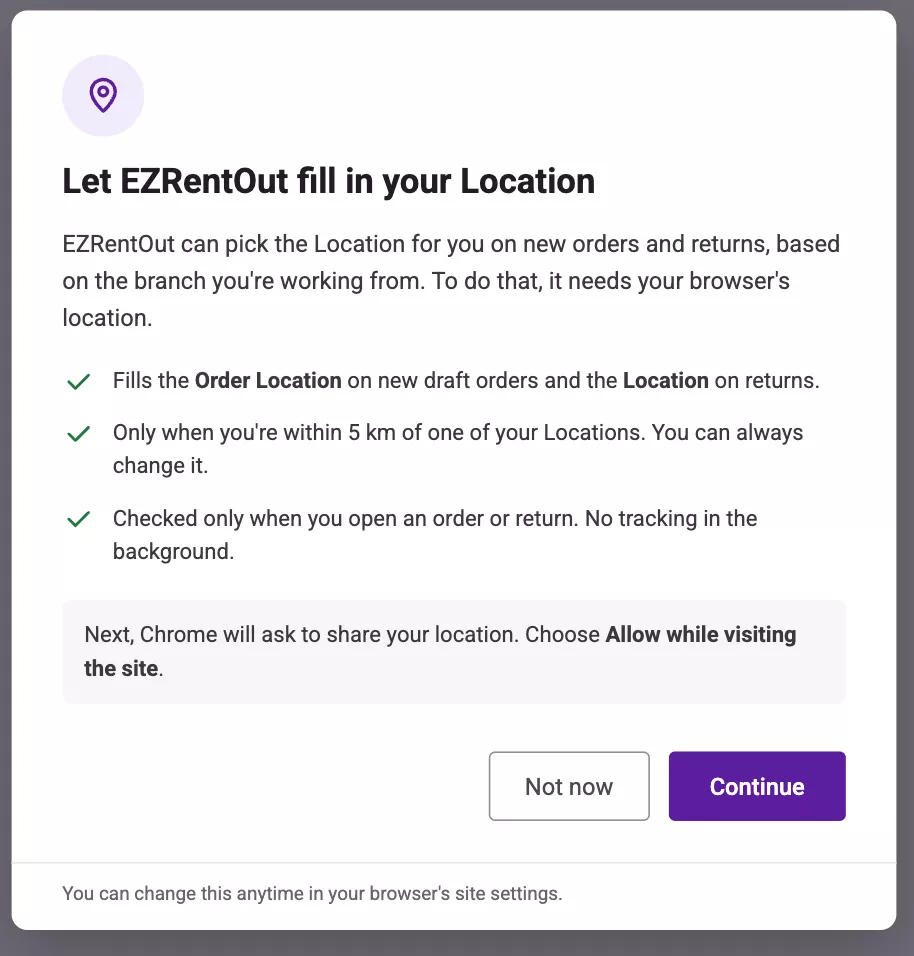
If you allow access and exactly one of your Locations is within 5 km, EZRentOut fills the Order Location field with that Location. You can still select a different Location, or click Fetch to detect your current location again.
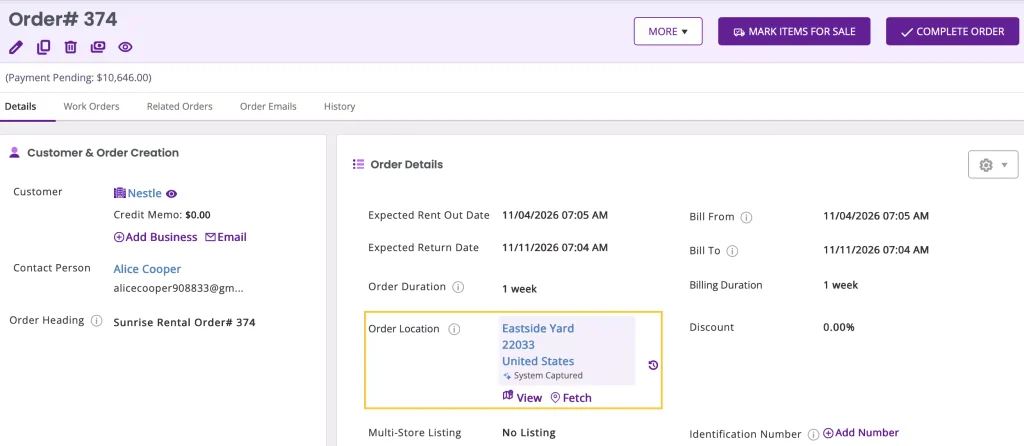
The field stays empty, and you can select a Location manually, if:
- Location access is denied
- Your location can’t be determined accurately
- No Location, or more than one Location, is within 5 km
Note: If you denied location access by mistake, allow location access for EZRentOut in your browser’s site settings, then reload the page.
For auto-fill to work, each Location needs a complete, accurate address. EZRentOut maps a Location’s coordinates from its address every time the Location is created or edited.
Monitor Location Auto-Fill Performance
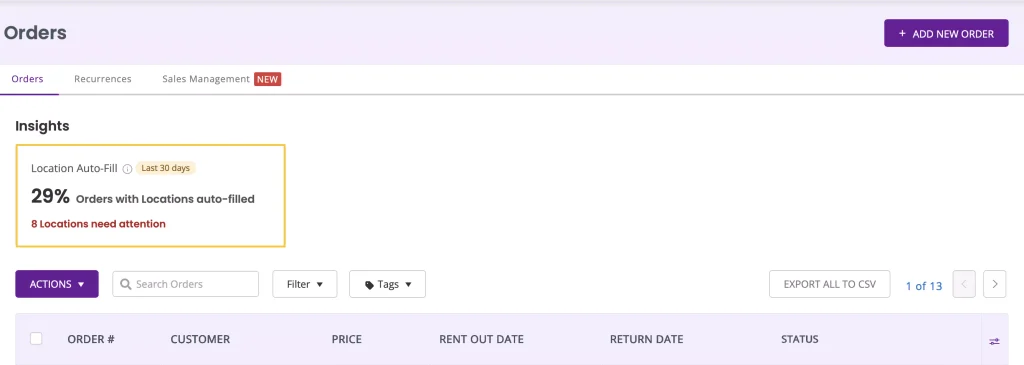
The Location Auto-Fill card on the Orders Listing page helps you track how well auto-fill is working and which Location addresses need fixing to keep your data accurate. The card shows the percentage of Orders from the last 30 days that had their Location auto-filled, and how many Locations need attention.
Click on the location autofill insights card to open the Location Auto-Fill report.
Locations by Auto-Fills
This section lists all your Locations by how many times each was auto-filled on Orders and returns in the last 30 days. It also shows the percentage of auto-fills that staff kept, meaning the auto-filled Location was still selected when the Order or return was submitted.
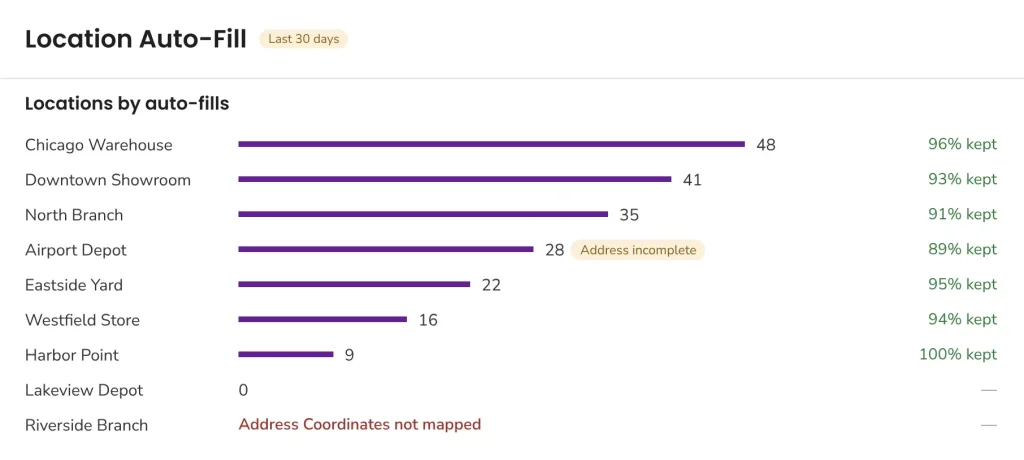
Locations with address issues are flagged with one of these labels:
- Address incomplete: Address Line 1, City, or State is missing, so the Location’s map pin may be inaccurate. These Locations can still be auto-filled.
- Address Coordinates not mapped: EZRentOut couldn’t find coordinates for the address, so this Location is never auto-filled. In the Needs Attention table, this issue appears as Address not found.
Needs Attention
The banner at the top shows how many auto-fill attempts in the last 30 days found no location within 5 km. A high number can mean a Location’s address is wrong, or that staff are creating Orders away from your branches. Click Review Locations to check your Location addresses.
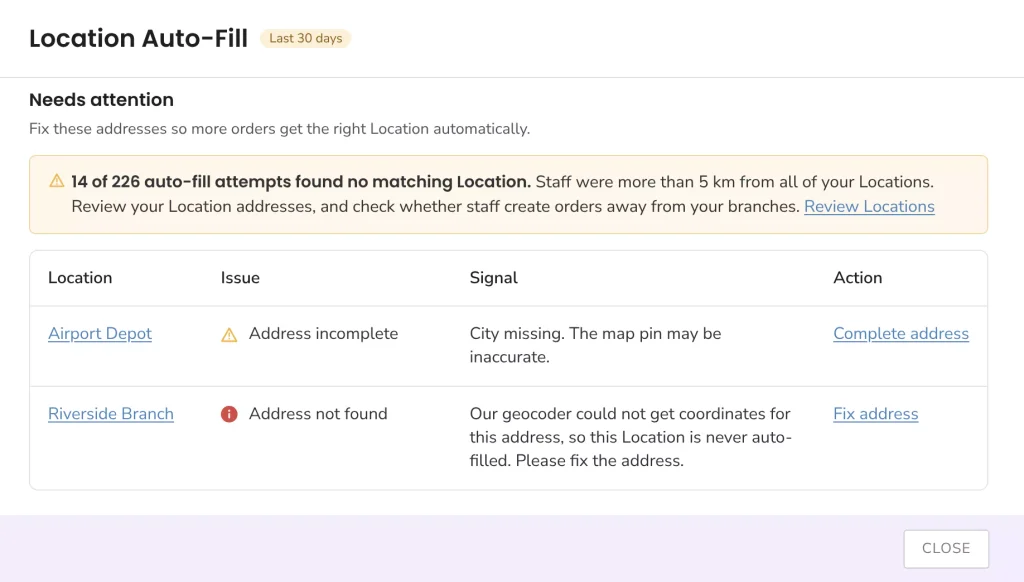
Below the banner, a table lists each Location with an address issue:
- Issue: Address incomplete or Address not found.
- Signal: What’s causing the issue, such as which address fields are missing.
- Action: Click Complete address or Fix address to update the Location’s address.
Location auto-fill takes the guesswork out of assigning Order Locations. Your team spends less time on manual entry, and the Location Auto-Fill report shows you exactly which addresses to fix. Once those addresses are fixed, more Orders get the right Location automatically, keeping your Order data accurate.
If you have any questions, reach out to us at support@ezo.io.