EZRentOut vs InTempo
All the Rental Control. None of the ERP Drag.
Control availability, readiness, returns, billing, mobile updates, and QuickBooks from one connected system. EZRentOut keeps work moving from yard to invoice without the migration burden, training demands, or complexity of an ERP rollout.
No Credit Card Required
We're Trusted by the Best






EZRentOut vs InTempo: Side-by-Side Comparison
Feature

|
Table Header
|
||
|---|---|---|
|
Pricing
|
✔ Starting at $399/month |
⚠️ Quote based |
|
Best fit |
✔ Heavy equipment rentals |
✔ Broader rental suite / ERP |
|
QuickBooks sync |
✔ Invoice + two-way payment sync |
✔ Accounting exports |
|
Recurring billing |
✔ Long-term rental billing |
✔ Cycle billing |
|
Live rental changes
|
✔ Swaps, no-charge days, updates |
✔ Configuration-led |
|
Availability control
|
✔ Calendar + conflict control |
✔ Reservations + inventory |
|
Customer pricing
|
✔ Customer/business pricing |
✔ Customer rates |
|
Maintenance
|
✔ PMs, work orders, history |
✔ |
|
Readiness control
|
✔ Holds + availability status |
✔ Service prioritization |
|
Damage proof
|
✔ Inspections + photo capture |
✔ |
|
Mobile workflows
|
✔ Checkout, return, photos |
✔ |
|
Scan verification
|
✔ Phone QR/barcode scans |
✔ |
|
B2B accounts
|
✔ Complete B2B Module |
⚠️ Basic Customer records |
|
Customer portal
|
✔ Portal + payments |
✔ Portal available |
|
Rental webstore
|
✔ Native webstore |
✔ E-commerce path |
|
GPS/telematics
|
✔ GPS + scan location |
✔ Strong telematics |
|
Reports
|
✔ AR, utilization, custom reports |
✔
|
|
Workflow controls
|
✔ Roles, alerts, automations |
✔ Configuration-led |
|
Table Header
|
|
|---|---|
|
Pricing
|
|
|
✔ Starting at $399/month |
⚠️ Quote based |
|
Best Fit |
|
|
✔ Heavy equipment rentals |
✔ Broader rental suite / ERP |
|
QuickBooks sync
|
|
|
✔ Invoice + two-way payment sync |
✔ Accounting exports |
|
Recurring billing
|
|
|
✔ Long-term rental billing |
✔ Cycle billing |
|
Live rental changes
|
|
|
✔ Swaps, no-charge days, updates |
✔ Configuration-led |
|
Availability control
|
|
|
✔ Calendar + conflict control |
✔ Reservations + inventory |
|
Customer pricing
|
|
|
✔ Customer/business pricing |
✔ Customer rates |
|
Maintenance
|
|
|
✔ PMs, work orders, history |
✔ |
|
Readiness control
|
|
|
✔ Holds + availability status |
✔ Service prioritization |
|
Damage proof
|
|
|
✔ Inspections + photos |
✔ |
|
Mobile workflows
|
|
|
✔ Checkout, return, photos |
✔ |
|
Scan verification
|
|
|
✔ Phone QR/barcode scans |
✔ |
|
B2B accounts
|
|
|
✔ Complete B2B Module |
⚠️ Basic Customer records |
|
Customer portal
|
|
|
✔ Portal + payments |
✔ Portal available |
|
Rental webstore
|
|
|
✔ Native webstore |
✔ E-commerce path |
|
GPS/telematics
|
|
|
✔ GPS + scan location |
✔ Strong telematics |
|
Reports
|
|
|
✔ AR, utilization, custom reports |
✔
|
|
Workflow controls
|
|
|
✔ Roles, alerts, automations |
✔ Configuration-led |

Why Rental Teams Choose EZRentOut?
Rental delays and revenue leakage start when availability, service, returns, and billing fall out of sync. EZRentOut connects the rental loop in one clear record, from reservation to return and final invoice. Update orders in the field, manage swaps and no-charge days, document equipment condition, and keep QuickBooks aligned with on-site activity.
InTempo offers the breadth of an ERP-style suite, but that depth can require more migration, configuration, and training. EZRentOut delivers tighter day-to-day control without turning software adoption into a company-wide project.
How EZRentOut Delivers the Rental Advantage
Track
Real-time fleet visibility. No blind spots.
- Track asset status, location, and full rental history across all job sites and yards
- Prevent double-bookings automatically with the built-in real-time Availability Calendar
- Automate recurring billing and renewals for long-term, multi-month project rentals.
Superior Construction saved $200K annually managing 300+ projects with EZRentOut’s tracking tools.

Maintain
Built-in maintenance. No extra tools needed.
- Log work orders with cost tracking, service triage, and complete asset service history in one place.
- Schedule maintenance by time, usage, or return trigger, with no manual tracking required.
- Automatically block equipment under active service from the Availability Calendar.
Yellow Iron Rentals cut costs by 50% and grew profits by 20% after automating service.

Monetize
Capture more revenue. Fewer manual steps.
- Handle extensions, partial returns, swaps, and overage charges without manual edits.
- Apply customer-specific pricing, taxes, and fees automatically at checkout every single time.
- Sync every billing change back to the rental record and QuickBooks in real time, instantly.
Key Rentals Group saved 2,000+ hours a year by automating 95% of billing workflows.

Connect
Keep QuickBooks as your source of truth.
- Sync invoices, payments, customers, taxes, locations, deposits, and credit memos
- Automatically update QuickBooks whenever rentals are extended, modified, or canceled
- Keep QuickBooks as your accounting system, no double entry, no workarounds
Iron Ranch Equipment achieved a ~30% gain in operational efficiency by replacing manual entry with EZRentOut’s QuickBooks sync.
Confidence Built on Results!

4.6/5

4.5/5
G2 Overall Sentiment
0 (Difficult)
10 (Easy)
<1 Day
>12 Months
<6 Months
48+ Months
Proven Results by Our Customers
OPERATIONAL EFFICIENCY GAIN
“All my invoicing and all my payments get pushed over there, so I don’t have to physically do that anymore.”

SAVED PER YEAR
“You can save over 2,000 hours per year with EZRentOut. There is nothing comparable.”

REDUCTION IN COSTS
“[EZRentOut] decreases the amount of rework, chasing down the equipment, and knowing whether or not we’ve done the maintenance.”

ACCOUNTING INTEGRATIONS
“QuickBooks and Xero integrations helped MASE Agency streamline accounting procedures and track orders and payment receipts in one place.”

Take Control From Yard to Invoice
Frequently Asked Questions
EZRentOut focuses on connecting day-to-day rental operations without requiring an enterprise resource planning (ERP) system. Teams can manage reservations, availability, checkouts, returns, maintenance, recurring billing, mobile updates, and accounting integrations from one rental record.
InTempo offers two broader paths: InTempo Core for rental management with QuickBooks and InTempo Enterprise with integrated accounting and wider ERP capabilities. EZRentOut is generally a better fit when faster adoption and connected rental-to-accounting workflows are most important. InTempo Enterprise is better suited to companies that want rental operations, accounting, dispatch, inventory, and business intelligence within a broader ERP environment.
InTempo Core is the closest comparison for a rental company that wants to keep QuickBooks and needs software for contracts, reservations, inventory, and back-office rental operations. InTempo Enterprise is the relevant comparison when the business wants integrated accounts payable, accounts receivable, general ledger, dispatch, reporting, and other ERP capabilities.
EZRentOut takes a focused approach: it connects equipment availability, rental orders, service activity, returns, billing, payments, and accounting integrations without replacing the company’s entire financial system. Buyers should therefore compare EZRentOut with the InTempo edition that reflects whether they want a rental operations platform or an ERP operating backbone.
EZRentOut is a strong fit for growing equipment rental companies that need tighter control across the counter, yard, service team, field, and accounting without adopting a full ERP system. Teams can manage conflict-free reservations, equipment status, customer-specific pricing, recurring rentals, maintenance, mobile checkouts and returns, and billing from connected records. Role-based access, locations, custom fields, alerts, and reports allow the system to adapt as the operation expands.
InTempo Enterprise may be more appropriate when growth requires integrated financial accounting, enterprise business intelligence, and broader back-office planning across multiple business units.
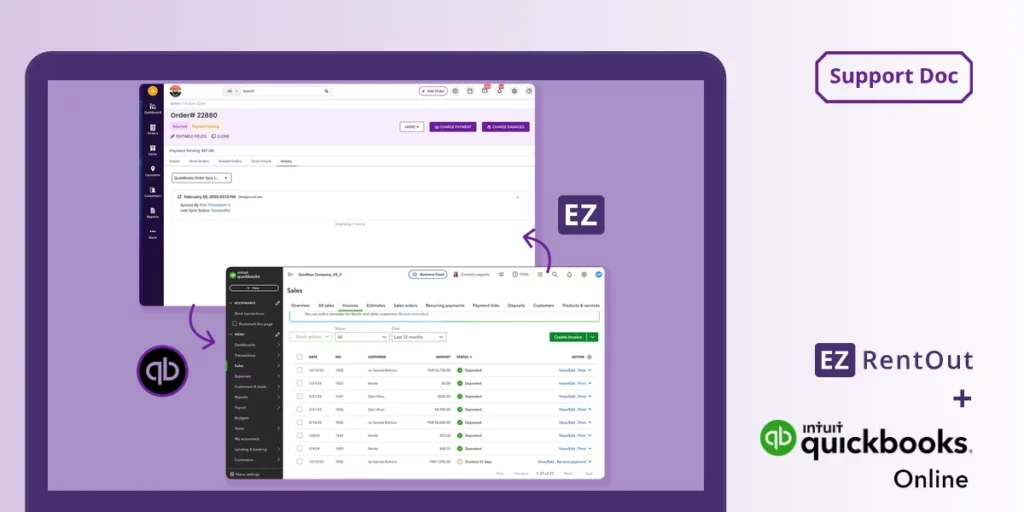
EZRentOut keeps rental operations connected to an external accounting system rather than replacing it. Its QuickBooks Online integration can sync rental invoices and payments while bringing customer and item information into EZRentOut, helping teams keep operational and accounting records aligned. EZRentOut also supports accounting workflows with Xero and Sage.
InTempo offers two accounting models: InTempo Core integrates with QuickBooks, while InTempo Enterprise includes accounts payable, accounts receivable, and general ledger capabilities within its ERP environment. EZRentOut is the better fit when the business wants to retain its current accounting platform; InTempo Enterprise is for companies seeking accounting within the rental ERP.
Yes. EZRentOut keeps operational changes tied to the rental order, so the final invoice reflects what occurred during the rental. Teams can update rental periods, process partial returns, swap equipment, apply no-charge days, add fees, and manage recurring billing without rebuilding the transaction in a separate system. Customer-specific rates, taxes, deposits, and payment activity remain associated with the order.
When QuickBooks Online is connected, supported invoices and payments can sync with the accounting system. This workflow is particularly useful when field conditions change after dispatch, and the accounting team needs a reliable record of the revised rental.
EZRentOut uses an Availability Calendar and equipment statuses to show what is available, reserved, rented out, returning, or undergoing service. When users build an order, the system checks availability for the requested rental period to reduce scheduling conflicts and double-bookings.
Teams can place equipment into maintenance, create work orders, assign tasks, record service activity, and keep the item unavailable until it is ready to rent again. Barcode or QR code scans can update custody and status during checkout and return, giving counter and yard teams a shared operational record rather than relying on calls or spreadsheets.
Yes. EZRentOut provides mobile apps for iOS and Android, along with browser access, so teams can process rental activity away from the counter. Authorized users can scan QR codes or barcodes with a phone, check equipment out or in, verify items, update locations, capture photos, and review rental information. These updates feed the same equipment and order records used by yard, service, and billing teams. Location-aware records and rental histories help users identify what is available, reserved, rented, under service, or due back across yards and job sites without maintaining a separate field-tracking system.
EZRentOut implementation centers on configuring rental operations: importing equipment and customer records, defining locations and user roles, setting rates and taxes, integrating with accounting, and setting up barcode or QR workflows. Because EZRentOut works alongside systems such as QuickBooks rather than replacing the entire financial environment, the rollout can remain focused on rental teams and their daily processes.
InTempo Core may involve a comparable rental management scope, whereas InTempo Enterprise may require broader planning due to its integrated accounting and ERP capabilities. The exact effort for either platform depends on data quality, integrations, branches, reporting needs, and process complexity.
InTempo Enterprise is better aligned with companies that need ERP-level reporting across accounting, inventory, rental, service, dispatch, and multiple business units. It includes integrated accounting and a broader business intelligence environment. EZRentOut keeps reporting closer to operational rental decisions. Teams can monitor equipment utilization, availability, order activity, accounts receivable, payments, maintenance, customer history, and asset-level performance through standard and custom reports. EZRentOut is therefore the stronger fit when managers need actionable rental and equipment reporting without implementing an ERP. InTempo may be preferable when leadership requires consolidated financial and operational analysis within a single enterprise system.
InTempo Enterprise may be the better choice when a rental company wants an all-in-one ERP that combines rental operations with accounts payable, accounts receivable, general ledger, dispatch, inventory, maintenance, and enterprise reporting. That model suits larger organizations prepared to standardize broader financial and operational processes within a single system.
EZRentOut is better aligned with teams that want to retain QuickBooks, Xero, or Sage while connecting reservations, equipment availability, service, returns, mobile activity, and billing. The decision depends primarily on whether the company needs to replace its wider back-office environment or improve rental control around the tools it already uses.