A booking is only accurate if the rest of your rental operation changes with it. When a customer extends a reservation, the equipment should stay unavailable. If a returned unit fails inspection, it should not be offered for the next job. And when delivery dates, service needs, or billing terms change, those updates should carry into the workflows that depend on them.
That is the real difference between equipment rental platforms. The best equipment rental booking, fleet, and automation software does more than take reservations or show inventory. It connects booking activity with equipment readiness, dispatch, maintenance, payments, and the follow-up work that keeps each rental moving.
In this guide, we’ll compare nine platforms specifically on booking, fleet management, and automation. Rather than ranking them by feature count, we’ll look at how well each system handles these three areas individually and how effectively information moves between them when equipment is rented.
How we compared equipment rental booking, fleet, and automation software
You may not need the platform with the longest feature list. What matters more is whether it can handle the situations that create the most friction in your rental operation.
We compared each of the nine platforms across three areas: booking, fleet management, and automation.
For booking, we looked at capabilities such as online reservations, real-time availability, scheduling, extensions, and multi-location bookings. For fleet management, we considered equipment status, location visibility, utilization, maintenance, transfers, and equipment history. For automation, we examined how much routine work the platform can handle, including reminders, billing workflows, maintenance triggers, notifications, and status updates.
Your priorities will depend on where the process breaks down today. Use the table below to identify the capabilities and specific features that warrant the closest scrutiny.
| If you’re dealing with… | Prioritize | Look for |
| Double bookings | Booking | Real-time availability and conflict prevention |
| Too many bookings handled by phone or email | Booking | Online or self-service booking |
| Equipment that’s difficult to locate | Fleet | Location and status tracking |
| Equipment sitting idle too often | Fleet | Utilization reporting |
| Confusion between branches or depots | Fleet + booking | Multi-location availability and transfers |
| Maintenance getting missed | Fleet + automation | Service scheduling and maintenance triggers |
| Staff manually chasing returns | Automation | Automated return and overdue reminders |
| Too much time spent on billing | Automation | Automated invoice and payment workflows |
Test these five scenarios with any vendor
Feature lists can tell you what a platform supports. Exceptions show you how well those features actually work together.
When you demo or trial a system, ask the vendor to walk through these five situations:
- A customer extends a rental into another reservation window. Does availability update immediately, and does the system flag the conflict before the next order is affected?
- Returned equipment fails inspection. Can the unit move into maintenance without accidentally becoming bookable again?
- The local branch cannot fulfill the order. Can your team find suitable equipment at another location and coordinate the transfer or delivery from there?
- A long-term rental reaches a billing or service interval. What happens automatically, and what still requires someone to intervene?
- A pickup, delivery, or return changes at the last minute. Do dispatch, customer communications, equipment status, and downstream schedules stay aligned?
Pay attention to more than whether the software can eventually handle each situation. Ask which records update automatically, which actions require a separate module or integration, and where staff still need to make manual changes.
These scenarios give you a practical way to compare the nine platforms below on the same terms, even when their feature sets and product architectures differ.
How booking, fleet management, and automation should work together
Booking, fleet management, and automation work best when they support one connected equipment rental workflow rather than three separate sets of features.
A typical rental process might look like this:
Customer request → availability check → booking → equipment allocation → pickup or dispatch → equipment out on rent → return reminder → check-in → inspection or maintenance → equipment available again → billing and closeout
As that workflow moves forward, each step should update the next one:
- A confirmed booking should update availability. The reserved equipment should no longer appear available for the same rental period.
- A late return or extension should affect future bookings. If the rental period changes, your availability should change with it.
- A return should update fleet status. Your team should be able to see that the equipment is back without having to manually reconcile separate records.
- Maintenance should affect what can be booked. If an inspection finds damage or service is due, the equipment should remain unavailable until the work is complete.
- Completed service should return equipment to the available fleet. Once the item is cleared, it should be ready for the next rental.
- Routine events should trigger follow-up actions. Depending on the platform, this could include return reminders, overdue alerts, maintenance tasks, status updates, or billing activity.
When you compare the nine platforms below, look beyond whether each one offers a booking calendar, fleet tools, and automation features individually. Pay attention to what happens when one part of the equipment rental changes.
The stronger workflow is the one where bookings update fleet availability, fleet conditions affect what can be rented, and routine events trigger the right next action with less manual coordination.
Equipment rental software comparison at a glance
Before you get into the individual reviews, use this table to see where each platform puts its weight. A capability marked Native is provided within the vendor’s own rental platform, Module means it comes through a separate first-party product or module, and Integration means it depends on a connected third-party system. Not verified means we could not clearly confirm that specific capability in the vendor’s current product documentation.
These labels describe how a capability is delivered, not whether it is included in every subscription or implementation. Some features vary by product, package, or configuration.
| Platform | Booking channel | Real-time availability | Multi-location | Dispatch | Maintenance | Telematics | Recurring billing | Automation tier* | Integrations | Product scope | Best fit |
| Point of Rental | Native + ecommerce | Native | Native | Native in Elite | Native | Integration — AEMP, Hapn, Samsara | Native — continuation billing | Advanced | Broad partner ecosystem | Rental management through enterprise ERP | Complex and multi-location rental operations |
| Quipli | Native ecommerce + customer portal | Native | Native | Native | Native service and repair | Integration — Hapn | Native — cycle billing | Moderate–advanced | QBO, Stripe, Hapn, Google Maps and others | End-to-end cloud rental platform | Independent general and construction rental companies |
| EZRentOut | Native webstore + customer portal | Native | Native; plan-dependent | Not verified as a dedicated dispatch module | Native; work orders vary by plan | Integration — Trackunit, Samsara, Hapn, John Deere | Native; Premium | Moderate–advanced | Accounting, payments, GPS, Zapier and API | Connected rental, equipment, maintenance and billing platform | Growing equipment rental businesses |
| Texada | Native/first-party rental ecommerce | Native | Native | Native | Native | Integration / connected equipment feeds | Native — cycle billing | Advanced | Accounting, telematics, tax and API connections | Rental, service, financials and equipment operations | Heavy-equipment and multi-branch rental businesses |
| MCS Rental Software | Module — online customer portal | Native | Native | Native logistics tools | Native workshop tools | Integration/telematics feeds | Not clearly verified | Advanced | Accounting, telematics and connected business systems | End-to-end rental operations platform | Multi-depot businesses with logistics and workshop complexity |
| Wynne Systems / RentalMan | Module — RenterLink | Native | Native | Module — Logistics Solution | Module — Service Solution | Integration — GPS/telematics providers | Not clearly verified | Advanced | Web services, partner and custom integrations | Enterprise rental ERP + specialized operational modules | Large, multi-branch equipment rental organizations |
| InTempo | Native counter/ERP reservations | Native | Native | Module — InTempo CTX | Native + Service Solution | Module/integration — InTempo MX | Native — cycle billing in Enterprise | Advanced | Telematics feeds, accounting and connected applications | Rental ERP with service, telematics and transport products | General and construction rental businesses with complex field operations |
| Booqable | Native online booking | Native | Native; higher-tier/multi-location setup | Not verified as a full dispatch system | Native downtime blocking; full workshop workflow not verified | Not verified | Not clearly verified | Moderate | Zapier, Xero, payments and website platforms | Booking, inventory and rental back-office platform | Small and midsize booking-led rental businesses |
| Alert Rental | Native ecommerce | Native | Native | Native | Native + optional work-order capabilities | Integration — AEMP/GPS providers | Native — cycle billing and recurring card billing | Advanced | GPS, SmartEquip, CRM, accounting and web services | Broad rental management and operational platform | Established equipment, tool and multi-location rental companies |
* Automation tier is our editorial assessment, based on how broadly automation extends across rental processes rather than a tier name used by the vendors themselves. Moderate indicates automation concentrated around core rental or administrative activity; moderate–advanced adds connected service, billing, or integration-driven workflows; and advanced indicates automation spanning several operational areas such as billing, maintenance, sourcing, dispatch, or field workflows.
Top 9 equipment rental tools for booking, fleet, and automation
The nine platforms below approach equipment rental operations differently. Some prioritize the customer booking experience, while others are built around complex fleet, service, logistics, or ERP workflows.
Let’s look at each one in detail!
1. Point of Rental
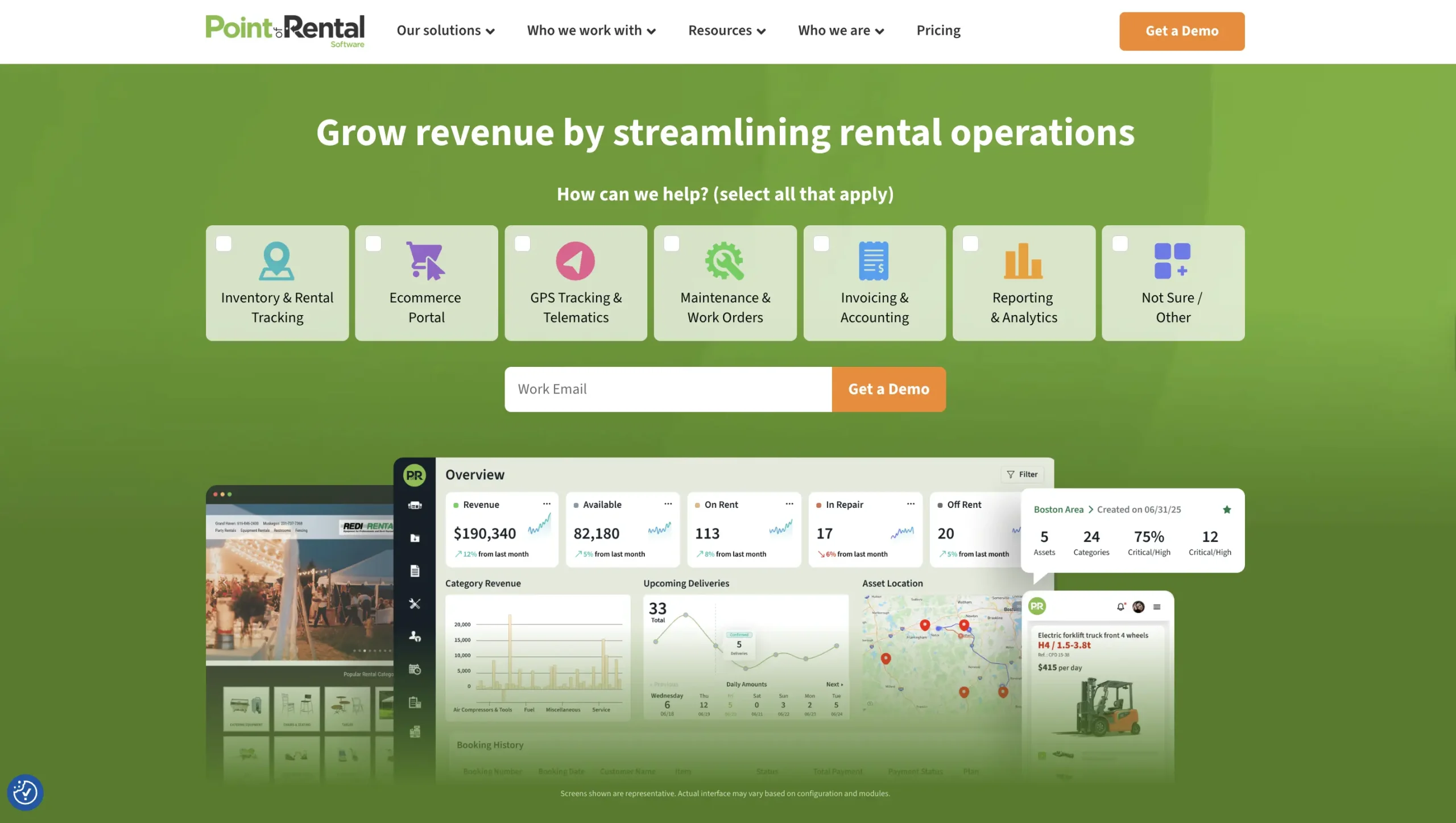
Best for: Complex, multi-location rental operations that need booking, fleet, dispatch, maintenance, and billing in one rental-focused ecosystem.
Booking capabilities
Point of Rental covers the equipment rental process from customer booking through return, although the exact capabilities depend on which Point of Rental product you use. Its Essentials product supports online rental bookings, inventory availability, pricing, payments, and multi-location operations, while its broader platform adds customer portals and rental management capabilities for more complex businesses. Customers can browse catalogs, book rentals, manage existing rentals, sign contracts, and make payments online.
That makes Point of Rental worth considering if your booking process needs to connect directly with the operational side of the business rather than stop once a reservation is confirmed.
Fleet management capabilities
This is where Point of Rental goes considerably deeper. You can manage inventory across locations, track contracts and delivery vehicles, coordinate dispatch, handle inspections, and manage maintenance and repair work.
Its Elite offering supports customizable workflows spanning inventory, inspections, dispatch, and service, while integrations such as Samsara can add GPS-based route and vehicle visibility.
For heavy equipment operations, Point of Rental also supports telematics data, including location, meter readings, usage, and geofencing.
Automation capabilities
Point of Rental ties automation to several everyday rental events. It can automatically confirm orders, follow up on rentals, send payment reminders and invoices, and handle recurring billing for longer-term rentals. Maintenance workflows can also auto-assign inspections, while telematics integrations can feed meter readings and equipment usage into service and usage-based billing processes.
Its automation therefore extends beyond customer communications into equipment and financial workflows. For comparison, Booqable’s native automated email functionality is centered on predefined system emails such as booking confirmations, while broader cross-application automation can be added through its Zapier integration.
With Point of Rental, fleet events can also lead to downstream actions: inspection failures can move into maintenance workflows, usage data can inform billing, and recurring service schedules can notify your team when equipment needs attention while it is still out on rent.
Where Point of Rental fits best
Point of Rental makes the most sense when your operation has enough moving parts for basic reservation software to be insufficient. If you are coordinating several locations, delivery vehicles, equipment service, online rentals, and recurring billing, its broader operational depth becomes more relevant.
Consider it if: You want a mature rental platform that supports both the customer-facing rental process and the operational complexity behind it. Keep in mind that capabilities vary across Point of Rental’s different products and modules.
2. Quipli
Best for: Independent general and construction equipment rental businesses that want a modern online booking experience connected to inventory, dispatch, and billing.
Booking capabilities
Quipli places booking and scheduling at the center of the platform. Its booking system connects product availability directly to ecommerce transactions, so customers can only reserve inventory available for the requested period. You can manage reservations using an inventory calendar, support multiple locations, and keep online bookings synchronized with your point-of-sale and internal inventory records.
If online rental is an important sales channel for you, Quipli’s combination of a rental website, customer portal, scheduling, and payments gives the booking side of the system particular weight.
Fleet management capabilities
You can see whether equipment is available, currently rented, or in the shop and use utilization data to understand how your fleet is being used across locations. Quipli also connects inventory with service and repair workflows, while its dispatch tools help you coordinate deliveries, pickups, drivers, and overdue orders.
For GPS and telematics, Quipli relies on a third-party integration with HAPN rather than a native tracking system. Once connected, HAPN can bring live equipment location and supported telemetry into Quipli, including automated hour-meter readings during rentals, returns, inspections, and internal work orders. Using this capability requires compatible HAPN tracking hardware and services.
That gives you a fuller picture of the fleet when telematics is enabled: not just whether a unit is listed as available, but where it is, how much it has been used, and whether that usage should inform the next rental or service decision.
Automation capabilities
Quipli automates several specific steps across the rental workflow. When a customer books equipment, availability updates against the selected rental period so the same inventory is not offered for overlapping reservations. In dispatch, overdue pickups can be flagged for your team rather than relying on someone to spot them manually.
On the financial side, Quipli supports cycle billing for longer rentals, automatic payment processing, and customer statements. Its QuickBooks Online integration can also export rental transaction data, invoices, and payments into your accounting system, but that accounting sync depends on the integration rather than happening entirely within Quipli.
The practical value is clearer when you look at the individual triggers: a booking changes availability, an overdue pickup is surfaced in dispatch, a billing cycle can generate the next charge, and completed rental transactions can flow into QuickBooks for accounting.
Where Quipli fits best
Quipli is particularly relevant if you are an independent equipment rental company trying to offer the digital booking experience customers expect without separating ecommerce from your internal rental operations.
Consider it if: Online reservations matter to you, but you still need dispatch, inventory, maintenance, and financial workflows behind the storefront.
3. EZRentOut
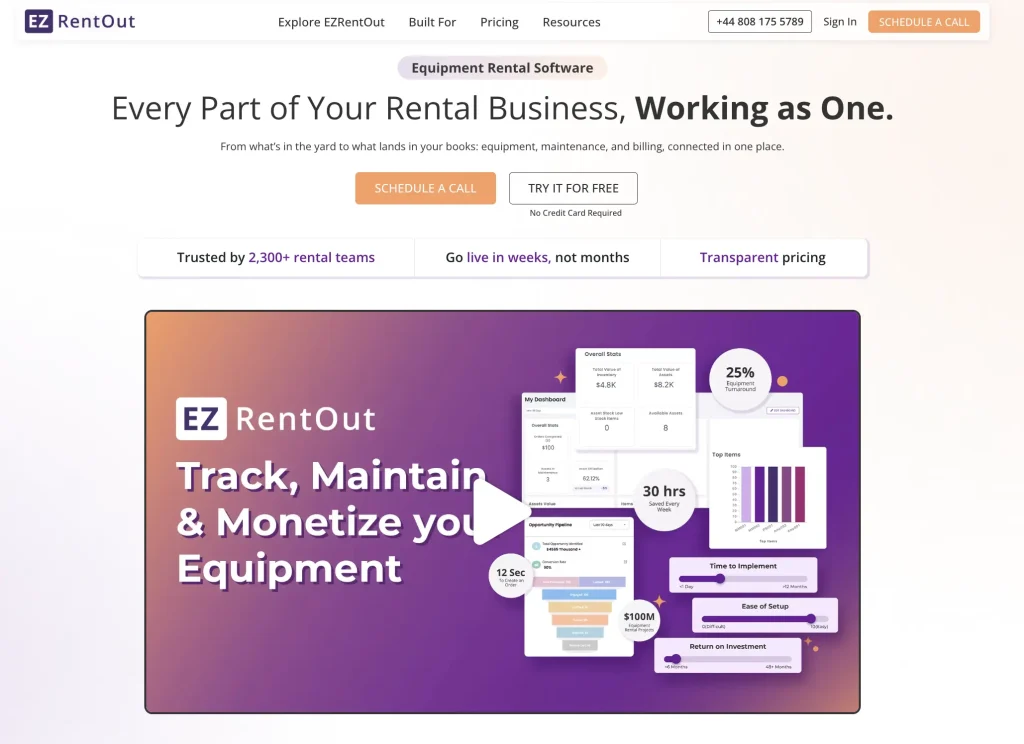
Best for: Growing mid-size and enterprise equipment rental businesses that want booking, equipment control, maintenance, and repeat rental workflows in one system.
Booking capabilities
EZRentOut lets you create conflict-free bookings based on the rental period, with availability cues and an availability calendar showing what can actually be reserved. You can restrict order creation to available equipment, manage changing orders, and let customers book and pay through an online rental store or customer portal.
You can also control rental duration, customer-specific pricing, and availability through the webstore, so the customer-facing booking process is part of the same system your team uses to manage orders.
Once a reservation is created, it feeds into the broader order management process. Your team can update the order as requirements change, prepare the equipment for pickup or delivery, move it into a rented-out state, and eventually record its return. This keeps the customer-facing reservation connected to the equipment and order activity that follows.
Fleet management capabilities
Once a rental is confirmed, EZRentOut keeps the equipment record connected to what happens next. You can see whether an item is booked, rented out, or returned, while equipment usage, multiple locations, maintenance, and availability data help you understand whether that equipment is actually ready for another rental.
Your team can also update equipment as it moves through the operation. The mobile app supports barcode and QR code scanning during dispatch, transfers, and returns, helping you record handoffs where they happen rather than reconciling them later.
For equipment that moves between yards, job sites, or customer locations, EZRentOut also supports GPS and telematics tracking via integrations with providers such as Trackunit, Samsara, Hapn, and John Deere. Location data can be brought into the equipment record alongside scan and handoff history, giving you more context when deciding what to send out next.
So if one unit is already committed, another is sitting at a different location, and a third is due for maintenance, your team has more than a simple inventory count to work with. You can use availability, location, usage, and service information together to choose the equipment that is best positioned for the next rental.
Automation capabilities
EZRentOut automates several repetitive tasks associated with longer rentals and ongoing equipment use. Recurring orders can generate invoices automatically at the billing interval you set, while recurring credit card payments can also be auto-charged when you use a supported payment gateway and enable the relevant settings. That reduces the need to recreate invoices or manually collect the same payment every billing cycle.
Alerts can also handle part of the follow-up work. You can configure notifications for rental and payment activity, while maintenance alerts notify your team when a service is created, started, extended, completed, or approaching its expected completion date. Preventive maintenance can also be scheduled on recurring time- or usage-based intervals, helping service work surface before equipment is needed again.
Some automation depends on integrations rather than happening entirely within EZRentOut. For example, QuickBooks Online can sync rental orders as invoices and exchange payment information with EZRentOut, helping keep financial records aligned with rental activity without duplicate entry.
For you, that means automation can extend beyond simple reminders: a long-term rental can continue generating bills, payments can be collected automatically when configured, maintenance can recur on schedule, and accounting records can stay connected as the order progresses.
Where EZRentOut fits best
EZRentOut is for businesses that need more operational control than standalone booking software offers but do not want booking, inventory, maintenance, and invoicing spread across separate applications. Its mix is particularly useful when equipment availability and recurring rental workflows need to stay closely connected.
Consider it if: You need to manage customer bookings while maintaining tight control over equipment availability, maintenance, recurring rentals, and day-to-day order movement.
4. Texada
Best for: Heavy equipment rental operations that prioritize fleet visibility, dispatch, maintenance, and multi-location coordination.
Booking capabilities
Texada supports reservation management as part of a broader rental workflow rather than treating booking as a standalone function. Its rental platform covers the process from reservations to returns, and its online rental shop provides customers with a digital channel for rental transactions.
Real-time inventory visibility helps you check whether equipment is available before committing it to another rental, which is particularly important when the same type of machine may be rented across several locations.
Fleet management capabilities
Fleet operations are a major part of Texada’s positioning. You can track inventory in real time, use GPS and telematics for fleet visibility, coordinate dispatch and delivery, manage work orders, and monitor equipment health and service history. Texada’s equipment monitoring tools can also surface service needs from meter readings and other machine-health information.
This helps you choose the right equipment for the next rental based not only on availability, but also on its location and service status.
Automation capabilities
Texada provides automated maintenance reminders and can help schedule invoicing, so you don’t have to rely on someone to initiate every billing action manually. Its service and logistics workflows also connect check-in information to inspection and service activities, helping a returned asset move to the next operational step.
This is particularly valuable in heavy-equipment environments where a return may need inspection or service before the machine should become available again.
Where Texada fits best
Texada is more compelling when fleet coordination is at least as important to you as the initial booking. Heavy equipment, multiple branches, dispatch activity, telematics, and maintenance requirements all play to its strengths.
Consider it if: Your biggest challenges occur after the reservation, such as getting the right machine to the right place, monitoring it in the field, and turning it around efficiently for the next rental.
5. MCS Rental Software
Best for: Growing and multi-depot equipment rental businesses that need strong utilization, logistics, and maintenance control.
Booking capabilities
MCS Rental Software supports the booking process from quote and reservation through contract creation. You can check equipment availability in real time before committing inventory, while customers can use the online portal to browse equipment, check availability, request quotes, and place orders without relying on your rental counter.
Once a booking is confirmed, the information can carry into the next stages of the rental rather than remaining in a standalone calendar. MCS connects contracts with equipment availability and logistics, so your team can plan deliveries, collections, and transfers based on where equipment is available and when it is needed.
This is particularly useful if your booking process involves more than reserving an item. For example, you may need to allocate equipment from another depot, arrange delivery to a job site, or convert a quotation into a rental contract before the equipment goes out. MCS keeps those activities within the same rental workflow, with invoicing connected further downstream.
Fleet management capabilities
MCS gives you a live view of equipment availability, usage, and performance across one or multiple depots. Utilization reporting can show which assets are earning their keep and which are spending too much time idle, while logistics tools help you coordinate equipment movements, deliveries, and collections between locations.
Maintenance is also tied closely to fleet availability. You can set maintenance plans, receive reminders for upcoming service, and keep service histories against individual assets. Returned equipment can be categorized as needing cleaning, repair, or other attention before it goes back out.
In practice, this helps you distinguish between equipment that is simply sitting at a depot and equipment that is actually ready for the next rental. If one unit needs service or another depot has suitable equipment available, your team has more information to decide what to allocate or move.
Automation capabilities
MCS focuses much of its automation on the operational work that happens around equipment. Automated maintenance alerts can flag when servicing is approaching, helping your workshop act before a machine becomes unavailable unexpectedly. MCS can also use maintenance rules and workshop histories to keep service work organized over time.
Automation also extends into post-rental processing. For example, when returned equipment is recorded as damaged, dirty, or requiring other attention, the system can apply the relevant customer charges where configured. Accounting integrations can carry rental and invoice data into financial systems, reducing duplicate entry between rental operations and finance.
For you, the practical benefit is that a return can lead to the next required action, e.g., service, cleaning, charging, or availability updating, without your team having to rebuild that context manually every time.
Where MCS Rental Software fits best
MCS becomes particularly relevant as your operation adds more depots, equipment movements, workshop activity, and delivery coordination. Its strength is not just showing you what is available, but connecting availability with utilization, maintenance, contracts, logistics, and invoicing across the whole equipment rental lifecycle.
That makes it a stronger fit when several teams need to act on the same rental information. Your counter staff may need availability, your transport team needs delivery details, your workshop needs service requirements, and management wants to know whether the fleet is being used profitably.
Consider it if: You manage a multi-depot or operationally complex rental business and want equipment availability, maintenance, logistics, and contract activity to stay connected.
6. Wynne Systems (RentalMan)
Best for: Enterprise and multi-branch equipment rental companies that need rental ERP depth across fleet, service, logistics, and finance.
Booking capabilities
Wynne Systems handles reservations as part of a broader rental and contract workflow. Rental teams can process rentals, quotes, contracts, rates, and billing within the core system, while Wynne’s RenterLink adds a customer-facing ecommerce option for placing rental orders and managing rental interactions online.
Wynne’s IntelliSource takes the reservation workflow further. Your counter team can create and edit reservations, check whether the requested equipment is available for the required dates, see alternatives at other branches, and stage a reservation before converting it into a contract.
That is useful when fulfilling a booking is not as simple as choosing an item from the local yard. If the requested unit is unavailable, your team can look across the branch network or identify equipment with similar capabilities before committing to the rental.
Fleet management capabilities
Wynne Systems is designed to follow equipment well beyond the rental counter. You can manage purchasing, asset records, utilization, transfers, scheduled maintenance, depreciation, and eventual disposal within the wider rental ERP. Its Logistics Solution adds transportation management, while GPS-enabled scheduling can give dispatchers visibility into trucks, equipment, and drivers in the field.
Service is also connected to rental demand. Wynne’s Service Solution can prioritize equipment work so your maintenance team focuses on assets that are most important to upcoming rental requirements rather than simply working through jobs in the order they arrived.
For a large fleet, that connection is significant: knowing where a machine is matters, but so does knowing whether it should be transferred, serviced, rented again, or eventually removed from the fleet.
Automation capabilities
Wynne Systems’ automation is focused on specific operational decisions rather than general system connectivity. One example is service prioritization: maintenance work can be prioritized based on upcoming rental demand, helping your team focus first on equipment that needs to be ready for scheduled jobs.
Its APIs and integrations play a different role. They can move data between RentalMan and external CRM, vendor, payment, reservation, logistics, and field-service systems, reducing duplicate data entry and providing the connected information needed to support automated workflows. However, that connectivity should not be treated as automation by itself.
So when you evaluate Wynne, distinguish between the two: automation determines or initiates the next action, such as prioritizing service work, while integrations provide the data flow that keeps rental, fleet, finance, and external systems aligned.
Where Wynne Systems fits best
Wynne Systems makes the most sense when rental software is expected to sit at the center of a large operation. It is built for organizations managing complex contracts, multi-branch fleets, transportation, maintenance, purchasing, utilization, billing, and accounting rather than just reservations and inventory.
That depth may be unnecessary if you operate a small rental counter with straightforward bookings. It becomes much more relevant when fulfilling one rental can involve several branches, a service department, transport planners, and finance teams.
Consider it if: You need an enterprise rental ERP that can coordinate bookings with fleet sourcing, maintenance, logistics, and financial processes across multiple branches.
7. InTempo
Best for: General and construction equipment rental businesses with complex service, fleet, and delivery requirements.
Booking capabilities
InTempo lets your team manage quotes, contracts, reservations, inventory, and customer-specific rates within its rental system. InTempo Enterprise also supports multiple billing options/methods, giving you flexibility when a rental does not fit a simple daily or weekly pricing model. Staff can work with contracts, reservations, and inventory from mobile devices as well as at the counter.
What makes the reservation data particularly useful is what can happen downstream. Upcoming rentals can inform service prioritization, while InTempo CTX can use reservation information to plan equipment deliveries and pickups.
So if a customer reserves a machine that still needs attention and delivery, the booking can reflect both the maintenance priority and the transportation plan, rather than remaining a standalone entry on a reservation calendar.
Fleet management capabilities
InTempo gives you several ways to understand where equipment is and whether it is ready to work. Its mobile app supports real-time asset management and branch-to-branch transfers, while InTempo MX combines equipment location and status with customer, contract, and jobsite information.
Maintenance adds another layer. You can create repair and preventive-maintenance work orders and identify equipment due for service based on calendar days, rental days, number of rentals, or meter readings. Service history, costs, utilization, and equipment performance can then contribute to longer-term fleet decisions.
That means you can look beyond “Where is this machine?” and answer the more useful question: “Is this the right machine to send on the next job?”
Automation capabilities
InTempo has some of the more operationally specific automation in this group. Its Service Solution can automatically prioritize maintenance based on upcoming reservations and available fleet thresholds. If availability for a particular equipment category drops below a level you set, the system can surface the relevant work so mechanics focus on getting high-demand equipment rental-ready first.
InTempo CTX applies automation to transportation. It can optimize delivery and pickup routes based on reservation requirements, driver availability, traffic conditions, and other constraints, and recalculate plans as conditions change. It also supports load optimization and customer SMS or email notifications at selected stages of a delivery.
So automation is not limited to administrative reminders. It can directly influence which machine gets serviced, which truck carries it, and how it reaches the customer.
Where InTempo fits best
InTempo is particularly relevant when the difficult part of a rental occurs between the reservation and the return. If your operation spends significant time deciding what to service first, transferring equipment between branches, coordinating drivers, building delivery routes, or tracking machines at customer jobsites, its connected service and transportation tools stand out.
The product range also allows smaller equipment rental businesses to start with InTempo Core, while Enterprise is designed for larger general and construction rental companies operating across multiple branches.
Consider it if: Service prioritization, fleet movement, and delivery planning are major parts of your equipment rental workflow, not just tasks that happen after a booking.
8. Booqable
Best for: Small and mid-size equipment rental businesses that prioritize online booking, straightforward inventory control, and a simple order workflow.
Booking capabilities
Booqable is built heavily around getting a customer from equipment selection to a confirmed rental. You can accept bookings through your website or booking page, and create orders for customers who call or walk in. As dates and products are added, pricing and availability update automatically, helping your staff avoid manually checking stock before confirming each order.
Once inventory is committed to a booking, Booqable accounts for it when calculating availability for the same rental period. The system supports individually tracked products, bulk stock, variations, and bundles, so the availability customers see can reflect the inventory structure you actually rent.
For you, the main advantage is a shorter path between a customer’s requested dates and a booking your team knows it can fulfill.
Fleet management capabilities
Booqable’s fleet controls are centered on equipment rental inventory rather than heavy-equipment fleet logistics. You can see what is available, rented out, or awaiting return and track individual pieces of equipment as well as bulk quantities. Multi-location inventory tracking is also supported.
Barcode and QR code scanning helps connect those digital records with physical handoffs. Your team can scan equipment during check-in and checkout instead of manually searching for units, while individually tracked assets can retain rental history and other unit-level information.
This works well when your primary fleet question is “What’s available for the next order?” Businesses that depend heavily on telematics, sophisticated dispatch, or workshop scheduling will need to weigh those requirements separately against more fleet-centric platforms.
Automation capabilities
Booqable’s native automation is closely tied to the equipment rental order lifecycle. Creating or changing an order can automatically update pricing and availability. When an order reaches the reserved stage, the associated inventory is held for that customer; once it moves through the return stage, the products can be released for another booking.
That sounds simple, but it removes an important manual step. Your team does not have to change inventory availability separately every time a booking moves from reservation to pickup and then back to stock.
Booqable also integrates with Zapier, which connects it to thousands of other applications for automation outside the core equipment rental workflow.
Where Booqable fits best
Based on its current feature set, Booqable is most compelling when booking convenience and accurate inventory availability matter more to you than managing a highly complex heavy-equipment fleet. Its website tools, online checkout, order workflow, payments, inventory controls, and scanning capabilities are designed to keep the front-end rental experience closely connected to stock availability.
That can make it particularly practical for equipment, event, AV, camera, bike, and other businesses where customers commonly choose and reserve specific products online.
Consider it if: Your priority is making it easy for customers to book while ensuring your team always knows what equipment is committed, out with a customer, or ready to rent again.
9. Alert Rental Software
Best for: Established equipment rental businesses that need reservations, fleet control, dispatch, maintenance, and billing within one operational system.
Booking capabilities
Alert Rental supports reservations, contracts, scheduling, and ecommerce rather than treating online orders as a separate sales channel. Its ecommerce tools let you define who can place orders and set rules around how reservations can be added, changed, or deleted.
It also supports workflows such as splitting and merging rental tickets, which can be useful when the original order changes after it has been created. Instead of rebuilding the transaction when part of an order needs to move separately, or requirements change, your team has more flexibility to adapt the existing rental record.
That makes Alert Rental more relevant when rental equipment bookings routinely evolve into more complicated contracts, fulfillment schedules, or delivery requirements after the initial reservation is placed.
Fleet management capabilities
Alert Rental gives you visibility into both an asset’s home base and its current physical location, with availability views that span local, regional, or global inventory. That is useful when fulfilling an order may require looking beyond the stock sitting at the customer’s nearest branch.
Its Rover mobile app brings the physical equipment rental handoff into that workflow. Staff can manage pickups and returns, collect signatures, take photos, and complete inspections in the field, while Alert also provides dispatch and preventive-maintenance capabilities.
As a result, equipment information can be updated where the work actually happens, at the counter, in the yard, on a delivery, or during an inspection, rather than waiting for somebody in the office to reconcile it later.
Automation capabilities
Alert Rental combines financial and maintenance automation in ways that directly affect equipment rental readiness. Cycle Billing with Auto-Pay can automate recurring invoices, while its preventive-maintenance functionality supports automated work order creation and multiple maintenance triggers.
Those are two different but useful sides of the rental workflow. A long-running rental can continue through its billing cycle without staff having to create each invoice manually, while equipment reaching a maintenance condition can trigger the work needed to keep it serviceable.
This makes Alert Rentals’ automation particularly relevant if your team is handling a high volume of recurring transactions and preventive-maintenance activity at the same time.
Where Alert Rental Software fits best
Alert Rental is suited to businesses that need traditional rental operational depth across several parts of the company. It supports single-location businesses but can also manage shared inventory, contracts, dispatching, reporting, and customer information across multiple branches.
Its combination of ecommerce, counter workflows, field activity, dispatch, maintenance, and billing makes it a different proposition from software primarily designed to facilitate online booking.
Consider it if: You need one equipment rental system to support activities across the counter, yard, field, workshop, dispatch desk, and back office as an order moves from reservation through return and billing.
Final thoughts: choose for the way you actually operate
There is no single winner for every rental business, because the value of these platforms depends on what your operation asks them to do.
If most of your friction happens at the front end, you may care more about how quickly customers can reserve equipment and how accurately the system handles dates, rates, and availability. If your challenge starts once equipment leaves the yard, capabilities around location, utilization, servicing, dispatch, and multi-branch coordination become more important. And if your team spends too much time pushing routine tasks forward manually, the depth of workflow automation should carry more weight in your decision.
That is also why you should avoid choosing a platform based on the longest feature list. Instead, take two or three real scenarios from your business and walk each vendor through them. For example:
- A customer extends a rental that overlaps with the next reservation.
- A returned unit fails inspection and needs repair before it can go back out.
- The closest branch has no suitable equipment, but another location does.
- A long-term rental reaches its next billing or service interval.
- A pickup, return, or delivery changes at the last minute.
The way a system handles those exceptions will often tell you more than a polished product demo.
Use the comparisons in this guide to narrow your shortlist, then test how each platform supports the situations your team deals with every day. The right choice is the one that keeps the handoffs between customers, equipment, service teams, logistics, and finance from becoming extra work for you.