Choosing the best equipment rental software is not simply a matter of finding the platform with the longest feature list. The right system should help a rental business understand what equipment is available, what is already reserved, what requires maintenance, where each item is located, and how every rental order moves from booking to return and billing.
Different platforms are built for different operating models. Some prioritize online reservations and customer self-service, while others support complex dispatch, multi-location inventory, workshop management, and enterprise reporting.
This guide compares eight equipment rental software platforms: EZRentOut, Quipli, Point of Rental, Wynne Systems, InTempo, Booqable, MCS Rental Software, and Alert Rental Software. The comparison is based on their core rental workflows, equipment management capabilities, maintenance controls, customer tools, integrations, and operational fit.
It also explains which features matter most and how to evaluate whether a platform can handle the real-world exceptions that often disrupt rental operations.
Best equipment rental software at a glance
| Software | Best suited for | Rental inventory | Reservations and orders | Maintenance | Dispatch | Online bookings or portal | Multi-location support | Reporting |
| EZRentOut | End-to-end equipment rental operations | Serialized + bulk stock | Bookings + recurring orders | Work orders + PM | Delivery/pickup workflows | Webstore — Growth | Multi-store/plan-dependent | Standard + custom reports |
| Quipli | Independent tool and heavy-equipment rental companies | Unit + bulk tracking | Reservations + contracts | Work orders + planned service | Visual dispatch calendar | Storefront + customer portal | Multi-location supported | Operational + financial reports |
| Point of Rental | Rental companies needing tiered and scalable functionality | Rental + sale inventory | Reservations + contracts | Product-dependent | Product/module-dependent | Product-dependent | Multi-location supported | Product-dependent |
| Wynne Systems | Large construction and equipment rental operations | Enterprise fleet + parts | Contracts + cycle billing | Work orders + scheduled service | Logistics solution | RenterLink | Multi-branch operations | Enterprise operational + financial BI |
| InTempo | Local, regional, and expanding rental businesses | Rental + sale inventory | Quotes + reservations + contracts | Work orders + preventive service | Route + delivery planning | Product/configuration-dependent | Multi-location supported | Standard + custom/BI reporting |
| Booqable | Online-first and smaller rental businesses | Trackable + bulk products | Online + back-office orders | Downtime blocking only | Delivery add-on | Booking page + website tools | Scale add-on | Product + revenue reporting |
| MCS Rental Software | Growing and complex multi-depot operations | Fleet + stock + rehires | Quotes + contracts | Workshop + scheduled service | Transport + collection planning | Customer portal | Multi-depot operations | KPI + performance reporting |
| Alert Rental Software | Equipment, tool, construction, and event rentals | Serialized + bulk equipment | Reservations + rental tickets | Work orders + trigger-based PM | Graphical dispatch | Add-on/module-dependent | Additional-location support | Standard + custom reports |
How we evaluated equipment rental software across different categories
We evaluated each platform based on how well it supports the day-to-day workflows that rental businesses rely on, rather than simply counting the number of features listed on a product page. The comparison considers how equipment moves from availability and reservation through checkout, dispatch, return, inspection, maintenance, and billing.
Because the platforms in this guide serve different business sizes and rental models, the evaluation focuses on operational fit. A system designed for an online-first rental business may prioritize booking and customer self-service, while an enterprise platform may offer deeper controls for multi-location operations, workshop management, financial reporting, and dispatch.
The following criteria were used to assess each equipment rental software platform.
1. Rental workflow coverage
We reviewed whether each platform supports the main stages of the equipment rental cycle, including:
- Quotes, reservations, and rental orders
- Contracts and approvals
- Check-in and check-out
- Delivery and pickup
- Extensions and partial returns
- Inspections, invoicing, and order closure
We also considered how the software handles exceptions such as damaged equipment, overdue returns, substitutions, and changes to confirmed orders.
2. Inventory, availability, and scheduling
Rental inventory management requires more than a list of equipment. Teams need to know where each item is, whether it is already reserved, and whether it is ready for another rental.
We assessed support for:
- Serialized and bulk inventory
- Kits, bundles, and accessories
- Location, custody, and status records
- Barcode, QR code, RFID, or GPS tracking
- Availability calendars
- Reservation conflicts
- Turnaround times
- Multi-location availability
- Equipment substitutions
For equipment-intensive operations, availability logic should account for maintenance, inspections, transfers, and overdue returns when determining whether equipment is actually rentable.
3. Maintenance and equipment health
We evaluated whether each platform connects maintenance requirements with rental availability.
Key capabilities included:
- Usage-based and preventive maintenance
- Work orders and service history
- Pre-rental and return inspections
- Damage records
- Equipment downtime
- Maintenance-based availability blocks
This helps prevent equipment that is damaged, overdue for service, or awaiting inspection from being assigned to another order.
4. Dispatch, returns, and multi-location operations
We reviewed how each system supports the movement of equipment between branches, job sites, and customers.
This included:
- Delivery and pickup scheduling
- Driver or vehicle assignments
- Dispatch calendars
- Equipment transfers
- Mobile delivery workflows
- Proof of delivery
- Partial returns
- Return inspections
For multi-location businesses, we also considered whether teams can view shared availability and coordinate transfers from one system.
5. Customer and financial workflows
We assessed how each platform connects customer records, contracts, and charges with rental orders.
Evaluation areas included:
- Customer profiles and rental history
- Digital contracts and electronic signatures
- Security deposits
- Rental rates and recurring billing
- Late and damage charges
- Invoices, payments, and refunds
- Customer portals
- Accounting and payment integrations
6. Reporting, integrations, and scalability
We reviewed whether each platform provides the visibility and flexibility needed to support business growth.
This included:
- Equipment utilization and revenue reports
- Maintenance costs and downtime
- Overdue rental reporting
- Branch and customer performance
- Custom reports and exports
- Role-based permissions
- Mobile and offline access
- APIs and third-party integrations
- Data migration and implementation requirements
8 equipment rental platforms to evaluate in 2026
Your ideal platform will depend on what you rent, how your equipment moves, and how complex your daily operations are. The following detailed comparison will help you see where each option fits and which capabilities matter most for your equipment rental workflow.
1. EZRentOut: Best for connected heavy equipment rental operations
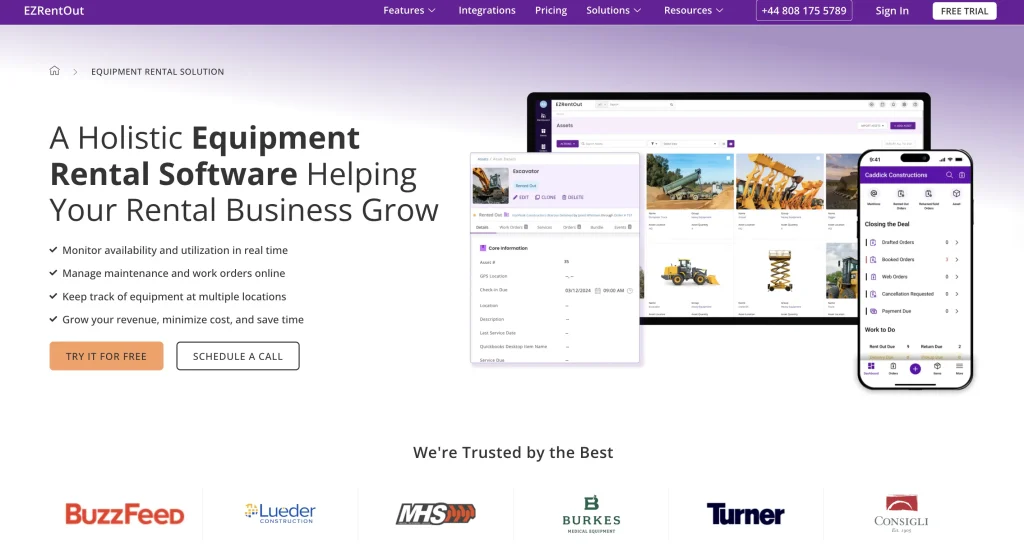
EZRentOut is a cloud-based equipment rental management platform built to connect rental orders, equipment records, maintenance, customer management, billing, and reporting. Its clearest fit is construction and heavy-equipment rental operations, including businesses that manage expensive, mobile, revenue-generating equipment.
The platform covers the complete equipment rental lifecycle from booking and availability through checkout, return, inspection, recurring billing, and accounting handoff.
Best suited for
EZRentOut is best suited for midsize-to-enterprise equipment rental businesses that want to connect daily rental operations with maintenance and billing without adopting a broader enterprise rental ERP. It is particularly relevant for construction and heavy-equipment rental teams that manage recurring orders, rental extensions, partial returns, equipment swaps, damage charges, and service requirements.
Key equipment rental capabilities
- Rental order management: Create quotes, bookings, recurring orders, sub-rentals, equipment swaps, partial returns, and check-ins from one workflow.
- Inventory and asset tracking: Track individually managed equipment, bulk stock, kits, locations, custody, usage, and availability.
- Availability and scheduling: View equipment availability, manage reservations, and reduce double-booking and scheduling conflicts.
- Maintenance and inspections: Schedule preventive maintenance, manage work orders, retain service history, and document equipment condition at checkout and return.
- Barcode and QR code scanning: Verify equipment and speed up check-in and check-out using mobile devices.
- Billing and payments: Manage invoices, recurring charges, deposits, and online payments while connecting rental records with accounting platforms.
- Mobile operations: Update orders, scan equipment, and access rental records from Android and iOS devices.
- Reporting and analytics: Track equipment utilization, revenue, performance, and operational activity using standard or custom reports.
- Integrations: Connect EZRentOut with QuickBooks Online, QuickBooks Desktop, Xero, Sage, payment and tax tools, and GPS or telematics platforms such as Samsara, HAPN, John Deere, and Trackunit.
- Bundles and packages: Group equipment with accessories or commonly rented items so you can reserve and rent them together.
- Sub-rentals: Add equipment sourced from other providers to customer orders and track the related costs and revenue.
- Online rental experience: Set up a Rental Webstore and customer portal where customers can browse equipment, place orders, view rental details, and make payments.
- Multi-location management: View equipment across stores, departments, or divisions while maintaining shared reporting and operating controls.
Together, these capabilities help you manage rental orders, equipment availability, maintenance, customer activity, and billing without relying on separate systems.
Standout workflow: Keeping rental changes connected to billing
One of EZRentOut’s most relevant strengths is its ability to keep billing aligned with what happens after equipment leaves the yard. Rental teams can manage extensions, recurring orders, partial returns, mid-rental equipment swaps, late fees, and damage charges within the rental workflow instead of manually correcting the invoice later.
When connected to QuickBooks Online, EZRentOut maps rental orders to invoices and syncs payments in both directions. This helps operations and finance work from billing records that reflect the actual rental rather than only the original reservation.
EZRentOut pricing
EZRentOut offers three pricing tiers based on the complexity of your rental operations:
- Growth — $399 per month, billed annually: Includes an availability calendar, Rental Webstore, custom reporting, and payment integrations. This tier is designed for businesses expanding their online and operational capabilities.
- Premium — $499 per month, billed annually: Includes Growth features plus maintenance management, sub-rentals, recurring orders, customer management, and accounting integrations. It is better suited to larger fleets and more complex rental workflows.
- Enterprise — Custom pricing: Supports multi-location operations that require advanced integrations and greater customization.
You should confirm which features and add-ons are included in your selected plan before making a final comparison.
Points to evaluate
Equipment rental businesses considering EZRentOut should verify:
- Which advanced capabilities are included in the plan being evaluated and which require optional modules or add-ons.
- Whether the Rental Webstore or customer portal provides the required booking, payment, and account-management experience.
- Which accounting platform will remain the financial source of truth and how individual records will sync.
- Whether the available delivery and pickup workflows meet the company’s dispatch and routing requirements.
- How serialized assets, bulk asset stock, kits, and sale inventory should be structured during implementation.
- Whether employees need broader offline functionality, since offline support is limited to adding work logs to work orders rather than using the entire mobile app offline.
Comparison snapshot
| Evaluation area | Assessment |
| Best fit | Construction and heavy-equipment rental businesses |
| Inventory model | Serialized assets, bulk stock, sale items, kits, accessories, locations, and custody |
| Scheduling | Conflict-free bookings, recurring orders, availability calendar, alerts, and multi-location visibility |
| Maintenance | Recurring maintenance, work orders, inspections, usage tracking, costs, and service history |
| Dispatch | Order preparation, equipment movement, delivery and pickup charges, and mobile verification |
| Online customer experience | Rental Webstore, website plug-ins, online payments, catalog controls, and customer portal |
| Multi-location operations | Multiple stores, shared equipment visibility, transfers, and consolidated reporting |
| Reporting | Operational, revenue, utilization, receivables, history, and custom scheduled reports |
| Accounting approach | QuickBooks Online, QuickBooks Desktop, Xero, and Sage integrations |
| Mobile access | Android, iOS, iPad, and browser access with barcode and QR scanning |
2. Quipli: Best for independent tool and heavy-equipment rental companies
Quipli is also a cloud-based rental management platform that connects inventory, reservations, checkout, dispatch, maintenance, invoicing, payments, and online ordering. It is primarily built for independent general-tool, light-equipment, and heavy-construction-equipment rental companies.
You can use it to manage the rental lifecycle from a customer’s initial quote or online reservation through pickup, return, service, and payment.
Best suited for
Quipli is best suited if you operate a general-tool or construction-equipment rental business and want your counter, online, yard, dispatch, maintenance, and accounting workflows in one system. It may be particularly relevant when you want to provide online booking and customer self-service without maintaining a separate e-commerce platform.
Key rental capabilities
- Rental order management: Create quotes, reservations, rental contracts, pickups, returns, invoices, and payments from a connected workflow.
- Inventory and availability: Track equipment by category, product, individual unit, or bulk quantity while viewing availability and return dates through a dynamic calendar.
- Online reservations: Connect live inventory with a mobile-friendly rental storefront so customers can only request equipment available for the selected period.
- Customer portal: Let customers review active rentals, request extensions, place reservations, access invoices, and make payments online.
- Service and repair: Create work orders, record maintenance costs and machine hours, upload documentation, and retain service history by unit.
- Dispatch management: Coordinate deliveries, pickups, and driver assignments through a visual dispatch calendar.
- Multi-location operations: Share or transfer equipment, control access by location, and review inventory status and reporting across branches.
- Reporting and accounting: Track utilization, revenue, costs, depreciation, and missed rentals while syncing invoices, taxes, and payments with QuickBooks Online.
- Mobile access: Create contracts, check availability, upload photographs, manage deliveries, and collect digital signatures through a mobile-responsive browser.
- Integrations: Connect Quipli with QuickBooks Online, Stripe, TaxJar, Google Maps, and HAPN for accounting, payments, taxes, routing, and GPS data.
Standout workflow: Connecting online reservations with live availability
Quipli’s customer-facing storefront connects directly with its rental inventory and scheduling system. When customers select rental dates, they can view and request equipment available for that period instead of submitting an order against a separate online catalog.
Once signed in, customers can also review current rentals, request extensions, place new reservations, check invoice status, and make payments through the customer portal. This can reduce the calls and manual updates required to coordinate common customer requests.
Quipli pricing
Quipli offers a flat subscription price of $6,000 per year, per location. The plan includes unlimited users and inventory, with no separate charges for onboarding, training, or customer support.
Points to evaluate
Before choosing Quipli, you should verify:
- Whether its focus on general-tool, light-equipment, and heavy-construction rentals matches the equipment you manage. Quipli states that it is generally not positioned for event, AV, recreational, dumpster, and several other specialized rental models.
- How its per-location subscription will affect your total cost as you open or acquire additional branches.
- Whether the included dispatch calendar provides the routing, driver, vehicle, and delivery controls your operation requires.
- How invoices, taxes, customers, and payments will move between Quipli and QuickBooks Online, including which platform will act as your accounting source of truth.
- Whether the available utilization and financial reports provide the level of customization required by your management and finance teams.
- What onboarding, data migration, website configuration, and integration work will be completed with Quipli’s implementation team.
Comparison snapshot
| Evaluation area | Assessment |
| Best fit | Independent tool, light-equipment, and heavy-equipment rental companies |
| Inventory model | Category, product, unit, and bulk tracking with equipment statuses and purchase orders |
| Scheduling | Live availability calendar for counter and online reservations |
| Maintenance | Work orders, planned service, machine hours, repair costs, documents, and downtime statuses |
| Dispatch | Visual calendar for deliveries, pickups, drivers, and customer schedules |
| Online customer experience | Mobile-friendly storefront and portal for bookings, extensions, invoices, and payments |
| Multi-location operations | Shared inventory, branch permissions, transfers, and location-level reporting |
| Reporting | Utilization, revenue, cost, depreciation, profitability, and missed-rental reports |
| Accounting approach | QuickBooks Online integration for invoices, taxes, and payments |
| Mobile access | Responsive browser access on phones, tablets, and desktops |
3. Point of Rental: Best for scalable, multi-department rental operations
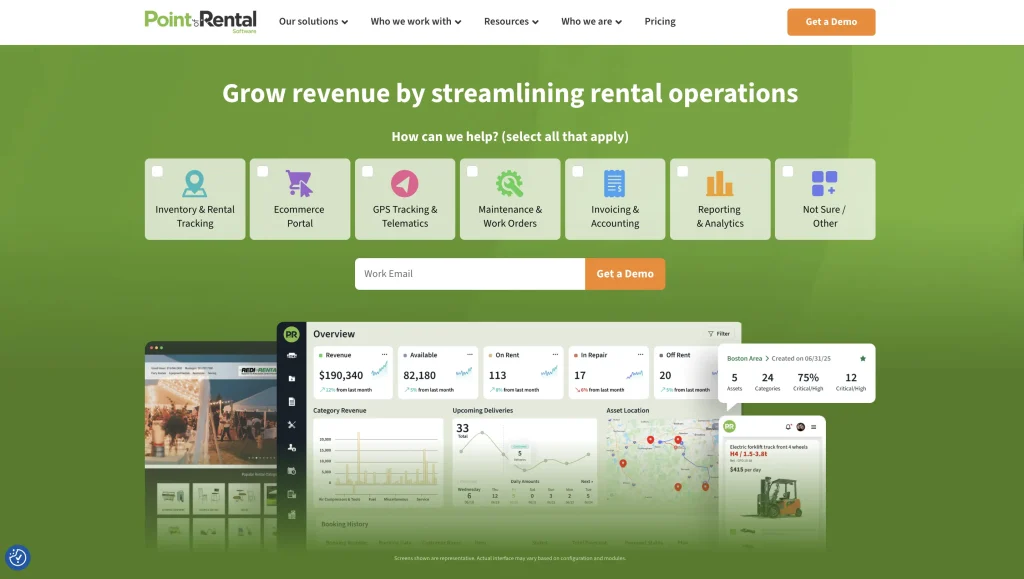
Point of Rental is a rental management software suite for equipment, tool, event, and specialty rental companies. Its product options range from the cloud-native Essentials platform for smaller and growing businesses to Elite for configurable, multi-location operations.
You can use it to coordinate inventory, contracts, dispatch, maintenance, customer activity, billing, and reporting across the rental lifecycle. Cloud and on-premise deployment options are available, although functionality varies by product, configuration, and module.
Best suited for
Point of Rental is best suited if you need more than basic booking and inventory control. It can support rental companies coordinating multiple branches, departments, delivery crews, workshops, online orders, and financial workflows. Its separate products also give you room to select a system based on your current complexity rather than adopting the same configuration as every other customer.
Key rental capabilities
- Inventory and contracts: Manage rental and sale items, kits, purchase orders, sub-rentals, documents, pricing, and customer contracts.
- Dispatch and logistics: Build routes, assign drivers and crews, monitor vehicle capacity, adjust stops, and send delivery updates.
- Maintenance and inspections: Manage work orders, preventive service, equipment inspections, repair costs, parts, and telematics data.
- Online rental experience: Offer an integrated catalog, online reservations, payments, contract signing, and customer account access.
- Billing and accounting: Automate invoices, recurring or meter-based billing, payment reminders, and connections with accounting platforms.
- Mobile operations: Give yard, workshop, and delivery teams access to inspections, checklists, condition photos, signatures, and work orders.
- Reporting and customer management: Review utilization, profitability, maintenance costs, delivery activity, customer history, and other operational KPIs.
- Integrations: Connect with platforms such as QuickBooks Online, Sage, Xero, Salesforce, SmartEquip, DocuSign, and telematics providers, depending on your product and configuration.
Standout workflow: Coordinating multi-stop dispatch
Point of Rental stands out for rental businesses with delivery-heavy operations. Its Dispatch Center lets you organize deliveries, pickups, and service calls as stops, assign routes to drivers, and adjust schedules when plans change.
You can also account for vehicle load limits, monitor progress through GPS, and notify customers when a crew is on the way or has arrived. This gives dispatchers, drivers, and counter teams a shared view of equipment movement instead of relying on whiteboards, calls, or separate route-planning tools.
Point of Rental pricing
Point of Rental uses tailored pricing rather than publishing fixed monthly rates. When requesting a quote, ask how the following affect price:
- Selected product and features
- Number of users
- Rental industry
- Business size and growth stage
- Cloud or on-premise deployment
- Number of locations
- Required integrations and modules
Points to evaluate
Before selecting Point of Rental, verify:
- Which product, such as Essentials or Elite, best matches your workflow and growth plans.
- Which capabilities are standard and which require separate applications, modules, or integrations.
- Whether you need cloud deployment, on-premise control, or a specific hosting arrangement.
- How much configuration is required for contracts, dispatch, reporting, permissions, and financial workflows.
- Whether your accounting process will rely on a native workflow or an external platform such as QuickBooks, Sage, or Xero.
- What data migration, implementation, and employee training will involve.
- Whether the POR One mobile app and its offline scope cover the tasks your field and yard teams perform.
Comparison snapshot
| Evaluation area | Assessment |
| Best fit | Growing and established rental companies with multi-department or multi-location workflows |
| Inventory model | Rental and sale inventory, kits, parts, purchase orders, sub-rentals, and multi-branch stock |
| Scheduling | Reservations, availability controls, long-term rentals, and online bookings |
| Maintenance | Work orders, inspections, parts, labor, meter readings, telematics, and repair costs |
| Dispatch | Route planning, driver assignments, load limits, GPS updates, and customer notifications |
| Online customer experience | E-commerce catalog, bookings, payments, contract signing, and customer portal |
| Multi-location operations | Shared inventory, transfers, branch workflows, centralized reporting, and multiple-location support |
| Reporting | Utilization, profitability, maintenance, delivery, inventory, finance, and KPI reporting |
| Accounting approach | Invoicing and billing tools with QuickBooks, Sage, Xero, and other integrations |
| Mobile access | POR One app with scanning, inspections, photos, signatures, work orders, and offline task support |
4. Wynne Systems: Best for enterprise heavy-equipment rental operations
Wynne Systems is an end-to-end rental management platform for enterprise equipment rental companies. It is designed around commercial construction and heavy-equipment rental workflows, covering quoting, contracts, fleet management, maintenance, logistics, invoicing, purchasing, and finance.
If you operate across multiple branches or manage a large fleet with complex contracts and financial requirements, Wynne Systems gives you a rental-specific ERP environment rather than a lightweight booking system.
Best suited for
It is best suited if you run a large or expanding heavy-equipment rental operation that needs rental activity, fleet costs, logistics, and financial management within a connected system. Its industry coverage includes construction and heavy equipment, cranes, aerial and access equipment, pump and power, and other specialty rental operations.
Key rental capabilities
- Rental and contract management: Manage quotes, reservations, contracts, equipment exchanges, partial returns, deposits, sales items, and cycle billing.
- Fleet management: Track equipment availability, transfers, utilization, purchasing, warranties, cost of ownership, and equipment sales across the asset lifecycle.
- Maintenance: Track scheduled service, labor, parts, warranty claims, repair costs, and service priorities against individual equipment records.
- Logistics: Coordinate transportation through Wynne Systems’ Logistics Solution, with tools for dispatchers, drivers, equipment pickups, deliveries, and GPS visibility.
- Financial management: Manage purchasing, accounts payable, accounts receivable, general ledger, depreciation, billing cycles, and customer accounts within the Wynne Systems environment.
- Customer self-service: Add RenterLink for online fleet browsing, quote and reservation requests, delivery tracking, pickup requests, and customer account interactions.
- Mobile operations: Use MobileLink for field and counter workflows, including equipment check-in and check-out, condition photos, digital signatures, and operational updates.
- Integrations: Extend Wynne Systems through APIs and supporting solutions, including connections with CRM platforms such as Salesforce and other Wynne Systems’ suite applications.
Standout workflow: Managing fleet economics from purchase to disposal
Wynne Systems stands out for the depth with which you can connect rental activity to the financial lifecycle of expensive equipment. You can manage purchasing and warranties, monitor utilization and service costs, apply multiple depreciation methods, track total cost of ownership, transfer equipment between locations, and ultimately record equipment sales or disposal.
That makes the platform particularly relevant when your decisions extend beyond whether a machine is available today. You can use operational and financial data to assess whether equipment should remain in the fleet, move to another branch, receive further investment, or be sold.
Wynne Systems pricing
Wynne Systems does not publish fixed subscription prices on its official product pages. Pricing is provided through its sales process and will depend on the solution set and requirements you select.
When requesting a quote, confirm the cost of:
- Wynne Systems core functionality
- Additional suite applications
- Number of users and locations
- Implementation and data migration
- Training
- Integrations and APIs
- Mobile, logistics, service, and customer-facing tools
- Ongoing support or customization
This will give you a more useful total-cost comparison than evaluating the core software price alone.
Points to evaluate
Before choosing Wynne Systems, you should verify:
- Which suite applications you need beyond the core platform.
- Whether tools such as RenterLink, MobileLink, Service Solution, and Logistics Solution are included in your proposed configuration.
- How much implementation, configuration, and employee training your operation will require.
- Whether its enterprise-level financial and operational depth matches your business complexity rather than adding functionality your team will rarely use.
- Which workflows will remain within Wynne Systems and which will rely on existing CRM, telematics, or other business systems.
- How your existing equipment, customer, contract, maintenance, and accounting data will be migrated.
Comparison snapshot
| Evaluation area | Assessment |
| Best fit | Enterprise construction and heavy-equipment rental operations |
| Inventory model | Serialized and bulk assets, parts, merchandise, transfers, purchasing, depreciation, and disposal |
| Scheduling | Quotes, reservations, contracts, equipment availability, exchanges, and recurring cycle billing |
| Maintenance | Scheduled service, parts, labor, warranties, repair costs, and prioritized servicing |
| Dispatch | Dedicated logistics tools for deliveries, pickups, drivers, GPS visibility, and transportation management |
| Online customer experience | RenterLink for fleet browsing, quotes, reservations, delivery updates, signatures, and pickup requests |
| Multi-location operations | Multi-branch fleet visibility, transfers, consolidated finance, and location-based operations |
| Reporting | Fleet utilization, cost of ownership, financial reporting, dashboards, and operational KPIs |
| Accounting approach | Integrated AP, AR, general ledger, purchasing, depreciation, and rental billing |
| Mobile access | MobileLink for field, yard, counter, check-in/out, photos, and digital signatures |
5. InTempo: Best for local and regional rental businesses planning for growth
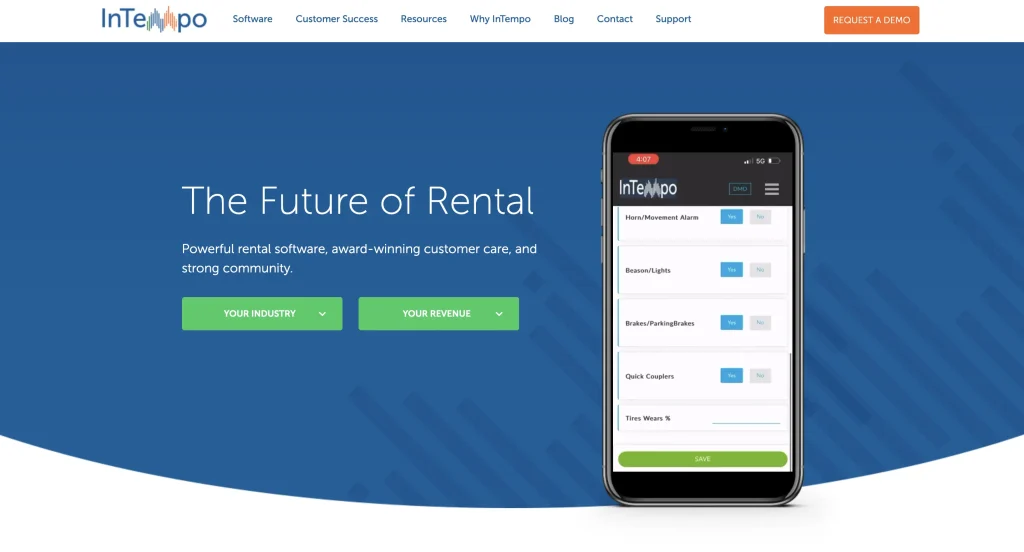
InTempo offers two rental management options for different levels of operational complexity. InTempo Core is designed for smaller rental businesses and startups, while InTempo Enterprise adds broader ERP functionality for more complex operations. You can use InTempo to manage rentals and sales, equipment, maintenance, dispatch, accounting, and reporting across one or multiple locations. Core supports industries ranging from general tools and construction equipment to event, AV, medical, and specialty rentals.
Best suited for
InTempo is a strong fit if you run a local or regional rental business that needs more structure around day-to-day operations but also wants room to support greater complexity over time. Core offers a more streamlined setup, while Enterprise provides integrated financial and operational controls for larger organizations.
Key rental capabilities
- Rental and sales management: Create quotes, reservations, contracts, recurring bills, add-on items, returns, and customer invoices.
- Inventory management: Track rental and sale inventory, rates, availability, cycle counts, transfers, and parts across locations.
- Maintenance: Create preventive or corrective work orders, assign technician tasks, and track labor, parts, meter readings, and service history.
- Equipment lifecycle: Monitor utilization, depreciation, income, expenses, warranties, and other asset-level performance data.
- Dispatch: Plan delivery and pickup routes, account for time and equipment restrictions, track vehicles, and provide customers with delivery updates.
- Reporting: Review rental activity, overbookings, utilization, delinquencies, customer performance, A/R aging, and other metrics through standard or custom reports.
- Mobile operations: Create quotes and reservations, complete inspections, transfer inventory, collect electronic signatures, and access rental information from smartphones or tablets.
Standout workflow: Matching accounting depth to your operation
One useful distinction within InTempo is how accounting changes between its two products. With InTempo Core, you can keep QuickBooks as your accounting system while using InTempo for rental operations. InTempo Enterprise includes accounts payable, accounts receivable, and general ledger functionality within the ERP itself.
This gives you two different approaches depending on how your finance team works: retain an existing QuickBooks workflow or move toward a more integrated rental and accounting environment as operational complexity increases.
InTempo pricing
InTempo does not list fixed subscription rates on its pricing page. You need to request a quote based on the product and configuration your business requires.
When comparing costs, confirm:
- Whether you need Core or Enterprise
- Number of users and locations
- Implementation and data migration
- Training and support
- Mobile and dispatch tools
- Accounting requirements
- Integrations and customization
Points to evaluate
Before choosing InTempo, verify:
- Whether Core or Enterprise is the better fit for your current operational complexity.
- How your accounting workflow will differ between QuickBooks-connected Core and Enterprise’s integrated financial system.
- Which dispatch, mobile, business intelligence, and customer-facing tools are included in your proposed setup.
- Whether your required reports can be created with standard tools or need additional configuration.
- How equipment, customer, contract, maintenance, and accounting data will be migrated.
- What would be involved if you later need functionality beyond your initial InTempo product.
Comparison snapshot
| Evaluation area | Assessment |
| Best fit | Local and regional rental businesses with growing operational needs |
| Inventory model | Rental and sale inventory, parts, cycle counts, transfers, and multi-location tracking |
| Scheduling | Quotes, reservations, contracts, availability, overbooking visibility, and recurring billing |
| Maintenance | Preventive service, work orders, technician tasks, parts, labor, meters, and service history |
| Dispatch | Route planning, delivery windows, vehicle tracking, driver directions, and customer updates |
| Online customer experience | Customer delivery-status updates and configurable rental communications |
| Multi-location operations | Shared inventory, transfers, location-level activity, and consolidated reporting |
| Reporting | Utilization, rental analysis, A/R, customer performance, overbookings, and custom reports |
| Accounting approach | QuickBooks integration with Core; integrated AP, AR, and GL with Enterprise |
| Mobile access | Mobile quotes, reservations, inspections, transfers, signatures, and management reporting |
6. Booqable: Best for online-first rental businesses
Booqable is cloud-based rental software built around inventory, orders, payments, and online bookings. You can publish a hosted booking page or add rental functionality to an existing website while managing the underlying stock from the same system. It supports individually tracked items, bulk quantities, variations, bundles, and sales products, making it applicable to equipment rental as well as event, AV, camera, bike, and other rental models.
Best suited for
Booqable is a practical fit if online bookings are a central part of how customers rent from you. It is particularly relevant when you want to launch a customer-facing rental experience without building a separate e-commerce system, while still handling walk-in or manually created orders from the back office.
Key rental capabilities
- Inventory control: Organize individually tracked and bulk products, variations, bundles, sales items, temporary sub-rental stock, and equipment history.
- Availability planning: Show stock by rental period, add buffer time between bookings, review availability on a calendar, and flag shortages before fulfillment.
- Order processing: Prepare quotes, contracts, invoices, packing slips, pickups, returns, deposits, and payment records from each rental order.
- Online bookings: Use a hosted booking page, embed booking components into your existing website, or add Booqable’s website builder.
- Rental pricing: Configure flat rates, pricing structures, security deposits, discounts, taxes, seasonal rules, and non-billable pickup or return days.
- Equipment downtime: Mark individual items or bulk quantities unavailable for maintenance, repairs, or missing-item periods so they cannot be booked during that time.
- Mobile point of sale: Create and update orders, process pickups and returns, scan barcodes, collect signatures, and take payments from iOS or Android devices.
- Multi-location inventory: Assign stock to stores or warehouses and display availability for the location selected on an order.
- Reporting: Review availability, fulfillment, product performance, revenue, ROI, company performance, and customer activity.
- Integrations: Use Stripe and other supported payment providers, Xero, Zapier, analytics and marketing apps, or Booqable’s API. For accounting, Booqable offers a direct Xero integration, while QuickBooks can be connected through Zapier rather than a native integration.
Standout workflow: Turning availability into an online booking experience
Booqable’s strength is the way your stock availability carries through to the customer-facing booking process. You can publish a ready-made rental page or embed the booking experience into platforms such as WordPress, Shopify, and Squarespace. Customers select their rental period, see available products, complete checkout, and receive automated confirmation without your team having to maintain a separate online catalog.
Changes to products, pricing, and availability are reflected in the online rental experience, helping you keep what customers see aligned with what can actually be reserved.
Booqable pricing
Booqable offers three core plans, with lower monthly rates when you choose annual billing:
- Start — $35/month or $29/month billed annually: Includes order and inventory management, quotes, contracts, invoices, availability tracking, a hosted booking page, website integration, bundles, product reporting, payments, and integrations.
- Grow — $87/month or $69/month billed annually: Adds features such as additional users and permissions, e-signatures, cross-selling, advanced revenue reports, API access, and onboarding.
- Scale — $187/month or $149/month billed annually: Designed for larger teams and adds more users, activity logs, multi-location options, overbooking controls, and enforced two-factor authentication.
Points to evaluate
Before choosing Booqable, check:
- Whether its online-booking-first approach matches how your customers usually rent from you.
- Whether scheduled equipment downtime is sufficient for your maintenance process or you need deeper work orders, technician assignments, service costs, and preventive maintenance histories. Booqable currently supports blocking stock for maintenance, repair, or missing-item periods.
- Which capabilities require add-ons, particularly mobile POS, barcode scanning, deliveries, the website builder, and additional locations.
- Whether the number of users included in your selected tier fits your team.
- How you will handle accounting if you use QuickBooks, since Booqable currently lists its direct QuickBooks integration as forthcoming, while Xero is already available and Zapier can support additional app connections.
- Whether the reporting depth is sufficient if you require more extensive fleet maintenance, branch, or enterprise financial analysis.
Comparison snapshot
| Evaluation area | Assessment |
| Best fit | Online-first and smaller-to-growing rental businesses |
| Inventory model | Individual items, bulk stock, variations, bundles, sales products, and temporary sub-rental stock |
| Scheduling | Availability calendar, booking buffers, shortage detection, rental periods, and blackout dates |
| Maintenance | Scheduled downtime for maintenance, repairs, and missing items |
| Dispatch | Delivery add-on with delivery options, rates, addresses, and mobile directions |
| Online customer experience | Hosted booking page, website embeds, optional website builder, checkout, and customer accounts |
| Multi-location operations | Location-based stock and orders; available as a Scale add-on |
| Reporting | Availability, fulfillment, product performance, revenue, ROI, company, and customer reports |
| Accounting approach | Native Xero integration; QuickBooks direct integration currently listed as coming soon |
| Mobile access | iOS and Android POS for orders, payments, pickups, returns, signatures, and barcode scanning |
7. MCS Rental Software: Best for multi-depot rental operations
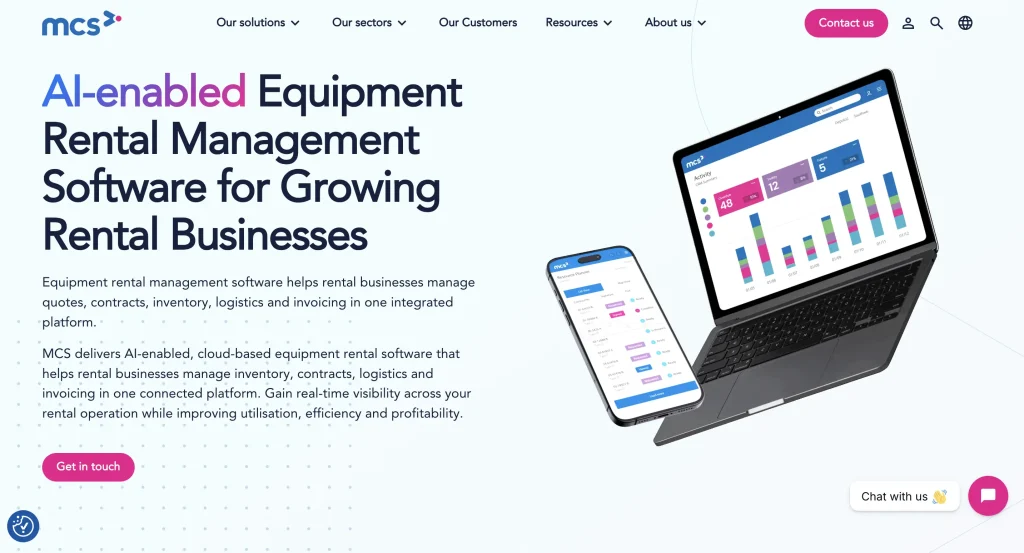
MCS Rental Software is a cloud-based rental management platform for construction equipment, heavy equipment, scaffolding, tool, and specialty rental businesses. You can use it to bring sales, contracts, inventory, logistics, workshop activity, invoicing, and customer service into a shared operating system. Its broader corporate functionality also supports multi-site organizations that need centralized visibility while managing activity across individual depots.
Best suited for
MCS is a strong option if your equipment rental operation spans several teams or depots and equipment regularly passes between the yard, transport team, workshop, and customer site. It is particularly relevant when you need branch-level execution alongside centralized reporting and control.
Key rental capabilities
- Rental and contract management: Handle inquiries, quotations, contracts, rental pricing, invoicing, and digital signatures.
- Inventory and purchasing: Monitor rental stock, rehires, spare parts, minimum and maximum stock levels, purchase orders, and inter-depot movements.
- Workshop management: Schedule maintenance, retain workshop histories, record damage, and track parts, labor, and repair activity.
- Logistics: Coordinate deliveries and collections while providing your transport team with job and driver updates from the field.
- Customer portal: Give customers access to orders, equipment on hire, invoices, documentation, off-hire requests, breakdown reporting, and job-site information.
- Mobile workflows: Equip sales, warehouse, workshop, and transport teams with mobile tools for field-based tasks, signatures, photos, checklists, and status updates.
- Reporting and business intelligence: Analyze rental, fleet, workshop, and business performance through dashboards and reporting tools.
- Integrations: Connect MCS with accounting platforms including QuickBooks, Xero, and Sage, as well as telematics providers such as Trackunit, Samsara, Geoforce, and JCB LiveLink.
Standout workflow: Connecting depot, transport, and workshop teams
MCS is particularly useful when one rental involves several operational handoffs. Warehouse staff can prepare equipment, transport teams can receive and update delivery or collection jobs, and workshop teams can act on maintenance or damage information without relying on separate records. Mobile tools feed field activity back into the wider rental system, helping you keep the office informed as equipment moves through each stage.
This becomes especially useful across multiple depots, where shared visibility can help you coordinate equipment availability, transfers, servicing, and logistics without treating each branch as an isolated operation.
MCS pricing
MCS has not publicly listed its pricing tiers. Its cloud offering uses fixed monthly fees, but you need to contact MCS for pricing based on your requirements.
When requesting a quote, clarify the cost of:
- Number of users and depots
- Core rental management software
- Cloud hosting
- Mobile applications
- Customer portal
- Workshop and logistics functionality
- Accounting and telematics integrations
- Implementation, migration, and training
- Custom configuration or reporting
This will help you compare the overall cost of deployment rather than the base subscription alone.
Points to evaluate
Before choosing MCS, confirm:
- Which capabilities are included in your proposed configuration and which require additional solutions or apps.
- Whether its multi-depot structure matches how you divide inventory, users, contracts, and reporting across locations.
- Which mobile tools your yard, drivers, sales staff, and workshop technicians will actually need.
- How your existing accounting platform will exchange financial information with MCS.
- Which telematics providers in your fleet are supported by the MCS Telematics Hub.
- How much workflow configuration, data migration, and employee training will be required.
- Whether the customer portal permissions and job-site structure match the way your customers manage rented equipment.
Comparison snapshot
| Evaluation area | Assessment |
| Best fit | Growing and established multi-depot equipment rental businesses |
| Inventory model | Rental fleet, stock, spares, rehires, purchasing, and inter-depot transfers |
| Scheduling | Equipment availability, contracts, delivery and collection planning |
| Maintenance | Scheduled servicing, workshop history, damage records, parts, labor, and telematics |
| Dispatch | Transport scheduling, driver jobs, route activity, and field status updates |
| Online customer experience | Branded portal for orders, off-hires, documents, invoices, breakdowns, and equipment information |
| Multi-location operations | Centralized visibility across depots, assets, contracts, users, and reporting |
| Reporting | Rental, utilization, workshop, fleet, financial, and KPI reporting |
| Accounting approach | Integrations with QuickBooks, Xero, Sage, and other financial systems |
| Mobile access | Dedicated tools for rental, warehouse, transport, workshop, and field teams |
8. Alert Rental Software: Best for configurable equipment rental workflows
Alert Rental Software is a rental management system for equipment, tool, construction, event, and specialty rental operations. Rather than offering one fixed setup, Alert Rental lets you choose an equipment-focused suite and add functionality around maintenance, dispatch, web services, payments, accounting, GPS, and mobile work. You can deploy it as a cloud subscription or, with its Summit offering, purchase a perpetual license for cloud-hosted or on-premise use.
Best suited for
Alert Rental is worth considering if your rental process relies on specialized pricing rules, configurable tickets, maintenance controls, or workflows that do not fit neatly into a standardized rental system. Its equipment suite can serve businesses ranging from smaller single-location operations to larger organizations with several users and branches.
Key rental capabilities
- Rental inventory management: Track serialized equipment, bulk items, equipment status, transfers, barcodes, RFID, and GPS-linked assets.
- Rental pricing: Apply rates by customer, branch, ticket, line item, meter, shift, weekend, or other rental conditions.
- Maintenance: Create internal or customer work orders and trigger preventive maintenance based on multiple service criteria.
- Dispatch: Arrange deliveries and pickups through a graphical dashboard, build routes, manage truckloads, and connect with supported GPS providers.
- Online customer access: Offer web requests, e-commerce ordering, online payments, availability information, and a configurable customer portal.
- Mobile rental processing: Use Alert Rover to check equipment in or out, update meter and fuel readings, capture photos and signatures, accept payments, and create work orders in the yard.
- Reporting: Modify existing reports, build custom reports, schedule recurring outputs, and use operational dashboards to review business activity.
- Integrations: Extend the system with accounting, credit-card processing, GPS and telematics, SmartEquip, Gearflow, Zoho CRM, and other supported connections depending on your configuration.
Standout workflow: Adapting pricing to complex rental scenarios
Alert Rental’s rate flexibility is particularly useful if you do not charge every customer or piece of equipment in the same way. You can structure pricing by customer group, branch, ticket, individual line item, shift, meter usage, weekend period, or specific days of the year. The system also supports dynamic kit pricing for rentals made up of several components.
This gives you more control when your rental rates vary according to who is renting, when equipment is used, or how a package is assembled, rather than forcing every transaction through one standard pricing model.
Alert Rental pricing
Alert Rental offers three pricing tiers, although your final price depends on the setup you choose.
- Alert Starter Subscription — from $200/month plus a $1,000 deposit: Designed for one location, smaller inventories, and one to two users. One user license is included, with an Equipment or Event Starter Suite available for an additional monthly charge.
- Alert Subscription — from $500/month plus a $2,500 deposit: Intended for established businesses. It includes up to four users and one location, with additional users priced at $50/month and additional locations at $100/month.
- Alert Summit — from $18,275: A perpetual-license option for larger operations or businesses that prefer to own the software. It starts with four users and one location and can run on your own server or through Alert-hosted infrastructure.
Points to evaluate
Before choosing Alert, confirm:
- Which capabilities belong to the Starter Equipment Suite versus the Full Equipment Suite.
- Which functions require separate add-ons, particularly e-commerce, customer portal access, advanced GPS dispatch, and mobile inventory tools.
- Whether subscription, perpetual licensing, cloud hosting, or on-premise deployment best fits your IT requirements.
- How additional users and branches will affect your overall cost.
- Which accounting and telematics integrations are available for the systems you already use.
- Whether Alert’s level of workflow and pricing configuration is useful for your operation or more extensive than you need.
- What implementation, data migration, configuration, and training are included in your proposal.
Comparison snapshot
| Evaluation area | Assessment |
| Best fit | Equipment and specialty rental businesses needing configurable workflows |
| Inventory model | Serialized and bulk equipment, barcodes, RFID, GPS, transfers, and status tracking |
| Scheduling | Reservations, availability controls, flexible rental periods, and configurable rates |
| Maintenance | Work orders and trigger-based preventive maintenance |
| Dispatch | Graphical routing, delivery/pickup planning, truck loading, and GPS integrations |
| Online customer experience | Web requests, e-commerce, payments, availability, and customer portal |
| Multi-location operations | Additional branches, inventory transfers, and centralized rental records |
| Reporting | Built-in, custom, scheduled, and dashboard-based reporting |
| Accounting approach | General-ledger integrations, credit-card processing, and QuickBooks-related options |
| Mobile access | Alert Rover plus mobile inventory and field-oriented tools |
How to choose the right equipment rental software
The best equipment rental software is the one that matches the way your rental business actually operates. Your shortlist should reflect your fleet type, number of locations, customer experience, maintenance needs, dispatch complexity, accounting setup, and plans for growth.
Before you decide, test each platform against the situations that create the most friction in your current process, such as late returns, equipment swaps, maintenance conflicts, partial returns, or multi-location transfers. That will tell you far more than a feature checklist alone.
Once you narrow the field, compare the systems using your own equipment, rental scenarios, and team workflows so you can choose the platform that fits how you work today and where you expect the business to go next.