Sortly is a simple inventory management solution designed for teams looking to move away from spreadsheets and better organize their data. It provides all the table stakes for a solid inventory system, including visual aids for items, QR/ barcode scanning, and reports. In short, Sortly helps teams create visibility.
However, as organizations expand across multiple locations, a simple inventory solution fails to keep pace. A tool that works well for a stockroom may start to feel limited when assets are shared across departments, job sites, warehouses, or field teams. Admins no longer want to know only what they have and where it is. They need to know whether an asset is available or reserved, when the next maintenance is due, and how far along in the lifecycle it is.
This is when teams start looking for alternatives to Sortly. The right option for you depends on your operational complexity & scale. Some teams might only be looking for a QR/barcode tracking system, while others require integrated GPS tracking. Organizations where specialized equipment is central to work have more extensive maintenance needs, while large enterprises need one connected operation system for equipment routing, accountability & optimal utilization.
Quick comparison: Best Sortly alternatives by growth stage
| Alternative | Best for | Starting price | Complexity level |
| AssetTiger | Simple asset tracking after Sortly | Free; paid from $20/month | Low |
| GoCodes | QR/GPS field equipment tracking | $500/year | Low-medium |
| Cheqroom | Reservations, checkout, and returns | 184/admin/month | Medium |
| Asset Panda | Configurable asset records and workflows | Custom quote | Medium-high |
| EZO | Full equipment lifecycle management | $48/month based on 100 items | High |
What does Sortly offer equipment management teams?
Sortly is built for teams that need visibility across locations, storage rooms, and equipment lists. It is a user-friendly tool for organizations that want to switch from manual operations and gain greater control over their assets.
Sortly is useful for teams that need:
- Visual inventory tracking
- Item photos
- Barcode and QR-based tracking
- Mobile inventory updates
- Offline mobile access
- Folder-based organization
- Custom fields and tags
- Low-stock alerts
- Date-based reminders
- Basic dashboards and reporting
- Simple check-in/check-out visibility
Sortly is a good fit for teams working with a large number of small tools, supplies or consumables, and gives them control without the complications of a connected asset tracking & operation system.
Where does Sortly stand out?
Visual inventory records
Sortly’s primary feature is helping users quickly identify what they need. Details such as photos, folder tags, and item records make it easy to locate where an item is.
Mobile-first tracking
Sortly is great for tracking inventory away from the desk. It offers robust mobile scanning, field updates, and offline access, and instant item updates to distributed teams to stay on track with inventory management.
Stock alerts
Sortly offers low stock alerts and date-based reminders, which help teams plan replenishment on time. Getting reminders on time also helps admins track warranties, expiration dates, and schedule maintenance.
Why teams look for Sortly alternatives
Sortly does a great job at tracking inventory for teams until their operations become slightly more involved. As assets grow, teams start looking for more complete solutions for times when:
- Equipment requests are still coming through emails, Slack, calls, or text messages
- Shared equipment is double-booked or unavailable when needed
- Check-in/check-out does not show the right custody or return accountability
- Maintenance reminders are not enough to manage work orders, inspections, parts, and service history
- Finance needs depreciation, cost, warranty, and lifecycle data connected to usage
- Field teams need GPS-backed tracking and stronger location history
What to look for in a Sortly alternative
1. Equipment lifecycle management
An equipment tracking system should offer complete lifecycle management from purchase to retirement. At any point, you should be able to readily pull up an item’s full history: its current location, chain of custody, service and maintenance records, and real-time availability, including any outstanding requests or reservations.
2. Custody and handoff accountability
Location tracking falls short of custody management. Growing assets need tighter control over item movement. When assets move across locations, it becomes important to know who currently has the asset, who has requested it next, and when it is due back.
3. Multi-location inventory control
Teams operating across multiple warehouses, stockrooms, and field sites need a reliable system to track inventory and stock levels. The ability to set location-based thresholds & transferring stock across locations makes it easier to keep optimal stock levels at all sites.
4. Procurement trails
Teams need more than just item names and quantities when they start building an inventory, including expensive assets. Solutions that offer include purchase order management, warranty tracking, depreciation, and retirement history are a good fit.
5. Data-driven reports
Basic inventory reports only show what exists, whereas real-time tracking reports are dynamic. They show what is available, what is overdue, what is underused, and what is costing too much to maintain. Choose a system that helps teams act on the data, not just store it. AI driven insights and data recommendations are useful for future predictions and smart decision-making for equipment managers.
Top 5 Sortly Alternatives
Asset Tiger: Best for simple asset tracking
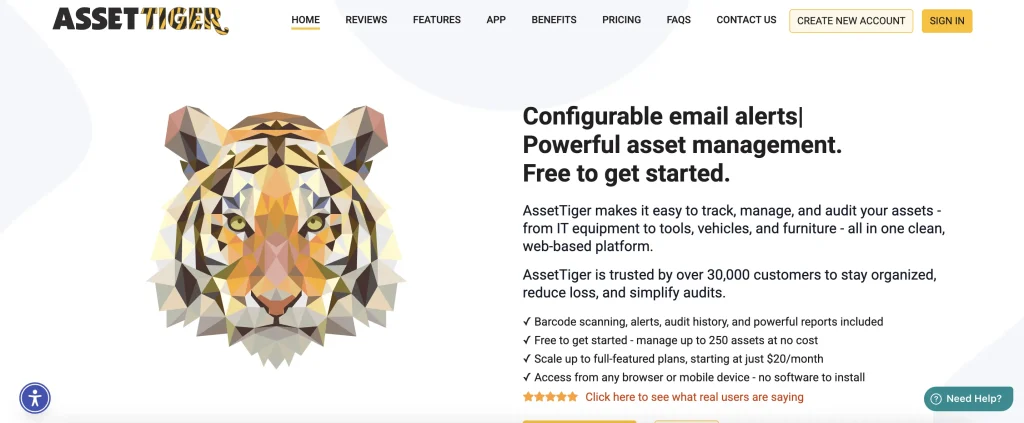
Asset Tiger is the closest step up from Sortly, providing teams with a more structured asset-tracking process without the complexities. It is useful for small teams in the non-profit, government, and education industries, looking for a bit more control over asset movement.
Pricing also makes AssetTiger a practical early-stage alternative. Its free plan supports up to 250 assets, while paid plans start at $20 per month for up to 500 assets.
Key Asset Tiger capabilities
1. Barcode asset scanning
The system offers barcode scanning, so assets can be added to records simply by entering the tag codes. This makes item retrieval quicker and easier.
2. Check-in/checkout assignments
With Asset Tiger, teams can quickly check items out to users and record the details. Check-in/Checkout workflows maintain a layer of transparency and accountability for all shared resources.
3. Audits and inspections
Asset Tiger makes it easy to audit assets, tools, and equipment so that the actual inventory always matches what’s on the software.
4. Maintenance scheduling
Teams using Asset Tiger can set up basic maintenance, send service reminders, and alerts. This helps track key events such as warranties, lease dates, and expirations. Asset tiger is not a good fit for operations where maintenance is an integral part of the asset lifecycles being managed.
Asset Tiger vs Sortly
Sortly is a software designed to support teams with visual inventory management through barcode/QR code scanning. Asset Tiger is more focused on delivering an asset-centric approach, with tracking depreciation, reservations, and check-ins/check-outs.
Where Asset Tiger may not be the best fit
Asset Tiger may start to feel limited when teams need advanced equipment functionality to keep track of requests and reservation calendars. As orgs acquire more equipment, they might need something with maintenance or procurement-focused modules.
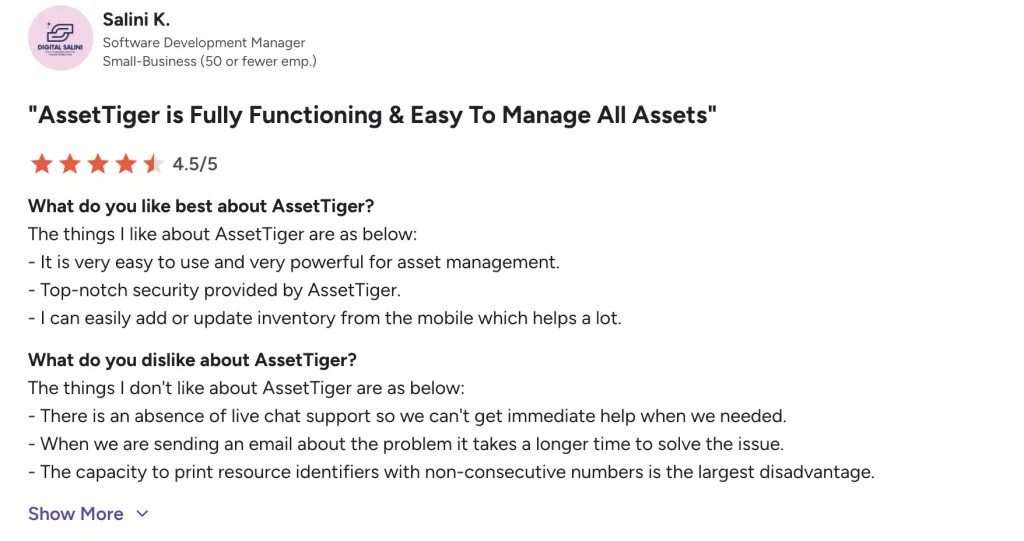
What users say about Asset Tiger
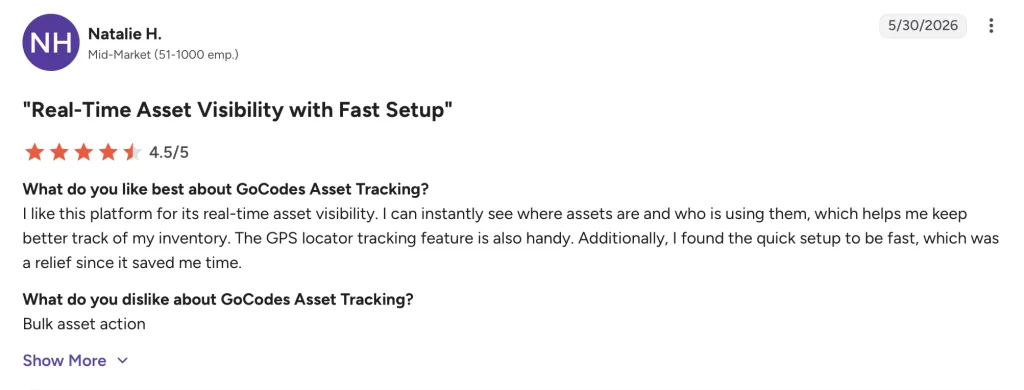
2. GoCodes: Best for QR and GPS field tracking
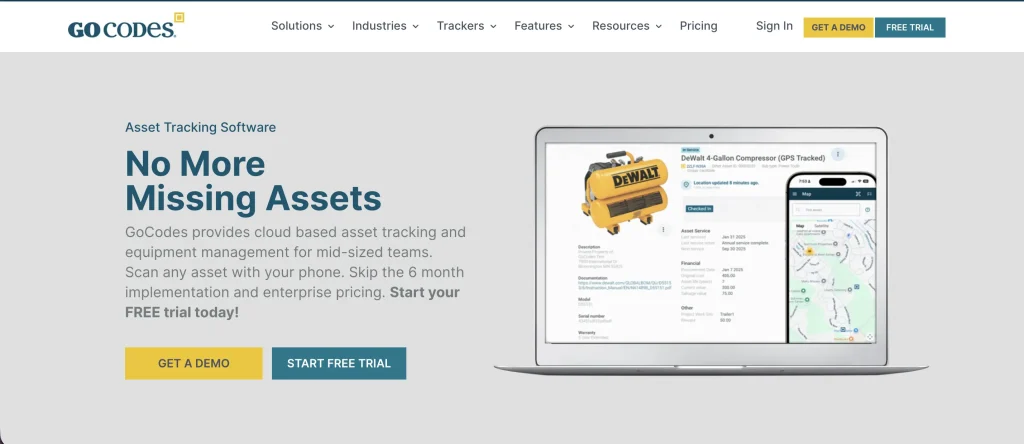
GoCodes is a great option for teams looking to switch from Sortly to track multiple assets across multiple locations. Its primary features include QR scanning, mobile scanning, and field updates, making it a good choice for teams that need greater field accountability.
Pricing starts at $500 per year for 200 assets and 3 users, making it a practical option for teams that want QR-based asset tracking with predictable annual pricing before moving to a heavier equipment operations platform.
Key GoCodes capabilities
1. QR-code asset tracking
GoCodes generates QR codes for all assets, especially those being used in the field. These codes can then be scanned to pull up asset details such as location, ownership, and condition without relying on manual spreadsheets.
2. GPS location capture
The GPS location-tracking feature in GoCodes records the location each time an asset is checked out. This feature is useful for orgs working with vehicles, containers, and field equipment.
3. Inventory and reorder tracking
Teams using GoCodes can set reorder thresholds to ensure timely replenishment and track inventory as it is consumed. This comes in handy for orgs operating in multiple locations.
GoCodes vs Sortly
The main feature that differentiates GoCodes from Sortly is GPS/QR code tracking for field accountability. While Sortly is a simple inventory-tracking system, GoCodes offers a bit more depth across all modules.
Where GoCodes may not be the best fit
GoCodes offers a strong solution for teams involved in field operations. However, it falls short in robust maintenance management and asset request fulfillment. In that case, EZO is the most complete fit.
What users say about GoCodes
3. Cheqroom: Best for equipment reservations and shared gear
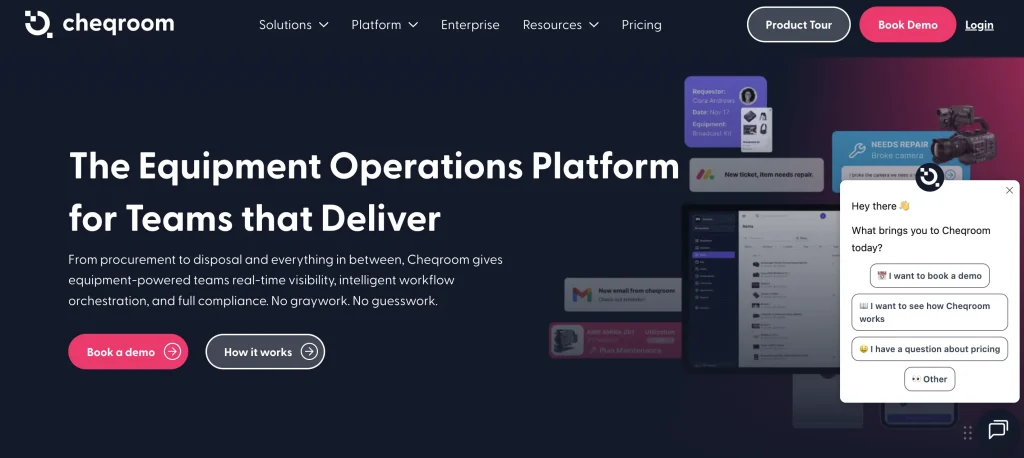
Cheqroom is positioned to help teams manage shared equipment that is regularly reserved or checked out. It tracks items coming in and out to help organizations know what equipment exists, who needs it, when it is booked, where it is going, and when it should come back.
Cheqroom’s Core plan is listed at $184 per admin/month, with Business at $275 and Enterprise at $367. The pricing model can work well when many employees need to request or borrow equipment, but only a smaller group of admins manages the system.
Cheqroom key capabilities
1. Equipment reservations
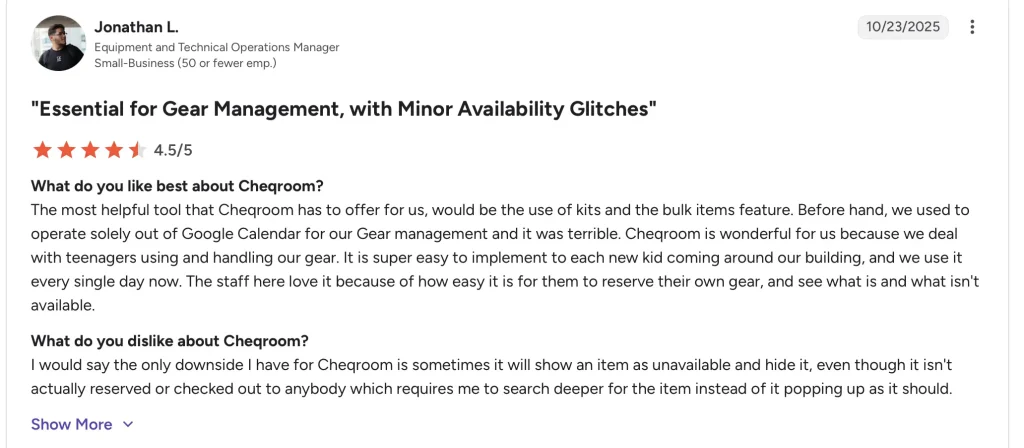
Cheqroom allows reserving items as needed, ensuring critical items are always available for projects. Teams can always view item availability and request alternative options as required.
2. Custody management
Teams using Cheqroom can check out assets for longer periods without worrying about custody management. This helps teams track who is responsible for high-value gear without treating every handoff like a short-term inventory update.
3. Kits and grouped equipment
Teams can organize related items into kits, which is useful when equipment travels together. For example, a camera kit, podcast kit, lab kit, or AV setup can be managed as a group rather than tracking each item separately each time.
4. Usage and reservation reporting
Cheqroom gives teams visibility into how equipment is being booked, used, and returned. This helps equipment managers spot high-demand gear, underused assets, recurring conflicts, and items that may need replacement or better scheduling.
Cheqroom vs Sortly
Cheqroom is a good fit for teams that mainly focus on reservations and equipment bookings particularly for film schools or AV media use cases for which it is purpose-built. While Sortly can track basic inventory, it may not support extensive availability planning.
Where Cheqroom may not be the best fit
Cheqroom falls short for organizations seeking complete lifecycle management in addition to reservation tracking. For complete lifecycle tracking from procurement to retirement, it is a good idea to explore other platforms. Particularly when maintenance is a core part of equipment operations.
What users say about Cheqroom
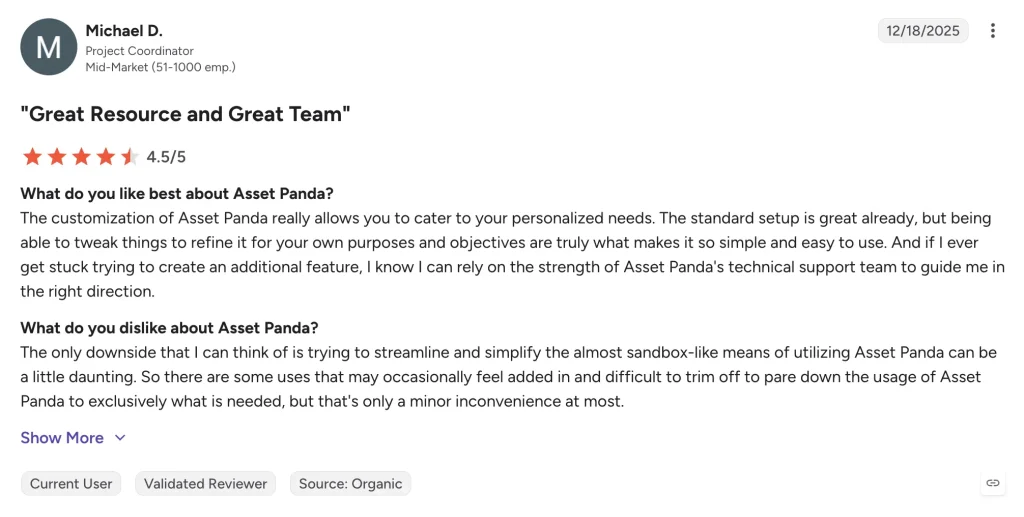
4. Asset Panda: Best for configurable asset tracking
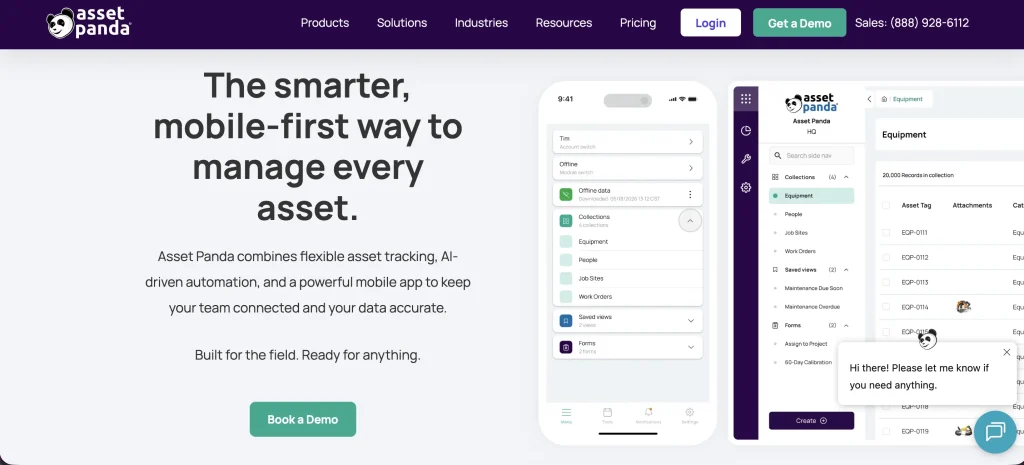
Asset Panda is known for its configurable tracking and control over asset workflows. It’s commonly adopted by organizations that manage various types of assets across multiple sites and want to align records with their internal processes.
Asset Panda key capabilities
1. Customized workflows
Teams using Asset Panda can set up customized business workflows with ease. The software offers custom fields that can be populated to meet business requirements. This comes in handy when there are many approval steps or multiple departments are added to the software.
2. Barcode/ QR code scanning
Asset Panda supports barcode/QR code scanning for asset tracking, so item details can be quickly retrieved upon arrival or at checkout. This functionality makes it easier to store all asset-specific warranties, action history, and user manuals in one place.
3. Mobile and offline access
The software offers a powerful mobile app that enables teams to update asset records outside the office. Offline access is crucial for teams working in remote locations with limited connectivity.
4. Audits, reports and asset history
Teams using Asset Panda can maintain a clear history of asset audits, ensuring equipment always stays in the right hands. With each and every asset action documented as action history
Asset Panda vs Sortly
While Sortly is a great fit for small teams looking to organize inventory workflows, Asset Panda offers a more configurable asset tracking experience. With Asset Panda, teams can set up their customized workflows according to their specific requirements.
Where Asset Panda may not be the best fit
Asset Panda does not offer public pricing or an open trial which can be a blocker for some organizations during the buying process. It may not be the best fit for teams looking for ready-made workflows for maintenance, reservations and lifecycle management, as it requires some upfront planning to set up basics.
What users have to say about Asset Panda
5. EZO: Best for full equipment lifecycle management
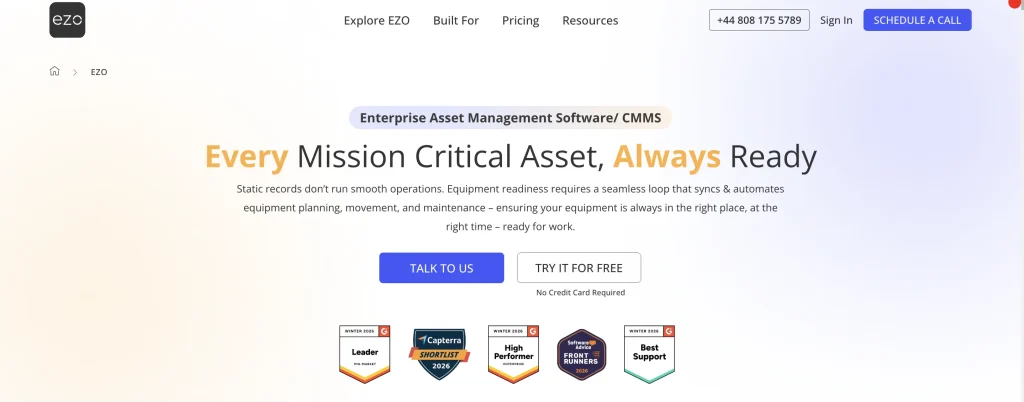
A step ahead from basic inventory tracking, EZO encapsulates every stage of asset lifecycle management in one system. It is built for teams that need a reliable system to track all essential asset information such as procurement, depreciation, requests, maintenance, custody, and costs in a single platform.
EZO pricing is based on the number of items tracked, with Essentials, Advanced, Premium, and Custom Enterprise plans. Listed plans include unlimited users, which makes EZO useful for teams where many employees, managers, technicians, requesters, and admins need to interact with equipment records without paying for every individual user.
EZO key capabilities
1. Equipment lifecycle management
EZO uses AI to map to map asset fields and add them to the system using specs sheets. It can also draft POs from upaloded invoices in the same manner. All actions taken against the asset are saved as action history. Costs related to depreciation, procurement, and custody are added when incurred. Custom fields are available to capture accurate and complete data. The EZO dashboard shows a dynamic view of asset data with checkout history tied to user signatures and chain of custofy.
2. Native ticketing and transparent asset requesting system
EZO has a purpose-built request portal where admins can route asset requests coming in from employees. The portal can then be used by employees to track the progress of requests and provide feedback. All admins have a single screen to view all fulfillment requests, where every request is automatically routed to the right admin for approval. The approvals follow a mult-tier chain i.e requests are routed according to a certain criteria set in your system. The fulfillment engine gives you context on the item requested and the person requesting so admins can deploy items in an optimal manner.
3. Assets connected to advanced maintenance/ CMMS
In EZO, asset and inventory history is connected to maintenance. This way teams can easily view what’s under maintenance, access upcoming service schedules, and control costs. EZO is one of the few systems to offer advanced CMMS features as part of an asset management system. Work order management comes with usage based PM triggers, spare-parts consumption linked to WOs, and technican labor tracking. EZO CMMS brings together asset and maintenance data in one tool eliminating disconnected systems.
4. Inventory management across locations
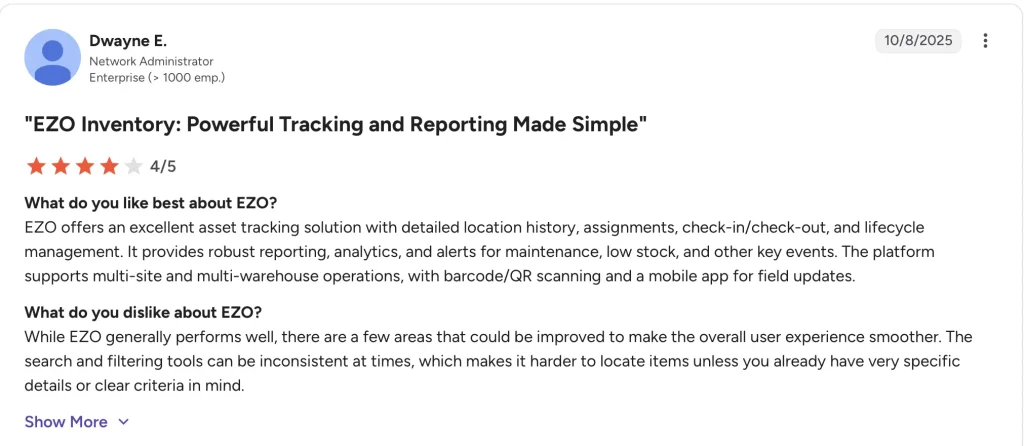
EZO has a robust inventory management module that tracks stock quantities across locations. Teams can enable minimum-stock alerts to ensure optimal quantities across all locations. Nested locations enable admins to track multiple offices that are subcategories of a broader region. EZO also has a strong team management module which enables users to set complex hierarchies and access controls. Users only see what they’re working on, and where.
EZO vs Sortly
| Feature area | EZO | Sortly | Better fit when |
| Inventory visibility | Tracks assets, stock, consumables, locations, custody, maintenance, costs, and lifecycle activity in one system | Tracks items with photos, folders, quantities, custom fields, tags, and inventory reports | Choose Sortly for simple item visibility; choose EZO when inventory affects operations, service, cost, and lifecycle decisions |
| Reservations and availability | Supports request workflows, reservations, approvals, availability planning, checkout, returns, and overdue visibility | Supports basic item check-in/check-out and inventory movement visibility | Choose EZO when shared equipment must be requested, approved, reserved, and scheduled before use |
| Custody and accountability | Tracks who has the asset, where it moved, when it was checked out, when it is due back, and what happened across handoffs | Shows basic check-in/check-out activity and item movement history | Choose EZO when custody history needs to support audits, handoffs, returns, and multi-location accountability |
| Maintenance management | Connects service records, preventive maintenance, inspections, work orders, downtime, and maintenance history to asset records | Offers date-based alerts that can be used for maintenance or repair reminders | Choose EZO when maintenance needs work orders, service history, technician workflows, and asset readiness context |
| Procurement and purchasing | Supports purchase orders, vendors, warranties, costs, and asset lifecycle records | Offers purchase order functionality on higher plans | Choose EZO when procurement needs to connect with asset records, receiving, cost tracking, and lifecycle planning |
| Stock and consumables | Tracks asset stock, consumables, stock thresholds, transfers, and low-stock alerts across locations | Supports item quantities, low-stock alerts, stock counts, and inventory reports | Choose Sortly for basic stock visibility; choose EZO when stock needs to connect with equipment movement and site-level replenishment |
| Reporting and utilization | Reports on assets, inventory, audits, maintenance, utilization, costs, and lifecycle activity | Provides inventory summary, activity, low-stock, move, item flow, and transaction reports | Choose EZO when reporting needs to support repair, replace, replenish, audit, and utilization decisions |
| Multi-location operations | Built for equipment movement across departments, sites, projects, warehouses, and field teams | Supports folders, locations, inventory movement, and multi-account access on higher plans | Choose EZO when equipment movement needs transfers, custody, reservations, maintenance, and reporting across locations |
| User access and pricing model | Listed plans include unlimited users and pricing is based on tracked items | Plans include defined user licenses and item limits, with Enterprise available for larger needs | Choose EZO when many employees need access to request, approve, manage, or update equipment records |
Where EZO may not be the best fit
EZO may be more than a team needs if the goal is only to create a visual inventory list with item photos, Smaller teams with simple stockrooms, or basic equipment lists may find Sortly lighter and easier to manage.
EZO is also a better fit when teams are ready to structure equipment workflows. If the team does not need reservations, and custody trails, a simpler Sortly-style inventory tool may be enough.
EZO is strongest when equipment management has become a shared operational workflow across operations. For teams that need a single connected system to manage which equipment they own, who has it, whether it is available, what it costs, and what should happen next, EZO is the better long-term fit.
What users have to say about EZO
Final comparison: Which Sortly alternative fits your stage of growth?
| Maturity stage | Need | Best option |
| Stage 1: Simple visual inventory | Track items with photos, folders, barcode/QR scanning, low-stock alerts, and mobile updates | Sortly |
| Stage 2: Basic asset accountability | Move beyond visual lists into asset assignments, audits, maintenance reminders, and basic check-in/check-out | AssetTiger |
| Stage 3: Field equipment tracking | Track tools, equipment, and inventory across job sites with QR labels, mobile scans, GPS location capture, and reorder alerts | GoCodes |
| Stage 4: Reservation-first equipment control | Manage shared gear with bookings, availability calendars, kits, loans, custody, and return visibility | Cheqroom |
| Stage 5: Configurable asset management | Build custom asset records, actions, workflows, permissions, audits, and reports around internal processes | Asset Panda |
| Stage 6: Full equipment lifecycle management | Connect requests, reservations, custody, maintenance, inventory, procurement, depreciation, audits, utilization, and retirement | EZO |
Final take: Which Sortly alternative should you choose?
Sortly is a strong starting point for teams that need simple, visual inventory tracking. It works well when the main goal is to organize items, add photos, and keep a cleaner inventory list than a spreadsheet.
But equipment management does not always stay simple.
Inventory starts to connect with real operational workflows as teams grow. Equipment requests pile up, admins look for items to approve, and an audit list needs to be maintained. At that stage, teams need more than a visual list of items. They need software that matches how equipment actually moves through the business.
The best Sortly alternative depends on what your team has outgrown.
Choose AssetTiger if you need a light step up from Sortly. It is a good fit for teams that want basic asset tracking, assignments, audits, maintenance reminders, and check-in/check-out without adopting a more complex platform. GoCodes is your software if field location tracking matters most. It is useful for teams managing tools, equipment, vehicles, and inventory across job sites or remote locations where QR labels, and GPS location capture, are important.
Go with Cheqroom if bookings and shared gear are the center of your workflow. It is a strong fit for AV teams, universities, labs, media teams, and equipment rooms that need reservations.
A highly customized business can go for Asset Panda. It works well for teams that want custom fields, configurable workflows, and a flexible asset management system that can be shaped around internal processes.
MaintainX is your tool when maintenance execution becomes the central workflow. It is best suited for teams that need work orders, preventive maintenance, and service history to keep equipment running.
Choose EZO if your team needs a full equipment management platform. EZO is the strongest fit when equipment tracking needs to integrate with reservations, custody, maintenance, and lifecycle reporting within a single system.
Sortly helps teams answer, “What do we have and where is it?”
EZO helps teams answer, “Who needs it, who has it, is it available, what condition is it in, what has it cost, and what should happen next?”
For teams that only need simple inventory visibility, Sortly may still be enough. But for teams managing equipment across locations, and departments, EZO offers a more comprehensive way to manage the entire equipment lifecycle.