
Asset Panda is a strong asset tracking platform for teams that want configurable records, mobile scanning, audits, assignments, and centralized asset visibility. It is often a good step up from spreadsheets because it gives teams a structured way to track what they own, where items are located, who has them, and which activities have been recorded for each asset.
But some teams eventually need more than configurable asset records. A manufacturing team may need maintenance history, spare parts usage, downtime context, and depreciation tied to the same equipment record. A facilities team may need to manage reservations, approvals, check-ins, transfers, and audit trails across multiple sites. A media or lab team may need shared equipment availability, booking calendars, handoff accountability, and return workflows. A finance team may need purchasing, depreciation, vendor, and retirement data linked to each asset’s operational history.
That is when teams begin comparing Asset Panda alternatives.
The right alternative depends on what your team has outgrown. Some buyers need deeper lifecycle management. Others need a maintenance-first CMMS, QR/GPS field tracking, reservation-first equipment checkout, or simple visual inventory tracking. This guide compares the top Asset Panda alternatives in 2026 and explains where each tool fits best.
Quick comparison: Best Asset Panda alternatives in 2026
| Alternative | Best for | Strongest fit | May not be the best fit when |
| EZO | Connected asset lifecycle management | Teams that need asset tracking, custody, reservations, maintenance, inventory, procurement, depreciation, audits, and reporting in one system | You only need a lightweight tracker for a small inventory |
| MaintainX | Maintenance-first teams | Teams focused on work orders, preventive maintenance, inspections, technician workflows, parts inventory, and reliability | Shared asset reservations, custody, and financial lifecycle tracking are the main priorities |
| GoCodes | QR/GPS-based field tracking | Teams that need tag-and-scan equipment tracking, GPS location capture, check-in/check-out, and field visibility | You need deeper procurement, depreciation, or lifecycle workflows |
| Cheqroom | Reservation-first equipment operations | Teams that manage shared gear, equipment rooms, bookings, checkouts, returns, and handoff accountability | You need broad asset lifecycle management across departments and asset types |
| Sortly | Simple visual inventory tracking | Teams that want photos, folders, barcode/QR scanning, alerts, mobile updates, and basic inventory visibility | You need deeper maintenance, reservations, depreciation, custody, or procurement workflows |
What does Asset Panda offer asset management teams?
Asset Panda is built for teams that need configurable asset tracking across departments, locations, and asset categories. It helps teams move away from spreadsheets and create a centralized asset record for physical and digital assets.
Asset Panda is especially useful for teams that need:
- Barcode and QR-based tracking
- Mobile asset updates
- Offline mobile access
- Custom fields and workflows
- Asset assignments and check-in/check-out
- Audits and inspections
- Dashboards and reporting
- Depreciation and lifecycle data
- Integrations with surrounding business systems
- AI-assisted asset tracking and automation capabilities
For many teams, that is enough. Asset Panda gives asset managers flexibility and control without forcing every organization into a rigid workflow.
Where Asset Panda stands out
Flexible asset records
Asset Panda works well for organizations with varied asset types, custom data fields, and department-specific tracking needs. Teams can configure asset records around the information they need to capture, rather than relying on a fixed template.
Mobile-first asset tracking
Asset Panda is a strong fit for teams that update asset records outside the office. Mobile scanning, field updates, audits, repair tickets, and offline access help distributed teams keep records up to date.
Configurable workflows and reporting
Asset Panda’s value comes from flexibility. Teams can build workflows, reports, dashboards, and views around their operating model. This makes it useful for organizations that want a configurable system of record for asset activity.
Broad asset visibility
Asset Panda gives teams a centralized place to track assets, users, locations, activity history, and supporting details. This helps operations, IT, finance, facilities, and department leaders work from the same asset data.
Asset Panda pricing: Asset Panda provides custom pricing based on each organization’s asset count, workflows, and required features. Buyers need to request a quote to get exact pricing for their use case.
Why teams look for Asset Panda alternatives
Teams usually do not look for Asset Panda alternatives because Asset Panda cannot track assets. They look for alternatives because their asset operations become more specialized.
A team may need an alternative when:
- Asset requests are still coming through emails, Slack, or text messages
- Shared equipment is double-booked or unavailable when needed
- Maintenance history does not clearly affect asset availability
- Procurement, inventory, and asset records live in separate systems
- Custody trails are not enough to explain who approved, moved, serviced, or retired an asset
- Finance needs depreciation and cost data connected to asset usage and maintenance
- Field teams need GPS-backed tracking and faster tag-and-scan workflows
- Equipment rooms need reservation calendars, pickup windows, and return accountability
- Small teams want something simpler and more visual than a configurable asset platform
The best Asset Panda alternative depends on which of these problems matters most.
What to look for in an Asset Panda alternative
1. Connected lifecycle management
A strong asset management platform should track the full asset journey from request and purchase through assignment, use, maintenance, depreciation, audits, retirement, and disposal. The goal is not just to know where an asset is. The goal is to know what has happened to it, what it costs, whether it is ready to use, and what should happen next.
2. Custody and handoff accountability
Location tracking is not the same as accountability. Look for workflows that show who has an asset, who approved the transfer, when it was checked out, when it is due back, what condition it was returned in, and whether another team is waiting for it.
3. Maintenance tied to asset history
If assets are often taken out of service, maintenance should not be kept in a separate system. Work orders, inspections, preventive maintenance, service costs, downtime, and condition history should be visible on or near the asset record so operations teams can make better repair, replace, or retire decisions.
4. Multi-location inventory control
Teams with offices, warehouses, plants, labs, campuses, trucks, and storage rooms need site-level visibility. Inventory thresholds, stock movements, consumable usage, transfers, and replenishment planning matter when asset operations stretch across locations.
5. Request and reservation workflows
If employees need equipment, tools, kits, devices, or shared assets, the system should support requests, approvals, reservations, fulfillment, checkout, and returns. This reduces double-booking and makes it easier to see what is available before work is delayed.
1. EZO: Best for connected asset lifecycle management
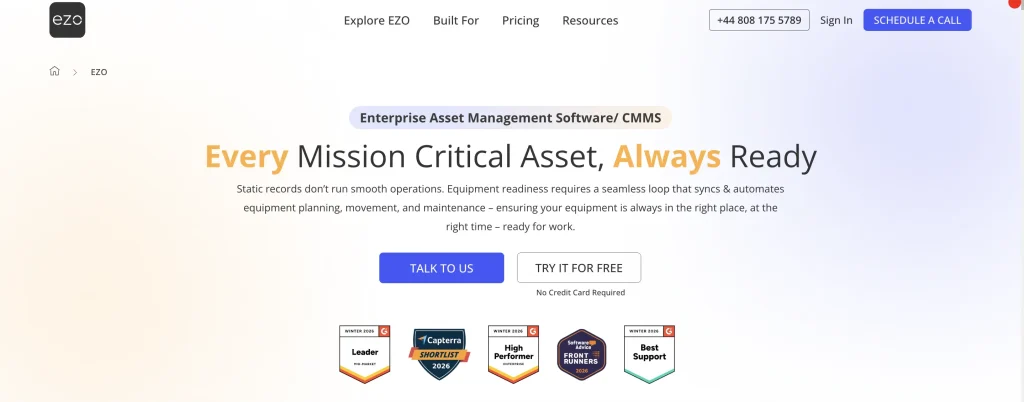
EZO is a strong Asset Panda alternative for teams that want asset tracking integrated with day-to-day operations. It is best suited for teams that need more than configurable records and mobile scanning. EZO connects asset tracking with custody, reservations, maintenance, inventory, procurement, depreciation, audits, and lifecycle reporting.
This makes EZO a good fit for operations, facilities, equipment, finance, and multi-location teams that need to answer questions such as:
- Who has this asset?
- When is it due back?
- Is it available or under maintenance?
- What has it cost us over time?
- Has it been reserved by another team?
- Is it worth repairing or should it be replaced?
- Which location needs replenishment?
- Can we prove the full custody and maintenance history?
Key EZO capabilities
All-in-one lifecycle management
EZO helps teams manage assets from purchase to disposal. Teams can track procurement, receiving, assignment, check-in/check-out, reservations, maintenance, depreciation, audits, and retirement activity from a connected asset record.
Instead of keeping purchase data, service history, custody records, and retirement decisions in separate systems, EZO gives teams a more complete view of the asset lifecycle.
Custody trails and transfers
EZO helps teams track who has an asset, when it was checked out, when it is due back, and when custody changes. This is useful for organizations where tools, equipment, devices, kits, or shared assets move among employees, departments, job sites, labs, campuses, or storage locations.
Requests, reservations, and fulfillment
EZO supports request and reservation workflows, enabling teams to move away from email-based asset requests. Employees can request assets, teams can check availability, approvals can be routed, assets can be reserved, and returns can be tracked within a single workflow.
This is especially useful when multiple teams need access to the same equipment, rooms, kits, tools, or devices.
Maintenance tied to asset history
EZO connects maintenance activity to asset records. Teams can manage preventive maintenance, service schedules, inspections, work orders, repairs, and asset condition in context. This helps operations teams understand how maintenance affects availability, cost, downtime, and replacement planning.
Inventory and procurement visibility
EZO helps teams manage assets and inventory across locations. Teams can track purchase orders, vendors, stock movements, inventory levels, consumables, and replenishment needs. This gives finance and operations a clearer view of what has been purchased, what is available, and what needs to be planned next.
EZO vs Asset Panda
| Evaluation area | EZO | Asset Panda | Better fit when |
| Lifecycle management | Connects procurement, assignment, custody, reservations, maintenance, depreciation, audits, and disposal | Strong for configurable asset records, audits, mobile tracking, and asset history | Choose EZO when lifecycle workflows need to stay connected |
| Request workflows | Supports requests, approvals, reservations, fulfillment, checkout, and returns | Supports configurable workflows that can be adapted to asset processes | Choose EZO when requests and fulfillment are central to operations |
| Maintenance context | Connects maintenance, inspections, work orders, and asset condition to asset records | Can support repair tickets and maintenance-related tracking | Choose EZO when maintenance should affect availability and replacement decisions |
| Inventory and procurement | Tracks vendors, purchase orders, inventory levels, stock movements, and replenishment | Can store purchase and vendor details through configurable records | Choose EZO when procurement, inventory, and asset operations need to work together |
| Custody and transfers | Tracks custody, handoffs, checkouts, due dates, and asset movement | Supports assignments, custody visibility, scanning, and audit-ready records | Choose EZO when custody must connect to reservations, service history, and lifecycle reporting |
Where EZO may not be the best fit
EZO may be more than a team needs if the only goal is a simple visual inventory list or a QR-first field tracking setup. Smaller teams that only need photos, basic item counts, and quick scanning may prefer Sortly. Teams that focus solely on maintenance execution may prefer MaintainX. Teams centered on equipment-room reservations may also compare Cheqroom closely.
What users have to say about EZO
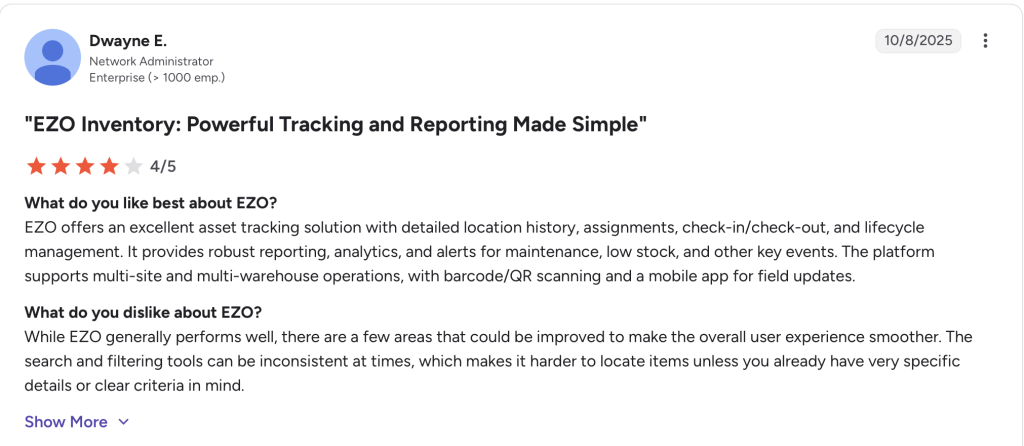
EZO pricing: EZO offers Essential, Advanced, Premium, and custom Enterprise plans, with pricing that scales by item count and operational needs. A 15-day free trial is available, and Enterprise pricing is tailored for large-scale asset operations.
2. MaintainX: Best for maintenance-first teams
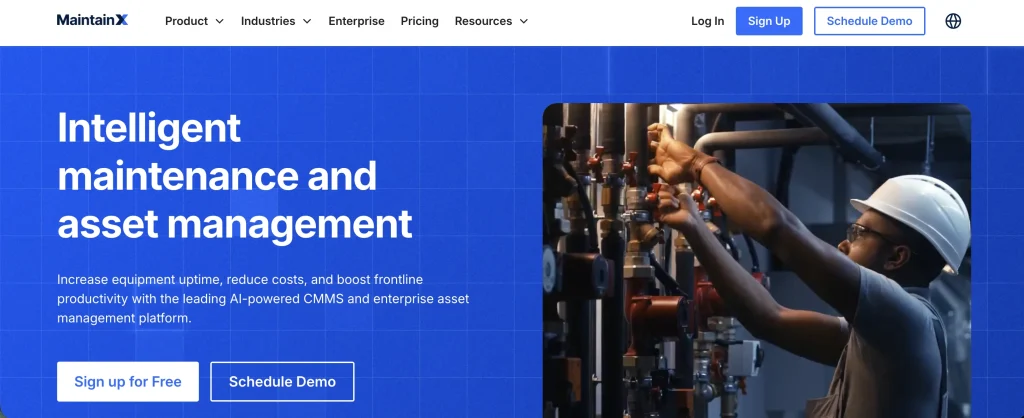
MaintainX is a strong alternative to Asset Panda for teams whose primary challenge is maintenance execution. It is built for maintenance and reliability teams that need to manage work orders, preventive maintenance, inspections, procedures, technician workflows, parts inventory, and asset reliability.
MaintainX is a better fit than Asset Panda when the main question is not “Where is this asset?” but “What work needs to be done, who is doing it, which parts are needed, and how do we reduce downtime?”
Key MaintainX capabilities
Work order execution
MaintainX helps teams create, assign, prioritize, track, and close work orders across locations. Maintenance teams can use it to standardize work, capture job notes, attach photos, and keep technicians aligned.
Preventive and predictive maintenance
MaintainX supports preventive maintenance programs and condition-based workflows. It is a good fit for teams trying to move from reactive repairs to planned maintenance and reliability management.
Checklists and inspections
MaintainX is strong for inspections, safety checks, procedures, and technician checklists. Teams can create repeatable maintenance workflows and ensure that field teams follow the right steps.
Parts inventory
MaintainX is useful for maintenance teams that need parts inventory tied to repairs, work orders, and equipment uptime. This matters when missing parts delay maintenance or extend downtime.
MaintainX vs Asset Panda
MaintainX is more purpose-built for maintenance execution. Asset Panda is broader than an asset tracking and management platform. If your team needs configurable asset records, audits, custody, reservations, and depreciation, Asset Panda may still be a better fit. If your team needs work order depth, technician workflows, PMs, inspections, and reliability reporting, MaintainX is usually the more focused option.
Where MaintainX may not be the best fit
MaintainX is not primarily a reservation-first or finance-first asset lifecycle platform. Teams that need custody, reservations, depreciation, procurement, inventory, and maintenance history in a single view may want to compare EZO more closely.
What users say about MaintainX
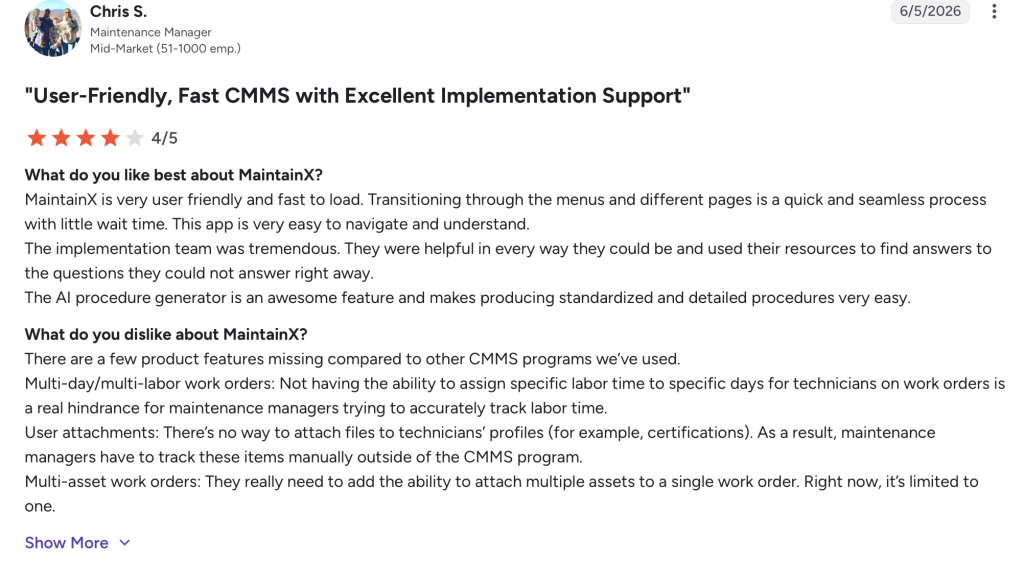
MaintainX pricing: MaintainX offers a free Basic plan, paid Essential and Premium plans priced per user, and custom Enterprise pricing for larger maintenance teams that need multi-site controls, advanced reporting, and enterprise support.
3. GoCodes: Best for QR/GPS-based field asset tracking
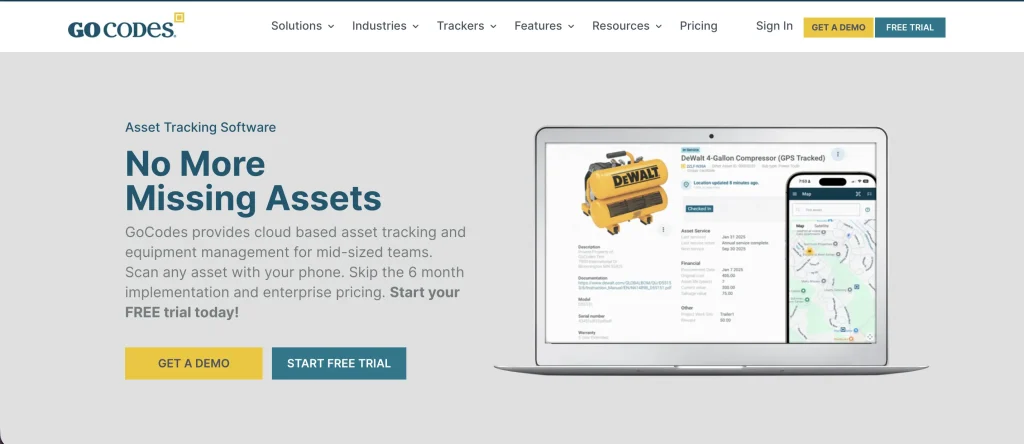
GoCodes is a practical Asset Panda alternative for teams that need field-friendly QR code tracking, mobile scanning, GPS location capture, and simple equipment accountability. It is often a good fit for construction teams, field crews, facilities teams, schools, healthcare teams, and other organizations that need to tag physical assets and track their movement.
GoCodes is strongest when the workflow starts with a tag: scan the item, see who has it, update its location, and record activity in the system.
Key GoCodes capabilities
QR and barcode tracking
GoCodes centers asset tracking around QR code labels and mobile scans. Teams can tag tools, equipment, vehicles, containers, and other movable assets so field users can update records quickly.
GPS location visibility
GoCodes supports GPS location capture and location history, with additional tracker options depending on the setup. This can help teams understand where equipment was last scanned or where tracked assets are located.
Check-in/check-out
GoCodes supports check-in/check-out workflows for tools and equipment. This helps field teams see who last had an item and when it moved.
Maintenance scheduling and inventory
GoCodes can support maintenance scheduling, custom reporting, inventory tracking, and reorder notifications. This makes it more useful than a basic spreadsheet for field asset control.
GoCodes vs Asset Panda
GoCodes may be a better fit when QR/GPS field tracking is the priority. Asset Panda may be a better fit when teams need a broader configurable asset management platform with deeper reporting, integrations, workflows, depreciation, and lifecycle data.
Where GoCodes may not be the best fit
GoCodes is less ideal when procurement, depreciation, approvals, reservations, maintenance costs, and lifecycle reporting all need to work together. In that case, EZO or Asset Panda may be better suited.
What users say about GoCodes
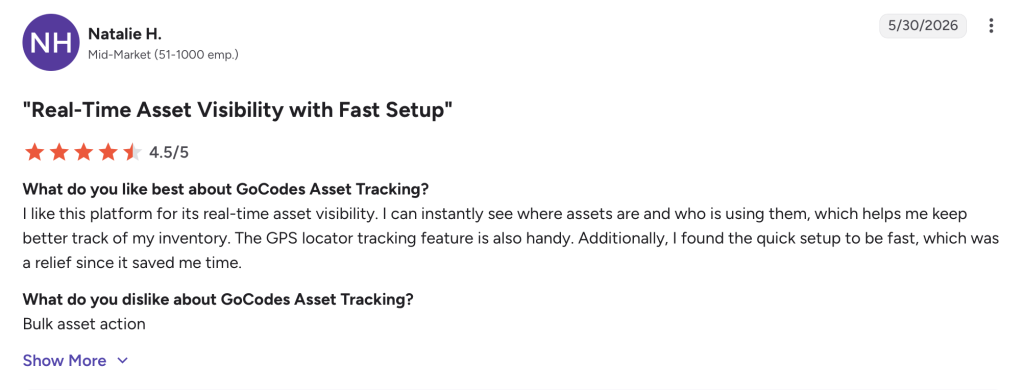
GoCodes pricing: GoCodes uses bundled pricing based on asset count and users, with plans starting at $500/year for smaller teams and custom pricing available for larger deployments.
4. Cheqroom: Best for equipment checkout and reservation workflows
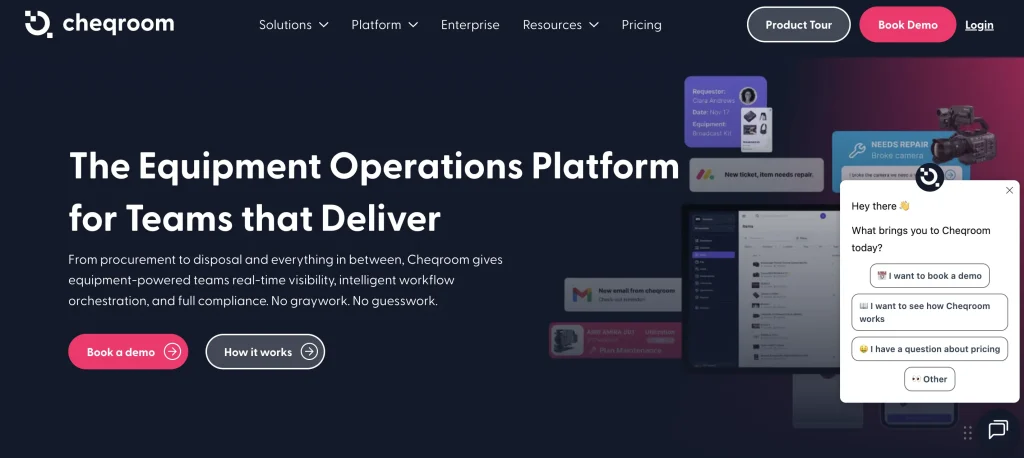
Cheqroom is a strong alternative to Asset Panda for teams built around shared equipment. It is especially relevant for universities, media teams, production houses, AV teams, creative teams, labs, and equipment rooms, where the main operational challenge is booking, checkout, return, and availability.
Cheqroom is a better fit when the team needs to know what equipment is available before someone shows up to collect it.
Key Cheqroom capabilities
Equipment reservations and booking
Cheqroom is built around reservations. Teams can view availability, book gear in advance, reduce double-booking, and plan around shoots, classes, labs, events, or projects.
Checkouts and returns
Cheqroom helps teams standardize equipment checkout and return workflows. Users can scan equipment, confirm responsibility, update item status, and record when equipment is loaned out and returned.
Availability and equipment planning
Cheqroom helps teams understand which items are available, reserved, checked out, overdue, or unavailable. This supports better equipment planning and reduces last-minute coordination.
Accountability at handoff
Cheqroom supports responsibility and audit workflows around equipment handoffs. This is useful when the risk is lost, late, damaged, or unavailable gear.
Cheqroom vs Asset Panda
Cheqroom is stronger when the workflow is reservation-first. Asset Panda is broader when the team needs configurable asset records, asset history, depreciation, integrations, and multi-department tracking.
Where Cheqroom may not be the best fit
Cheqroom may not be the first choice if the organization needs broader asset lifecycle management across IT, facilities, finance, operations, procurement, inventory, and maintenance. In that case, EZO or Asset Panda may be a better fit.
What users say about Cheqroom
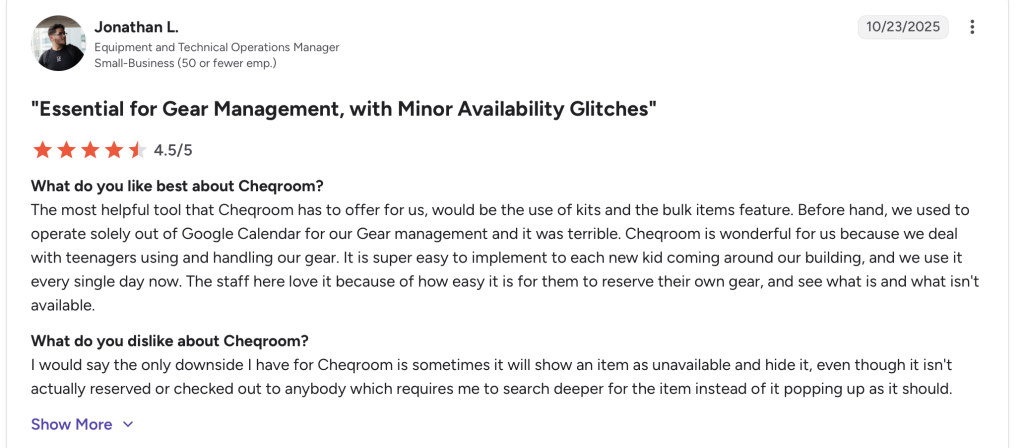
Cheqroom pricing: Cheqroom offers Core, Business, Enterprise, and E.L.A. plans with unlimited users and items. Pricing is based on admin licenses and plan requirements, with custom options for larger organizations.
5. Sortly: Best for simple visual inventory tracking
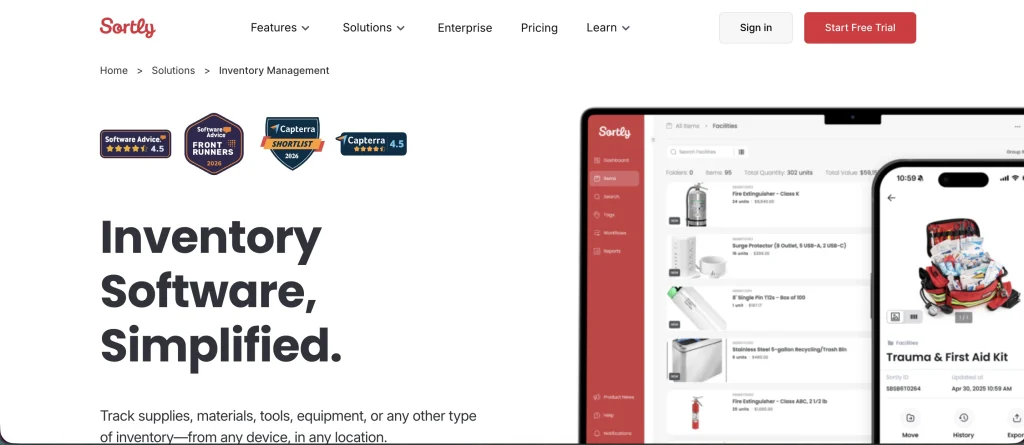
Sortly is a good Asset Panda alternative for teams that want simple, visual, mobile inventory tracking. It is best suited for small and mid-sized teams that need fast setup, item photos, folders, barcode/QR scanning, low-stock alerts, reports, and mobile updates without complex workflows.
Sortly works well when the goal is to answer simple inventory questions quickly: What do we have? Where is it? How many are left? What does it look like?
Key Sortly capabilities
Visual inventory tracking
Sortly lets teams add photos to item records, which makes it easier to identify tools, supplies, parts, and inventory at a glance. This is useful for teams that rely on visual confirmation instead of complex lifecycle data.
Barcode and QR scanning
Sortly supports barcode and QR code scanning, enabling teams to update inventory faster on mobile devices.
Low-stock alerts and reports
Sortly helps teams monitor inventory levels and get alerted when stock runs low. It also supports reporting for basic inventory visibility.
Mobile and offline access
Sortly supports mobile inventory updates and offline access on mobile apps, which is useful for warehouses, basements, job sites, or field locations with unreliable connectivity.
Sortly vs Asset Panda
Sortly is simpler and more visual. Asset Panda is broader and more configurable. Choose Sortly if your team wants lightweight inventory visibility and fast setup. Choose Asset Panda if you need more advanced asset records, workflows, audits, integrations, depreciation, and lifecycle control.
Where Sortly may not be the best fit
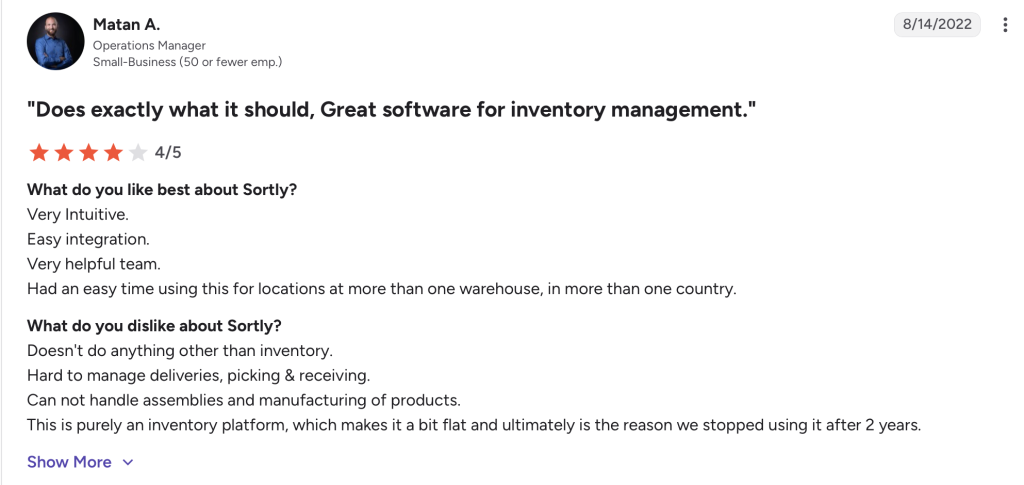
Sortly may not be enough for teams that need deep custody workflows, reservations, maintenance, depreciation, procurement, or multi-location lifecycle reporting. Those teams should compare EZO or Asset Panda.
What users say about Sortly
Sortly pricing: Sortly offers a free plan, paid plans for growing inventory teams, and custom Enterprise pricing for organizations that need higher item limits, more user licenses, API access, webhooks, and dedicated support.
Final comparison: Which Asset Panda alternative should you choose?
| Need | Best-fit option |
| Connected asset lifecycle management | EZO |
| Maintenance execution and reliability workflows | MaintainX |
| QR/GPS-based field asset tracking | GoCodes |
| Reservation-first shared equipment operations | Cheqroom |
| Simple visual inventory tracking | Sortly |
| Procurement, depreciation, maintenance, and custody in one system | EZO |
| Fast item photos, folders, and low-stock alerts | Sortly |
| Equipment rooms, AV teams, labs, and media gear checkout | Cheqroom |
| Work orders, PMs, inspections, parts, and technician workflows | MaintainX |
Final take: Which Asset Panda alternative fits your needs?
The best Asset Panda alternative depends on what your team has outgrown.
If your team still needs configurable records, mobile scanning, audits, assignments, offline field updates, and flexible workflows, Asset Panda remains a strong option.
If your team needs asset tracking connected to the full operational lifecycle, EZO is the strongest fit. It brings custody, reservations, maintenance, inventory, procurement, depreciation, audits, and lifecycle reporting into one connected system. That makes it a good choice for teams that need to move beyond “Where is this asset?” and answer “Who has it, what happened to it, what does it cost, and what should happen next?”
If maintenance execution is the main priority, MaintainX is a better fit. If QR and GPS-based field tracking matter most, GoCodes is practical. If equipment reservations and checkout for AV-supporting workflows are the center of the operation, Cheqroom is worth shortlisting. If the team only needs simple visual inventory tracking, Sortly is the lighter option.





