



EZO Manufacturing
Asset Management Software for Manufacturing
Keep Plant Equipment Maintained and Tracked
Trusted by Enterprises With Complex Asset Operations


Asset Gaps That Disrupt Manufacturing Operations
Production Delays & Losses
Missed service, overdue inspections, or equipment failures can halt production without warning, reducing output and putting staffing, customer commitments, and deliveries at risk.
Equipment Lost Between Sites
Tools, molds, gauges, and mobile equipment move between areas, shifts, plants, and storage. Without current custody records, teams waste hours searching or make duplicate purchases.
Missed Maintenance & Checks
Without assigned owners, due dates, alerts, and completion records, scheduled work is more easily overlooked. The issue often appears later as a breakdown, delay, or audit gap.
Rushed Audits & Compliance
Quality, safety, and regulatory reviews require reliable equipment records. Scattered service histories and inspection logs leave teams spending days rebuilding evidence.
Control Manufacturing Assets, Work, and Costs
Equipment & Asset Tracking
Preventive Maintenance & CMMS
Inspections & Safety
Spare Parts & Inventory
RFID, Barcode & QR Codes
Reporting & Utilization
Equipment & Asset Tracking
Track Every Asset Across Plant Locations
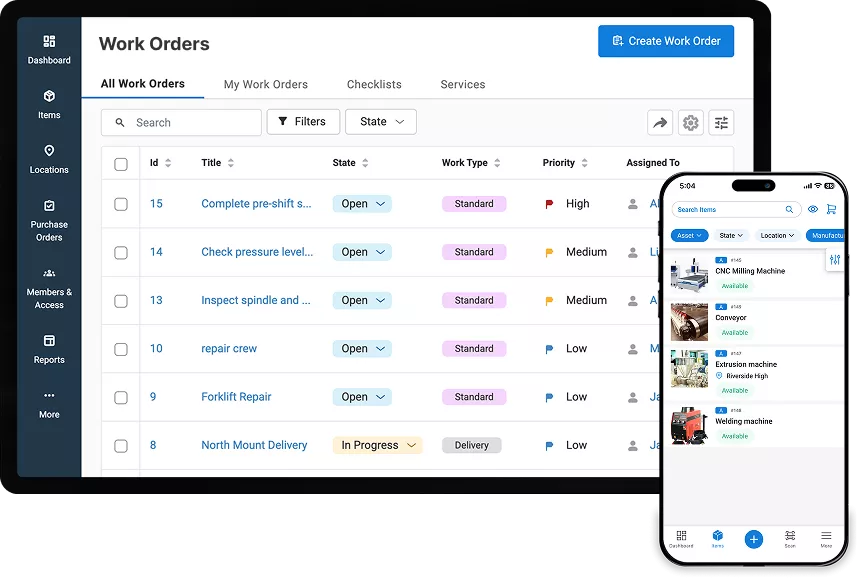
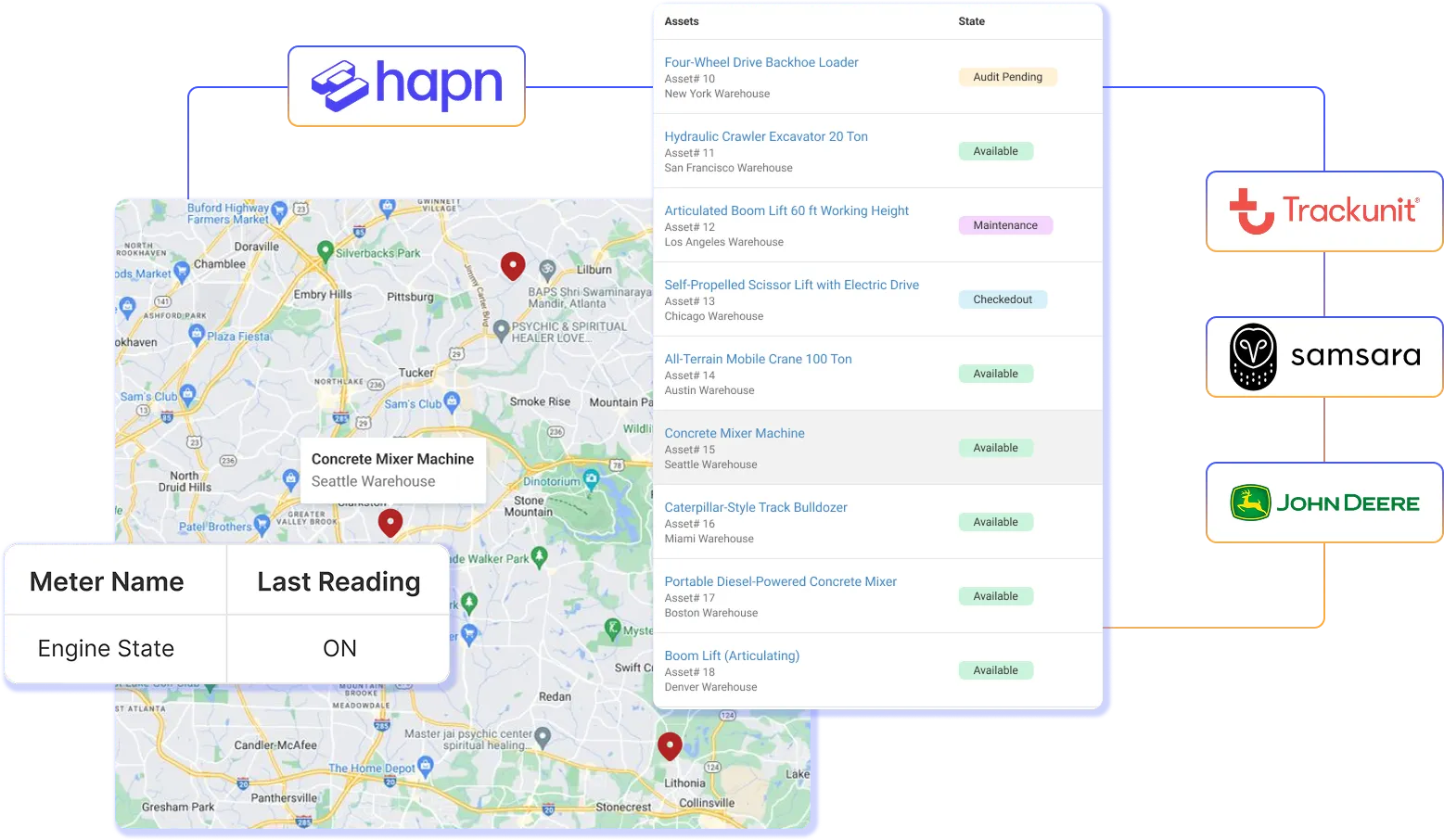
Create one reliable record for machines, tools, molds, gauges, mobile equipment, and rented assets. Track each item’s location, status, custody, availability, documents, and movement history. Configurable categories, fields, locations, and roles let each plant follow its own processes while keeping enterprise reporting consistent and reducing duplicate purchases.
Preventive Maintenance & CMMS
Keep Critical Equipment Production-Ready
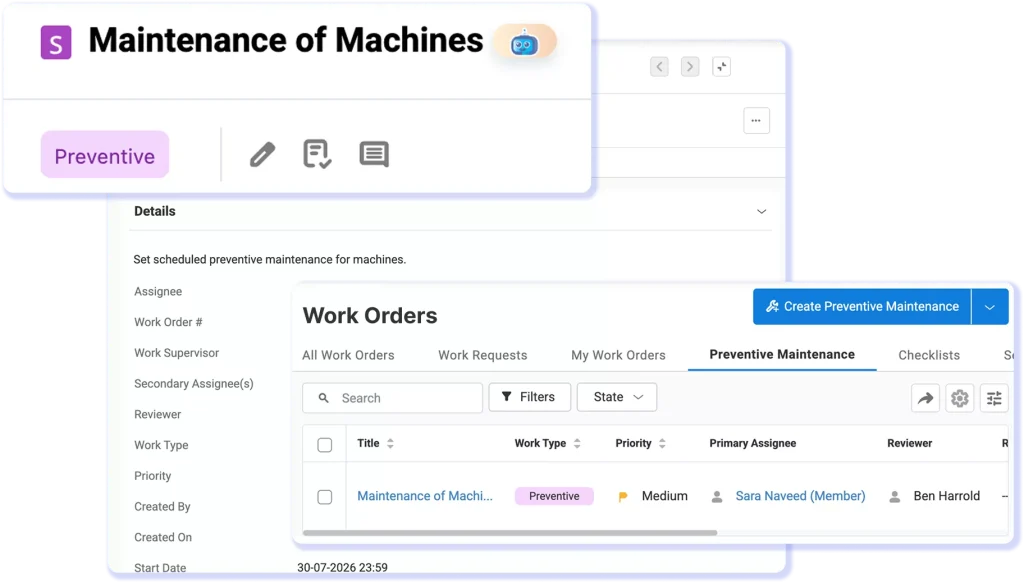
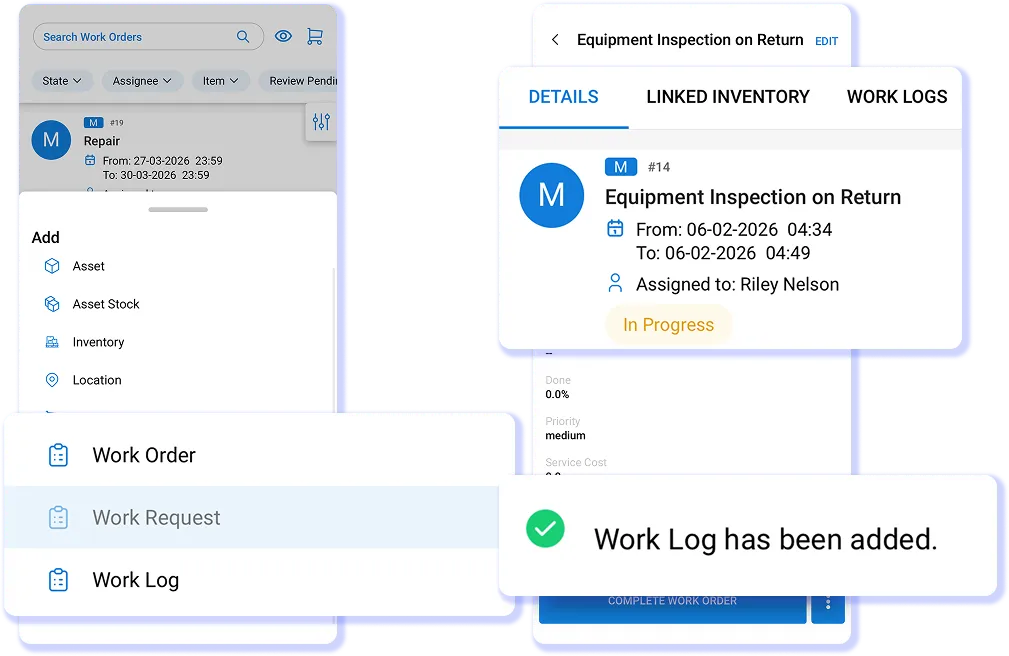
Use EZO’s built-in CMMS to schedule recurring service, generate work orders, assign technicians, and connect maintenance history to every asset. See what is due, in service, overdue, or ready for production. Standardized tasks, checklists, alerts, and logs help teams prevent missed work, reduce downtime, and return equipment to the line with confidence.
Inspections & Safety
Document Inspections and Corrective Work
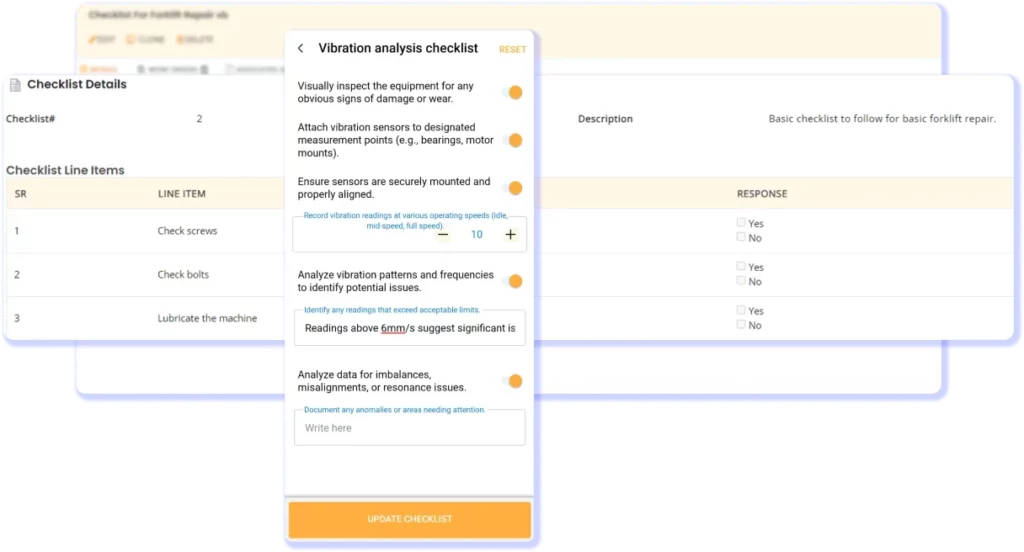
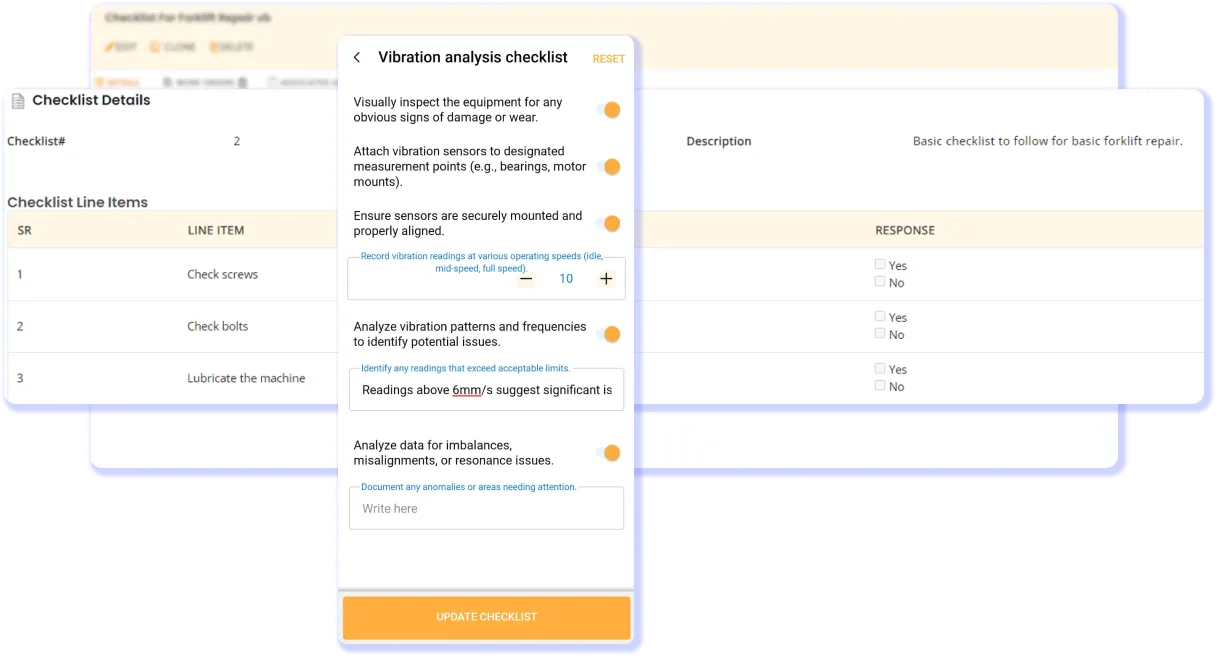
Run digital inspections and safety checklists from the plant floor, attach photos, flag issues, assign corrective work, and connect results to each asset. Centralized records of inspections, service, findings, and completed actions give teams evidence for internal reviews, safety management, and documentation tied to applicable OSHA equipment requirements.
Spare Parts & Inventory
Keep MRO Stock Ready for Every Repair
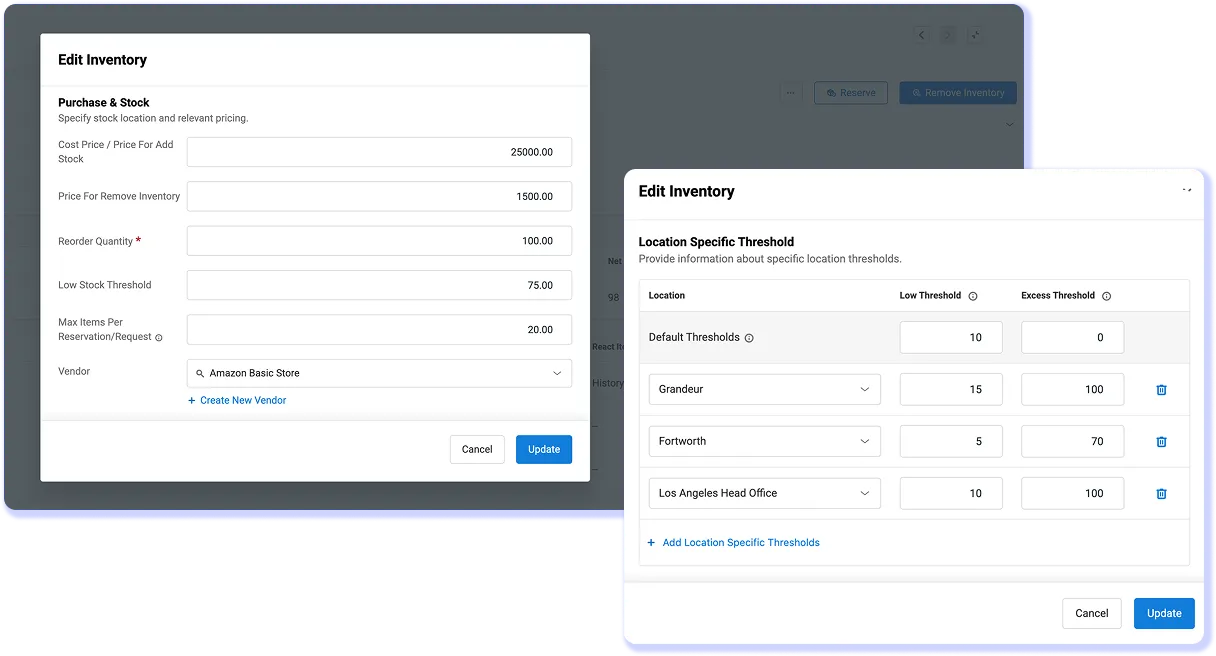
Track spare parts, consumables, and MRO inventory across plants and stockrooms. Monitor quantities and availability, set minimum stock thresholds, link parts used to asset service records, and create purchase orders from work orders. Connected inventory and maintenance data reduce manual follow-up, prevent stockouts, and keep repairs moving on schedule.
RFID, Barcode & QR Codes
Scan, Verify, and Update Assets Anywhere
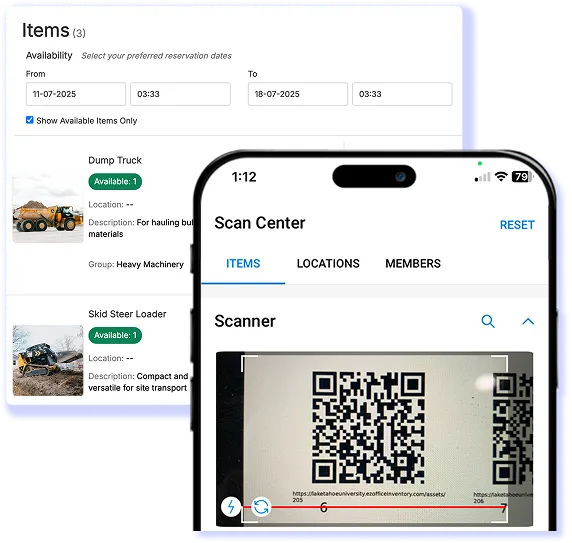
Scan barcodes, QR codes, and RFID tags to identify assets, update records, verify stock, and check equipment in or out from a mobile device. Teams can confirm tools, gauges, parts, and assets with less manual entry. Offline access lets teams view asset details, complete inspections, update work orders, and log maintenance, then sync changes when reconnected.
Reporting & Utilization
Turn Asset Data Into Smarter Plant Plans
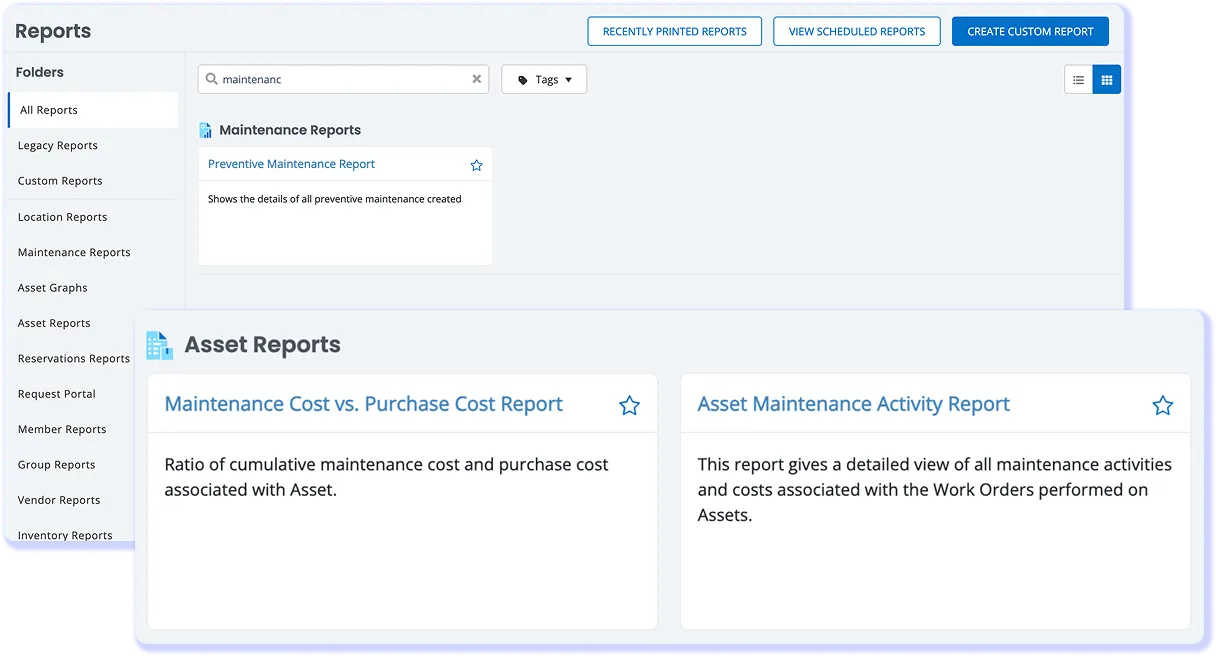
Track utilization, downtime, service history, availability, costs, and demand across every plant. EZO reports reveal underused equipment, recurring maintenance issues, and assets nearing replacement. Standardized dashboards help leaders improve production plans, guide capital budgets, and compare plant performance and adoption across rollout phases.
Keep Production Moving With Connected Workflows
EQUIPMENT USE & VISIBILITY
Know Where Equipment Is & How It Performs
PREVENTIVE MAINTENANCE & CMMS
Stop Breakdowns Before They Stop the Line
SAFETY INSPECTIONS & RECORDS
Turn Every Inspection Into Reliable Evidence
PARTS, COSTS & INTEGRATIONS
Connect Repairs, Parts, Costs, and Systems
Keep Every Plant Ready for Production
Trusted by Teams That Run on Uptime
2000+ hours
Saved Annually via Automation
Up to $200K
Cost Savings Annually
100%
Increase Operational Efficiency
Senasys Improves Efficiency and Cuts Monthly Costs
Senasys, a Wisconsin-based manufacturer of thermostat switches and machined components, needed better control over its machining-tool inventory and work orders. Tool shortages during critical projects caused unexpected downtime, while disconnected processes made it difficult to assign work and keep production on schedule.
With EZO, Senasys improved tool availability, streamlined work order assignment, and strengthened purchasing control. Employees spent less time searching for missing tools, contributing to a 20% efficiency improvement. Better inventory planning, purchase orders, and supplier consolidation also helped the company save $5,000–$10,000 per month.
What EZO gives them:
- Better visibility into machining-tool inventory
- Fewer tool shortages and production delays
- Streamlined work order creation and assignment
- 20% improvement in operational efficiency
- $5,000–$10,000 in monthly savings
- Stronger purchasing and supplier control
Customer Testimonials
Frequently Asked Questions
Yes. EZO organizes plants, stockrooms, production areas, and departments as locations while maintaining centralized records for machines, tooling, molds, gauges, mobile equipment, and rented assets. Teams can transfer equipment between locations without losing custody, movement, maintenance, or cost history. Location-based roles restrict what individual plant teams can view or change, while custom fields and asset categories accommodate site-level differences. Centralized reports give operations leaders visibility across plants without requiring every site to maintain a separate asset system.
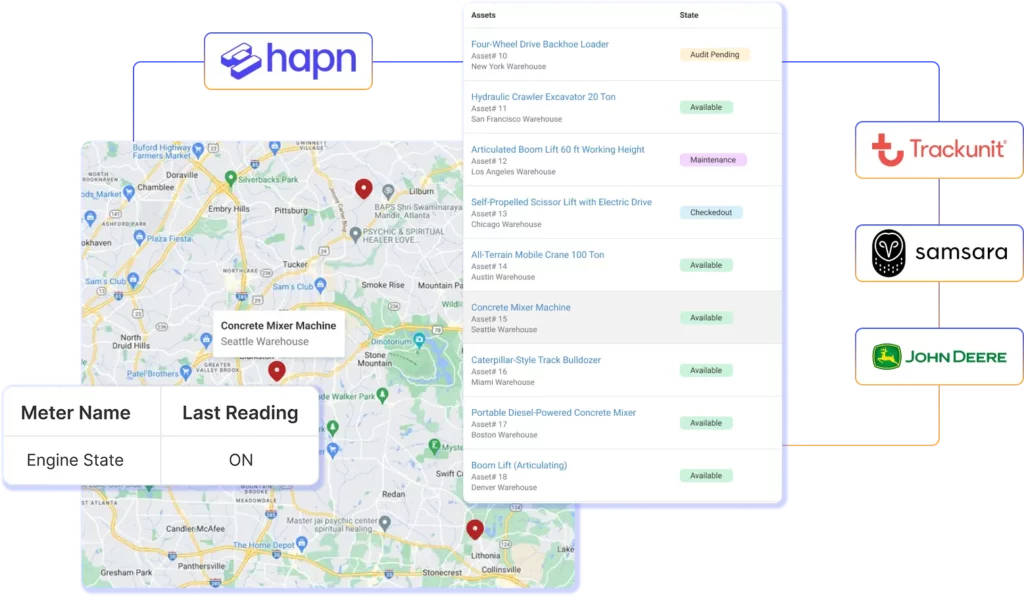
EZO creates a centralized record for machines, tools, molds, gauges, spare equipment, and rented assets. Each record can contain its location, availability, custody, images, documents, service history, and movement history. Teams can identify and update assets through barcode, QR code, or RFID scanning. For compatible GPS- or telematics-enabled equipment, EZO can also receive location and operating data such as runtime, idle time, or engine state when supported by the connected provider. This combination helps plants track large mobile equipment and smaller hand-carried tools through the appropriate tracking method.
Yes. EZO EAM includes built-in CMMS capabilities that connect preventive maintenance and work orders to the underlying equipment record. Teams can schedule recurring service for individual assets, groups, or subgroups; generate work orders; assign technicians; add checklists, parts, labor, photos, and notes; and retain the completed service history. Alerts notify responsible users when work is due or overdue. Automations can also route returned equipment into maintenance after check-in, helping prevent it from being circulated again before required work is completed. Work Orders are provided through the EZO CMMS add-on for new EZO customers.
EZO EAM offers offline mobile functionality for supported workflows, allowing technicians to access and update work orders where connectivity is weak and synchronize changes after reconnecting. EZO’s public pricing currently places offline mobile mode in Custom Enterprise, so manufacturers should confirm which asset, scanning, inspection, photo, and work order actions are available offline in their proposed configuration. The mobile app is available for iOS and Android and follows the permissions configured for each user. This makes offline access most relevant for production areas, remote facilities, and maintenance zones where reliable Wi-Fi cannot be assumed.
Yes. EZO EAM tracks maintenance, repair, and operations (MRO) parts and consumables across plants and stockrooms. Teams can monitor quantities by location, define low-stock and reorder thresholds, transfer stock, and connect parts consumed to work orders and equipment service records. When replenishment is required, authorized users can create purchase orders and retain vendor and cost information alongside operational records. EZO can also synchronize supported purchase order data with QuickBooks Online. This gives maintenance, procurement, and finance teams shared context on what was used, which repair consumed it, and when additional stock must be ordered.
EZO can document equipment inspections, checklist results, photos, signatures, corrective actions, responsible owners, and completion dates against the relevant asset or work order. Teams can retrieve inspection logs, service history, custody records, and completed actions for internal reviews or applicable equipment safety requirements. For example, these records may support documentation associated with periodic lockout/tagout inspections under OSHA 29 CFR 1910.147. EZO does not determine regulatory applicability, guarantee OSHA compliance, or replace an environmental, health and safety (EHS), governance, risk and compliance (GRC), or quality management system.
EZO reports can combine equipment availability, custody, movement, utilization, maintenance activity, service history, purchase cost, and repair cost. Plant leaders can use these records to identify underused equipment, recurring service activity, high-cost assets, and equipment that may need reassignment, repair, replacement, or retirement. For connected GPS or telematics assets, supported operating data can add runtime, idle-time, location, or equipment-state context. Custom reports and dashboard components help enterprise teams compare plant activity and rollout adoption using consistent fields, while permissions control which users can access operational or cost information.
EZO supports several integration categories used by manufacturing teams. QuickBooks Online can synchronize supported Work Orders and Purchase Orders with accounting. Jira and Zendesk connect equipment issues with service workflows. Google Workspace and Okta support directory or identity access processes. Zapier and REST APIs provide options for broader workflow and data connections, while compatible barcode, QR code, RFID, GPS, and telematics hardware extends field data collection. EZO also identifies Trackunit, Samsara, Hapn, and John Deere among its supported location data providers. Availability, direction of synchronization, required middleware, and plan eligibility vary by integration and should be confirmed during evaluation.
Yes. Manufacturers can structure a phased rollout by configuring plants as locations and defining asset categories, custom fields, roles, permissions, and workflows for the first deployment group. Later plants can be added while preserving centralized reporting and consistent asset records. Site-specific fields or access rules can accommodate operational differences without requiring each location to maintain an independent system. During rollout planning, EZO and the manufacturer should identify which classifications, required fields, approval rules, and reports will be standardized enterprise-wide and which will remain plant-specific. This approach suits transformation leaders replacing fragmented spreadsheets or departmental tools without changing every site simultaneously.
EZO is best suited to mid-market and enterprise manufacturers that manage significant equipment movement, maintenance, stockrooms, or multiple locations. Strong-fit organizations typically have 250 or more employees and need to replace spreadsheets, paper records, or disconnected departmental tools. Common buyers include operations managers, equipment managers, warehouse leaders, maintenance managers, transformation leaders, and operations directors. EZO is particularly relevant when unavailable, unmaintained, or unaccounted-for equipment causes production delays. A manufacturer seeking only production sequencing or process control should evaluate a manufacturing execution system instead; EZO focuses on physical asset operations, maintenance, custody, inventory, and lifecycle records.