EZO EAM Warehouse Inventory Management
Warehouse Inventory Management
Warehouse Inventory Management, From Dock to Audit

Warehouse Decisions Break When Records Drift
Fragmented, Untrusted Stock Data
A spreadsheet, the system, and the shelf show different quantities. Without one trusted record, staff recount before filling requests or order stock they already hold.
Unrecorded Moves Hide Usable Stock
Stock moves between aisles or sites without an update. The record keeps its old location, so staff search for missing items while usable supplies sit elsewhere on site.
Late Reorders Leave Shelves Empty
An alert cannot catch a shortage if the record still counts supplies already used. Replenishment starts too late, and teams face empty bins or urgent purchasing costs.
The EZO EAM Advantage
EZO EAM brings consumable Inventory, reusable Asset Stock, and individually tracked Assets into one catalog. Staff record receipts, transfers, checkouts, and consumption against item records and locations.
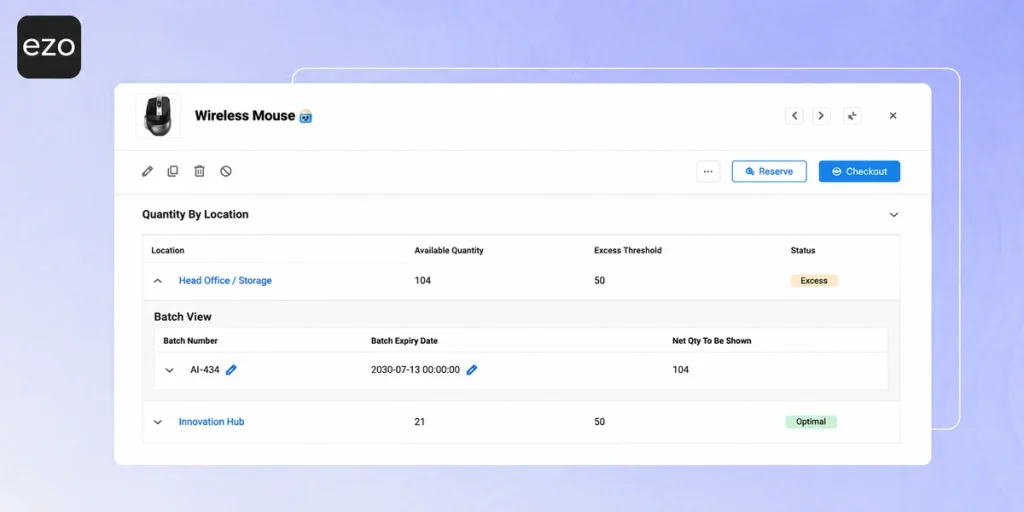
Planners review recorded quantities, use location thresholds to flag shortages, and compare shelf counts with records through audits before deciding what to replenish or move.
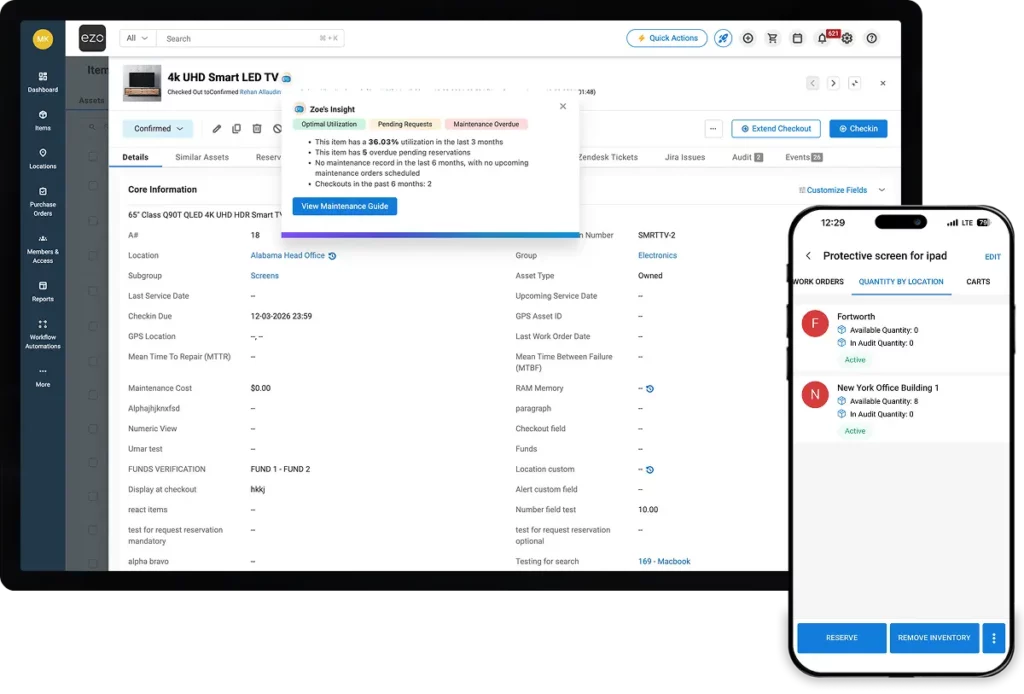
See how EZO EAM Supports Warehouse Count from Scan to Verified Record
Warehouse Inventory Management That Works on the Floor
7,000+
Monthly Audits
350,000+
Locations Managed
2,000+
Teams Using EZO EAM
Keep Warehouse Stock Records Current As Teams Work
STOCK VISIBILITY & TRANSFERS
Find Stock and Move It Across Warehouses
Review Asset Stock and Inventory quantities by location before ordering more supplies. Record transfers with origin, destination, and quantity so each site has an updated stock record. Stock transfers require Advanced Plan or above. Planners can identify surplus at another warehouse and decide whether to move it before placing a new local purchase order.

BARCODE, QR & RFID SCANNING
Update Stock at the Point of Work
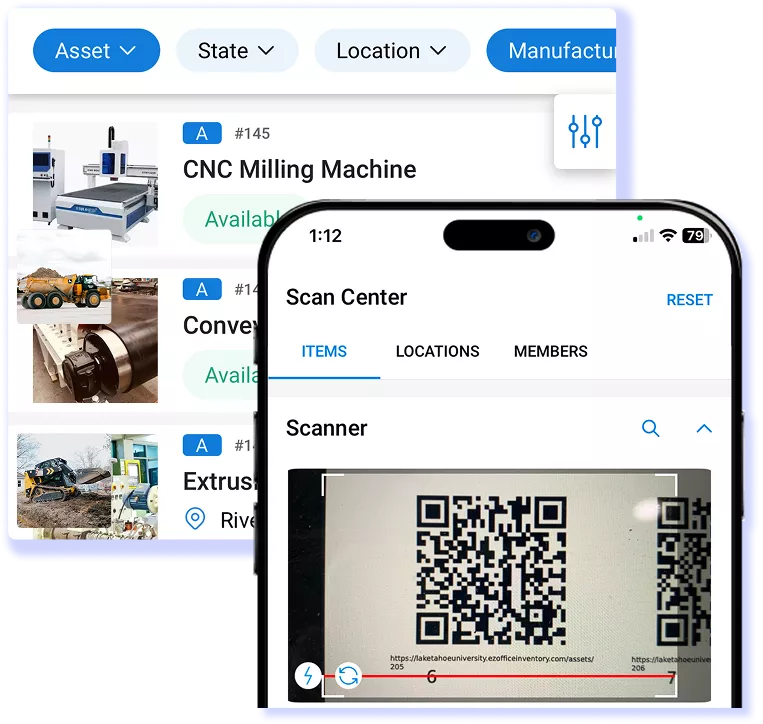
Use the mobile app to scan barcodes or QR labels and open item records where work happens. In location audits, compare recorded stock with physical counts and flag discrepancies for review. Blind audits hide expected quantities to support independent counts. RFID requires compatible readers and the Advanced Plan or above; location audits require the Premium Plan or above.
STOCK ALERTS & REPLENISHMENT
Review Stock Alerts and Plan Next Orders
Set location thresholds to flag stock that is below or above recorded quantities. Review the alerts, then add low-stock items to purchase orders on the Advanced Plan or above. Set a default reorder quantity where needed. Staff must record receipts, transfers, and usage so alerts reflect stock changes; regular counts help identify gaps before the next reorder.

Make Stock Decisions With Fewer Spreadsheet Checks
CUSTOMER STORY
DOCS Health Reports an 80% Reduction in Item Loss
DOCS Health manages more than 8,000 items, from medical consumables to high-tech devices, across three warehouses. Its teams ship these items to healthcare events, check them out against pick lists, and check them back in after each event. Barcode labels help maintain a clear record of each item’s movement.
EZO helped DOCS Health:
- Report an 80% reduction in overall item loss
- Cut annual laptop losses from 20 to about one
- Track stock thresholds and reorder points for each warehouse
- Compare item utilization and movement across its three warehouses
80%
20 to ~1
8,000+
Connect Warehouse Operations With Your Existing Systems
- Scanning hardware: Barcode, QR & RFID readers plus label printers, TOPAZ signature pads
- Accounting: QuickBooks Online purchase order sync
- Backups: Dropbox and OneDrive
- Identity: Okta, Microsoft Entra ID, OneLogin, Ping Identity, and Delinea through SAML single sign-on
- Custom connections: Zapier and the EZO EAM API
Frequently Asked Questions
EZO EAM organizes warehouse items into three categories: Assets, Asset Stock, and Inventory. Assets are individually tracked equipment, such as forklifts, scanners, or laptops, that require separate records and movement histories. Asset Stock covers reusable items managed by quantity, such as cables or shared equipment accessories, that can be checked out and returned. Inventory covers consumables, such as packaging materials or cleaning supplies, whose quantities decrease when used.
This distinction lets warehouses manage reusable equipment and consumable supplies in the same platform while applying the right tracking method to each item type.
Yes. EZO EAM supports bulk imports via CSV/Excel files, allowing warehouses to transfer existing records without manually recreating every item. Teams can import Assets, Asset Stock, and Inventory and map spreadsheet columns to the relevant system fields, including custom fields where configured.
During import, teams can preview records before confirming and download failed rows as a CSV of errors to fix and re-import. Supported import workflows can also update existing records.
Before migration, warehouses should review item classifications, stock quantities, locations, and duplicate records to establish a reliable starting inventory. The accuracy of imported quantities depends on the source data.
EZO EAM can operate alongside an existing warehouse management system (WMS) or enterprise resource planning (ERP) platform, but direct inventory synchronization depends on the integration being implemented.
EZO EAM provides API access for supported inventory operations, including retrieving stock quantities by location, recording transfers, and accessing inventory history. Its documented integrations also include QuickBooks Online for supported purchasing and accounting workflows.
Businesses should confirm whether their specific WMS or ERP requires a custom integration and establish which system owns inventory quantities, transaction updates, and other shared records. Native, automatic two-way synchronization should be confirmed for the specific integration before implementation.
Yes. With Transfer Requests and relevant permissions configured, EZO EAM lets managers control who can transfer items directly and who must request approval. Custom Roles determine who can raise, approve, or deny location transfer requests for Assets, Asset Stock, and Inventory. Authorized users can review requests through the Fulfillment Center.
Yes. EZO EAM supports reservations for Assets, Asset Stock, and Inventory. Administrators can enable conflict restrictions to block conflicting reservations and checkouts. For checkout actions, administrators can use “Ignore conflicting reservations” to proceed despite a conflict. Accurate allocation depends on current quantities and correctly recorded transactions.
Yes. EZO EAM supports hierarchical locations, allowing businesses to organize inventory records across warehouses and smaller storage areas. Parent-child location structures can extend from an organization or site down to individual shelves.
Asset Stock and Inventory quantities can be distributed across multiple recorded stock locations, while users can review the quantities associated with those locations.
For example, a business can organize its location hierarchy by warehouse, storage zone, aisle, and shelf to support more precise stock identification. This gives warehouse staff more specific location information than a warehouse name alone, provided the location structure is configured and movements are recorded accurately.
Yes. EZO EAM supports bulk transfers for Asset Stock and Inventory through its CSV/Excel file import functionality. Teams upload a file with item identifiers, origin and destination locations, quantities, and applicable price fields, then map columns, preview the transfers, and confirm. The origin location must have sufficient stock; transfers with insufficient quantity generate an error.
Yes. Once Cost Centers are enabled, users can assign inventory consumption to a department, project, or operating area when removing stock. Cost Centers also support inventory reservations and cart checkout workflows. With CMMS capabilities enabled, inventory linked to a work order inherits its Cost Center. The Cost Centers report shows transaction details, quantities used, associated users, and amounts.