

EZO Warehousing & Distribution
Asset Management Software for Warehousing & Distribution
Keep Your Warehouses Organized, Stocked, and Ready for Action
No more digging, guessing, or chasing down what’s on the shelf. Know what you have, where it is, and what’s ready to move, whether you’re shipping, distributing, or stocking up.
Trusted by Enterprises With Complex Asset Operations


When Equipment Records Fall Behind Warehouse Work
Equipment moves between shifts, crews, and sites. When records lag behind those handoffs, teams struggle to confirm custody, availability, and service status.
Equipment Is Hard to Find by Site
Without a shared equipment record, supervisors call other sites to check availability. Usable items can sit idle while another warehouse buys or rents replacements.
Custody Gets Lost Between Shifts
Verbal handoffs between shifts leave gaps in equipment records. When an item goes missing, teams spend time tracing who received it and which site last recorded it.
Service Status Is Hard to Confirm
When service logs sit apart from checkout records, coordinators must check both before assigning equipment. Missed updates can disrupt a shift when a unit needs service.
Equipment Requests Wait on Replies
Requests scattered across calls and emails leave coordinators chasing details and approvals. Crews wait for equipment while teams repeat checks and re-enter information.
Manage Warehouse Equipment From Request to Return
Availability Across Sites
Equipment Requests
Custody & Location History
Maintenance & Service History
Equipment Lifecycle Management
Equipment Reporting
Availability Across Sites
Check Equipment Availability Across Sites
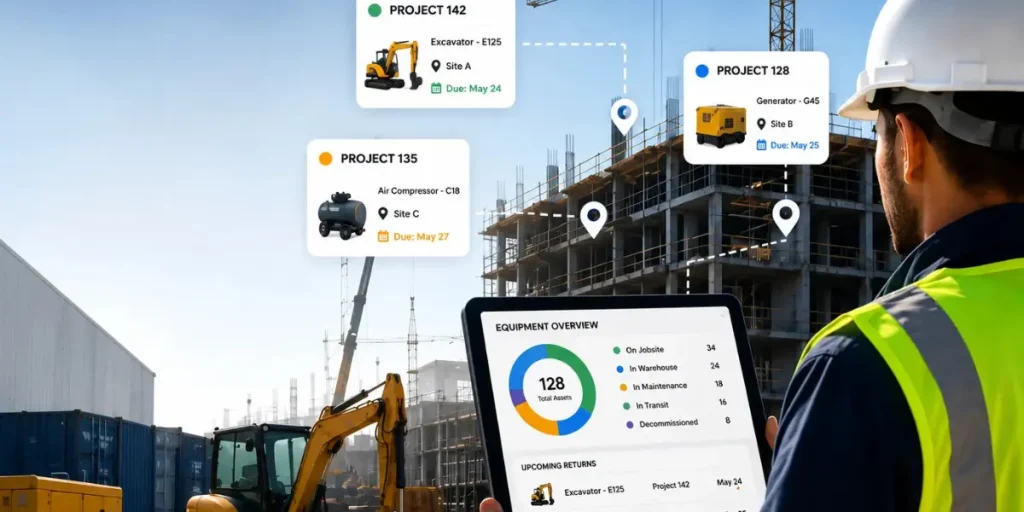
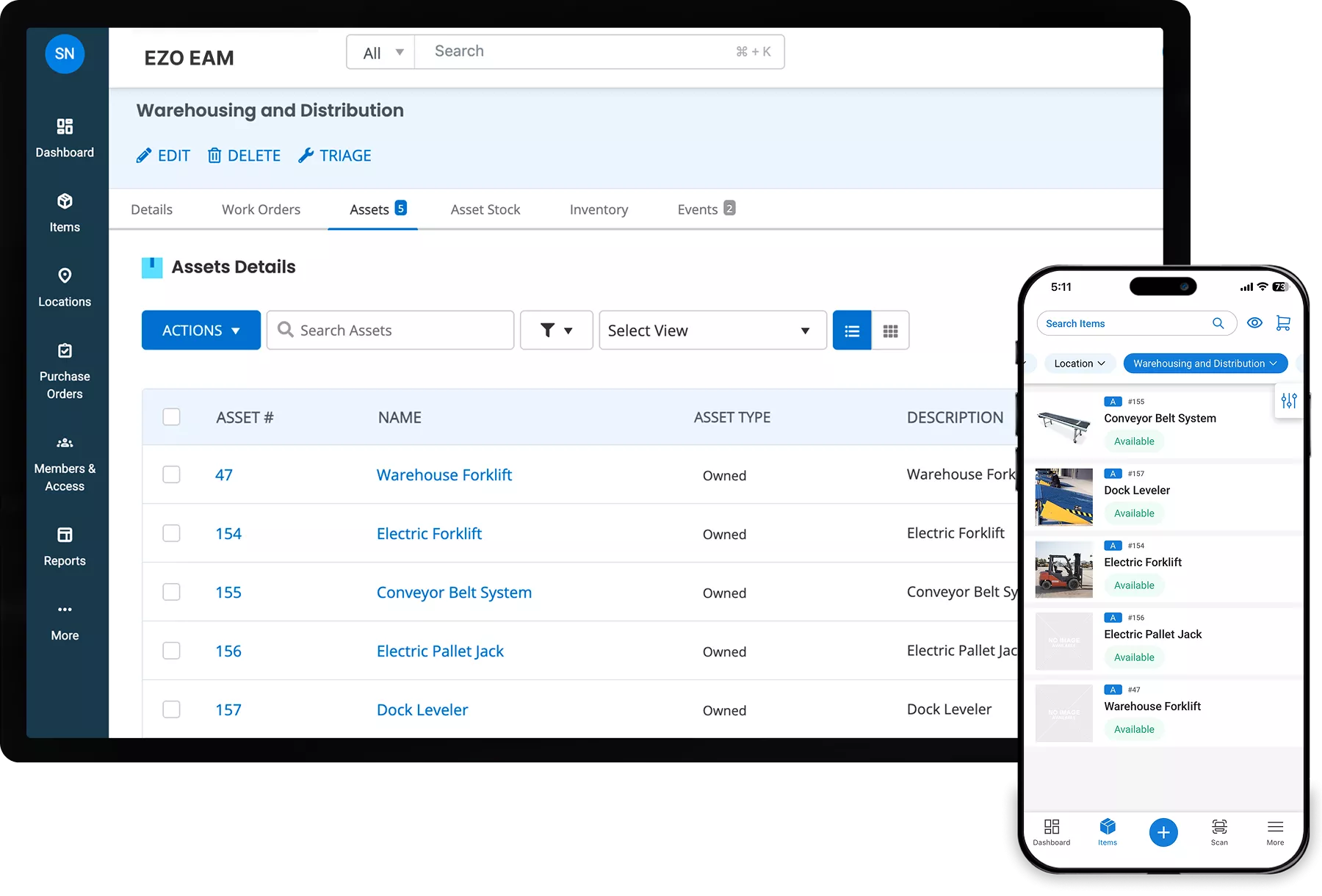
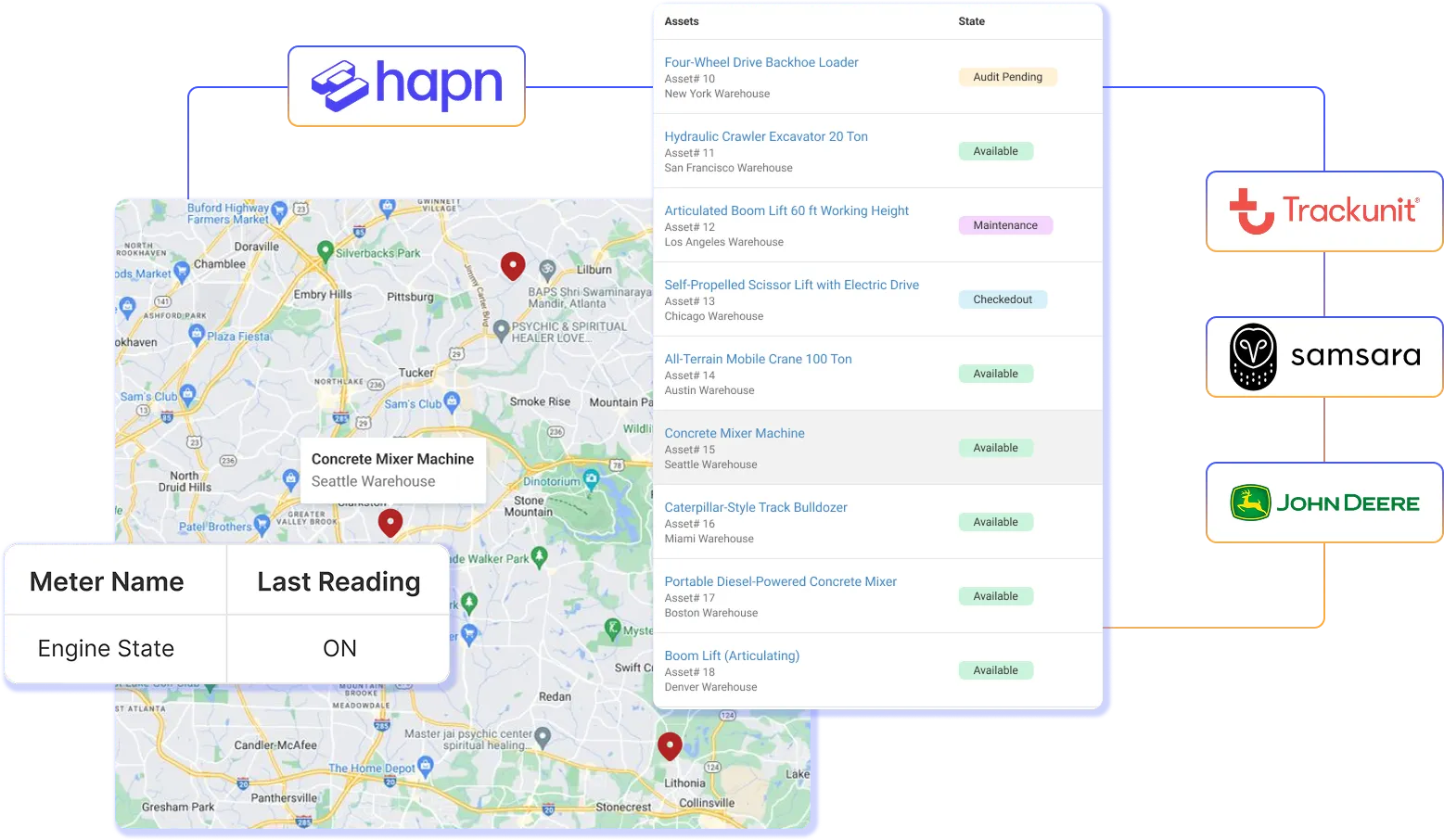
Keep equipment location, checkout status, and assignment details in one place. Warehouse coordinators can review recorded availability across sites before allocating forklifts, pallet jacks, shared tools, or transferable SKUs. By checking the equipment record first, teams can identify usable items elsewhere in the network before arranging a new purchase or equipment rental.
Equipment Requests
Move Equipment Requests Into Fulfillment
Give warehouse teams a consistent way to request equipment for a site or upcoming operation. Coordinators can review the request, check recorded availability, and allocate suitable items through the configured workflow. Keeping request details and equipment records together reduces repeated follow-ups and gives teams a clearer handoff into fulfillment.
Custody & Location History
Track Equipment Custody Between Handoffs
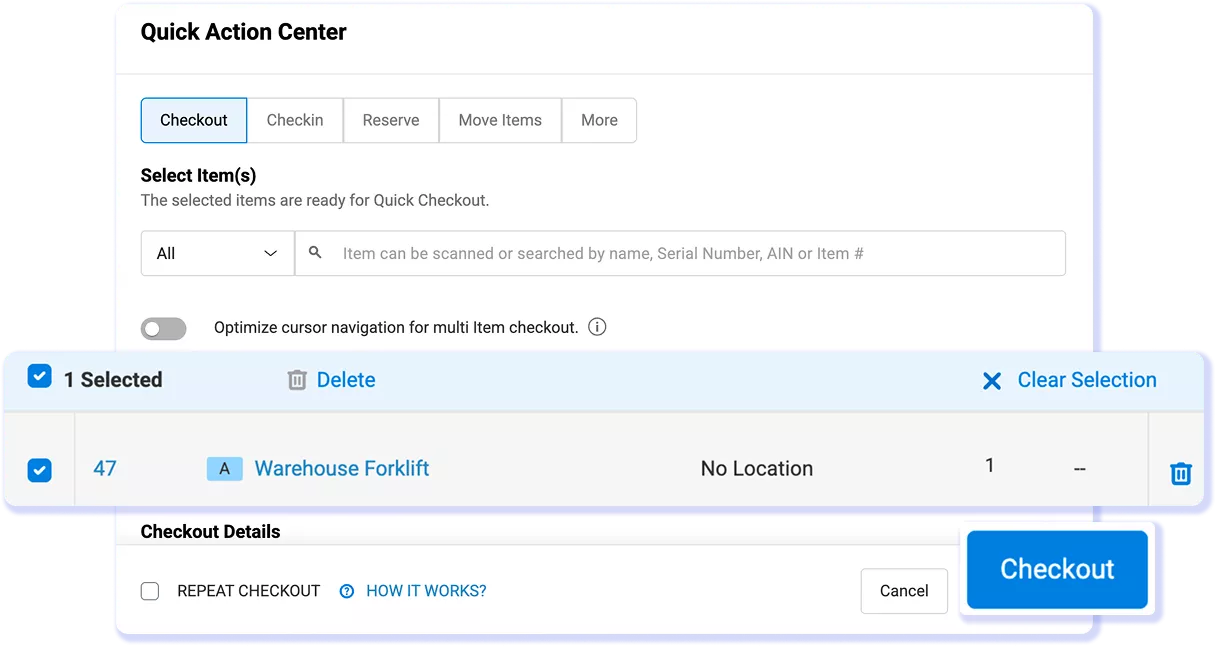
Record equipment checkouts, returns, and location changes as items move between warehouses and crews. Coordinators can review who holds an item, along with its recorded location and movement history. Keeping custody and location details together helps teams investigate missing equipment and resolve handoff questions without reconstructing events from email.
Maintenance & Service History
Keep Service History With Each Equipment Record
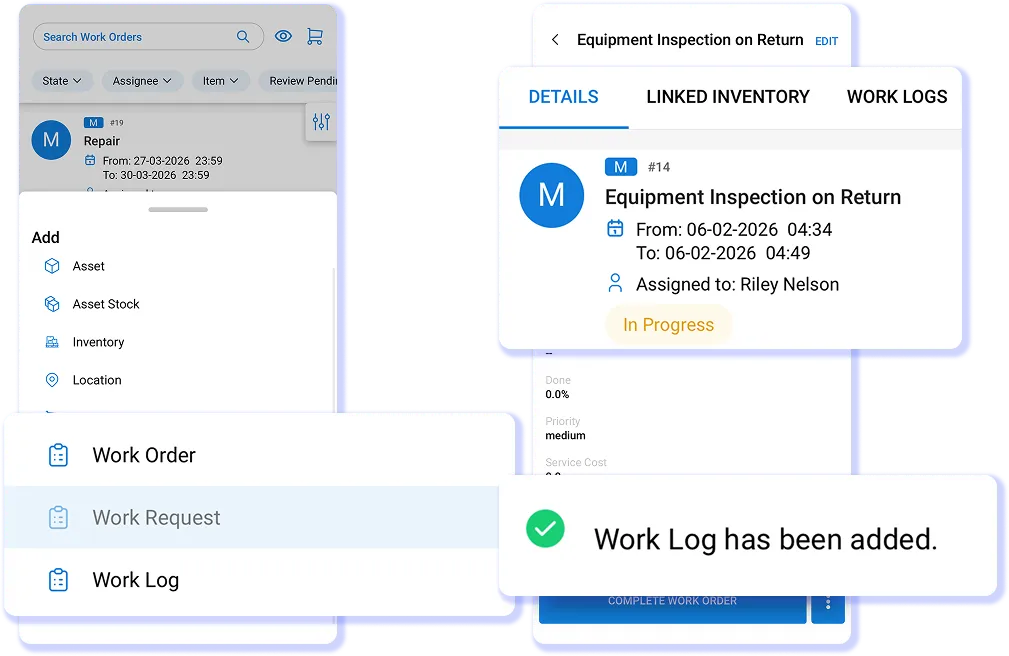
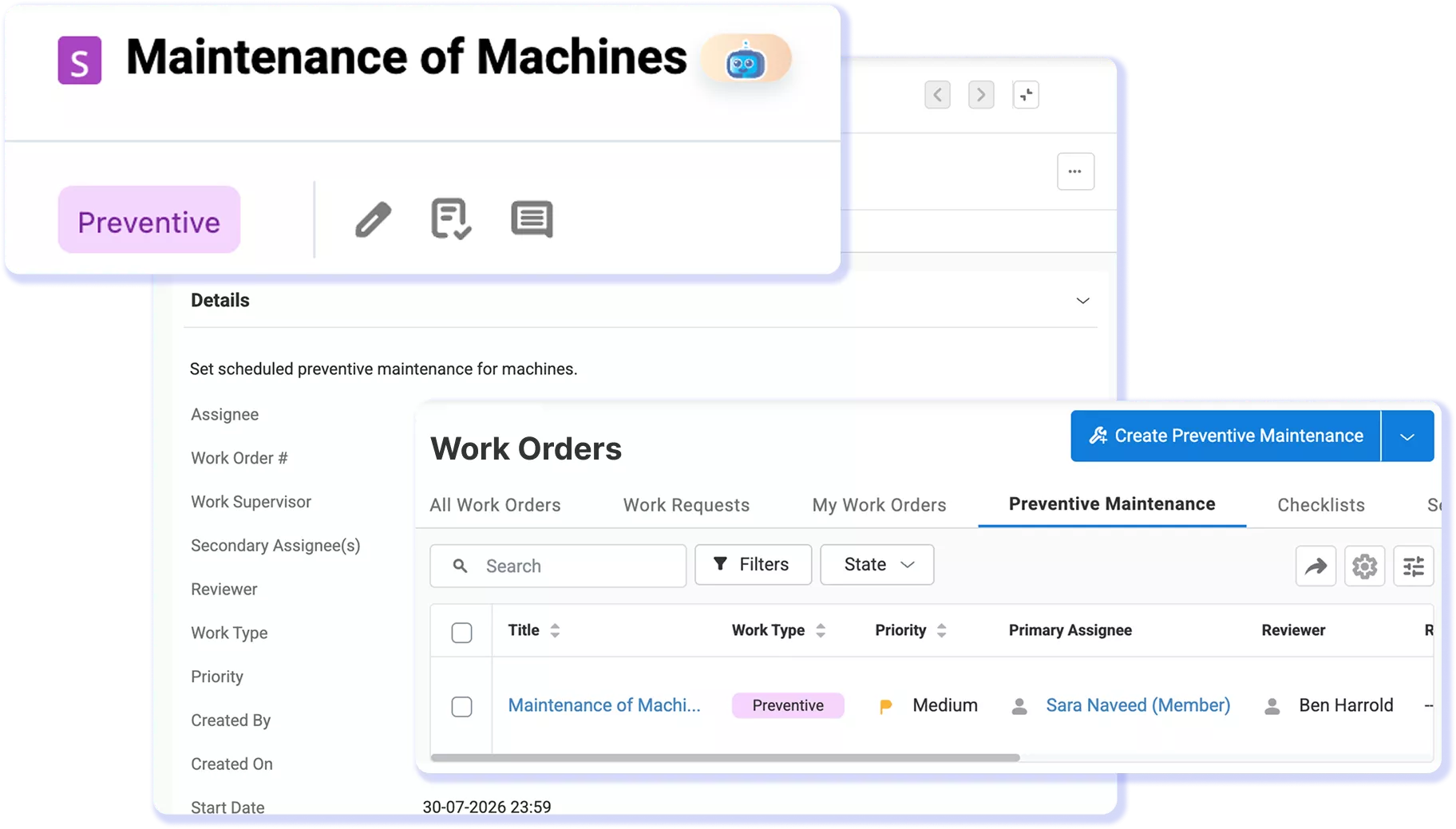
Connect equipment records with maintenance schedules, work orders, and service history through EZO EAM’s CMMS functionality. Maintenance teams can record service activity while coordinators review the recorded status before assigning equipment. This brings maintenance context into allocation decisions instead of leaving teams to consult separate logs.
Equipment Lifecycle Management
Keep Equipment History Across Its Lifecycle
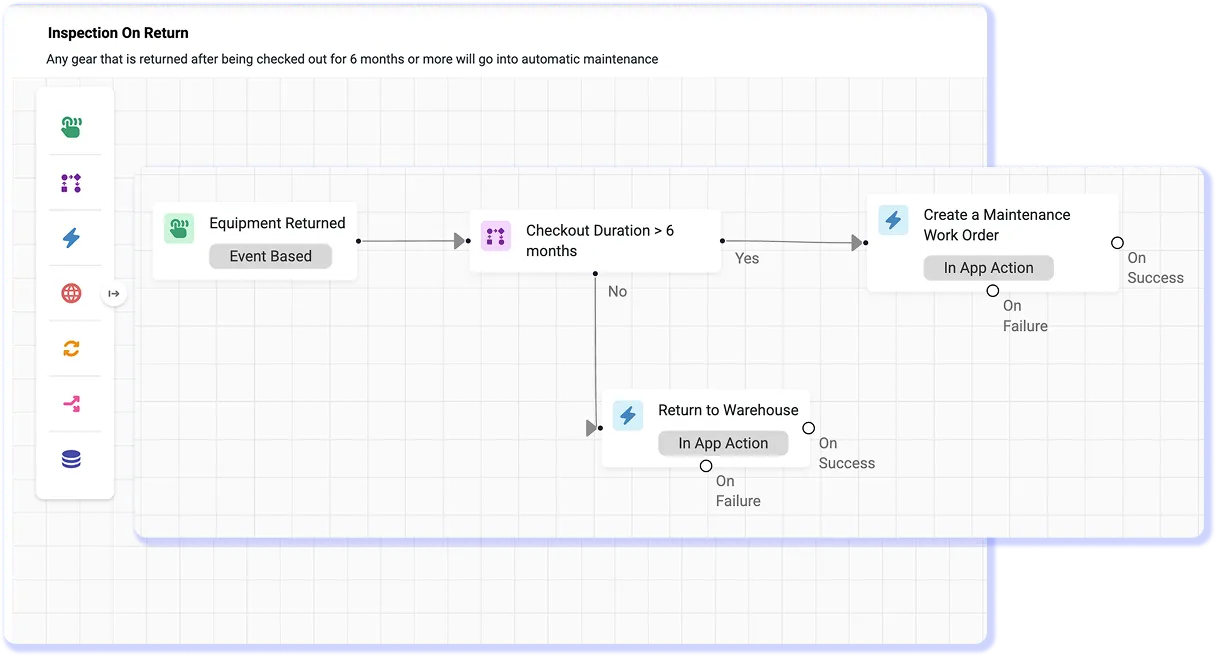
Keep acquisition details and equipment history together as assets move through deployment, checkouts, transfers, maintenance, and retirement. Warehouse managers can review the record to investigate recurring issues or plan replacements. Retaining that history across sites reduces the need to rebuild an asset’s background from separate spreadsheets.
Equipment Reporting
Review Equipment Activity Across Your Sites
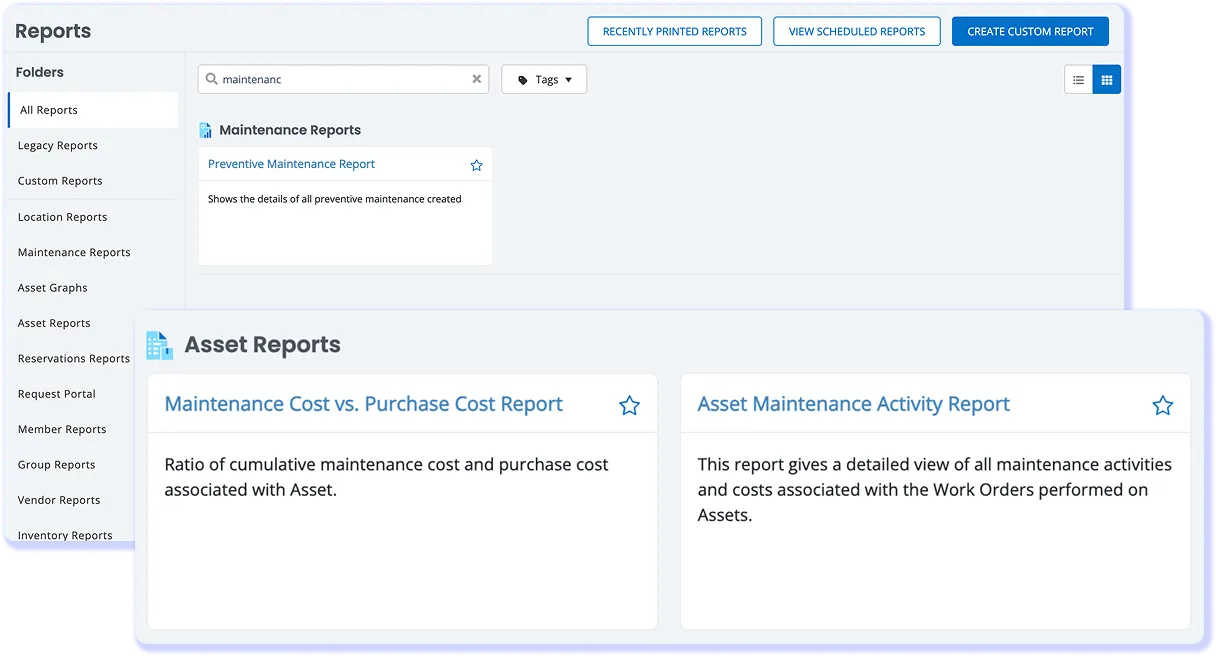
Use equipment reports to review recorded checkouts, locations, assignments, and service activity across warehouse sites. Managers can investigate items with repeated maintenance or extended checkout periods and compare records before reallocating equipment. Reports support planning based on recorded activity; they do not establish actual machine runtime.
Keep Warehouse Equipment Moving Through Clear Handoffs
REQUEST & ASSIGN
Turn a Crew Request Into an Equipment Assignment
RECORD THE HANDOFF
Record Equipment Handoffs Between Warehouse Sites
RETURN & REVIEW
Check Returned Equipment Before Its Next Assignment
SERVICE & RELEASE
Record Service Before Equipment Returns to Use
See How EZO EAM Fits Your Warehouse Operations
Supporting Equipment Operations Across Sites
4,800+
Monthly Work Orders Completed
7,000+
Monthly Audits
2,000+
Teams Managing 350,000+ Locations
DOCS Health Tracks Equipment From Warehouse to Field
DOCS Health uses EZO EAM to track equipment from warehouse preparation through healthcare service events, keeping checkout, location, and service information associated with its equipment records.
With EZO EAM, warehouse managers create equipment pick lists, check items out before shipment, and use reports to track equipment by location, custody, and utilization. When equipment needs service, teams can record faulty items and route them into maintenance before checking equipment back in after an event. This gives DOCS Health a more consistent operational record from warehouse preparation through field use, maintenance, and return.
What Warehouse and Operations Teams Say About EZO EAM
Frequently Asked Questions
Yes. EZO EAM helps teams manage forklifts, pallet jacks, dock equipment, and shared tools across multiple warehouses and distribution sites. Teams can track each item’s recorded location, checkouts, custody, and movement history, while keeping maintenance information associated with the equipment. This helps coordinators review availability across sites and plan assignments using shared records.
EZO EAM gives warehouse teams a structured way to request equipment and coordinate fulfillment. Teams submit requests, and equipment coordinators review the requirements, check recorded availability, and allocate suitable items through the configured workflow. Keeping request details alongside equipment records helps coordinators manage assignments and gives teams a clearer handoff from request to checkout, reducing reliance on scattered emails and manual follow-ups.
Yes. EZO EAM records equipment checkouts, returns, and location changes so warehouse teams can review who holds an item and where it has moved. As equipment passes between employees, crews, and sites, its record retains custody and movement history. Managers can use these records to trace previous handoffs, investigate missing items, and confirm the last recorded location. Teams must record each handoff to keep that history current.
EZO EAM connects equipment records with preventive maintenance schedules, work orders, and service history through its CMMS functionality. Maintenance teams can record service activity, while warehouse coordinators review maintenance status before assigning forklifts, pallet jacks, or dock equipment. Keeping this information together helps teams identify equipment needing attention and plan assignments around service requirements. Readiness depends on completed maintenance and required checks.
A CMMS primarily manages preventive maintenance, work orders, and service history. EZO EAM covers broader equipment operations, including requests, checkouts, custody, location changes, and lifecycle records, with maintenance supported through its CMMS functionality. Warehouse teams can review service information alongside equipment availability when planning assignments. Confirm the applicable CMMS package when evaluating maintenance capabilities.
Yes. EZO EAM supports equipment audits by keeping asset identification, recorded location, custody, and movement history together. Warehouse teams can compare equipment found on site against these records and use barcode or QR code scanning to identify items during supported audit workflows. Managers can investigate discrepancies using checkout and location history, helping teams reconcile equipment records without piecing together separate spreadsheets or paper logs.
Yes. EZO EAM keeps warehouse equipment records from acquisition and deployment through checkouts, transfers, maintenance, and retirement. As forklifts, pallet jacks, and shared tools move between teams and sites, their records retain location, custody, and service history. Managers can review that history when investigating recurring faults, planning replacements, or retiring equipment, reducing the need to reconstruct an asset’s background from separate spreadsheets.
Yes. EZO EAM can connect equipment information with other business systems through supported integrations and REST API access. For an ERP or warehouse system, the integration may require custom development rather than a native connector. Teams should confirm the specific systems, data fields, sync frequency, and API availability. This helps define how purchasing or financial records connect with equipment location, custody, and maintenance information.
Yes. Warehouse teams can use EZO EAM’s mobile app to scan barcode and QR code labels, identify equipment, and access its record away from a desktop. Mobile workflows support activities such as checkouts, returns, location updates, and equipment audits. Recording these actions where the work happens helps keep custody and location information current as equipment moves between crews and sites, reducing the need to enter updates later from paper notes.