Key takeaways
- Asset request fulfillment extends beyond approval to availability, assignment, dispatch, checkout, return, and reavailability.
- Asset request fulfillment software overlaps with several categories, including enterprise asset management (EAM), IT asset management (ITAM), IT service management (ITSM), and computerized maintenance management systems (CMMS), each supporting different parts of the fulfillment process.
- Availability management should account for states such as reserved, checked out, in transit, under maintenance, and unavailable.
- EZO EAM is positioned for multi-site operations that need requests tied to physical equipment movement, custody, returns, and maintenance.
- ITSM platforms are suited to hardware provisioning, while equipment-focused platforms better support shared physical assets and field operations.
- Vendor evaluations should test a complete request lifecycle, including unavailable assets, cancellations, multi-item requests, returns, and maintenance.
- Total cost depends on assets, users, administrators, locations, modules, and integrations, not just the advertised starting price.
When someone needs equipment, submitting a request is only the beginning. The real challenge is ensuring the right asset reaches the right person at the right time while maintaining visibility into availability, ownership, and future use.
Asset request fulfillment software is designed to close that gap.
The right platform can turn a request into a structured operational workflow, rather than leaving fulfillment teams to coordinate via email, spreadsheets, calendars, and phone calls. But not every platform approaches the problem in the same way. Some are built around equipment reservations and checkout, others around IT service catalogs, and others around enterprise asset management or maintenance.
Disclosure: This article is published by EZO, and EZO EAM is included in this comparison. Vendors were evaluated based on publicly documented capabilities related to asset request fulfillment, including request intake, approvals, availability, reservations, assignment, checkout, returns, maintenance, and workflow depth.
The right asset request fulfillment software depends on how your organization manages physical equipment. For equipment-heavy, multi-site operations, EZO EAM is a strong fit because it combines request intake, approvals, asset availability, assignment, fulfillment, movement, returns, maintenance, and reporting. Cheqroom and Reftab are strong options for equipment reservations and checkout, while ServiceNow HAM and Freshservice are better suited to IT hardware request workflows.
What is asset request fulfillment software?
Asset request fulfillment software helps organizations manage the process of requesting, approving, allocating, and returning physical equipment or other assets. It creates a structured workflow between the person requesting an asset and the team responsible for making it available.
A basic request system may only handle:
Submit → Approve → Close
Physical equipment requires a more complete lifecycle:
Request → Approve → Allocate → Issue → Return → Reassign
The difference is that an approved request does not automatically mean the required equipment is available, assigned, or ready for use. Fulfillment teams still need visibility into which assets can be allocated, who receives them, and what happens after the equipment is returned.
For example, a field team requesting equipment for a project may need more than approval confirmation. The organization may need to identify available equipment, assign it to the appropriate project or employee, record the handoff, and update the asset record upon its return.
Asset request fulfillment software helps integrate these activities into a connected workflow, rather than relying on separate spreadsheets, email approvals, calendars, and manual tracking.
The category overlaps with several software markets, including enterprise asset management (EAM) platforms that manage physical equipment lifecycles, IT asset management (ITAM) platforms that manage technology assets, IT service management (ITSM) platforms that manage employee and service requests, computerized maintenance management systems (CMMS) that manage maintenance workflows, equipment checkout platforms that manage reservations and handoffs, and inventory management systems that track stock and availability.
Related software categories
Asset request fulfillment capabilities often overlap with several software categories:
| Category | What it manages |
| Enterprise asset management (EAM) | Physical equipment lifecycle, maintenance, availability, and operational records |
| IT asset management (ITAM) | Technology assets such as computers, software, and devices |
| IT service management (ITSM) | Employee requests, service delivery, approvals, and support workflows |
| Computerized maintenance management system (CMMS) | Maintenance scheduling, work orders, inspections, and repairs |
| Equipment checkout software | Reservations, checkouts, returns, and custody tracking |
| Inventory management software | Stock levels, quantities, and availability |
What should asset request fulfillment software include?
Not every organization needs the same depth of fulfillment. Before comparing platforms, evaluate the capabilities that matter to your operating model.
The right platform should support more than just request submission. It should connect the entire fulfillment process, from initial request through approval, allocation, use, return, and future availability. When evaluating solutions, consider the following capabilities:
1. Request intake and routing
The platform should provide a structured way for employees, teams, or departments to submit equipment requests. Look for customizable request forms, required fields, routing rules, request categories, and notifications that help teams direct requests to the right people.
2. Approval and authorization workflows
Approval workflows should do more than change a request status. Evaluate whether approvals connect to the next fulfillment step, such as reservation, assignment, procurement, or checkout. Consider whether the platform supports approval rules based on departments, locations, asset types, or request values.
3. Availability and reservation management
Shared equipment requires visibility into what is available, where it is located, and when it can be used. Look for reservation calendars, conflict prevention, availability checks, and controls that prevent multiple teams from requesting the same asset.
4. Assignment, checkout, and custody tracking
A complete fulfillment workflow should record who receives an asset, when custody changes, and where equipment is being used. Evaluate assignment records, checkout/check-in workflows, signatures where applicable, and historical custody records.
5. Dispatch and physical movement
For organizations moving equipment between locations, teams, or projects, evaluate whether the platform supports workflows for preparation, handoff, movement tracking, and delivery. Reservations alone do not necessarily provide dispatch visibility.
6. Returns, inspections, and restoration
Returned equipment should not automatically become available again. Look for workflows that support check-in, condition updates, inspection records, maintenance routing, and reavailability decisions.
7. Multi-asset requests and bundled equipment
Many real-world requests involve multiple items, such as a laptop, monitor, accessories, tools, or field kits. Evaluate whether the platform can group related assets into a single request, assignment, or checkout workflow.
8. Mobile and field workflows
Organizations with distributed teams need mobile access for equipment handoffs, scanning, check-ins, audits, and location updates. Evaluate whether field teams can complete fulfillment tasks away from a desktop.
9. Integrations and enterprise systems
Enterprise environments often need asset fulfillment connected with existing systems. Consider integrations with ITSM platforms, ERP systems, HR systems, identity providers, procurement tools, and directory services.
10. Security, permissions, and audit history
Evaluate role-based access controls, authentication options such as SSO, user permissions, activity history, and audit trails. For equipment accountability, the platform should preserve records of requests, approvals, assignments, transfers, and returns.
11. Reporting and operational visibility
Reporting should help teams understand request volume, fulfillment times, asset utilization, availability, overdue returns, and operational bottlenecks. Dashboards should support both daily operations and leadership reporting.
12. Implementation and total cost of ownership
Consider more than the subscription price. Evaluate implementation effort, configuration requirements, integrations, administration needs, training, and how pricing scales as asset volume, users, locations, or modules increase.
How we evaluated asset request fulfillment software
We evaluated platforms based on their ability to support one or more stages of the physical asset fulfillment lifecycle: request intake, approvals, availability management, reservations, assignment, checkout, dispatch or handoff, returns, maintenance, and reporting.
Because asset request fulfillment overlaps with EAM, ITAM, ITSM, CMMS, equipment checkout, and inventory management, vendors were selected based on the fulfillment workflows they support rather than on whether they use the term “asset request fulfillment software.”
Evaluation factors included:
- Request and approval workflows
- Asset availability and reservation capabilities
- Assignment and checkout processes
- Physical equipment movement workflows
- Return and maintenance handling
- Mobile asset operations
- Pricing transparency
- Best-fit use case
The platforms are not ranked as universal winners. Each solution is evaluated based on the fulfillment workflow it best supports, including physical equipment operations, IT hardware provisioning, reservations, and enterprise asset management.
The 10 best asset request fulfillment software solutions in 2026
We selected platforms that support one or more critical stages of physical asset request fulfillment, including request intake, approval, availability checking, reservation, assignment, checkout or dispatch, return, maintenance, and reavailability.
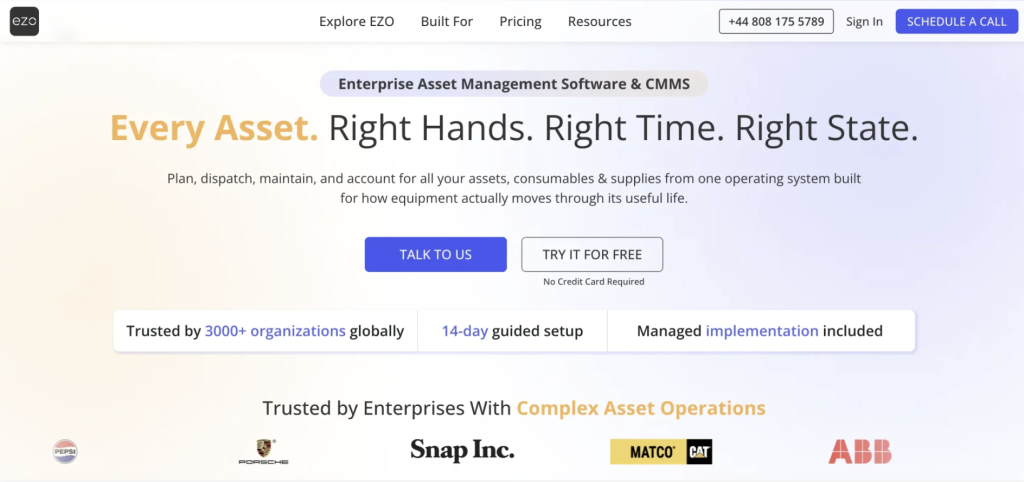
1. EZO EAM: Best for end-to-end physical equipment fulfillment
Best for: Equipment-heavy, multi-site organizations that need to manage requests alongside asset availability, assignment, movement, returns, and maintenance.
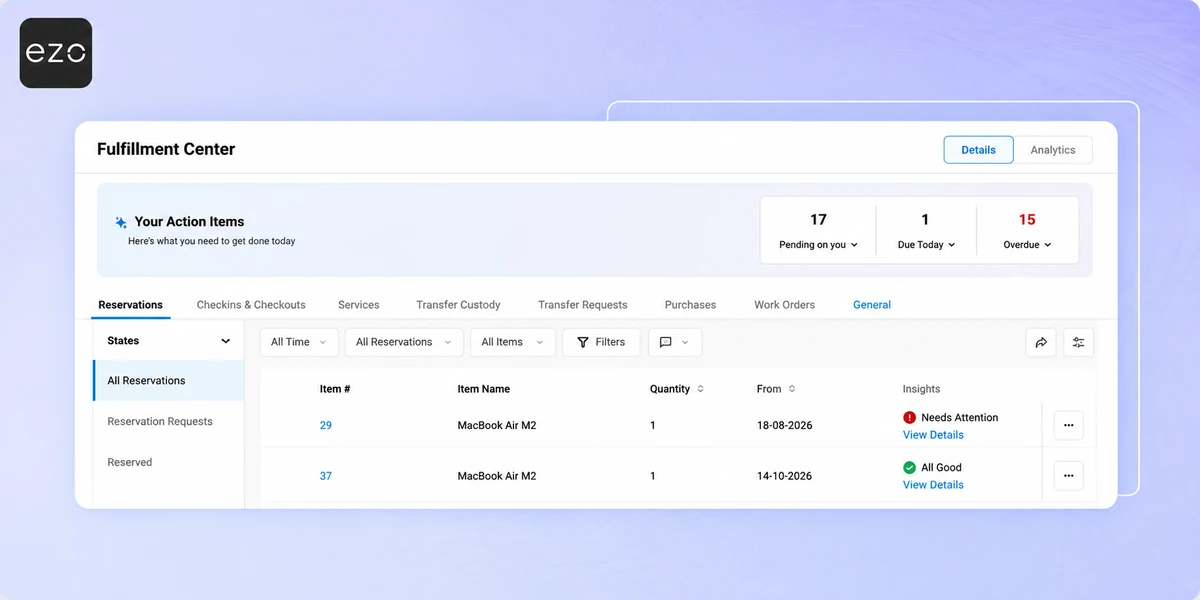
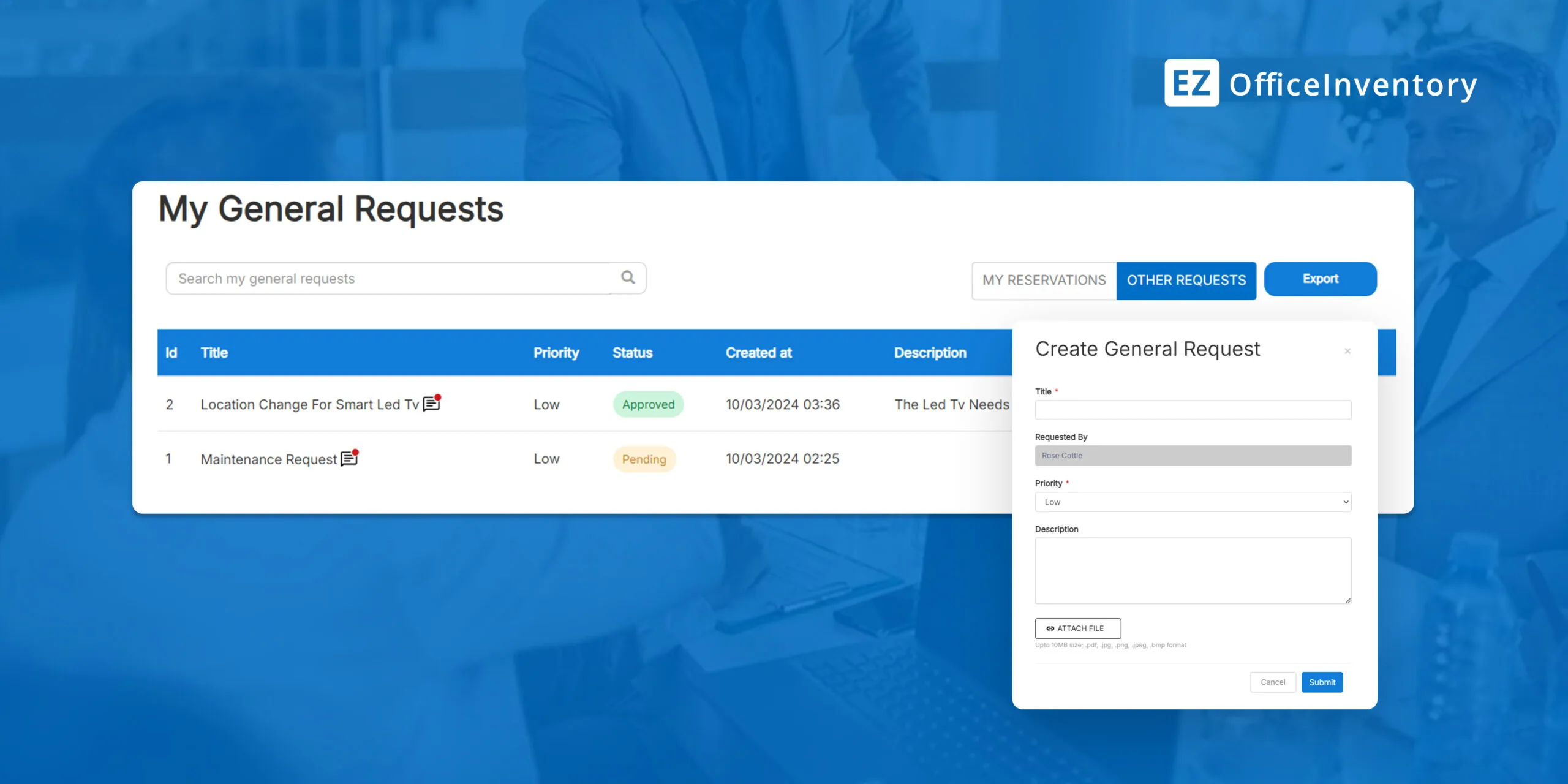
EZO EAM is the strongest fit when the fulfillment problem extends beyond submitting and approving a request. Its Request Portal gives employees a self-service way to browse equipment, submit requests, reserve items, and track request progress, while the Fulfillment Center gives equipment managers a centralized workspace for processing requests.
Its Dispatch Center extends this workflow into physical equipment operations. Managers can see incoming requests alongside equipment availability and lifecycle states, then take actions such as approving, reserving, preparing for dispatch, dispatching, or checking out equipment.
EZO also supports check-in/check-out, custody transfers, reservations, inventory, and maintenance workflows. This allows the fulfillment process to continue after the initial request, rather than ending when the request is approved.
Request management: EZO EAM’s Request Portal lets employees submit equipment requests and view request progress, while fulfillment teams can manage incoming requests from a centralized workspace. Requests can include the equipment and timing information needed to determine how to fulfill them.
Fulfillment: The Dispatch Center gives equipment managers visibility into requests, equipment availability, and status. Teams can reserve and assign equipment, prepare items for dispatch, record dispatch, and complete checkout, keeping the physical fulfillment process tied to the underlying asset record.
Returns and maintenance: The check-in action records when equipment returns to organizational custody and updates its availability accordingly. Returned equipment can also move into maintenance workflows when service or inspection is required, helping prevent equipment that is not ready for use from being immediately reallocated.
Mobile: EZO EAM supports mobile asset operations, including barcode and QR code scanning to identify equipment and update asset activity in the field. This can help teams complete checkouts, returns, audits, and other asset workflows without returning to a desktop.
Inventory: In addition to individually tracked assets, EZO EAM supports quantity-managed Asset Stock and Inventory. This gives teams a way to manage reusable equipment and consumable supplies alongside their broader asset operations rather than treating every physical item as an individually serialized asset.
Reporting: Fulfillment and asset activity can be used to report on equipment availability, assignments, utilization, maintenance, and other operational activity. This gives managers visibility into where fulfillment bottlenecks occur and how equipment is being used across the organization.
Pricing (as of September 2026): EZO EAM uses item-based pricing. Published pricing starts at USD $63.55/month total for up to 300 tracked items when billed annually for Essentials. Advanced and Premium plans start at USD $85.51/month and USD $100.88/month, respectively. Pricing scales with the number of tracked items, and Enterprise plans are custom-priced.
Potential limitation: Some advanced maintenance workflows require EZO EAM’s CMMS capabilities, and available functionality depends on the selected plan and configuration. Confirm whether you need maintenance scheduling, work orders, inspections, or other advanced workflows in addition to equipment fulfillment.
Best fit: Organizations where equipment requests involve actual physical allocation, movement, custody, and return, not just service-desk approval.
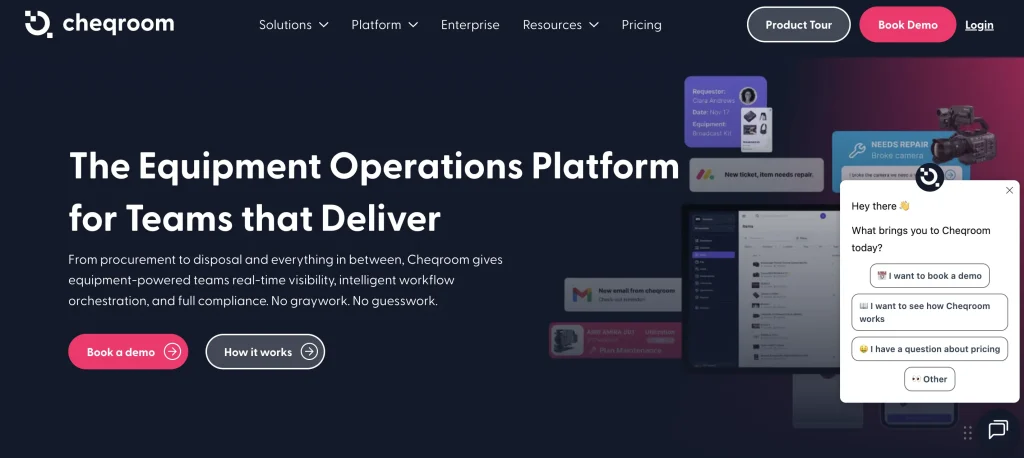
2. Cheqroom: Best for equipment reservations and checkout
Best for: Teams managing shared equipment that needs to be requested, reserved, approved, checked out, and returned.
Cheqroom is particularly strong when the primary fulfillment problem is equipment booking and controlled checkout. Its platform supports reservations, approvals, checkout, return, maintenance, asset tracking, and equipment access controls.
Cheqroom supports equipment reservations, approvals, checkout, and return workflows through its platform. Cheqroom also supports configurable approval workflows and can require sign-off before equipment leaves.
Its checkout workflow converts reservations into physical equipment loans, while check-in makes returned equipment available again.
Request management: Self-service reservations and configurable approval workflows let teams collect equipment requirements and route requests for approval before equipment is issued.
Fulfillment: Teams can use reservations, equipment availability, checkout, and access controls to move an approved request into a controlled equipment handoff. This is particularly useful when multiple teams share the same equipment pool.
Returns and maintenance: Check-in brings equipment back into the system and can capture condition information. Maintenance workflows can then support repairs, calibrations, and service schedules before equipment is made available again.
Mobile: Mobile workflows support equipment reservations, barcode scanning, checkout, check-in, and condition updates, allowing teams to manage equipment at the point of handoff rather than from a desktop.
Pricing (as of September 2026): Cheqroom uses admin-based pricing. Published annual pricing starts at USD $184/admin/month for Core, with Business and Enterprise tiers available at higher pricing levels. Pricing varies by plan configuration and requirements.
Potential limitation: Its strongest fit is equipment booking and controlled checkout; organizations needing deeper enterprise asset lifecycle or dispatch operations should compare it with EAM platforms.
Best fit: Equipment rooms, schools, production teams, labs, media operations, and other organizations where reservations and checkout are central.
3. Reftab: Best for configurable equipment requests and approvals
Best for: Organizations that need structured equipment requests with configurable approval workflows.
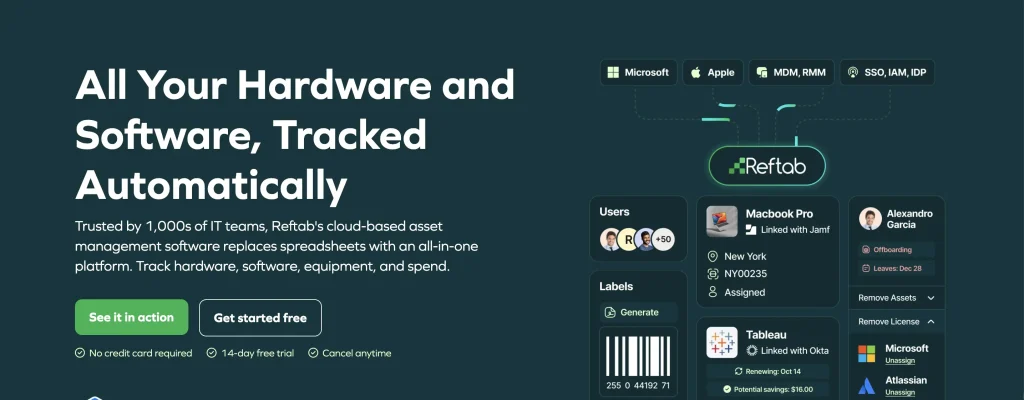
Reftab supports equipment requests through configurable request forms and approval workflows. Users can request specific equipment, submit pickup and return dates, and send the request through configured approval steps.
Once approved, the request can be fulfilled by selecting the appropriate asset, including through barcode scanning, and converted into a reservation or loan. Reftab can also transfer information captured during approval into the resulting reservation or checkout.
Its workflow therefore covers a meaningful portion of the request-to-checkout process, although physical dispatch and delivery are not its primary differentiators.
Request management: Public request forms and a user request portal give employees a structured way to request specific equipment and provide pickup and return dates. Approval workflows can then route those requests to the appropriate reviewers.
Fulfillment: Approved requests can move into a reservation or loan, with the fulfillment team selecting the appropriate asset and using barcode scanning where applicable. This connects the approved request to the specific equipment being issued.
Returns and maintenance: Check-in and check-out workflows preserve the equipment’s loan history, while the Hardware Asset Management offering also includes maintenance and work-order functionality for assets requiring service.
Mobile: Reftab provides mobile access for equipment management and supports mobile equipment requests, allowing users and administrators to interact with asset workflows on the go.
Pricing (as of September 2026): Reftab offers a free tier for up to 50 assets and paid plans based on asset count and required functionality. Pricing varies by plan configuration.
Potential limitation: If you’re looking for dedicated physical dispatch or delivery management, you’ll need to verify whether Reftab’s workflows meet those requirements.
Best fit: Organizations that want configurable equipment requests, approvals, reservations, and checkout without adopting a broader EAM suite.
4. Asset Panda: Best for configurable reservations and custody tracking
Best for: Organizations that need flexible asset reservations, approvals, assignments, checkouts, and returns.
Asset Panda provides reservation workflows for assets, including availability checks, reservation holds, and checkout processes. Users can request reservable assets, while designated approval managers can review reservation requests. Availability and reservation holds help prevent overlapping bookings.
Its equipment workflows also support assigning assets to people and job sites, checking assets in and out, barcode and QR code scanning, and maintaining lifecycle history.
This makes Asset Panda a flexible option when request fulfillment is centered on reservation and custody rather than a dedicated dispatch operation.
Request management: Users can request reservable assets, while designated approval managers can review and approve reservation requests. This provides a controlled intake process when equipment needs to be allocated for a future date or specific use.
Fulfillment: Once approved, equipment can be reserved, assigned to a person or job site, and checked out. Availability controls help teams identify whether equipment can be allocated without creating overlapping reservations.
Returns and maintenance: Check-in workflows return equipment to organizational custody, while reminders and lifecycle records help teams track returns and ongoing asset activity. Maintenance-related automations can support service activities within the broader asset workflow.
Mobile: Asset Panda’s mobile app supports field-oriented asset management, including barcode and QR scanning. Teams can use mobile workflows to identify equipment and update asset activity during checkout and return.
Pricing (as of September 2026): Asset Panda uses a subscription model based on the number of users and tracked assets. Published plans include Starter, Business+, and Enterprise tiers, with pricing varying by asset volume, users, and configuration.
Potential limitation: Its strongest request-fulfillment use case is reservation and asset custody; buyers needing a specialized dispatch control layer should evaluate that workflow separately.
Best fit: Construction, facilities, IT, and equipment teams that need configurable asset reservation and custody processes.
5. ServiceNow Hardware Asset Management: Best for enterprise IT hardware fulfillment
Best for: Large IT organizations that already use ServiceNow and need structured hardware requests tied to enterprise workflows.
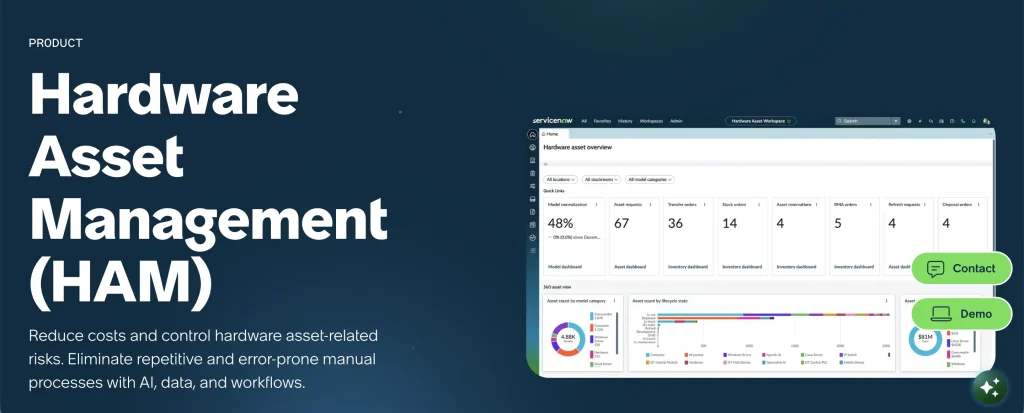
ServiceNow Hardware Asset Management provides a formal hardware request flow through the Service Catalog. ServiceNow Hardware Asset Management includes hardware request workflows that connect request intake to sourcing, procurement, and deployment.
This makes ServiceNow particularly relevant when “asset request fulfillment” means requesting and provisioning IT hardware, rather than dispatching operational equipment such as generators, tools, or field machinery.
ServiceNow also positions Hardware Asset Management around the hardware lifecycle, including procurement, deployment, and return workflows.
Request management: Hardware requests can originate through the Service Catalog, giving employees a structured way to request IT equipment rather than relying on informal email or manual intake.
Fulfillment: ServiceNow’s hardware request flow connects the request with sourcing, procurement, and deployment activities. Asset information can be updated as the hardware moves through the fulfillment lifecycle, keeping the request tied to its resulting asset record.
Returns and lifecycle: Hardware Asset Management extends beyond initial provisioning into hardware lifecycle processes, including deployment and return workflows. This makes it suitable for organizations that need to maintain the asset record after the original request has been fulfilled.
Mobile: ServiceNow’s broader platform provides mobile capabilities for users and service teams, although the exact hardware fulfillment workflow available through mobile depends on the organization’s configuration.
Pricing (as of September 2026): ServiceNow Hardware Asset Management uses enterprise subscription pricing. Pricing is quote-based and depends on the platform configuration, selected products, number of users, and deployment requirements.
Potential limitation: ServiceNow HAM is primarily an IT hardware management solution. It is not the most natural fit for organizations whose core requirement is moving shared operational equipment between job sites.
Best fit: Enterprise IT departments already standardized on the ServiceNow platform.
6. Freshservice: Best for IT asset requests through a service catalog
Best for: IT teams that want employees to request hardware and loaner equipment through an IT service portal.
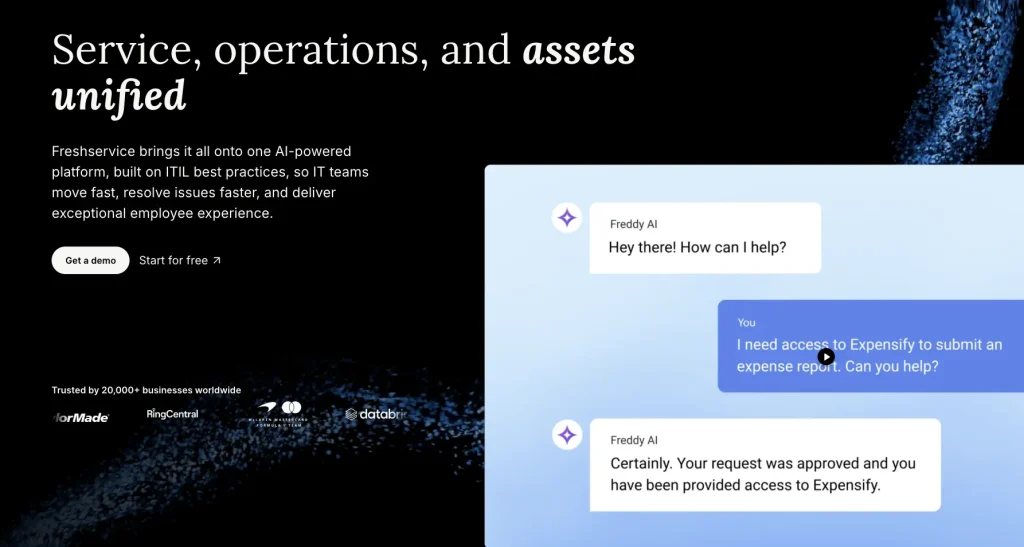
Freshservice combines a service catalog with IT asset management. Employees can request catalog items through the self-service portal, while service items can be configured for hardware and other requestable items.
Its Service Request Fulfillment workflow lets agents fulfill hardware requests by selecting available assets and assigning them to the requester. Freshservice also supports loaner service items, where equipment can be requested for a defined period and automatically reserved when available.
Request management: The Service Catalog and self-service portal give employees a central place to request hardware and other IT services. Requestable hardware can be configured as catalog items, allowing the service desk to standardize how equipment requests enter the workflow.
Fulfillment: Agents can fulfill hardware requests by selecting available assets and assigning them to the requester. This links the service request to the equipment being issued, rather than treating the request and the asset as separate records.
Reservations: Loaner service items can be requested for defined periods and are subject to availability. This makes Freshservice useful for temporary equipment, such as loaner laptops and other devices that need to circulate among employees.
Returns: Loaner equipment can be marked as returned and made available for subsequent requests, allowing the service desk to manage temporary equipment through repeated loan cycles.
Mobile: Freshservice provides mobile access for service management workflows, allowing service teams to work with requests and asset information beyond the desktop environment.
Pricing (as of September 2026): Freshservice uses agent-based subscription pricing. Published pricing varies by edition and service management package, with costs depending on the number of agents, selected features, and deployment requirements.
Potential limitation: Its strongest use case is IT service fulfillment rather than multi-site physical equipment dispatch.
Best fit: IT departments where equipment requests are part of a broader IT service catalog.
7. ManageEngine ServiceDesk Plus: Best for IT requests combined with asset loans

Best for: IT service desks that need to associate service requests with assets and manage temporary equipment loans.
ServiceDesk Plus combines IT service management and IT asset management. You can associate requests with an asset record. ServiceDesk Plus provides asset loan workflows that allow technicians to assign loanable assets, track loan periods, and manage returns.
The Asset Loan workflow supports loanable assets, loan periods, returns, extensions, and notifications for assets that are assigned, returned, extended, or expired. Assets can also be added to loans through barcode scanning.
Request management: IT service requests can be linked to asset records, providing technicians with the equipment context needed to fulfill hardware-related requests. This is particularly relevant when asset allocation is part of a broader service-desk workflow.
Fulfillment: The Asset Loan capability lets technicians allocate loanable assets for defined periods and associate the loan with the appropriate requester. Barcode scanning can also be used when adding assets to a loan.
Returns: Teams can track loan returns, extensions, and expiration dates, with notifications for relevant loan events. This helps prevent temporary equipment from remaining assigned after its expected return date.
Mobile: ServiceDesk Plus provides mobile capabilities through its broader service management platform, allowing technicians to work on service and asset workflows while away from their desks.
Pricing (as of September 2026): ManageEngine ServiceDesk Plus uses technician-based pricing. Published plans vary by edition and deployment model, with pricing depending on the number of technicians, asset management requirements, and selected features.
Potential limitation: Asset fulfillment is primarily oriented around IT service management and temporary asset loans rather than physical equipment dispatch.
Best fit: IT teams that want asset loans and hardware context inside an established service desk.
8. IBM Maximo Application Suite: Best for enterprise EAM and inventory operations
Best for: Asset-intensive enterprises that need equipment and inventory operations tied closely to maintenance and procurement.
IBM Maximo Application Suite provides broad enterprise asset management capabilities across the asset lifecycle, work management, inventory, and maintenance. Maximo Mobile extends asset, work order, and inventory workflows into field operations and supports barcode and RFID capabilities.
IBM documentation also describes integration between inventory and request management in Maximo Real Estate and Facilities, including product requests through a self-service portal and reservations for inventory items such as vehicles and conference equipment.
This makes Maximo relevant when fulfillment is part of a much larger EAM, storeroom, maintenance, and procurement environment.
Request management: Relevant Maximo applications provide request management capabilities, including product requests through self-service experiences in Maximo Real Estate and Facilities. This allows requests to be incorporated into broader facilities and asset workflows.
Fulfillment: Maximo links inventory availability to procurement and inventory transactions, such as issues, returns, and transfers. For organizations managing equipment and stocked items together, this provides a broader fulfillment model than a standalone reservation system.
Maintenance: Work management and maintenance capabilities keep equipment fulfillment connected to work orders and service activities. This matters when an asset must be inspected, repaired, or serviced before it can be issued again.
Mobile: Maximo Mobile extends asset, work order, and inventory workflows into field operations and supports barcode and RFID capabilities. Technicians can therefore interact with asset and inventory records at the work site.
Pricing (as of September 2026): IBM Maximo Application Suite uses a consumption-based licensing model through AppPoints. Pricing depends on the selected applications, usage requirements, deployment model, and contract terms.
Potential limitation: Maximo can be significantly broader than an organization needs if the primary requirement is straightforward equipment requests and checkouts.
Best fit: Large asset-intensive enterprises where request fulfillment needs to connect with maintenance, inventory, procurement, and broader EAM processes.
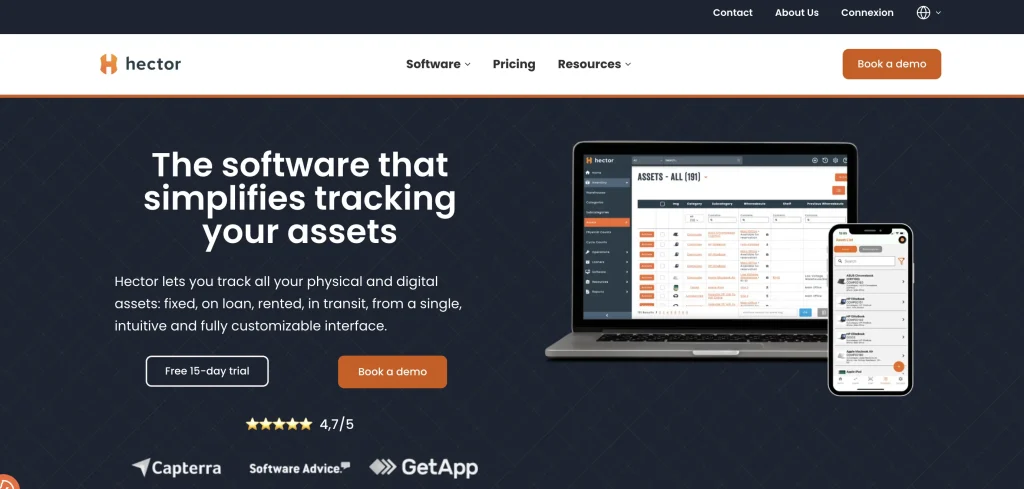
9. Hector: Best for equipment loans, reservations, and delivery workflows
Best for: Organizations that lend or reserve tools, machinery, vehicles, or other physical equipment.
Hector is explicitly positioned around equipment loan management. Users can submit reservation requests via web or mobile, and organizations can require staff approval or allow automated self-service. The workflow then moves through reservation, checkout, tracking, return, and restocking the equipment.
Hector’s Operations module adds procurement, preparation, delivery, and repair workflows, giving it broader relevance to fulfillment than a basic asset checkout system.
Its field-oriented capabilities include barcode, QR, and RFID identification, mobile scanning, equipment loans, maintenance alerts, and inventory reconciliation.
Request management: Users can submit reservation requests via web or mobile, while organizations can configure staff approval workflows or enable automated self-service. This gives equipment teams control over whether requests require review before an item is reserved.
Fulfillment: Hector supports the operational steps between reservation and physical handoff, including equipment preparation and delivery through its Operations capabilities. This makes it relevant to teams where equipment needs to be prepared and moved to a requester rather than simply collected.
Returns and maintenance: Equipment can move through checkout and return workflows, with returned items returned to inventory. Repair and maintenance capabilities help teams address service requirements before equipment is made available again.
Mobile: Mobile workflows support asset tracking, barcode and QR scanning, reservations, checkouts, and returns. This allows equipment teams to update records at warehouses, job sites, or other locations where equipment is being handed over.
Pricing (as of September 2026): Hector uses asset-based pricing with plans that vary by asset volume and included capabilities. Higher-tier plans add capabilities such as reservations, loans, inventory workflows, and operational features.
Potential limitation: Organizations with complex enterprise EAM, ITSM, or ERP requirements may need a broader platform.
Best fit: Equipment-loan operations, municipalities, construction, education, healthcare, and facilities teams.
10. Snipe-IT: Best lightweight and open-source option

Best for: Teams that primarily need requestable asset records, assignment, checkout, and return workflows.
Snipe-IT lets administrators mark individual assets or asset models as requestable. Users can then request specific assets or assets matching a required model. Administrators manage requested assets from the Requested Assets area.
Once an asset is assigned, Snipe-IT supports checkout to users, locations, or other assets, with optional expected check-in dates.
Its open-source model can also make it attractive to organizations with technical resources that want to self-host and customize their asset-management environment.
Request management: Administrators can mark assets or asset models as requestable, allowing users to submit requests for specific equipment or an available asset matching a particular model. Administrators then manage those requests from the Requested Assets area.
Fulfillment: Once a request is approved and an asset is selected, Snipe-IT supports checking out to a user, a location, or another asset. This creates a clear record of who or what the equipment was issued to.
Returns: Expected check-in dates can be recorded when assets are checked out, while the check-in workflow brings the equipment back into the system. This provides a basic way to track temporary assignments and returns.
Mobile: Snipe-IT is accessible through a responsive web interface, supporting browser-based asset management rather than the dedicated equipment-operations mobile experience offered by some competitors.
Pricing (as of September 2026): Snipe-IT is available as free self-hosted software. Hosted plans use subscription pricing based on hosting requirements and selected features, with published plans available through Snipe-IT’s pricing page.
Potential limitation: It focuses on asset tracking and checkout rather than a full request-to-dispatch workflow that includes reservations, physical delivery management, and maintenance orchestration.
Best fit: IT and asset teams looking for a lightweight, open-source asset tracking and request solution.
Asset request fulfillment software: Comparison
The ten platforms above address different parts of the request-to-fulfillment lifecycle. A platform should not receive credit for a capability simply because it supports a related function.
| Platform | Best fit | Pricing model | Requests | Approvals | Reservations | Assignment | Checkout | Dispatch / Handoff | Returns | Maintenance |
| EZO EAM | End-to-end physical equipment fulfillment | Per tracked item | Native | Native | Native | Native | Native | Native | Native | Via paid module |
| Cheqroom | Equipment reservations and checkout | Per admin | Native | Native | Native | Native | Native | Partial | Native | Via paid module |
| Reftab | Configurable equipment request workflows | Asset-based | Native | Native | Native | Native | Native | Not publicly documented | Native | Native |
| Asset Panda | Asset reservations and custody tracking | Asset/user-based | Native | Native | Native | Native | Native | Not publicly documented | Native | Workflow |
| ServiceNow HAM | Enterprise IT hardware fulfillment | Enterprise subscription | Native | Native | Workflow | Native | Native | Workflow | Native | Via paid module |
| Freshservice | IT hardware request workflows | Per agent | Native | Workflow | Limited | Native | Native | Not publicly documented | Workflow | Limited |
| ManageEngine ServiceDesk Plus | IT service requests with asset workflows | Per technician | Native | Workflow | Limited | Native | Native | Not publicly documented | Native | Workflow |
| IBM Maximo | Enterprise asset and inventory operations | Consumption-based (AppPoints) | Workflow | Workflow | Via paid module | Native | Workflow | Not publicly documented | Native | Native |
| Hector | Equipment loans and reservations | Per asset | Native | Workflow | Native | Native | Native | Via paid module | Native | Native |
| Snipe-IT | Lightweight asset checkout | Free self-hosted + hosted subscription | Native | Limited | Limited | Native | Native | Not publicly documented | Native | Limited |
Capability labels evaluate whether each platform supports a specific stage of the asset fulfillment lifecycle, not whether the vendor markets itself as asset request fulfillment software.
| Label | Meaning |
| Native | The capability is available directly within the platform without requiring an additional product or module. |
| Via paid module | The capability is available through a separate paid module, add-on, or product component. |
| Workflow support | The capability can be achieved through configurable workflows or related processes, but the platform does not provide a dedicated feature for that stage. |
| Limited | The platform supports part of the workflow, but key steps or functionality are missing. |
| Not publicly documented | No publicly available vendor documentation confirms this capability at the time of review. |
Note: Capability labels reflect publicly documented vendor functionality available at the time of review. Availability may vary by plan, deployment model, and configuration. Pricing information reflects publicly available vendor pricing reviewed in September 2026. Pricing models, tiers, and availability may change. Buyers should confirm current pricing directly with each vendor before purchasing.
Request management vs. physical fulfillment: What is the difference?
This distinction is important when comparing these platforms.
A request-management system answers:
What does someone need, and has the request been approved?
A fulfillment system needs to answer:
What equipment will satisfy the request, where is it, who will prepare it, where is it going, has it been issued, and what happens when it comes back?
Consider a field-services team requesting three generators.
A service catalog can collect the request and route it for approval. An equipment management system can also determine which generators are available, reserve them, assign them to the project, record checkouts, track their location, process returns, and determine whether they need service before they become available again.
That is why the platforms in this list should not be treated as interchangeable.
How to choose the right asset request fulfillment software
1. Define what is being fulfilled
Start with the type of asset being requested. IT hardware requests may require service catalogs and provisioning workflows, while operational equipment requests may require tracking of availability, custody, movement, and maintenance.
2. Evaluate the operational handoff
The key difference between request management and fulfillment is what happens after approval. Evaluate whether the platform creates a clear path from an approved request to assigned equipment, physical handoff, return, and reavailability.
3. Test real-world scenarios
Vendor demonstrations should include exceptions, not only standard workflows. Test unavailable assets, canceled requests, changing requirements, multiple-item requests, and equipment requiring maintenance after return.
4. Consider your operating scale
The right platform depends on the number of assets, locations, requesters, equipment movements, and maintenance requirements involved. A solution designed for a small equipment pool may not support enterprise-scale operations.
5. Compare total ownership cost
Evaluate pricing based on your operating model, including tracked assets, users, administrators, modules, locations, and integrations, rather than only the advertised starting price.
Final thoughts: Choose based on where fulfillment happens
Asset request fulfillment software is not a single category. The right choice depends on whether your organization is primarily managing employee hardware requests, equipment reservations, shared physical assets, or enterprise asset operations.
ITSM platforms such as ServiceNow HAM, Freshservice, and ManageEngine ServiceDesk Plus are often better suited for technology provisioning workflows. Equipment-focused platforms such as Cheqroom and Hector are designed around reservations, loans, checkout, and returns. EAM platforms such as EZO EAM and IBM Maximo are better suited when requests must connect with equipment availability, maintenance, lifecycle records, and operational workflows.
For organizations managing physical equipment across multiple locations, the most important evaluation factor is what happens after approval: whether the platform can support availability checks, assignment, movement, return, and readiness tracking.