



EZO Engineering & Maintenance

Asset Management Software for Engineering and Maintenance

Keep Your Crews Equipped and Assets Ready

Connect equipment requests, custody, preventive maintenance, work orders, inspections, calibration records, and spare parts to each asset. Teams can confirm what is available, what is under service, and what is ready to return to the field.
No Credit Card Required
Manufacturing asset management software tracking production equipment work orders across a plant floor.

Trusted by Enterprises With Complex Asset Operations

Asset Gaps That Slow Engineering and Maintenance Work

Engineering equipment moves among storerooms, vehicles, technicians, and customer sites. When location, readiness, maintenance, and inspection records fall out of sync, teams lose time before the job even starts.

Equipment Failure Stops Billable Work

A failed vehicle, test instrument, or critical tool at the wrong time can halt billable work, delay technicians, and put customer commitments at risk.

Equipment Gets Lost Between Crews

Tools, gauges, and spares move between crews and sites. Missing checkout, transfer, or return records force teams to search for vehicles or replace their own equipment.

Maintenance and Inspections Slip

Preventive maintenance, inspections, and calibration dates are missed when schedules are kept in spreadsheets, inboxes, or personal reminders rather than in the asset record.

Service Records Are Hard to Produce

Customer reviews and internal controls may require records for one unit. Disconnected files force teams to rebuild their service, inspection, and calibration history.

Control Equipment Readiness From Request to Return

Keep Engineering Equipment Ready Across Every Site

EQUIPMENT VISIBILITY

Know Where Equipment Is and Who Had It Last

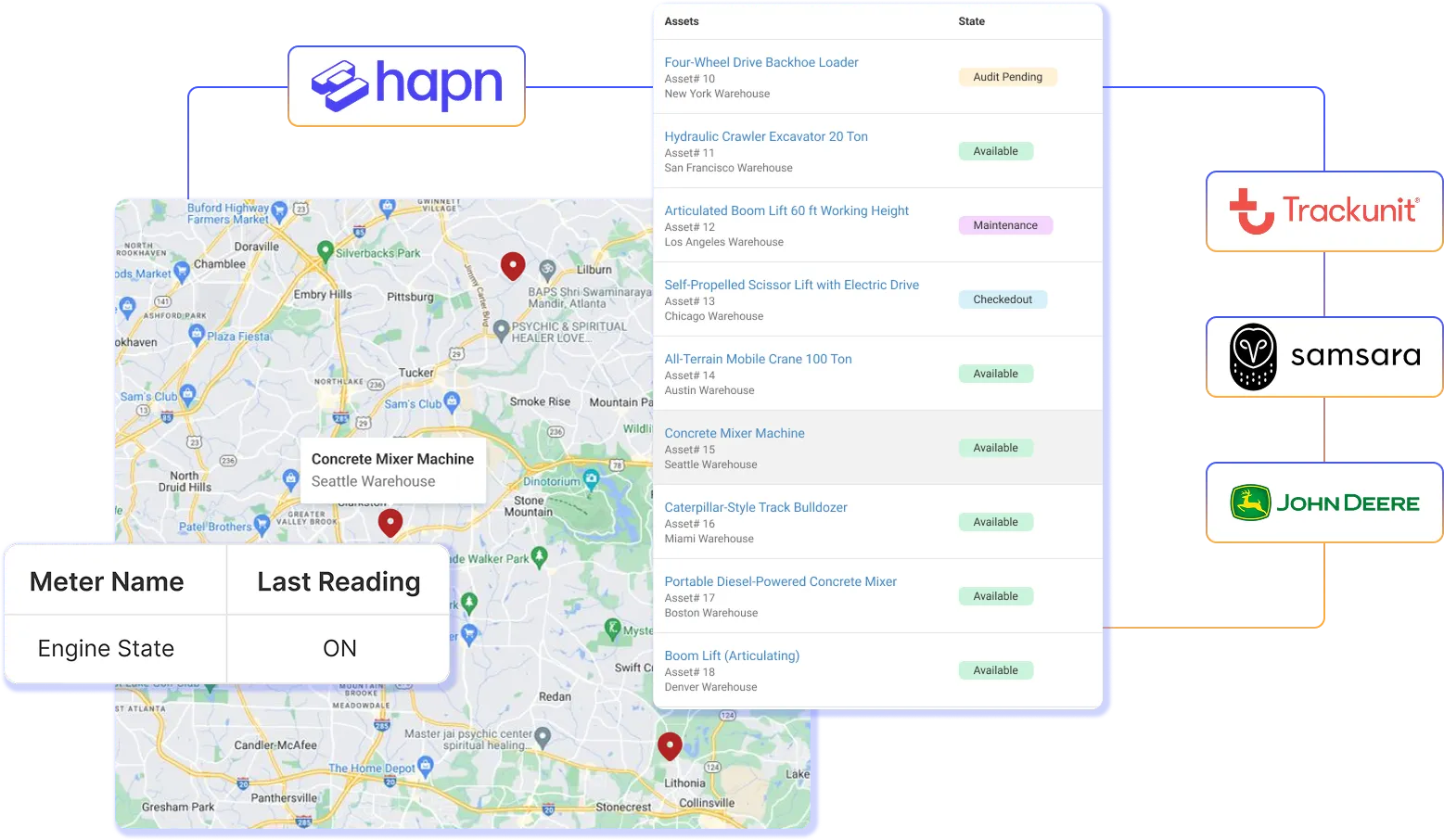
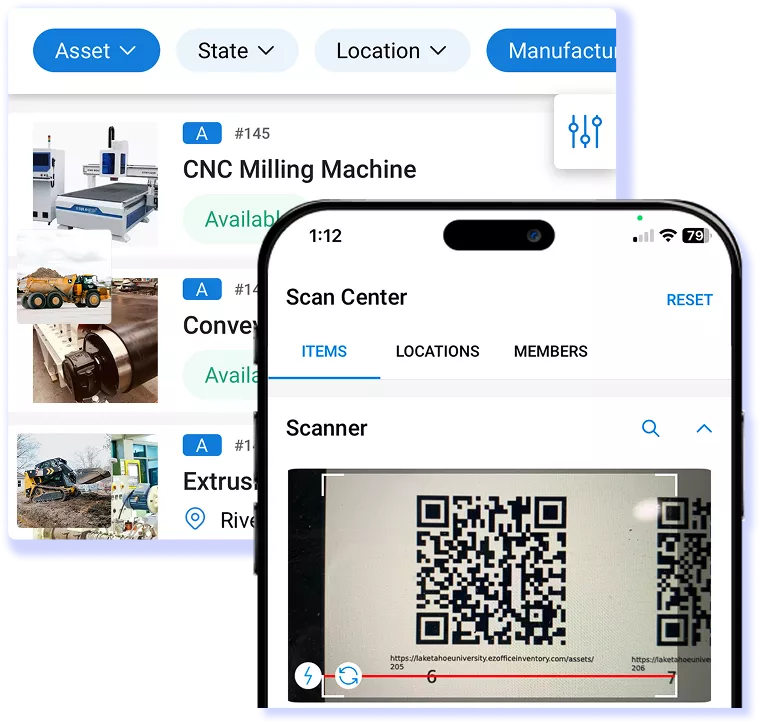
A checkout, transfer, or return changes who is responsible for an asset and whether another crew can use it. EZO EAM records the custodian, location, status, and movement during handoff using barcode, QR code, or supported RFID workflows. Equipment coordinators can investigate overdue items, confirm availability, and reassign existing equipment before approving another rental or purchase.
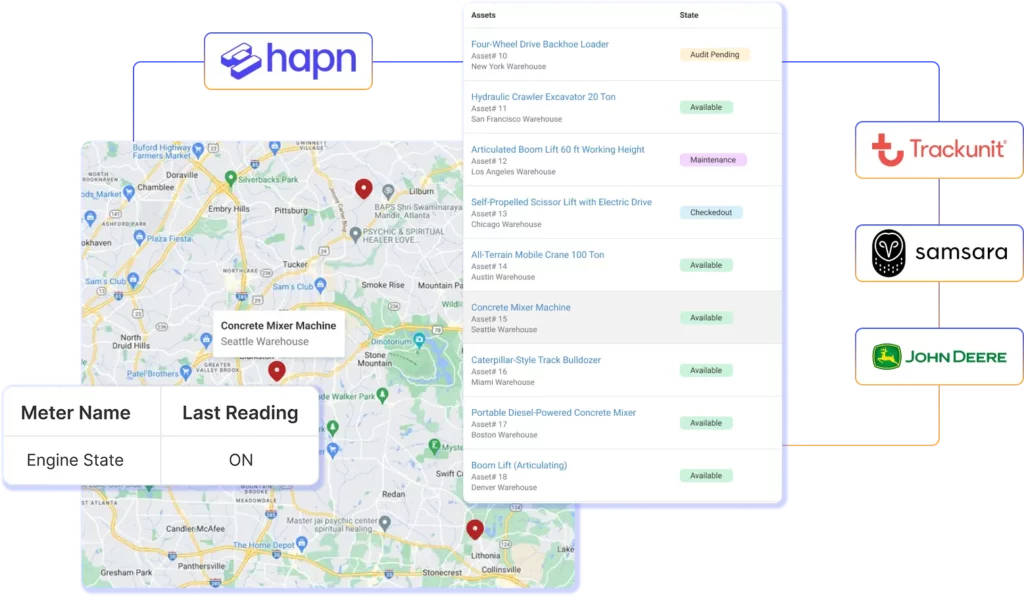
Field equipment tracked in EZO with GPS, telematics, barcode, QR code, and RFID scans
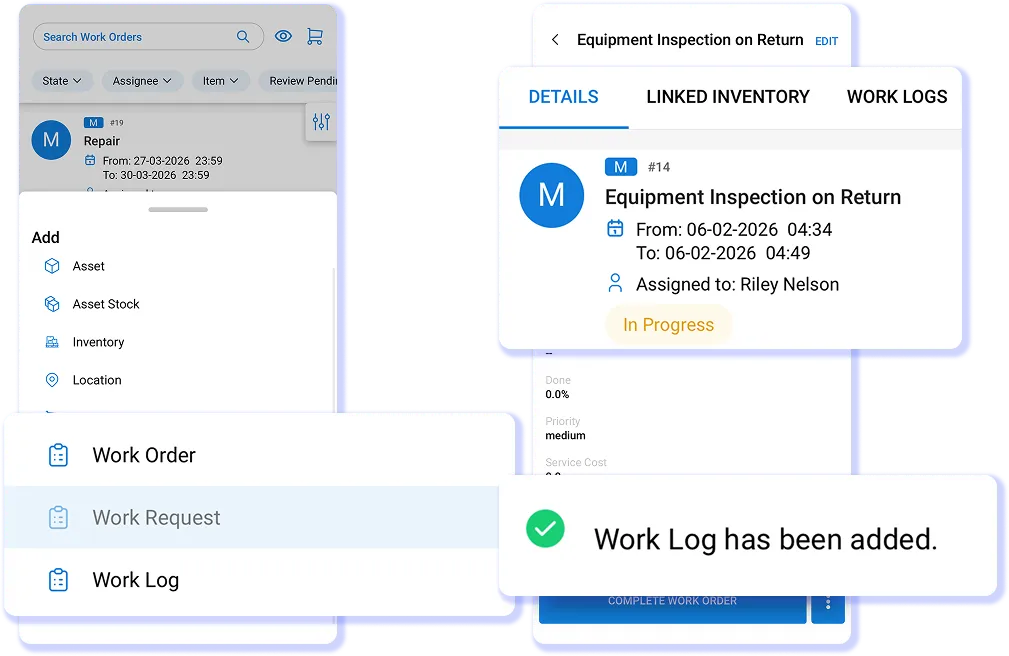
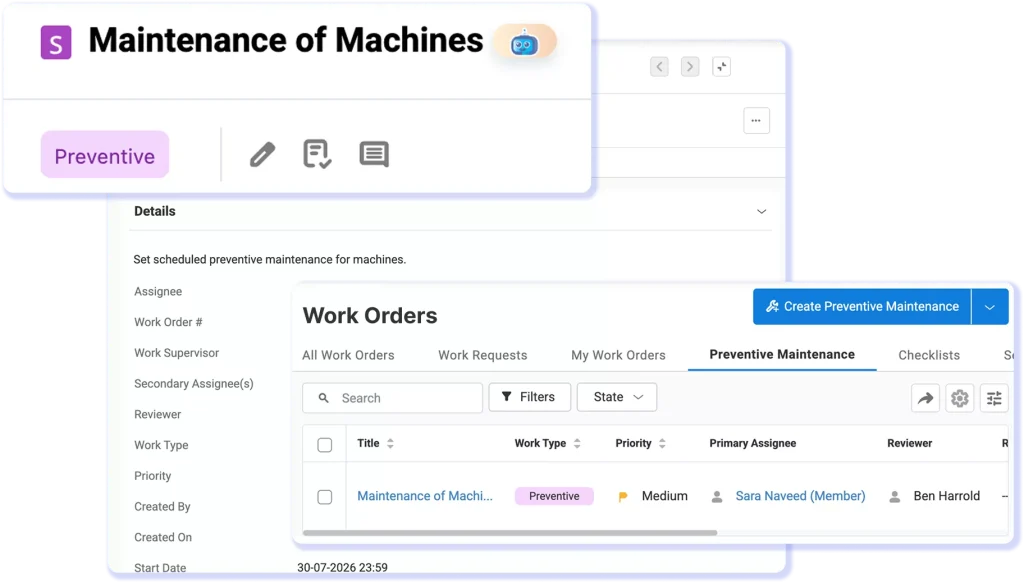
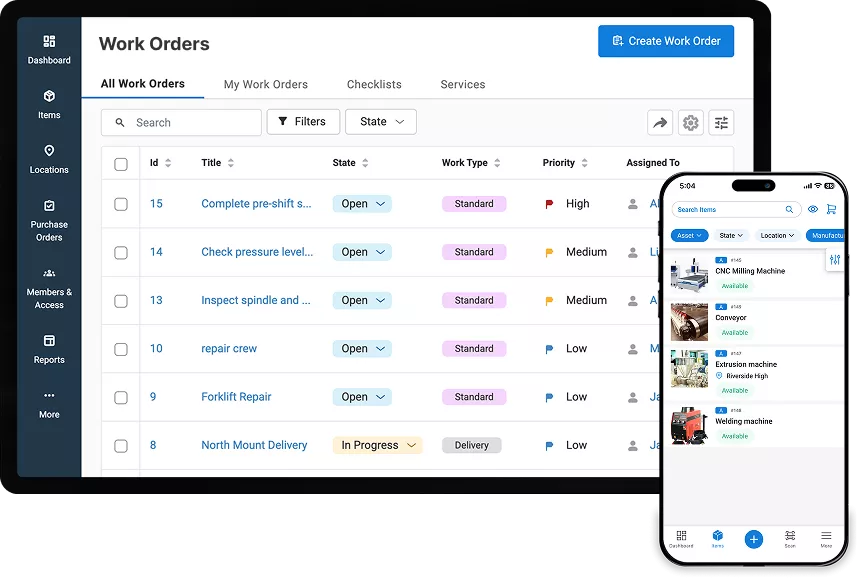
Mobile equipment inspection work order in EZO

MAINTENANCE READINESS

Keep Returned Equipment From Going Out Unready

When equipment returns from a site, unresolved damage or scheduled service can make it unsuitable for immediate reassignment. EZO EAM keeps work orders, technician assignments, notes, parts, costs, vendors, and completion history with the unit. When Service Triage is configured, check-in can route the asset into a defined service period before it becomes available again.

INSPECTION & EVIDENCE

Capture Service Evidence as the Work Happens

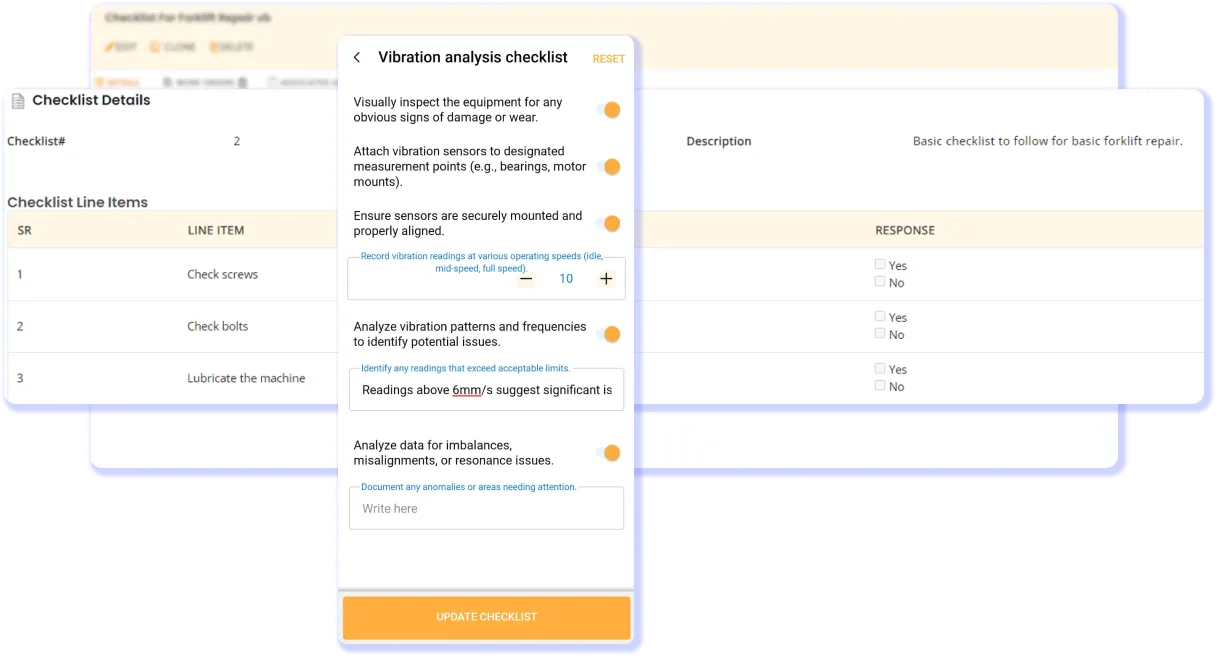
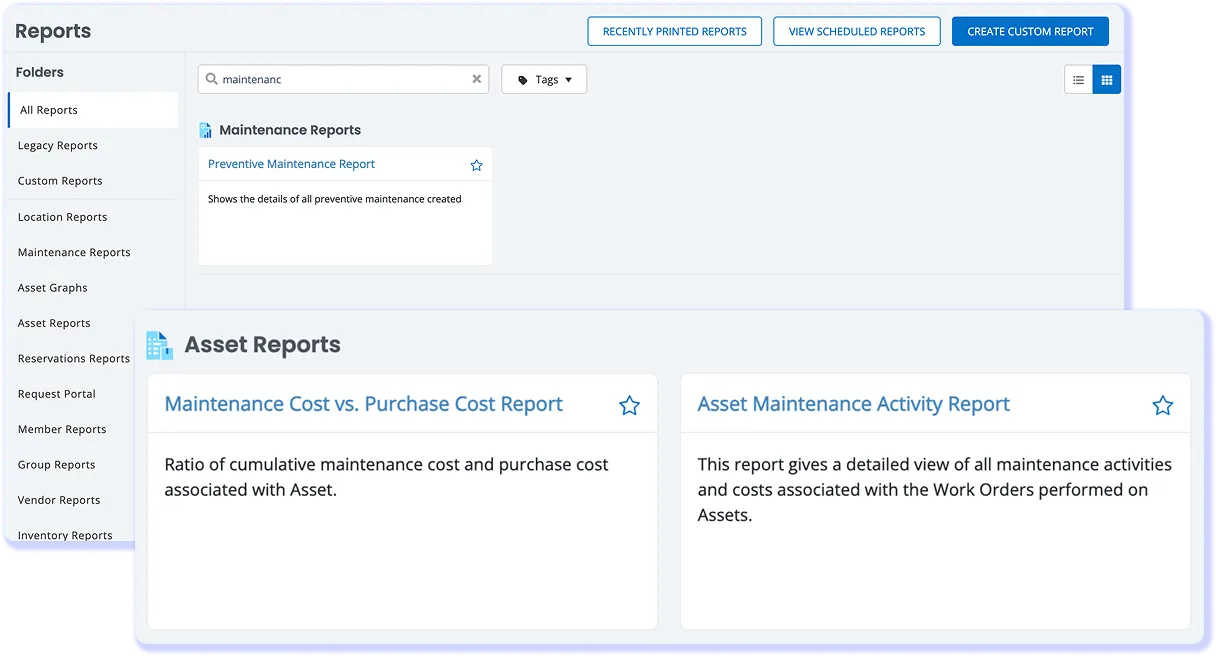
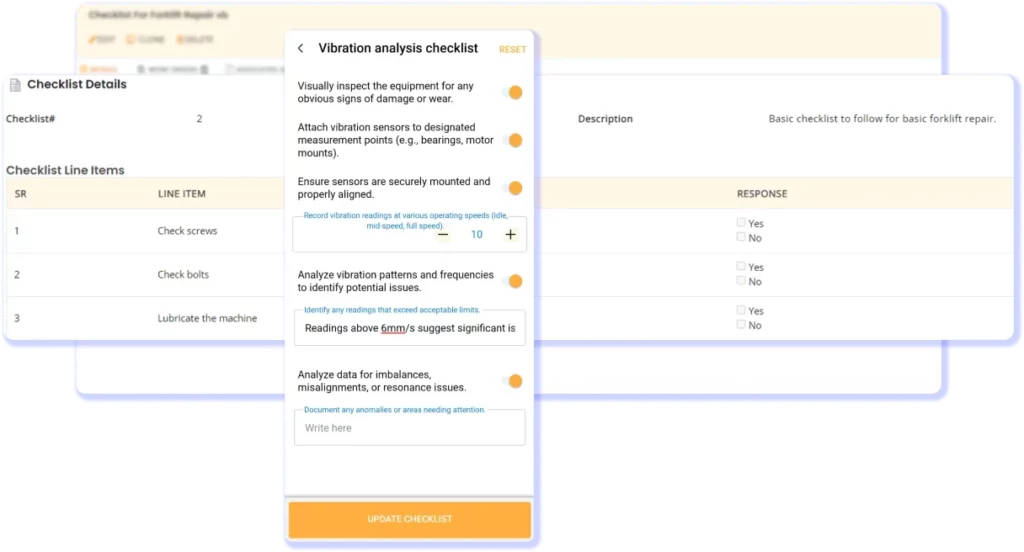
An inspection, calibration reminder, or field finding creates work that must remain tied to the correct unit. Teams can complete digital checks, record results, attach photos and documents, and retain the event on the asset record. Operations can then respond to customer, audit, or internal evidence requests without having to reconstruct custody, service, and calibration history from separate files.
EZO equipment maintenance and vibration checklist

CONNECTED OPERATIONS

Connect Equipment Work With Business Systems

Maintenance or equipment decisions often depend on data held by service, identity, accounting, file storage, or field systems. EZO EAM offers named integrations and a REST API to connect supported records and workflows. For ERP projects, teams should define the system of record, data objects, sync direction, frequency, and implementation ownership before rollout.

Connect Asset and Maintenance Workflows in One Operational Record

Proven Results for Engineering Asset Operations

4,800+

Monthly Work Orders Completed

7,000+

Monthly Audits

2,000+

Teams Managing 350,000+ Locations

Magna IV Engineering Boosts Operational Efficiency by 40%

Magna IV Engineering, an electrical engineering and industrial maintenance company operating across more than nine locations, needed to replace an outdated asset-tracking system that relied heavily on manual data entry and inefficient reporting. As the company grew, its existing setup became harder to scale and depended too heavily on manual processes.

With EZO EAM, Magna IV tracks 2,500 assets across customer projects, generates custom reports in minutes, monitors calibration schedules, and keeps equipment availability visible across teams. Automated data entry saves the company at least three hours each day, while closer equipment tracking has helped Magna IV save thousands of dollars and improve operational efficiency by 40%.

magna-logo-white

What Equipment-Driven Teams Say About EZO

Frequently Asked Questions

Yes, particularly when engineering or maintenance work depends on tools, service vehicles, test equipment, gauges, spare parts, and other assets moving between locations and crews. EZO EAM connects location, custody, transfers, maintenance, inspections, inventory, and service history around the equipment record. It is designed for equipment-centric operations, not engineering project management or document control. Teams primarily seeking Gantt scheduling, drawing management, bill of materials (BOM) management, or specialized Asset Performance Management (APM) capabilities would need to use other systems in addition to EZO EAM.

Basic service records are available starting with the Advanced plan. Full maintenance functionality, including preventive maintenance, work order management, technician management, AI-powered checklists, work order automations, and the work planner, requires the CMMS add-on with Premium or is included with Enterprise. CMMS pricing is handled separately based on the number of admin users. Engineering and maintenance teams should therefore confirm the maintenance workflows they need when selecting a plan, rather than assuming that every maintenance capability is included in the core asset management subscription.

Yes, with the applicable plan. The Request Portal lets employees request or reserve equipment through a self-service interface, while administrators or equipment coordinators manage requests through the Fulfillment Center. This separates equipment requests from asset administration, so field technicians don’t need broad administrative access just to request tools or equipment. Roles, teams, locations, custody, and approval workflows can then be configured around how the organization divides operational responsibility. The Request Portal and Fulfillment Center are currently available with Premium and Enterprise plans.

EZO EAM provides mobile apps for Android and iOS across its plans, while offline mobile mode is currently an Enterprise capability. This matters for engineering and maintenance teams working at remote sites, industrial facilities, or other locations where connectivity may be unreliable. Teams considering offline workflows should confirm which asset actions, data updates, and synchronization behaviors are supported in offline mode for their specific field process before rollout. If continuous connectivity is normally available, the standard mobile application can still support scanning, asset lookup, custody, and other field workflows.

EZO EAM provides documented integrations with systems such as QuickBooks Online, Jira Service Management, Zendesk, identity providers, and Zapier, and it exposes a REST API for custom integrations. The API allows paying customers to build connections around supported EZO data and workflows, but it should not be interpreted as a prebuilt ERP integration for every system. For ERP-specific requirements, teams should define the records involved, which system owns each data type, the required sync direction, update frequency, and implementation effort before treating the integration as part of the proposed architecture.

EZO EAM focuses on physical equipment operations: asset records, custody, location, maintenance, inspections, spare parts, purchasing context, availability, and lifecycle history. It supports equipment-related engineering, safety, and quality workflows. Still, it is not a replacement for engineering project scheduling, CAD or drawing management, dedicated Quality Management Systems (QMS), Environment, Health and Safety (EHS) platforms, or specialist Asset Performance Management systems. Engineering teams can keep EZO EAM as the operational record for equipment while connecting it to surrounding systems for functions that require deeper specialized capabilities.

Implementation typically begins by defining the equipment, locations, users, roles, maintenance workflows, and inventory to be managed in EZO EAM. Teams can import existing asset and location records from Excel or CSV files, then configure fields, permissions, locations, maintenance settings, and required integrations. EZO currently includes managed implementation and promotes a 14-day setup for supported deployments. Larger migrations, custom integrations, complex asset hierarchies, or multi-site rollouts may require additional configuration, so the final rollout plan should reflect the organization’s data quality and operating model.

Learn More About Engineering Asset and Maintenance Management

Engineer Better with Full Asset Visibility and Control

Track equipment across crews and sites, schedule maintenance, manage spare parts, and retain service, inspection, and calibration history in one system.