The best enterprise asset management software helps operations teams manage assets across their full lifecycle, including tracking, requests, approvals, maintenance, custody, audits, performance, and replacement decisions. For multi-site operations, EZO is a strong fit when asset visibility needs to connect with request management, fulfillment, custody, and maintenance workflows. IBM Maximo and Octave Attune EAM (formerly HxGN EAM) are stronger fits for large industrial and asset-intensive enterprises, while UpKeep, MaintainX, Fiix, and Limble are better understood as CMMS platforms with EAM-adjacent capabilities.
Editorial note
This guide is published by EZO, which is included in the comparison. The evaluation below is organized around operations-team needs such as multi-location asset visibility, request handling, fulfillment, maintenance readiness, custody tracking, lifecycle records, adoption, and reporting. Readers should validate pricing, deployment options, integrations, and security documentation directly with each vendor before making a buying decision.
Introduction
Operations teams need more than a record of what they own. They need to know where assets are, who has them, whether they are safe to use, and whether equipment is ready for the next job.
That is why enterprise asset management software has evolved beyond static asset registers and maintenance logs. For operations teams, EAM should connect asset records to daily execution: requests, approvals, fulfillment, dispatch, custody, maintenance, audits, utilization, and lifecycle decisions.
A maintenance-first tool may help teams complete work orders. An asset register may help teams document what they own and what they need to purchase. A reservation tool may prevent double-booking. But operations teams often need all of these workflows connected.
This guide compares EAM platforms, CMMS platforms, and asset tracking systems that operations teams commonly evaluate when they need better control over physical assets. The goal is not to declare one universal winner. The goal is to help buyers understand which platform fits which operating model.
Quick recommendation summary
| Use case | Best-fit platforms | Why |
| Multi-site asset operations and fulfillment | EZO | Connects asset records with requests, approvals, fulfillment, custody, maintenance, and reporting |
| Large enterprise reliability and asset performance | IBM Maximo | Strong fit for asset-intensive enterprises with mature reliability and maintenance programs |
| Industrial infrastructure and complex asset hierarchies | Octave Attune EAM | Supports enterprise asset management, inspections, asset hierarchies, and industrial maintenance workflows |
| Mobile maintenance execution | UpKeep, MaintainX | Strong for work orders, inspections, technician workflows, and mobile CMMS adoption |
| Manufacturing maintenance | Fiix | Strong fit for maintenance teams focused on uptime, preventive maintenance, and work order execution |
| Replacing manual work orders | Limble | Practical CMMS for teams moving away from paper, spreadsheets, and manual maintenance tracking |
| Configurable asset tracking | Asset Panda | Flexible asset records, custom fields, mobile scanning, and check-out workflows |
| Facilities and public sector asset planning | Brightly | Strong fit for facilities, education, public sector, infrastructure, and long-term planning |
| Connected maintenance and monitoring | Fracttal | Supports digital maintenance workflows, alerts, condition monitoring, and connected maintenance use cases |
EAM vs CMMS vs asset tracking software
| Category | Primary purpose | Best for | Common capabilities | Limitations |
| Asset tracking software | Tracks what assets exist, where they are, and who is responsible for them | Teams that need better visibility into equipment, tools, devices, and physical assets | Asset records, location tracking, barcode/QR/RFID scanning, check-in/check-out, custody updates, asset tags, basic reporting | May not support deeper maintenance planning, lifecycle management, fulfillment, procurement, or capital planning |
| CMMS | Manages maintenance work and service execution | Maintenance teams focused on work orders, preventive maintenance, inspections, repairs, and technician workflows | Work orders, preventive maintenance schedules, inspections, repair history, parts tracking, technician assignments, maintenance reports | May not fully manage asset requests, approvals, dispatch, custody, utilization, procurement, or lifecycle planning |
| EAM software | Manages assets across the full operational lifecycle | Operations teams managing assets across locations, departments, maintenance workflows, requests, fulfillment, and lifecycle decisions | Asset records, lifecycle tracking, maintenance, work orders, requests, approvals, fulfillment, custody, audits, utilization, reporting, replacement planning | Can be broader than needed if the team only needs basic tracking or maintenance execution |
Choose asset tracking software if the main problem is knowing what assets you own, where they are, and who is responsible for them.
Choose a CMMS if the main problem is organizing maintenance work, preventive maintenance, inspections, and technician tasks.
Choose EAM software if the main problem is managing assets across the full operating loop: request, approve, fulfill, dispatch, track, maintain, return, report, and retire.
How we evaluated the platforms
We evaluated each platform based on the needs of operations-heavy asset environments, not just generic feature availability. The criteria included:
| Evaluation area | What we looked for |
| Asset record depth | Location, status, ownership, documents, images, warranty, cost, lifecycle stage, and service history |
| Multi-location support | Transfers, site-level visibility, local/admin controls, and field updates |
| Request and approval workflows | Structured intake, approval routing, reservations, fulfillment, and dispatch visibility |
| Maintenance management | Preventive maintenance, corrective work orders, inspections, downtime, and repair history |
| Custody and accountability | Check-in/check-out, handoffs, returns, condition capture, and audit trail |
| Mobile usability | Scanning, updates, inspections, photos, work orders, and field adoption |
| Reporting and analytics | Utilization, downtime, availability, overdue work, audit readiness, and lifecycle cost trends |
| Buyer fit | Best-fit by company size, industry, implementation complexity, and operating model |
Important scope note: Large enterprise systems such as SAP EAM, Oracle EAM, Infor, IFS, AVEVA, and Siemens are relevant in the broader EAM market. They are not covered as full reviews in this article because this guide focuses on operations teams comparing systems for asset movement, maintenance readiness, custody, fulfillment, and practical adoption across mid-market operations teams. Enterprise buyers with large ERP-led asset environments should include those vendors in a separate ERP/EAM evaluation.
Comparison table: Best enterprise asset management software for mid-market operations teams
| Software | Category | Best for | Core strength | Buyers should verify |
| EZO | Asset operations/EAM | Multi-site asset operations | Requests, approvals, fulfillment, custody, maintenance, and lifecycle visibility | Fit for complex plant reliability, ERP requirements, and industry-specific compliance needs |
| IBM Maximo | Enterprise EAM/APM | Large asset-intensive enterprises | Reliability, asset performance, maintenance, analytics, and IoT-enabled asset insights | Implementation effort, administration needs, deployment model, and total cost |
| Octave Attune EAM | Enterprise EAM | Industrial and infrastructure operations | Asset hierarchies, inspections, maintenance, asset performance, and enterprise asset control | Deployment model, integration requirements, and implementation scope |
| UpKeep | CMMS with EAM-adjacent features | Maintenance-first teams | Work orders, preventive maintenance, mobile technician workflows | Whether it supports broader request, fulfillment, custody, and dispatch workflows |
| MaintainX | CMMS with EAM-adjacent features | Frontline maintenance teams | Work orders, inspections, SOPs, and team communication | Fit for lifecycle, capital planning, asset hierarchy, and multi-site fulfillment |
| Fiix | CMMS with EAM-adjacent features | Manufacturing maintenance teams | Preventive maintenance, work orders, uptime, and asset reliability | Fit for broader operational asset movement and custody workflows |
| Limble | CMMS with EAM-adjacent features | Teams replacing manual maintenance tracking | Work orders, PM schedules, parts inventory, and mobile access | Fit for request intake, dispatch, custody, and lifecycle planning |
| Asset Panda | Asset tracking | Configurable asset records | Custom fields, barcode scanning, assignments, and asset records | Fit for deeper maintenance, fulfillment, and enterprise lifecycle management |
| Brightly | Facilities asset management | Facilities, education, and public sector | Facilities maintenance, asset health, and long-term planning | Fit for equipment movement, custody, dispatch, and operations workflows |
| Fracttal | CMMS/connected maintenance | Connected maintenance workflows | Maintenance planning, alerts, monitoring, and digital maintenance execution | Fit for broader EAM, asset hierarchy, and asset operations needs |
What is enterprise asset management software?
Enterprise asset management software helps organizations manage physical assets across their full lifecycle, including acquisition, tracking, assignment, maintenance, usage, compliance, replacement, and retirement.
EAM software offers more than basic asset tracking because it does not stop at recording what assets exist. It helps teams manage how assets move, are used, are maintained, and decisions are made throughout the asset lifecycle.
It is also broader than a traditional CMMS. A CMMS solution focuses mainly on maintenance execution: work orders, preventive maintenance, inspections, technician assignments, and repair history. On the other hand, EAM includes maintenance but also connects it to asset ownership, location, custody, utilization, procurement, replacement planning, and operational reporting.
For example, a facilities team may use EAM software to track HVAC units, generators, tools, vehicles, safety equipment, lifts, and building systems across multiple locations. The platform helps the team see where each asset is, whether it is assigned, whether service is due, whether a work order is open, and whether the asset should be repaired, replaced, or retired.
Why operations teams need more than basic asset tracking
For operations teams, asset tracking is only useful when it reflects what is happening in the field. Equipment moves between people, locations, jobs, vehicles, storage areas, and maintenance workflows, so teams need more than a static record of ownership. They need connected workflows that show where each asset is, who has it, whether it is available, and what needs to happen next.
A reliable EAM platform helps teams make better decisions every time an asset is requested, approved, dispatched, serviced, returned, or replaced.
Assets move across locations and teams
Basic tracking can show that an asset exists. Operations teams need to know where it is now, who has it, and whether it can be used.
A generator may be stored in one warehouse, requested by a field team, dispatched to a job site, transferred to another crew, returned to a different location, and then marked for inspection. If each movement is tracked separately, the record quickly becomes unreliable. There needs to be a single, integrated system that provides all this information to the operations team.
Operations teams need a single system that records each movement and keeps the asset record current.
Requests and approvals affect availability
Equipment may be physically available but not operationally available.
It may be reserved for another project, pending approval, assigned to a different department, or awaiting a manager’s release. If requests and approvals happen outside the system, operations teams may not know whether an item can actually move.
For multi-site teams, availability is not just a status. It is the outcome of requests, approvals, reservations, custody, maintenance, and dispatch planning.
Maintenance affects dispatch readiness
An asset should not be dispatched if it is damaged, under maintenance, overdue for inspection, or unsafe to use.
This is where maintenance and operations must stay connected. If a lift appears available in the asset register but is overdue for inspection, the warehouse team may prepare it for a job and discover the issue too late. That can delay work, create safety risk, or force a last-minute replacement.
Strong EAM software connects maintenance status to asset availability so operations teams know whether equipment is truly ready for use.
Custody and handoffs create accountability
Operations teams need a record of who received the equipment, when it was moved, where it was sent, and its condition.
Without custody records, missing assets become difficult to investigate. Late returns become difficult to enforce. Damage claims become difficult to resolve. Billing disputes become harder to support because there is no clear record of movement or condition.
EAM software should create a chain of accountability as assets move across teams, locations, and jobs.
Lifecycle data supports better decisions
Repair history, downtime, utilization, cost, warranty, and replacement timing help teams decide whether to maintain, reassign, or retire assets.
A team cannot make good capital decisions if asset data is incomplete. If a vehicle has repeated repairs, a machine is rarely used, or a tool category is consistently over-requested, leadership needs that data to decide whether to buy, repair, redeploy, or retire it.
EAM software should help operations teams see the asset lifecycle as a decision system, not just a recordkeeping process.
Best enterprise asset management software for operations teams
Before we present the list, it is worth noting that no single EAM platform is best for every operations team. The right choice depends on whether your primary pain is maintenance execution, asset reliability, fulfillment, field adoption, facilities planning, or multi-site asset movement.
1. EZO: Best for multi-site asset operations and fulfillment
EZO is a strong fit for operations teams that need to manage equipment and assets across locations, requests, approvals, fulfillment, custody, maintenance, and lifecycle workflows.
Where some tools focus mainly on maintenance or asset records, EZO is designed for teams that need to coordinate the full operating loop around equipment: request, approve, fulfill, dispatch, track, maintain, return, and report.
Summary card
| Field | Details |
| Best for | Multi-site operations teams managing equipment movement, custody, fulfillment, and maintenance |
| Category | Asset operations/EAM |
| Primary strength | Connecting asset records to requests, approvals, fulfillment, custody, maintenance, and reporting |
| Deployment/pricing | Verify current options with EZO here |
| Limitations to verify | Fit for advanced plant reliability engineering, ERP-led EAM, or heavy industrial APM requirements |
Key capabilities
Asset visibility and lifecycle records
EZO gives every asset a central record with details such as location, status, assigned user, department, documents, images, maintenance history, and lifecycle information. Teams can track assets across warehouses, offices, facilities, vehicles, job sites, storage rooms, and departments, so they can see what is available, in use, in transit, under maintenance, or ready for reassignment.
This helps operations, finance, and leadership teams make better repair, replacement, redeployment, and disposal decisions because asset history stays connected from acquisition through retirement.
Request, approval, and fulfillment workflows
EZO supports structured request workflows so employees, field teams, or departments can request the equipment they need without relying on emails, calls, or chat threads. Requests can move through multi-tier approval routing based on asset type, department, location, or operational need.
Once approved, requests can move into EZO’s Fulfillment Center, where operations teams can view request context, asset details, availability, location, and next steps in one workflow before preparing equipment for dispatch.
Custody, checkout, and returns
EZO supports check-in and check-out workflows so teams can record when assets are issued, returned, transferred, or reassigned. Custody tracking helps teams see who is responsible for an asset at each stage of movement, which is useful when equipment changes hands across crews, jobs, warehouses, or departments.
For teams managing tools, accessories, spare equipment, kits, or reusable inventory, EZO also supports Asset Stock workflows so stock quantities and equipment availability can be managed across locations.
Maintenance, work orders, and readiness
EZO connects maintenance activity to the asset record so teams can see whether equipment is ready to use before it is dispatched. Teams can schedule preventive maintenance based on time, usage, or recurring service needs, and create work orders for repairs, inspections, service tasks, and follow-up maintenance.
This helps operations teams avoid sending out equipment that is damaged, overdue for service, under maintenance, or not ready for the next job.
Mobile scanning, reporting, and dashboards
EZO’s mobile app allows field teams, warehouse staff, and technicians to update asset records while work is happening. Users can check items in or out, scan assets, update condition, add photos, and complete actions without waiting to return to a desktop.
EZO also supports barcode, QR code, and RFID-based workflows for faster asset identification during checkouts, returns, transfers, audits, and inventory counts. Reporting and dashboards help teams track asset availability, usage, maintenance activity, overdue work, custody, location-level movement, and lifecycle trends.
Why it matters: EZO is especially relevant when asset visibility needs to connect with request, approval, fulfillment, custody, and maintenance workflows. For multi-site teams, the hardest part of asset management is often the handoff between teams. EZO helps teams manage that handoff with asset context attached.
2. IBM Maximo: Best for large enterprise asset reliability
IBM Maximo is a well-known enterprise asset management platform often used by large organizations with complex asset reliability, maintenance, asset performance, and connected operations needs.
Maximo is often considered in large, asset-intensive environments where maintenance, reliability, compliance, and operational performance are deeply connected. It supports workflows such as work orders, planned and corrective maintenance, asset history, scheduling, mobile access, analytics, and asset performance management.
Summary card
| Best for | Large enterprises in asset-intensive industries |
| Category | Enterprise EAM/asset performance management |
| Primary strength | Reliability, asset performance, maintenance planning, analytics, and connected asset insights |
| Deployment/pricing | Check current cloud, hybrid, and enterprise deployment options with IBM here |
| Limitations to verify | Implementation effort, administration needs, change management, and total cost |
Key capabilities
Enterprise asset management
Maximo supports end-to-end asset management for large organizations with complex physical asset estates. Teams can manage assets, locations, maintenance activity, service history, and operational data across large-scale environments.
Asset performance management
Maximo helps teams monitor asset performance and identify patterns that affect reliability, uptime, and operating costs. This is useful for organizations that need to move beyond maintenance execution into performance and risk management.
Predictive maintenance
Maximo can support predictive maintenance use cases when teams connect asset data, condition insights, and analytics to maintenance planning. This can help teams identify potential issues earlier instead of relying only on fixed schedules or reactive repairs.
IoT-enabled asset insights
Maximo can connect asset data with IoT or sensor inputs where those data sources are available, giving teams more context around asset condition and behavior. This is especially useful in industrial environments where equipment health directly affects production, safety, or service continuity.
Work order management
Maximo supports work order creation, assignment, tracking, and completion for planned and corrective maintenance. Teams can use it to manage maintenance tasks with asset context, labor, materials, and service history connected.
Maintenance scheduling
Maximo helps teams plan and schedule maintenance work across assets, technicians, locations, and operational priorities. This supports large maintenance teams that need better control over preventive work, inspections, and backlog.
Asset history
Maximo maintains asset history so teams can review past repairs, inspections, failures, costs, and maintenance activity. This history helps reliability, finance, and operations teams make better repair-or-replace decisions.
Industrial asset environments
Maximo is well suited to industrial environments where assets are complex, high-value, and critical to operations. It is commonly considered by teams in manufacturing, utilities, energy, transportation, and infrastructure.
Reliability-centered operations
Maximo is often used in reliability-centered operations where teams need to connect asset condition, maintenance activity, performance trends, and operational risk. This makes it useful for organizations where uptime, safety, and asset performance are strategic priorities.
Best suited for: Large enterprises in manufacturing, utilities, energy, transportation, infrastructure, and other asset-intensive industries where reliability and performance are critical.
3. Octave Attune EAM: Best for industrial and infrastructure asset operations
Hexagon EAM is suited for asset-intensive organizations managing complex physical infrastructure, industrial operations, and regulated asset environments.
It is often evaluated for asset hierarchy, maintenance planning, preventive maintenance, inspections, audit trails, and multi-organization asset management. It is often evaluated by organizations that need industrial-grade asset control across sites, systems, and operational units.
Octave Attune EAM is suited for asset-intensive organizations managing complex physical infrastructure, industrial operations, and regulated asset environments. Octave’s current product materials identify Attune EAM as the updated name for the product formerly known as HxGN EAM.
Summary card
| Best for | Industrial, infrastructure, utility, transportation, and public sector asset environments |
| Category | Enterprise EAM |
| Primary strength | Asset hierarchies, maintenance planning, inspections, audit trails, and asset performance workflows |
| Deployment/pricing | Request the current deployment and commercial terms with Octave here. |
| Limitations to verify | Fit for faster request-to-fulfillment, dispatch, and field equipment workflows |
Key capabilities
Enterprise asset management
Octave Attune EAM is designed to help large organizations manage physical assets across complex operating environments. It supports asset records, maintenance workflows, inspections, asset performance, and operational visibility across sites and departments.
Asset hierarchy management
Octave Attune EAM supports structured asset hierarchies, helping teams map assets, systems, components, and locations in a logical relationship. This is useful for organizations managing plants, fleets, utilities, facilities, or infrastructure networks.
Preventive maintenance
Octave Attune EAM helps teams plan recurring maintenance activities before failures occur. Maintenance teams can use it to schedule inspections, service tasks, and routine work based on asset needs and operational requirements.
Audit trails
Octave Attune EAM supports audit trails that help teams track asset changes, maintenance actions, inspections, and operational records. This is useful for regulated industries that need reliable documentation and accountability.
Work orders
Teams can create, assign, track, and close work orders for maintenance and operational tasks. Work orders can be tied to asset records, helping teams maintain a clearer history of service, repairs, and inspections.
Inspections
Octave Attune EAM supports inspection workflows for assets, equipment, and infrastructure. This helps teams document condition, identify issues earlier, and trigger follow-up maintenance when needed.
Industrial asset operations
Octave Attune EAM is well suited to industrial environments where assets are large, complex, distributed, or mission-critical. It is often a fit for manufacturing, transportation, utilities, public sector, and infrastructure-heavy operations.
Multi-organization support
Octave Attune EAM supports organizations with multiple sites, business units, or operating groups. This helps large enterprises manage assets under a shared system while still supporting local operational structures.
Capital asset planning
Octave Attune EAM supports long-term asset planning when teams need to evaluate asset performance, replacement needs, and capital investment decisions. This can be valuable for teams managing high-cost infrastructure or assets with long operating lifecycles.
Best suited for: Octave Attune EAM is a strong fit for manufacturing, transportation, public sector, utilities, infrastructure, and other asset-heavy organizations that need structured asset performance and maintenance workflows.
4. UpKeep: Best for maintenance-first teams
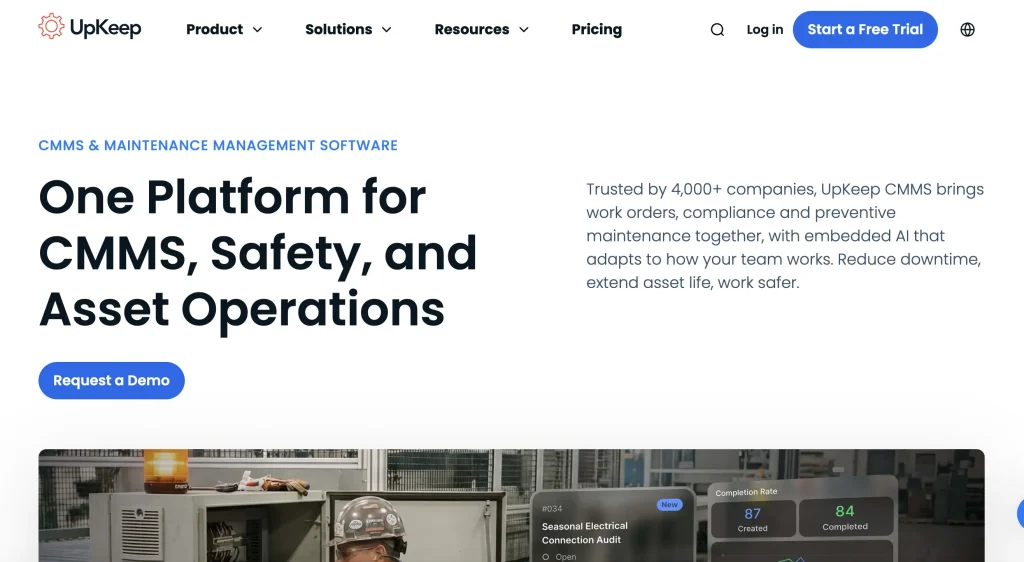
UpKeep is a maintenance-first CMMS platform focused on work orders, preventive maintenance, technician workflows, and mobile maintenance execution.
It suits teams that want to move from reactive maintenance to more structured preventive maintenance and technician task management.
Summary card
| Best for | Maintenance-first teams |
| Category | CMMS with EAM-adjacent capabilities |
| Primary strength | Work orders, preventive maintenance, technician workflows, and mobile execution |
| Deployment/pricing | Check current pricing and deployment details with UpKeep here |
| Limitations to verify | Broader request, fulfillment, custody, dispatch, and lifecycle workflows |
Key capabilities
Work orders
UpKeep helps maintenance teams create, assign, prioritize, and close work orders from a centralized system. This gives technicians and managers a clearer view of what needs to be done, who owns it, and what work is still pending.
Preventive maintenance
UpKeep supports recurring preventive maintenance schedules, enabling teams to service equipment before failures occur. This helps maintenance teams reduce reactive repairs and keep assets closer to operational readiness.
Asset maintenance
Teams can connect maintenance work to specific assets, making it easier to view service activity, repair history, and recurring issues. This helps maintenance managers understand which assets require frequent attention and where downtime risks may be building.
Mobile technician workflows
UpKeep is built with mobile maintenance execution in mind, allowing technicians to receive, update, and complete work from the field. This is useful for teams that need faster technician adoption and fewer delays caused by paper-based work orders.
Parts and inventory
UpKeep includes parts and inventory capabilities that help teams track the materials needed for maintenance work. This helps reduce delays caused by missing parts and gives teams better visibility into maintenance-related stock.
Maintenance reporting
UpKeep provides reporting to help teams monitor work order volume, completion trends, downtime, preventive maintenance compliance, and maintenance performance. These insights help managers identify bottlenecks and improve maintenance planning.
Inspections
UpKeep can support inspection workflows so teams can document asset condition, safety checks, and recurring inspection tasks. This helps maintenance teams identify issues earlier and trigger follow-up work when needed.
Real-time updates from the field
Technicians can update work orders, add notes, attach photos, and record progress from mobile devices. This helps managers see what is happening in the field without waiting for end-of-day updates or manual paperwork.
Best suited for: Maintenance teams that need mobile CMMS adoption and stronger work order execution.
5. MaintainX: Best for frontline maintenance execution
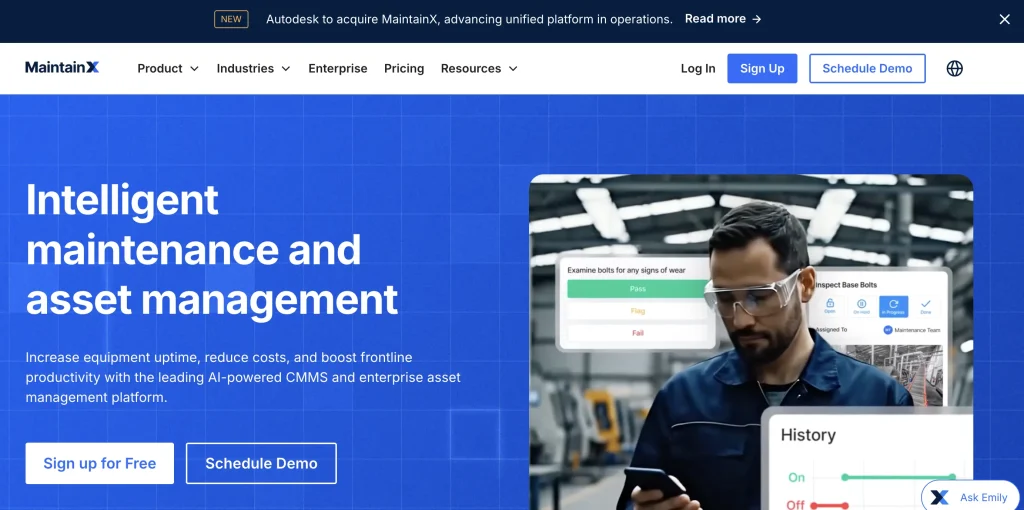
MaintainX is often a strong fit for frontline teams that need mobile work orders, inspections, procedures, and maintenance communication.
It is often a fit for teams that want quick adoption, simpler maintenance execution, and better visibility into work across sites. MaintainX is especially relevant for teams that want to guide technicians through work orders, procedures, inspection steps, and SOPs from a mobile-first interface.
Summary card
| Best for | Frontline maintenance teams |
| Category | CMMS with EAM-adjacent capabilities |
| Primary strength | Mobile work orders, inspections, SOPs, and team communication |
| Deployment/pricing | Check current pricing and deployment details with MaintainX here |
| Limitations to verify | Asset lifecycle depth, capital planning, asset hierarchies, and fulfillment workflows |
Key capabilities
Work order creation and tracking
MaintainX helps teams create, assign, update, and track work orders from a central system. This gives maintenance managers better visibility into open work, completed tasks, technician ownership, and site-level maintenance activity.
Preventive maintenance
MaintainX supports preventive maintenance workflows so teams can schedule recurring service and reduce last-minute repairs. This helps frontline teams stay ahead of routine maintenance rather than relying solely on reactive fixes.
Inspections
MaintainX can be used to run inspections, safety checks, and condition-based reviews from mobile devices. Teams can document findings, flag issues, and trigger follow-up work when an inspection reveals a problem.
SOPs and procedures
MaintainX allows teams to attach procedures, checklists, and work instructions to maintenance tasks. This helps technicians follow consistent steps and gives managers more control over how recurring work is completed.
Team communication
MaintainX includes communication features that help technicians, supervisors, and managers coordinate around work. This is useful for teams that need quick updates, comments, or context while maintenance tasks are in progress.
Mobile-first technician workflows
MaintainX is designed for field and frontline users who need to manage work from mobile devices. Technicians can view assignments, update progress, add notes, attach photos, and complete tasks without relying on paper or desktop access.
Site-level maintenance execution
MaintainX can help teams manage maintenance activity across multiple sites or operating locations. This gives supervisors better visibility into what work is happening where and helps standardize execution across teams.
Maintenance reporting
MaintainX provides reporting to help teams monitor work order trends, preventive maintenance completion, open tasks, and maintenance performance. These insights can help managers identify bottlenecks, recurring issues, and areas for process improvement.
Best suited for: MaintainX is best for teams that want fast adoption for frontline maintenance execution and structured work management.
6. Fiix: Best for manufacturing maintenance teams
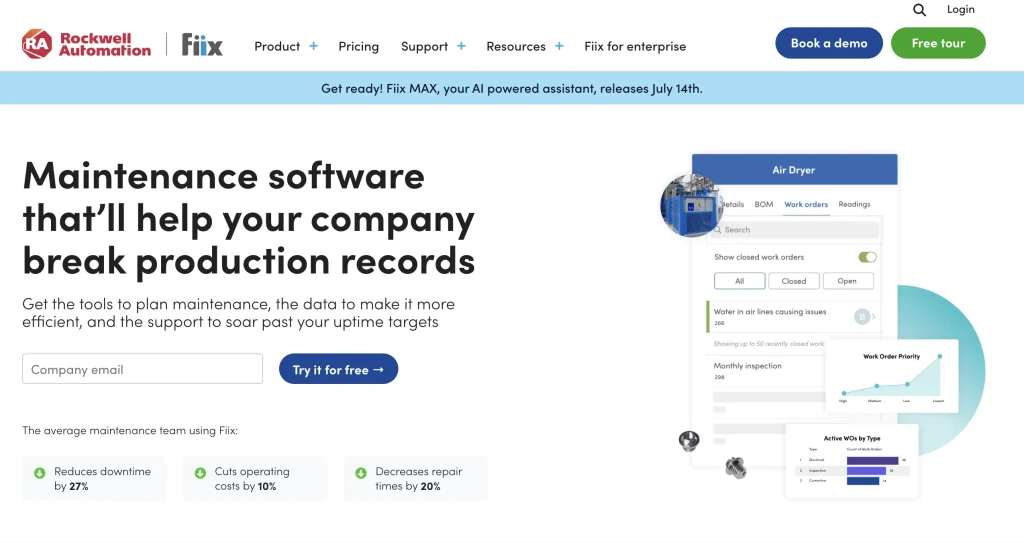
Fiix is a CMMS platform often used by maintenance teams focused on uptime, preventive maintenance, work order execution, and asset reliability.
It supports preventive maintenance work orders, work requests, asset maintenance, parts context, reporting, and maintenance planning. Fiix is often relevant for manufacturing and industrial teams that need to improve maintenance organization and asset uptime.
Summary card
| Best for | Manufacturing maintenance teams |
| Category | CMMS with EAM-adjacent capabilities |
| Primary strength | Preventive maintenance, work orders, uptime, and asset reliability |
| Deployment/pricing | Check current pricing and deployment details with Fiix here |
| Limitations to verify | Equipment movement, request fulfillment, custody, and dispatch workflows |
Key capabilities
Work order management
Fiix helps maintenance teams create, assign, prioritize, and complete work orders from a structured CMMS. This gives teams better control over repair work, technician assignments, open tasks, and maintenance follow-through.
Preventive maintenance
Fiix supports preventive maintenance schedules so teams can plan recurring service before equipment fails. This helps manufacturing and maintenance teams reduce unplanned downtime and keep critical assets operating reliably.
Work requests
Fiix allows teams to capture and manage maintenance requests from users, operators, or other departments. This helps maintenance teams organize incoming issues and convert them into trackable work instead of relying on informal messages or paper notes.
Asset maintenance
Maintenance work can be tied to specific assets, giving teams a clearer view of service activity, repair history, and recurring problems. This helps maintenance managers understand which equipment needs attention and which assets may require replacement planning.
Parts and inventory
Fiix includes parts and inventory capabilities to help teams manage the materials needed for maintenance work. This helps reduce repair delays caused by missing parts and gives maintenance teams better visibility into stock availability.
Maintenance reporting
Fiix provides reporting on work orders, preventive maintenance completion, asset performance, and maintenance activity. These insights help teams identify recurring failures, backlog issues, and opportunities to improve maintenance planning.
Manufacturing maintenance workflows
Fiix is well aligned with manufacturing teams that need to keep production equipment available and reduce downtime. It supports structured maintenance execution for environments where equipment uptime directly affects output.
Asset reliability tracking
Fiix helps teams track maintenance activity and asset performance over time. This gives maintenance leaders better context for identifying reliability issues, prioritizing repairs, and making repair-or-replace decisions.
Best suited for: Fiix is a strong fit for manufacturing and maintenance teams seeking a CMMS to improve uptime and work order execution.
7. Limble: Best for maintenance teams replacing manual work orders
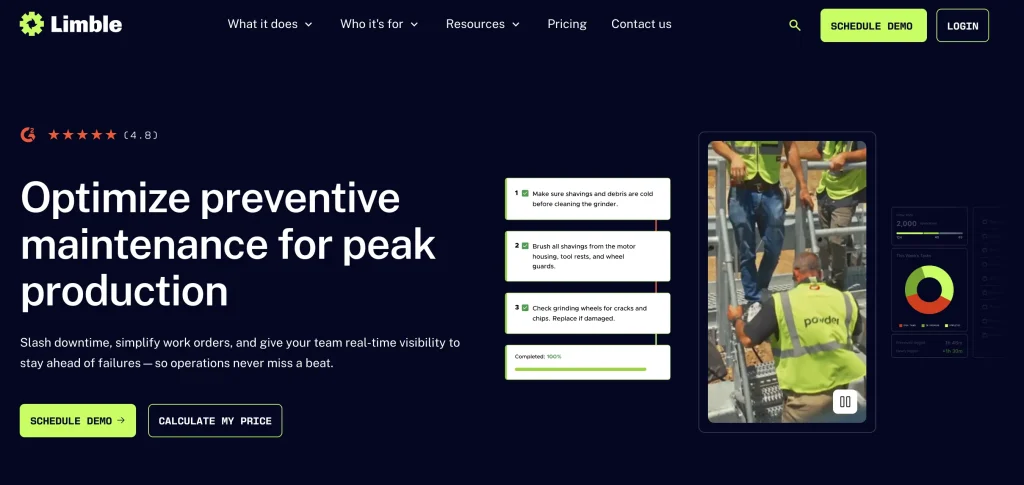
Limble is a CMMS platform for maintenance teams moving from paper, spreadsheets, and manual work orders to structured preventive and corrective maintenance workflows.
Summary card
| Best for | Maintenance teams replacing manual work orders |
| Category | CMMS with EAM-adjacent capabilities |
| Primary strength | Work orders, preventive maintenance, parts inventory, maintenance history, and mobile access |
| Deployment/pricing | Check current pricing and deployment details with Limble here |
| Limitations to verify | Request intake, fulfillment, dispatch, custody, and broader lifecycle planning |
Key capabilities
Work orders
Limble helps teams create, assign, prioritize, and complete work orders in a structured system. This gives maintenance managers better visibility into open work, technician ownership, task progress, and completed repairs.
Preventive maintenance scheduling
Limble supports recurring preventive maintenance schedules so teams can plan service before equipment fails. This helps reduce missed maintenance, improve uptime, and move teams away from purely reactive repair cycles.
Asset tracking
Limble allows teams to connect maintenance activity to specific assets. This helps technicians and managers see which equipment needs service, where issues are recurring, and how maintenance work affects asset availability.
Maintenance history
Limble keeps a record of past repairs, inspections, service tasks, and completed work. This gives teams useful context when troubleshooting recurring problems or deciding whether an asset should be repaired or replaced.
Parts inventory
Limble includes parts inventory capabilities to help teams track the materials needed for maintenance work. This can reduce delays caused by missing parts and help maintenance teams plan repairs more reliably.
Mobile access
Limble gives technicians mobile access to work orders, asset details, maintenance tasks, and updates. This helps teams complete and record work from the field instead of relying on paper forms or delayed desktop updates.
Maintenance reporting
Limble provides reporting on work orders, preventive maintenance, asset activity, and maintenance performance. These reports help managers identify backlog issues, recurring failures, and opportunities to improve maintenance planning.
Technician adoption
Limble is often a fit for teams that want a CMMS technicians can adopt without heavy complexity. Its practical workflow focus can help teams replace manual work orders while keeping day-to-day maintenance execution manageable.
Best suited for: Limble is a strong fit for maintenance teams seeking easier work order management and preventive maintenance tracking.
8. Asset Panda: Best for configurable asset tracking
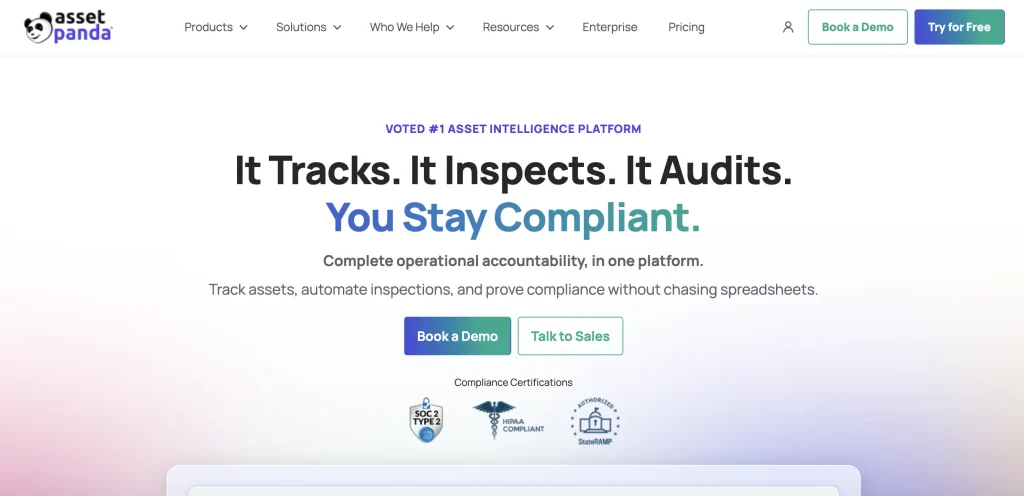
Asset Panda is a flexible asset-tracking platform for teams that need configurable records, custom fields, barcode scanning, and asset-register workflows.
Summary card
| Best for | Configurable asset tracking |
| Category | Asset tracking |
| Primary strength | Custom fields, barcode/QR scanning, asset assignments, forms, and flexible reporting |
| Deployment/pricing | Request current pricing and deployment details for Asset Panda here |
| Limitations to verify | Deeper maintenance, fulfillment, capital planning, and enterprise lifecycle management |
Key capabilities
Asset tracking
Asset Panda helps teams maintain a centralized record of assets, including details such as location, status, assigned user, and asset history. This is useful for teams that need better visibility than spreadsheets can provide.
Custom fields
Teams can configure custom fields to capture the asset details that matter to their workflow. This helps organizations adapt the system around internal categories, departments, locations, asset types, or reporting needs.
Mobile app
Asset Panda’s mobile app allows teams to access and update asset information from the field. Users can scan assets, update records, assign items, and capture details without relying only on desktop access.
Barcode and QR scanning
Asset Panda supports barcode and QR code scanning for faster asset identification and updates. This helps teams reduce manual entry during audits, assignments, checkouts, returns, and inventory reviews.
Asset assignment
Teams can assign assets to employees, departments, locations, or other responsible parties. This helps create clearer accountability around who has an asset and where it is expected to be.
Check-out forms
Asset Panda supports check-out workflows that help teams document when assets are issued and returned. This is useful for tools, devices, equipment, and other assets that move between users or locations.
Maintenance checklists
Teams can create maintenance checklists to document service tasks, inspections, or recurring asset checks. This helps keep asset condition and maintenance activity connected to the asset record.
Notifications
Asset Panda can help teams set reminders and notifications for asset-related actions. These can support maintenance follow-ups, return reminders, renewals, or other time-sensitive asset workflows.
Reporting
Asset Panda provides reporting so teams can review asset status, assignments, locations, activity, and custom data. This helps managers understand where assets are, who has them, and which records need attention.
Configurability
Configurability is one of Asset Panda’s clearest strengths. Teams can shape fields, forms, workflows, and reports around their existing asset tracking process instead of being limited to a rigid structure.
Best suited for: Asset Panda is a strong fit for teams that want a flexible asset register and customizable asset tracking workflows.
9. Brightly: Best for facilities and public sector asset management
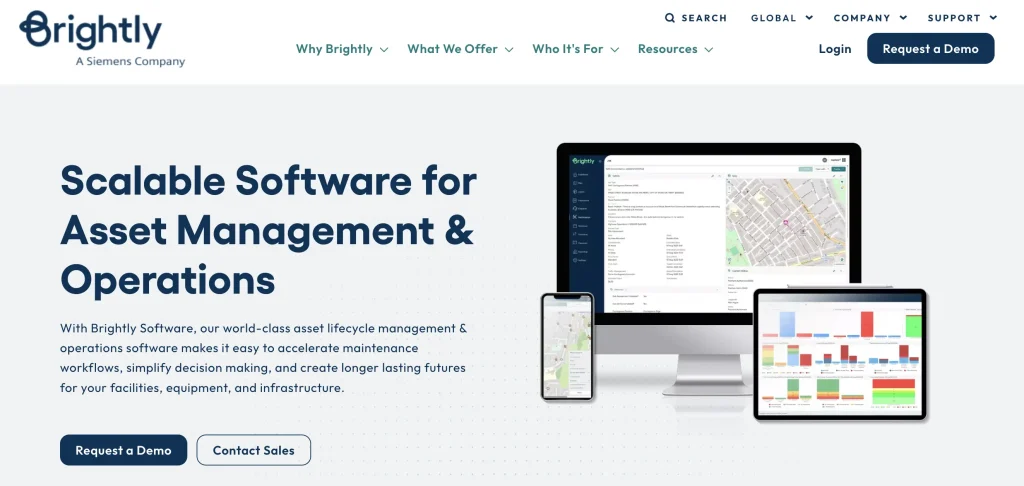
Brightly fits facilities, education, public sector, and infrastructure-heavy teams managing maintenance, assets, and long-term planning.
Summary card
| Best for | Facilities, education, public sector, and infrastructure-heavy teams |
| Category | Facilities asset management / EAM-adjacent |
| Primary strength | Facilities maintenance, asset health, capital planning, and long-term infrastructure planning |
| Deployment/pricing | Check current pricing and deployment details with Brightly here |
| Limitations to verify | Equipment request fulfillment, custody, dispatch, and field equipment movement |
Key capabilities
Facilities maintenance
Brightly helps facilities teams manage maintenance work across buildings, campuses, and infrastructure assets. This is useful for teams responsible for keeping spaces, systems, and equipment operational across multiple sites.
Asset management
Brightly supports asset management for physical infrastructure, facilities, and equipment. Teams can use it to maintain asset records, track service activity, and build a clearer view of asset condition and operational needs.
Work orders
Brightly helps teams create, assign, and track work orders for maintenance and facilities tasks. This gives facilities managers better visibility into open work, completed repairs, recurring issues, and team workload.
Asset health visibility
Brightly can help organizations bring asset condition, risk, and long-term performance data into planning decisions. This is useful for teams that need to prioritize maintenance, replacement, or capital investment based on asset health.
Capital planning
Brightly is often relevant for organizations that need to plan long-term asset investments. Teams can use asset data to support repair, replacement, renewal, and budget planning decisions.
Predictive analytics
Brightly positions asset data and analytics around asset health, long-term planning, and capital decisions. This can help facilities and public sector teams make more informed planning decisions instead of relying only on reactive maintenance records.
Public sector workflows
Brightly is often aligned with public sector teams managing infrastructure, facilities, and community assets. It can support organizations that need structured maintenance, planning, and reporting across public assets.
Education and facilities use cases
Brightly is commonly relevant for schools, campuses, universities, and facilities-heavy organizations. These teams often need to manage buildings, grounds, equipment, maintenance requests, and long-term capital needs in one coordinated process.
Best suited for: Brightly is a strong fit for schools, municipalities, facilities teams, public sector organizations, and infrastructure-heavy operations.
10. Fracttal: Best for connected maintenance and IoT-enabled workflows
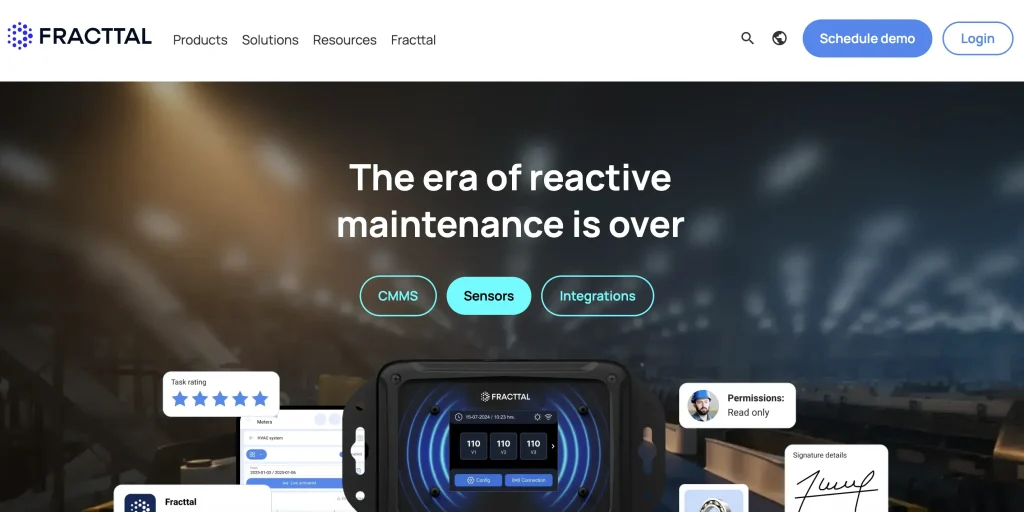
Fracttal is a maintenance management platform focused on CMMS, maintenance planning, connected maintenance, asset monitoring, and maintenance execution.
Summary card
| Best for | Connected maintenance workflows |
| Category | CMMS / connected maintenance |
| Primary strength | Maintenance planning, alerts, monitoring, and digital maintenance execution |
| Deployment/pricing | Check current pricing and deployment details for Fracttal here |
| Limitations to verify | Broader EAM, asset hierarchy depth, request fulfillment, and custody workflows |
Key capabilities
CMMS
Fracttal supports core CMMS workflows such as maintenance planning, work orders, asset records, and service tracking. This helps maintenance teams manage corrective and preventive work in a more structured system.
Maintenance planning
Fracttal helps teams plan maintenance activities around asset needs, schedules, and operational priorities. This is useful for teams that want better control over recurring service, inspections, and maintenance workload.
IoT-enabled maintenance
Fracttal can support connected maintenance workflows by bringing asset data, sensor inputs, and condition-monitoring signals into maintenance planning. This can help teams track asset behavior more closely and respond to potential issues earlier.
Work orders
Teams can create, assign, update, and close work orders for maintenance tasks. Work orders help technicians and managers track what needs to be done, who owns the task, and what work has already been completed.
Asset monitoring
Fracttal can help teams monitor asset condition and maintenance activity over time.This gives maintenance teams better visibility into asset health, performance changes, and potential reliability issues.
Alerts
Fracttal can support alerts based on maintenance schedules, asset conditions, or connected monitoring signals. These alerts help teams respond earlier and reduce dependence on manual follow-up.
Mobile access
Fracttal offers mobile access so technicians and maintenance teams can update work orders, review asset details, and record maintenance activity from the field. This helps keep maintenance records current while work is happening.
Predictive maintenance positioning
Fracttal is relevant for teams exploring predictive maintenance positioning or condition-monitoring workflows. By combining asset records, monitoring data, and maintenance history, teams may be able to identify service needs earlier and reduce some reactive maintenance work.
Connected maintenance workflows
Fracttal’s positioning is strongest when teams need to connect assets, maintenance tasks, teams, and monitoring inputs in one workflow. This is useful for maintenance-led organizations that want better visibility across planning, execution, and asset condition.
Best suited for: Fracttal is a strong fit for teams looking for maintenance management with connected monitoring and digital maintenance workflows.
Feature comparison matrix
| Feature | EZO | IBM Maximo | Octave Attune EAM | UpKeep | MaintainX | Fiix | Limble | Asset Panda | Brightly | Fracttal |
|---|---|---|---|---|---|---|---|---|---|---|
| Asset records | ✓ | ✓ | ✓ | ✓ | ✓ | ✓ | ✓ | ✓ | ✓ | ✓ |
| Multi-location tracking | ✓ | ✓ | ✓ | Limited | Limited | Limited | Limited | ✓ | ✓ | Limited |
| Preventive maintenance | ✓ | ✓ | ✓ | ✓ | ✓ | ✓ | ✓ | Limited | ✓ | ✓ |
| Work orders | ✓ | ✓ | ✓ | ✓ | ✓ | ✓ | ✓ | Limited | ✓ | ✓ |
| Request management | ✓ | Limited | Limited | Limited | Limited | Limited | Limited | Limited | Limited | Limited |
| Fulfillment / dispatch workflows | ✓ | Limited | Limited | ✕ | ✕ | ✕ | ✕ | ✕ | Limited | ✕ |
| Custody / handoffs | ✓ | Limited | Limited | Limited | Limited | Limited | Limited | ✓ | Limited | Limited |
| Barcode / QR scanning | ✓ | Limited | Limited | Limited | Limited | Limited | Limited | ✓ | Limited | Limited |
| RFID workflows | ✓ | Limited | Limited | ✕ | ✕ | ✕ | ✕ | Limited | Limited | Limited |
| Asset performance management | Limited | ✓ | ✓ | Limited | Limited | Limited | Limited | ✕ | ✓ | Limited |
| IoT / condition monitoring | Limited | ✓ | ✓ | Limited | Limited | Limited | Limited | ✕ | Limited | ✓ |
| Capital planning | Limited | ✓ | ✓ | ✕ | ✕ | ✕ | ✕ | ✕ | ✓ | Limited |
| Mobile workflows | ✓ | ✓ | ✓ | ✓ | ✓ | ✓ | ✓ | ✓ | ✓ | ✓ |
Legend: ✓ = strong fit, Limited = partial or use-case-dependent, ✕ = not a primary fit.
Note: Buyers should verify current feature availability, integrations, deployment model, and pricing directly with each vendor.
Emerging EAM capabilities to evaluate in 2026
AI and predictive maintenance
AI is becoming more important in EAM, especially for teams that need to identify asset risk, prioritize maintenance, and reduce downtime. Buyers should look for practical AI capabilities tied to maintenance planning, work order triage, anomaly detection, and asset insights rather than broad AI claims.
Digital twins and connected asset models
Digital twins are more relevant for asset-intensive industries where teams need to model complex equipment, infrastructure, or facility systems. This is especially important in utilities, manufacturing, transportation, and infrastructure environments.
IoT and sensor-based monitoring
IoT asset monitoring helps teams use sensor data to understand asset condition, usage, temperature, vibration, and other performance signals. For maintenance teams, the value comes when this data connects to alerts, work orders, and reliability decisions.
Sustainability and lifecycle planning
EAM can support sustainability goals by helping teams extend asset life, reduce unnecessary purchases, manage energy-consuming equipment, and plan replacements more intentionally. Buyers should evaluate whether the platform supports lifecycle cost, utilization, repair history, and replacement planning.
ERP, GIS, and API integrations
Enterprise asset data rarely lives in one system. Buyers should evaluate ERP integrations, accounting connections, GIS integrations, identity and access controls, IoT connectors, APIs, and webhooks before choosing a platform.
Key features to look for in enterprise asset management software
Enterprise asset management software should help operations teams do more than maintain asset records. The right platform should connect asset visibility to daily execution, so teams can request, approve, dispatch, maintain, track, and report on assets without having to rebuild context across disconnected tools.
1. Centralized asset records
Every asset should have one complete record with location, ownership, status, documents, photos, warranty, cost, and lifecycle data.
This record should be easy for operations, maintenance, warehouse, finance, and leadership teams to use. If every team keeps its own version of the asset record, the system will not scale.
2. Multi-location tracking
The platform should support the movement of assets across facilities, warehouses, job sites, vehicles, departments, and field teams.
This includes transfers, location-level reporting, custody updates, and visibility across distributed teams.
3. Request and approval workflows
Teams should be able to request equipment or assets through a structured process and route approvals based on rules.
This reduces informal requests, missed sign-offs, and unclear approval trails.
4. Fulfillment and dispatch management
Approved requests should move into a queue where operations teams can prepare, dispatch, and track assets with the right context.
This is especially important for multi-site teams where delays often happen after approval but before the equipment reaches the requester.
5. Maintenance and condition tracking
The platform should connect preventive maintenance, work orders, inspections, repairs, downtime, and asset condition to the asset record.
This helps teams avoid dispatching equipment that is unavailable, damaged, overdue for inspection, or unsafe to use.
6. Custody and handoff records
Teams should be able to record who received an asset, when it moved, where it went, and what condition it was in.
This supports accountability, loss prevention, billing dispute resolution, and audit readiness.
7. Mobile access and scanning
Field users should be able to scan assets, update records, complete inspections, create work orders, and confirm handoffs from mobile devices.
If the system is not easy to update during real work, asset data will become stale.
8. Reporting and analytics
Leaders should be able to review utilization, availability, downtime, overdue work, costs, and lifecycle performance.
Reporting should help teams decide whether to buy, repair, redeploy, or retire assets.
9. Automation
The system should automate reminders, approvals, maintenance schedules, escalations, status updates, and recurring tasks.
Automation reduces manual follow-up and helps teams keep asset records up to date.
10. Audit-ready records
Teams should be able to maintain reliable records for audits, inspections, internal reviews, and accountability.
This includes asset movement, custody, condition, maintenance history, approvals, and lifecycle changes.
Common mistakes when choosing EAM software
The biggest mistake is choosing EAM software based only on feature lists. Operations teams should evaluate whether the platform supports the real workflow around assets: how they are requested, approved, moved, maintained, returned, and reported.
Mistake 1: Underestimating field adoption
If field teams cannot easily update records, asset data will become stale.
Example: A technician returns equipment but does not update the system because the workflow requires logging in from a desktop.
Mistake 2: Choosing a CMMS when you need broader asset operations
A CMMS can manage maintenance well, but operations teams may also need equipment requests, approvals, custody, dispatch, and lifecycle workflows.
Example: A team can create work orders, but still has no clear way to manage equipment requests or dispatch assets across locations.
Mistake 3: Choosing an asset register when assets move constantly
An asset register records what exists, but teams need real-time updates when assets move between users, sites, vehicles, and jobs.
Example: The system shows that a generator exists, but not whether it is approved, checked out, in transit, damaged, or ready for dispatch.
Mistake 4: Ignoring fulfillment and dispatch workflows
For operations teams, the handoff between an approved request and the delivered equipment is often where delays occur.
Example: A crew needs equipment on Monday, but the warehouse team does not receive complete job context until Monday morning.
Mistake 5: Treating maintenance separately from availability
If maintenance data is disconnected from asset availability, teams may dispatch equipment that is not ready.
Example: A lift appears available but is overdue for inspection, forcing a last-minute replacement.
Final takeaway
The best enterprise asset management software depends on the operating problem your team needs to solve.
Choose EZO when your team needs asset visibility connected to requests, approvals, fulfillment, dispatch, custody, maintenance, and reporting across multiple locations.
Choose IBM Maximo when your organization needs enterprise reliability, asset performance management, maintenance planning, and connected asset insights for complex industrial environments.
Choose Octave Attune EAM when you manage complex industrial, infrastructure, transportation, utility, or public sector assets.
Choose UpKeep, MaintainX, Fiix, or Limble when your priority is maintenance execution, work orders, inspections, and technician workflows.
Choose Asset Panda when your main need is configurable asset tracking.
Choose Brightly when your team is focused on facilities, education, public sector, infrastructure, asset health, or long-term planning.
Choose Fracttal when you want connected maintenance workflows with alerts, condition monitoring, and digital maintenance planning.
For operations teams, the right platform is the one that turns asset data into action. That means every asset record should connect to the requests, approvals, fulfillment steps, custody records, maintenance work, and lifecycle decisions that keep work moving.