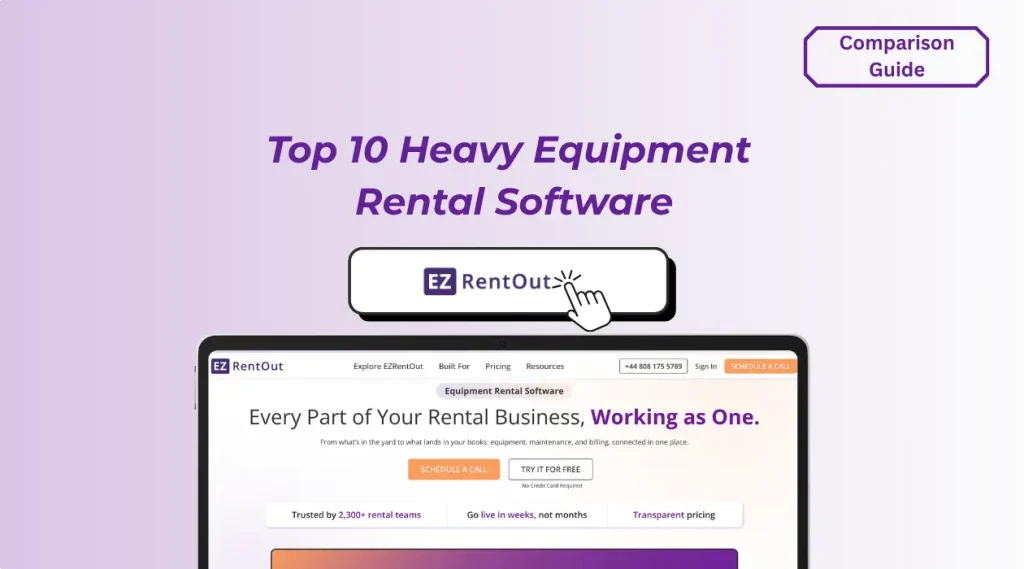
Managing a heavy equipment rental fleet gets complicated quickly when availability, maintenance, dispatch, billing, and equipment movement all affect whether an asset is actually ready to rent.
The right heavy equipment rental management software brings these moving parts together, so you can see what equipment is available, where it is, whether it needs maintenance, and how effectively your fleet is being used.
In this guide, we’ll compare 10 heavy equipment rental software platforms, including EZRentOut, Wynne Systems (RentalMan), Texada, Point of Rental, InTempo, MCS Rental Software, Quipli, Booqable, Alert Rental, and Rentman. We’ll look at how each platform supports the workflows that matter most when you manage high-value rental equipment, including reservations and availability, fleet tracking, maintenance readiness, dispatch and pickups, long-term and usage-based billing, multi-yard operations, accounting, and customer-facing workflows.
You’ll also see where each platform fits best, its key heavy-equipment capabilities, standout workflows, integrations, pricing approach, and limitations. This gives you a practical way to compare your options against the way your rental operation actually works.
Key Takeaways:
- The best heavy equipment rental software matches your actual workflows, not the vendor with the longest feature list.
- Equipment availability should reflect active rentals, extensions, inspections, maintenance downtime, and turnaround time before the next booking.
- Telematics is most useful when location and meter data directly inform rental billing, maintenance, and equipment status.
- Multi-yard operations need centralized asset status and transfer records to prevent “phantom inventory” and unfulfillable reservations.
- Purpose-built platforms become more valuable when you need usage-based billing, telematics, maintenance workflows, and complex multi-location operations.
- Evaluate vendors against costly real-world exceptions, including overbookings, service interruptions, long-term rental changes, and cross-yard equipment movement.
- Pricing comparisons should account for required modules, integrations, locations, users, and add-ons rather than advertised starting prices alone.
Best heavy equipment rental software at a glance
If you want a quick comparison before diving into the detailed reviews, use this shortlist to see where each platform fits best.
| Software | Best for |
| EZRentOut | Connected heavy equipment rental operations |
| Wynne Systems (RentalMan) | Enterprise heavy equipment rental operations |
| Texada | Rental, sales, and service-heavy equipment operations |
| Point of Rental | Established multi-location rental companies |
| InTempo | Construction rental companies needing ERP depth |
| MCS Rental Software | Multi-depot heavy equipment rental operations |
| Quipli | Online-first heavy equipment rental businesses |
| Booqable | Online heavy equipment rental bookings |
| Alert Rental | Configurable equipment rental workflows |
| Rentman | Equipment scheduling and rental inventory control |
The right fit depends on how complex your fleet, locations, maintenance, dispatch, and billing workflows are. The sections below break down each platform against those operational needs.
How we evaluated heavy equipment rental software
To compare these platforms fairly, we focused on the operational workflows that matter most when you manage high-value rental equipment. Rather than counting features, we looked at how well each system supports the full equipment rental cycle, from availability and dispatch to billing and return.
1. Equipment availability and reservation control
We assessed how clearly you can see what is available, reserved, out on rent, or temporarily unavailable, and whether the system helps you prevent double-bookings across upcoming orders.
2. Heavy equipment tracking and fleet visibility
We looked at how well you can track individual units, their current status, location, assignment, and movement history across yards, job sites, and customers.
3. Maintenance and rental readiness
We considered whether maintenance, inspections, service activity, and downtime are reflected in rental availability so you don’t commit equipment that isn’t ready to return to the rental pool.
4. Dispatch, delivery, and pickup management
We evaluated how each platform supports moving equipment between your yard and customer sites, including delivery scheduling, pickups, transfers, and field updates.
5. Long-term and usage-based rental billing
Heavy equipment rentals often involve more complex billing than a simple daily charge. We compared support for:
- Daily, weekly, and monthly rates
- Recurring rentals
- Extensions
- Partial returns
- Meter- or hour-based charges
- Damage charges
- Delivery and pickup fees
- Deposits
- Late fees
- Equipment swaps
6. Multi-yard and multi-location operations
We assessed whether you can manage equipment across several yards or branches while maintaining visibility into availability, transfers, utilization, and location-specific activity.
7. Accounting and financial workflows
We looked at how each platform supports invoicing, payments, taxes, accounting integrations, and the financial reporting you need to understand equipment rental performance.
8. Customer and field experience
Finally, we considered how easily customers and field teams can interact with the system through online bookings, portals, mobile tools, signatures, payments, inspections, and status updates.
These criteria form the basis for the comparisons below, but the weight you give each one will depend on how your own equipment rental operation is structured.
10 best heavy equipment rental software platforms to consider in 2026
1. EZRentOut: Best for connected heavy equipment rental operations
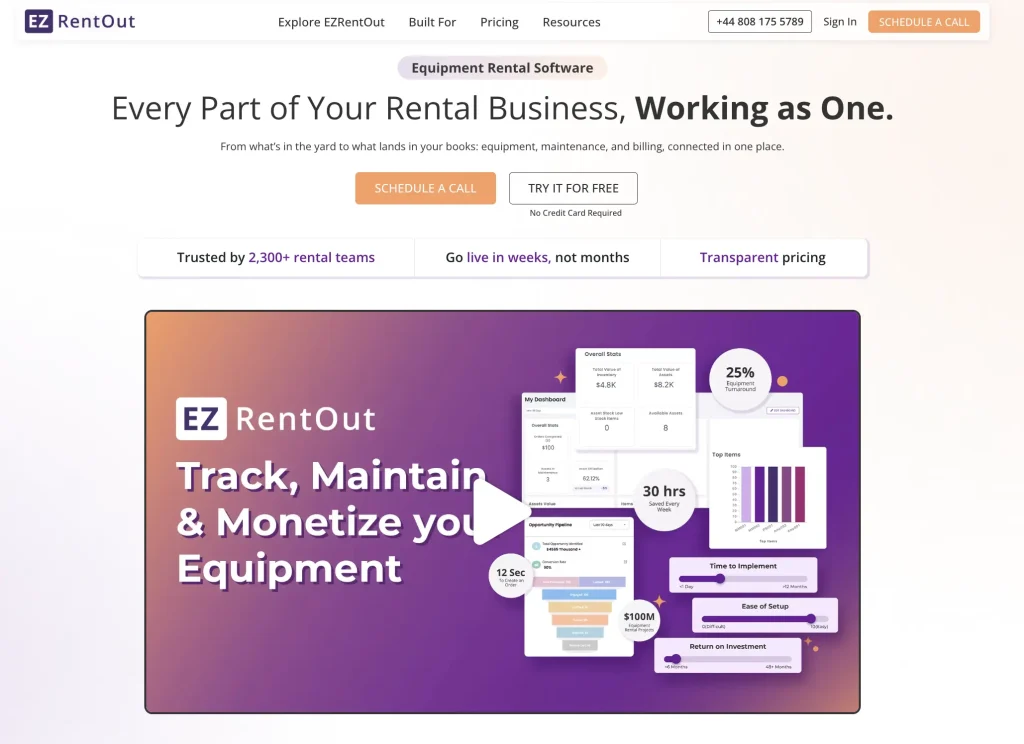
Best for: Growing and established heavy equipment rental businesses that want rental orders, fleet visibility, maintenance, long-term billing, and accounting workflows to stay connected as equipment moves between yards, job sites, and customers.
Overview
EZRentOut is equipment rental management software designed to manage the operational lifecycle of rental equipment, from reservation and availability through checkout, return, maintenance, and billing. For heavy equipment rental teams, its main advantage is how these workflows interact. A machine’s rental activity, location, service history, meter information, and billing can remain tied to the same equipment record instead of being managed through disconnected processes.
You can use the platform for individually tracked equipment and bulk inventory, making it relevant if your rental catalog combines high-value machines with attachments, tools, accessories, and consumable stock. Its availability calendar, mobile workflows, long-term rental capabilities, and multi-location controls also make it suitable as your fleet and yard network become more complex.
Key heavy equipment rental capabilities
EZRentOut gives you several capabilities that are particularly relevant when equipment is expensive, mobile, maintenance-dependent, or rented for extended periods:
- Availability and reservations: See what is booked, returning, or available and manage reservations without relying on separate inventory schedules.
- Serialized equipment tracking: Maintain individual records for machines and track their locations, handoffs, usage, and rental history.
- GPS and telematics visibility: Bring equipment location data into EZRentOut through Trackunit, Samsara, Hapn, John Deere, or your own GPS provider.
- Maintenance management: Create work orders, maintain service histories, and schedule recurring maintenance based on time or usage.
- Mobile check-in and checkout: Use barcode and QR code scanning to verify equipment during dispatch, transfers, and returns.
- Long-term rental management: Handle recurring and open-ended rentals with cycle billing rather than recreating orders for every billing period.
- Flexible rental changes: Support extensions, partial returns, equipment swaps, fees, and usage-based charges when a rental changes after dispatch.
- Multi-location operations: Manage equipment across multiple sites while keeping availability, transfers, and equipment records visible to your team.
- Reporting and analytics: Track equipment utilization, revenue, performance, and operational activity using standard or custom reports.
- Sub-rentals: Add equipment sourced from other providers to customer orders and track the related costs and revenue.
- Online rental experience: Set up a Rental Webstore and customer portal where customers can browse equipment, place orders, view rental details, and make payments.
Standout workflow: Keeping long-term rentals aligned as conditions change
EZRentOut is particularly useful for heavy equipment after a rental has already started.
Suppose you rent an excavator to a customer for a month. The project runs longer than expected, the customer extends the rental, usage exceeds the original allowance, and the machine eventually needs to be swapped for another unit. Instead of treating each event as a separate administrative task, you can reflect extensions, equipment swaps, meter-based charges, additional fees, and recurring billing within the ongoing equipment rental workflow.
EZRentOut also supports open-ended recurring rentals, where billing can continue until you close the rental. That makes it useful for construction projects and other long-duration jobs where the final return date may not be known when the equipment first leaves your yard.
Integrations
For heavy equipment businesses, the most relevant integrations are on the accounting and telematics sides.
EZRentOut connects with Trackunit, Samsara, Hapn, and John Deere to bring equipment location data into rental records. John Deere can also provide machine-state information such as whether equipment is idle, working, or being transported. If you already use another GPS provider, EZRentOut supports custom GPS connections through its API.
For accounting, it integrates with QuickBooks Online, QuickBooks Desktop, Xero, Sage, and Avalara, alongside payment platforms such as Stripe, Square, and Authorize.net. Its QuickBooks Online integration connects equipment rental activity with invoices and payments, helping you keep financial records aligned when orders change during the rental period.
Pricing
EZRentOut offers three plans.
Growth starts at $399 per month when billed annually and includes bookings, the availability calendar, mobile app, payment integrations, custom reports, and the Rental Webstore.
Premium costs $499 per month when billed annually and adds capabilities particularly relevant to more complex rental operations, including QuickBooks integration, work orders, sub-rentals, long-term rentals with cycle billing, and customer- and business-level pricing.
Enterprise uses custom pricing and adds multiple-site support, custom integrations, GPS and telematics integrations, item audits, and custom roles. EZRentOut positions this tier for larger heavy equipment rental companies.
Limitations and points to evaluate
- Plan-dependent features: Work orders, cycle billing, and QuickBooks integration require Premium, while multi-site and GPS/telematics capabilities are available with Enterprise.
- Transportation depth: If you need advanced route optimization, load planning, or dedicated logistics management, confirm whether EZRentOut can support those workflows.
2. Wynne Systems (RentalMan): Best for enterprise heavy equipment rental operations
Best for: Large heavy equipment rental companies managing complex fleets, multiple branches, transportation, service, finance, and rental contracts at enterprise scale.
Overview
Wynne Systems’ enterprise rental ERP is built specifically for equipment rental businesses. It covers much more than reservations, providing tools for rental and sales processing, asset management, maintenance, purchasing, finance, depreciation, transportation, and reporting within its broader suite. Wynne positions it specifically for commercial construction and heavy equipment rental companies with multi-branch operations and complex rental workflows.
Its depth makes it better suited to larger equipment rental organizations that need standardized processes across branches rather than a lightweight system for managing bookings alone.
Key heavy-equipment rental capabilities
- Rental contracts and billing: Manage quotes, reservations, contracts, invoicing, exchanges, partial returns, deposits, tiered pricing, multiple billing cycles, and excess meter charges.
- Fleet and asset management: Track utilization, transfers, purchasing, equipment sales, depreciation, warranties, and total cost of ownership.
- Maintenance: Schedule service, track parts and labor, manage warranty work, and prioritize equipment that needs to return to rental-ready status.
- Multi-branch sourcing: IntelliSource can surface available equipment based on availability, distance, or estimated return, helping you fill reservations across branches before resorting to unnecessary transfers.
- Transportation and dispatch: Wynne’s Logistics Solution adds routing, delivery and pickup scheduling, live GPS visibility, driver workflows, condition photos, and electronic signatures.
- Mobile operations: MobileLink lets your yard and counter teams check equipment in and out, capture photos, and collect signatures from mobile devices.
- Financial management: RentalMan includes accounts payable, accounts receivable, general ledger, purchasing, customer accounts, and asset depreciation.
Standout workflow: Coordinating equipment across branches, service, and transport
Wynne Systems stands out when a reservation can’t be fulfilled with what is sitting in one yard.
If the required machine is unavailable locally, your team can use IntelliSource to identify suitable units elsewhere in the fleet based on availability, distance, and expected return. Once you select a unit, Wynne Systems’ logistics tools can coordinate delivery or transfer, while service information helps you determine whether the equipment is ready to rent. Delivery and pickup activity can then feed back into the rental workflow rather than being managed separately.
That combination is particularly useful when you operate several branches and need equipment sourcing, maintenance, dispatch, and contract fulfillment to stay coordinated.
Integrations
Wynne supports integrations across ERP, CRM, accounting, telematics, reporting, e-commerce, maintenance, and routing systems. Its integration directory lists dozens of systems previously connected with RentalMan and other Wynne products, and Wynne also supports custom integrations and RentalMan web services. However, Wynne notes that listed integrations are not necessarily standard or turnkey and may require configuration, middleware, or development.
The RentalMan ecosystem also connects directly with Wynne products such as Customer Portal, RenterLink, MobileLink, IntelliSource, Service Solution, and Logistics Solution.
Pricing
Wynne Systems does not publish standard RentalMan pricing publicly. Pricing is quote-based and depends on the RentalMan configuration and any additional solutions you need, such as logistics, service, customer portal, or equipment-sourcing capabilities.
For an enterprise evaluation, you should request pricing based on your branch count, user requirements, integration needs, implementation scope, and the specific RentalMan modules you plan to deploy.
Limitations and points to evaluate
- Enterprise complexity: RentalMan’s breadth may be more than you need if you run a smaller or less complex rental operation.
- Pricing transparency: Public pricing is not available, so you will need a tailored quote to assess total cost.
- Suite configuration: Capabilities such as advanced logistics, customer self-service, and automated equipment sourcing sit within the wider RentalMan suite, so confirm what is included in your proposed deployment.
- Integration effort: Some third-party connections may require middleware, custom development, or additional configuration rather than working as plug-and-play integrations.
3. Texada: Best for rental, sales, and service-heavy equipment operations
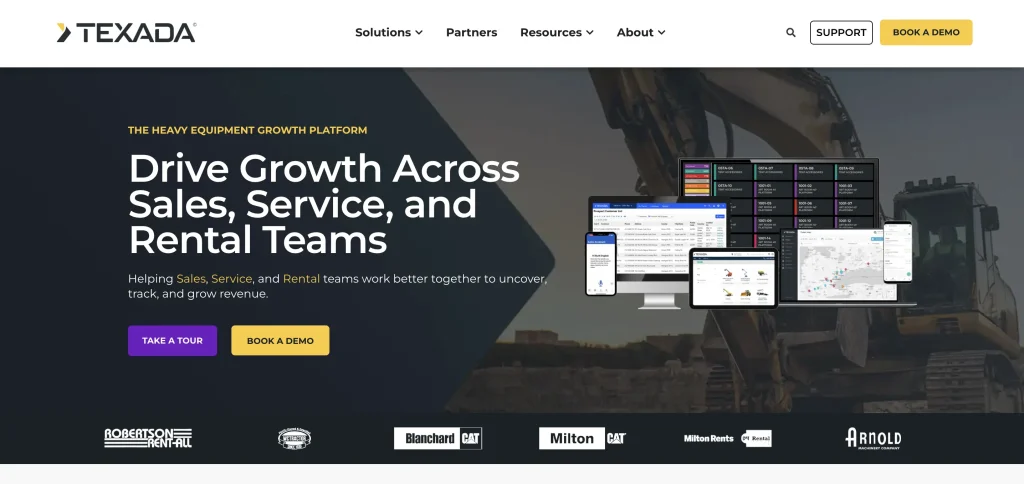
Best for: Heavy equipment rental companies and dealerships that generate revenue across rentals, equipment sales, parts, and service and want those workflows connected.
Overview
Texada is a heavy equipment platform built around rental, sales, and service operations. Its Rental Management product handles contracts, fleet activity, billing, logistics, and financial workflows, while the broader Texada platform adds equipment CRM, service management, equipment monitoring, e-commerce, and sales tools.
This makes Texada particularly relevant if rental is only one part of your equipment business. You can manage the rental lifecycle while maintaining visibility into service work and customer activity that may lead to parts, repair, or equipment sales opportunities.
Key heavy-equipment rental capabilities
- Rental management: Manage reservations, contracts, returns, cycle billing, equipment availability, meter readings, and rental transactions.
- Service operations: Create and track work orders, labor, technician schedules, warranties, inspections, preventive maintenance, and service history.
- Logistics: Coordinate equipment deliveries and pickups as part of the rental workflow rather than handling transport separately.
- Parts management: Keep parts and vendor information connected to service and equipment maintenance workflows.
- Mobile field work: Drivers and technicians can complete deliveries, pickups, inspections, work orders, signatures, and other field tasks through Texada Mobile, including in offline environments.
- Customer self-service: E-commerce tools can let customers browse equipment, manage contracts, review invoices, and request rentals or service.
- Cross-department visibility: Rental, sales, and service teams can work from shared equipment and customer information instead of maintaining separate records.
Standout workflow: Moving a returned machine from rental to service
Suppose a wheel loader comes back from a month-long rental with a high meter reading and damage noted during the return inspection. Your rental team can close the contract, record the final meter reading, and capture the equipment condition. Instead of manually sending those details to the service department, the machine’s history can carry into the service workflow, where your team can create a work order, assign labor, track required parts, and document the repair.
Once the work is complete, the equipment can return to rental-ready status with its service history still attached to the same asset record. If the customer later wants another rental, needs service, or asks about purchasing equipment, your teams have a more complete view of that relationship.
Integrations
Texada supports integrations with enterprise and dealer systems, including Caterpillar Dealer Business System (DBS) and selected ERP environments such as Microsoft Dynamics.
Its Rental Management integration with DBS can synchronize customer and equipment data while sending rental invoices back to DBS for financial posting. Texada remains responsible for equipment rental workflows such as quotes, contracts, returns, meter readings, and cycle billing, while DBS can remain the financial system of record.
If you rely on a specific ERP, OEM platform, telematics provider, or accounting system, confirm the integration scope and data direction during evaluation.
Pricing
Texada does not publish fixed Rental Management pricing. Pricing is customized based on factors such as your business size, number of users, and the products you deploy. Texada also offers different licensing models, including named and concurrent users.
You will need to request a quote based on the rental, service, sales, e-commerce, and integration capabilities your operation requires.
Limitations and points to evaluate
- Broader platform scope: Texada may be more extensive than you need if you only want straightforward rental inventory and booking management.
- Quote-based pricing: You cannot estimate total software cost from public pricing alone.
- Product mix: Rental, service, sales, CRM, and e-commerce capabilities span multiple Texada products, so confirm exactly what your proposed package includes.
- Integration requirements: Check whether your ERP, accounting, OEM, and telematics systems have supported integrations or would require additional implementation work.
4. Point of Rental: Best for established multi-location rental companies
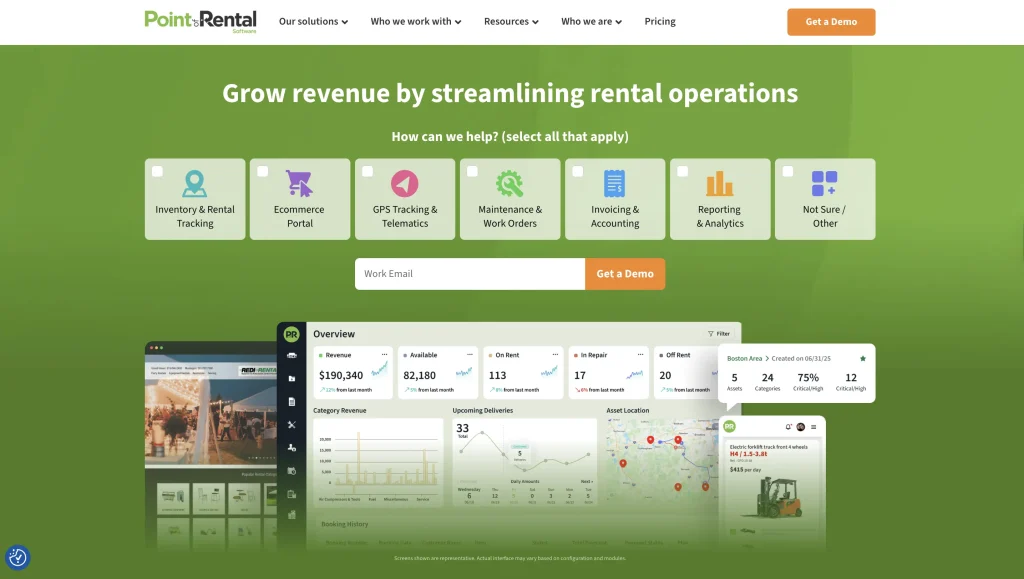
Best for: Established heavy equipment rental companies that need to coordinate inventory, contracts, dispatch, maintenance, and customer activity across multiple branches.
Overview
Point of Rental offers several equipment rental management products, but Point of Rental Elite best fits larger, multi-location heavy equipment operations. Elite is designed for complex rental businesses that need centralized control over inventory, contracts, dispatch, maintenance, purchasing, and reporting while still supporting activity at individual branches.
Its multi-location focus is especially useful when equipment isn’t always rented, returned, or serviced at the same branch. Teams can view availability across stores and coordinate fulfillment without treating each location as a separate rental operation.
Key heavy-equipment rental capabilities
- Multi-location inventory visibility: See equipment availability across stores so your team can identify which branch has the right unit available for a customer.
- Dispatch and routing: Plan delivery, pickup, and service routes while accounting for load height and weight, with live vehicle visibility once trucks are on the road.
- Inspections and repair workflows: Build equipment-specific inspection templates and automatically create repair orders when an inspection fails.
- Fleet performance reporting: Track utilization, ROI, repair costs, asset age, and other equipment-level metrics to support lifecycle decisions.
- Mobile field access: Point of Rental One gives drivers and crews access to contracts, equipment checks, work orders, customer information, and other rental activity from mobile devices.
- Customer self-service: Customers can access equipment information, contracts, balances, invoices, payments, and rental activity through online and portal tools.
Standout workflow: Fulfilling an equipment rental from another branch
Suppose a contractor calls your north branch for an excavator, but every local unit is already committed. With Elite, your counter team can check availability across other stores and identify equipment available closer to the customer rather than immediately turning down the rental.
Point of Rental documents this workflow in its Kerr’s Hire customer example: staff at each location can see equipment available nearest to the customer and write the appropriate contract based on that information. Dispatch and GPS tools can then help coordinate the equipment movement or delivery.
For a multi-branch operation, that gives you a practical way to use the wider fleet before treating one branch’s shortage as a company-wide shortage.
Integrations
Point of Rental has a broad partner ecosystem spanning accounting, telematics, payments, routing, parts, and other rental workflows. Elite natively connects with accounting platforms including QuickBooks, Sage, Xero, and Microsoft Dynamics.
For heavy equipment operations, relevant integrations include Samsara for route and delivery data, Trackunit and Hapn for equipment tracking, and SmartEquip for parts ordering and supplier connectivity. Point of Rental also provides an API for additional integrations. Availability can vary by region and product, so confirm the exact connection you need during evaluation.
Pricing
Point of Rental does not publish a fixed price for Elite. Pricing is quote-based and depends on factors such as your fleet size, number of locations, and the modules you need.
If you operate several branches, request a quote that covers the full deployment rather than evaluating the core rental system in isolation.
Limitations and points to evaluate
- Configuration depth: Elite is built for complex rental operations, so evaluate whether you need its level of customization and functionality.
- Quote-based pricing: You will need a tailored quote to understand total cost across locations and modules.
- Add-on capabilities: Rental Intelligence Suite is an additional product for Elite customers, so confirm which analytics and automation tools are included in your package.
- Integration availability: Some integrations vary by product or region, so verify support for your existing accounting, telematics, and routing systems.
5. InTempo: Best for construction equipment rental companies needing ERP depth
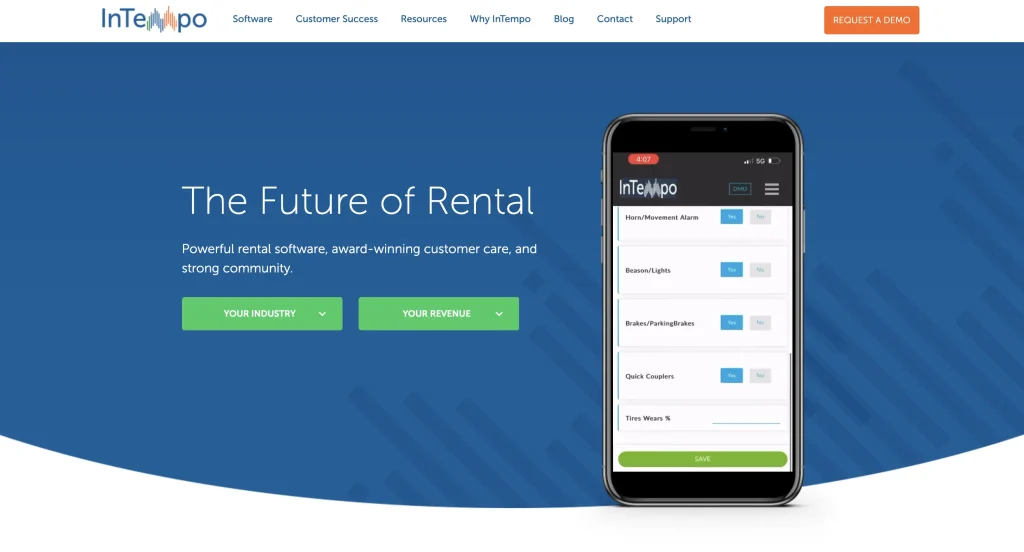
Best for: Construction equipment rental companies that want rental operations, accounting, purchasing, maintenance, fixed assets, and financial reporting managed within an integrated ERP.
Overview
InTempo offers two rental platforms, but InTempo Enterprise is the more relevant option for larger construction and heavy equipment rental businesses. It combines rental and sales, inventory, maintenance, accounting, dispatch, equipment lifecycle management, and business intelligence in one ERP. InTempo specifically positions Enterprise for companies running large fleets across multiple branches.
Its construction rental offering supports equipment such as excavators, loaders, skid steers, forklifts, bulldozers, cranes, graders, trucks, trailers, and oilfield equipment.
Key heavy-equipment rental capabilities
- Rental and sales: Create quotes, reservations, and contracts; manage rates and discounts; process sub-rentals; record returns; and handle 14+ billing methods in Enterprise.
- Integrated accounting: Enterprise includes accounts payable, accounts receivable, and the general ledger, so you don’t need a separate accounting platform.
- Equipment lifecycle management: Track assets from purchasing and entry into the rental fleet through maintenance, depreciation, financial performance, and eventual sale or disposal.
- Maintenance: Schedule preventive maintenance by calendar days, rental days, number of rentals, or meter units, while tracking work orders, technician tasks, parts, and maintenance costs.
- Multi-location inventory: Transfer equipment between locations, manage returns across branches, and use sub-rentals when company-wide inventory cannot meet demand.
- Dispatch: Plan pickups and deliveries with routing that accounts for time windows and equipment restrictions, while tracking vehicles in real time.
- Fleet reporting: Analyze utilization, maintenance costs, depreciation, receivables, financial performance, and equipment ROI through built-in reporting and business intelligence tools.
Standout workflow: Managing an asset from purchase to disposal
InTempo’s ERP depth becomes clearer when you look at an equipment’s full financial lifecycle.
Suppose you purchase a new excavator. Your team can create and manage the purchase order, add the machine to active rental inventory once the purchase is completed, and then use the same ERP to manage its contracts and rental revenue. As the excavator accumulates hours, you can track maintenance work and costs against it while accounting records capture depreciation and other financial activity.
Over time, reporting can help you compare the machine’s rental performance, maintenance expense, depreciation, and ROI. When you eventually sell or retire it, that decision sits within the same equipment lifecycle rather than being separated across rental, maintenance, and accounting systems.
That makes Enterprise particularly relevant if you need to understand not only where a machine is and whether it can be rented, but what it is costing and earning throughout its ownership lifecycle.
Integrations
One of InTempo’s more relevant options for mixed heavy-equipment fleets is InTempo MX, which combines telematics information with customer, contract, jobsite, rental-status, and maintenance data. It supports OEM feeds from manufacturers including Caterpillar, John Deere, Komatsu, JCB, Volvo, Bobcat, Hitachi, and Liebherr, as well as aftermarket providers such as Samsara and Trackunit.
InTempo Enterprise can also connect with other business applications, such as dealership and CRM systems, and provides web services for additional data exchange.
Confirm which connections are included in your Enterprise deployment and which require separate InTempo products or implementation work.
Pricing
InTempo does not publish fixed pricing for Enterprise on its current official product pages. You need to contact InTempo for a demo and quote based on your operation and the products you intend to deploy.
When comparing costs, account for optional capabilities such as the mobile app, customer portal, advanced service and dispatch technologies, and connected-asset tools such as InTempo MX.
Limitations and points to evaluate
- ERP scope: Enterprise covers substantially more than rental transactions, so confirm whether you need integrated accounting and lifecycle management or a simpler rental system would be sufficient.
- Additional products: Mobile, customer portal, telematics, and some advanced capabilities may sit outside the base Enterprise setup, so verify your proposed configuration.
- Pricing transparency: Public Enterprise pricing is not available, making a vendor quote necessary for cost comparison.
- Implementation requirements: Because Enterprise can span rental, accounting, maintenance, dispatch, and fixed assets, assess data migration, configuration, integrations, and user training as part of your evaluation.
6. MCS Rental Software: Best for multi-depot heavy equipment rental operations
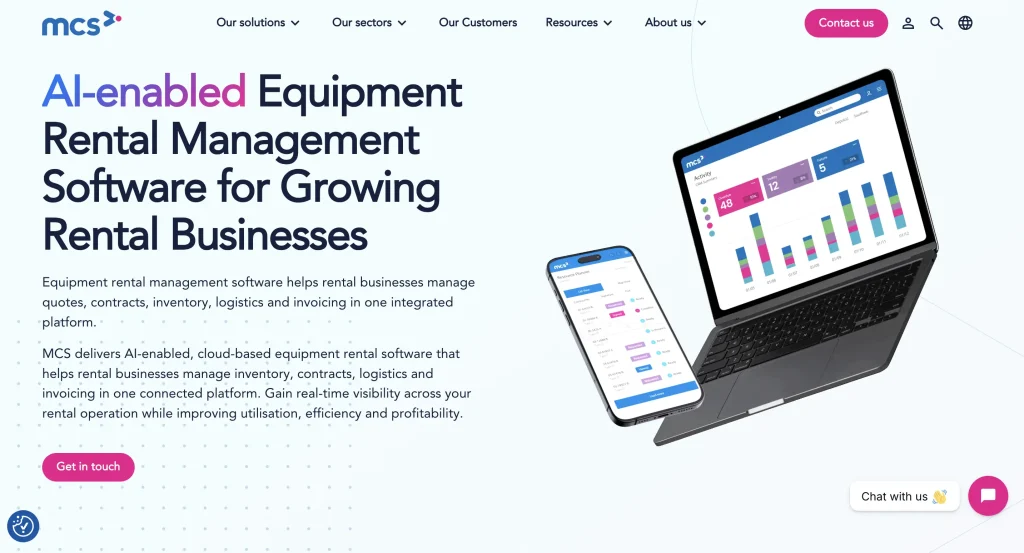
Best for: Heavy equipment rental companies that need to coordinate equipment, deliveries, collections, workshop activity, and customer service across multiple depots.
Overview
MCS Rental Software is a cloud-based rental management platform designed for equipment rental businesses, including construction and heavy equipment companies. It connects rental contracts, equipment management, logistics, workshop activity, invoicing, reporting, and customer-facing workflows in one system. MCS also supports multi-depot operations, giving you visibility across locations without requiring each depot to work in isolation.
It is a stronger fit if your operational challenge is coordinating people and equipment between depots while keeping transport, workshop, and rental teams working from the same information.
Key heavy-equipment rental capabilities
- Multi-depot control: Manage equipment availability and activity across several locations while supporting inter-depot transfers and centralized reporting.
- Transport management: Schedule deliveries, collections, and exchanges; optimize routes; assign work to drivers; and send schedule changes to drivers in the field.
- Workshop management: Set maintenance schedules, track repair histories and costs, manage safety inspections, and share workshop records across depots.
- Telematics visibility: Bring data from multiple telematics providers into a centralized hub to monitor equipment location, usage, and fault information.
- Billing controls: Manage rental periods, transport fees, discounts, consumables, invoicing, and supporting delivery or off-hire records.
- Mobile field workflows: Drivers and field teams can capture photos, signatures, damage information, equipment exchanges, and proof of delivery from mobile devices.
- Customer self-service: Give customers 24/7 access to rental information, documents, and online ordering through the customer portal.
Standout workflow: Reallocating equipment and transport between depots
Suppose one depot has a machine due for collection while another location needs the same equipment category for an upcoming rental. Your team can use shared fleet information to coordinate the equipment between locations rather than treating the collection, transfer, and new delivery as separate processes.
The transport team can schedule the collection and subsequent movement, assign jobs to drivers, and change schedules as new requests come in. Drivers receive updates on mobile, then capture signatures, photos, damage details, or proof of delivery on-site. If the returned machine needs attention before it can go back out, its workshop history is accessible across depots so maintenance can be addressed before the next rental.
This is where MCS is most useful: helping you coordinate equipment movement and readiness across a depot network, not simply showing that another branch has stock available.
Integrations
MCS integrates with accounting platforms including QuickBooks, Xero, and Sage, allowing rental and financial information to move between systems without repeated manual entry. MCS itself is not positioned as a full accounting system.
Its telematics ecosystem includes providers such as Trackunit, Samsara, JCB LiveLink, Teletrac Navman, Geoforce, and EROAD. The MCS Telematics Hub combines data from multiple providers, which is useful if your heavy equipment fleet uses different OEM or aftermarket tracking systems.
Pricing
MCS does not publish standard subscription pricing on its current U.S. product pages. Contact the company for a tailored demonstration and commercial proposal based on your operation and required functionality.
For a multi-depot deployment, confirm which mobile, workshop, transport, telematics, customer portal, and integration capabilities are included in your proposed configuration.
Limitations and points to evaluate
- No public pricing: You need a vendor quote to establish total deployment cost.
- External accounting system: MCS integrates rental workflows with accounting products rather than replacing them with a complete general ledger system.
- Configuration scope: Confirm which logistics, mobile, workshop, portal, and telematics capabilities are included in the package you are evaluating.
7. Quipli: Best for heavy equipment rental companies prioritizing online rentals
Best for: Heavy equipment and general tool rental companies that want customers to discover equipment, check availability, reserve, pay, and manage rentals online while keeping those transactions connected to back-office rental operations.
Overview
Quipli is an equipment rental platform built specifically for heavy construction equipment and general tool rental companies. Its main differentiator is the connection between the customer-facing rental experience and the operational system behind it. Your online storefront, inventory availability, reservations, payments, rental orders, service activity, and customer accounts can all operate within the same platform.
That makes Quipli particularly relevant if you want online rentals to become a meaningful sales channel rather than simply adding a request form to your website. Customers can reserve and pay online, while availability updates against the same inventory your team uses internally.
Key heavy-equipment rental capabilities
- Online storefront: Display rentable equipment, pricing, and availability through a customer-facing website that connects directly with your rental inventory.
- Customer portal: Let customers view active rentals, place additional reservations, and request rental extensions without contacting your counter team for every change.
- Real-time booking availability: Tie online reservations to inventory schedules so customers cannot book equipment already committed for the requested period.
- Inventory status tracking: Track individual units or bulk inventory and distinguish statuses such as available, on rent, past due, hard down, and soft down.
- Service and repair: Create work orders, record machine hours, track repair costs and histories, and reflect equipment downtime in availability.
- Long-term billing: Use cycle billing for open-ended rentals rather than manually issuing a new invoice for each billing period.
- Online and in-person payments: Process payments through Stripe and place security deposit holds that can remain active for the duration of a rental.
Standout workflow: Converting an after-hours equipment search into a rental
Suppose a contractor realizes in the evening that they need a skid steer for a job starting the next morning. Instead of waiting for your counter to reopen, they can visit your online storefront, check equipment availability for the required dates, submit the rental, sign or pay online, and create the order against your live inventory.
Once the rental is active, the customer can return to the portal to review it or request an extension. Because the storefront, portal, and inventory system are connected, your team doesn’t need to manually recreate an online request in a separate rental system.
This makes Quipli most relevant when you want to capture rental demand outside counter hours without separating e-commerce from day-to-day heavy equipment rental operations.
Integrations
Quipli integrates with QuickBooks Online for accounting, sending rental transactions, invoices, payments, customer details, and itemized invoice data from Quipli into QBO. The integration is one-way and does not support QuickBooks Desktop.
Other current integrations include Stripe for payments, TaxJar for sales tax, Google Maps for routing and location-related workflows, and Hapn for GPS tracking and usage data. Quipli also lists partners and connections for ID verification, insurance, and other rental workflows.
Pricing
Quipli publishes two pricing tiers.
Core costs $6,000 per year, per location, and includes the online storefront and customer portal, booking and scheduling, inventory, POS and checkout, service and repair, dispatch, payments, invoicing, QuickBooks sync, GPS tracking, and ID verification. Quipli includes unlimited users with the subscription.
Plus costs $10,000 per year, per location and adds Quipli’s Quinn AI capabilities and CRM functionality. Multi-location companies can contact Quipli for volume-based pricing.
Limitations and points to evaluate
- Per-location pricing: Costs increase as you add rental locations, although Quipli offers special multi-location rates.
- QuickBooks scope: Accounting sync currently supports QuickBooks Online, not QuickBooks Desktop.
8. Booqable: Best for online heavy equipment rental bookings
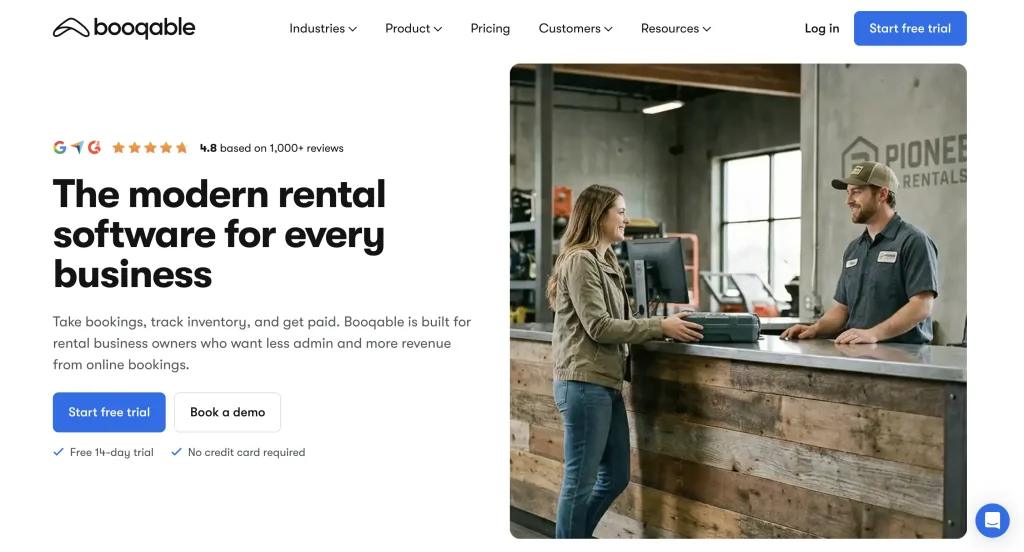
Best for: Small to mid-sized heavy equipment rental businesses that rent compact machines, tools, attachments, generators, or similar equipment and want to add online booking and payments without implementing a complex rental ERP.
Overview
Booqable is cloud-based rental software for managing inventory, orders, availability, contracts, payments, and online bookings. While it serves a broad range of rental businesses, it supports heavy equipment rental operations with relatively straightforward inventory and booking requirements.
Its fit is strongest when you need to manage bookable equipment and availability rather than complex fleet workflows involving extensive telematics, advanced transportation planning, or ERP-level financial management.
If you are evaluating heavy equipment rental management software primarily to make your equipment easier to find, reserve, and pay for online, Booqable offers a comparatively lightweight way to digitize that process.
Key heavy-equipment rental capabilities
- Live online availability: Show customers whether equipment is available for their selected rental period and automatically reserve inventory once an order is placed.
- Flexible rental pricing: Set hourly, daily, weekly, or monthly rates, along with tiered pricing structures, seasonal rules, and security deposits.
- Individually tracked equipment: Track unique units and maintain product history for pickups, deliveries, and returns.
- Maintenance downtime: Block specific equipment from being booked while it is undergoing maintenance or repairs.
- Equipment rental documents: Generate quotes, contracts, and invoices from order information and capture e-signatures on supported plans.
- Pickup and return workflows: Use Booqable’s mobile POS to process orders, scan equipment, capture signatures, accept payments, and record returns.
- Delivery charges: Offer pickup or local delivery and calculate flat or distance-based delivery fees during checkout.
Standout workflow: Adding live equipment booking to your existing website
Suppose your website already displays excavators, compact loaders, attachments, or other rentable heavy equipment, but customers still need to call your team to check availability.
You can embed Booqable’s product selection, rental dates, live availability, and checkout tools into your existing website. A customer selects the equipment and rental period, confirms availability, and completes the booking or payment online. The reservation then updates availability in Booqable, reducing the risk of the same unit being promised to another customer.
This makes Booqable especially useful when your main goal is to move equipment bookings online without replacing your existing website or broader business systems.
Integrations
Booqable integrates with website platforms including WordPress, Shopify, Squarespace, Webflow, and WooCommerce, alongside payment and automation tools such as Stripe and Zapier. It also provides an API for custom connections.
For accounting, Booqable currently offers a native Xero integration that sends contacts and finalized financial documents from Booqable into Xero. The sync is one-way, so changes made directly in Xero do not flow back into Booqable.
Pricing
Booqable offers three main subscription tiers when billed annually:
- Start: $29 per month
- Grow: $69 per month
- Scale: $149 per month
All plans include unlimited inventory and orders, while capabilities such as additional users, permissions, e-signatures, API access, advanced pricing, activity logs, and multi-location management vary by tier.
The rental website builder, additional mobile POS users, and extra locations can carry separate fees, so include these when comparing overall cost.
Limitations and points to evaluate
- Fleet complexity: Booqable is better suited to relatively straightforward heavy equipment rental workflows than large fleets requiring deep telematics, workshop, or transport functionality.
- Broader rental focus: It is a general rental platform rather than heavy equipment rental management software built exclusively around complex heavy-fleet operations.
- Accounting scope: Native accounting connectivity centers on Xero, so confirm how you would handle another accounting platform.
- Multi-location rules: Review whether its location model matches the way equipment moves across your branches or yards.
9. Alert Rental: Best for configurable equipment rental workflows
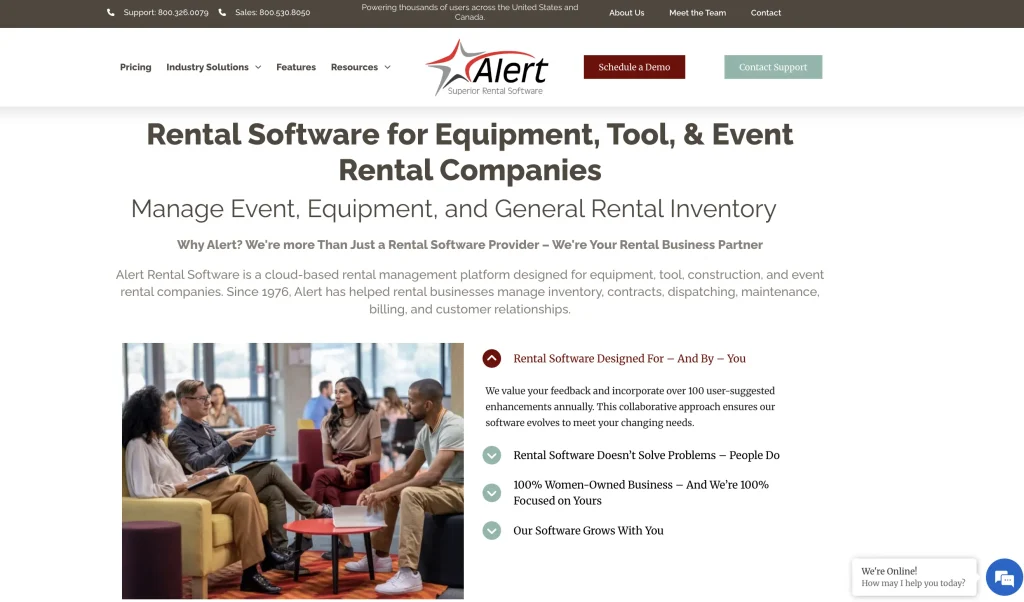
Best for: Heavy equipment rental businesses that want to adapt rental, billing, maintenance, dispatch, and purchasing processes around their existing operating rules rather than follow a rigid workflow.
Overview
Alert Rental is a rental management platform for equipment, tool, and specialty rental businesses. For heavy equipment operations, it combines rental tickets, cycle billing, asset tracking, preventive maintenance, work orders, dispatch, purchasing, reporting, and telematics connectivity.
Its fit in this list comes from configurability. Instead of relying on a single standardized process, you can use different maintenance triggers, custom reports, dashboards, pricing rules, purchasing approvals, and equipment-specific modules to reflect how your operation works.
Key heavy-equipment rental capabilities
- Cycle billing: Bill long-term rentals in advance or arrears and automate recurring credit card payments.
- Usage-based maintenance: Trigger preventive maintenance using equipment activity and automatically generate work orders when defined service conditions are reached.
- Telematics: Connect AEMP-compatible GPS systems to equipment records for location, meter readings, billing, and maintenance triggers.
- Dispatch: Build delivery and pickup routes through a graphical dashboard, assign drivers, track load weight and cubic space, and send routes to supported GPS providers.
- Mobile yard workflows: Alert Rover lets your team check equipment in and out, record fuel and meter readings, capture photos and signatures, accept payments, and create work orders from mobile devices.
- Purchasing controls: Route requisitions through approval trees based on branch, department, and purchasing authority.
- Reporting: Modify built-in reports, create custom reports, schedule distribution, and export information to Excel.
Standout workflow: Turning telematics data into billing and maintenance actions
Suppose you have a boom lift on a long-term rental and charge for usage beyond an agreed meter allowance. Instead of waiting until return to discover the final meter reading, Alert Rental can receive meter information through an AEMP-compatible telematics system and use it during cycle billing.
The same usage information can also trigger preventive maintenance. When the equipment reaches a defined service threshold, Alert Rental can generate a work order, so your team knows that the machine needs attention. If service is required while the rental is still active, you can use the equipment location to coordinate a mobile mechanic or arrange an exchange.
This connects usage, billing, and maintenance rules around the same piece of equipment, which is particularly useful when long-term rentals make manual meter checks difficult.
Integrations
Alert Rental integrates with accounting systems including QuickBooks and Sage, with its official site also listing connections or data-exchange options for platforms such as NetSuite. The exact integration method varies by accounting system.
For heavy equipment tracking, Alert Rental supports telematics systems that comply with the AEMP standard. Its dispatch tools also list GPS connections with providers such as Samsara, FleetUp, and Verizon Connect. It additionally integrates with SmartEquip for parts and service information and electronic parts ordering.
Pricing
Alert publishes several starting price points:
- Alert Starter Subscription: Starts at $200 per month, plus a $1,000 setup fee, and is designed for one user at one location.
- Alert Subscription: Starts at $500 per month, plus a $2,500 setup fee, with up to four users and one location included. Additional users and locations carry monthly charges.
- Alert Summit: Starts at $18,275 as a perpetual license, with final pricing depending on configuration.
Equipment-specific suites, modules, support levels, and other add-ons can affect the final price, so compare the configuration you actually need rather than the base subscription alone.
Limitations and points to evaluate
- Package complexity: Modules, equipment suites, locations, users, and add-ons can change the total cost, so confirm exactly what your quoted configuration includes.
- Telematics requirements: GPS connectivity centers on AEMP-compatible systems, so verify your existing provider and the data it can exchange with Alert.
- Web functionality: Customer portal, WebRequests, and e-commerce capabilities can require separate web services or add-ons.
10. Rentman: Best for equipment scheduling and rental inventory control
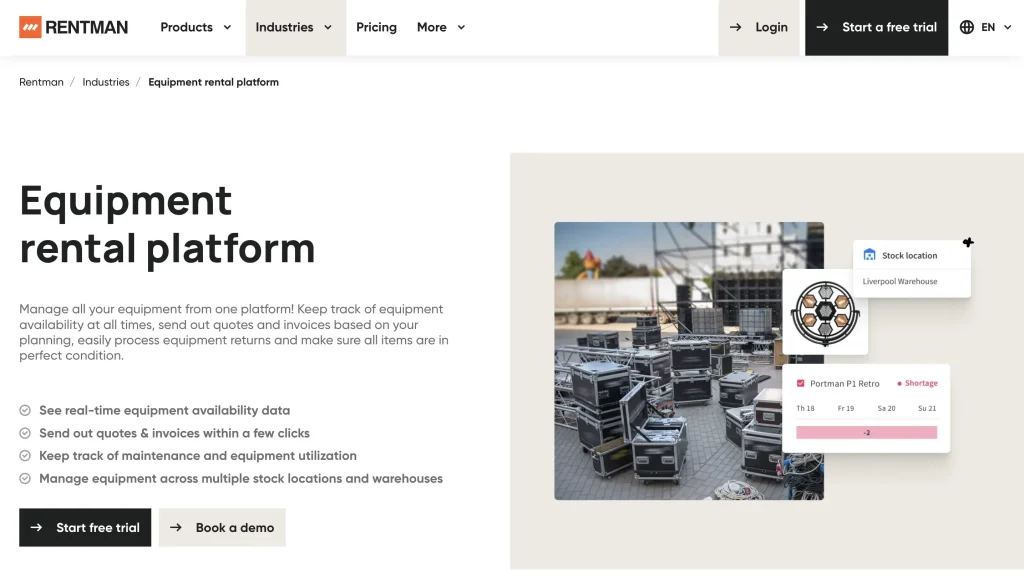
Best for: Rental businesses that prioritize equipment scheduling, availability, warehouse control, and shortage management and do not require heavy-equipment-specific telematics, meter billing, or fleet ERP depth.
Overview
Rentman is an equipment and resource planning platform that helps you schedule inventory, track availability, manage warehouse movements, create quotes and invoices, and coordinate equipment across projects and locations. Its inventory tools support serialized assets, QR codes, barcodes, RFID, repairs, inspections, sub-rentals, and multiple warehouses.
For this list, Rentman is best viewed as an adjacent heavy equipment rental management software option rather than a purpose-built heavy equipment platform. Its official positioning centers primarily on AV, events, media production, and broader equipment rental businesses.
It is therefore most relevant if your primary challenge is knowing what equipment is available, what has already been committed, and how to resolve shortages before they disrupt a rental.
Key heavy-equipment rental capabilities
- Availability scheduling: View equipment availability on a timeline and prevent the same serialized unit from being scheduled for overlapping jobs.
- Shortage management: Identify shortages in advance and resolve them using alternatives, internal stock, or sub-rentals.
- Serialized equipment tracking: Assign serial numbers and track individual assets rather than managing all inventory as interchangeable quantities.
- Warehouse scanning: Use QR codes, barcodes, RFID, and mobile scanning to check equipment in and out and record equipment movements.
- Repairs and inspections: Flag damaged equipment, remove items from available stock, and schedule recurring inspections for serialized assets.
- Multiple warehouses: Allocate inventory across storage locations and manage availability and shortages by warehouse on supported plans.
- Quoting and invoicing: Add financial workflows for estimates, proposals, e-signatures, online payments, and invoicing through the Rental bundle or Quoting & Invoicing add-on.
Standout workflow: Catching an equipment shortage before confirming a rental
Suppose you are preparing an upcoming rental and the required serialized unit is already committed elsewhere during part of the requested period. Rentman’s availability timeline can surface that conflict before your team confirms the booking.
You can then look for an available alternative, source the equipment from another warehouse, or create a sub-rental to cover the shortage. Once equipment is assigned, your warehouse team can use scanning workflows to record what actually leaves and returns.
This makes Rentman useful when your biggest operational risk is overbooking inventory or discovering shortages too late.
Integrations
Rentman offers native accounting connections with QuickBooks Online and Xero. Invoices can be exported automatically, while customer and payment information can remain synchronized depending on the integration.
It exports invoices and company contacts one way to QuickBooks Online or Xero, and paid status syncs back into Rentman. Equipment line items and contact persons do not transfer, and QuickBooks Online users should plan for contact duplication.
It also provides an API for custom integrations, although Rentman notes that building your own connection requires technical development expertise.
Pricing
Rentman prices its Rental bundle at:
- Standard: €23 per power user per month
- Pro: €28 per power user per month
- Enterprise: Custom pricing
A €39 monthly platform fee also applies. Equipment Tracking costs an additional €9 per power user per month, while additional warehouses are separately priced for eligible Inventory Pro configurations. Rentman includes free basic users for staff who do not need planning or financial-document permissions.
Limitations and points to evaluate
- Industry fit: Rentman is not purpose-built heavy equipment rental management software; its strongest official focus is event, AV, and media-related equipment operations.
- Heavy-fleet depth: Its official product pages do not emphasize telematics-driven meter billing, OEM equipment data, or the deeper fleet lifecycle workflows offered by several heavy-equipment-specific platforms in this list.
- Add-on pricing: Equipment tracking, additional warehouses, and other capabilities can raise costs beyond the core Rental bundle.
Conclusion
The best heavy equipment rental management software fits how your operation makes money, moves equipment, and manages risk. A platform can look strong on paper and still create friction if its billing model, maintenance logic, location controls, or customer workflows do not match how your team works day to day.
Before you shortlist vendors, identify the few workflows that would be most costly to get wrong. That might be overbooking a machine, missing a service interval, losing visibility across yards, mishandling a long-term rental, or creating extra manual work between rental and accounting teams. Then evaluate each platform against those specific scenarios rather than choosing based on the longest feature list.
You should also look beyond the demo. Ask how the system handles exceptions, what requires an add-on, how pricing changes as you add locations or users, and whether your existing accounting, telematics, and operational tools will integrate cleanly.
A good fit should reduce the number of workarounds your team relies on today and make it easier to keep heavy equipment available, billable, and ready for the next rental.