





EZO EAM Features Work Order

Work Order Management

Keep Maintenance Work Connected to the Asset

Give maintenance teams a clear owner, schedule, and checklist for each job. EZO EAM links work orders, parts, and labor costs to equipment records, so supervisors can track progress and review completed work.

Mid Market Leader
High performer
Best Meets Requirements.
No Credit Card Required
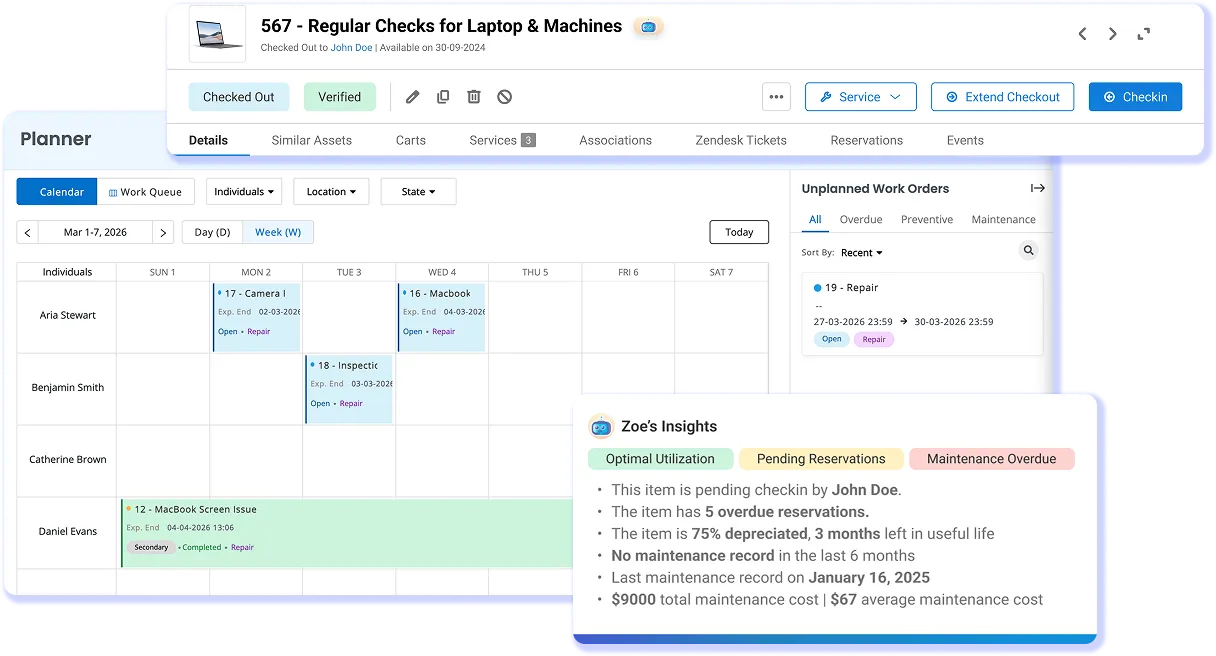
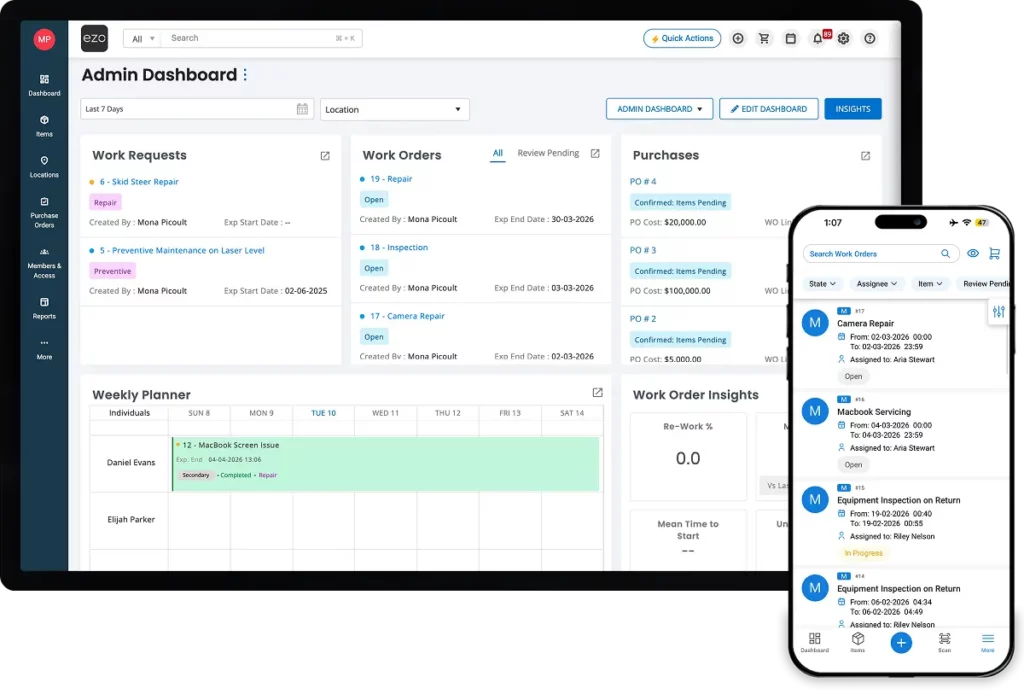
EZO EAM dashboard and mobile app showing work requests, work orders, and technician schedules.

Our Clients Have Reported

4,800+

Work Orders Completed Every Month

20-40%

Improvement in Efficiency

2,000+ hrs

Saved Annually via Automation

Keep Maintenance Moving From Request to Completion

Give supervisors the information to plan the next job and technicians the details to carry it out, with maintenance history retained against the equipment.

Spot Overdue Work Before the Next Handoff

Review work orders by status, priority, and due date, with the linked asset in view. Supervisors can identify overdue jobs and decide what needs attention next.

Make Job Ownership Clear

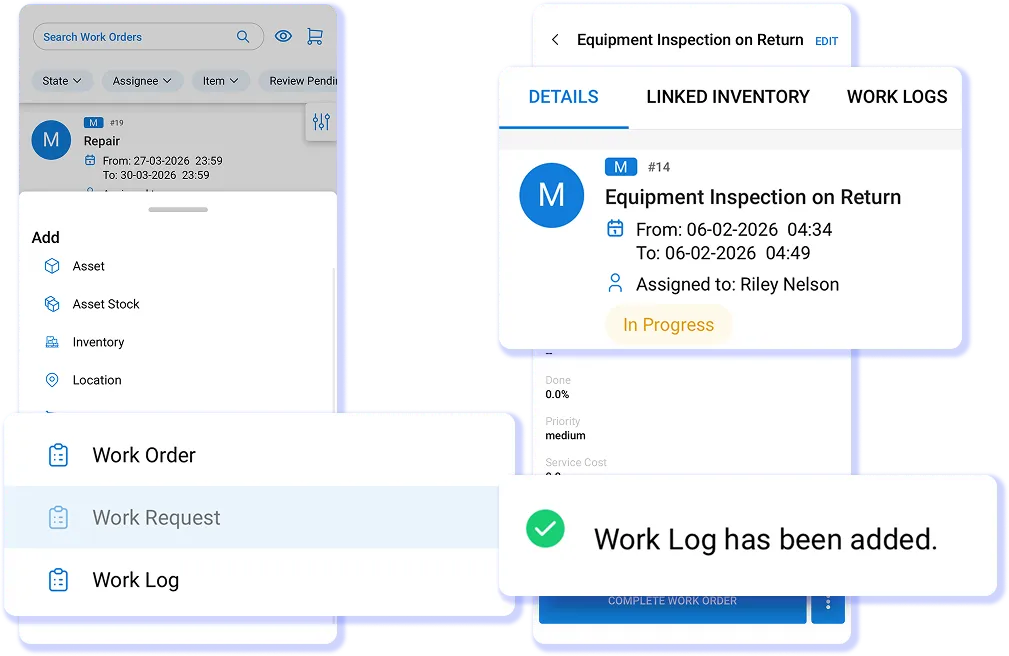
Assign a lead technician and supporting team members to the job. Keep scheduled dates and responsibilities on the work order so teams know who is doing what.

Reduce Manual Follow-Up on Recurring Service

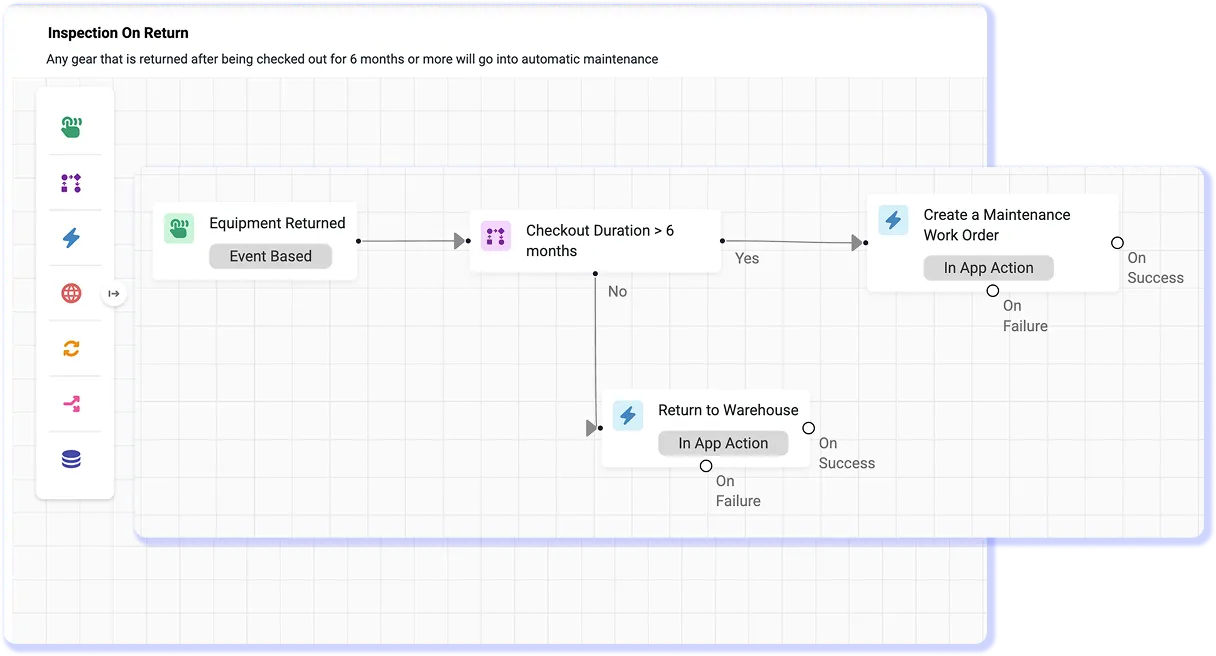
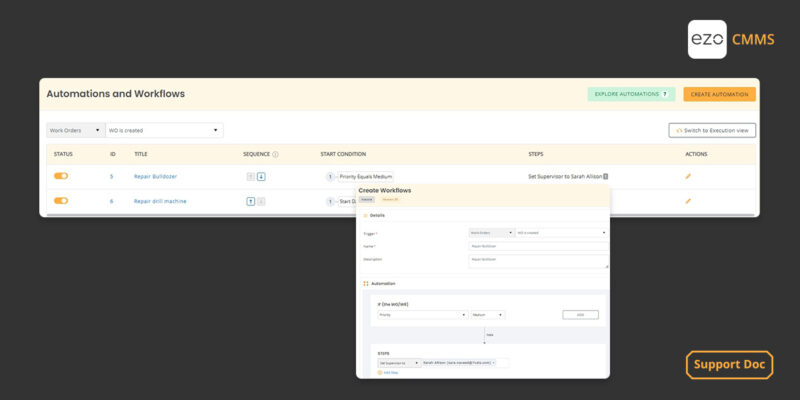
Configure calendar schedules or meter rules to generate maintenance work when service is due. Keep recurring jobs in the workflow alongside reactive repairs.

Record the Steps Behind Completed Work

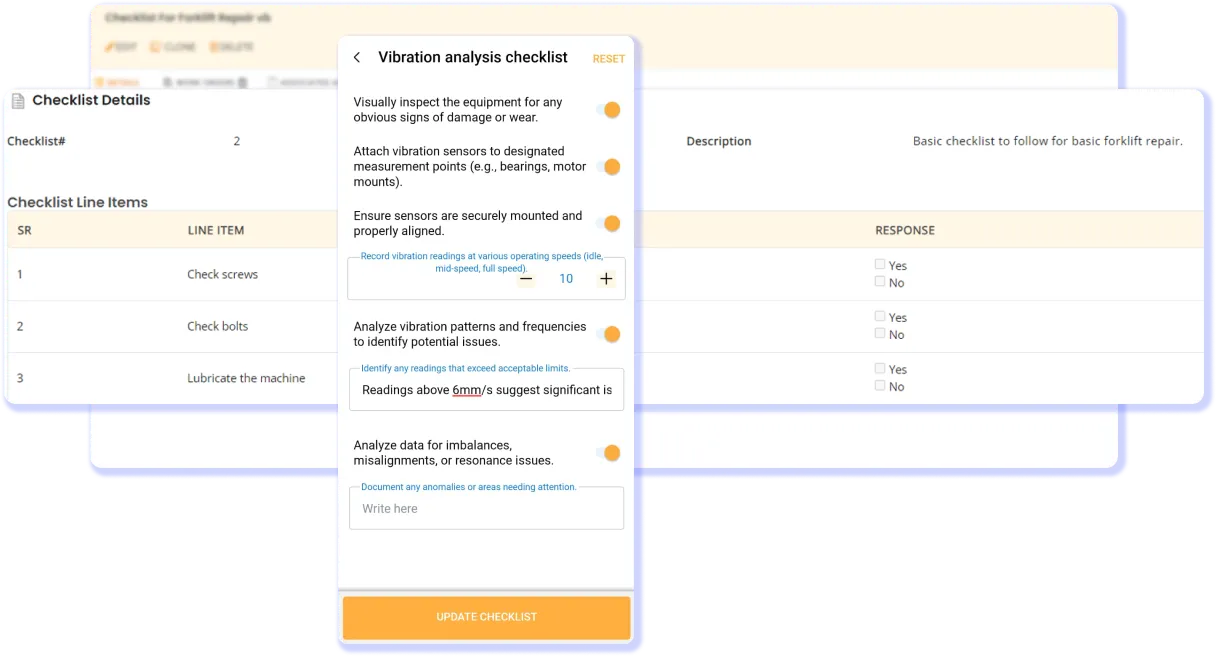
Attach checklists and mark required entries as mandatory. Add a review stage for jobs that need sign-off, so supervisors can assess the recorded work before completion.

We're Trusted by the Best

Plan, Track, and Complete Every Maintenance Job

Manage the Handoffs Behind Each Maintenance Job

What Maintenance Teams Say

Join Teams That Keep Every Work Order on Track

Your Maintenance Backlog Shouldn’t Be a Guessing Game

Most maintenance delays start as information gaps. When requests, schedules, and job records live in different places, small misses turn into overdue work, repeat repairs, and untraceable costs.
A technician in a blue hard hat inspects an electrical panel while holding a technical drawing

Proven Results by Our Customers

Manage Work Orders From Anywhere

EZO EAM mobile app showing an assigned work order with checklist steps, work log updates, and the linked asset

Read More on Work Order Management

Frequently Asked Questions

Work order management software helps maintenance teams create, prioritize, assign, schedule, and track jobs from request to completion. It keeps instructions, checklists, parts used, labor costs, and completion records in one place, so supervisors can monitor progress and technicians know what to do. In EZO EAM, work orders link to equipment records, keeping maintenance activity connected to each asset’s service history.
Work order management is one part of a computerized maintenance management system (CMMS). EZO EAM’s CMMS capabilities include work orders, preventive maintenance scheduling, technician assignments, checklists, and tracking of parts and labor costs. These workflows connect to the asset’s location, custody, and service history within the same platform. Full CMMS capabilities require the CMMS add-on on Premium or come included with Enterprise.
Yes. In EZO EAM, a work order can have a primary assignee who leads the job and secondary assignees who help carry it out. You can also designate a supervisor and reviewer for oversight or approval, keeping responsibilities and updates on the same work order.
Yes, once you configure the schedules or meter rules. EZO EAM can generate preventive maintenance work orders at recurring calendar intervals or when recorded readings, such as runtime hours or mileage, meet defined criteria. Your team sets the triggers; technicians still carry out and document the work.
Yes. With work order cost tracking enabled, technicians can record parts and consumables used, log labor hours and hourly rates, and add other service costs. These costs stay linked to the work order and its associated assets, helping supervisors review what each maintenance job consumed.
EZO EAM work orders do not have formal response or resolution SLAs or a rule-based automatic escalation ladder. Teams can use automated alerts for status changes, assignment changes, and due dates, along with manual reminders and @mentions to follow up. Supervisors can also filter work orders by status and due date to identify overdue jobs.
Yes. EZO EAM lets you assign work orders to outside vendors, keeping outsourced maintenance alongside internal jobs. If vendors or contractors need to sign in and update work themselves, confirm the required access permissions and licensing with your EZO EAM account team.
Yes, with offline access enabled. Technicians can view up to 20 cached work orders and add work logs that sync automatically when connectivity returns. The cache refreshes once daily at the first mobile login, so jobs assigned afterward may not be available offline until the next refresh. Only the primary assignee can complete checklists offline. Offline mobile access is listed under Custom Enterprise.
Work order management is included in EZO EAM. It requires the CMMS add-on on Premium, priced separately by the admin user, or comes included with Enterprise. Basic service records available from Advanced onward do not include the full work order management workflow.
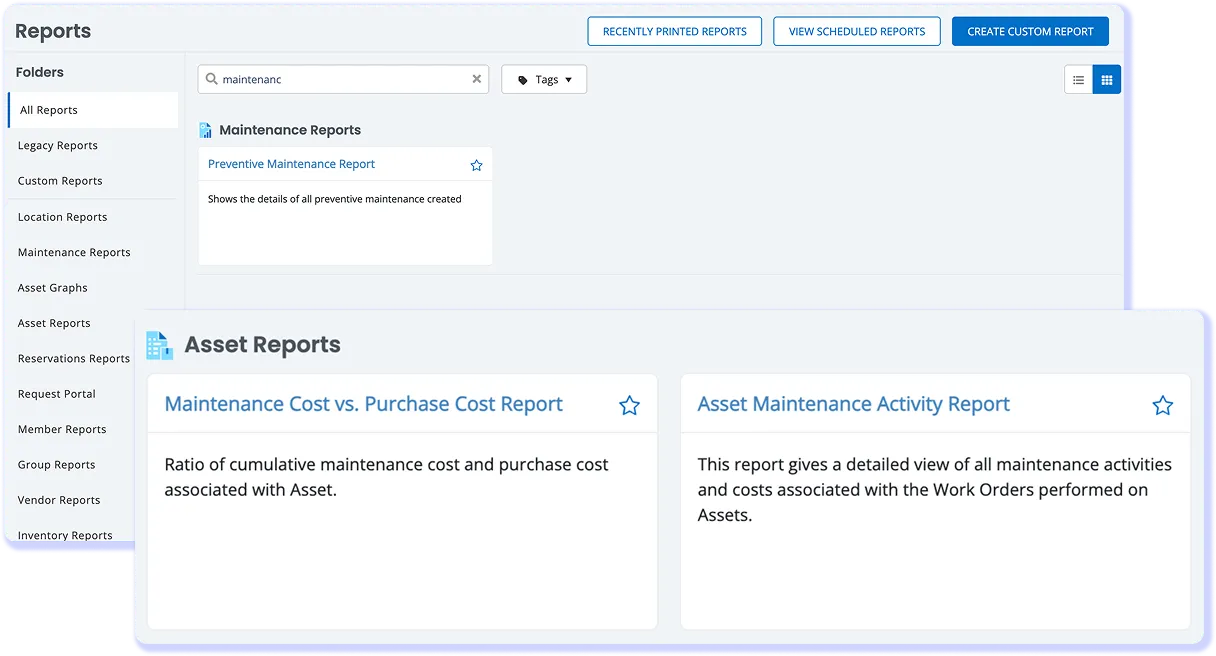
EZO EAM provides work order reports and dashboards to review open, in-progress, overdue, and completed maintenance jobs. Custom reports let teams select relevant fields, such as assignee, asset, dates, and recorded costs. Work order cost reports show maintenance spending, while line-item reports detail the items associated with each job.

See How Your Team Can Manage Maintenance in EZO EAM

Plan, assign, and track every work order against the asset it serves, so your team always knows what’s due, who owns it, and what it cost.