
The best maintenance management software solutions for 2026 include EZO EAM, MaintainX, UpKeep, Limble, Fiix, eMaint, Accruent Maintenance Connection, and IBM Maximo Application Suite. The right platform depends on whether your team primarily needs work-order execution, preventive maintenance, mobile technician workflows, spare-parts control, multi-site maintenance governance, reliability analytics, or enterprise asset management. EZO EAM is best suited to organizations that want maintenance connected with the broader asset lifecycle, including equipment visibility, service history, inventory, procurement, utilization, custody, availability, and operational workflows. Deeper CMMS capabilities are available through CMMS packaging or Custom Enterprise.
Disclosure: EZO publishes this guide, and EZO EAM is our product.
Introduction
Maintenance stops being just a work-order problem once teams need to coordinate equipment, requests, priorities, technicians, schedules, spare parts, vendors, inspections, downtime, costs, and multiple locations. A spreadsheet or basic task tracker may capture that something broke. It usually cannot show whether the right technician is available, whether the required part is in stock, whether the asset has failed before, or whether a preventive maintenance plan needs to change.
This guide focuses on maintenance management software for physical equipment, facilities, and operational assets. It includes computerized maintenance management systems, or CMMS platforms, and selected enterprise asset management, or EAM, systems with meaningful built-in maintenance capabilities. It excludes generic project management, IT asset management, field-service-only tools, and asset-tracking tools that store only basic service-date fields.
A small maintenance department replacing paper work orders needs a different system from a reliability team managing multiple plants, thousands of assets, mobile technicians, spare-parts inventory, sensors, and enterprise governance. This guide evaluates platforms based on work requests, work orders, planning, preventive maintenance, mobile execution, asset maintenance history, parts, purchasing, reporting, reliability, integrations, security, pricing, and implementation.
What is maintenance management software?
Maintenance management software helps organizations request, plan, schedule, perform, document, and analyze maintenance work on physical equipment, facilities, and operational assets.
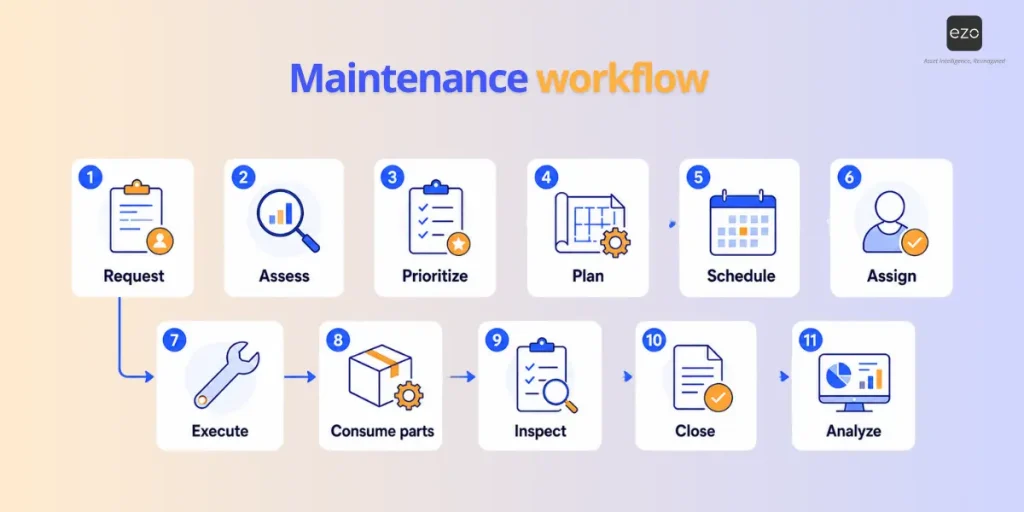
A complete maintenance workflow usually looks like this:
Request → Assess → Prioritize → Plan → Schedule → Assign → Execute → Consume parts → Inspect → Close → Analyze
What records should maintenance management software track?
A maintenance system should keep the main records that connect work, assets, people, parts, and costs.
- Work records: work requests, work orders, procedures, checklists, preventive maintenance schedules, downtime events, and service history
- Asset and people records: assets, locations, technicians, maintenance planners, meters, and assigned responsibilities
- Inventory and cost records: spare parts, vendors, purchase orders, labor hours, maintenance costs, and parts usage
Work order management software
Work order management software helps teams capture maintenance requests, create jobs, assign technicians, track statuses, record completion, and keep work history organized. It is usually the first layer of maintenance digitization for teams moving away from paper, phone calls, email, or spreadsheets.
CMMS
A computerized maintenance management system extends work-order management to include preventive maintenance, asset maintenance records, parts inventory, technician scheduling, labor and cost tracking, reporting, and maintenance KPIs. Fiix, for example, describes CMMS software around planning, tracking, measuring, and optimizing maintenance activities, including work orders, inventory, and reporting.
EAM
Enterprise asset management extends beyond maintenance to the broader asset lifecycle. EAM can include procurement, custody, utilization, availability, maintenance, costs, risk, reliability, and retirement. This is where platforms such as EZO EAM and IBM Maximo differ from maintenance-only systems: they connect maintenance activity with broader asset operations or enterprise lifecycle planning. IBM positions the Maximo Application Suite as a single suite that combines EAM, asset performance management, reliability-centered maintenance, facilities, and inventory optimization.
What features should maintenance management software have?
Maintenance management software should help teams capture work, standardize execution, prevent failures, coordinate labor and parts, measure performance, and improve reliability over time.
Work request management
A strong system should let employees, operators, tenants, or field users submit maintenance requests with the right asset, location, priority, category, description, attachments, and status visibility. Requester access matters because some tools charge per user, while others separate requesters from technicians or administrators.
Work order management
Work orders should include creation, assignment, priority, status, due dates, instructions, checklists, labor, parts, costs, attachments, signatures, vendors, completion review, and asset history. Buyers should test whether technicians can understand the job without having to call a supervisor for missing context.
Maintenance planning
Maintenance planning is more than placing jobs on a calendar. Teams need backlog visibility, priority, technician capacity, estimated labor, required skills, required parts, job plans, resource conflicts, maintenance windows, and weekly planning discipline. A platform should help planners decide what work is ready, what is blocked by missing parts, and what should be scheduled next.
Preventive maintenance
Preventive maintenance features should support calendar-based PMs, meter-based PMs, usage triggers, recurring work orders, inspections, checklists, procedures, PM compliance, and escalations. Buyers should not treat scheduled PM as predictive maintenance. Preventive maintenance follows predefined triggers; predictive maintenance uses data and analytics to estimate the likelihood of failure or the need for maintenance.
Condition-based maintenance
Condition-based maintenance should be evaluated separately from calendar PM. It depends on condition readings, sensor integrations, meter data, threshold triggers, or other asset-health signals. EZO’s maintenance page, for example, describes preventive maintenance work orders triggered by time intervals, usage readings, IoT condition thresholds, or sensor data.
Asset maintenance history
A useful asset record should answer: what work is open, what failed previously, when the asset was last serviced, what PM is coming due, how much labor it has consumed, what parts have been replaced, how much downtime has occurred, and what maintenance has cost.
Parts and MRO inventory
Maintenance often slows down when parts data sits outside the work-order system. Evaluate spare parts, stock by location, min/max levels, reorder alerts, parts on work orders, consumption, vendors, purchase orders, transfers, and cycle counts. MaintainX, UpKeep, Limble, Fiix, eMaint, and Accruent all position parts or inventory as part of their maintenance workflows, but the depth of planning and purchasing capabilities vary by vendor and tier.
Mobile and offline workflows
Mobile access and offline access are not the same. A maintenance team should test whether technicians can receive work, locate the asset, review instructions, complete a checklist, add photos, record labor, add parts, capture meter readings, add notes, and close out work on a mobile device. Offline should be tested separately for remote plants, basements, campuses, mines, field sites, and areas with weak connectivity. UpKeep’s CMMS page says technicians can use work orders, asset lookup, parts inventory, and offline mode with automatic sync; Fiix states users can update work orders, view asset histories, and use the mobile app without an internet connection.
Reporting and maintenance KPIs
Maintenance software should report on mean time to repair, mean time between failures, downtime, PM compliance, schedule compliance, backlog, planned versus unplanned work, maintenance costs, labor hours, parts consumption, and asset-level cost history. Dashboards alone do not improve reliability; the system must first capture reliable data on work, assets, labor, parts, and downtime.
Integrations and enterprise controls
Enterprise buyers should evaluate APIs, ERP integrations, accounting connections, procurement systems, SSO, identity management, IoT/sensor integrations, BI tools, role-based permissions, multi-site administration, and data export. IBM Maximo uses an AppPoints model and supports SaaS and client-managed deployment options; eMaint publishes API integration support for ERP, BI, SCADA, and other applications; MaintainX lists Open API, Zapier, SSO, custom permissions, IoT integrations, and multi-site controls in higher plans.
AI and automation
Buyers should separate rules, workflow automations, threshold triggers, generative AI, AI-assisted work creation, natural-language querying, anomaly detection, and predictive analytics. Not every automated alert is AI. UpKeep positions Nova AI within its CMMS platform; MaintainX describes AI-assisted procedures and maintenance guidance; Fiix references Fiix Foresight and AI capabilities by plan; and IBM positions Maximo around AI-enabled EAM and reliability capabilities.
How we selected the shortlist
This guide does not rank the eight highest-revenue maintenance software vendors. We selected platforms that represent distinct maintenance operating models buyers commonly compare in 2026:
- EAM with CMMS packaging: EZO EAM
- Frontline execution and industrial operations: MaintainX
- Mobile-first CMMS: UpKeep
- Preventive-maintenance-led CMMS: Limble
- Industrial CMMS with Rockwell ecosystem fit: Fiix
- Configurable multi-site CMMS: eMaint
- Asset-intensive CMMS with SaaS and on-premises options: Accruent Maintenance Connection
- Enterprise EAM/APM: IBM Maximo Application Suite
Several credible platforms were not included because this article is scoped around maintenance-management software for asset-heavy teams, not every adjacent EAM, facilities, or industry-suite option. For example, Brightly is more closely associated with facilities, public sector, education, and infrastructure use cases; Fracttal is a strong cloud CMMS/EAM option but overlaps with the preventive-maintenance and mobile CMMS category already represented here; and IFS/Infor EAM are broader enterprise asset and industry-suite decisions that may be better evaluated in a dedicated enterprise EAM comparison.
How we evaluated the best maintenance management software
We evaluated each platform using qualitative maintenance-management criteria rather than an unpublished numerical score.
Editorial note: Because EZO publishes this guide, we evaluated EZO EAM and the other platforms using the same maintenance-management criteria. Recommendations are bound to specific operating scenarios rather than based on an unpublished numerical score.
About our data: Product capabilities, pricing, trial availability, ownership changes, plan requirements, deployment models, mobile/offline functionality, API/SSO availability, AI claims, and customer examples were checked against official vendor product pages, pricing pages, documentation, investor materials, newsroom updates, and vendor-published customer stories where relevant. Information was rechecked on August 21, 2026. Vendor ownership, packaging, pricing, support, and roadmap direction can change, so buyers should confirm current terms directly before purchase.
Customer evidence note: Results cited in this guide come from individual vendor-published customer stories and are specific to those organizations. They should not be interpreted as typical or guaranteed outcomes.
Evaluation criteria
We evaluated each platform across four maintenance-management areas:
| Area | Criteria reviewed |
| Work execution | Work requests, work orders, planning, scheduling, procedures, checklists, preventive maintenance, meter-based maintenance, condition-based triggers |
| Assets and inventory | Asset history, locations, downtime, parts inventory, purchasing, vendors, labor tracking, cost tracking |
| Mobile and enterprise controls | Mobile access, offline work, multi-site support, APIs, SSO, access controls, IoT or condition-monitoring support, AI features |
| Commercial fit | Pricing transparency, plan gates, implementation scope, support model, scalability, and best-fit use case |
Maintenance management software at a glance
| Platform | Orientation | Pricing model | Implementation scope | Offline |
| EZO EAM | EAM with built-in CMMS capabilities | Tracked items + CMMS packaging | Mid-market to enterprise | Enterprise/verify package |
| MaintainX | CMMS + EAM / frontline operations | Per-user tiers | SMB to enterprise | Verify tier |
| UpKeep | Mobile-first CMMS | Per-user + custom | SMB to enterprise | Plan-dependent |
| Limble | Maintenance-centered platform | Quote/calculated plans | Mid-market to enterprise | Plan-dependent |
| Fiix | Industrial CMMS | Free + per-user tiers | SMB to enterprise | Available |
| eMaint | Configurable CMMS | Plan/service-level based | Mid-market to enterprise | Available |
| Accruent Maintenance Connection | Asset and maintenance-focused CMMS | Per-user + enterprise options | Single-site to multi-site | MC Kinetic mobile add-on; verify scope |
| IBM Maximo Application Suite | Enterprise EAM/APM | AppPoints | Large enterprise | Enterprise mobile |
EZO publishes Essential, Advanced, Premium, and Enterprise tiers, with deeper CMMS capabilities handled through CMMS packaging or Custom Enterprise. UpKeep publishes Essential and Premium pricing, with higher tiers quoted separately. Fiix offers Free, Basic, Professional, and Enterprise options, with custom API integrations available only with the Enterprise plan. Accruent publishes Maintenance Connection pricing that includes Professional at $110 per user/month, with a mobile add-on listed separately.
Pricing snapshot
Pricing note: Published prices below are taken from each vendor’s pricing page, where available, and are dated as of August 2026. Third-party directories may show older, discounted, annualized, syndicated, or region-specific pricing that does not match the vendor’s current page. Where sources disagree, this guide uses the vendor’s own pricing page as the primary source.
| Platform | Public pricing signal | Important tier or cost notes |
| EZO EAM | Essentials starts at $63.55/month, Advanced at $85.51/month, and Premium at $100.88/month, based on 300 tracked items as of August 2026. Enterprise is custom. | EZO pricing is item-based and includes unlimited users, subject to fair usage. CMMS is priced separately by admin users. Full CMMS capabilities are available through CMMS packaging or Custom Enterprise. |
| MaintainX | Basic is free. Essential is $20/user/month, billed annually, or $25/user/month, billed monthly. Premium is $65/user/month, billed annually, or $75/user/month, billed monthly. Enterprise is custom. | Requester accounts are free. The Open REST API is listed under Premium. SSO, multi-site management, IoT sensor integrations, custom permissions, MaintainX Assist, and Report Builder are Enterprise-oriented. |
| UpKeep | Essential is $24/user/month and Premium is $55/user/month as of August 2026. Professional and Enterprise are custom. | Mobile offline mode starts at Professional. Enterprise adds multi-site module support, workflow automation, reliability and downtime tracking, PO management, API/custom integrations, SSO, custom roles, and custom dashboards. |
| Limble | Standard, Premium+, and Enterprise are public plan names, but Limble uses “calculate my price” rather than fixed public rates. | Offline mode, spare parts, vendor and PO management, meter/threshold scheduling, and Open REST API start at Premium+. Multi-location tools, approval workflows, 21 CFR controls, SSO, ERP, IoT, and business-system integrations are Enterprise-oriented or may carry additional costs. |
| Fiix | Free plan, Basic at $45/user/month, Professional at $75/user/month, and Enterprise custom pricing as of August 2026. | Professional adds multi-site management, purchasing/RFQs, nested PMs, multi-asset work orders, inventory cycle counts, advanced notifications, and custom analytics. Fiix MAX is a paid add-on for the Professional or Enterprise plan. Custom API integrations, SSO, audit trails, e-signatures, and custom workflows are Enterprise or paid add-on territory. |
| eMaint | Professional and Enterprise are public plan names, but eMaint’s main pricing page is quote-led rather than fixed-rate. | Professional has a 3-user minimum and includes mobile offline work. Enterprise has a 5-user minimum and includes global multi-site management, global inventory, SSO, API integrations, pre-built connectors, and access to the eMaint AI Suite and APIs. |
| Accruent Maintenance Connection | Professional cloud pricing is $110/user/month, with a 3-user minimum and a one-year minimum contract. Enterprise is custom. | MC Kinetic mobile is a separate add-on for Professional or Enterprise at $58/user/month or $700/user/year. For teams that need mobile/offline workflows, the published cloud entry cost can rise to $168/user/month before implementation, integrations, support, or enterprise requirements. Maintenance Connection also supports subscription and perpetual licensing, including cloud and on-premises deployments. |
| IBM Maximo Application Suite | Maximo uses AppPoints, a credit-based licensing model. IBM lists Essentials Maintenance as starting under US$40K/year and 150 AppPoints as of August 2026. | Maximo is available as SaaS or client-managed software. Essentials Maintenance includes limits such as one environment, up to 25 users, up to 100 work orders/hour, and up to 1,000 health formula scores/hour. Standard, Premium, and client-managed deployments are quote-based and depend on AppPoints, deployment model, modules, users, environments, and implementation scope. |
1. EZO EAM: Best for connected asset and maintenance operations
Best for: Multi-site operations that need asset location, custody, availability, inventory, procurement, utilization, lifecycle history, and maintenance context connected in one operational system.
What it does
EZO EAM is an enterprise asset management platform that connects asset lifecycle workflows with maintenance management. Deeper CMMS capabilities, including preventive maintenance, work orders, technician management, AI-powered checklists, and work order automations, are available through CMMS packaging or Custom Enterprise. It supports maintenance workflows such as work requests, work orders, preventive maintenance, inspections, technician assignment, work planning, service history, parts usage, labor and cost tracking, and maintenance reporting. Its broader EAM scope also includes asset location, custody, availability, reservations, inventory, purchasing, utilization, and lifecycle records. EZO’s maintenance page describes preventive maintenance work orders triggered by time intervals, usage readings, IoT condition thresholds, or sensor data.
Key maintenance capabilities
- Work requests and work orders
- Preventive maintenance
- Work planning
- Technician assignment
- Inspections and digital checklists
- Service history
- Parts, labor, and cost tracking
- Maintenance analytics
- Mobile workflows
- Broader asset availability, custody, inventory, procurement, and lifecycle records
How it differs
Choose EZO EAM when maintenance is only one part of the equipment-management problem, and the organization also needs to understand where assets are, who has them, whether they are available, what inventory supports them, how they are used, and what happens across the rest of their lifecycle.
Customer proof
According to EZO’s published Magna IV Engineering story, Magna IV uses EZO to track and manage assets and inventory, automate reports, and maintain resources more effectively. EZO’s case study library also states that Magna IV achieved a 40% increase in operational efficiency using EZO.
Pricing
See the pricing snapshot above for public EZO EAM plan signals. EZO EAM pricing is item-based, while full CMMS capabilities are available through CMMS packaging or Custom Enterprise and are priced separately by admin user. Confirm the right EAM and CMMS package based on the maintenance workflows your team needs to run.
Deployment and implementation
EZO is a cloud-based operational asset platform with mobile workflows. Enterprise buyers should verify offline mode, CMMS packaging, GPS and telematics needs, API access, SSO requirements, implementation support, and rollout sequencing across sites before buying.
Not ideal for
EZO EAM may not be the best fit for organizations focused almost exclusively on specialized industrial reliability engineering, advanced calibration, or complex APM without meaningful requirements around broader equipment operations.
Verify before buying
- Which CMMS capabilities are included in the required package?
- Is offline work needed for technicians?
- Are asset custody, availability, reservations, and inventory part of the maintenance workflow?
- Which integrations require Premium, Enterprise, or custom work?
- How will sites be phased into the rollout?
2. MaintainX: Best for frontline maintenance execution
Best for: Teams that need technician adoption, digital procedures, work-order execution, parts, purchasing, and maintenance consistency across frontline operations.
What it does
MaintainX is a CMMS and EAM platform for industrial and frontline teams. Autodesk completed its acquisition of MaintainX in August 2026, bringing MaintainX into Autodesk’s operations strategy alongside Autodesk Operations Solutions. Buyers evaluating MaintainX should confirm the roadmap, support, pricing, and integration direction directly with the vendor. It emphasizes work orders, procedures, preventive maintenance, inspections, asset records, parts inventory, purchasing, reporting, technician collaboration, and multi-site controls. MaintainX’s pricing page lists features such as offline mode, Open API, Zapier integrations, SSO, custom work order fields, parts inventory, part statuses, MTTR reporting, preventive maintenance reporting, and compliance reporting depending on the plan.
Key maintenance capabilities
- Work orders
- Digital procedures and checklists
- Preventive and meter-based maintenance
- Parts inventory
- Purchasing
- Technician collaboration
- Reporting and maintenance KPIs
- Offline mode
- SSO and custom permissions on higher tiers
- AI-assisted maintenance guidance
How it differs
MaintainX is a strong fit where day-to-day frontline execution is the primary evaluation criterion. It works well for teams that want technicians to follow standard procedures, close work from mobile devices, and keep work-order data consistent across shifts and sites.
Customer proof
In MaintainX’s Syracuse Glass Company story, the company evaluated 15 CMMS products before selecting MaintainX to help track assets, streamline parts management, simplify preventive maintenance scheduling, and improve procedures.
Pricing
See the pricing snapshot above for MaintainX’s public plan structure. Enterprise requirements may apply for SSO, multi-site management, IoT integrations, advanced reporting, custom permissions, MaintainX Assist, and broader operational controls. Roadmap and support continuity are especially worth confirming after Autodesk’s acquisition.
Deployment and implementation
MaintainX is cloud- and mobile-based. It is often evaluated for fast frontline adoption, but enterprise buyers should still validate multi-site governance, data standards, parts naming, ERP integrations, and procedure standardization before rolling it out broadly.
Not ideal for
MaintainX may not be ideal for teams whose primary requirement is equipment custody, reservations, availability management, and broader non-maintenance asset fulfillment. Teams with those requirements should evaluate broader EAM platforms rather than frontline-focused CMMS tools like MaintainX.
Verify before buying
- Which users require paid seats?
- Which tier includes offline mode, API, SSO, and custom permissions?
- Can parts and purchase orders support the buyer’s inventory model?
- How will procedures be standardized across sites?
- How does MaintainX connect with ERP or procurement systems?
- How has Autodesk’s acquisition of MaintainX affected roadmap, support, pricing, and integrations?
3. UpKeep: Best for mobile-first maintenance teams
Best for: Teams that want maintenance workflows designed around technicians using mobile devices in the field.
What it does
UpKeep positions itself as a mobile-first CMMS and asset operations platform. Its CMMS page says the platform brings work orders, preventive maintenance, asset management, and parts inventory together in one mobile-first system with AI built in. UpKeep’s product pages describe mobile work orders, asset history, photos, parts, signatures, preventive maintenance, work requests, analytics, and operational insights. Mobile offline mode is available on the Professional tier and above; Essential and Premium do not include it.
Key maintenance capabilities
- Work requests
- Work orders
- Preventive maintenance
- Mobile technician workflows
- Asset lookup
- Parts inventory
- Checklists and signatures
- Labor tracking
- Analytics
- Mobile offline mode from Professional upward
- Multi-site and enterprise controls on higher tiers
- Nova AI
How it differs
UpKeep is strongest when maintenance work needs to be mobile by default. It is useful for teams whose technicians work across buildings, plants, campuses, or field sites and need work context, asset records, and completion tools on their phones.
Customer proof
According to UpKeep’s Salvation Army customer story, the organization implemented UpKeep’s mobile-first CMMS and technicians completed more than 1,200 work orders per month. UpKeep also publishes a Hellmann’s/Unilever story about adopting UpKeep CMMS for KPIs and inventory tracking.
Pricing
See the pricing snapshot above for UpKeep’s public pricing signals. Mobile offline mode starts at the Professional tier, so teams that need offline technician workflows should not budget from the lower published Essential or Premium plans alone.
Deployment and implementation
UpKeep is cloud- and mobile-based. Buyers should test technician workflows on the mobile app, including asset lookup, parts entry, checklists, signatures, and sync behavior. Teams that need offline work should evaluate the Professional tier or higher and test what can be viewed, edited, drafted, and synced offline at that tier. Multi-site teams should verify permissions, reporting, and integration requirements before choosing a plan.
Not ideal for
UpKeep may not be ideal for buyers who need broad lifecycle asset operations beyond primarily maintenance-led workflows, especially if custody, reservations, availability, procurement, and utilization are central requirements.
Verify before buying
- Does your team need offline work, and have you budgeted for UpKeep Professional or higher?
- Are Requester users free or paid under the required plan?
- Are APIs, SSO, custom roles, and multi-site modules required?
- Can asset lifecycle tracking meet the buyer’s needs?
- How much implementation support is included?
4. Limble: Best for straightforward preventive maintenance
What it does
Best for: Teams that need an approachable maintenance-centered platform for work orders, PMs, assets, parts, mobile workflows, and reporting.
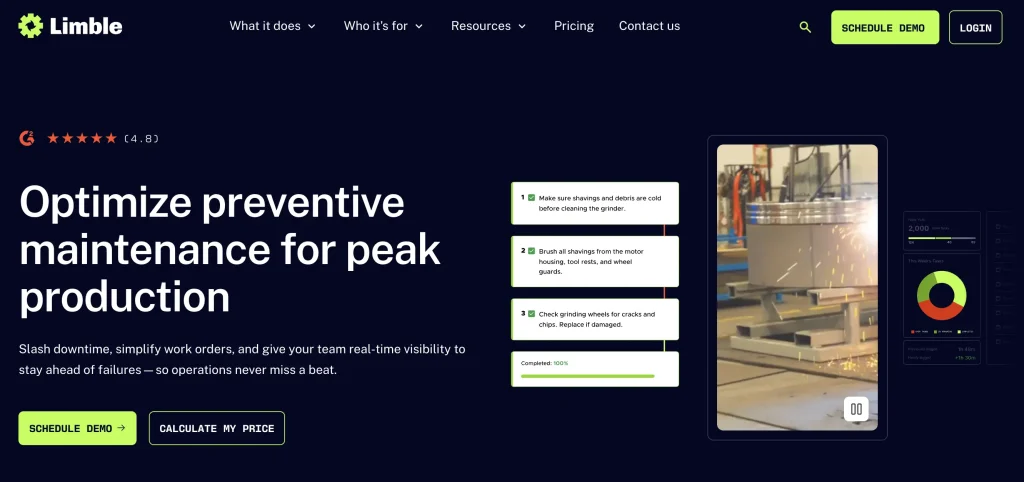
Limble is a maintenance-centered CMMS platform. Its documentation covers work orders, preventive maintenance tasks, work requests, assets, parts, vendors, mobile workflows, offline mode, and APIs. Limble’s asset documentation says asset cards include work history, vendors, parts, PMs, and open or completed work orders. Its mobile help documentation includes SSO login, parts access, and offline use.
Key maintenance capabilities
- Work requests
- Work orders
- Preventive maintenance
- Asset records
- QR workflows
- Parts inventory
- Vendor records
- Mobile workflows
- Offline mode
- Reporting and dashboards
- Multi-location controls
- API access
How it differs
Limble is a good fit when getting a team onto structured work-order and preventive-maintenance workflows is more important than deploying a broad EAM transformation. It is especially relevant for teams that want a maintenance-first experience for assets, PMs, parts, and mobile work in a single system.
Customer proof
Limble’s Thanksgiving Point customer story says the organization needed to address its backlog and improve preventive maintenance, and selected Limble as an upgrade to its CMMS. Limble also publishes a City of Lompoc case study where the team used Limble after working with a legacy CMMS and needed stronger support for current and future maintenance needs.
Pricing
See the pricing snapshot above for Limble’s public plan structure. Limble uses a price-calculator model rather than fixed public rates. Pricing and tier requirements need confirmation for offline mode, spare parts, purchasing, API access, multi-location reporting, SSO, and integrations.
Deployment and implementation
Limble is cloud- and mobile-based. Its help center includes a self-onboarding guide that suggests teams can start with assets, work requests, and setup steps, but larger teams should still plan for data migration, PM standardization, user training, and site-by-site rollout.
Not ideal for
Limble may not be ideal for organizations requiring highly complex EAM/APM, capital asset planning, or broad equipment custody and reservation workflows beyond maintenance.
Verify before buying
- Which plan includes offline mode?
- Are parts, vendors, and purchase orders included?
- Is SSO required?
- How will multi-location reporting work?
- What implementation support is included?
5. Fiix: Best for structured industrial maintenance
Best for: Industrial maintenance teams that need established CMMS workflows, asset records, inventory, reporting, mobile work, and offline access for technicians.
What it does
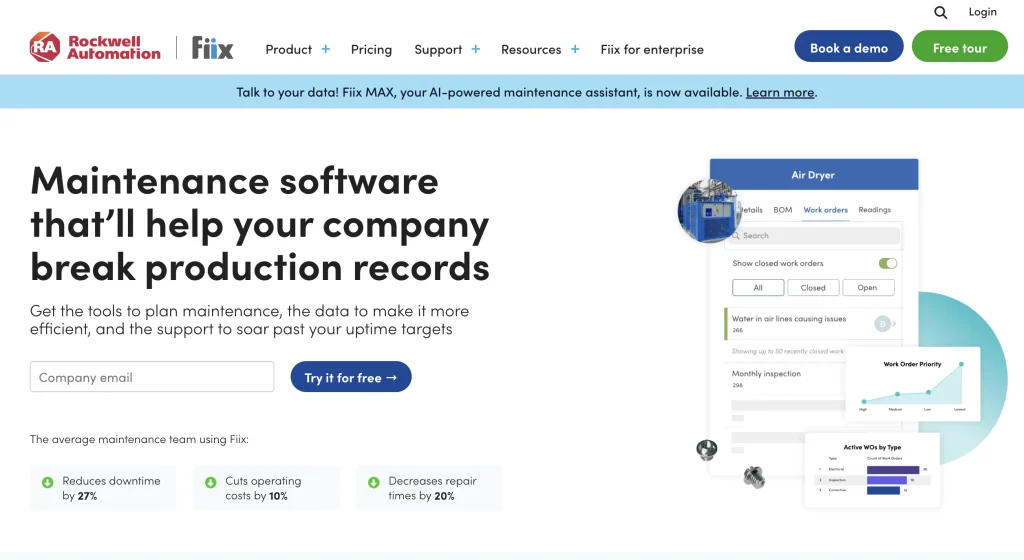
Fiix is a cloud-based CMMS for maintenance teams that need work orders, preventive maintenance, assets, parts and inventory, analytics, mobile access, and industrial integrations. Fiix’s pricing page says users can update work orders, see asset histories, view dashboards, and use the mobile app even without an internet connection. The same pricing page lists inventory, parts, supplies, work order management, and plan-dependent custom API integrations.
Key maintenance capabilities
- Work orders
- Preventive maintenance
- Asset information
- Parts and inventory
- Mobile work
- Offline work
- Analytics and dashboards
- Industrial integrations
- Multi-site features on higher tiers
- Fiix Foresight / AI capabilities by plan
- Enterprise API integrations
How it differs
Fiix is a strong fit for structured industrial maintenance operations that need established CMMS workflows, inventory, reporting, and offline technician access. It is particularly relevant where the maintenance team wants to move from reactive work toward proactive maintenance using structured data.
Customer proof
Fiix’s customer page says Perth County Ingredients reduced reactive maintenance by 54% and after-hours call-ins by 42% with Fiix. The Perth County Ingredients case study also describes how Fiix is used to tackle reactive maintenance and save time.
Pricing
See the pricing snapshot above for Fiix’s public pricing signals. Enterprise or add-on requirements may apply for SSO, custom API integrations, audit trails, e-signatures, custom workflows, Fiix Integration Hub, and Fiix MAX.
Deployment and implementation
Fiix is cloud-based with desktop and mobile access. It is suitable for teams that need structured maintenance data and technician mobility, but buyers should validate implementation support, asset hierarchy design, inventory setup, and integration scope.
Not ideal for
Fiix may not be ideal for organizations primarily looking for asset reservations, custody, checkout, or broader equipment fulfillment beyond maintenance execution.
Verify before buying
- Which plan includes required analytics?
- Is offline mobile work needed?
- Are custom API integrations required?
- Does the asset hierarchy fit the operating model?
- Does maintenance status need to drive availability or reservations?
6. eMaint: Best for configurable multi-site maintenance
Best for: Industrial and facilities teams that want configurable maintenance workflows, standardization across sites, and strong CMMS coverage for work orders, PMs, inventory, reporting, and integrations.
What it does
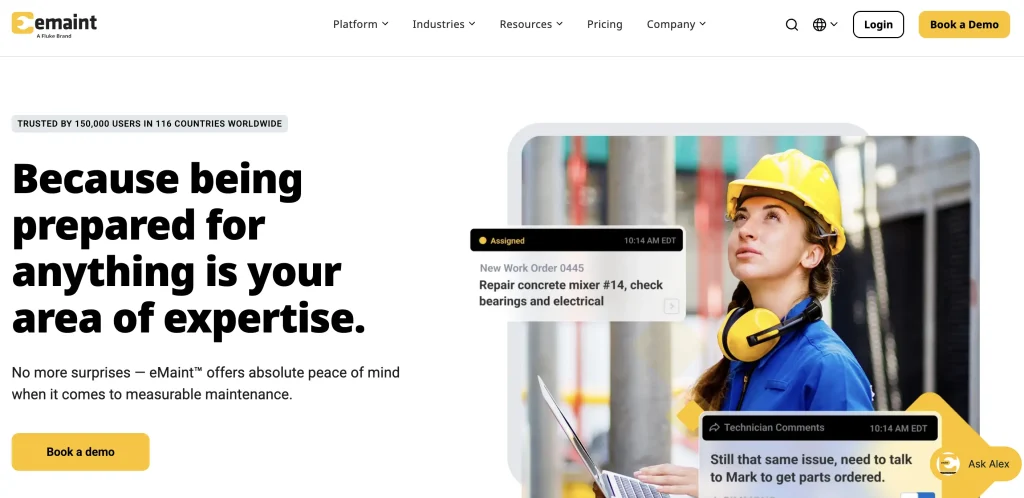
eMaint is a CMMS platform from Fluke Reliability. Its pricing and product pages position the platform around work orders, preventive maintenance, parts inventory, mobile work, offline work, API integrations, ERP/BI/SCADA connections, reporting, multi-site maintenance, and configuration. eMaint’s pricing page lists work orders and preventive maintenance, parts inventory, mobile app with offline work mode, and API integrations. eMaint also describes REST API and ERP integrations for connecting maintenance, purchasing, inventory, and labor data.
Key maintenance capabilities
- Work orders
- Preventive maintenance
- Work requests
- Asset records
- Inventory and parts
- Mobile app
- Offline work
- Reporting
- Multi-site configuration
- ERP, BI, SCADA, and API integrations
- Vendor workflows
How it differs
eMaint is a good fit for organizations that prioritize maintenance configurability and standardized workflows across sites. It is especially relevant where maintenance leaders want a CMMS that can adapt to different assets, facilities, request types, vendor workflows, and reporting needs.
Customer proof
eMaint’s AAK customer story says AAK introduced more than 5,000 preventive maintenance orders and reduced corrective work orders from 78% to 9% after adopting eMaint. eMaint’s Johns Hopkins Radiology story describes a team using eMaint to improve compliance reporting, track KPIs, and maintain more than 92% uptime across seven facilities.
Pricing
See the pricing snapshot above for eMaint’s public plan structure. eMaint’s main pricing page is quote-led, so final pricing depends on package, user minimums, implementation scope, offline mobile needs, API access, SSO, eMaint AI Suite availability, and enterprise requirements.
Deployment and implementation
eMaint is cloud-based and supports mobile/offline work. Because it is configurable, buyers should plan for field structure, asset hierarchy, PM templates, reporting standards, user roles, and integration scope during implementation.
Not ideal for
eMaint may not be ideal for small maintenance departments looking for minimal setup, limited administration, or a very lightweight work-order tool.
Verify before buying
- How much configuration is required?
- Which integrations are included?
- What offline workflows are supported?
- How are multi-site standards governed?
- What implementation and migration services are included?
7. Accruent Maintenance Connection: Best for asset-intensive maintenance and inventory control
Best for: Organizations managing maintenance-intensive equipment across one or multiple sites that need work orders, preventive maintenance, asset records, inventory, reporting, and technician workflows in a dedicated CMMS.
What it does
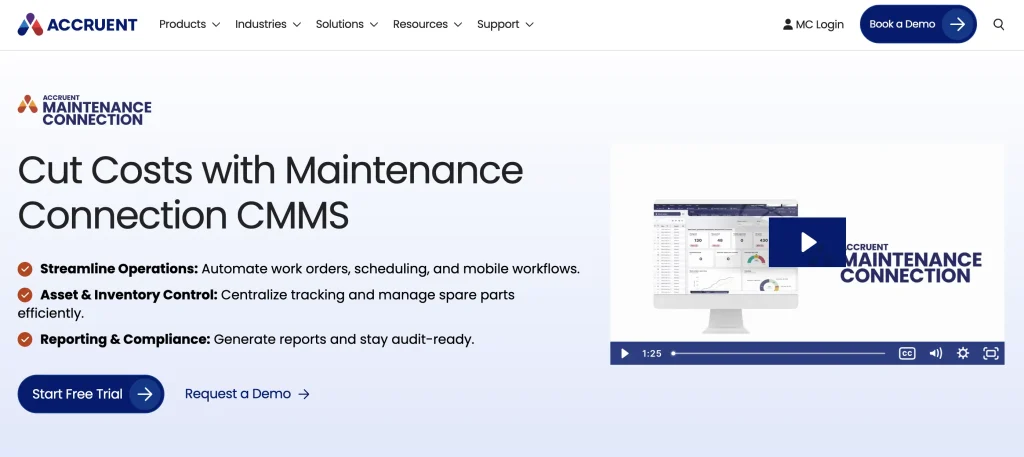
Accruent Maintenance Connection is a maintenance-focused CMMS. Accruent positions it around work-order management, preventive maintenance, asset management, inventory tracking, reporting, mobile maintenance, automated notifications, audit trails, document management, integrations, and scalability from single-site to multi-site environments. Accruent’s product pricing page says named-user pricing includes unlimited work orders, PM scheduling, comprehensive inventory management, and EAM-level reporting. Its product page describes Maintenance Connection as a cloud CMMS for work orders, asset tracking, preventive maintenance, reporting, mobile access, and real-time collaboration across locations.
Key maintenance capabilities
- Work requests
- Work orders
- Preventive maintenance
- Asset records
- Equipment maintenance history
- Parts and inventory tracking
- Maintenance scheduling
- Meter tracking
- Mobile technician workflows
- Reporting and analytics
- Automated notifications
- Multi-site maintenance
- Audit trails and documentation
How it differs
Choose Accruent Maintenance Connection when the organization needs a dedicated CMMS that connects maintenance work to equipment records, spare parts inventory, technician activity, and maintenance reporting across asset-intensive operations.
Customer proof
Accruent’s Trinchero Family Estates case study says the wine industry leader deployed Maintenance Connection, an automated CMMS, for more than 130 maintenance team members across 11 locations. Accruent also publishes case studies for L’Oréal, Northern Water, Masters Gallery Foods, SSAB, the City of Orlando, and The New York Times.
Pricing
See the pricing snapshot above for Accruent’s public pricing signals. MC Kinetic mobile is a separate add-on for Professional or Enterprise, so mobile and offline technician workflows can materially change the entry cost. SaaS and on-premises pricing also need separate confirmation.
Deployment and implementation
Maintenance Connection is cloud-based and supports mobile technician workflows. Accruent’s mobile CMMS page describes multi-site mobile CMMS visibility for work order management, preventive maintenance, parts inventory, asset history, and technician accountability. Offline mobile work is available through the MC Kinetic mobile add-on. Buyers should confirm licensing, sync behavior, and the scope of offline workflow before purchase.
Not ideal for
Accruent Maintenance Connection may not be ideal for organizations whose primary need is broader asset lifecycle management across custody, reservations, availability, utilization, procurement, and equipment fulfillment rather than maintenance-centered operations.
Verify before buying
- Which capabilities require Professional versus Enterprise?
- What mobile functionality is included or separately licensed?
- What offline workflows are supported?
- Which integrations require additional services?
- How does pricing change across multiple sites and larger technician teams?
8. IBM Maximo Application Suite: Best for enterprise maintenance and reliability
Best for: Large organizations that need enterprise asset management, asset performance management, reliability, condition monitoring, inspections, MRO inventory, and lifecycle planning.
What it does
IBM Maximo Application Suite is an enterprise EAM/APM environment, not a lightweight work-order application. IBM describes Maximo as a unified asset and facilities management solution that integrates maintenance, inspections, and reliability for critical equipment and infrastructure, leveraging AI to improve asset uptime, performance, and value. IBM’s pricing page describes Maximo as combining EAM, APM, reliability-centered maintenance, real estate and facilities, and inventory optimization into a single offering.
Key maintenance capabilities
- Enterprise asset management
- Maintenance management
- Inspections
- Reliability workflows
- Asset health
- Condition monitoring
- MRO inventory
- Mobile execution
- Asset performance management
- Asset investment planning
- AI and IoT-enabled workflows
- SaaS and client-managed deployment options
How it differs
IBM Maximo is best suited for complex enterprise maintenance and reliability environments where asset failure can create major safety, service, financial, infrastructure, or regulatory risk. It is built for mature asset-intensive organizations, not teams that simply need a fast work-order replacement.
Customer proof
IBM’s VPI case study says IBM software tracks roughly 60,000 assets across four power plants and helped VPI streamline asset management, maintenance, and procurement efforts. IBM’s Maximo case-study listing also includes Transport for London, Downer Group, VPI, Hub Power, Cornell University, and other asset-intensive organizations.
Pricing
See the pricing snapshot above for IBM Maximo’s public pricing signals. Maximo uses AppPoints rather than simple per-user CMMS pricing, so final cost depends on deployment model, AppPoints, modules, users, environments, integrations, capacity, and implementation scope.
Deployment and implementation
Maximo can be deployed as SaaS or client-managed software. IBM documentation also describes Maximo Application Suite as a Service running with IBM-managed provisioning, installation, configuration, operational support, security, maintenance, and administration for clients using AWS. Implementation usually requires enterprise governance, data migration, integrations, asset hierarchy design, reliability strategy, and change management.
Not ideal for
IBM Maximo may not be ideal for organizations seeking a lightweight CMMS with minimal implementation complexity, simple mobile work orders, or a fast departmental rollout.
Verify before buying
- Which Maximo applications are required?
- How many AppPoints are needed?
- Is SaaS or client-managed deployment required?
- Is APM, RCM, inventory optimization, or asset investment planning in scope?
- What internal governance and implementation resources are available?
Maintenance management maturity ladder
This is an editorial framework, not an industry standard. It helps buyers match software complexity to maintenance maturity.
| Stage | Primary maintenance need | Typical software requirement |
| 1. Capture the work | Replace calls, paper, and spreadsheets | Requests + work orders |
| 2. Standardize execution | Make work consistent | Procedures + checklists + mobile |
| 3. Prevent failures | Reduce reactive maintenance | PM + meters + inspections |
| 4. Control resources | Coordinate labor, parts, and schedules | Planning + inventory + purchasing |
| 5. Improve reliability | Reduce recurring failures | KPIs + condition data + failure analysis |
| 6. Connect asset lifecycle | Link maintenance with asset operations | EAM + lifecycle visibility |
| 7. Optimize asset performance | Enterprise risk and performance | EAM/APM + advanced analytics |
The best platform is not automatically the one furthest to the right. A team at Stage 1 may fail with an enterprise APM implementation it cannot govern. A mature reliability operation may quickly outgrow a simple work-order tool.
The same work order test
The same work order test forces every vendor to demonstrate the same real-world workflow instead of relying on generic feature claims.
Use this scenario:
Operator reports an abnormal pump → request submitted → priority assessed → work planned → technician scheduled → parts identified → work performed → meter reading captured → failed component recorded → parts consumed → downtime logged → supervisor reviews → asset history updates → PM strategy reviewed
Ask each vendor:
- Can the request be submitted easily?
- Does it become a structured work order?
- Can the planner prioritize it?
- Can resources be scheduled?
- Are required parts visible?
- Can technicians perform the work on mobile devices?
- Can they work offline?
- Can labor be recorded?
- Can parts be consumed?
- Can downtime be captured?
- Does the asset record update?
- Can the event feed be reported?
- Can the PM strategy be adjusted?
This test exposes the difference between a tool that “has work orders” and a platform that supports the full maintenance operating loop.
Maintenance strategy spectrum
Maintenance software should be evaluated against the maintenance strategy the organization can realistically run.
Reactive maintenance
Reactive maintenance means repair after failure. It may be unavoidable for non-critical assets, but excessive reactive work usually leads to downtime, overtime, and poor visibility into planning.
Planned corrective maintenance
Planned corrective maintenance is a deliberate repair scheduled in advance. The issue has been identified, but the work is planned for a controlled maintenance window.
Preventive maintenance
Preventive maintenance is triggered by time, usage, meter readings, or predetermined intervals. It helps teams service equipment before it fails.
Condition-based maintenance
Condition-based maintenance is triggered by measured asset condition, such as vibration, temperature, pressure, runtime, alarms, or sensor thresholds.
Predictive maintenance
Predictive maintenance uses data and analytics to estimate the likelihood of failure or the need for maintenance. It should not be used as a label for simple calendar scheduling.
Reliability-centered maintenance
Reliability-centered maintenance selects maintenance strategy based on failure modes, consequences, criticality, and asset function. It requires more data discipline and maturity in reliability than basic PM.
Maintenance management software feature comparison
The tables below use factual capability-status labels rather than editorial rankings. A capability marked Included is documented as part of the product or plan family, but buyers should still confirm the exact tier, license, and implementation scope before purchase.
Legend:
Included = documented as supported in the product or plan family
Plan-dependent = available only on certain tiers, packages, or enterprise plans
Add-on/package = requires a separate add-on, module, package, or Custom Enterprise configuration
Configuration required = possible, but requires setup, rules, integrations, or implementation work
Not documented = not confirmed from official vendor materials reviewed for this article
Work execution
| Capability | EZO EAM | MaintainX | UpKeep | Limble | Fiix | eMaint | Maintenance Connection | IBM Maximo |
| Work requests | Included | Included | Included | Included | Included | Included | Included | Included |
| Work orders | Add-on/package | Included | Included | Included | Included | Included | Included | Included |
| Procedures/checklists | Add-on/package | Included | Included | Included | Included | Included | Included | Included |
| Planning | Included | Included | Included | Included | Included | Included | Included | Included |
| Technician scheduling | Included | Included | Included | Included | Included | Included | Included | Included |
| Calendar PM | Add-on/package | Included | Included | Included | Included | Included | Included | Included |
| Meter-based PM | Add-on/package | Included | Included | Included | Included | Included | Included | Included |
| Condition triggers | Add-on/package | Plan-dependent | Plan-dependent | Not documented | Plan-dependent | Included | Not documented | Included |
Assets, inventory, and maintenance records
| Capability | EZO EAM | MaintainX | UpKeep | Limble | Fiix | eMaint | Maintenance Connection | IBM Maximo |
| Asset maintenance history | Included | Included | Included | Included | Included | Included | Included | Included |
| Downtime | Included | Included | Included | Included | Included | Included | Included | Included |
| Parts inventory | Included | Plan-dependent | Plan-dependent | Plan-dependent | Included | Included | Included | Included |
| Purchasing | Included | Plan-dependent | Plan-dependent | Plan-dependent | Plan-dependent | Included | Included | Included |
| Vendors | Included | Included | Included | Included | Included | Included | Included | Included |
| Labor tracking | Add-on/package | Included | Included | Included | Included | Included | Included | Included |
| Cost tracking | Add-on/package | Included | Included | Included | Included | Included | Included | Included |
| MTTR / MTBF | Included | Included | Included | Included | Included | Included | Included | Included |
Mobile and enterprise controls
| Capability | EZO EAM | MaintainX | UpKeep | Limble | Fiix | eMaint | Maintenance Connection | IBM Maximo |
| Mobile | Included | Included | Included | Included | Included | Included | Included | Included |
| Offline | Plan-dependent | Plan-dependent | Plan-dependent | Plan-dependent | Included | Included | Add-on/package | Plan-dependent |
| Multi-site | Included | Plan-dependent | Plan-dependent | Plan-dependent | Plan-dependent | Included | Included | Included |
| APIs | Plan-dependent | Plan-dependent | Plan-dependent | Plan-dependent | Plan-dependent | Included | Not documented | Included |
| SSO / access controls | Plan-dependent | Plan-dependent | Plan-dependent | Plan-dependent | Plan-dependent | Included | Not documented | Included |
| IoT / condition monitoring | Add-on/package | Plan-dependent | Plan-dependent | Not documented | Included | Included | Not documented | Included |
| AI | Plan-dependent | Plan-dependent | Plan-dependent | Not documented | Plan-dependent | Not documented | Not documented | Included |
| Enterprise reliability / APM | Not documented | Included | Included | Not documented | Included | Included | Included | Included |
Which maintenance management software should you choose?
The best maintenance management software depends on the maintenance operating model your team actually needs.
| Your primary need | Often a fit | Also evaluate | Verify before buying |
| Maintenance connected with asset lifecycle and operations | EZO EAM | eMaint | CMMS package, offline requirements |
| Frontline execution and digital procedures | MaintainX | UpKeep | Pricing tier, enterprise requirements |
| Mobile-first technician workflows | UpKeep | MaintainX | Offline, integrations |
| Straightforward preventive maintenance | Limble | Fiix | Parts and enterprise requirements |
| Structured industrial maintenance | Fiix | eMaint | Integrations and reporting tier |
| Configurable multi-site industrial maintenance | eMaint | Fiix | Implementation and admin requirements |
| Asset-intensive maintenance with parts and inventory control | Accruent Maintenance Connection | Fiix | Mobile licensing, integrations, multi-site requirements |
| Enterprise EAM/APM and reliability | IBM Maximo | EZO EAM | AppPoints, implementation, governance |
Which industries benefit most from maintenance management software?
Maintenance management software is most valuable where equipment, facilities, or operational assets require repeatable work, documented history, planned service, parts, and accountability.
Manufacturing
Manufacturers use maintenance software to manage production assets, breakdown work, preventive maintenance, spare parts, downtime, reliability, inspections, and multi-site plant standards.
Facilities management
Facilities teams use maintenance software for HVAC, electrical, plumbing, building systems, work requests, contractors, inspections, recurring maintenance, and deferred work.
Healthcare
Healthcare maintenance teams use CMMS platforms to manage equipment maintenance, facility assets, service histories, scheduled inspections, availability, and documentation. Software can support documentation, but it does not guarantee regulatory compliance on its own.
Education
Schools and universities use maintenance management software across campuses, buildings, trades teams, requesters, PM schedules, deferred maintenance, and distributed facilities.
Government and public works
Government and public works teams manage public infrastructure, facilities, vehicles, field crews, equipment, maintenance history, auditability, and multi-site governance.
Construction and field operations
Construction and field teams need maintenance software for mobile equipment, usage-based maintenance, remote sites, parts, equipment history, and mobile or offline work.
Warehousing and distribution
Warehouse and distribution teams use maintenance software for material-handling equipment, conveyors, forklifts, facility systems, PMs, parts, and downtime reduction.
What maintenance KPIs should software track?
Maintenance software should track KPIs that show whether work is becoming more planned, reliable, efficient, and asset-aware.
Mean time to repair — MTTR
Mean time to repair tracks how long repairable equipment typically takes to restore after failure. It helps teams understand repair speed, technician workload, parts delays, and recurring bottlenecks.
Mean time between failures — MTBF
Mean time between failures measures the time between failures of repairable equipment. It helps maintenance and reliability teams understand whether assets are becoming more reliable over time.
PM compliance
PM compliance measures whether scheduled preventive work is completed on time. Low PM compliance can signal overloaded technicians, unrealistic schedules, poor planning, or missing parts.
Schedule compliance
Schedule compliance measures whether planned maintenance is completed within its intended schedule. It helps teams understand whether they are controlling work or constantly being disrupted by urgent repairs.
Planned vs. unplanned work
This KPI shows whether maintenance is proactive or dominated by reactive work. A rising share of planned work usually indicates better control, but the right target depends on industry, asset criticality, and maturity.
Maintenance backlog
Backlog should be measured by job count, labor hours, and weeks of work. A backlog that looks small by job count may still be large if each job requires specialized labor or long shutdown windows.
Downtime
Downtime should be separated into planned and unplanned downtime. Planned downtime may be acceptable during controlled maintenance windows; unplanned downtime is usually more disruptive.
Maintenance cost by asset
Asset-level cost should include labor, parts, external services, and repeated repairs. This helps leaders decide whether to repair, replace, rebuild, or retire equipment.
Parts usage
Parts reporting should show consumption, stockouts, emergency purchases, reorder patterns, and carrying levels. If parts are missing, even a well-planned work order can stall.
What deployment and enterprise capabilities matter?
Enterprise buyers should evaluate governance, security, integration, and rollout needs alongside maintenance features.
Important capabilities include:
- Cloud deployment
- Mobile access
- Offline mode
- Multi-site administration
- Role-based permissions
- SSO
- APIs
- Integrations
- Data import and export
- Audit history
- Implementation services
- Migration
- Training
- Support
- Enterprise governance
Mobile access does not mean offline access. API availability does not mean API access is included in every package. SSO availability does not mean SSO is available on the required tier. These should be verified at the plan and implementation level.
How much does maintenance management software cost?
Maintenance management software pricing varies by user model, module depth, asset scope, implementation requirements, and enterprise controls.
Common pricing models include:
- Per technician
- Per full user
- Per administrator
- Free requester
- Limited user
- Per tracked item
- Site-based
- Module-based
- Enterprise custom
- Credit or usage-based
A three-year TCO model should include core licensing, tracked assets/items, maintenance administrators, technicians, requesters, additional sites, inventory modules, purchasing, AI, API access, SSO, IoT integrations, implementation, migration, training, support, professional services, hardware, and annual increases.
For EZO specifically, account for both tracked-item EAM pricing and the separate CMMS admin-user component when relevant. For IBM Maximo, account for AppPoints and deployment model. For per-user CMMS products, model how many technicians, supervisors, planners, and requesters require paid access.
Never rank maintenance software by headline starting price alone.
How do you choose maintenance management software?
The right platform should match the organization’s actual maintenance operating model without introducing more process and administrative complexity than the team can sustain.
1. What maintenance work do you perform today?
Map whether your team handles reactive work, planned corrective maintenance, preventive maintenance, inspections, meter-based work, condition-based work, predictive maintenance, or reliability-centered maintenance.
2. Who needs access?
List requesters, technicians, supervisors, planners, reliability engineers, operations users, vendors, and executives. Licensing can change materially depending on whether the requester needs full access or view-only access.
3. How important is technician usability?
Have technicians test the workflow. Do not let the buying team evaluate only administrator dashboards. A CMMS fails quickly if technicians cannot use it during real work.
4. Do technicians work without internet access?
If yes, offline capability becomes a gating requirement. Test what can be viewed, edited, submitted, and synced offline.
5. How tightly are parts connected to maintenance?
If jobs regularly stop because parts are missing, inventory and purchasing should be core evaluation criteria, not optional add-ons.
6. Does maintenance need to connect with broader asset operations?
This is where CMMS and EAM differ in importance. If teams also need custody, availability, reservations, utilization, procurement, and lifecycle history, an EAM platform with built-in CMMS capabilities may be more appropriate than a maintenance-only system.
Maintenance software evaluation checklist
Use this checklist during demos and vendor evaluation:
- Can employees submit requests easily?
- Can requester access be separated from paid technician/admin access?
- Can requests become work orders?
- Can planners see and prioritize backlog?
- Can work be assigned by a technician or team?
- Can technicians see required procedures?
- Can the PM be triggered by date?
- Can PM be triggered by meter or usage?
- Can inspections be standardized?
- Can technicians work on mobile?
- Does offline mode meet field requirements?
- Can labor be recorded?
- Can parts be consumed against work?
- Can maintenance costs roll up to the asset?
- Can downtime be recorded?
- Does completed work update asset history?
- Can spare parts be managed by site?
- Can purchasing connect with inventory requirements?
- Can MTTR and MTBF be reported?
- Can multiple sites be centrally governed?
- Are APIs available on the required tier?
- Is SSO available on the required tier?
- Can data be exported?
- What implementation support is required?
- What does the platform cost over three years?